YouTube community tab

The YouTube Community Tab is a feature designed to help creators engage with their audience outside of the videos that they upload to their channel. Types of Community Posts include polls, text-based posts and images.
Best practices
Use polls
Polls are one of the most popular types of community posts. And for good reason: polls are an easy way to get your community more involved with your channel.
For example, lots of YouTubers use polls to ask their subscribers what types of content they want to see next:

Polls don’t necessarily have to be about your channel. You can also use polls as a fun way to start a discussion or to give your fans a voice on a topic related to your channel. Here’s a great example:

Get informal
For many creators, the only time viewers see them is in front of the camera (usually accompanied by lights, makeup, and a carefully-selected outfit).
Community Posts allow you to show a more informal side of your life.
For example, Rudy Mancuso uses Community Posts to give viewers a sneak peak into “real life” outside of YouTube:

Promotion
The Community Tab is a great place to promote older videos, merch or products that you sell. While you do want to balance value with promotion, promoting things in community posts can be much easier (and more effective) than doing so in a video.
For example, John Sonmez regularly shares his old videos in his Community posts:

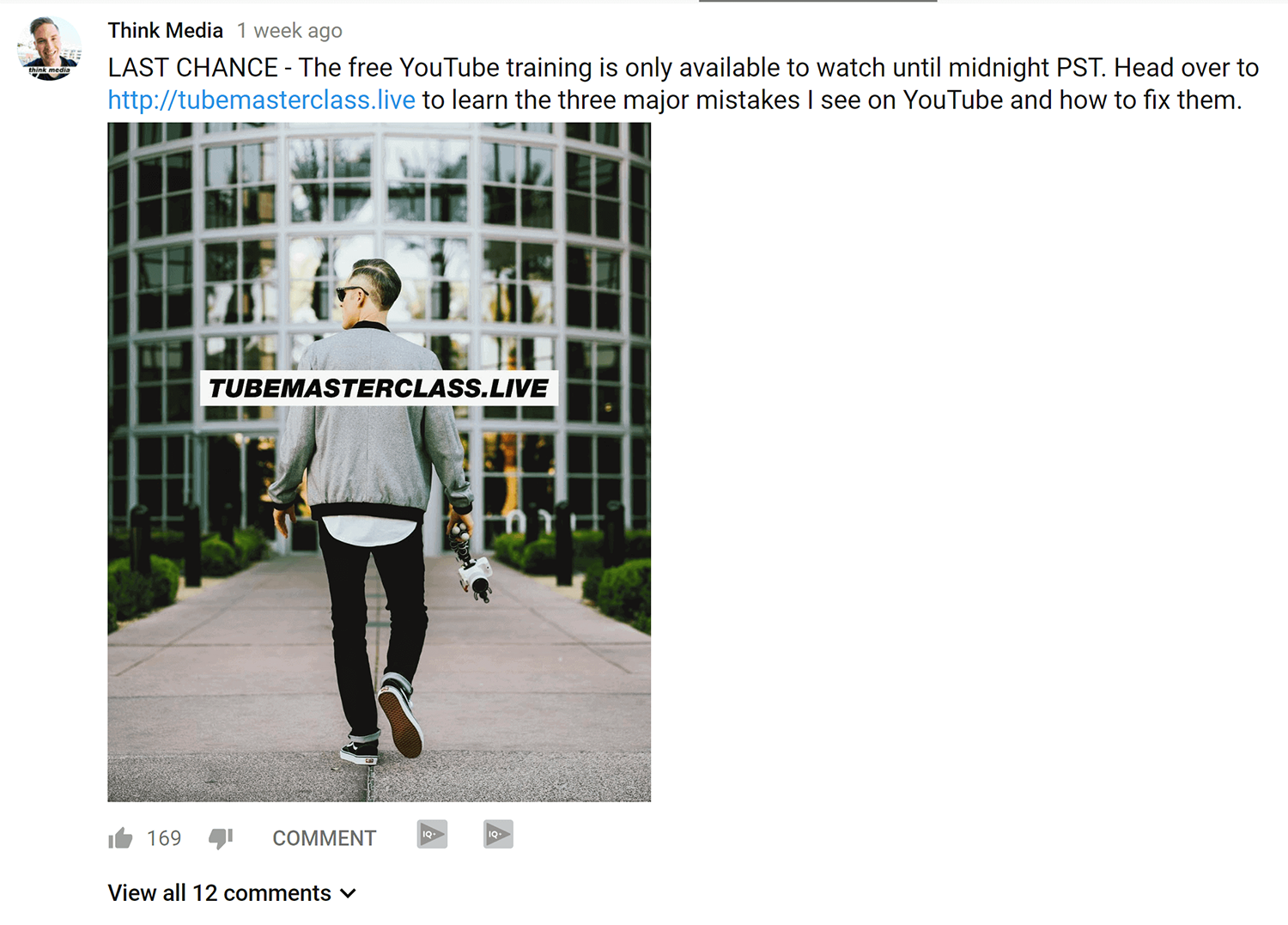
And Sean from ThinkMedia uses posts to promote his webinars and online courses:
Pre-promotion
Before the Community Tab, there was no easy way to get your fans excited about an upcoming video.
In fact, many creators would build anticipation for their videos on other platforms, like Twitter and Facebook.
Thanks to the Community Tab, you can pre-promote your videos on YouTube. And when it comes to pre-promotion, you have two options:
Use a poll: Ask viewers what they want to learn about or see in your next video. Evan Carmichael has mastered this technique:

Use a GIF of behind-the-scenes shot: Give your fans a sneak preview of your video using a clip as an GIF or a still shot of the video being filmed:

Exclusive content
Like any platform, it’s important to give people a reason to follow your updates in your Community Tab. If you simply repost content from Instagram or Twitter, people aren’t going to have a reason to check out what’s going on in your Community Tab.
Do your best to offer exclusive content that your fans can’t find anywhere else. For example, Lewis Howes posts images that you can only find on his Community Tab:

Shout outs
Use Community Posts to show appreciation to people that support your channel (either financially through something like Patreon or people that are super active members of your community):

Cross-promotion and collabs
You can use the Community Tab to send your fans to content on other channels that you find interesting.
Also, if you do a collab with another channel, a Community Post is a great way to let your fans know about it:

Give your community a reason to check your tab
The Community Tab is one of the most underused features on YouTube. It lets you connect with your audience between uploads, promote your content without making a full video, and show a side of yourself that viewers don’t usually see. The creators who get the most out of it treat it like its own mini platform with content you can’t find anywhere else on their channel.
Start with a poll or a behind-the-scenes photo. See how your audience responds. Once you get comfortable, mix in promotions, shout outs, and sneak peeks of upcoming videos. The more consistently you post, the more your fans will check in.
Worth exploring next:
- YouTube channel planning: Search Engine Land’s guide to mapping out your channel strategy, setting goals, and building a content plan that keeps your uploads on track.
- YouTube keyword research: Learn how to find the right keywords for your videos so they show up when your target audience is searching.
- YouTube for SEO: boost rankings with video content: A comprehensive walkthrough of optimizing your channel and videos for both YouTube and Google search results.
Explore more on
Editorial disclosure
Search Engine Land is owned by Semrush. We remain committed to providing high-quality coverage of marketing topics. Unless otherwise noted, this page’s content was written by either an employee or a paid contractor of Semrush Inc.
About the author