Free Keyword Research Tool

If you searched for “keyword research tool,” you already know what one is. For everyone else: It tells you what your audience actually searches for, how often, and with what intent.
That information shapes every downstream decision: content priorities, site structure, on-page work, and how you measure results. Skip it, and you’re building on assumptions that surface as problems later.
Reasons to use a keyword research tool and metrics to know
A keyword research tool earns its place by answering questions you can’t answer with instinct alone. Instead of relying on hunches, you get data about how real people search, what they want when they search, and how competitive each opportunity actually is.
Here are the core reasons practitioners rely on tools, and the metrics that drive each decision.
Language: Match the words your customers actually use
The words your team uses rarely match the words your customers use. A keyword tool shows you what people actually search for, in their own language, rather than the jargon your industry defaults to.
Internal teams often describe products one way while customers search using completely different terms, and closing that gap is often the difference between content that ranks and content that doesn’t.
Demand (search volume): Size the opportunity before you commit resources
Effort should follow audience size, not gut feel. A keyword tool lets you estimate demand before investing time or money into a piece of content or a campaign.
Knowing whether 200 or 20,000 people search for a term each month changes whether a blog post, product page, or ad campaign is worth creating.
Difficulty: Know what you can realistically rank for
Not every keyword is winnable, and chasing the wrong ones burns months you won’t get back. A keyword tool helps you judge how hard it will be to rank before you commit.
Difficulty scores and SERP analysis help you avoid wasting effort on keywords dominated by major brands, Wikipedia, or entrenched publishers.
Here’s a look at a standard metric system for determining keyword difficulty (KD):
- KD 0-9: Very low difficulty, often winnable with a single well optimized page, even on a brand new site
- KD 10-29: Low difficulty, easier to rank, especially for newer sites
- KD 30-69: Moderate difficulty, competitive but achievable with quality content and backlinks to your website
- KD 70+: High difficulty, typically dominated by established websites with exceptional domain Authority Scores (AS)
Intent: Build the right kind of page for each query
Two keywords with the same volume can require completely different pages. A keyword tool helps you understand what the searcher actually wants. It separates informational queries (“how does X work”) from commercial ones (“best X”) and transactional ones (“buy X near me”), which determines what kind of page you should build.
| Search intent | Definition | Keyword examples |
| Informational | The searcher is looking for more information on a topic | How to train a puppy, benefits of meditation |
| Commercial | The searcher is considering options before buying | Best smartphones under $500, Bluehost vs. SiteGround for WordPress hosting |
| Navigational | The searcher is trying to find a specific webpage | Nike.com running shoes, Facebook login |
| Transactional | The searcher is ready and looking to buy | Buy noise-cancelling headphones, get Grammarly Premium discount |
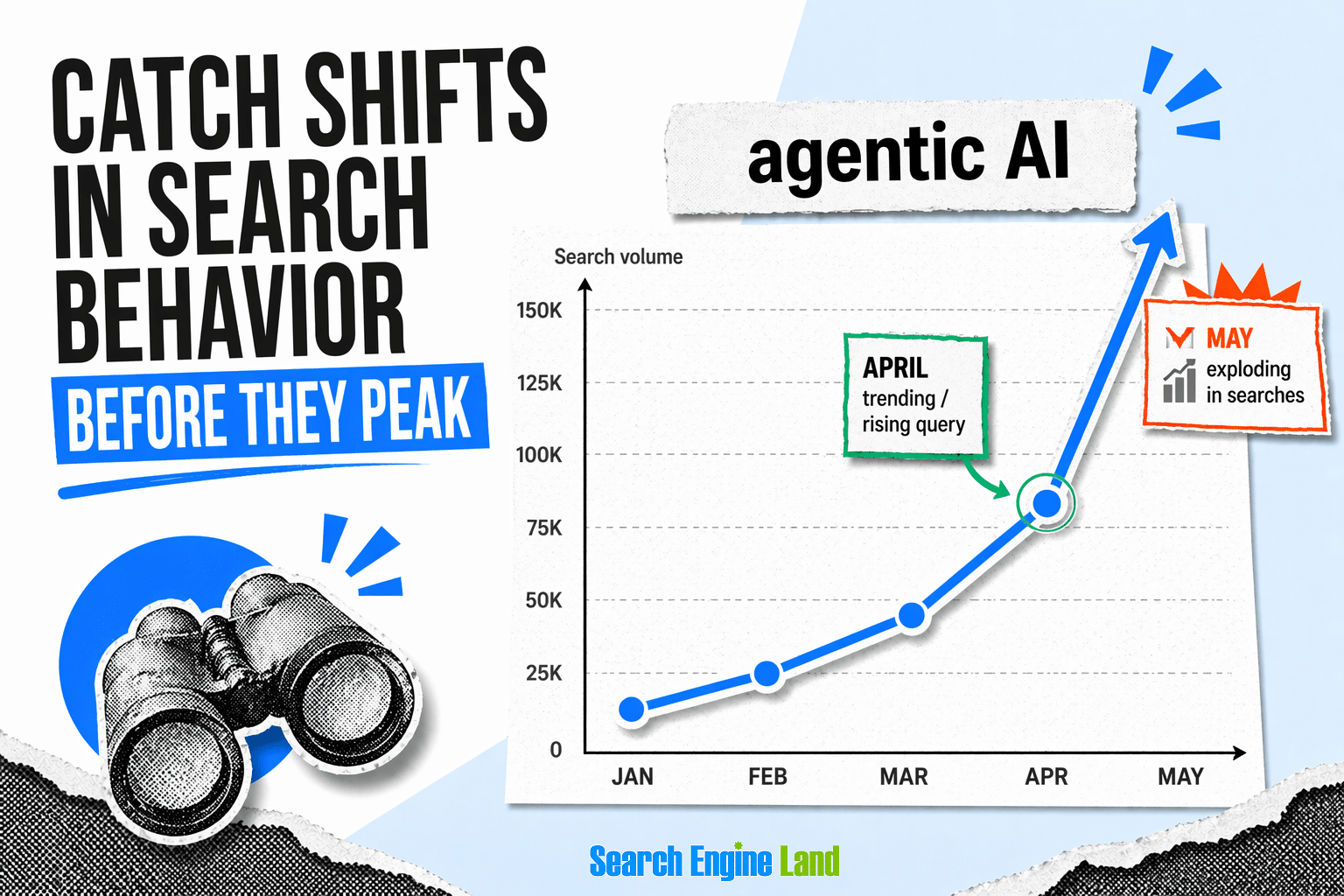
Trends: Catch shifts in search behavior before they peak
Search behavior shifts before markets do, and rising queries often signal what’s coming next. A keyword tool lets you track trends over time and spot movement early. Rising search terms signal new customer needs, product categories, or seasonal shifts before they become obvious to everyone else.
Related AI Volume: Gauge how often a keyword surfaces in AI answers
AI answer engines are becoming a second front for organic visibility, and Related AI Volume tells you which terms are already showing up there. It estimates how often a keyword or related topic appears in AI generated search results, reflecting visibility in tools like Google’s AI Overviews.
Treating this as a ranking signal in its own right helps you prioritize content that can earn citations in AI answers, not just blue link results.
CPC (USD): Read commercial intent through what advertisers will pay
Advertisers only bid high on keywords that convert, which makes cost per click one of the cleanest proxies for commercial value. CPC (USD) shows the average cost per click advertisers pay to target a keyword in Google Ads.
A high CPC signals that the query sits close to a purchase decision, which usually means it belongs on a product, category, or comparison page rather than top of funnel content.
# of Results: Check how crowded the SERP already is
Volume tells you how many people are searching, but “# of Results” tells you how many pages are already competing for their attention. It counts the total number of web pages ranking in Google’s organic results for a given keyword, indicating SERP saturation.
A high count on a modest volume term usually signals a crowded space, while a lower count on a decent volume term often points to an opening worth taking.

Gaps: Find the openings your competitors have missed
Your competitors have already done some of your research for you, whether they know it or not. A keyword tool shows you which terms they rank for that you don’t, and which ones have real traffic potential but low competition. That kind of visibility turns competitive analysis into a concrete list of opportunities.
Prioritization: Rank your backlog with data instead of opinions
A backlog of fifty content ideas is useless without a way to rank them. A keyword tool gives you volume, difficulty, and business value data to prioritize objectively. That replaces meeting room debates with decisions grounded in what the data actually says.
Long-tail keywords: Win specific queries that convert better
Keywords fall into two broad categories: head terms and long-tail keywords. Each plays a different role in a search strategy.
Head terms, sometimes called short-tail keywords, are short and broad, with high search volume and heavy competition. Seed keywords are a good example.
Long-tail keywords are more specific, usually four or more words, and they target a narrower audience. Volume is lower, but so is competition.
Pro tip: Besides being easier to rank, long-tail keywords are often better at converting visitors. That’s because they’re highly targeted, making it easier to solve the searcher’s specific problem.
Here are some examples of head terms vs. long-tail keywords:
| Head terms | Long-tail keyword |
| Men’s bicycle | Men’s bicycle for commuting in winter |
| Photography business | How to start a photography business from home |
| Yoga stretches | Best beginner yoga stretches for lower back pain |
| Car insurance | Cheapest car insurance for young adults in California |
Long-tail keywords are the hidden gems of SEO. Since they typically have less competition, long-tail keywords require less time and fewer resources to start gaining traction. This makes them especially ideal for new sites still in the sandbox, helping you drum up traffic and gain topical authority within your niche.
Use cases: What can you do with our Keyword Research Tool?
Now that you know some of the more important keyword metrics, let’s show you how you can use them depending on your use case.
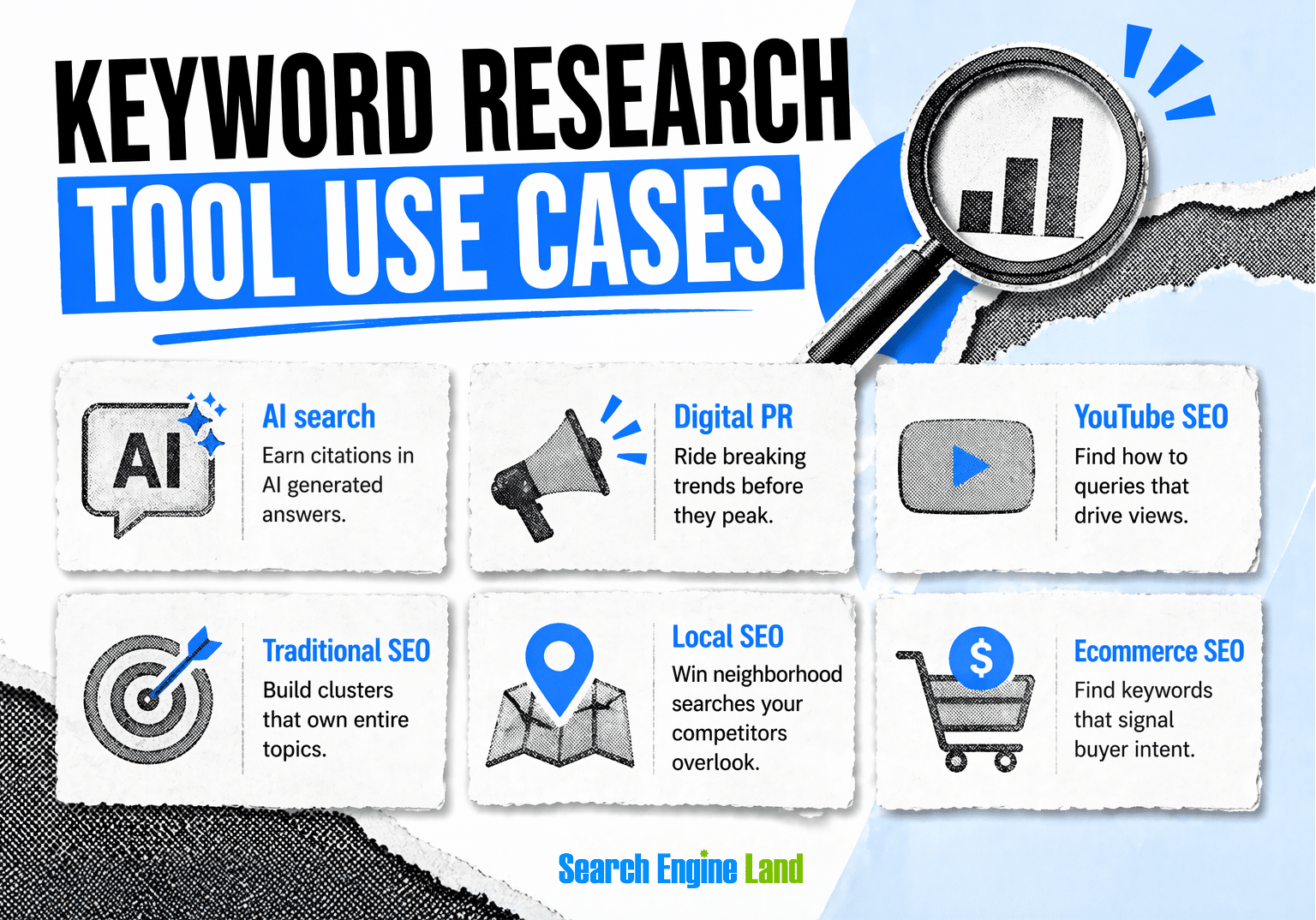
The Keyword Research Tool works across every major SEO, AI search, and content use case. However, the metrics that matter shift depending on what you’re trying to accomplish.
A term worth chasing for ecommerce looks different from one worth chasing for YouTube or local service pages. The breakdown below shows which signals to lean on for each.
AI search
AI answer engines are reshaping how people find information, and the keywords that win in traditional search don’t always win here. “Related AI Volume” is the key metric.
Prioritize keywords where AI generated answers are already pulling the topic in, then use “Intent” to focus on question based and comparison queries that AI tools surface most often. “KD” and “# of Results” help identify where your content has a real chance of being cited in AI answers rather than buried.
PR and reactive content
Timing is the whole game for reactive content, so trend signals matter more than raw volume.
Lean on “Trend” and “Search Trend” to catch topics with sharp upward movement tied to news or cultural moments. Pair rising trends with manageable “KD” and “# of Results” to find angles where a timely piece can rank quickly. “Volume” confirms the story has enough audience interest to justify the effort.
YouTube SEO
Video search behaves differently than web search, with a heavy tilt toward how to and explainer content.
Filter Keyword Ideas by “Intent” to surface informational and how to queries, which dominate video search. Use “Volume” to gauge audience size and “KD” as a rough proxy for competition. “Search Trend” helps you prioritize topics with growing interest, since video content compounds over time on rising terms.
Traditional SEO
Traditional SEO still rewards depth and topical authority, so the goal is sizing full clusters rather than chasing single terms.
Use “Volume” and “Total Volume” to measure the opportunity for head terms and full topic clusters. Rely on “KD” and “Average KD” to separate realistic targets from terms dominated by major brands. “Intent” guides whether each keyword needs an informational, commercial, or transactional page, while “# of Results” reveals how saturated the SERP already is. “Search Trend” helps you prioritize evergreen terms with stable demand over fading ones, so your content investment keeps paying off long term.
Local SEO
Local search rewards specificity, and the best opportunities often sit in neighborhood or service level variations.
Use “Volume” and “Intent” to find location-based search terms with clear local intent (“plumber in NYC”, “dentist Austin”). Then use “KD” and “# of Results” to spot less saturated neighborhood or service variations you can realistically rank for. “Search Trend” helps time content around seasonal local demand, like HVAC spikes in summer or tax services in spring.
Ecommerce SEO
Ecommerce keywords live or die on buyer intent, so commercial signals matter as much as traffic estimates.
Use “CPC” as a proxy for buyer intent, since high CPC terms usually mean commercial value. Combine with “Volume” to size the opportunity and “Intent” to separate transactional queries (“buy,” “best,” “cheap”) from informational ones. “KD” and “# of Results” then help you decide which product, category, and comparison pages are winnable versus which are better served by paid ads.
Common mistakes to avoid in keyword research
Here are a few of the most common mistakes marketers make when conducting keyword research, as well as advice on avoiding those same traps:
Overemphasis on high-volume keywords without considering intent
Different types of search intent hold different values.
Informational keywords tend to see higher search volume than their counterparts, providing an excellent source of traffic and attracting backlinks from authoritative websites. As a result, many marketers focus exclusively on this type of content when beginning an SEO campaign. But that’s only half the picture.
It’s true that commercial and transactional keywords often have lower search volume. But they’re also much more lucrative. That’s because the searcher is closer to making a decision, leading to direct sales or commissions and earning more money per visitor.
Have you ever heard the advice, “diversify your portfolio?” It’s the same for your content. Many of the most successful marketers target high- and low-volume keywords with various intents. This allows them to capture all levels of the marketing funnel, increase their traffic while still earning sales, and boost the authority of their website.
Neglecting long-tail keywords that are easier to rank for
We keep returning to the topic of long-tail keywords because we can’t stress the point enough: They are the foundation of nearly every successful site on the web!
Remember, long-tail keywords are like buried treasure. It takes time to dig through broader keywords to find them, but the potential upside is well worth the effort.
Long-tail keywords are easier to rank for and can provide a much better conversion rate compared to short-tail keywords, making them the perfect addition to any content strategy.
Ignoring seasonal trends or regional variations in keyword usage
Keyword data isn’t static. Search demand often shifts based on the time of year, current events, and even differences in regional terminology. Ignoring these trends can lead to publishing the right content at the wrong time. Or worse, targeting keywords that don’t resonate with your target audience.
For example, every holiday season sees a spike in searches for “gift ideas,” while terms like “tax filing deadline” peak early in the year. Likewise, a term like “sneakers” might dominate US search traffic, but “trainers” is much more common in the UK.
Understanding these patterns allows you to plan content ahead of demand, target the right audience more precisely, and avoid wasting effort on content that falls flat due to timing or a mismatch in language.
How to use the Keyword Research Tool
Getting useful output from the Keyword Research Tool takes two steps and less than a minute. You enter a keyword, and the tool returns a full report covering demand, difficulty, intent, AI visibility, and related opportunities. Here’s how to run it and what each part of the results tells you.
Step 1: Enter your primary keyword
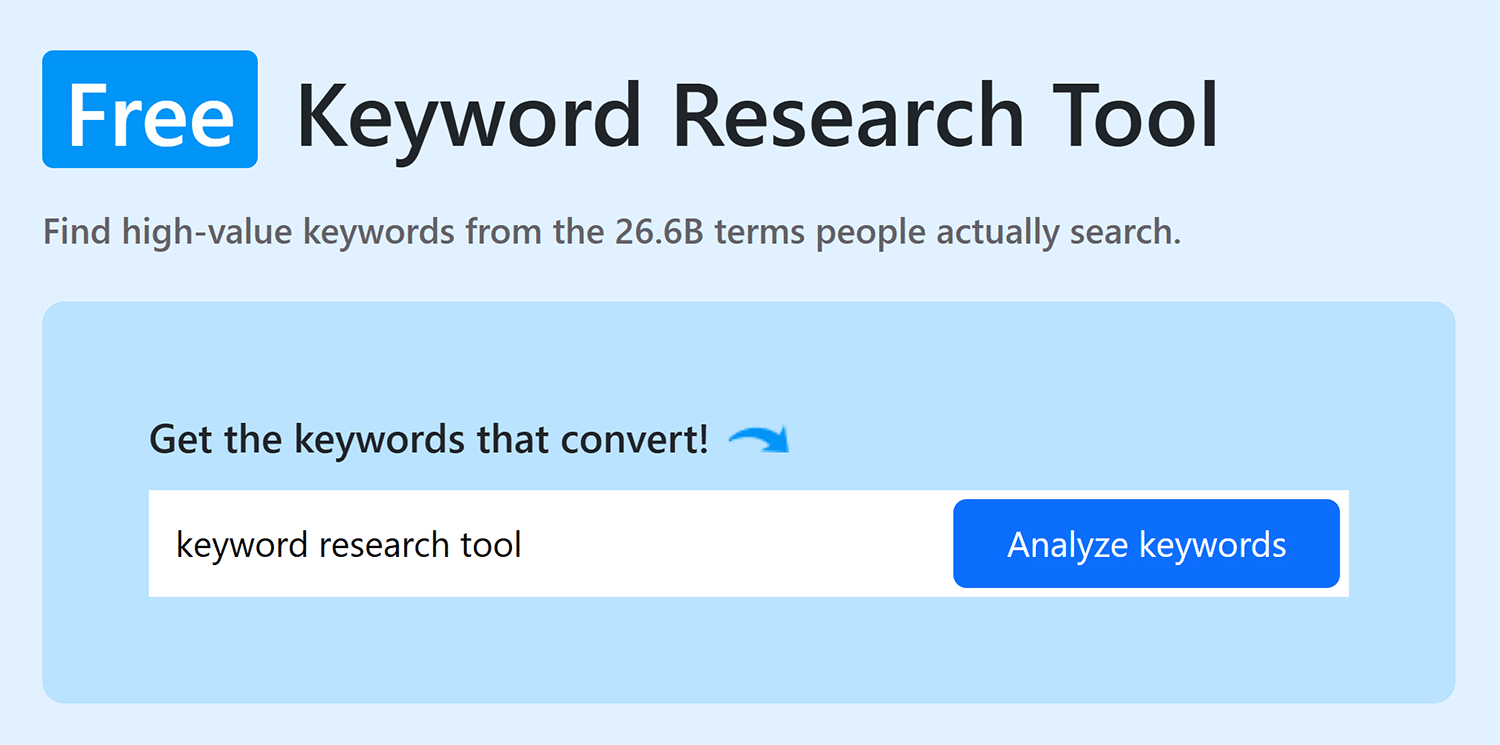
Enter the keyword you’d like to learn more about, then click “Analyze keywords”
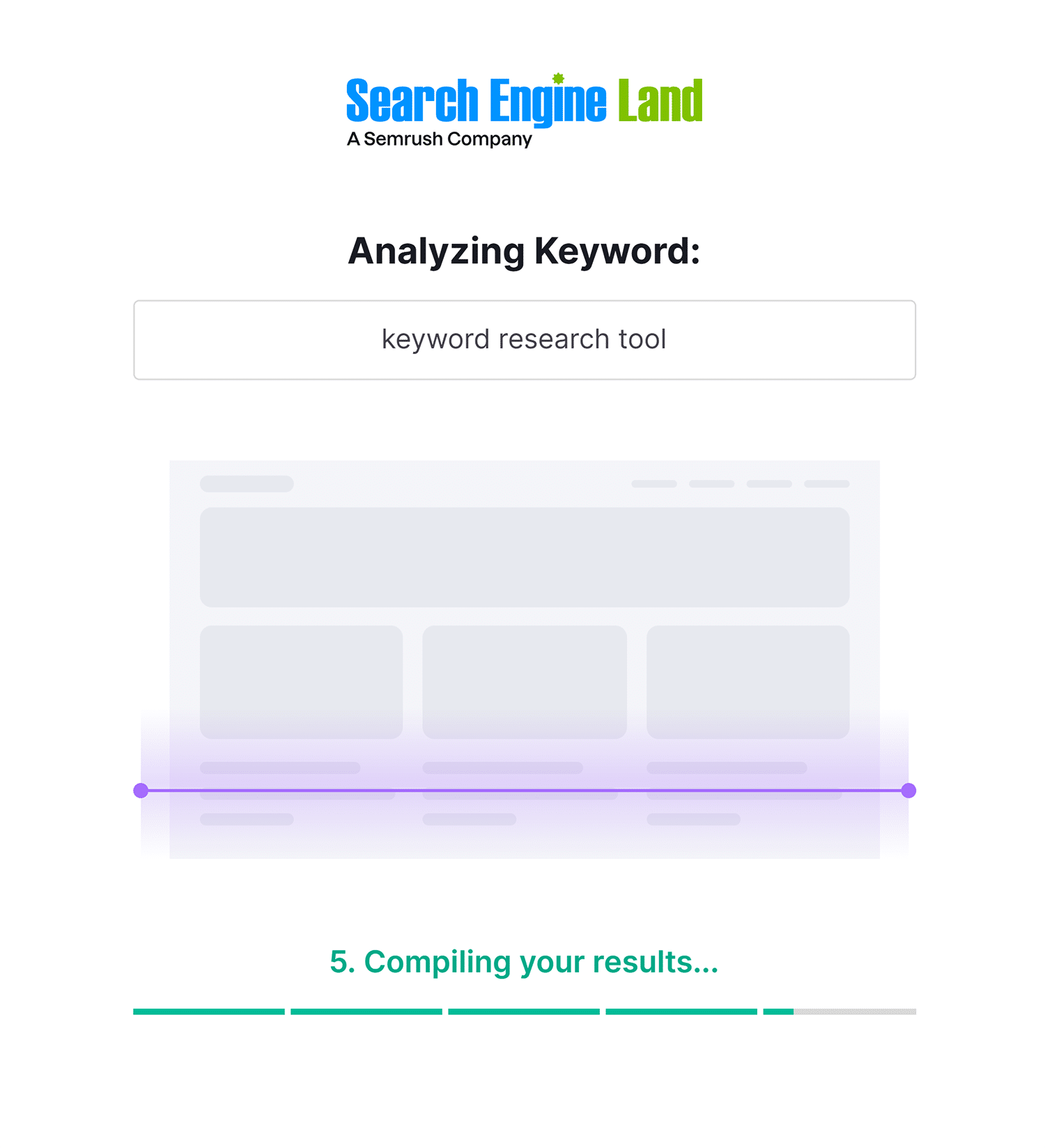
You’ll be taken to a progress screen like this. Don’t worry, it takes just a few seconds to process, then you’ll get your free report!
Step 2: View your results
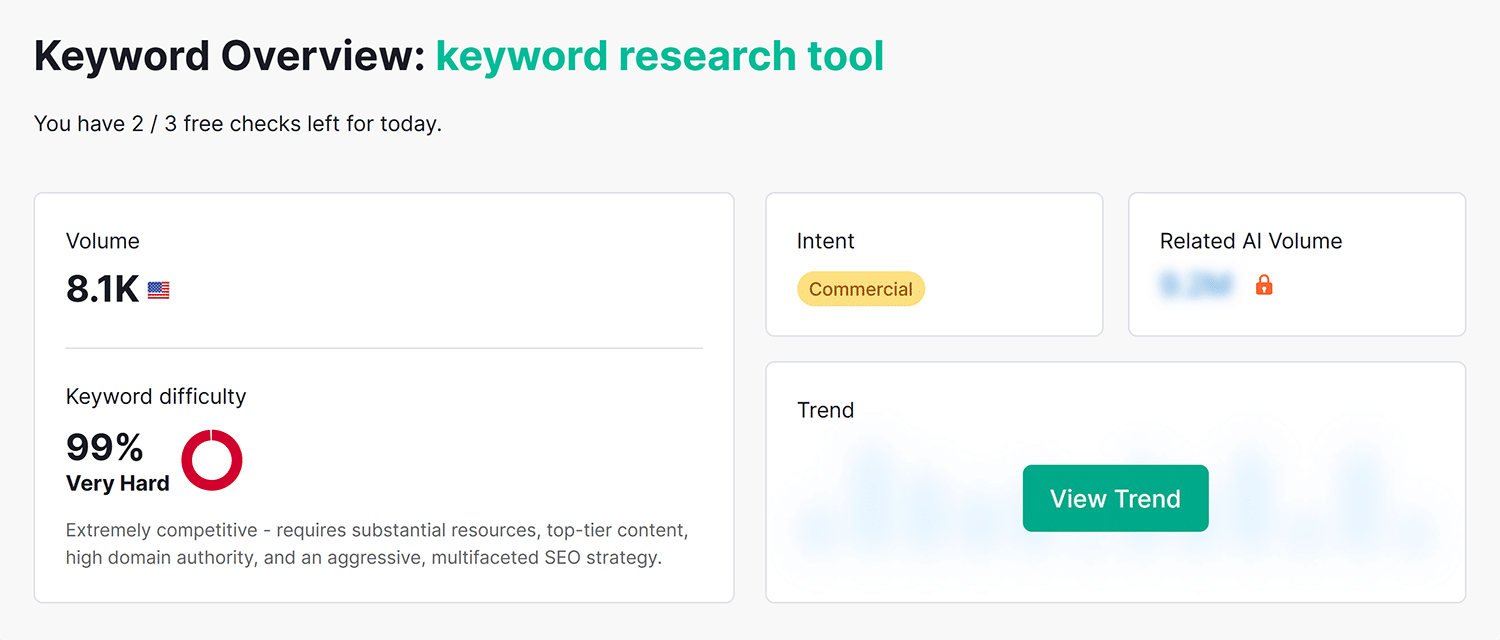
The first box of the results display the following:
- Volume: The average number of monthly searches for a keyword, based on the last 12 months of data
- Keyword Difficulty: A score from 0 to 100 estimating how hard it is to rank in the top 10 organic results based on the strength of currently ranking pages
- Intent: The reason behind a search — classified as informational, navigational, commercial, or transactional — to guide what kind of page best serves the query
- Related AI Volume: An estimate of how often a keyword or related topic appears in AI generated search results, reflecting visibility in tools like Google’s AI Overviews
- Trend: The relative change in a keyword’s search volume over the past 12 months, shown as a line to indicate whether interest is rising, falling, or seasonal
The second box of the results display the following:
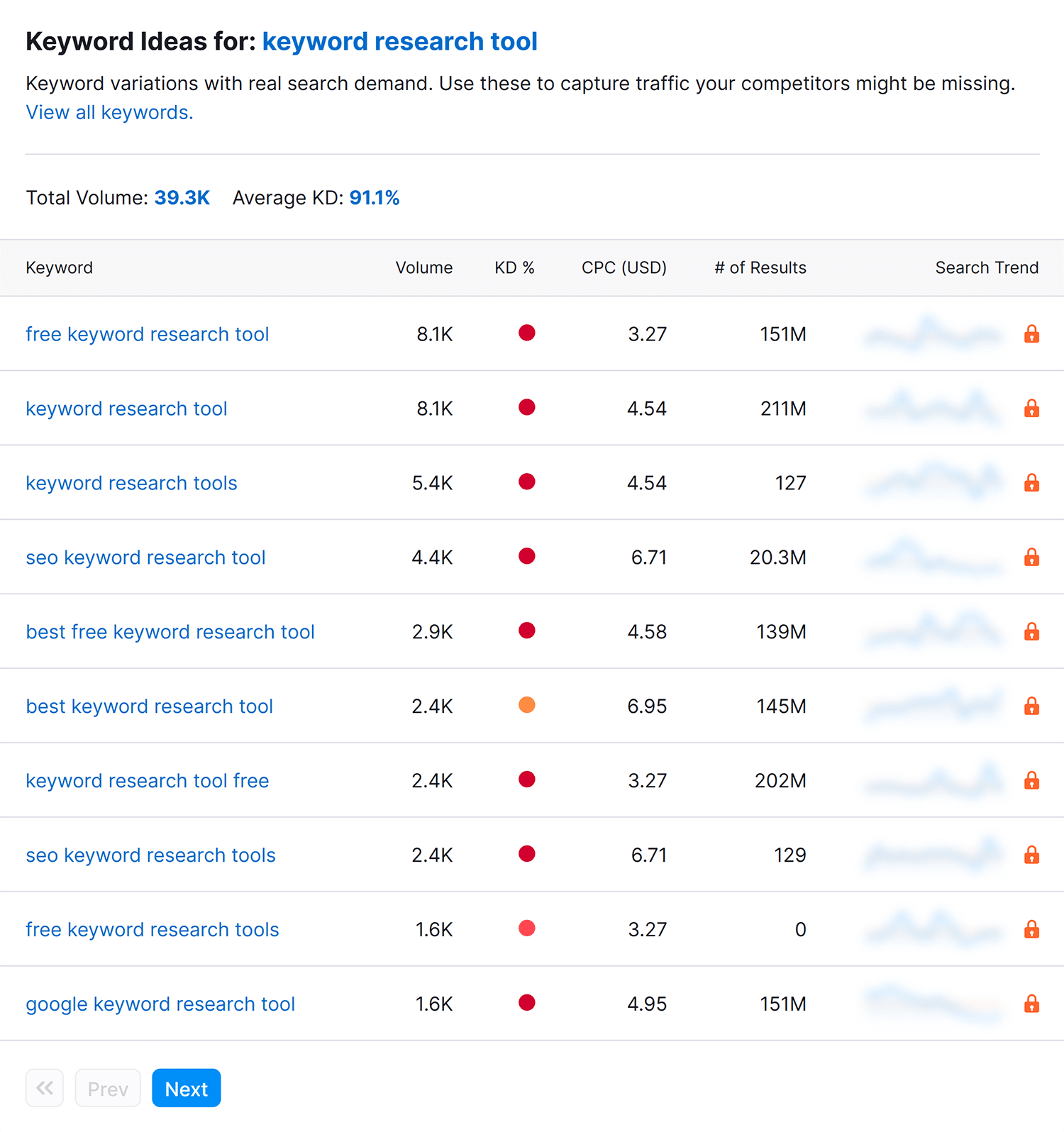
Keyword Ideas
- Total Volume: The combined monthly search volume across all keyword ideas in the list, showing the full traffic opportunity for the topic
- Average KD: The average Keyword Difficulty score across all keyword ideas, giving a quick read on how competitive the topic is overall
Table results:
- Keyword: The specific search term or phrase people type into search engines
- Volume: The average number of monthly searches for that individual keyword, based on the last 12 months of data
- KD %: The Keyword Difficulty score from 0 to 100 for that keyword, estimating how hard it is to rank in the top 10 organic results
- CPC (USD): The average cost per click advertisers pay to target that keyword in Google Ads, useful as a proxy for commercial value
- # of Results: The total number of web pages competing in Google’s organic results for that keyword, indicating SERP saturation
- Search Trend: The relative change in search volume for that keyword over the past 12 months, shown as a line to reveal growth, decline, or seasonality
What to do with your Keyword Research Tool results?
A keyword list by itself doesn’t move anything. The value shows up when you turn results into decisions about what to build, what to update, and what to publish next.
Before you start: Understand primary and secondary keywords
A primary keyword is the main search term you want an article to rank for in search engines. It guides your page’s content, structure, and optimization strategy.
Secondary keywords are similar and related terms that complement the primary keyword, adding context and broadening the page’s reach.
Here are a few examples of primary and secondary keywords:
| Primary keyword | Secondary keywords |
| Best social media plugin for WordPress | Best free social media plugin for WordPress, WordPress social media plugins |
| Meal prep recipes | Healthy meal prep ideas, meal prep recipes for weight loss |
| Freelance writing jobs | Remote writing gigs, content writing platforms |
| Yoga for beginners | Beginner yoga poses, 10-minute yoga routine |
How should you add keywords to your articles? Generally speaking, you’ll want to incorporate the primary keyword into each of the following areas:
- Title and H1
- Meta description
- URL
- Article introduction
- Additional headings (H2s, H3s, etc.)
- Body content
For your secondary keywords, sprinkle them throughout your content, including within the headings, once or twice for each keyword. Be sure to fold your keywords in naturally, as you want to maintain a natural reading experience for your audience.
Turn your keyword list into a content plan
Once you can tell primary from secondary, the steps below walk through how to move from a raw export to a working content plan:
- Group keywords by intent: Sort your list by “Intent” so informational, commercial, and transactional keywords are separated. Each group maps to a different type of page, so this step determines what you’ll actually build.
- Cluster related keywords onto single pages: Keywords with similar meaning and matching intent should target one page, not several. Clustering prevents your own pages from competing against each other and gives each page a stronger topical focus.
- Prioritize by opportunity: Sort by “Volume” and “KD %” to find the best balance of traffic potential and realistic difficulty. Low “KD” with decent “Volume” usually means quick wins, while high “Volume” with high “KD” is a longer term play.
- Check SERP saturation: Scan “# of Results” for the keywords you’re considering. Very high counts on a small volume term signal a crowded space, while lower counts on a decent volume term often point to an opening.
- Flag commercial keywords for revenue pages: Filter for high “CPC” terms to identify queries with strong buyer intent. These belong on product pages, category pages, comparison pages, or landing pages rather than top of funnel blog content.
- Map keywords to existing pages first: Before creating anything new, check whether you already have a page that could rank for a target keyword with an update. Refreshing existing content is usually faster and cheaper than starting from scratch.
- Build a content brief for each target keyword: Capture its “Volume,” “KD,” “Intent,” “CPC,” and “Trend” in a brief alongside the working title, target page type, and internal links. This gives writers or your team everything they need in one place.
- Use trends to schedule publishing: Look at “Search Trend” on individual keywords to time content around rising interest or seasonal peaks. Publish growth terms early, line up seasonal pieces a few weeks ahead of the peak, and deprioritize keywords in clear decline.
Ready to do keyword research? Get your report instantly
Try it yourself, click here. Get a custom keyword research report for any keyword in seconds. No setup, no guesswork. Just the data you need to find winnable keywords, match search intent, and prioritize what to build next.
Explore more on
Editorial disclosure
Search Engine Land is owned by Semrush. We remain committed to providing high-quality coverage of marketing topics. Unless otherwise noted, this page’s content was written by either an employee or a paid contractor of Semrush Inc.
About the author