Google Search App for iOS gains Gboard, trending widget & 3D Touch


Google announced that the Google Search app for iOS devices has added GBoard, trending widgets and new 3D Touch functionality.
Gboard
Gboard, the popular Google search keyboard, which Google enabled for iOS as an add-on keyboard back in May 2016, is now available directly within the Google app. Launch the Google search app on your iPhone or iPad to try it out. To access this keyboard, go to your Google app settings to set up Gboard on your device.
Gboard is a really excellent alternative to the iOS default keyboard that lets you type normally but also search for emojis, GIFs, search results and much more, directly in your keyboard.
Trends
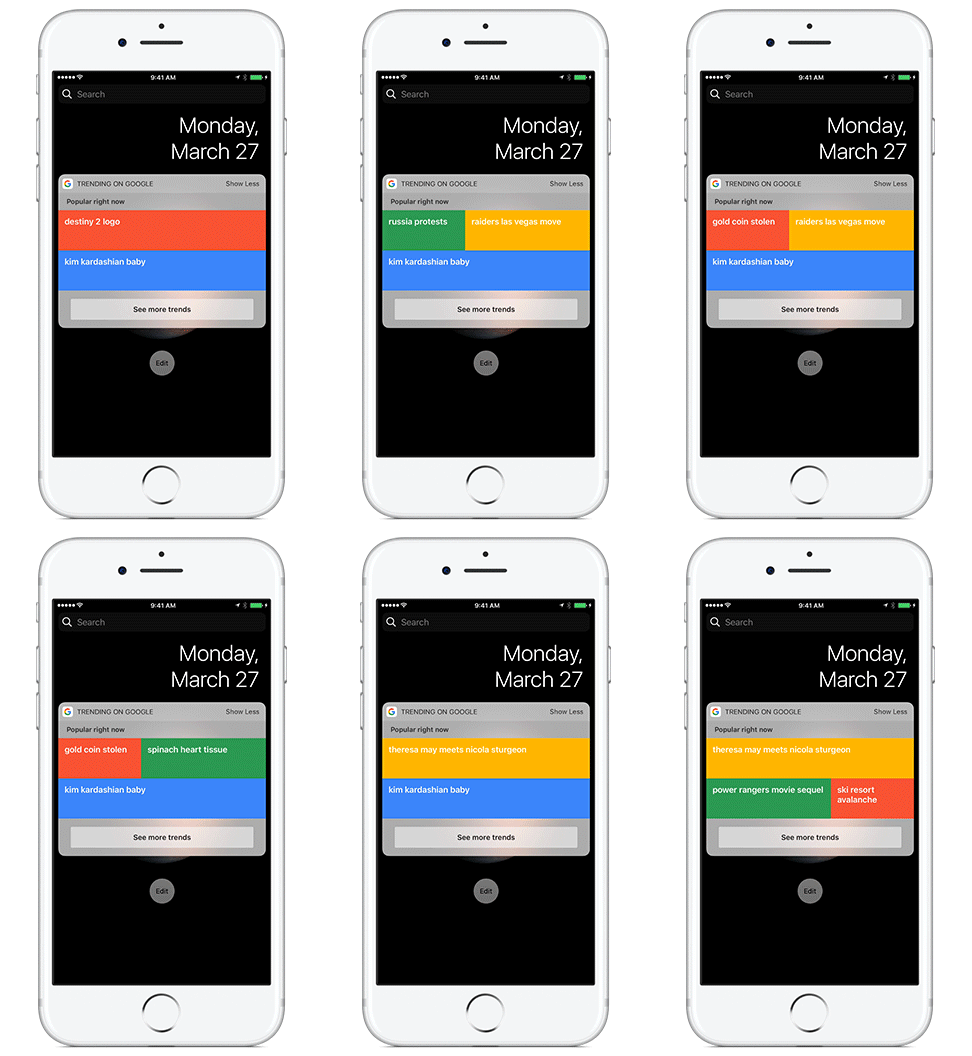
A new iOS dashboard widget is now available for those who installed the Google Search App. It is named “Trending on Google,” and it will show you the current Google Trends when you swipe right on your home screen.
To access the widget, use 3D Touch on the app icon or swipe right on your home screen. To install it, swipe right on your home screen, scroll to the bottom, tap “Edit,” then add “Trending on Google.”
3D Touch
Not only can you hard-press, aka 3D Touch, to access Google Trends, you can also hard-press on a web page within the app or search results to find out more. Press on the “G” button at the bottom of the page to instantly start a new search. Or you can hard-press on Search results, Map results and cards in your feed to see a preview of the content before opening it all the way.
You can try these features out using the iOS Google app.
Explore more on
Add Search Engine Land as a preferred source on GoogleEditorial disclosure
Search Engine Land is owned by Semrush. We remain committed to providing high-quality coverage of marketing topics. Unless otherwise noted, this page’s content was written by either an employee or a paid contractor of Semrush Inc.
About the author


