9 best social media planning tools in 2026
What are social media planning tools?
Social media planning tools help you map out social media content and schedule your posts. Both brands and agencies use them.
These tools include a variety of features that make it easier to manage social media marketing across multiple platforms.
Some common features of social media planning tools include:
- A social media calendar
- A post editor and scheduler
- A built-in image editor and library
- Reporting and analytics
Let’s look at the top nine social media planning tools.
1. Semrush Social
Semrush Social offers a suite of social media management tools to help you plan and manage your marketing efforts on social media platforms.
You can use it to plan and schedule social media posts across Facebook, Instagram, X, Pinterest, and LinkedIn.
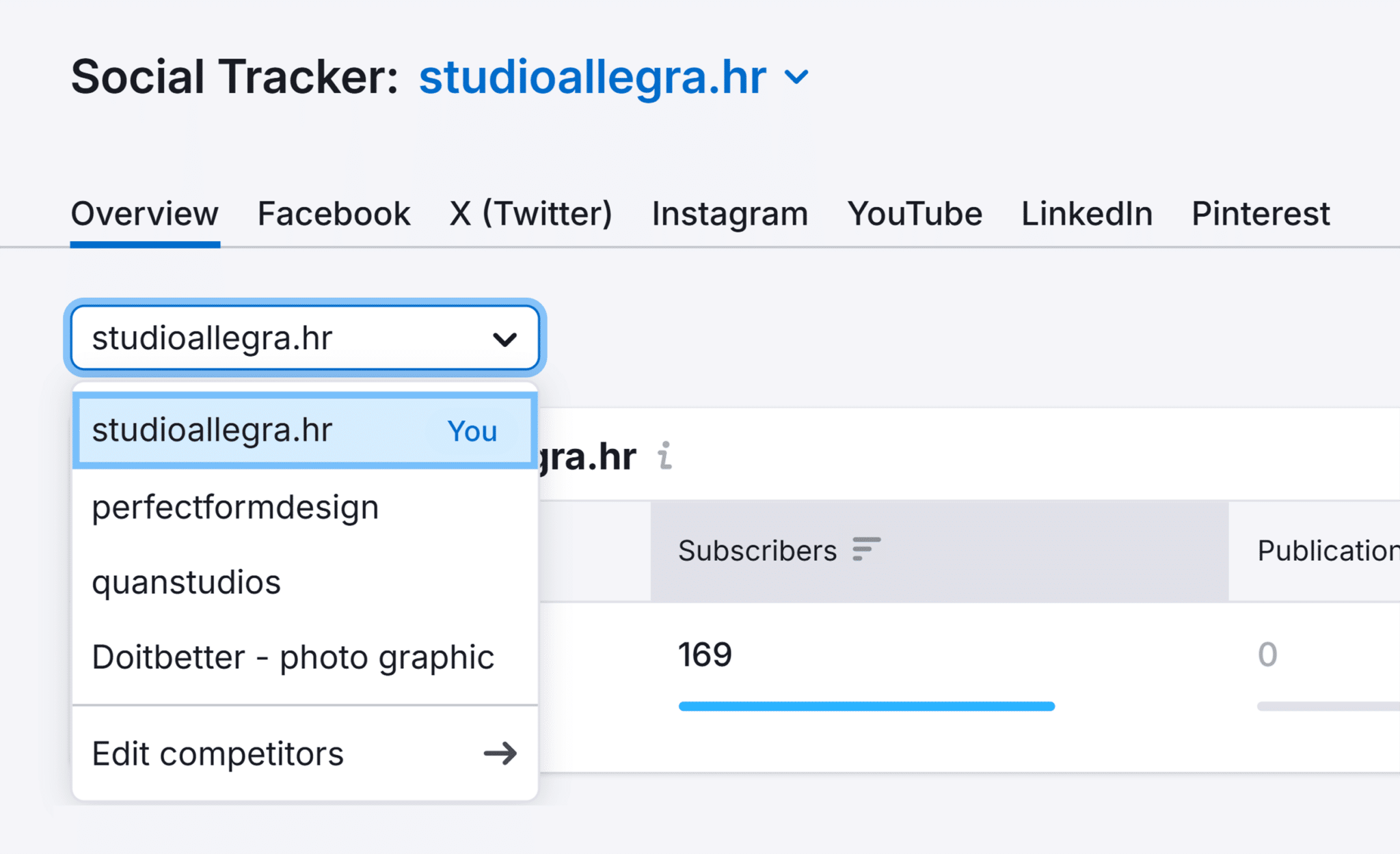
Its Social Tracker feature lets you track competitors’ social media accounts. So you can identify trends and pinpoint their top-performing content. And use this information to plan your own social media posts.
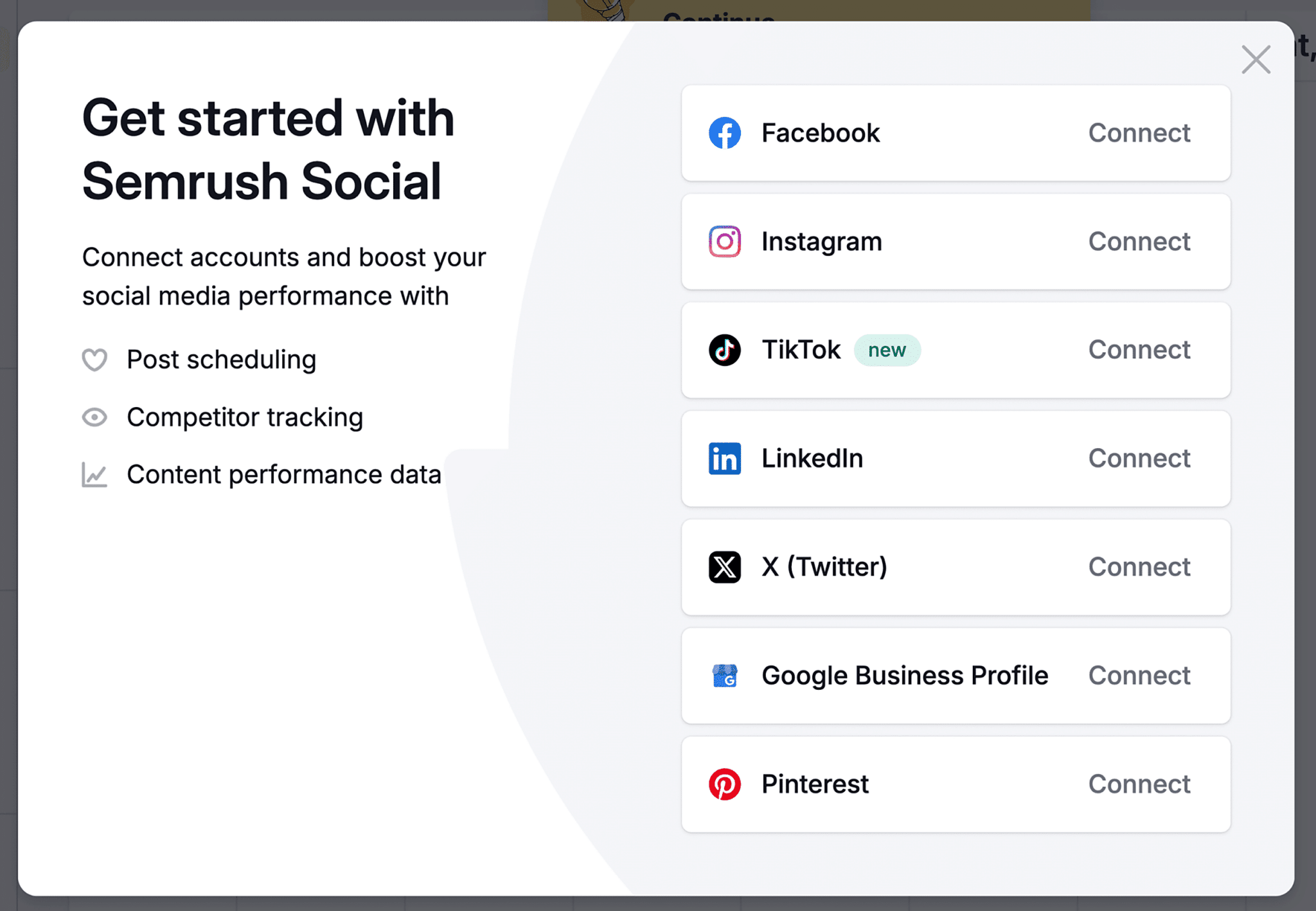
Once you’re ready to start scheduling content in Social Poster, connect your social media accounts.
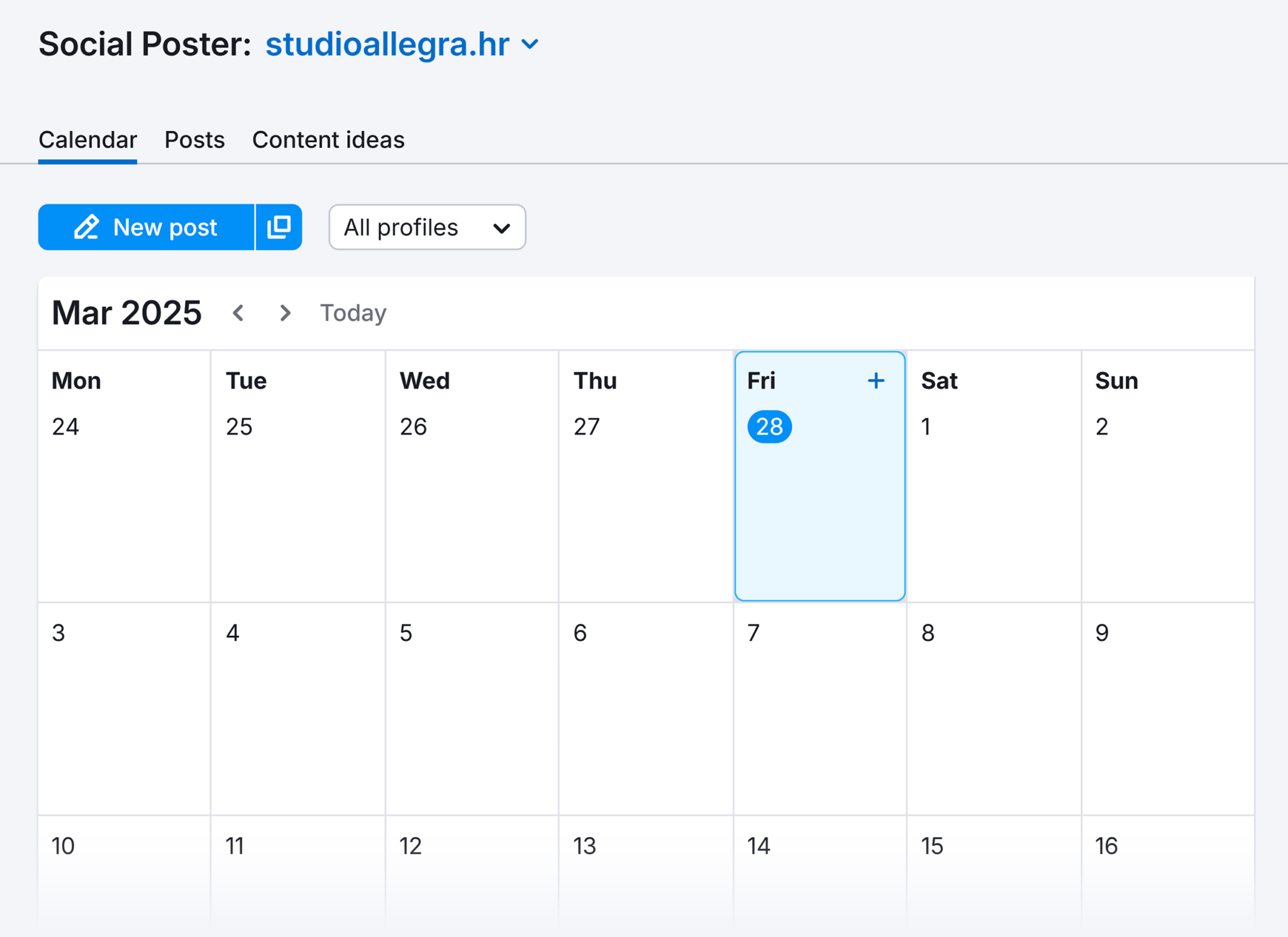
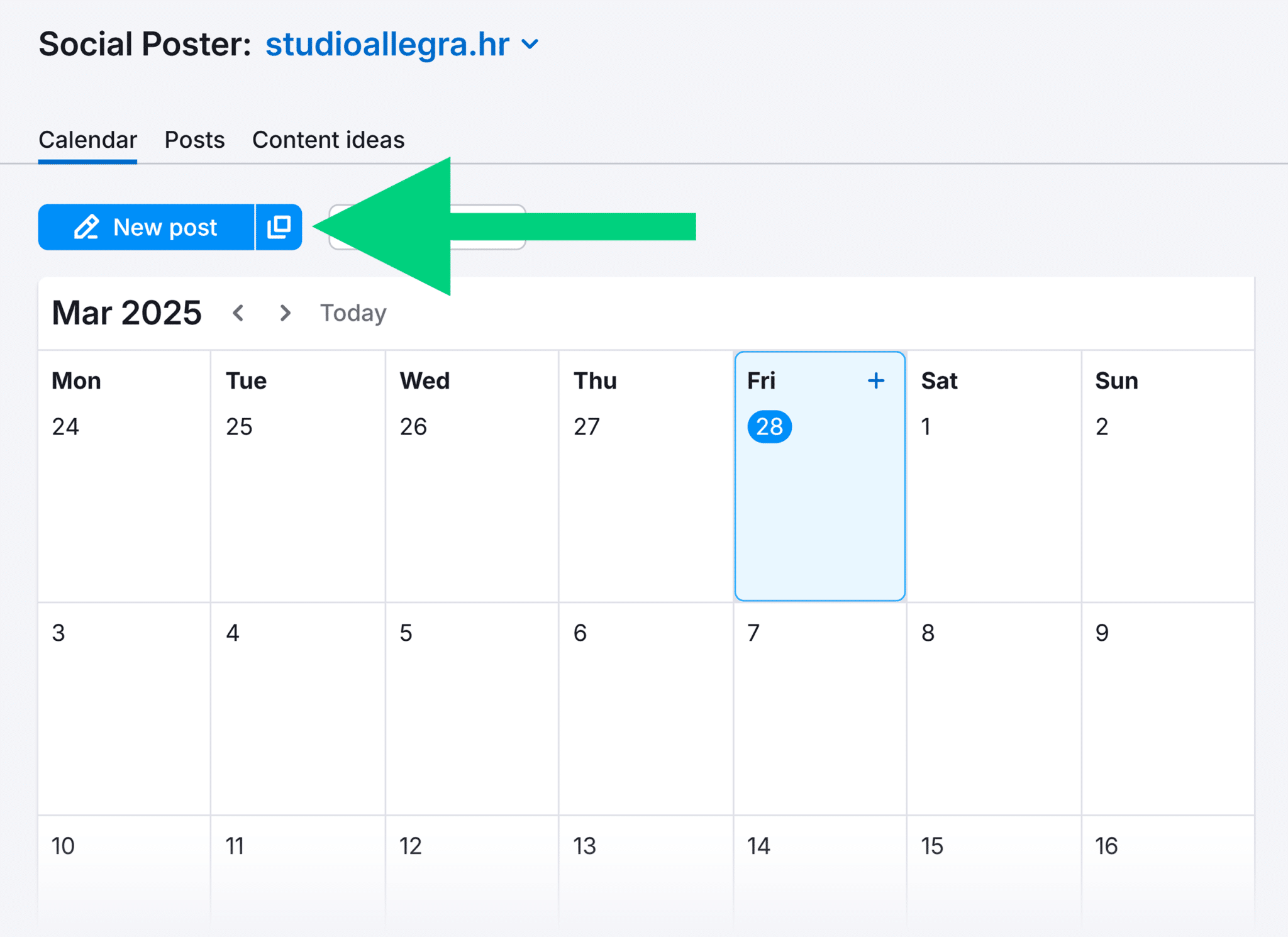
When you’re ready to schedule a new post, click the “New post” button.
Then, draft your copy. You can add images, emojis, UTM codes (which help with tracking campaigns), and GIFs to your post.
Or use the AI assistant to generate a post.
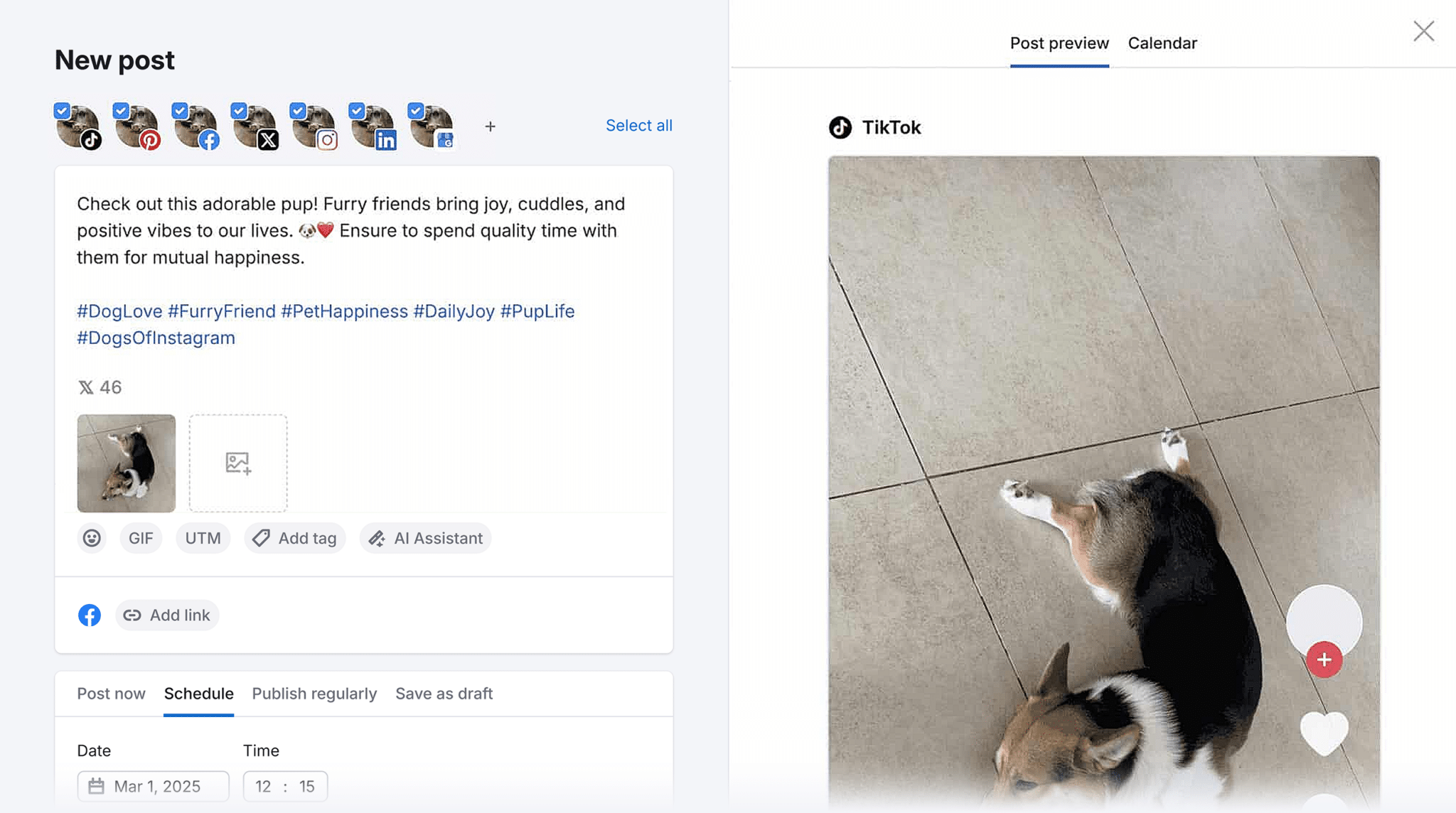
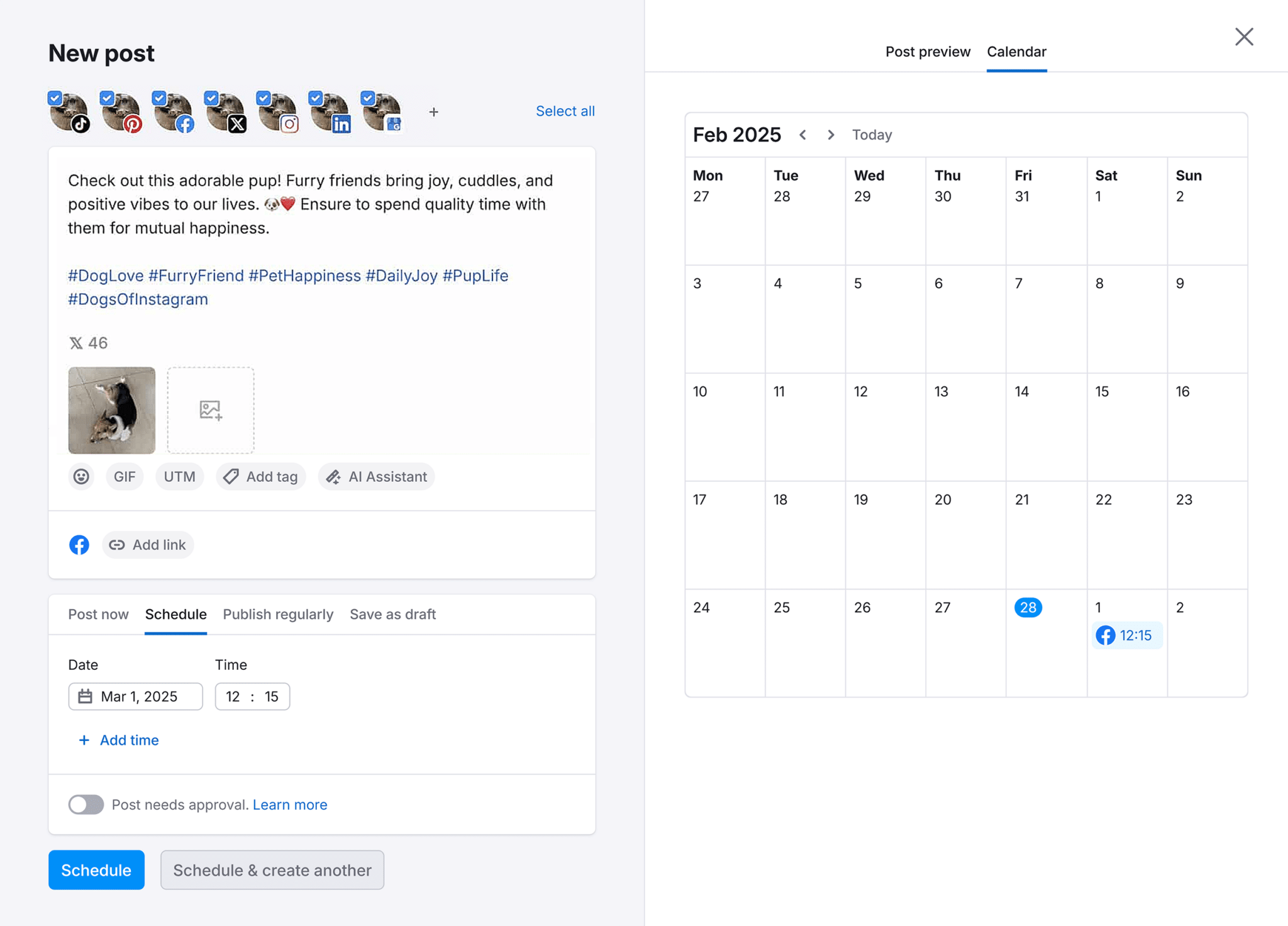
Then, choose a date and time for the post to go live. And hit “Schedule.”
If you plan and create content far in advance, try scheduling posts in bulk. Simply click on the bulk scheduling icon.
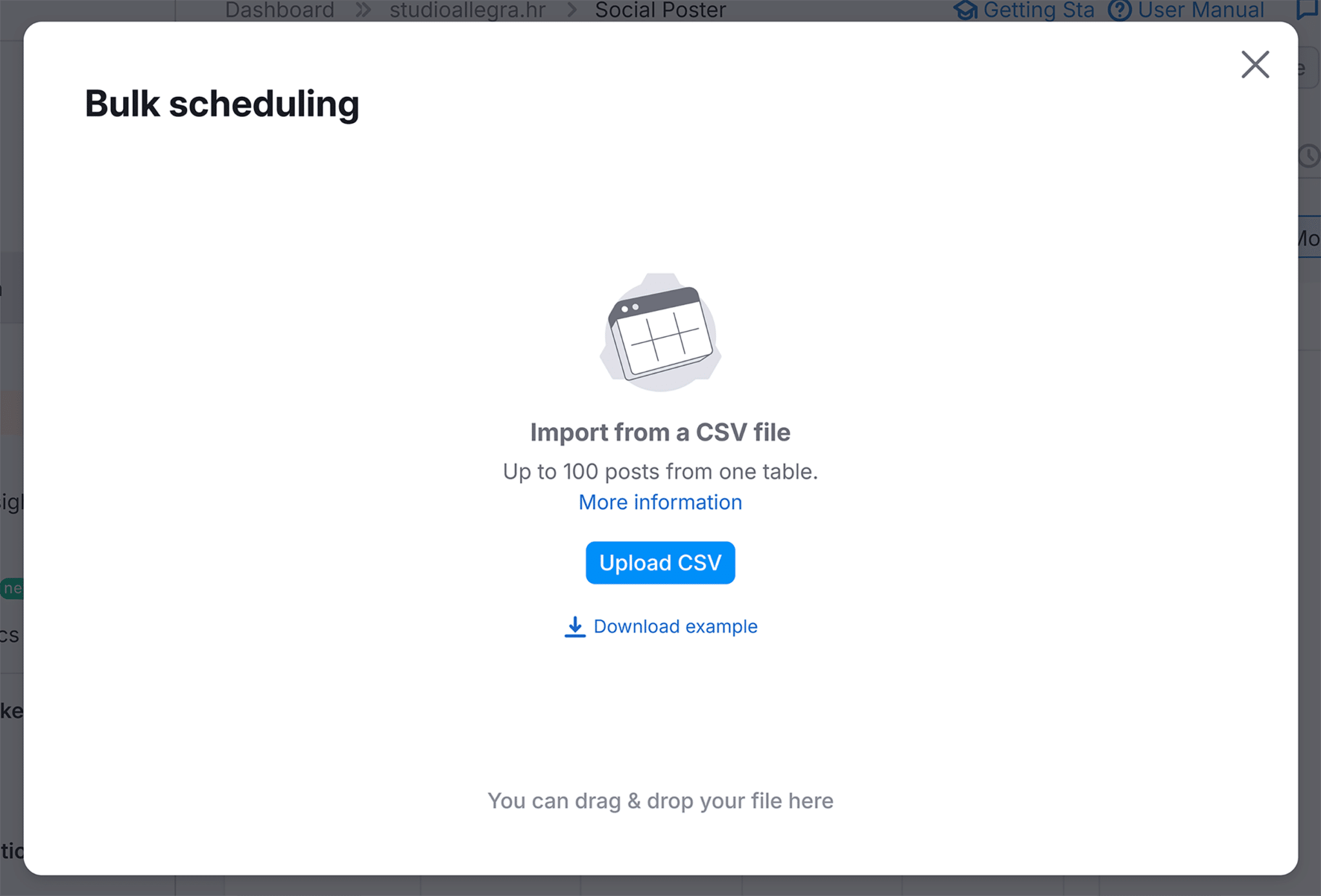
Click the “Upload CSV” button and upload a CSV file containing up to 100 posts.
The tool will then let you preview all your posts and add a custom time and date for each.
Once everything looks good, click on “Schedule posts” to have all the posts added to your social media calendar.
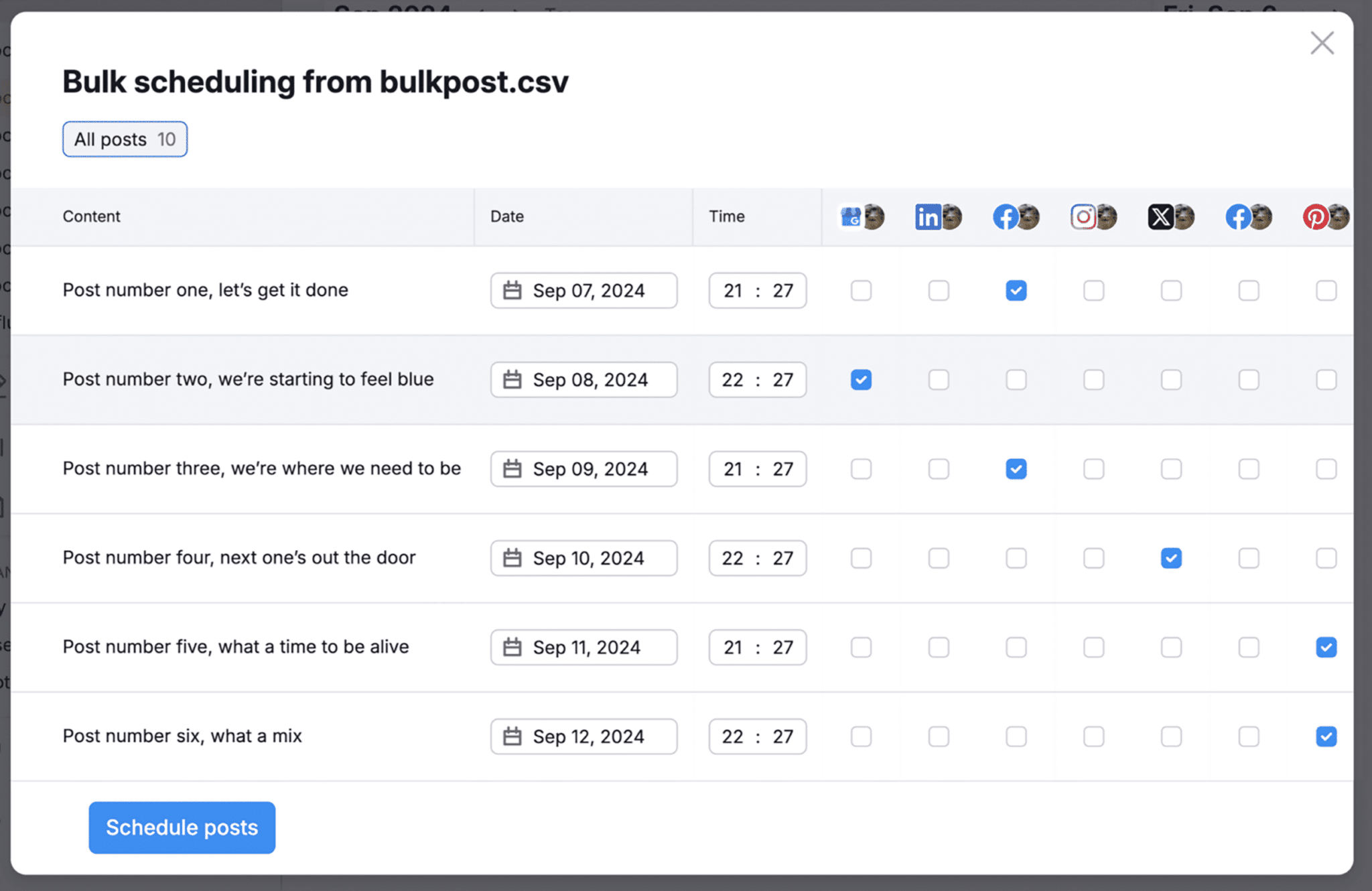
The software also lets you set up a post approval workflow to make sure all the social media marketing content you post is up to your brand’s standards.
For each post, you get a link you can share with your clients or internal stakeholders. Then, they can review and directly approve the post using that link.
What we like
Semrush Social allows you to track your competitors’ social media activity and see how your own content is performing. To uncover insights to improve your strategy.
Pricing
Use Semrush Social’s free seven-day trial to test out the software. The paid plan costs $29.99/month.
2. Hootsuite
Hootsuite lets you map out your social media campaigns and plan all your social media posts using its collaborative calendar feature.
You can see all your planned content at a glance and reschedule as needed.
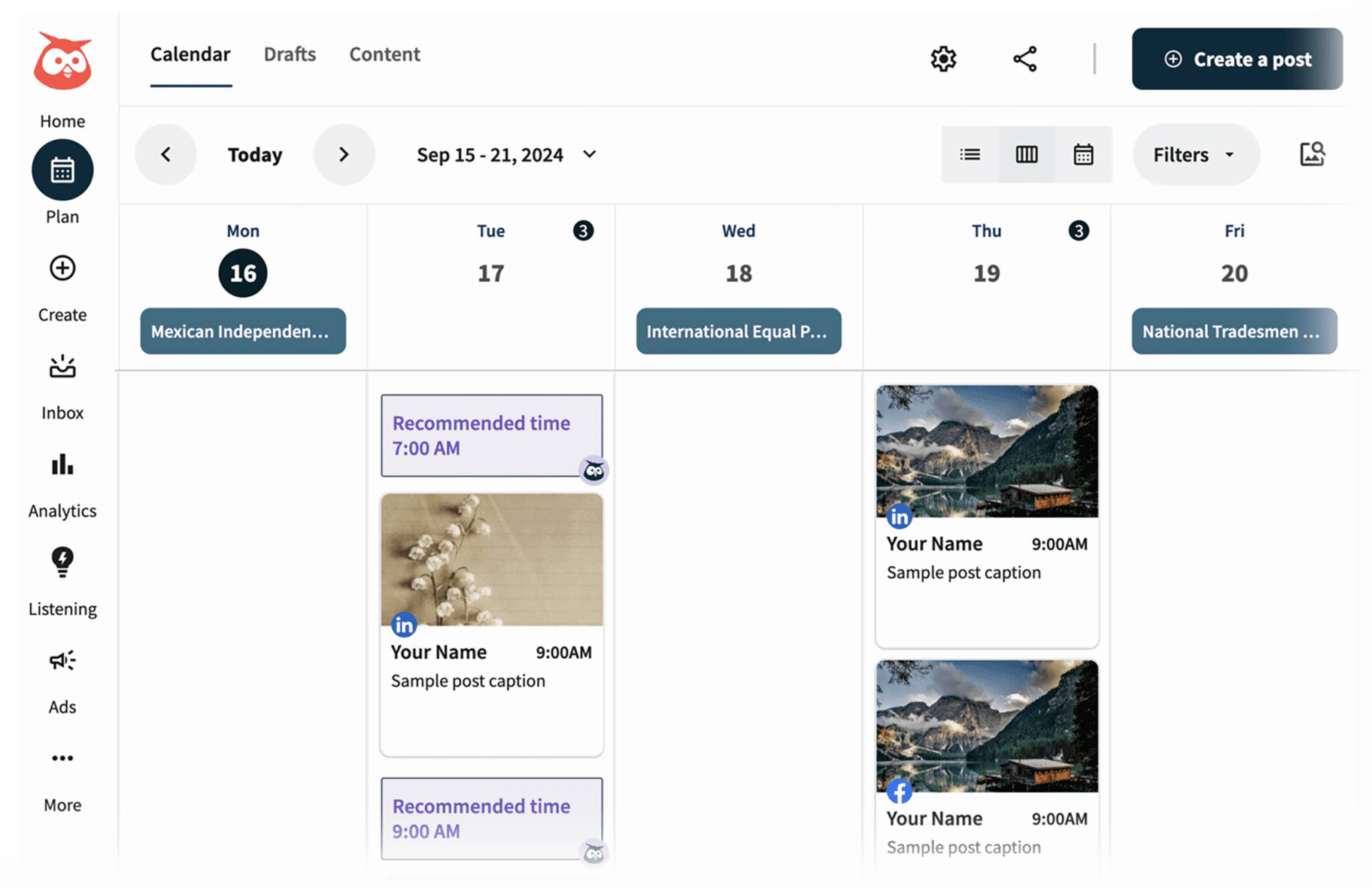
Hootsuite offers an approval process that lets clients and stakeholders review posts before they’re published.
The software will also recommend the best times to post for maximum engagement.
What we like
Hootsuite’s bulk scheduler feature lets you plan and schedule hundreds of posts at a time.
Pricing
You can use Hootsuite’s free 30-day trial to test out the software. The pricing for paid plans is as follows:
- Professional ($99/month, billed annually)
- Team ($249/month, billed annually)
- Enterprise (custom pricing)
3. Buffer
Buffer is a social media management tool that allows you to collect and organize ideas for your social posts. And save images and videos.
The tool offers a board view that acts as a kanban-style social media planner. To help you see all your post ideas at a glance.
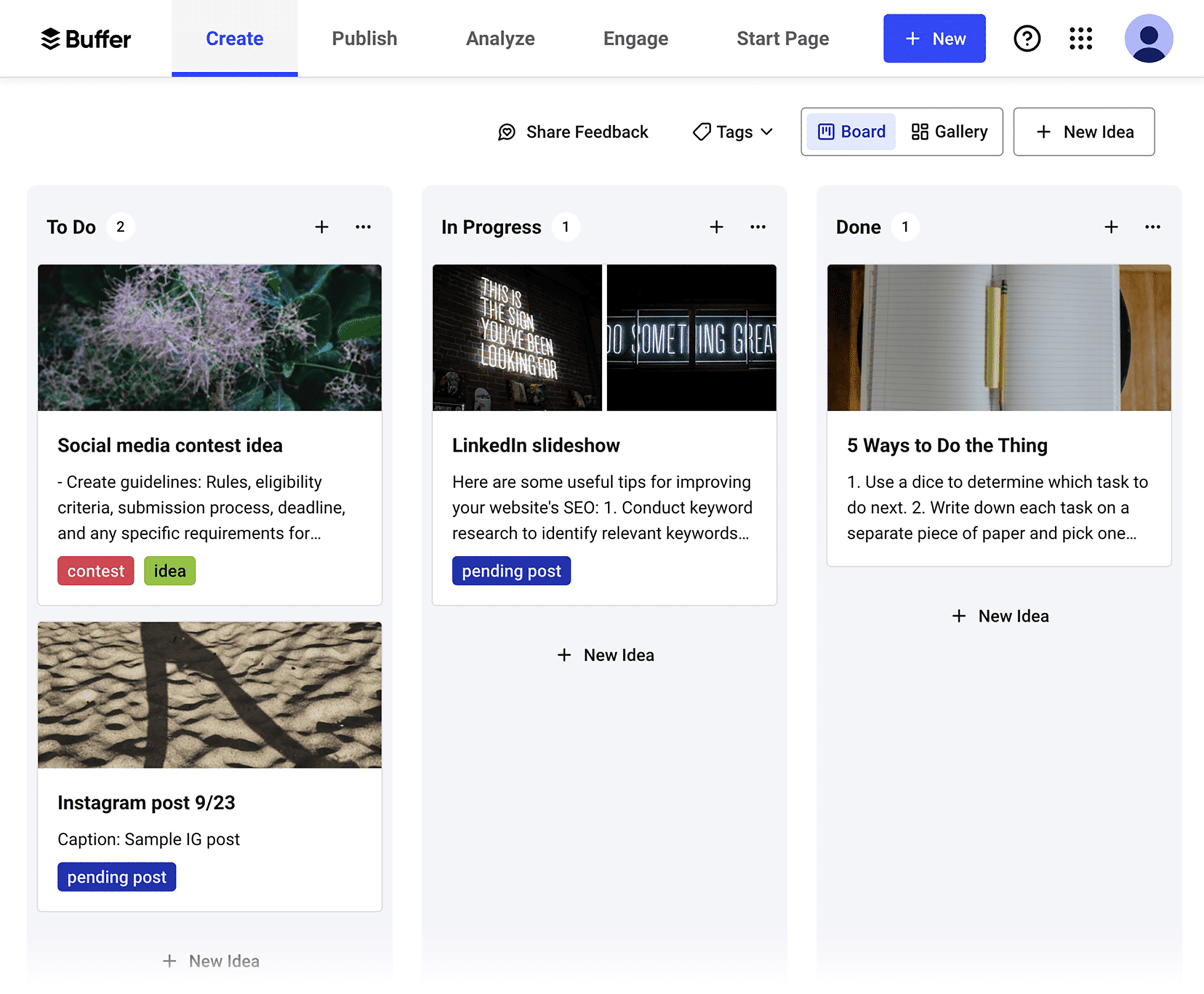
And you can organize posts and ideas using tags. Which can help you find specific posts more easily. And allow you to analyze the combined performance of posts that share the same tag.
If you need help creating content, you can use the AI assistant to flesh out your ideas into posts. Or you can draft posts yourself.
The tool also allows you to set approval rules. So final reviewers can make edits and schedule polished posts for publishing.
Buffer allows you to queue posts into predefined posting slots. But you can also set a custom publishing time for each post.
What we like
Buffer offers a browser extension that lets you save ideas from anywhere on the web.
Pricing
Buffer offers a limited free plan. Paid plans include:
- Essentials ($6/month for one channel)
- Team ($12/month for one channel)
- Agency ($120/month for 10 channels)
4. SocialPilot
SocialPilot is a social media management tool with a calendar feature that allows you to plan and organize your social media content. And your team can use it to collaborate on posts through comments and approvals.
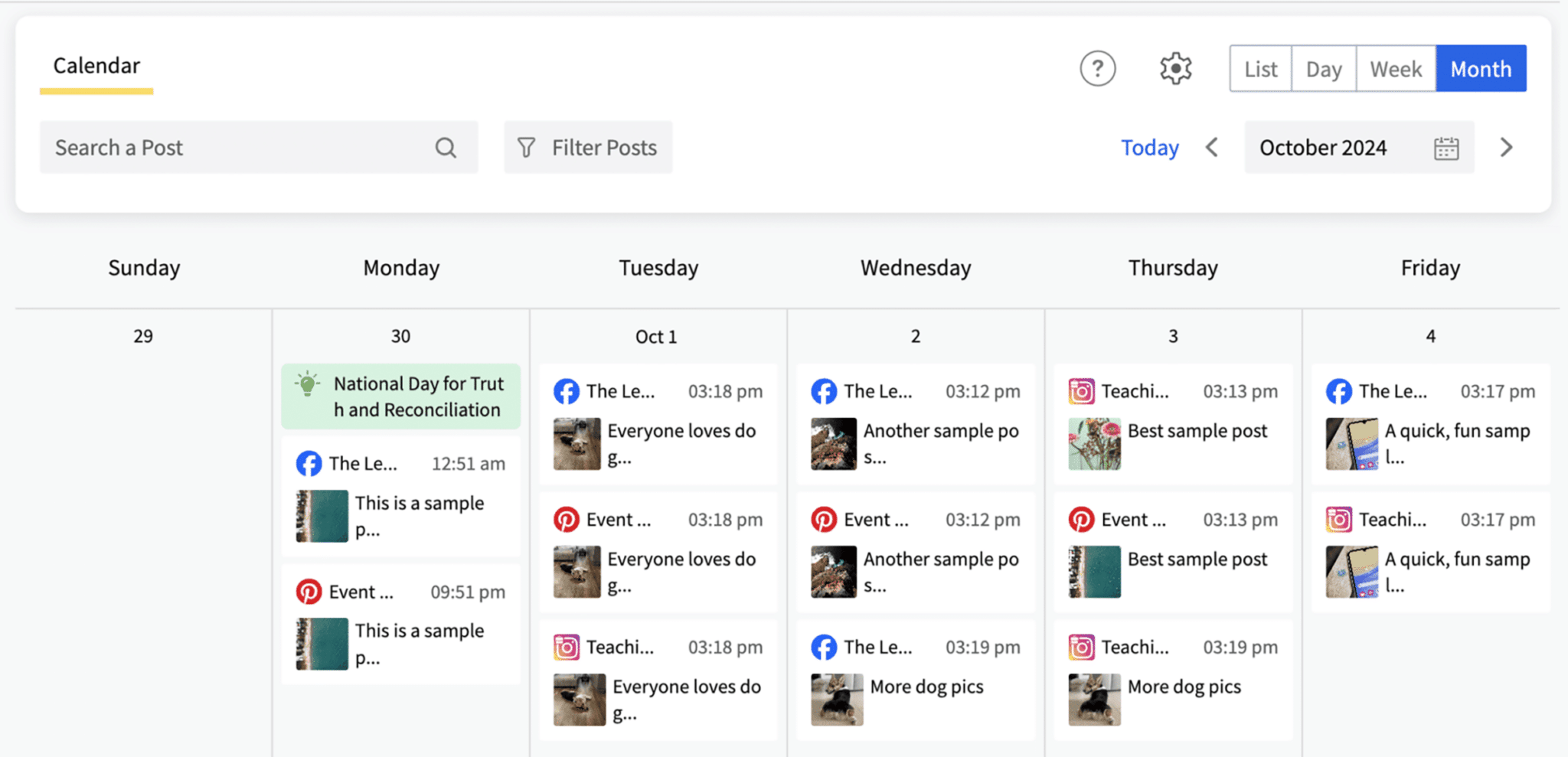
The drag-and-drop functionality makes it easy to reschedule posts.
And you can locate individual posts quickly by using the search feature and built-in filtering options.
What we like
SocialPilot allows you to reshare previously published content with a single click.
Pricing
SocialPilot’s 14-day trial offer lets you test out the software for free. The pricing for paid plans is as follows:
- Professional ($30/month)
- Small Team ($50/month)
- Agency ($100/month)
- Agency+ ($200/month)
5. Loomly
Loomly has a social media planning tool that lets you create multiple social calendars to use for separate locations, brands, or clients.
It offers multiple views to help you view your post schedule in whatever way is easiest for you.
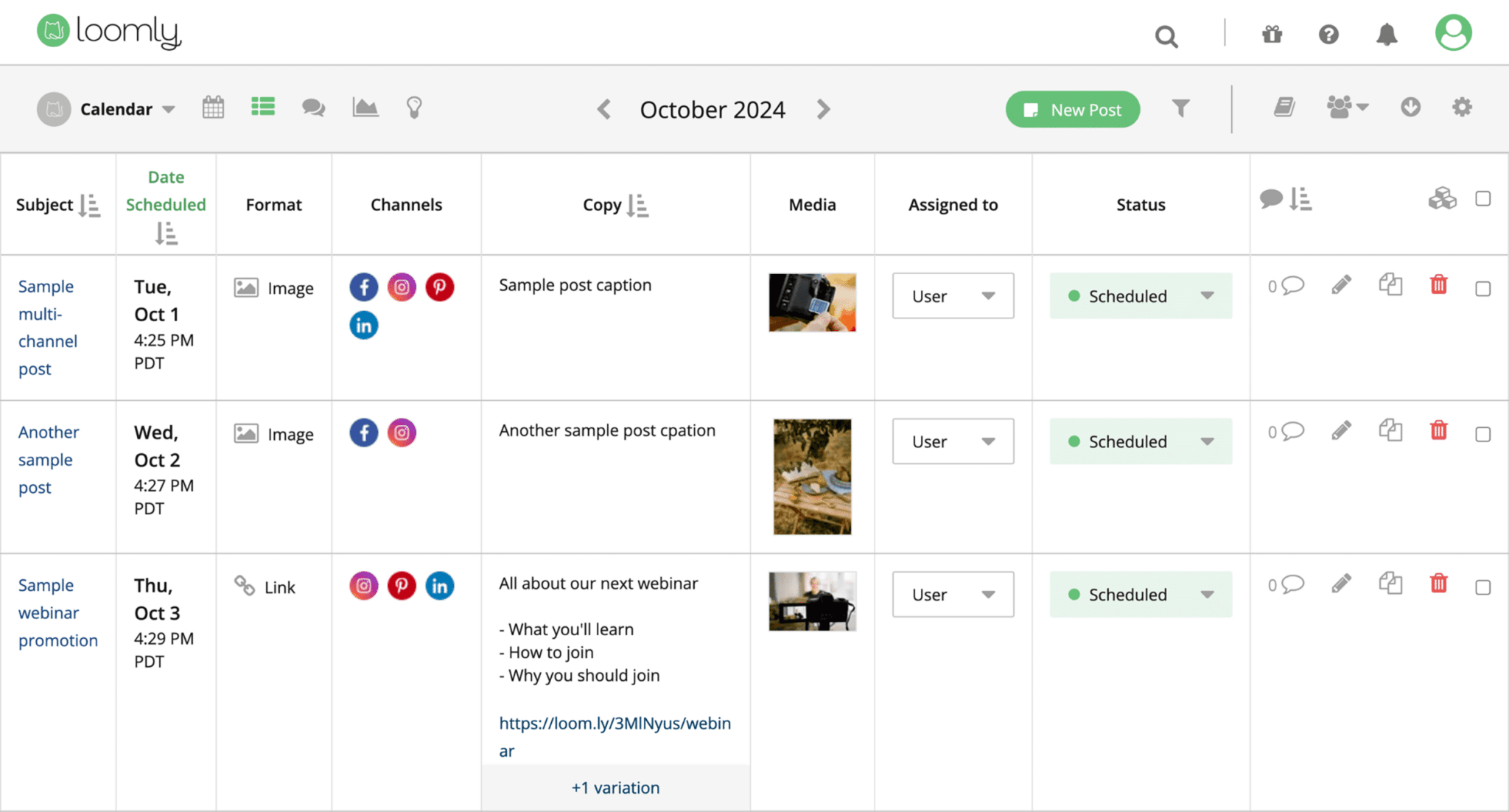
You get the option to categorize and sort posts using labels. And preview posts to see how they look on specific social media platforms.
And Loomly provides post ideas, hashtag suggestions, and post optimization tips.
You can also create custom review workflows.
What we like
Loomly lets you set up custom reminders (e.g., for events) to ensure you don’t forget to post about important happenings.
Pricing
Loomly’s 15-day trial offer lets you try out the software for free. Four paid plans are available:
- Base ($42/month)
- Standard ($80/month)
- Advanced ($175/month)
- Premium ($369/month)
6. SocialBee
SocialBee is a post creation and scheduling tool with a Copilot feature to help you create content, determine which platforms to focus on, plan which categories to cover, and decide when to post.
The software can help you optimize posts for different social platforms.
And you can choose from multiple views (feed, calendar, etc.) to understand your social media schedule at a glance.
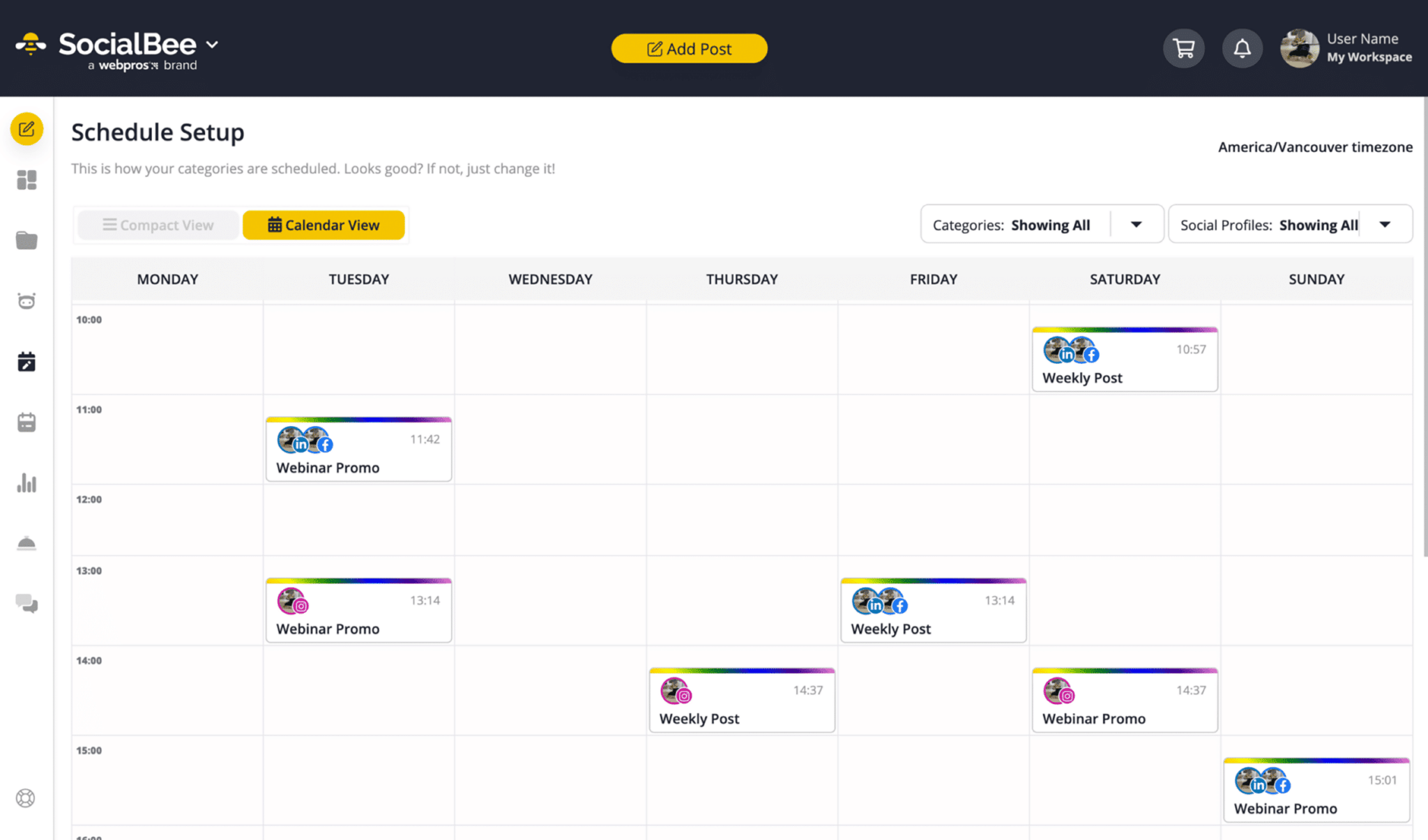
SocialBee also allows you to collaborate on social media campaigns with your team through tags and comments, approval workflows, etc.
What we like
SocialBee lets you group posts into categories and pause posts from specific categories with one click.
Pricing
You can try SocialBee for free with the 14-day trial offer. The pricing for paid plans is as follows:
- Bootstrap ($29/month)
- Accelerate ($49/month)
- Pro ($99/month)
- Pro50 ($179/month)
- Pro100 ($329/month)
- Pro150 ($449/month)
7. Planable
Planable is a social media planning tool aimed at agencies and multi-location brands. It lets you get an overview of your social media schedule in feed, calendar, grid, or list view.
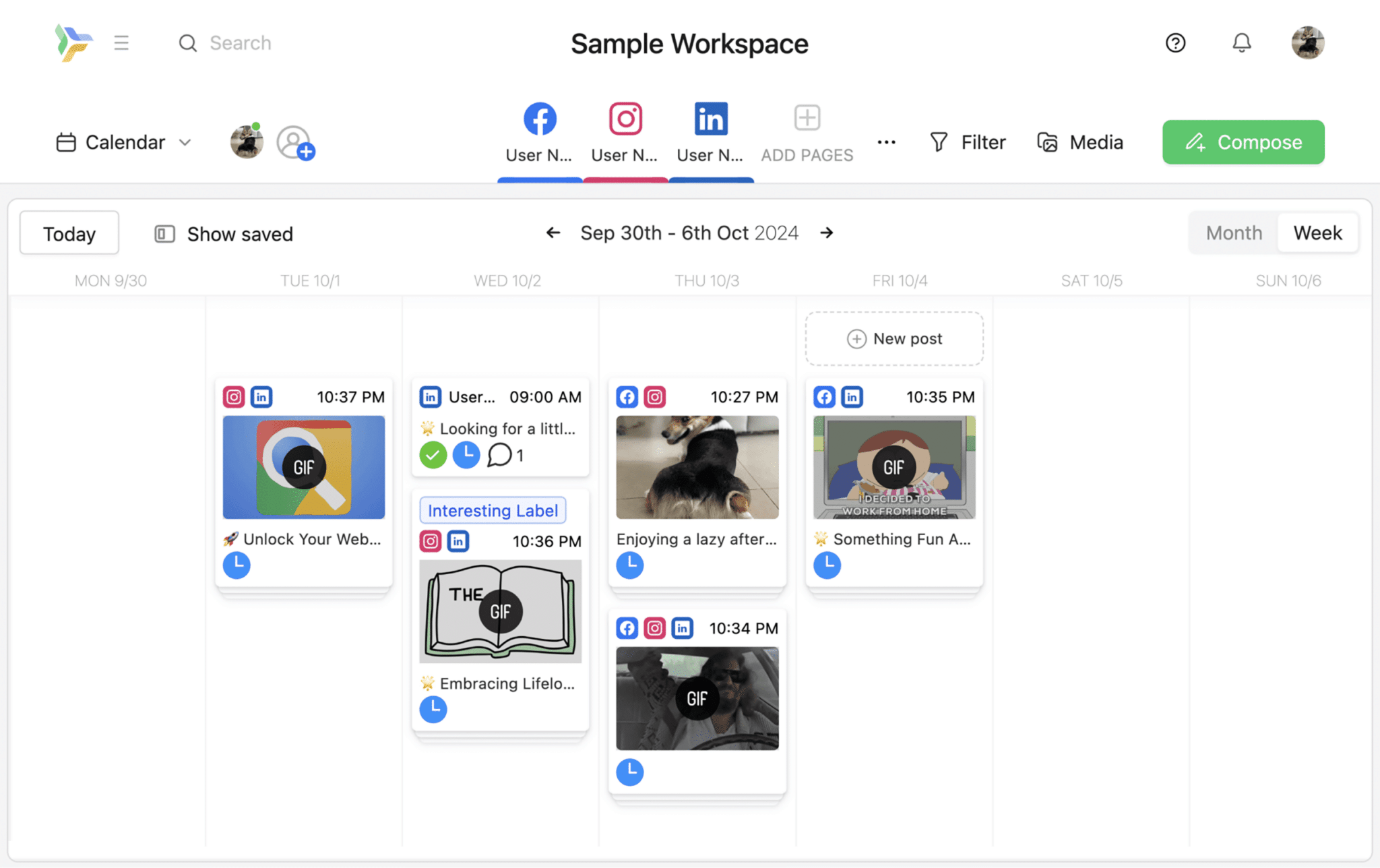
You can use it to collaborate with your team or clients with the help of tags (to help team members locate specific posts more easily), annotations and internal notes (to provide feedback), and comments.
There’s also the option to create separate workspaces for different brands or clients.
And the version history allows you to restore older versions of a post.
What we like
You can use Planable to plan, create, and approve Facebook ads.
Pricing
Planable offers a limited free plan. Paid plans include:
- Basic ($39/workspace/month)
- Pro ($59/workspace/month)
- Enterprise (custom pricing)
8. Synup
Synup’s social media management tool simplifies social media planning and publishing with the help of AI.
You can use the tool’s AI assistant to recreate trending social posts in your industry.
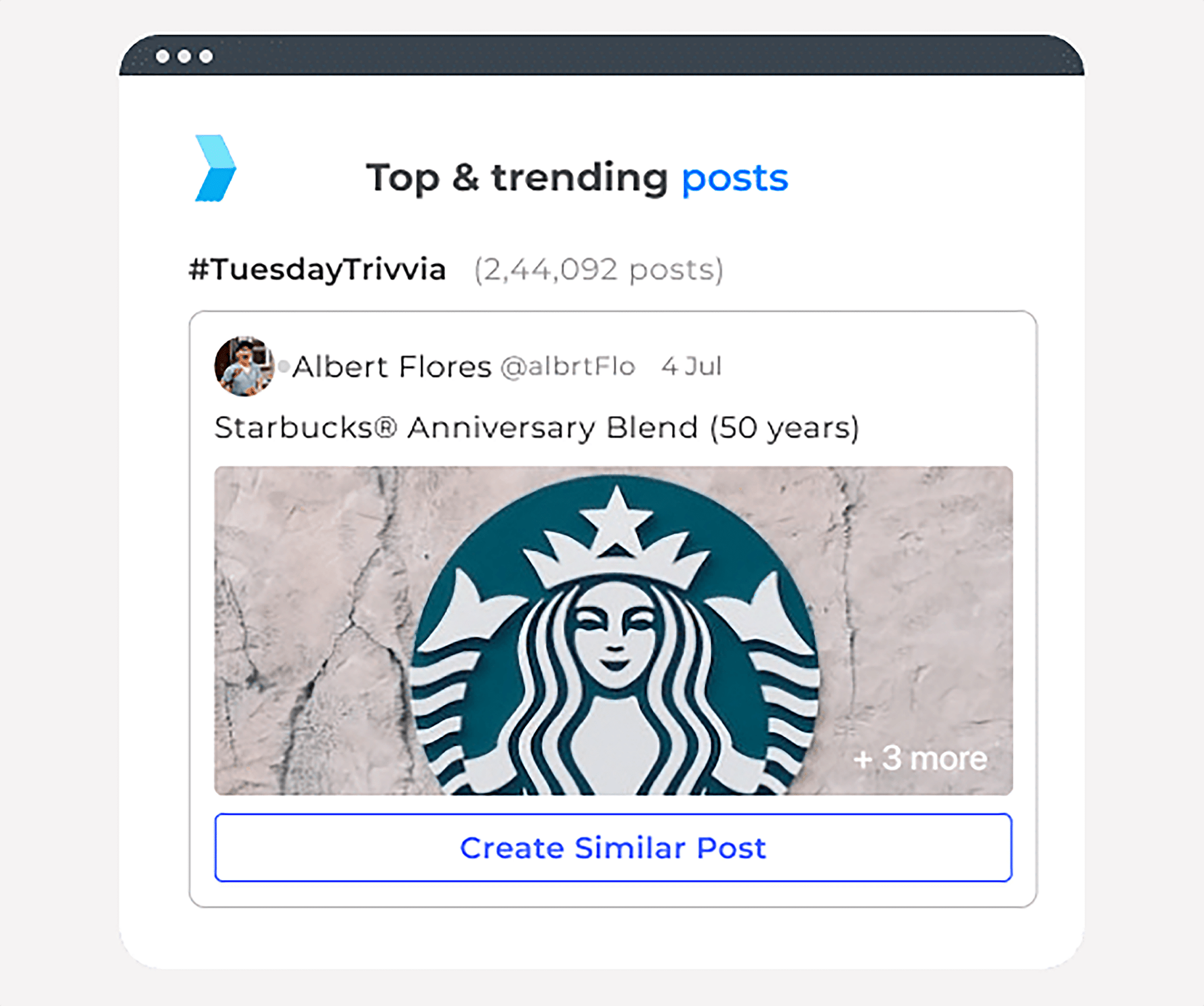
Image Source: Synup
The software also features a post approval workflow to ensure all your social media content is fully reviewed before publication.
What we like
Synup’s calendar of relevant events and holidays gives you the option to create themed posts using AI.
Pricing
Synup’s free trial offer allows you to test out the social media software for 30 days. The pricing for paid plans is as follows:
- Starter ($29/month)
- Professional ($49/month)
9. HubSpot
HubSpot’s social media management software brings publishing, monitoring, engagement, and performance reporting into the same platform as your CRM.
Use its AI-powered post generator to draft content for LinkedIn, Facebook, Instagram, TikTok, Reddit, and X. You can schedule posts, monitor keywords and brand mentions, and receive recommendations on the best times to publish.
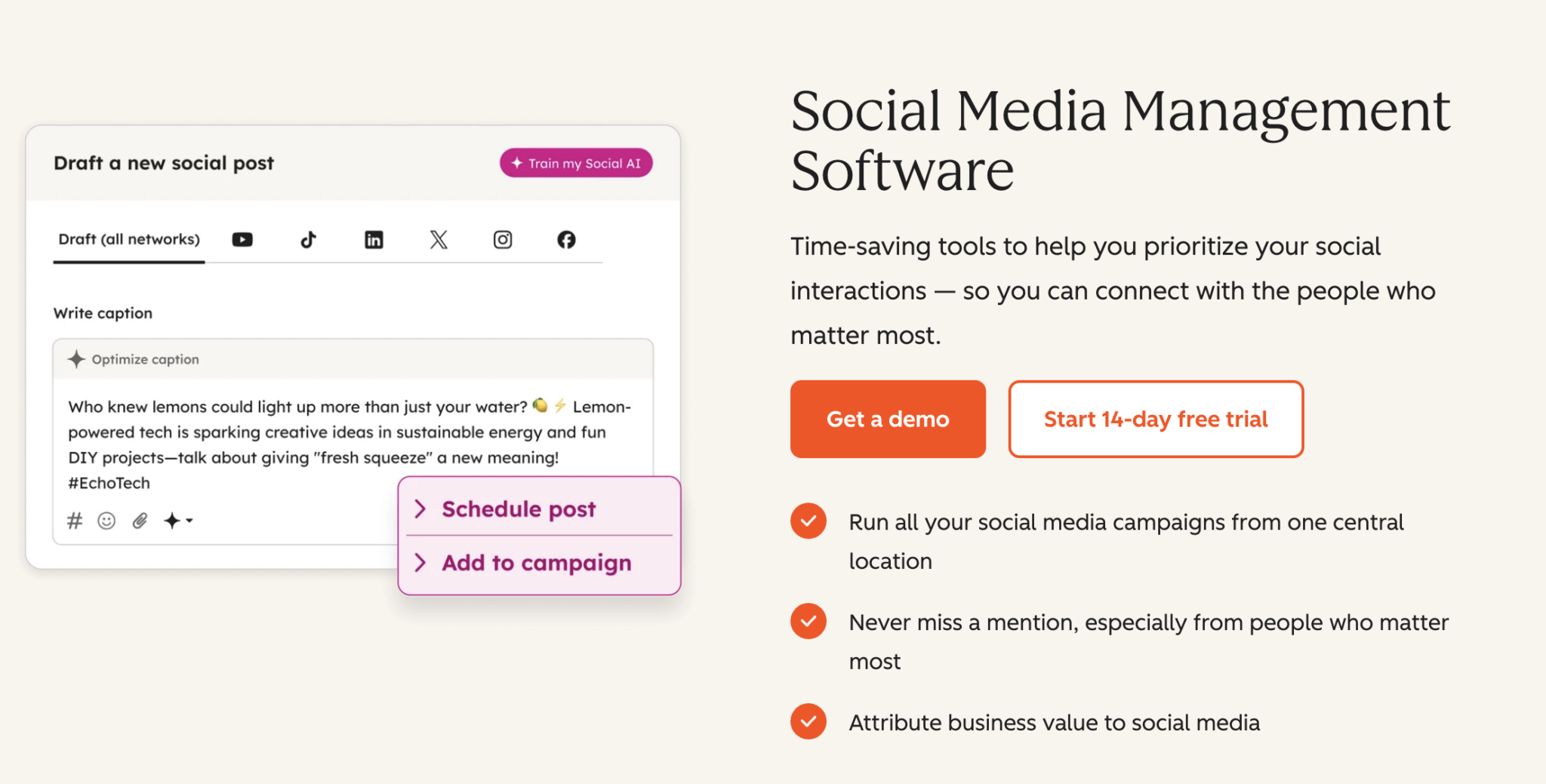
Image Source: HubSpot
Because social interactions connect to HubSpot’s CRM, you can track the visits, leads, and customers generated by your social campaigns—not just surface-level engagement.
What we like
HubSpot connects social activity with wider marketing campaigns and customer data. This makes it particularly useful for teams that want to measure social media’s contribution to leads, conversions, and revenue from one central platform.
Pricing
HubSpot offers a 14-day free trial of its social media software. The full social tool requires Marketing Hub Professional or Enterprise:
- Professional (starts at $890/month or $800/month billed annually, plus a $3,000 onboarding fee)
- Enterprise (starts at $3,600/month, plus a $7,000 onboarding fee)
How to choose the right social media planning tool
With so many different tools available, how do you choose the best social media planner software for your needs?
Pay attention to:
- Features: Make a list of must-have features and reference it when choosing a tool
- Supported platforms: Make sure whichever tool you use integrates with all the platforms you plan to publish content on
- Ease of use: Choose something intuitive so you don’t waste a lot of time learning how to use it
- Customer support: Look for a tool that offers multiple customer support channels (e.g., live chat, email, and phone support). And check how responsive the customer support team is.
- Cost: Think about how many team members will be using the tool. If you’ll have multiple users on a regular basis, choosing a tool with a flat monthly fee for unlimited users might make more sense than a tool that charges per user.
Streamline your social media efforts
Managing your brand’s social media strategy across multiple platforms doesn’t need to be complicated.
A tool like Semrush Social can help you plan, manage, and schedule content across your social media channels.
Get started with a free trial today.
Explore more on
Editorial disclosure
Search Engine Land is owned by Semrush. We remain committed to providing high-quality coverage of marketing topics. Unless otherwise noted, this page’s content was written by either an employee or a paid contractor of Semrush Inc.
About the author