VidIQ: The ultimate guide

VidIQ is a SaaS product designed to help YouTube creators find topic and keywords for their videos. The tool also has a robust YouTube SEO feature set that assists with creating SEO-friendly titles, descriptions and tags.
Key features of VidIQ
YouTube keyword research
In my opinion, VidIQ is the best tool on the market for YouTube keyword research.
VidIQ works like any traditional keyword tool (like Semrush).
Type in a search term…

…and get key data on that term.
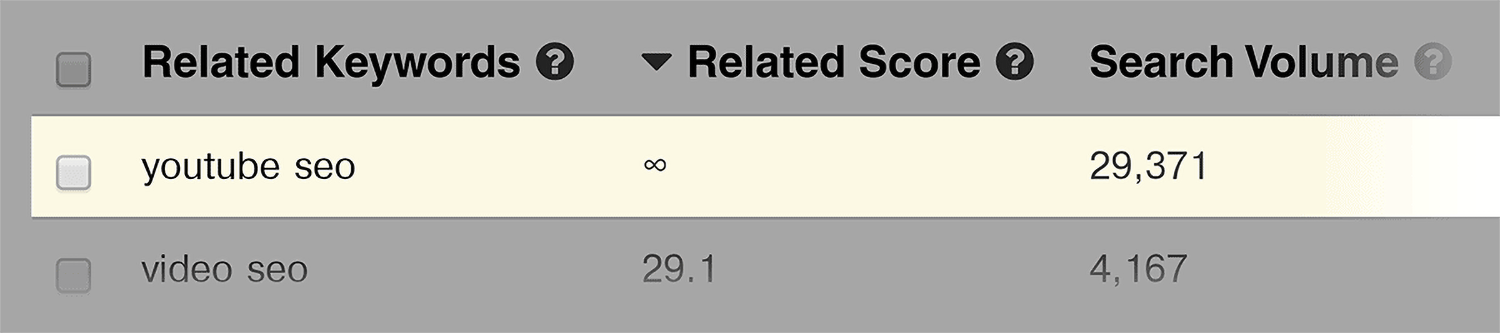
Plus, a huge list of keyword variations.
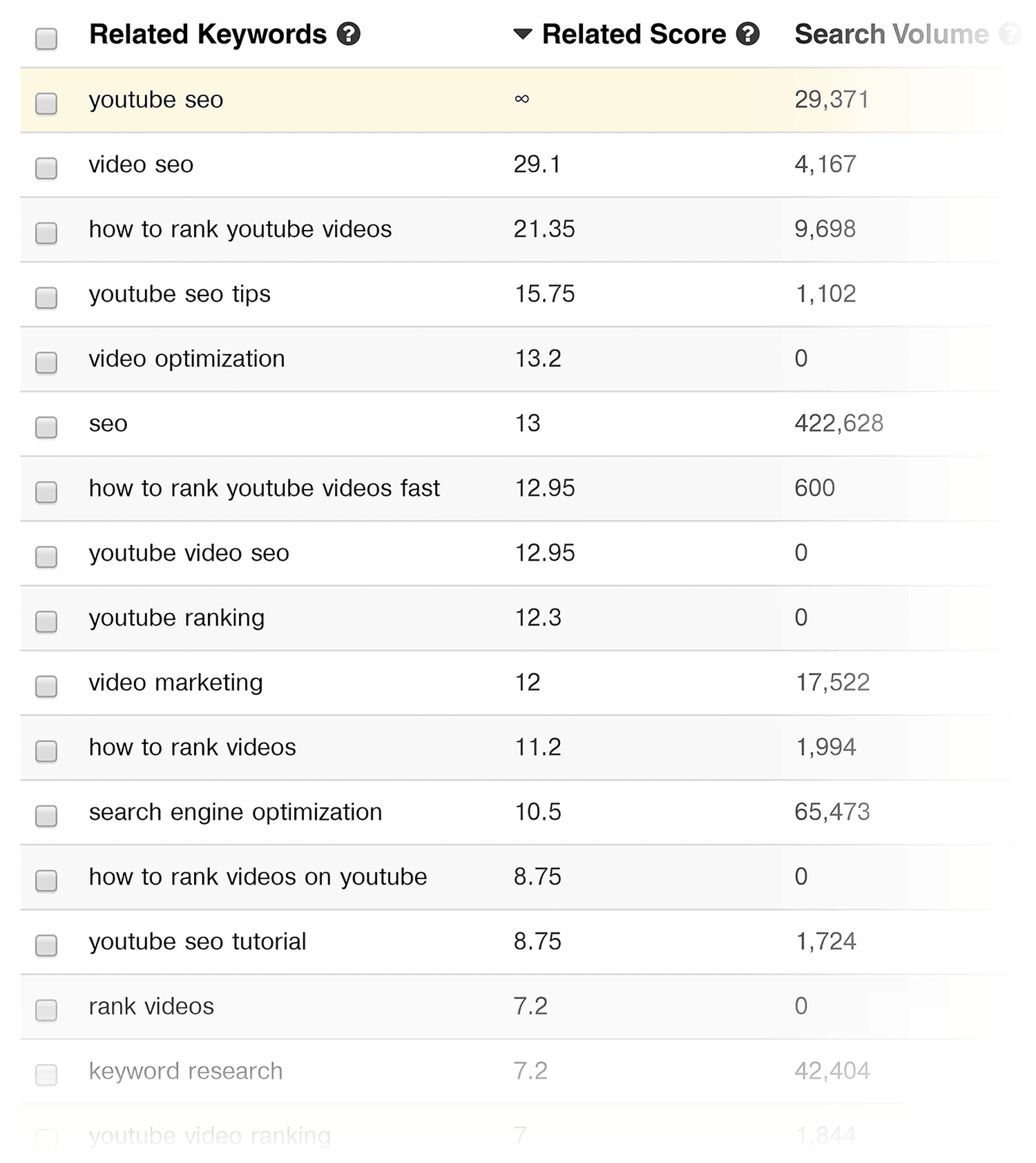
Let’s break down each of the keyword metrics that the tool gives you.
- Related Score: This measures how related a suggested keyword is to the one you just typed in.
- Search Volume: How many people search for that keyword in YouTube every month.
- Competition Score: How many videos are competing in YouTube’s search results for that exact search phrase.
- Overall Score: This number takes into account search volume and competition. So if a keyword has a lot of searches but low competition, it will have a high Overall Score.
VidIQ analytics
This is like a dashboard that shows you how your channel is doing.
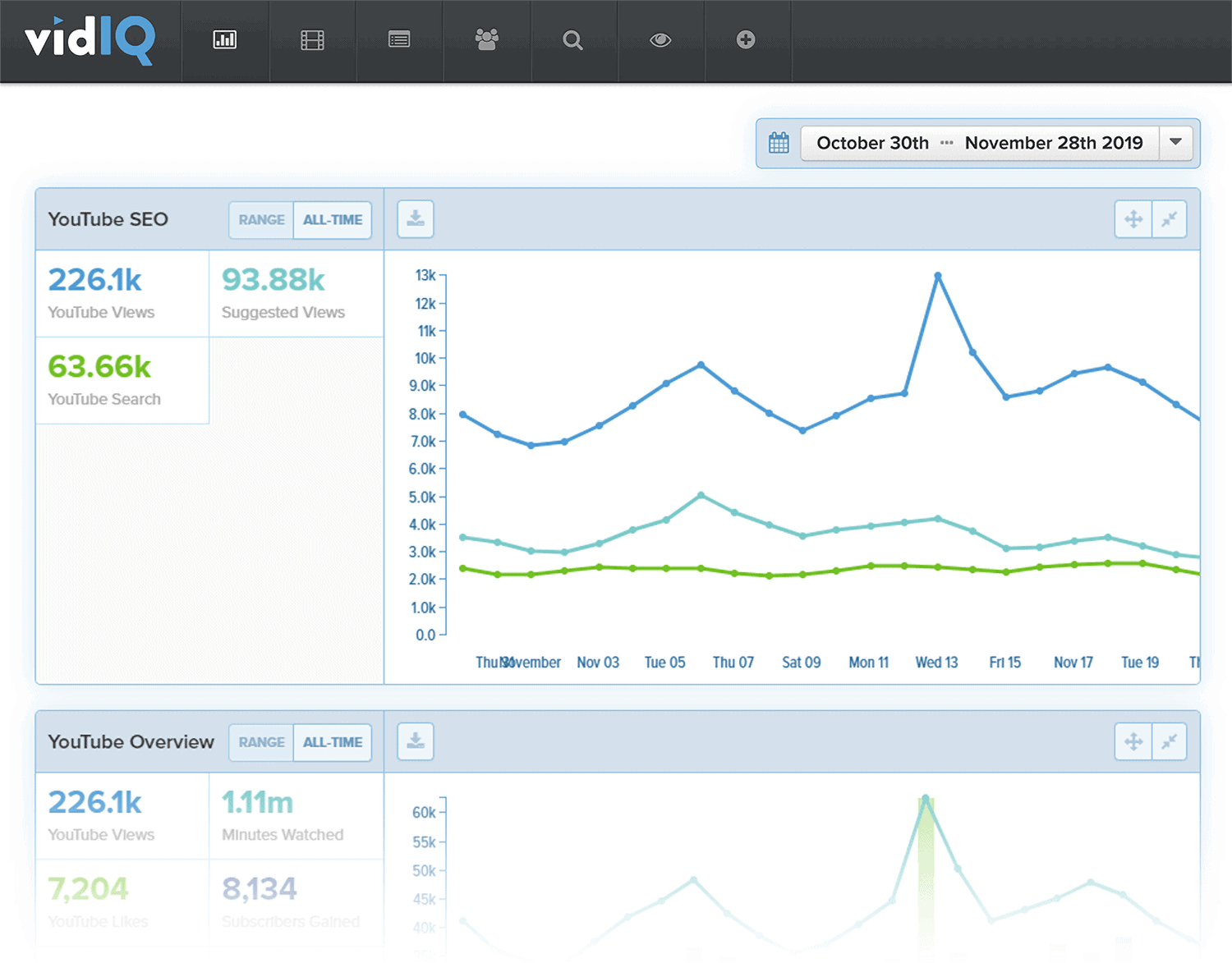
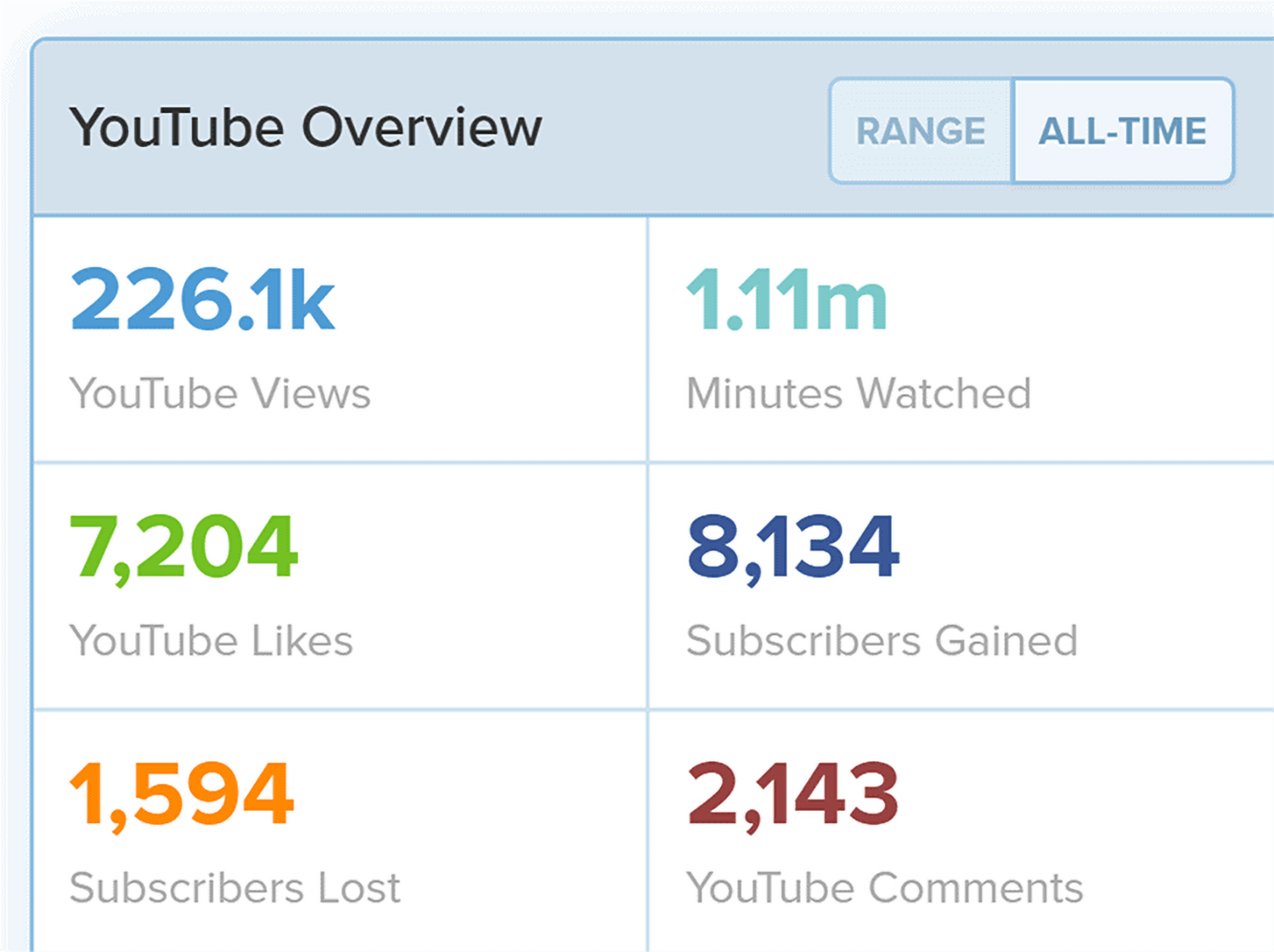
At a glance, you can see how many views, subscribers and comments your channel got.
You can also see where those views came from (search, Suggested Video, etc.)
VidIQ analytics was originally designed to be more user-friendly than YouTube’s old Analytics.
But since YouTube rolled out the new YouTube Studio, I find that YouTube’s dashboard is actually more helpful and easy to understand than VidIQ’s.
Best time to post
This is a cool little feature that no other YouTube SEO tool has.
“Best Time to Post” is just like it sounds: it lets you know the best time to publish a YouTube video for your channel.
(Which is key.)
There are a million “best time to upload a video” posts out there. But they’re averages.
This feature shows you the exact time that your subscribers are active on YouTube.

Very cool.
Top playlists
One of the things that I don’t like about the YouTube studio is that it’s hard to see how your playlists are performing.
You get all the data in the world on each individual video. But almost nothing on playlists.
And considering how important playlists are, the “Top Playlists” feature inside of VidIQ is really nice to have.
As you can see, my channel’s playlists are doing OK.

But one playlist “YouTube Marketing and Video SEO Tutorials” is crushing all of the others.
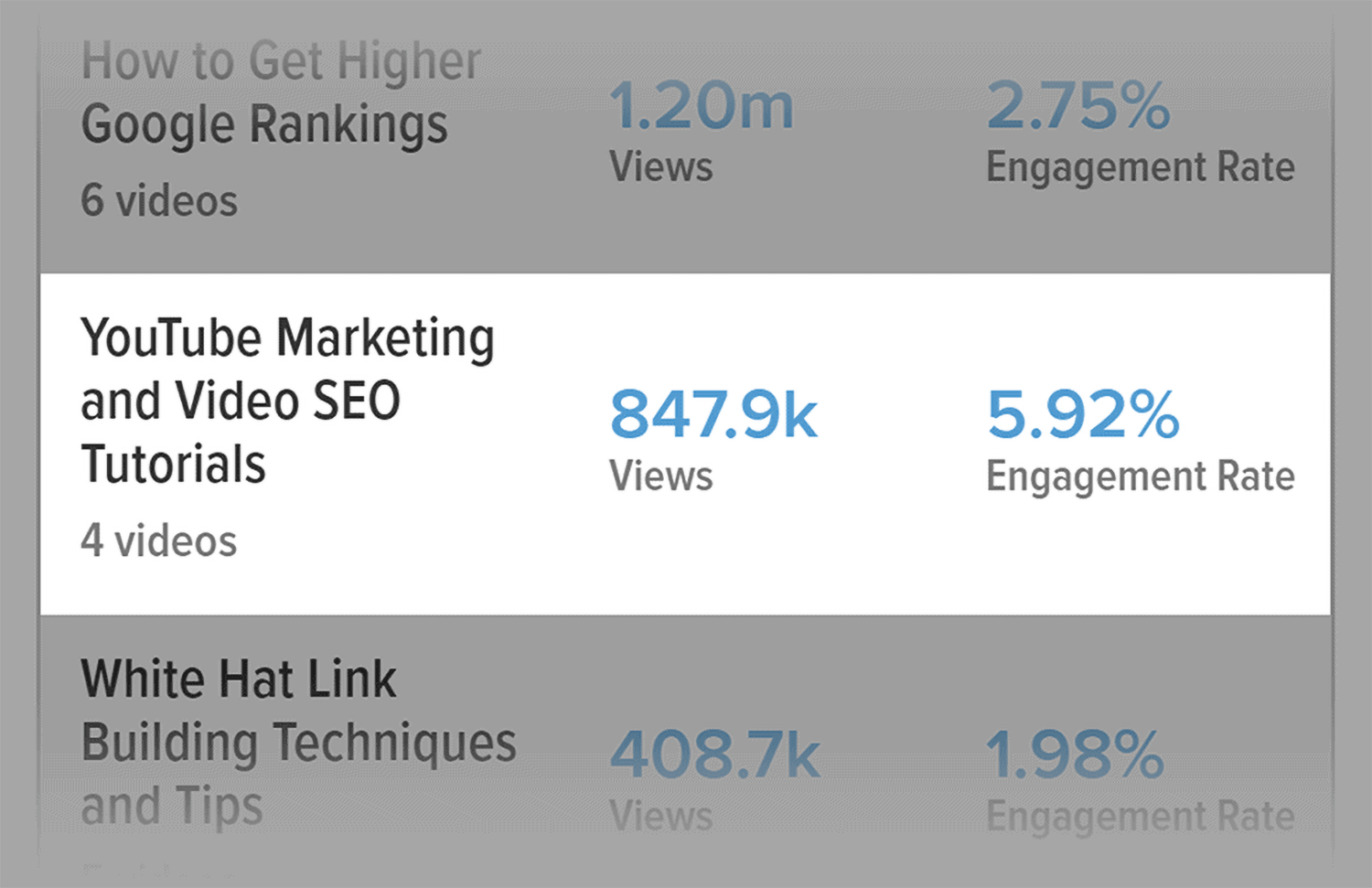
What can I do with this information?
Well, I could remove some videos from my other playlists. My YouTube marketing playlist has 4 videos. And my other playlists have 5+. So maybe people don’t want to sit through 5 videos just to learn something.
Or it could be that more people are interested in YouTube marketing than the other topics that I cover. And I should double down on those topics.
Embed URLs
This report shows you which sites are generating views for your videos off of YouTube.

In my case, my own blog is by far the #1 source of embedded views. But let’s say you find that Quora or Reddit is sending you lots of views. Then you might want to put more effort into promoting your videos on those platforms.
Videos
This report is a list of your videos that shows you how many views, likes, comments and tags each video has.
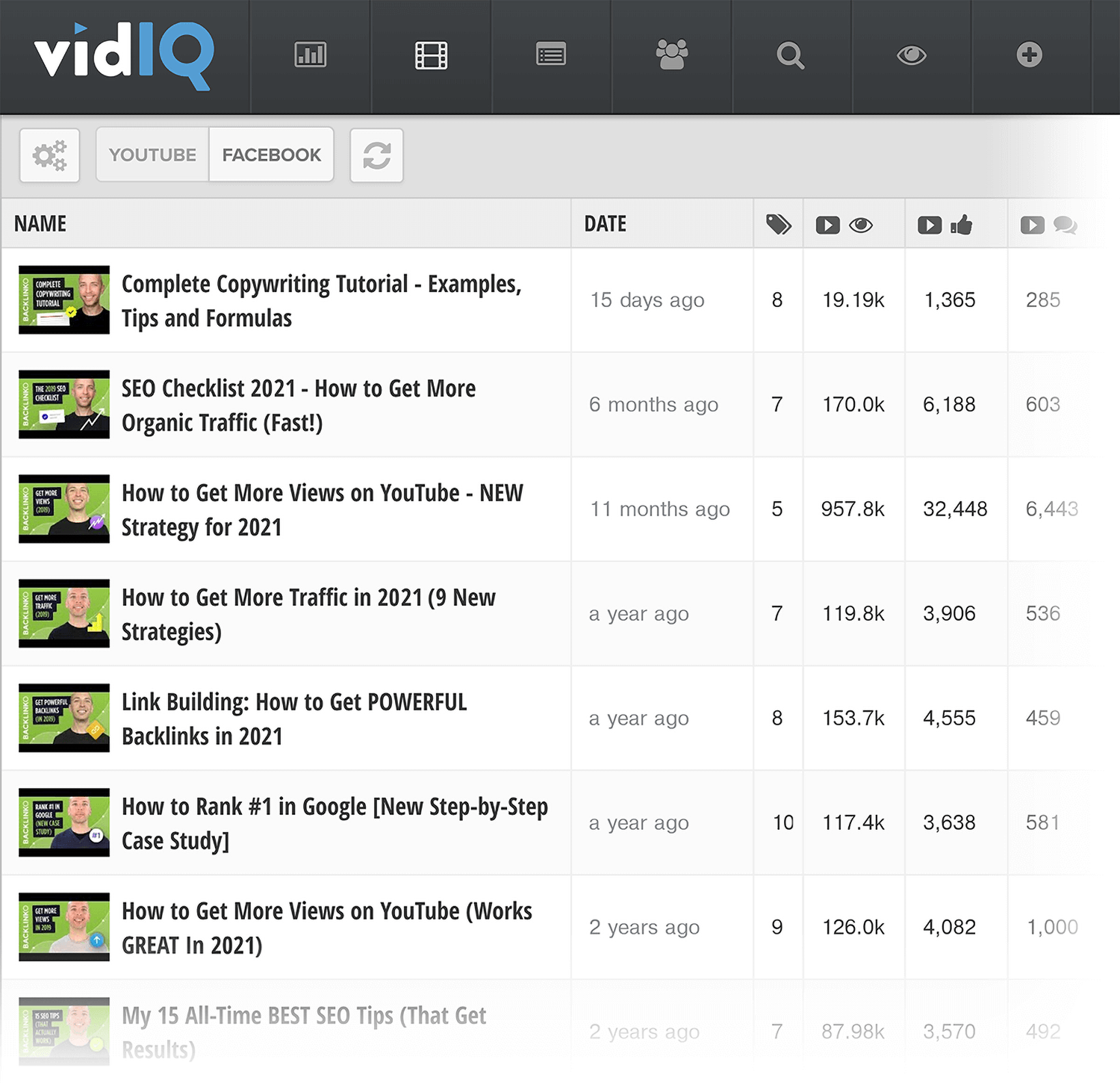
The nice thing about this feature is that you can make tweaks to your video’s metadata with a single click.
All you need to do is click on one of the videos, hit “edit” and you can edit your video’s description and tags on the fly.

Subscriber analysis
Subscriber Analysis is a super interesting feature that only VidIQ has.

Basically what this does is collect viewer data from a subset of your subscribers that have the VidIQ Chrome Extension installed.
And it lets you know other videos they tend to watch when they’re not watching your stuff.

Because people tend to watch lots of random videos on YouTube, most of the videos on the list won’t be super helpful for you.
(Other than giving you a deeper understanding of what your YouTube audience likes to watch.)
But if you dig deep, you can find videos in your niche (or a related) niche that people are watching.
For example, here’s one of the videos that I found from this report.

This video isn’t directly related to SEO. But it’s something that my target audience watches. So I might want to consider making a video about business books.
Competitors
Competitors lets you easily compare your channel to a competing channel (or multiple competitors).

There’s not much actionable stuff you can do based on this report. It’s more to get benchmarks on how your channel is doing in terms of views and subs.
Plus, if you’re competitive (like me), this will motivate you to work harder on growing your YouTube channel.
VidIQ boost
A paid VidIQ account lets you boost a set number of videos every month.
“Boosting” a video basically means that the VidIQ Chrome extension will help you optimize your video.
Here’s how it looks:

This feature is pretty straightforward. So I won’t go into a ton of detail on how to use it.
My only recommendation is to not blindly apply every recommendation. Yes, most of the keywords and tags that VidIQ suggests are helpful. But you still need to use your brain to choose terms that make the most sense for your video.
For example, on this video from my channel about how to get more views, the tool suggests a bunch of really great, related keywords.

But they also suggest a handful of keywords that don’t make a whole lot of sense for my content.

Inline keywords
Inline Keywords reveal a video’s tags inside of YouTube’s search results.

This is a great way to come up with lots of different potential keyword ideas in a few minutes.
For example, when I search for “Video SEO” on YouTube, I quickly found a bunch of related keywords that would be tough to find in any tool.

Pretty cool.
Trending videos
This is another feature that’s part of the VidIQ Google Chrome Extension.
To use VidIQ Trending Videos, search for a keyword in YouTube search. And check out the sidebar.

The “Trending Videos” section shows you the top 10 videos on that topic are getting views right now.

Why is this helpful?
Videos that have a ton of views may have gotten most of their views last week… or 5 years ago. It’s hard to tell.
But with Trending Videos, you can find popular videos that lots of people are watching right now.
VidIQ is built for creators who want to grow with data
VidIQ gives YouTube creators something most tools don’t: a clear picture of what’s working on their channel and why. From keyword research to subscriber behavior to playlist performance, the tool surfaces data that would take hours to piece together manually.
Not every feature is a must have. Some, like the analytics dashboard, have been outpaced by YouTube Studio’s own improvements. But the features that VidIQ does best, like keyword research, trending video discovery, and the “Best Time to Post” tool, are genuinely useful for creators who want to make smarter decisions about their content.
If you’re serious about growing a YouTube channel, VidIQ is worth a look.
Keep going:
- How to dominate video driven SERPs: A guide to optimizing your videos for visibility in Google’s video search results using schema markup, transcripts, and semantic structure.
- Audience retention: Actionable strategies like hooks, pattern interrupts, and open loops to keep viewers watching your videos longer.
- YouTube video descriptions: Best practices for writing YouTube descriptions that improve search rankings and click through rates.
- YouTube user statistics: Current stats on YouTube’s 2.5 billion+ global user base, including demographics and viewing habits.
Explore more on
Editorial disclosure
Search Engine Land is owned by Semrush. We remain committed to providing high-quality coverage of marketing topics. Unless otherwise noted, this page’s content was written by either an employee or a paid contractor of Semrush Inc.
About the author