YouTube video description: 9 essential tips for better descriptions

A video description is a piece of metadata that tells YouTube and your viewers what the video is about. Descriptions that are well-optimized can lead to better search rankings on YouTube.
Why is your description important?
Along with your video title and tags, YouTube uses your description to understand the content (and context) of your video content.
Put another way: a well-optimized description can boost your video’s rankings in YouTube search (and Suggested Video).
In fact, YouTube strongly recommends that you optimize your video description for SEO:
“YouTube is one of the largest search engines in the world. And writing descriptions with keywords can help viewers find your videos more easily through search.”
And now it’s time to show you how to write great descriptions for your YouTube videos.
Best practices for YouTube video descriptions
Aim for 200+ words
Many YouTubers treat their description as an afterthought:
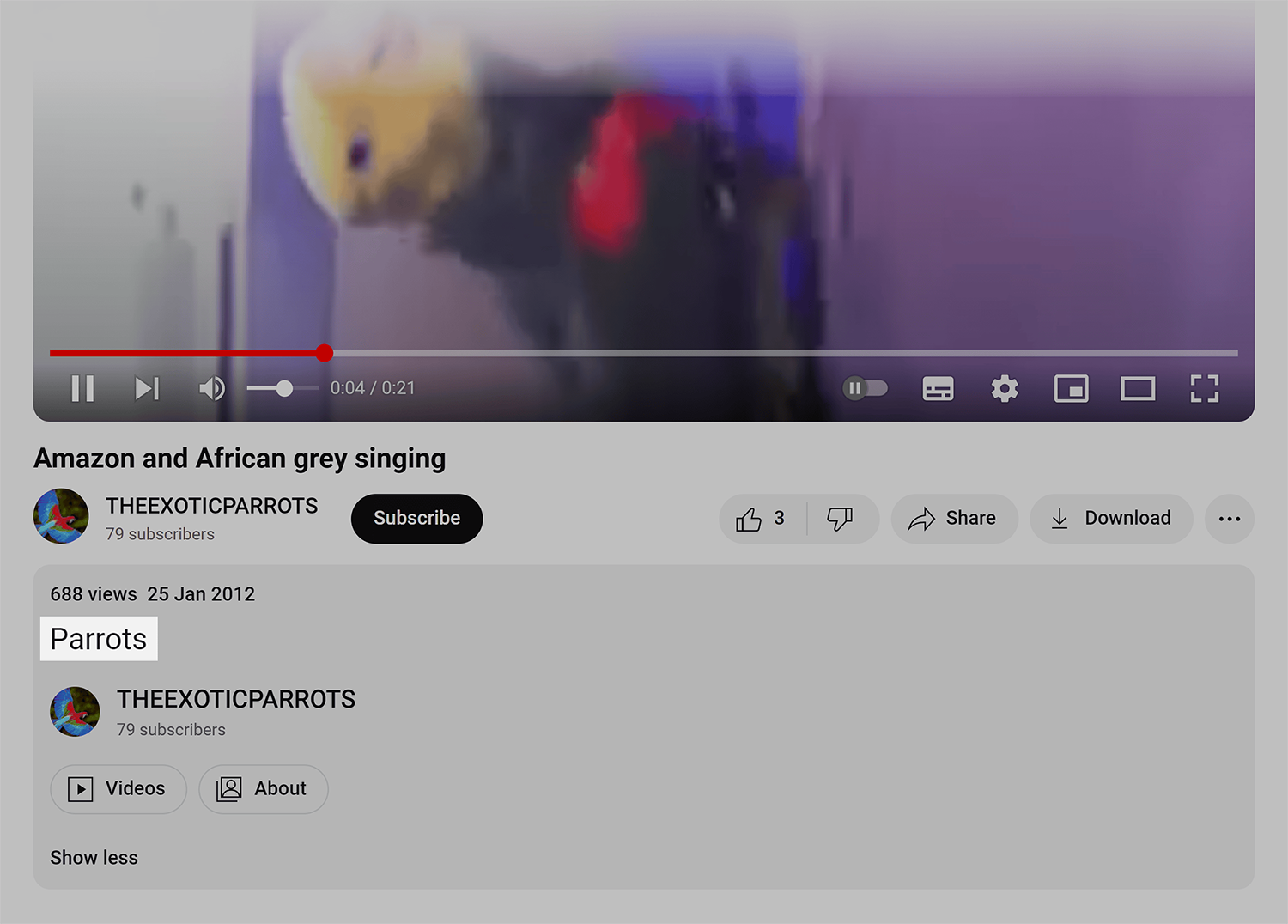
Needless to say, a description like this doesn’t give YouTube much information about your video. And if YouTube doesn’t understand your video, they’re not likely to rank it in search.
That’s why you want to write long, thorough video descriptions (at least 200 words).
For example, this video’s description is 336 total words:

This long description (along with the video’s title and tags) gives YouTube plenty of information, which has, at one point, helped this video rank in the top 3 for its target keyword:

Focus on first 2-3 sentences
YouTube’s algorithm puts more weight on keywords that show up in the first 2-3 sentences of your description.
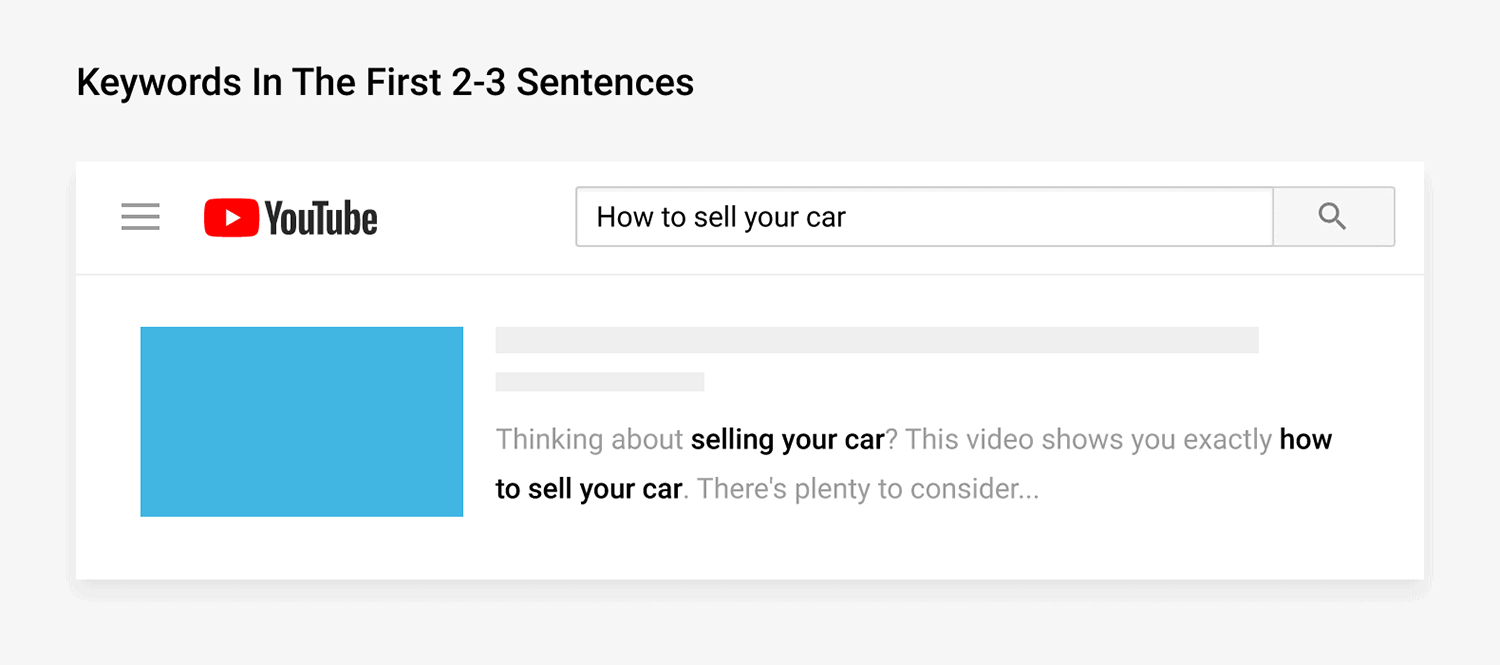
In fact, YouTube recommends that you: “Put the most important keywords toward the beginning of your description”.
So make sure to include your main keyword (and other important keywords) early on in your description field.
For example, check out the search engine results for “cold brew coffee”.

As you can see, most of the top ranking videos have that exact primary keyword in the first sentence of their description:

Optimize your description for CTR
The first few lines of your description are also important for your video’s click-through-rate.
Why?
Well, the first 2-3 sentences of your description appears in the search results:

So it’s important to make this snippet SEO-friendly and compelling to click on. Otherwise, potential viewers may scroll right past your video in the search results.
Needless to say, you don’t want to include links to social media channels or your YouTube channel in the beginning of your description.

As you can see, links don’t make your video look very appealing.
Instead, start your description off with the benefit someone will get from watching your video.
For example, you can see that the #1 result here really sells why you should click on their video:

When someone sees a description like that in the search results, they’re much more likely to click.
Repeat target keyword 2-3 times
Now that you’ve included your keyword in the beginning of your description, repeat that keyword 2-3 more times.
This isn’t about keyword stuffing (which can get you into hot water). You’re just emphasizing that your video is about that topic.
For example, the target keyword for this video is: “YouTube SEO”.

As you can see, the keyword isn’t forced or stuffed. It simply appears a few times so that YouTube understands that the video is about “YouTube SEO”.
Use related keywords
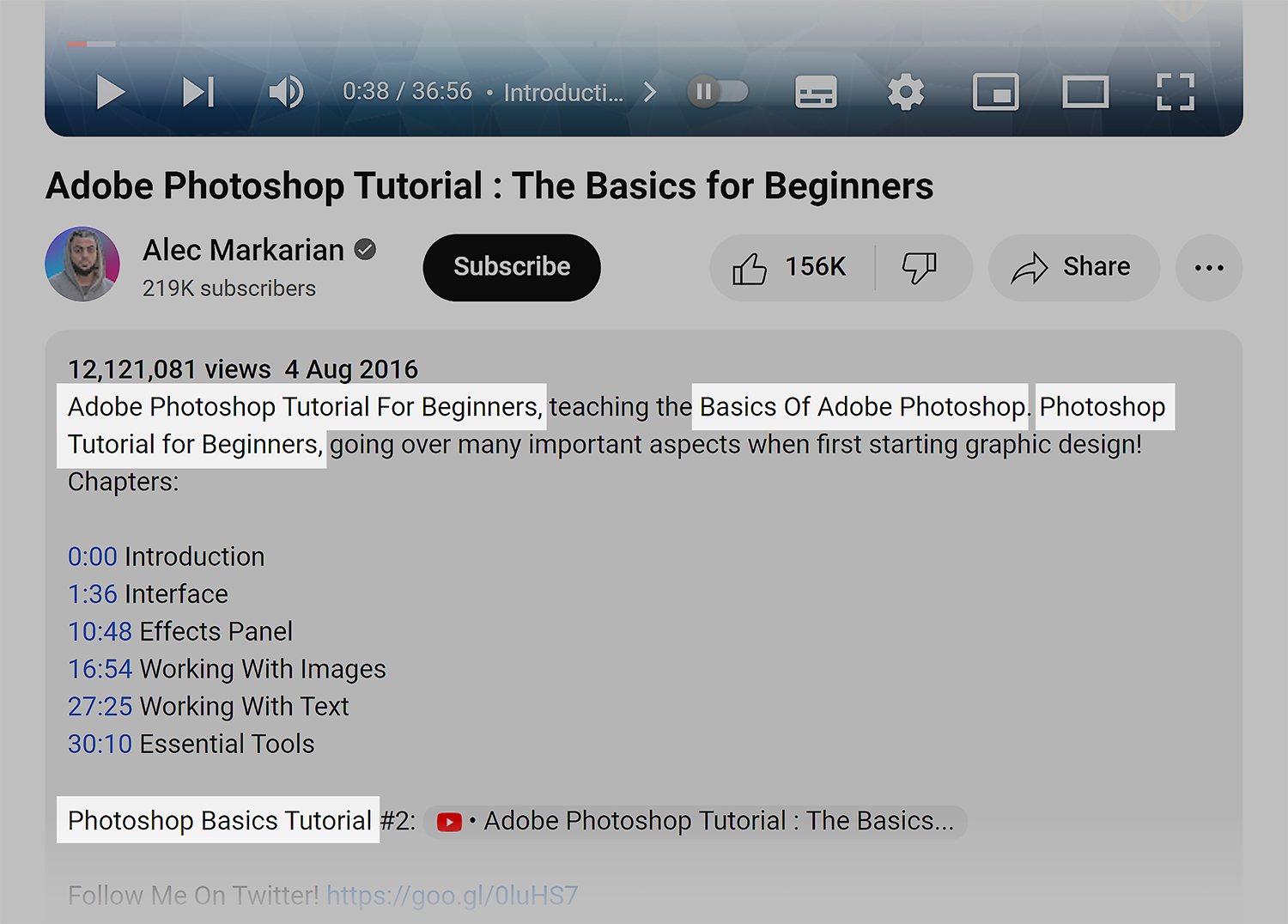
Sprinkle related keywords into your video description. This gives YouTube extra information about your video. Also, including related keywords in your description can help you rank for those terms in YouTube and Google search.
For example, let’s say your target keyword is “how to use Photoshop”.
Related terms would be things like:
- Using Photoshop
- Photoshop tips
- Getting started with Photoshop
So you’d want to sprinkle those keywords in your description.
Use original content
Make sure that your description is 100% unique for each and every video that you upload to YouTube.
According to YouTube, an original description can help your YouTube rankings:
“Be sure each video has a unique description; this makes it easier to find through search, and helps it stand out from similar videos.”
So if you have some older videos on your channel that have the same description template, go back and re-write an original description using the tips outlined here. This can give your old video new life.
Follow this template
If you’re having trouble with your description, try using this YouTube video description template:

Of course, you’re free to use a format that works best for you. But this simple description template can help you bang out effective YouTube descriptions whenever you upload a new video.
Keep it conversational
Remember: your description doesn’t exist solely to feed YouTube’s algorithm. Lots of users read your description to decide whether or not to continue watching your video.
(Some people hit the “more” button to read your entire description as your video starts playing)

So it’s important to include relevant keywords in a way that sounds natural.
For example, take a look at this description from this popular video (over 1 million views):
As you can see, this description includes several different keywords:
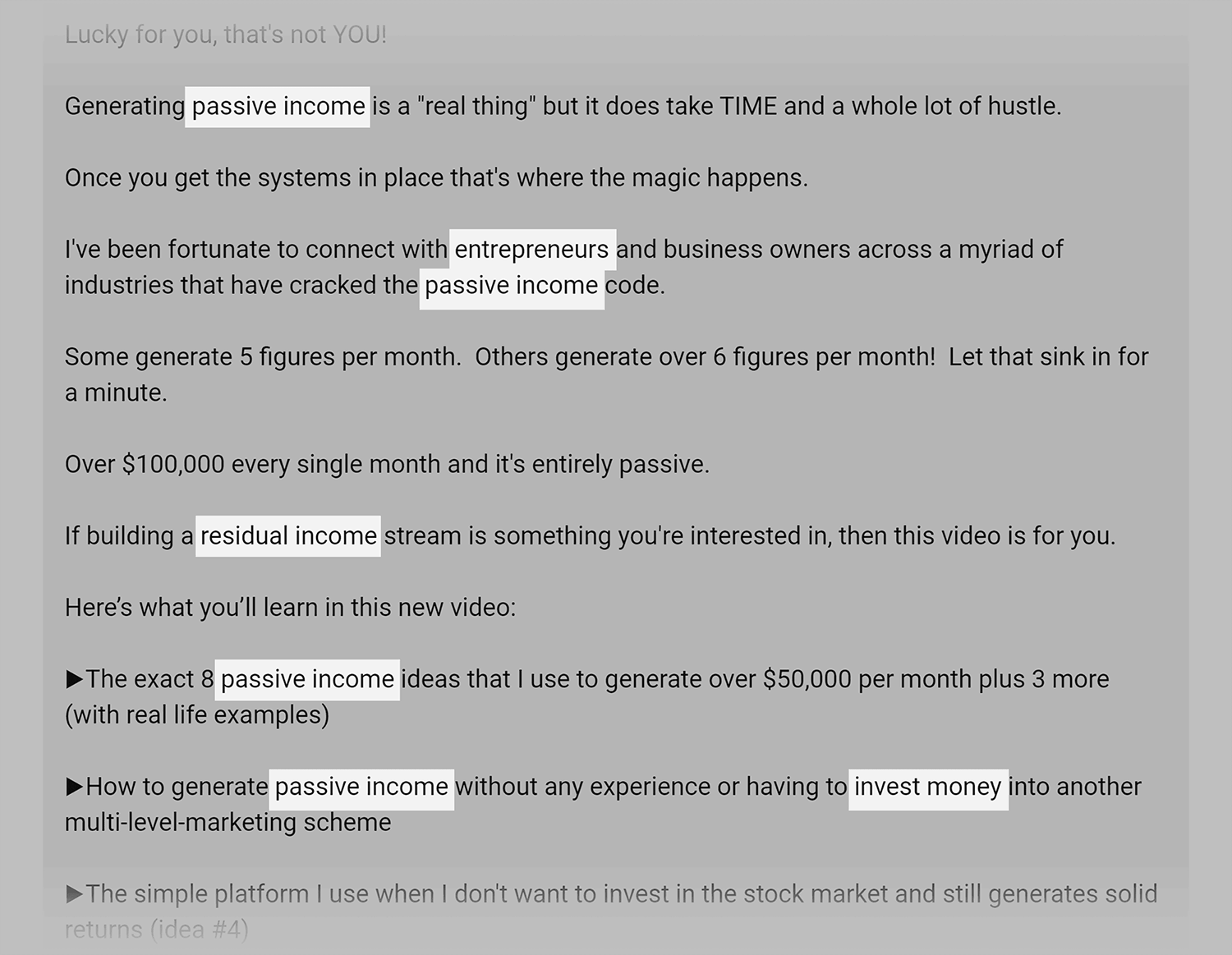
That said, the copy doesn’t sound robotic or forced. In fact, the description makes you excited to watch the video!
Optimize for suggested video
“Suggested Video” is the column of related videos that appears on the right hand side of the video you’re watching:
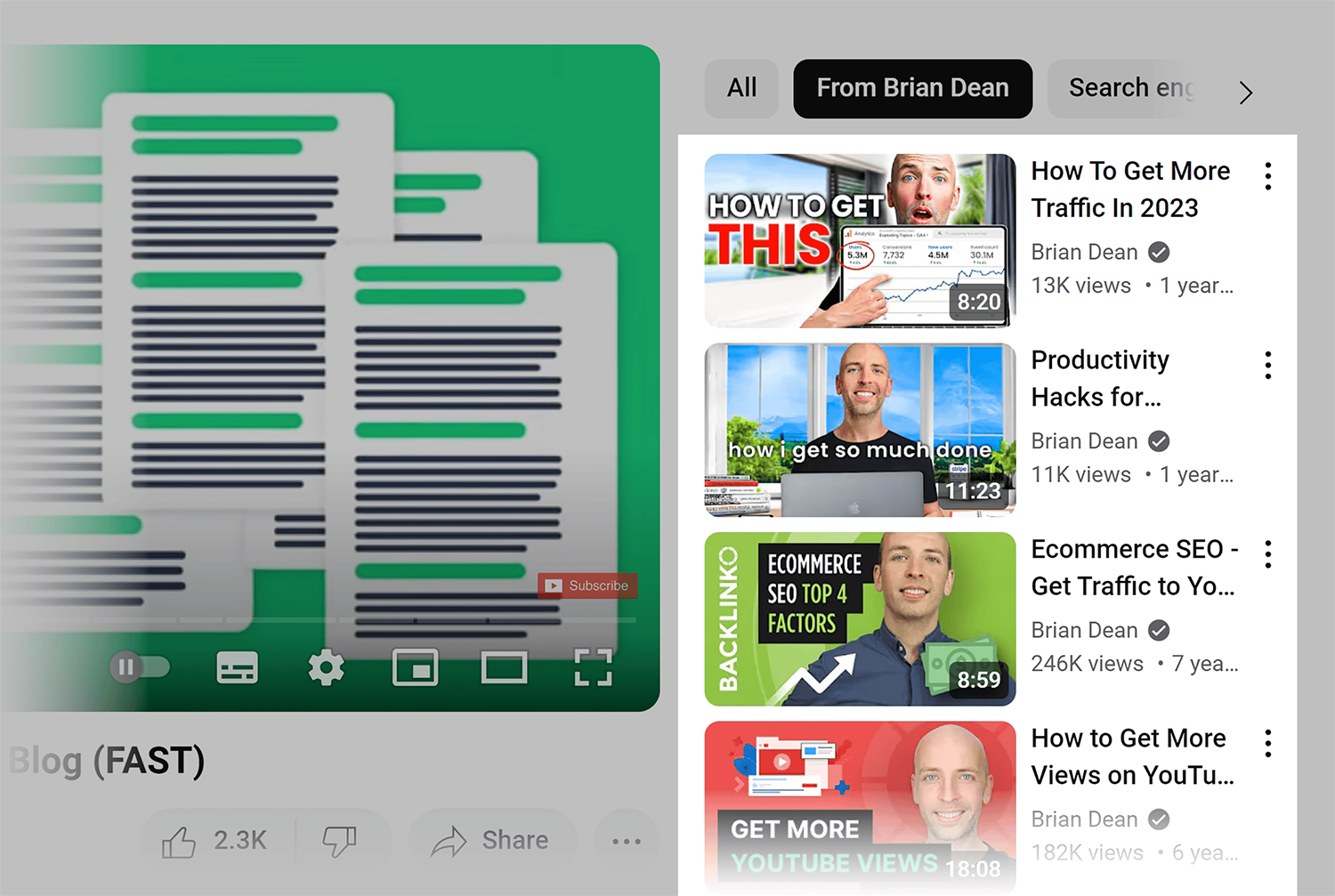
Along with search, Suggested Video can be a significant source of video views.
How do you optimize for Suggested Video?
Well, YouTube states that your video’s metadata (including your description) plays a role in the Suggested Video Algorithm.
In other words, if keywords in your description matches the keywords in another video’s description, there’s a good chance YouTube will promote you as a Suggested Video:

So before you put the finishing touches on your description, find a popular video or two on your topic. Then, copy some of the same keywords from their description in your description.

Make your descriptions do the heavy lifting
Your video description is one of the easiest things to optimize on YouTube. Most creators skip it or phone it in with a line or two. That’s an opportunity for you.
Write at least 200 words. Front load your main keyword. Make the first few sentences compelling enough that someone in the search results actually wants to click.
Then keep it natural. A description that reads well to humans and includes the right keywords will outperform a stuffed, robotic one every time.
Go deeper:
- YouTube stats: How many people use YouTube?: The latest data on YouTube’s audience size, demographics, device usage, and creator earnings, so you understand the scale of the platform your descriptions are optimized for.
- YouTube Cards: What they are and how to use them: How to set up interactive cards that link viewers to related videos, playlists, and external sites at the exact right moment in your video.
- YouTube channel description: Crafting the perfect one: How to write a channel description that communicates your value, includes relevant keywords, and converts visitors into subscribers.
- Audience retention: How to keep video viewers hooked: Strategies for hooking viewers in the first 15 seconds, using pattern interrupts, and studying your retention report to improve every video you publish.
Explore more on
Editorial disclosure
Search Engine Land is owned by Semrush. We remain committed to providing high-quality coverage of marketing topics. Unless otherwise noted, this page’s content was written by either an employee or a paid contractor of Semrush Inc.
About the author