Google Experimental Search Adds Info View & Map View

The Google Blog announced they have added some new features to Google Experimental search. Google has added map view and a new info view that allows you to show different results on the page. Let me take you through each new view.
Google Experimental Map View: For example, conduct a search on search conferences in New York and up comes this page:
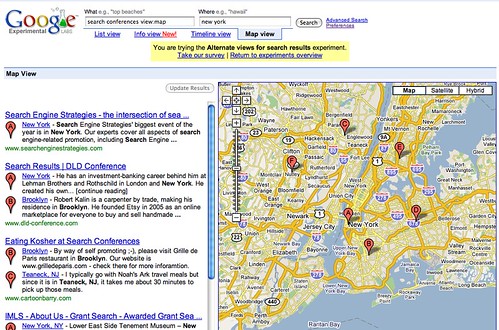
Google will look for addresses and plot each result based on the address found for that result. Let’s look a bit deeper at one that is close to home for me. I once wrote a personal blog post named Eating Kosher at Search Conferences where I mentioned Teaneck, New Jersey. Teaneck is just about 15 – 30 minutes outside of New York. With the title “Search Conferences” and the location, “Teaneck, NJ”, found on that page, Google decided it is relevant content for search conferences in New York.
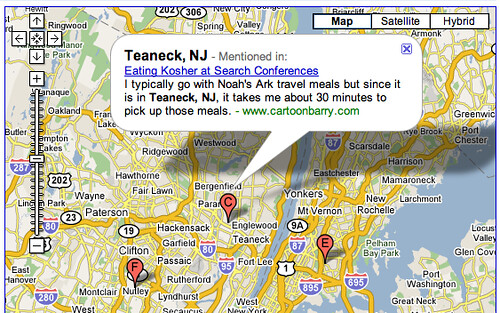
Of course, Google lists Search Engine Strategies, DLD Conference, and some others – but not yet our SMX conferences.
Google Experimental Info View: For example, conduct a search on World War II and up come search results where Google bolds the words “World War II” within the page. If you look to the right of the page, you will notice this box:
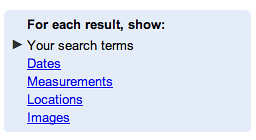
We are currently appearing when sorted for “for each result, show our search terms,” which is why we get bolded terms on the page for our search term. But if I switch to “Dates,” Google will now bold dates found within those search results. I can even filter the page to show only results for a specific date. Here is a screen capture:

Switching to “Measurements” returns results that highlight days, years, seconds, minutes, and so on for this search term. If the search term is more test tube like, it will show weights and other measurements. By selecting “Locations”, Google will highlight geographic location information in the info view, such as “Berlin” in our example search.
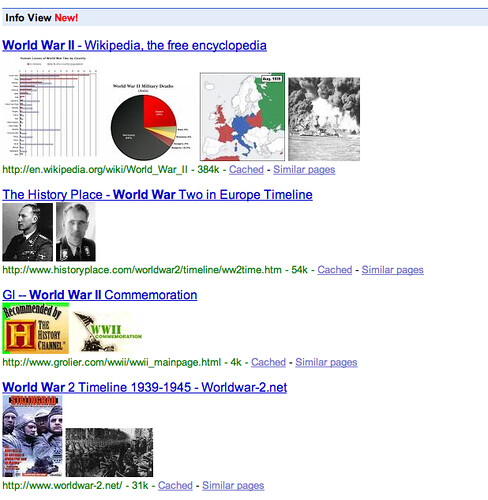
Finally, the “Images” view in the Info View shows groupings of select images from Google Images. Google says this view “may highlight the differences between results and help you select the best page for your needs.” Here is what it looks like for me:
Explore more on
Editorial disclosure
Search Engine Land is owned by Semrush. We remain committed to providing high-quality coverage of marketing topics. Unless otherwise noted, this page’s content was written by either an employee or a paid contractor of Semrush Inc.
About the author