What is remarketing? Strategy, benefits & best practices


What is remarketing?
Remarketing is how brands turn missed opportunities into second chances.
It’s a digital marketing strategy that aims to re-engage people who have interacted with your brand through your website, app, email, or other channels but didn’t take the next step, such as completing a purchase.
That “You left something in your cart” email? That’s remarketing–not pushy, just suspiciously good at remembering your business.
High-performing marketers tailor these re-engagement experiences across an average of six channels. Remarketing taps into this multi-channel approach. It uses tools like SMS, push notifications, email, and platform-specific ads on Google, Meta, and Amazon to help reconnect with warm leads and nudge them further down the funnel.
Is remarketing used for potential or existing customers?
Remarketing was once seen primarily as a strategy just for customers, while retargeting was reserved for prospects. Now, however, the two overlap in many ways (more on that below), and remarketing should be used for both potential and existing customers.
Prospective customers typically average seven to eight interactions before purchase, so remarketing helps guide these prospects toward conversion. At the same time, remarketing supports retention by driving renewals, upsells, and loyalty among existing customers.
What’s the difference between remarketing and retargeting?

Remarketing is often used as an umbrella term that includes retargeting. While the two overlap and are used interchangeably, they differ in the types of data and channels they mainly rely on.
- Remarketing primarily uses owned channels (website, email, social media profiles, mobile app) and first-party data (CRM lists, email subscribers, past purchase behavior) to re-engage already-existing customers.
- Retargeting uses paid channels (Google Ads, social media ad platforms, display ads, and sometimes native ads) and third-party data (cookies, tags, or pixels from external sites) to re-engage prospective customers.
As browsers phase out third-party cookies, retargeting has had to rely more on first-party data, which was traditionally reserved for remarketing.
Although display ads are “technically” a retargeting strategy for prospects, they’re also used as a remarketing strategy for existing customers.
The SEO toolkit you know, plus the AI visibility data you need.

So, yeah, it’s a bit fuzzy.
What matters more than strict definitions is how these strategies work together as part of your overall marketing mix. In a world where channels and data sources increasingly overlap, integration is key.
How does remarketing work?
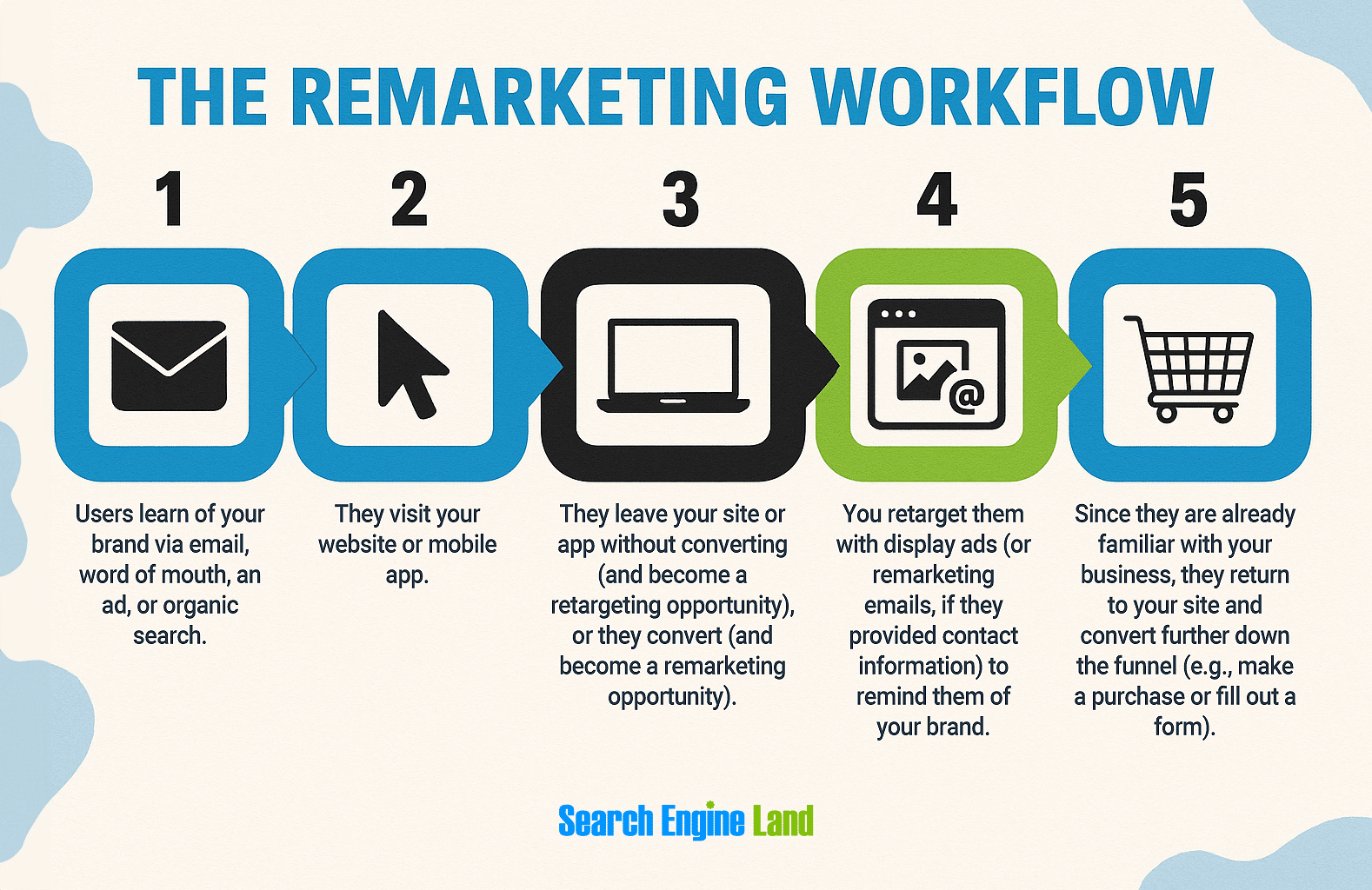
Remarketing works by identifying and re-engaging users based on their past behavior. It primarily uses first-party data to track those behaviors, segment users into relevant groups, and deliver personalized messages designed to move them further along their customer journey.
Take this example from one of the top dogs of remarketing: Amazon.
Amazon noticed a lapsed Audible subscriber browsing books. It used this data to trigger a timely, personalized remarketing email offer.

The email even calls out the most popular books in that customer’s preferred genre and sweetens the offer with a free month-long trial. Behind the scenes, predictive analytics likely identified a high chance of resubscription. Now that’s remarketing at its finest.
Types of first-party data used in remarketing
First-party data is data collected by your own channels and sources, meaning you own the data and have full control and rights over it. Examples include:
- Email addresses: from newsletter signups, account creation, or purchases
- Purchase history: what products someone bought, how often, or when they last ordered
- Website behavior: pages viewed, time spent, cart activity, or downloads
- App usage data: in-app actions, feature usage, or engagement levels
- CRM data: including customer tier, lifecycle stage, support history, or preferences
- Form submissions: from demo requests, surveys, or gated content downloads
- Loyalty or rewards program data: points earned, redemption patterns, or membership tier
Each data point can be powerful on its own, but together they create a fuller view of the customer journey. This enables smarter audience segmentation, where remarketing lists are built and used to deliver more personalized, effective campaigns.
What is a remarketing list?
A remarketing list is basically the end result of breaking your audience into segments.
For example, here’s a remarketing list in MailChimp made up of users who were automatically labeled as “blog subscribers” after submitting the site’s subscription form.

These users have shown interest in the site’s content and enough trust in the brand to stay connected, even if they’re not ready to buy yet.
To push them further down the funnel, you could:
- Serve targeted ads promoting gated content like ebooks, templates, or webinars—content that signals deeper intent and moves users closer to conversion
- Highlight customer success stories or product use cases in display or social ads, reinforcing how your solution helps real people or companies like them
- Use email remarketing to showcase your most-read content, invite them to try a free tool or demo, or offer a limited-time incentive to sign up or purchase
By pairing this blog subscriber list with behavioral insights (like what topics they engage with most), you can personalize follow-up content that nudges them toward action.
How do I build a remarketing list?
Remarketing lists can be built right within the platforms you already use to manage campaigns or customer data. Common examples include:
- CRM platforms (like HubSpot and Salesforce)
- Google Ads
- Meta Ads (Facebook and Instagram)
- Ecommerce platforms (like Shopify and WooCommerce)
- Email tools (like MailChimp and SendGrid)
How you actually build your remarketing list will depend on the tool or platform you’re using. Most platforms make creating remarketing lists a simple, straightforward process.
The impact of privacy and signal loss
Stricter data privacy rules are cutting off key signals marketers once relied on. Retargeting is feeling the biggest impact since it depends on cookies, but remarketing must also adapt as third-party data disappears.
Below are the most significant developments changing the playing field.
Cookie depreciation
Browsers like Safari, Firefox, and now Chrome are phasing out third-party cookies, making cross-site tracking and traditional retargeting more difficult.
Have you noticed that nearly all sites you visit now immediately present you with a cookie user consent opt-in?
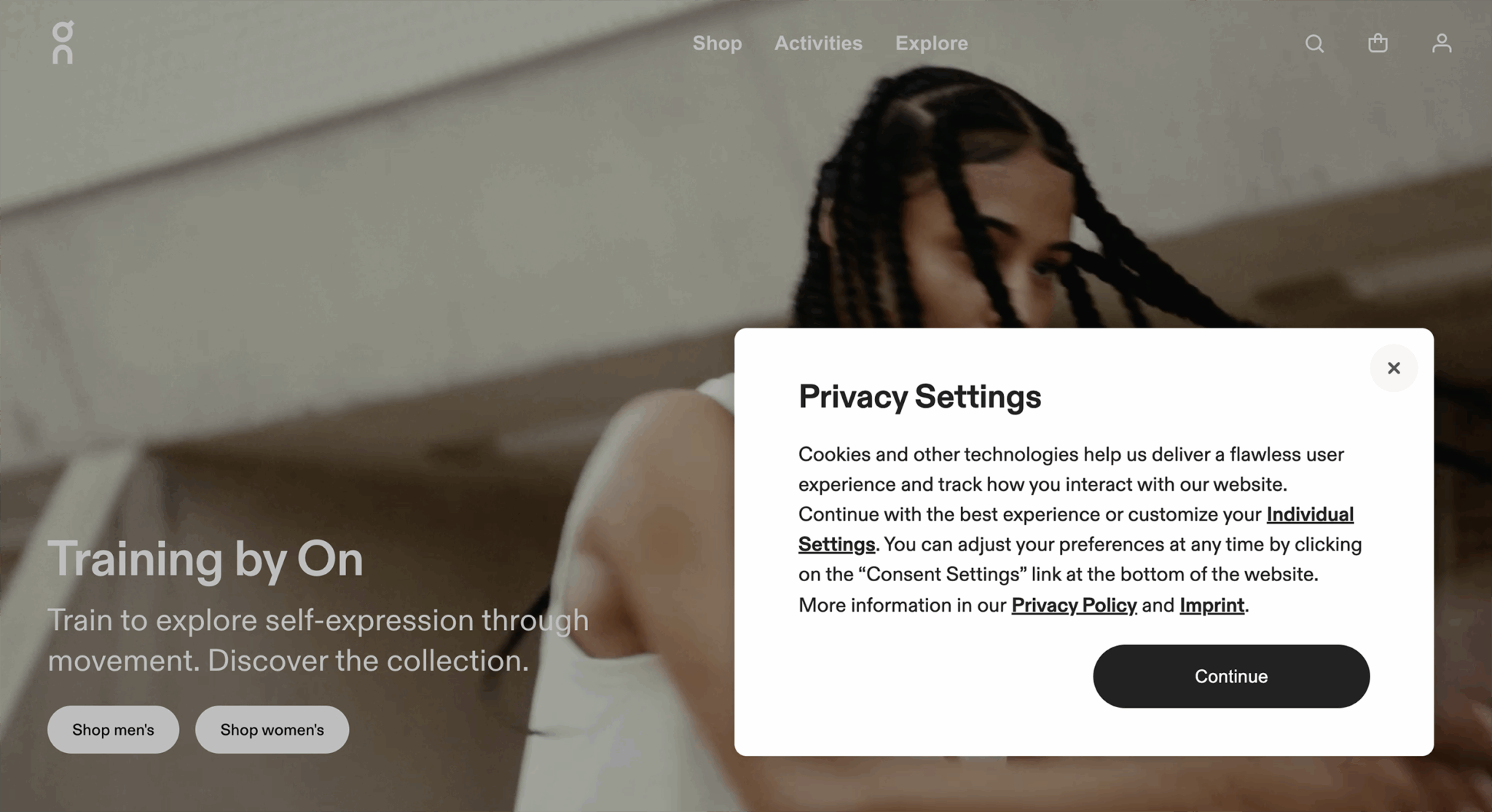
You can expect to see that on just about every site moving forward—it’s a direct result of the industry’s shift toward privacy-first, consent-based tracking.
Apple’s iOS restrictions
Per Apple’s App Tracking Transparency, iOS apps must now ask for a user’s permission to track activity across apps and sites. Most users decline, reducing mobile attribution data.
Global data privacy laws
Rules like the General Data Protection Regulation (GDPR) and the California Consumer Privacy Act (CCPA) now require that companies be open about how they collect, store, and share your data. Most tracking now requires you to opt-in before it’s allowed to track you.
All of these changes mean that marketers must shift their priorities. Some good starting points:
- Get more familiar with first-party data: Collect directly from users through interactions like form fills or log ins
- Leverage consent-aware tracking: Use cookie banners and opt-ins to comply with regulations
- Understand the role of persistent identifiers in data collection: Persistent IDs are tied to user logins and stay the same across different sessions and devices, which allows you to track and personalize their experience over time
Note: Learn more about each of these bullet points by scrolling down to the “Advanced tips for remarketing” section of this guide.
How much does remarketing cost?
A 90-day remarketing Google ad campaign can cost under $100 if you stick to the minimum recommended budget, according to MailChimp.
But costs vary depending on your industry, audience size, and ad network.
Popular pricing models include:

Cost-per-click (CPC)
Cost-per-click means you pay when someone clicks your ad. Industry standards suggest you’ll pay between $0.66 and $1.23 per click. But final CPC will depend on competition and ad placement.
CPC can help strengthen your remarketing strategy by driving traffic and capturing more behavioral data. But because clicks don’t guarantee conversions, it’s important to pair CPC with a high-performing onsite experience to maximize ROI, especially since it tends to be a more expensive model.
Cost-per-thousand impressions (CPM)
With CPM, you’re charged per 1,000 views, even if no one clicks on your ad. Industry standards on CPMs typically range from $5 to $15, although they can spike for premium inventory (such as high-traffic sites or more engaging ad formats, like video).
CPM is best for brand awareness, not immediate clicks. But in remarketing, it can work well because your audience already knows you, making them more likely to engage. Plus, CPM rates are often lower than CPC, so strong targeting can deliver results at a lower cost.
Cost-per-acquisition (CPA)
CPA means you pay when someone performs the targeted action (like a purchase or form fill—you decide what the action is). Since remarketing targets warm leads, CPAs tend to be lower than for cold audience campaigns.
You can calculate your CPA by dividing campaign spend by the number of customers gained.
For example, if you spent $300 on a campaign and gained 10 customers, your CPA is $30.
Just take the result with a grain of salt—unless your attribution is 100% accurate, the numbers may be slightly off. Tools like UTM codes (little snippets of code added to the end of a URL to make it trackable) and CRM integration can help improve accuracy.
A few budget tips
- Start with a modest daily budget and scale based on performance to help increase the chances of a higher ROI and avoid unnecessary budget spend.
- Set limits on how often someone sees your ad. You don’t want to waste your budget on users who have already decided they aren’t interested, or worse, push interested users away by overwhelming them.
- A/B test creatives to improve CTR and reduce wasted spend. Try to change one element at a time (e.g., ad copy, image, or CTA) so you can get granular insight on exactly which elements are performing better.
Types of remarketing by audience
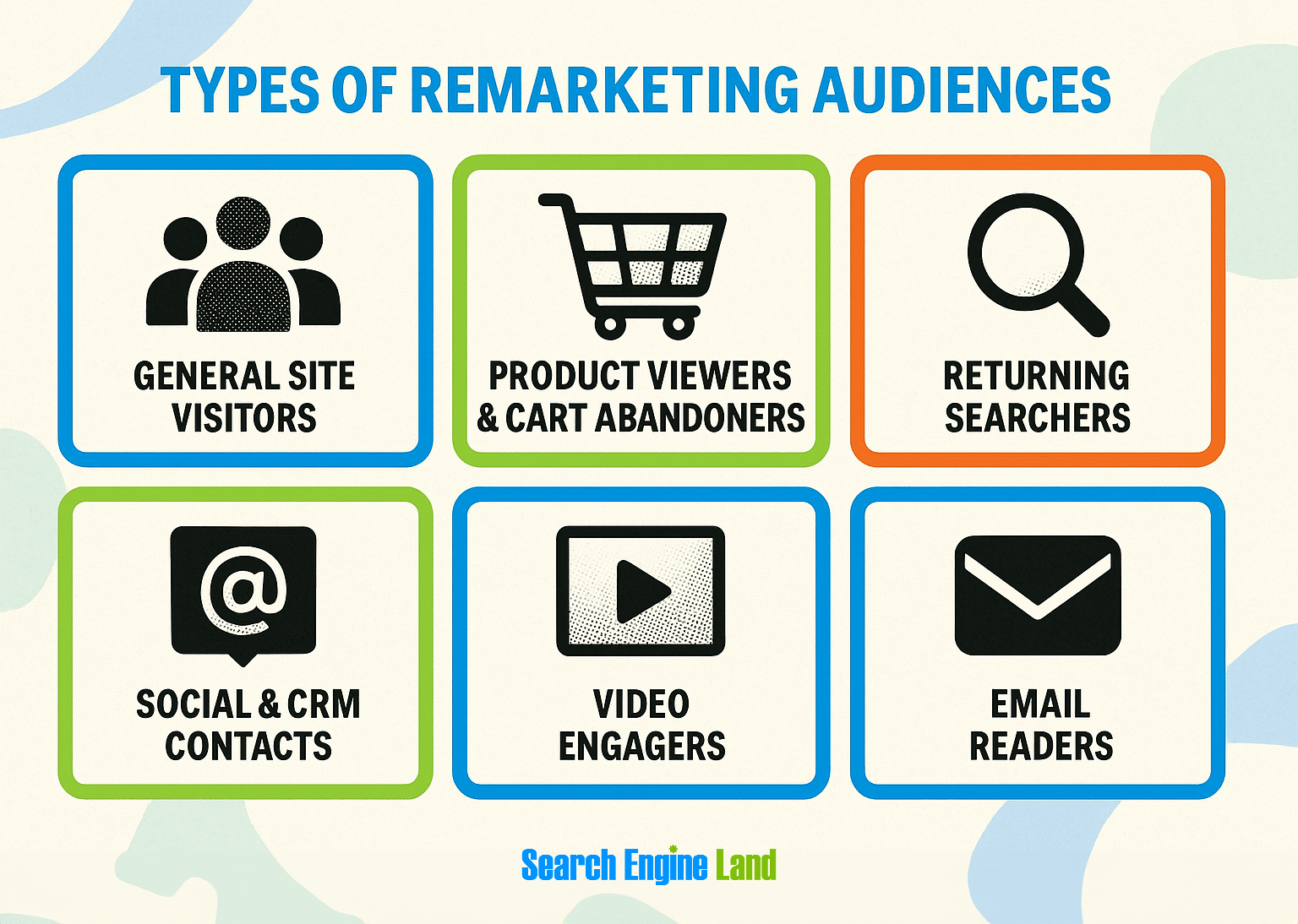
Remarketing works best when you tailor messages to where someone is in their journey. By segmenting your audience, you can match each group with the most effective strategy, even if that strategy falls under traditional “retargeting,” like display or social ads.
General site visitors
These are people who explored your site (maybe they’ve read your blog, visited the homepage, or browsed categories) but haven’t shown clear product interest yet. Since they’re still in the early-funnel stage, use a standard remarketing approach that shows the same ad to the whole audience.
Use low-pressure messaging focused on brand awareness and education, like highlighting your unique value or sharing top blog posts. Avoid hard sells here, since these users are still early in the journey.
For example, someone visits your site and later sees a display ad for your brand that says, “Discover smarter ways to [solve a problem your brand addresses]” that links to a blog post. Or maybe the ad says, “Shop our latest collection of [product]” that points to a category page, regardless of what they looked at when visiting your site.
Product viewers and cart abandoners
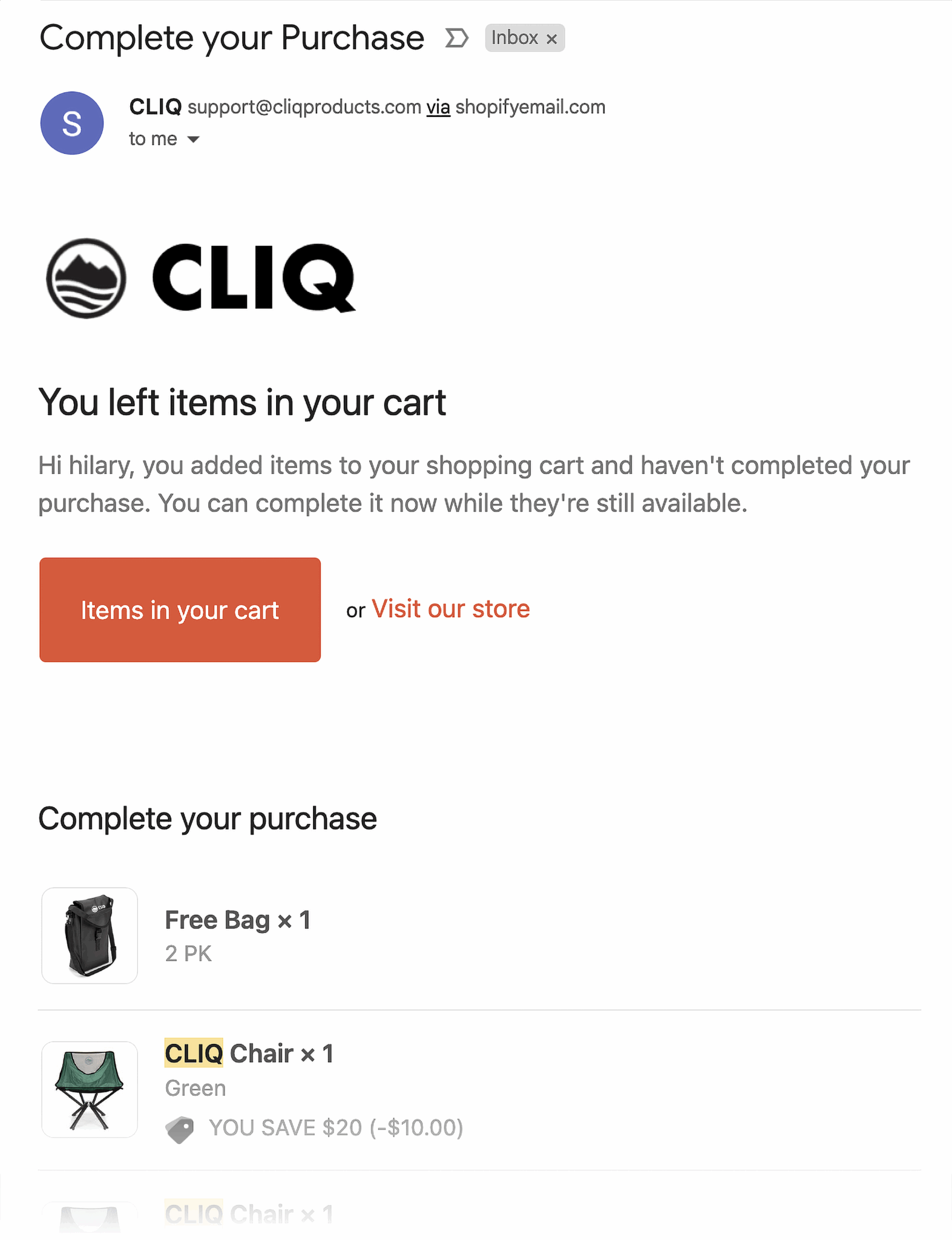
This group showed strong intent by viewing products or adding them to the cart, but didn’t complete the purchase.
Use dynamic ads (ads that show a user the exact product or page they were looking at) in conjunction with social proof or limited-time offers. It’s a good idea to test urgency messaging (“deal ends soon!”) or tailor lifestyle imagery to catch their attention.
For example, a Hulu subscriber visited Hulu’s pricing page to compare the costs of upgrading to an ad-free plan. Later that day, the user was retargeted with a display ad tempting them to upgrade to Hulu’s “Ultimate Bundle” plan that “starts at $16.99/mo.”
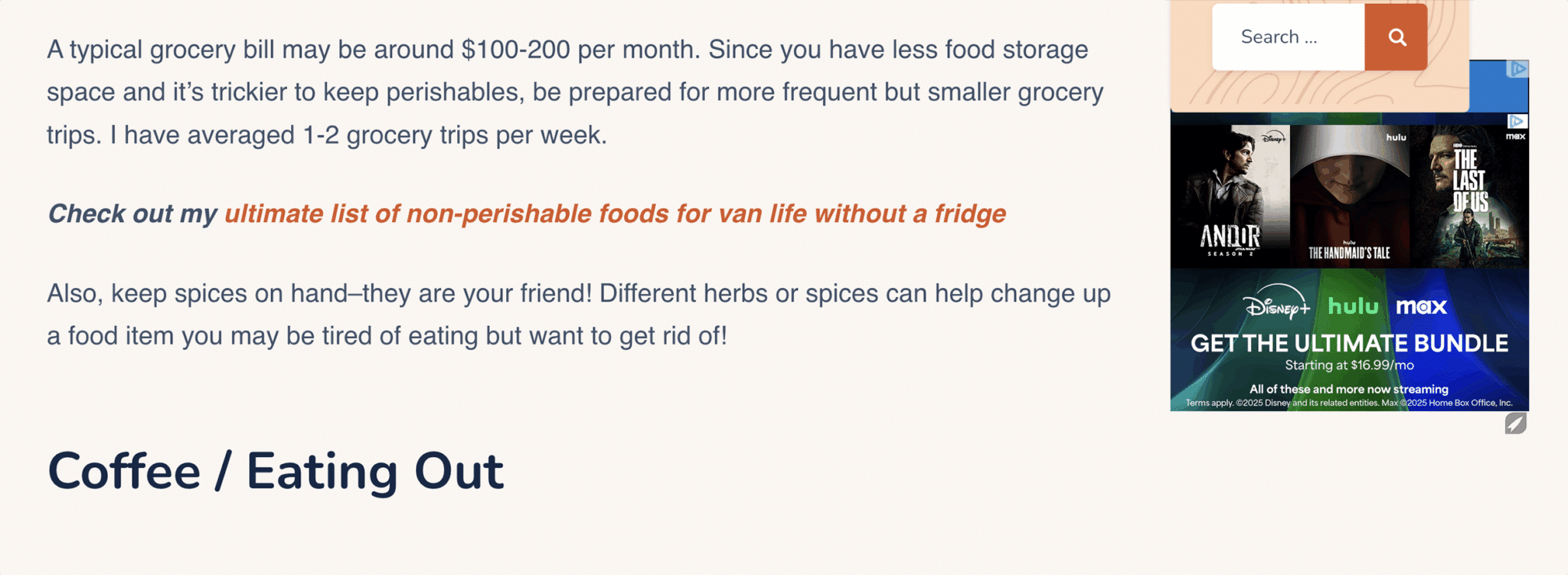
The ad also featured three different shows from the user’s preferred genres and stated, “All of these and more now streaming.” This messaging added an extra hook to entice the subscriber to click and, hopefully, upgrade their plan.
You could even pair the ad with a review snippet like, “All my streaming needs are met with Hulu’s Ultimate Bundle” and an icon showcasing something like, “See why over 50 million people choose Hulu” to help reinforce social proof and motivate the user to take action.
Returning searchers familiar with your brand
This cohort of users has visited your site before and now searches for your products or services again.
Tailor your search ads with messaging that skips introductions and focuses on offers, pricing, or comparisons. Exclude recent buyers to save budget and increase efficiency.
For example, let’s say a user searches for “[your brand] pricing.” A remarketing display ad appears in the search results that says, “Compare plans and see why teams choose [your brand].” Supporting copy underneath that says, “Transparent pricing. No hidden fees. Try a free trial.”
This type of messaging skips the “small talk”—since the user already knows your brand, you’re simply helping drive them further down the funnel.
Social media engagers
This audience has interacted with your brand’s posts, videos, or ads (follows, likes, shares, comments, video views) and is tracked via social pixels (e.g., Meta, TikTok, LinkedIn).
Since social engagers are familiar with your brand but have only partaken in top-of-funnel behavior, you want to use gentle, non-intrusive messaging for this warm-but-not-yet-converting audience.
For example, a LinkedIn user started following the Salesforce company page. A couple of days later, a promoted ad for Salesforce’s new Agentforce tool appeared in their LinkedIn feed.

When the user clicked the “Learn more” button, a LinkedIn form popped up that was auto-filled with their profile information and offered a free product overview.
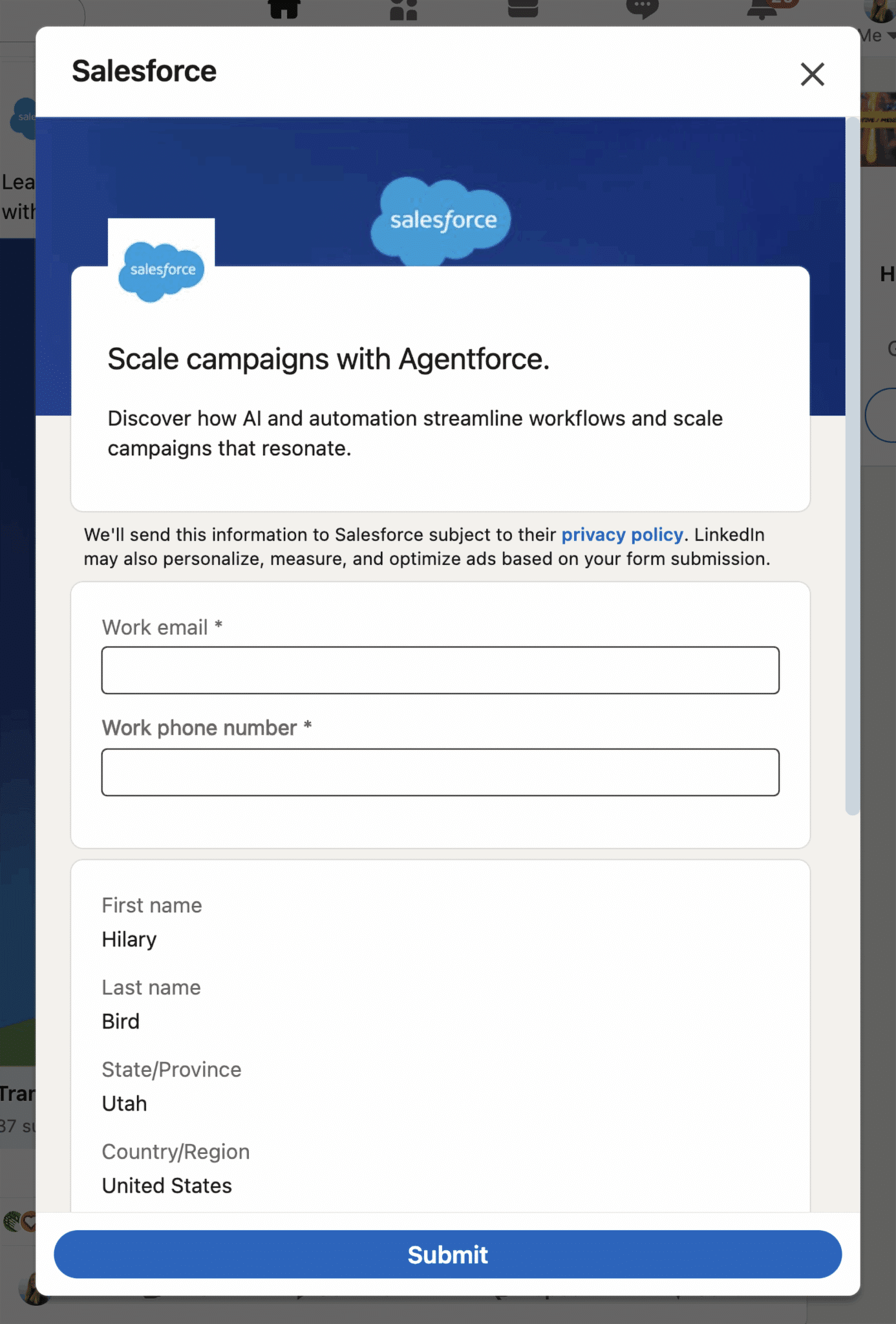
No aggressive pitch, just a smooth next step aligned with their recent interest.
This kind of social remarketing fits naturally into the user’s experience on the platform. It feels relevant, low-pressure, and tailored to where they are in their journey.
Try retargeting the user on the same platform where the engagement happened (e.g., Meta or LinkedIn ads) to maintain relevance and context. Rotate your ad creative every one to two weeks to avoid fatigue, and segment contacts by behavior (e.g., clicked but didn’t convert, opened an email but didn’t act) to improve personalization and performance.
Video remarketing
This type of remarketing targets users who watched your YouTube videos or engaged with video content on other platforms.
Use short, punchy sequences instead of one-off video ads. You can build remarketing funnels that serve different video ads depending on how much of the previous one was watched.
For example:
Watched 25%: serve a product feature
- Example message: “See how [product] saves you time every day”
- Focus on core value prop with a quick demo
Watched 50%: show a customer testimonial
- Example message: “How [customer name] cut costs by 40% in just 2 months”
- Build trust and credibility with peer success
Watched 75%+: offer a limited-time deal
- Example message: “Ready to try it? Get 20% off your first month! Offer ends Friday”
- Add urgency to convert high-intent viewers
Email-based remarketing
Email remarketing means retargeting prospects or customers through email outreach. To do this, a user needs to have provided you with their email address at some point. This means they’ve already opted into sharing their contact information, making them a warmer lead or, in many cases, an existing customer.
Unsurprisingly, email remarketing is a powerful strategy because it allows for deeper personalization and more detailed messaging compared to display ads. Popular use cases include:
- Abandoned cart follow-ups: Trigger a reminder email if someone added items to their cart but didn’t complete checkout
- Browse abandonment campaigns: If an existing contact browsed certain products or categories, you can send personalized emails suggesting similar items or highlighting what they viewed
- Re-engagement campaigns: These campaigns focus on inactive leads who haven’t opened or clicked on an email within the last 3-6 months. In order to catch their attention, you’ll want to use very compelling subject lines. For example, “We miss you—here’s 15% off to come back” or “Still interested in [product]? It’s on sale now!”
- Price drop or back-in-stock alerts: Set up automatic emails that let users know when a product they viewed or saved is back in stock or on sale, encouraging them to take another look
- Lifecycle or loyalty campaigns: Use purchase history or signup date to send tailored emails for milestones, product replenishment reminders, or VIP offers
- Upsell and cross-sell opportunities: After a customer purchases, send follow-up emails featuring related or complementary products (e.g., “Customers who bought this also liked…”)
For example, this customer recently purchased an espresso machine from Breville. A couple of weeks after receiving the machine, Breville sent a retargeted upsell email, encouraging them to subscribe to its Beanz.com coffee bean delivery service.
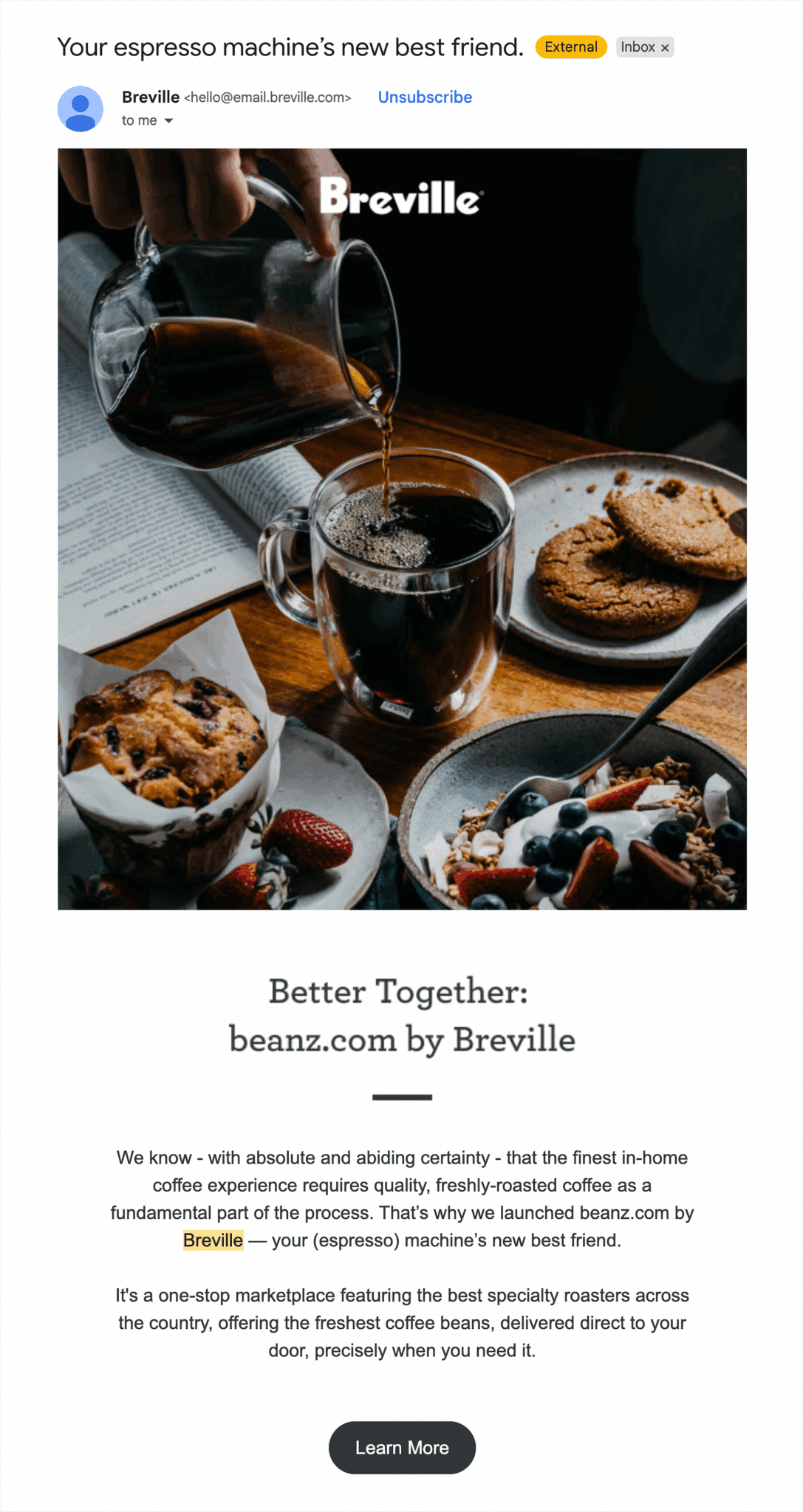
The email subject line (“Your espresso machine’s new best friend”) and header (“Better Together: beanz.com by Breville”) cleverly connect the recent purchase to a relevant add-on, using friendly, benefit-driven language to drive a follow-up action.
It even provides a simple visual that walks you through the beanz.com delivery process. This kind of thoughtful, post-purchase remarketing not only encourages repeat engagement, but also builds brand trust by adding value beyond the initial sale.
CRM contacts
You can upload your email and CRM lists (with user consent) to platforms like Google Ads, Facebook Ads, Amazon Ads, Reddit Ads, or any other major social media ad platform to retarget already-existing customers or contacts on platforms outside of your own channels in a highly customized way.
Custom audiences is a feature available on most of the social ad platforms that will sync your contacts’ information (email address, phone number) with any social profiles tied to their information. This is a powerful way to reach people who already know your brand across channels they actively use, even if they haven’t visited your site in weeks.
Lookalike audiences is also available on most social ad platforms and allows you to essentially create new audiences based off of the behaviors, interests, or demographics of your CRM contacts, and target a brand new but related audience.
Pro tip: Don’t just upload your whole list–segment based on recent engagement. To increase open rates, try using only those who opened an email in the last 30 days. Also, build lookalikes off your top customers, not your entire list, for higher LTV (lifetime value).
Why remarketing matters for long-term growth
Remarketing gives brands the power to maximize the effectiveness of their marketing efforts (and dollars) by building on already-existing relationships rather than starting from scratch with cold prospects. It allows brands to stay on a user’s radar days or even weeks after their initial interaction with the brand, helping the brand build familiarity and recognition.
In fact, retargeted ads have click-through rates up to 10x higher than standard display ads, helping keep audiences engaged without inflating your ad spend. By targeting users who already know your brand, you can use more personalized and timely messaging to push them further down the funnel.
Let’s walk through the benefits of remarketing.
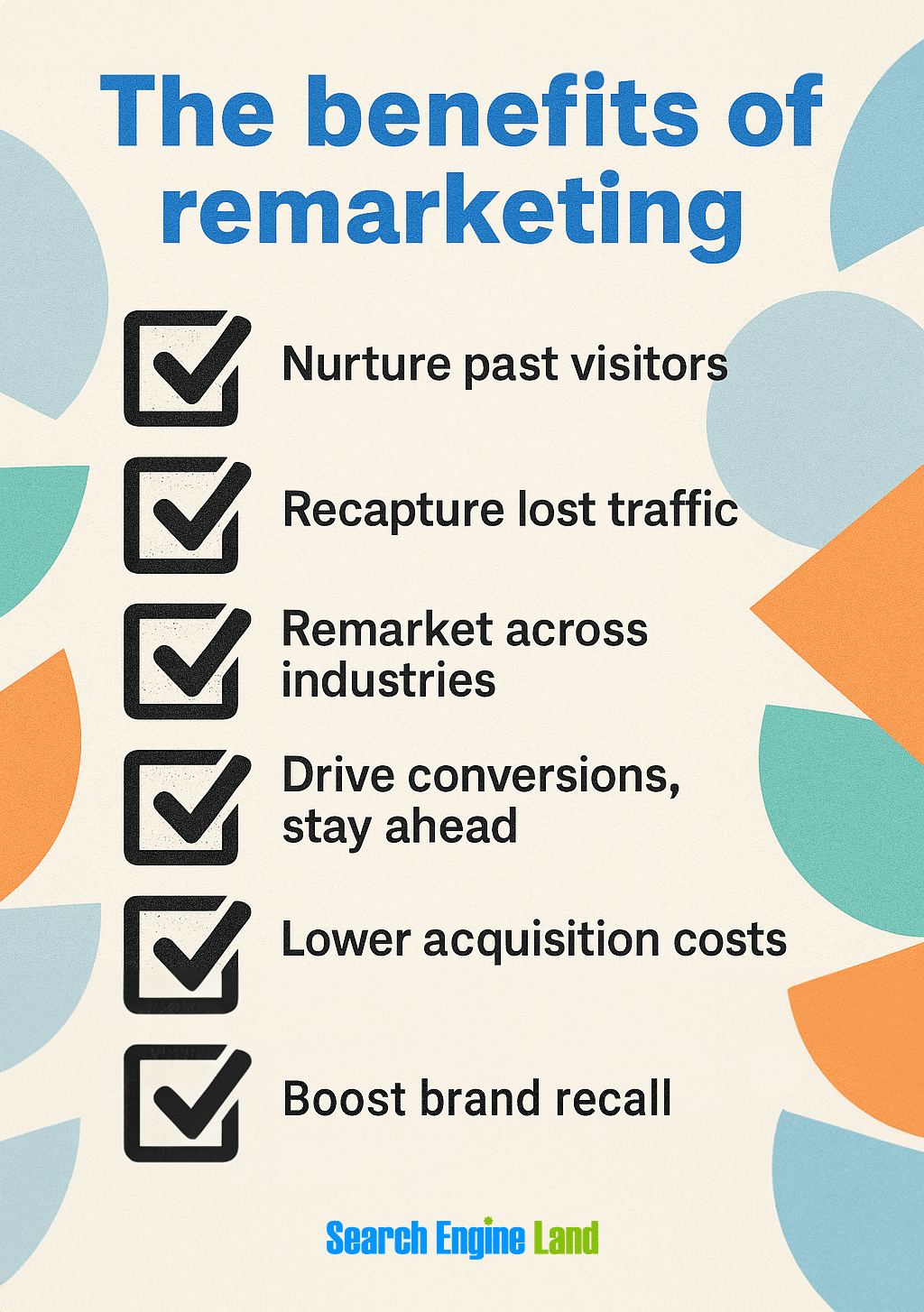
Nurture past site visitors
Not only does remarketing allow you to re-engage interested users who didn’t convert, it lets you do so in a personalized way that helps move them closer to purchase.
Companies that prioritize and excel at personalization can see up to a 40% increase in revenue from these efforts, compared to their peers. This demonstrates that thoughtful remarketing doesn’t just bring users back, but inspires them to take action.
Recapture traffic you might’ve otherwise lost
Industry standards suggest it takes seven to eight brand interactions before a purchase. Remarketing helps you re-engage that valuable traffic without paying for (typically) pricier top-of-funnel acquisition.
Remarket across industries and verticals
Whether you’re in B2B SaaS or B2C ecommerce (or anything in between), remarketing is effective across the board because it’s not tied to a specific product or customer type. It helps you re-engage based on user behavior, not business model.
Encourage conversions and preempt competitors
Remarketing keeps your brand top of mind during the research and decision-making process. By showing up after a visitor leaves your site, you can re-establish relevance, answer unspoken objections, and even prevent them from choosing a competitor.
For example, this retargeting display ad from BILL exemplifies how they’re influencing the narrative of their competitor in a negative light and positioning themselves as the smarter solution.

If you’re comparing solutions like BILL, this display ad could sway your opinion. It’s a bold tactic that reinforces their value proposition and steers users away from the competition.
Remarketing is more than just a reminder; it can be a competitive advantage when used strategically like this.
Lower cost per acquisition (CPA)
Because you’re targeting users who have already shown interest, remarketing campaigns often yield a higher ROI and lower CPA than broader awareness efforts. These users are warmer leads, which typically translates into more efficient ad spend.
Reinforce brand recall
Even if a user doesn’t convert right away, repeated visibility can increase familiarity and trust over time. Remarketing helps maintain a consistent brand presence across the customer journey, which is especially important in longer sales cycles.
How do I track remarketing results?
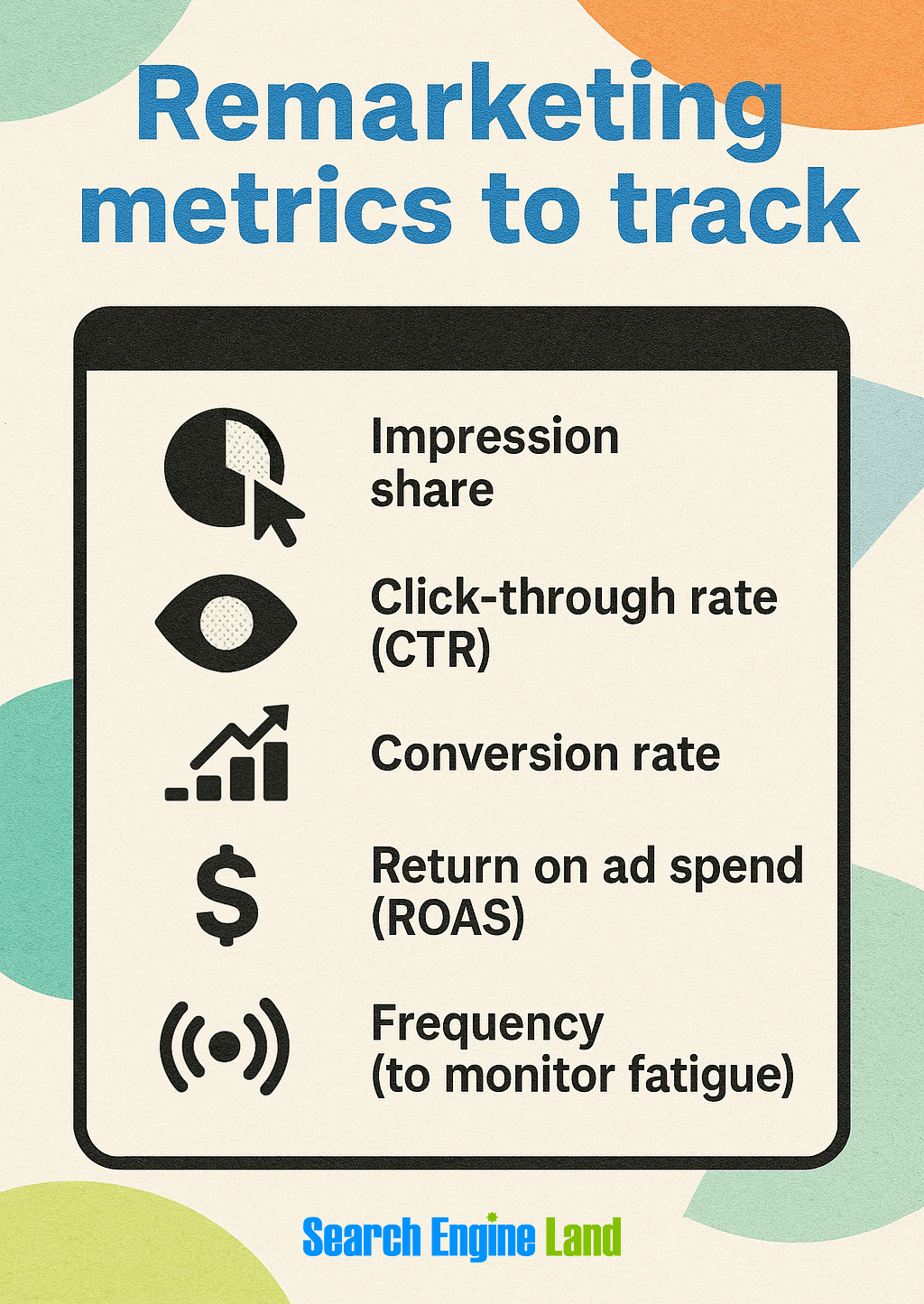
To understand what’s working and optimize your remarketing campaign performance, effective tracking is critical.
Use GA4 to track results
With GA4 remarketing, you can build remarketing audiences based on user behavior data, such as actions taken or pages visited, once Advertising Features are turned on in your account.
To get started with Google Analytics remarketing, make sure you’ve completed these steps:
- Install a Google Analytics 4 (GA4) tag on your website
- Link your Google Analytics and Google Ads accounts. You’ll need admin access to the Google Ads account and editing permissions in GA4. Here’s how to link the two.
- Turn on Remarketing and Advertising Features in your GA4 property settings
- Build a remarketing audience in GA4 and connect it to your linked Google Ads account
Once that’s done, you can proceed with the appropriate tagging setup based on your platform.
Use Meta Ads to track results
First, make sure you have a Facebook business page set up to use Meta Ads. You’ll also need an Instagram account to run ads on Instagram.
To get the most accurate results from your Meta campaigns, use both the Meta Pixel and Conversions API (CAPI) together.
- The Meta Pixel captures user behavior on your site, like page views, product clicks, or form completions, directly from the client’s browser (client-side)
- CAPI sends the same data from your server, which makes it less vulnerable to ad blockers or cookie restrictions
Using both gives you more complete data, better attribution, and stronger remarketing performance—even as third-party tracking fades.
How to get started:
- Install the Meta Pixel tag on your website to track client-side events
- Set up the Conversions API (manually or with your ecommerce/CRM platform)
- Match events across both sources in Meta Events Manager for more accurate reporting
- Monitor key metrics like ROAS, cost per conversion, and attribution windows inside your Meta Ads dashboard
Use Amazon, TikTok or Snapchat ads to track results
With social and mobile usage often outpacing desktop, it’s critical to track remarketing where your audience actually spends time (even Reddit now offers retargeting ads).
To track remarketing performance on these platforms:
- Upload first-party data (like emails or phone numbers) to build Custom Audiences
- Set up server-side tracking using each platform’s Conversions API (e.g., TikTok Events API, Snap Conversions API, or Amazon Conversions API) to improve attribution accuracy and reduce reliance on browser cookies
- Monitor in-platform analytics to track impressions, clicks, and conversions. Each platform offers campaign-level reporting, but attribution stays siloed.
Key metrics to track
Once your remarketing campaigns are up and running, it’s important to monitor performance regularly and know which metrics matter most for optimizing results.
Focus on these core KPIs:
- Impression share: the percent of times your ad was shown out of total eligible opportunities. Ideally, the percentage you’d hit is 100%, but realistically, aim for a 70-90% impression share rate.
- Click-through rate (CTR): the percent of people who clicked your ad after seeing it. At a bare minimum, your CTR should be higher than your brand awareness campaign CTRs. Industry averages show remarketing CTRs around 0.7% to 2% for display ads and 2% to 5+% for search or social, depending on the industry.
- Conversion rate: the percent of clicks that led to a desired action (like a sale). This varies greatly by industry but anywhere between 2-10% is a respectable conversion rate.
- Return on ad spend (ROAS): revenue earned for every dollar spent on ads. A ROAS of 4:1 (or $4 return per $1 spent) is considered healthy for many industries, but targets may vary based on margins.
- Frequency (to monitor fatigue): How often, on average, a user sees your ad. Keep frequency under 8–10 views per user per week to avoid ad fatigue. If CTRs drop or costs rise, it’s time to refresh your creative assets.
Advanced tips for remarketing
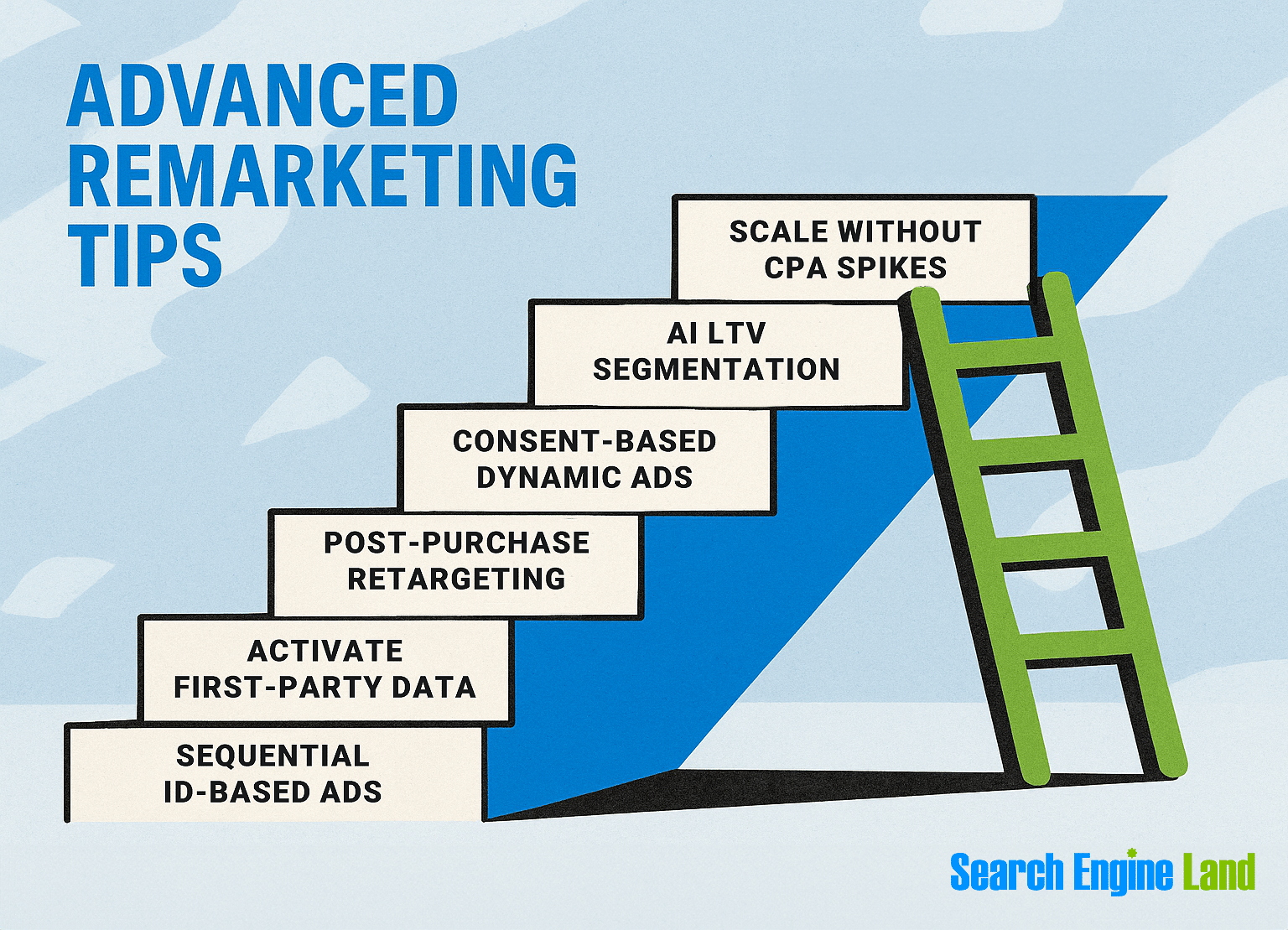
Once you set the foundation for your remarketing strategy, you can start playing around with more advanced tactics to help stretch your budget and personalize smarter.
Scale remarketing without hurting acquisition or CPAs
When you increase your remarketing budget, you risk targeting the same people as your acquisition campaigns and driving up your cost per acquisition (CPA).
For example, let’s say a user clicks a Google Search ad and then sees your retargeting ad on Instagram and makes a purchase. Without proper attribution setup, both campaigns could take credit, inflating your perceived CPA.
To avoid cannibalization and CPA inflation:
- Use exclusion lists: Prevent recent converters from being retargeted by creating lists of people you actively don’t want to target
- Apply time-based segmentation: Vary bid and message depending on recency (how recently someone visited your site)
- Monitor attribution overlap: Use data-driven tools (like GA4, Google Ads, or Meta Ads) to figure out which ads are actually driving results so you don’t accidentally count the same conversion more than once
Using data-driven attribution helps assign credit more accurately, so you can scale remarketing without overspending.
Leverage AI-driven segmentation based on predicted lifetime value (LTV)
Audience segmentation has moved beyond just looking at recency or on-site behavior. Take advantage of AI tools (like Google’s Predictive Audiences, HubSpot Breeze, or Salesforce Einstein) to help you forecast the LTV of customers and execute more strategically.
For example, HubSpot Breeze uses past customer data (such as purchase history or preferred communication channels) to anticipate future customer behavior and identify churn risk through usage patterns. It analyzes this data alongside buyer intent signals (e.g., tracking website activity) to help predict, and ideally improve, customer LTV.
Pro tip: Expedite audience segmentation and spend your remarketing dollars more effectively by bidding higher for users in the top 20% of predicted LTV. Execute more budget-friendly campaigns on low-LTV segments.
For example:
- High predicted LTV: Show premium or loyalty-focused ads
- Mid-range LTV: Promote bundles and/or upsells
- Low LTV: Use lighter touchpoints or exclude altogether to save budget
Use consent-aware dynamic remarketing strategies
Dynamic retargeting customizes ads based on specific products or pages a user viewed, unlike standard retargeting, which uses broader ads to reinforce brand awareness.
But the phasing out of third-party cookies and the need for user consent mean your remarketing must match the level of consent granted per user.
With cookie restrictions, dynamic remarketing must shift:
- Rely on server-side tagging (user data that’s sent from your server to your analytics platform, versus client-side tagging) and first-party cookies. This way, you avoid privacy restrictions and fragmented tracking, which would likely occur if you were using third-party cookies.
- Personalize using authenticated sessions (e.g., logged-in users). This lets you tailor ads based on past behavior and preferences across devices since the data is linked to a user account, not just a browser.
- Display category-based ads when product-specific targeting isn’t available (e.g., because a user hasn’t consented to tracking cookies)
Integrate remarketing with post-purchase flows to reduce churn
Some of the most valuable touchpoints can happen after a purchase, when customers already know and trust your brand. Take advantage of post-purchase remarketing by:
- Upselling or cross-selling related products
- Encouraging reviews or referrals
- Reactivate churned users with special offers
Example: A user buys running shoes. Two weeks later, they get an email for matching socks or an accessory bundle.
Feed first-party data into retail media and walled gardens
Retail media refers to advertising within online retail platforms like Amazon or Walmart, while walled gardens are closed ecosystems (like Meta, Google, and TikTok) that control user data and ad delivery within their own platforms.
With third-party cookies on the way out, these platforms are making it easier to integrate first-party data through server-side tracking.
Note: Server-side tracking isn’t new; it just used to be complex and dev-heavy. But with cookies going away, ad platforms are simplifying first-party data integration to keep brands (and their ad dollars) on board.
To unify remarketing across platforms:
- Collect CRM, email, and purchase data (with consent)
- Upload to platforms like Amazon Ads, Meta, or TikTok to create custom audiences
- Use conversion APIs to send server-to-server data for better accuracy
This lets you reach users across fragmented journeys and more accurately track without reliance on third-party cookies.
Track, optimize, and win in Google and AI search from one platform.
Build sequential storytelling campaigns using persistent IDs
Sequential storytelling is a marketing strategy that delivers ads in a deliberate order, like telling a story in multiple parts, to guide users through the customer journey. Use it to avoid ad fatigue by progressing the “story” across ad touchpoints:
- Use persistent IDs (such as login credentials, user IDs, or CRM-linked email addresses) to track users across sessions
- Sequence ads by showing an intro message first, followed by benefit highlights, then a call-to-action (CTA)
- Rotate creatives by platform (e.g., vertical videos on TikTok, carousels on Meta)
For example, let’s say someone first sees a brand awareness video ad on YouTube. The video highlights relatable customer pain points and very lightly calls out its solution but keeps it very brief and high-level. A few days later, they scroll past a carousel ad on Instagram highlighting a more in-depth overview of product benefits. Then they get a conversion-focused offer on LinkedIn.
That’s sequential storytelling across platforms, guided by a unified user ID or remarketing list.
Tools like Google Campaign Manager 360 or Adobe Journey Optimizer can help structure these sequences.
Planning a remarketing campaign? Check these out
Proper research, preparation, and a clear understanding of remarketing tools are key to your campaign’s success (and how you avoid wasted time and budget).
Dive deeper into these remarketing-related topics to help set a solid foundation:
- Get more familiar with retargeting and how it pairs with remarketing to increase conversions
- Learn how to combine GA4 and Google Ads for better tracking and insights
- Understand how to navigate PPC in a cookieless world so you’re set up for long-term success
Strategize now, optimize later. Your future results will thank you!
Explore more on
Editorial disclosure
Search Engine Land is owned by Semrush. We remain committed to providing high-quality coverage of marketing topics. Unless otherwise noted, this page’s content was written by either an employee or a paid contractor of Semrush Inc.
About the author