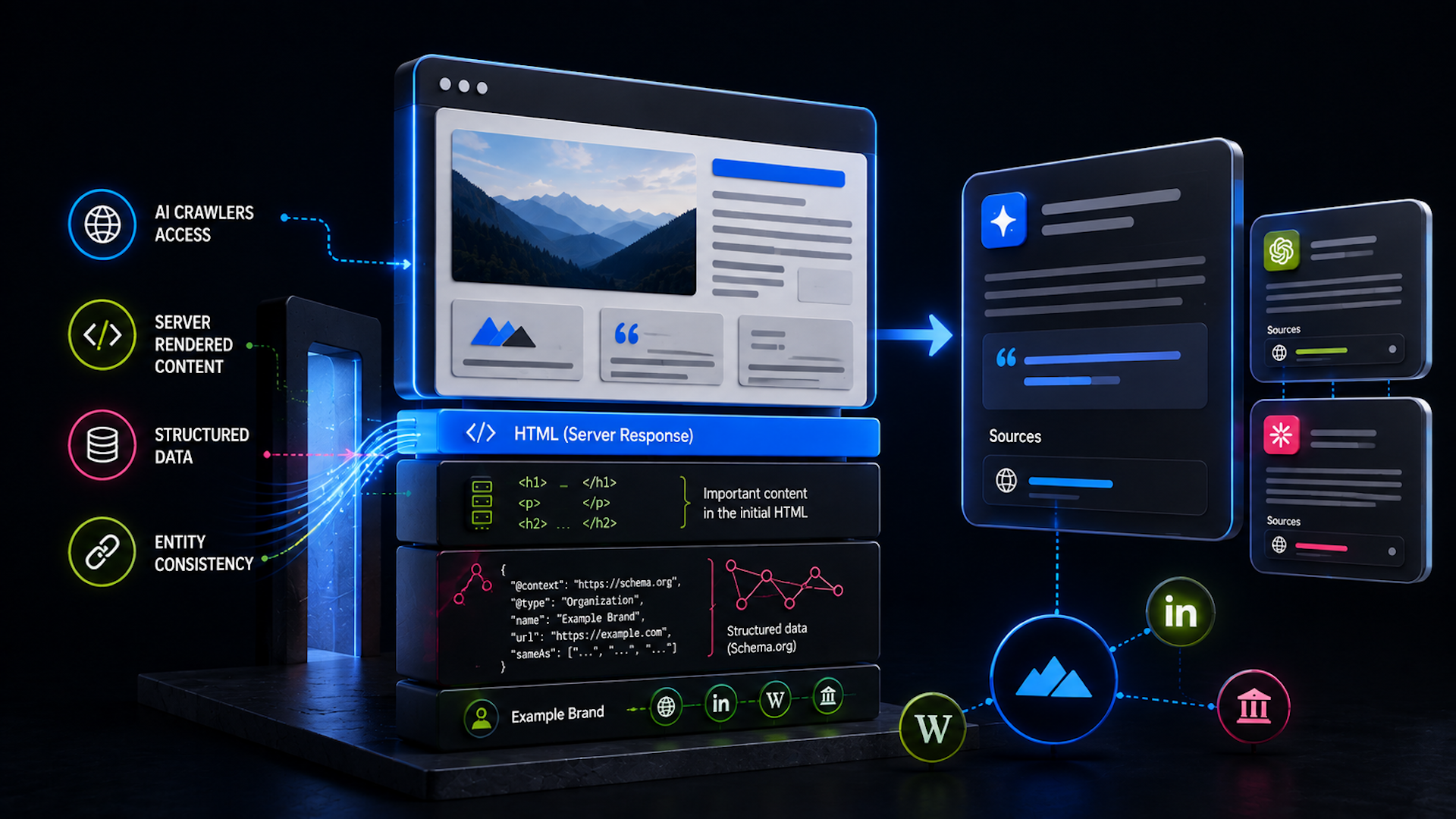
What are AI crawlers and bots?

AI crawlers are automated bots that follow links from website to website and gather content to process for use in large language models (LLMs) like ChatGPT, Perplexity, and Claude. Search engines also have AI crawlers, which they use with AI assistants like Gemini (Google) and Copilot (Bing).
These crawlers add another layer of complexity to AI SEO. In some ways, AI crawlers work like traditional search crawlers, such as Googlebot and Bingbot. But the boom in AI tools has led to a significant increase in the number of these bots, requiring SEOs to maintain up-to-date knowledge on how they work.
The SEO toolkit you know, plus the AI visibility data you need.

This guide covers the basics of what AI crawlers are, why they exist, how to make sure they’re crawling the pages you want them to — and how to keep them away from the pages you don’t want them to see.
What do AI crawlers do and why are they important?
AI crawlers have one main purpose: to follow website links and collect content that LLMs can use. LLMs rely on this information for ongoing training, accuracy, and freshness updates.
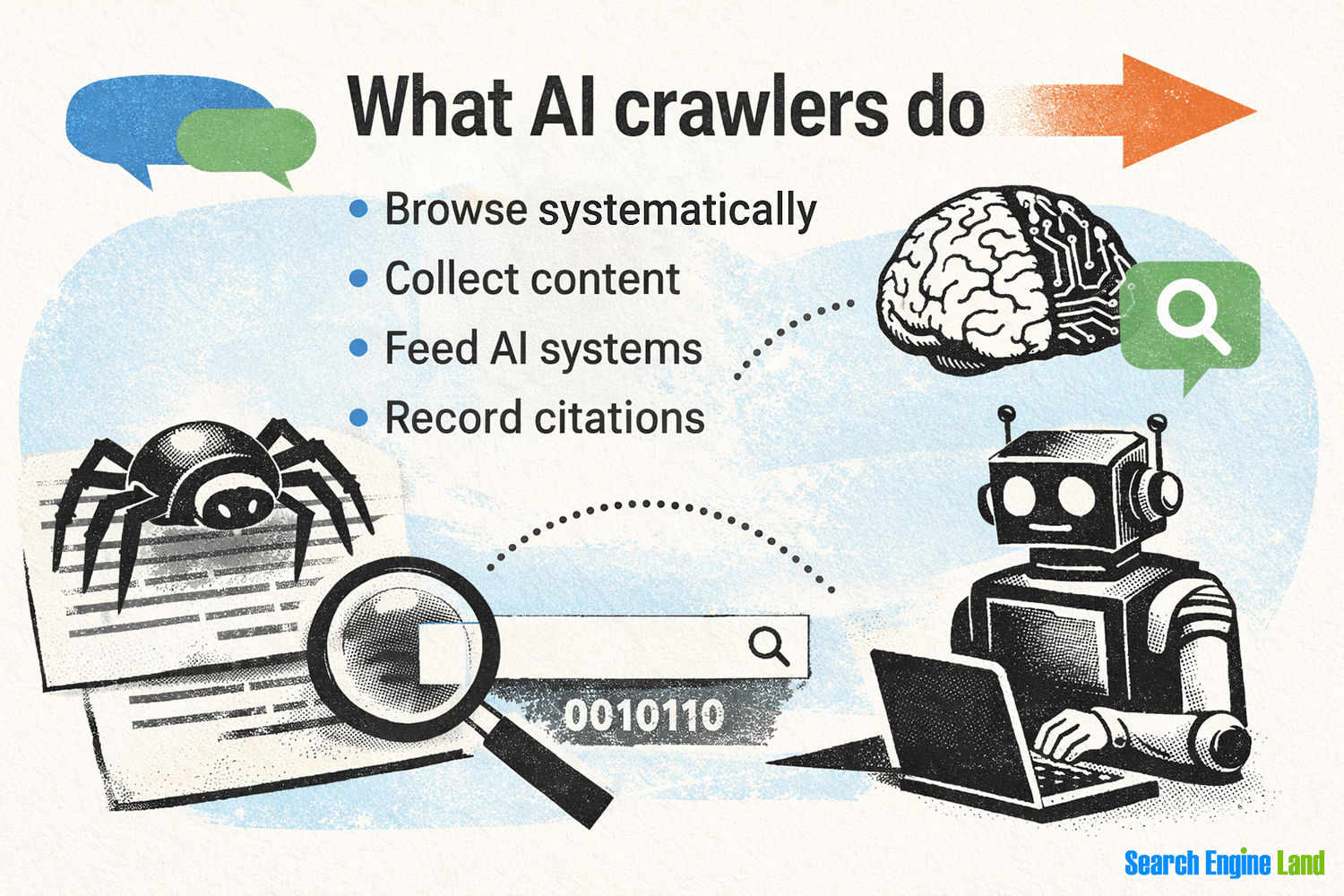
What do AI crawlers do exactly?
- Browse systematically: They visit web pages using a set of preprogrammed rules and instructions, just like search engine bots.
- Collect content: They scrape text, images, metadata, and sometimes structured data like JSON-LD or schema markup.
- Feed AI systems: The content and information they gather expands source databases and helps AI models learn from a wide range of content.
- Record citations: The information that crawlers gather about links and relationships between websites powers AI search and answer systems. This allows the LLM to provide citations for the responses it gives.
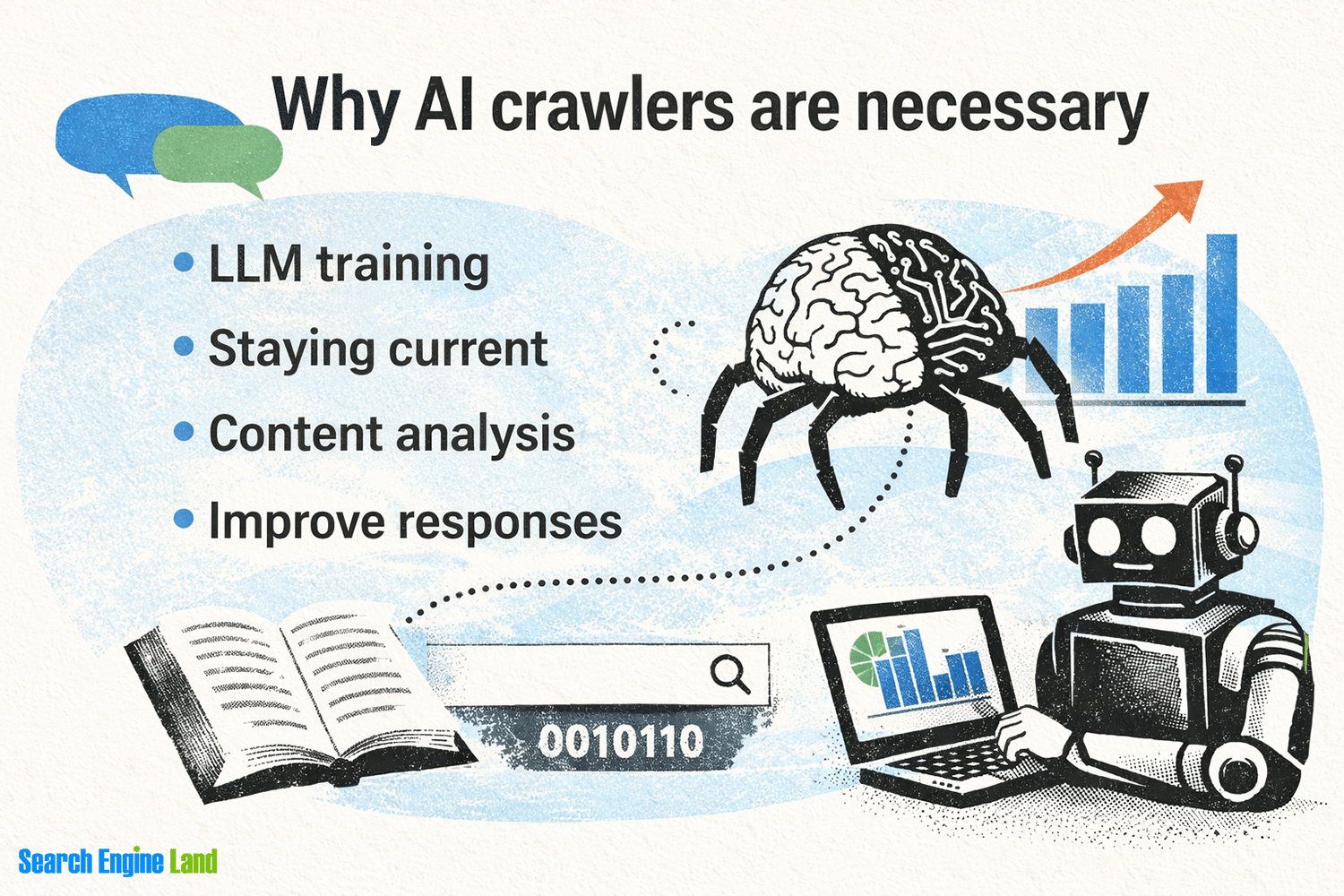
Why are AI crawlers necessary?
- LLM training: AI models need to be trained on enormous amounts of information to learn language patterns, understand grammatical context, and obtain facts for use in prompt responses. Crawlers provide an efficient way to gather publicly accessible data for use in training models.
- Staying current: AI assistants need up-to-date information to remain relevant. Crawlers collect and organize web content to improve the freshness of LLM responses.
- Content analysis: Some crawlers use AI to detect trends, summarize information, and extract details like prices, reviews, and events from structured data. AI answer engines can then use this information to generate responses.
- Improving responses: By crawling a wide range of content, AI systems can generate answers that are more accurate and better grounded in real-world information
With those basics covered, let’s look at some other details of how AI crawlers operate.
Do AI tools crawl websites or rely on LLMs?
AI tools like ChatGPT and Claude may crawl websites, use trained LLM data, or do both. Which method(s) they use depends on their capabilities, instructions, and the specific model.
In general, AI tools rely heavily on large datasets for their core LLM training. They curate information from various sources to help ensure the integrity and accuracy of the answers the AI assistants provide.
For real-time answers, browsing-enabled AIs may use search engines like Google or Bing. Some AI tools can also scrape websites directly to get live information and then analyze it as they prepare a response.
Many LLMs use data from crawling the public web. But they often train on data from other sources, including:
- Ebooks: Google Books is a well-known source of digitized literature used in both search and AI results. More recently, Meta and Anthropic both won lawsuits claiming their use of ebooks to train AI was a breach of copyright.
- Periodicals: Training content may come from subscription-based publications like news organizations, entertainment magazines, and academic journals
- Government and NGO datasets: Some public datasets, like those from the Pew Research Center, require free account registration before downloading
- Licensed data: Statistics from the National Football League (NFL), financial data from the New York Stock Exchange (NYSE), and market research from Kantar are all types of data that AI tools can license
- Proprietary data: The company that owns or operates the AI tool can gather or develop exclusive information as training data
Some AI tools also have specialized content access, such as licensed data feeds or application programming interfaces (APIs) that avoid the need for crawling or scraping. For example, OpenAI and Google both have licensing deals with Reddit that give them API access to forum posts.
Ultimately, the specific data that trains an AI tool will depend on the use cases for the tool and the goals of its creators. Chances are, however, that at least some of that data will come from content gathered by AI crawlers.
Types of AI crawlers and their purposes
AI crawlers generally fit into groups based on their purpose and how they operate.
Some of the main types of AI crawlers are:
- LLM crawlers: Their main purpose is to gather content for indexing and training language models, which they accomplish by crawling web pages on an ongoing basis
- Retrieval-augmented generation (RAG) systems: Bots gather information more recent than the training data to supplement responses for specific prompts
- AI agents: More than simple bots, these agents have additional logic and limited decision-making instructions to support more complex data-gathering goals
- AI search crawlers: Similar to traditional search bots, these crawlers index websites for inclusion in AI search engines, such as ChatGPT’s search mode or Perplexity’s search engine
Let’s take a closer look at each of these crawlers.
LLM crawlers
LLM crawlers are automated bots that browse and collect web content at scale. Their main purpose is to gather content for training language models.
That content can include text, images, videos, and structured data from web pages. It can also include formats other than HTML, such as downloadable PDFs, Word documents, spreadsheets, or comma separated value (CSV) files.
Like traditional web crawlers for search engines, LLM crawlers follow links and navigate the sites they encounter. But unlike standard web crawlers, they focus on content that goes into LLM training.
LLM crawlers may have simplified logic that prioritizes some links and content over others. But for the most part, they aim to gather lots of general content from all over to support a broad range of knowledge.
LLM crawlers often have names that reference the company or tools they support. A few examples:
- GPTBot: Gathers data for OpenAI’s ChatGPT
- anthropic-ai: Collects information for Anthropic’s Claude tools
- Applebot: Supports Apple AI tools like Siri and Searchlight
RAG systems and crawlers
RAG systems provide additional content and context for responses to specific user prompts. This information allows the LLM to go beyond its training data.
To do that, the LLM queries a special type of database known as a knowledge base or vector database. The database contains more recently crawled and indexed data.
A typical RAG setup works like this:
- An LLM is trained on a curated set of data gathered from various sources (websites, ebooks, proprietary data, etc.)
- Meanwhile, a crawler browses the web, gathers content, indexes it, and stores it in a knowledge base
- Sometime later, a user submits a prompt to the LLM that requires information more recent than the training data
- The LLM uses a RAG query to pull recent data from the knowledge base
- The LLM then incorporates the updated data into its response to the user
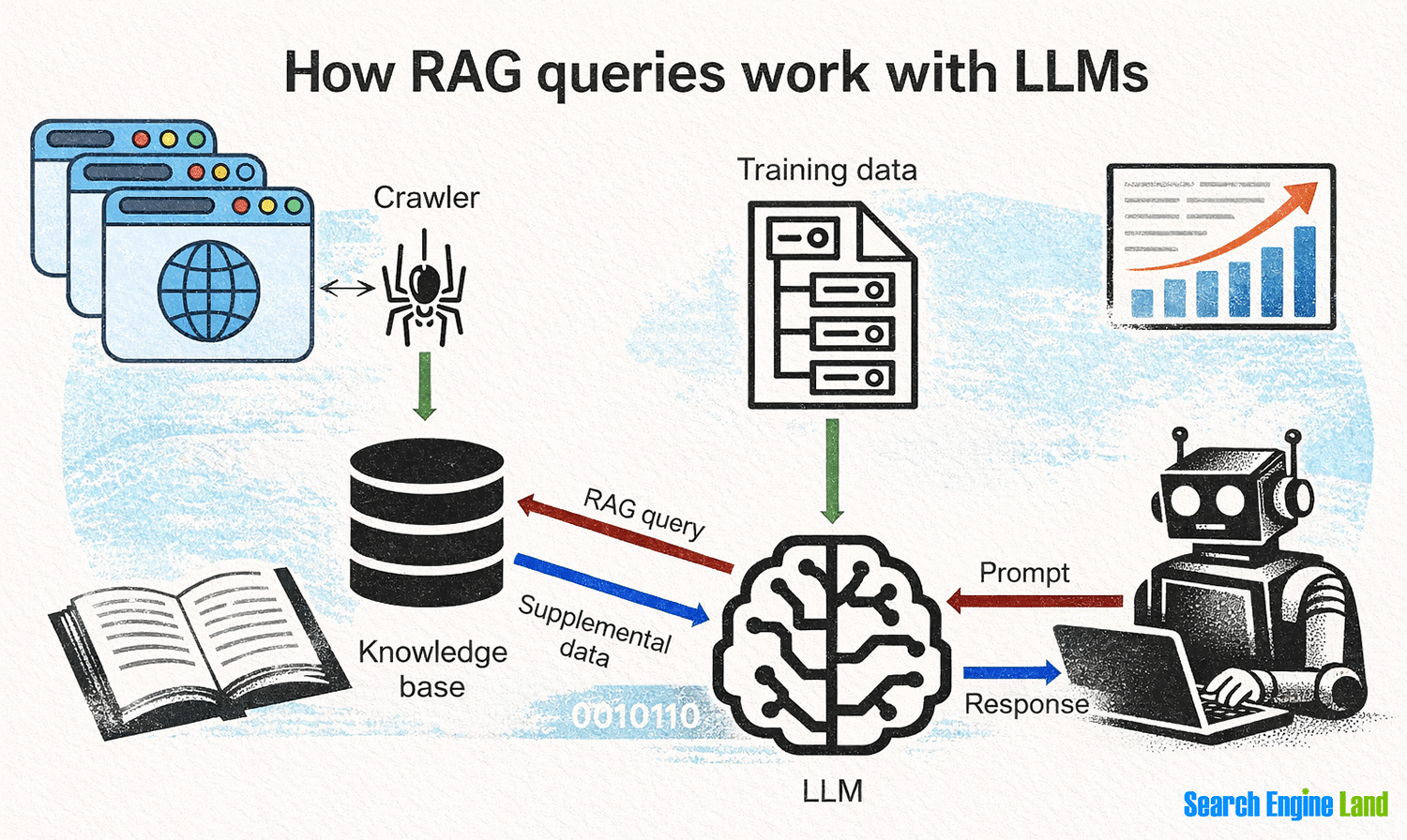
RAG queries allow AI tools to carefully curate training data while still giving users and LLMs access to recent and relevant information.
Here are a few examples of prompts that might include a RAG query:
- What movies are up for an Academy Award? If the LLM had been trained on data before the current award season, a RAG query may be able to provide information about recent nominations.
- How much did Costco earn last quarter? RAG requests can help with market data that’s more recent than last time the LLM’s training data was updated.
- Who’s the best soccer player? Whether you’re rooting for Messi or Ronaldo, you probably want the latest stats you can get to prove you’re a true fan — which a RAG request can provide.
Importantly, RAG systems don’t use real-time scraping or crawling of websites. The knowledge base crawls, indexes, and stores data for later retrieval.
Like LLM training data, the data in RAG knowledge bases can also come from sources other than web crawlers.
AI agents
AI agents are the next generation of crawlers. They use full-fledged artificial intelligence with decision-making capabilities. As a result, they can perform complex, multistep actions to complete tasks.
In fact, AI agents can go far beyond simple crawling and collecting of content to:
- Understand the context of content in real time
- Fill out forms
- Create and log into accounts
- Make purchases or complete other transactions
- Integrate directly with web-based APIs
Agentic AI can do many things beyond simple web crawling and content indexing.
But it’s important to understand how AI agents can collect data. Things that foiled crawlers in the past — such as requiring a login or hiding content behind a paywall — may not be enough to prevent AI agents from finding such content going forward.
In fact, some AI agents can even defeat CAPTCHA under certain circumstances.
One common use case for AI agents is agentic browsers that mix traditional web browsing with built-in AI capabilities.
Some popular agentic AI browsers include:
- Project Mariner from Google
- Comet from Perplexity
- Atlas from OpenAI
These AI browsers aren’t independent crawlers. However, they have AI and automation capabilities that let them learn from their users’ behavior and complete tasks on users’ behalf like standalone AI agents.
AI search crawlers
AI search crawlers are similar to traditional search bots. But because they support results in AI tools, AI search crawlers often focus on the semantic meaning of content while deprioritizing things like crawl budgets, frequency, and keywords.
Some AI tools use separate bots to perform search crawling versus other types of crawling, such as gathering LLM training data. For example, OpenAI has separate bots for different functions: OAI-SearchBot for building a search and citation index and GPTBot for data to train ChatGPT models.
Many traditional search crawlers also function as AI search crawlers as they build and expand AI features. For example, Googlebot is Google’s multipurpose crawler that indexes content for both traditional search and AI tools like Gemini, AI Overviews, and AI Mode.
What content can AI crawlers see?
In general, AI crawlers can see any public content on the web, as long as they can find it through links or direct navigation.
Also, crawlers that respect robots.txt or llms.txt files may self-limit their ability to find content based on directives in those files (more on that below).
The types of content each AI crawler can discover and process may differ depending on its purpose. However, in general, these are the types of content that crawlers can access:
Body content
AI crawlers can read anything that appears in the body of an HTML webpage. This is their primary source of information.
This typically includes all visible static content like the main text, headings, lists, and links. It also includes navigation menus, ads, footer content, and anything else that isn’t dynamically generated with JavaScript.

Metadata
Crawlers can extract information from the head of an HTML file, which includes various types of metadata like:
- Title tags that some services and apps use as the main title of the page
- Meta tags like meta descriptions and meta robots instructions related to indexing and following
- Link tags used for things like canonicalization, linking to RSS feeds, and pointing to other external resources (e.g., favicons, stylesheets, scripts, etc.)
- Data used used in social media and app integrations, such as Open Graph or X card tags

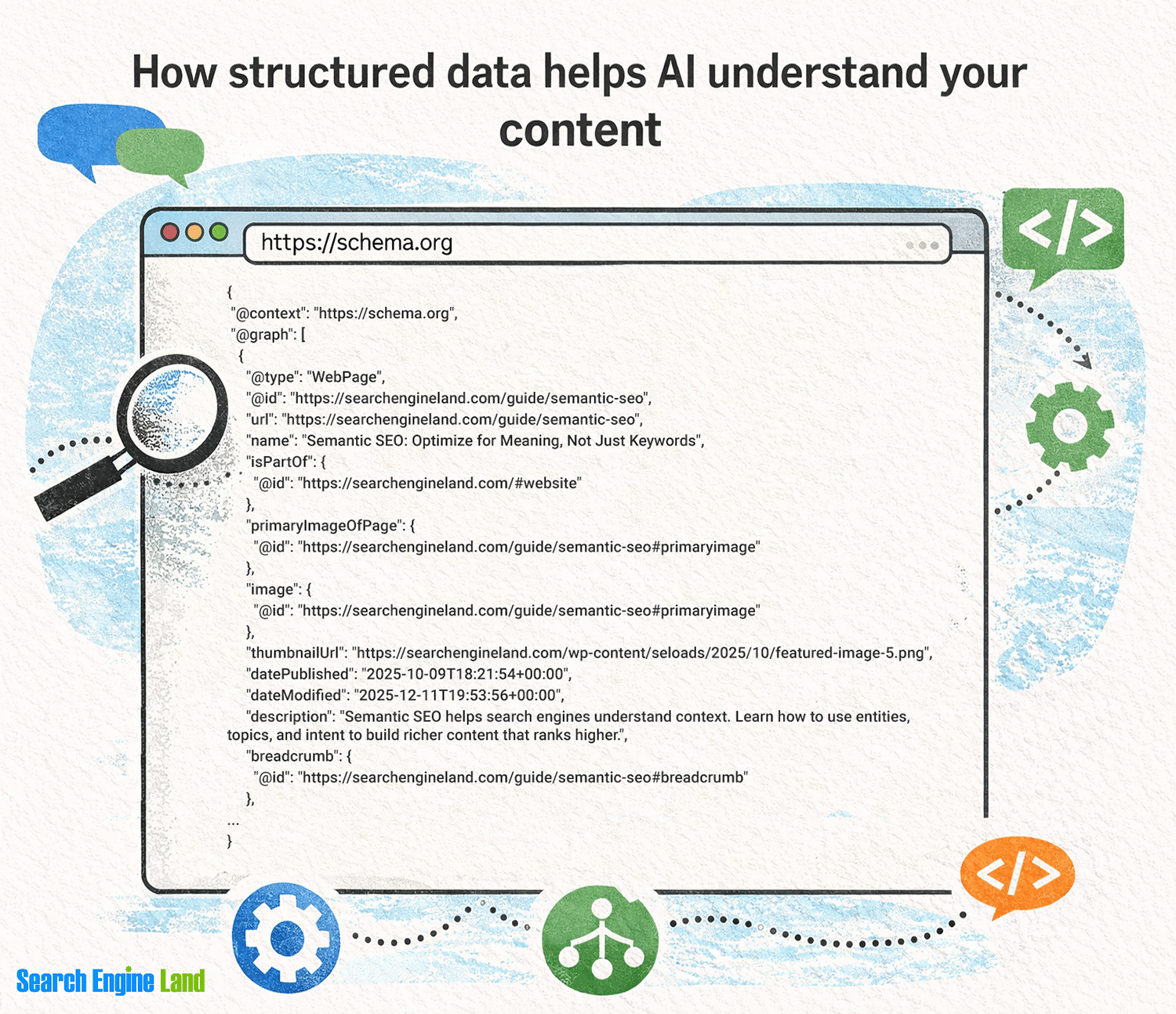
Structured data
Schema is designed to be easily machine readable, as is other structured markup using formats like JSON-LD or microdata. Although structured data isn’t generally visible to users, crawlers can find and parse it because it’s part of the HTML code.
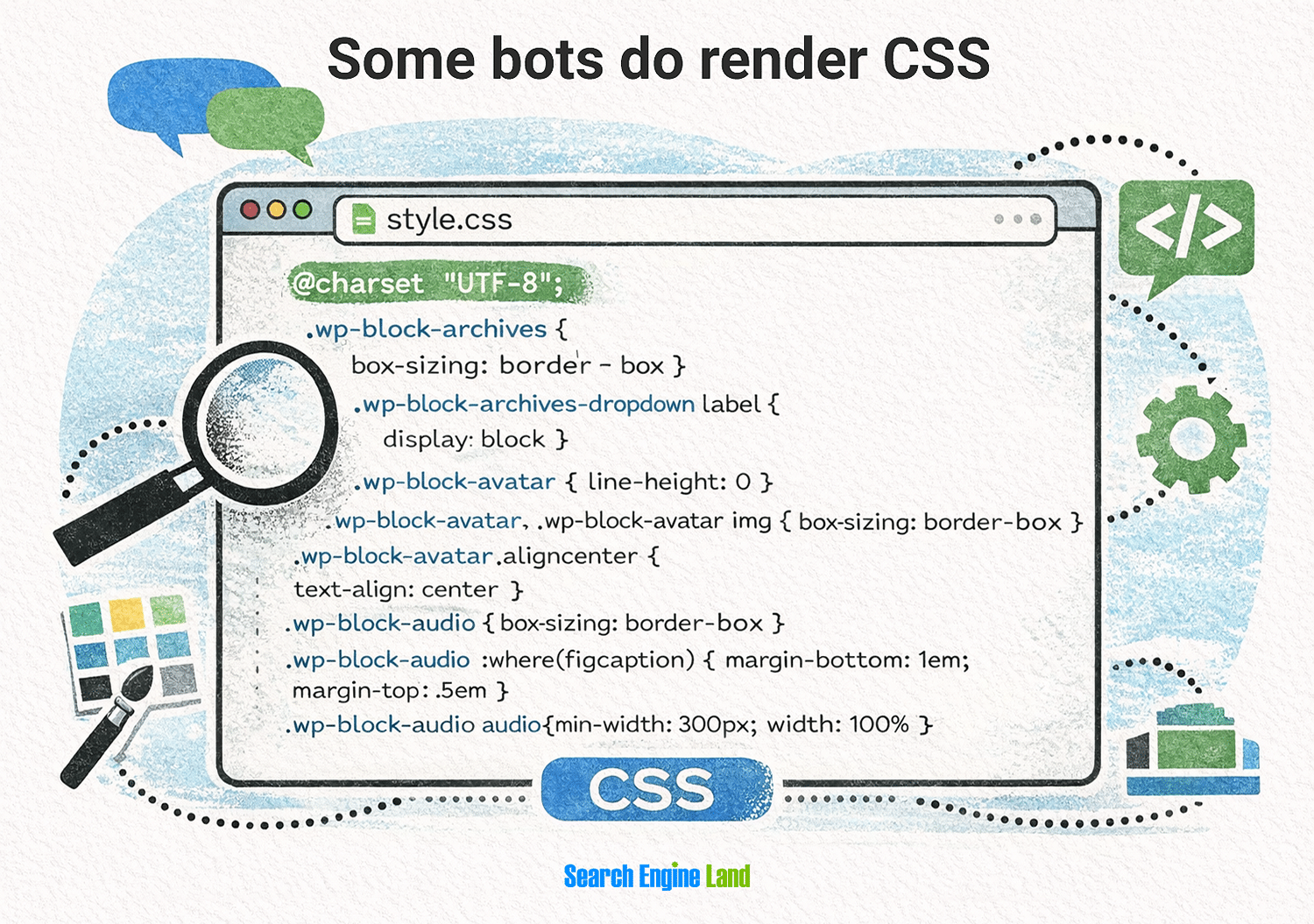
CSS files
Crawlers can fetch CSS files that are linked from an HTML page.
Many AI crawlers ignore CSS because it doesn’t provide any semantic understanding of the main content. However, some bots like Googlebot or Applebot do render CSS as part of the crawl process.
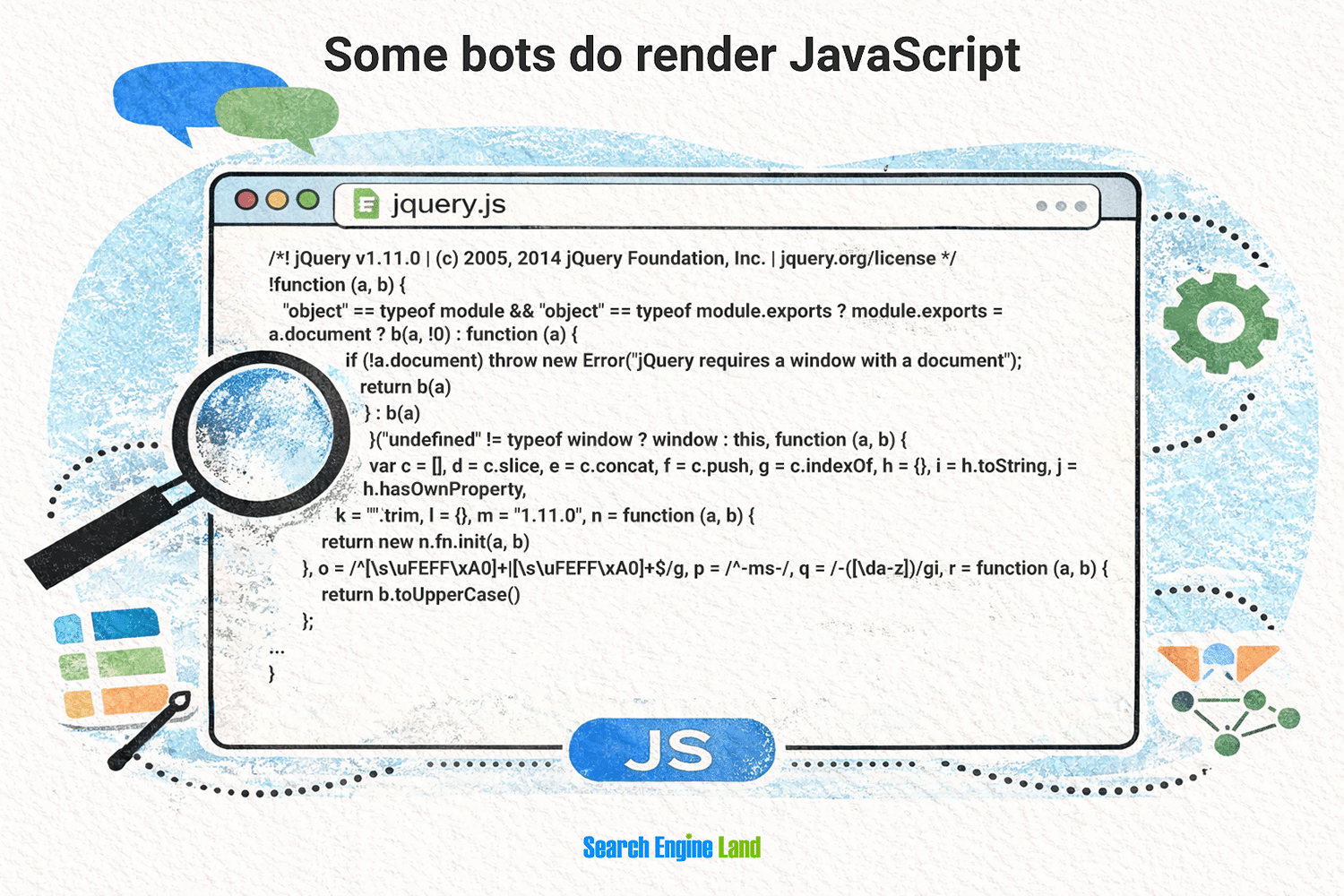
JavaScript files
Most AI crawlers can download JavaScript files as text, but they don’t execute the code to render dynamic content. This means many crawlers won’t see content generated after the initial page load, such as content added via AJAX (asynchronous JavaScript) calls.
As with CSS, some bots do render some JavaScript. They use web browsers that have no user interface (UI) — also known as headless browsers — but can still execute the scripts. Examples include Googlebot (using headless Chrome) and Bingbot (using headless Microsoft Edge).
Images
Crawlers can find and download images, along with any associated metadata like filenames and alt text, if they’re part of the main HTML file (versus being added via JavaScript).
Typically, crawlers don’t directly understand images. But separate AI processes may analyze downloaded images later.

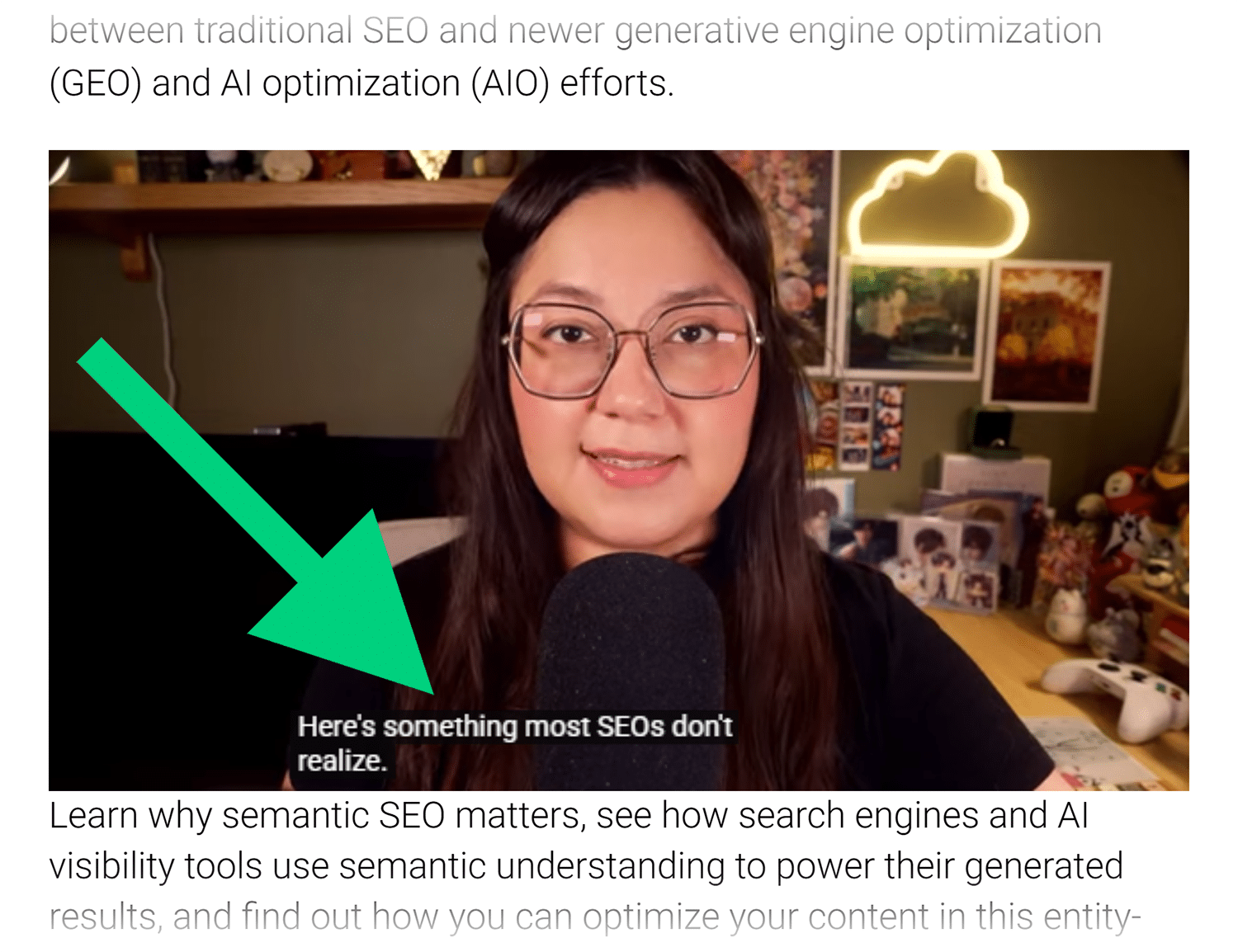
Multimedia
Crawlers can see links to audio and video files, as well as playlist files used for things like streaming content. They can also see metadata included in the HTML, such as filenames and transcripts.
Like images, crawlers don’t process audio and video directly. However, other AI processes may use the captured files.
Linked documents
Crawlers can find any files that are publicly accessible and linked online. They can even parse some text-based files, such as PDFs, Word documents (DOC or DOCX), plain text files, and CSVs.
Other AI tools may also retrieve and process binary formats like Excel spreadsheets or compressed files (ZIP, gzip, etc.).
The specific document types that a crawler can download, parse, and store will depend on its internal logic and instructions.
Content AI crawlers can’t see or use
Every AI crawler is different. But in general, crawlers can’t see the dynamic or interactive elements of a webpage. They typically can’t handle executable files or unusual file formats like uncommon video or audio formats either.
Some specific types of content most crawlers can’t see or use include:
- Executable JavaScript: Rendering JavaScript is resource‑intensive. Most AI crawlers only parse the HTML response and can’t run client‑side scripts. This could change in the future, but for now, most AI bots ignore content added after the initial HTML load.
- Forms and UI elements: AI crawlers don’t behave like web browsers or human users. They navigate and download content, but they don’t click buttons, submit forms, or trigger other UI elements. (See AI agents above for some exceptions to this.)
- Interactive web apps: Crawlers can’t follow process flows, manage sessions, or interact with web application states. Instead, they simply gather the page as it appears. As with forms, some AI agents may be able to learn how to interact with web apps or make use of backend APIs.
- Gated content: Content behind authentication prompts, paywalls, or bot challenges like CAPTCHA isn’t usually available to crawlers. AI agents that have the appropriate credentials and authorization may be able to bypass such protections to access protected content.
Dig deeper: Agentic AI and SEO: How autonomous systems redefine search
User-agent names of popular AI crawlers
Reputable companies using AI crawlers give their bots unique user-agent names. This allows the companies themselves, website owners, and third-party tools to monitor the crawlers.
Note: A user agent is the general term for any app or tool that accesses the internet. Other examples of user agents include web browsers, mobile apps, email clients, streaming media players, and command-line tools.
The names of web crawlers will appear in the user-agent header of an HTTP request. The full string typically looks something like this:
Mozilla/5.0 AppleWebKit/537.36 (KHTML, like Gecko); compatible; GPTBot/1.3; +https://openai.com/gptbot
The bolded part (“GPTBot”) is the user-agent name.
The following table provides a list of the most common user-agent names used by AI crawlers, the companies that operate them, and the type(s) of crawling they do. Use this list to identify unknown bots crawling your site so you can adapt your AI SEO efforts appropriately.
| Company | User‑agent name | Type |
|---|---|---|
| Anthropic | anthropic‑aiClaude-Web | AI and LLM crawler |
| ClaudeBot | LLM crawler | |
| Claude-SearchBot | AI search crawler | |
| Claude-User | AI crawler (on-demand) | |
| Apple | Applebot | Search crawler |
| Applebot-Extended | LLM crawler | |
| ByteDance (TikTok) | Bytespider | AI search crawler |
| TikTokSpider | AI search crawler | |
| Common Crawl | CCBot | LLM crawler |
| DuckDuckGo | DuckAssistBot | AI search crawler |
| DuckDuckBot | Search crawler | |
| Gemini-Deep-Research | AI crawler (on-demand) | |
| Google-CloudVertexBot | AI search crawler | |
| Google-InspectionTool | Search crawler (on-demand testing tool) | |
| Google-NotebookLM | AI crawler (on-demand) | |
| Google-Pinpoint | AI crawler (on-demand) | |
| Google‑Extended | LLM crawler | |
| GooglebotGooglebot-ImageGooglebot-NewsGooglebot-Video | Search and AI search crawler | |
| Googlebot-IA | Search crawler | |
| GoogleOtherGoogleOther-ImageGoogleOther-Video | Search and AI search crawler | |
| Storebot-Google | Search and AI search crawler | |
| Grok | [masks as iPhone] | LLM and AI crawler |
| Meta | Meta-WebIndexer | LLM and AI search crawler |
| Meta‑ExternalAgent | LLM crawler | |
| Meta‑ExternalFetcher | AI crawler (on-demand) | |
| Microsoft | bingbot | Search and AI crawler |
| BingPreviewBingVideoPreviewMicrosoftPreview | Search crawler | |
| OpenAI | ChatGPT‑User | AI crawler (on‑demand) |
| GPTBot | LLM crawler | |
| OAI‑SearchBot | AI search crawler | |
| Perplexity AI | Perplexity‑User | AI crawler (on‑demand) |
| PerplexityBot | AI search crawler |
Note: Cloudflare has a crawler database that includes crawlers without official documentation and bots from lesser-known sources.
Hidden AI crawler user-agents
Some AI crawlers and agentic AI browsers don’t identify themselves at all in user-agent strings, which makes it difficult to identify or restrict them.
One example of this is xAi’s Grok, which seems to mimic an iPhone, according to some tests. When an X user asked Grok to explain what was going on, the AI tool replied, “This common practice, though ethically debated for transparency, is necessary for functionality.”
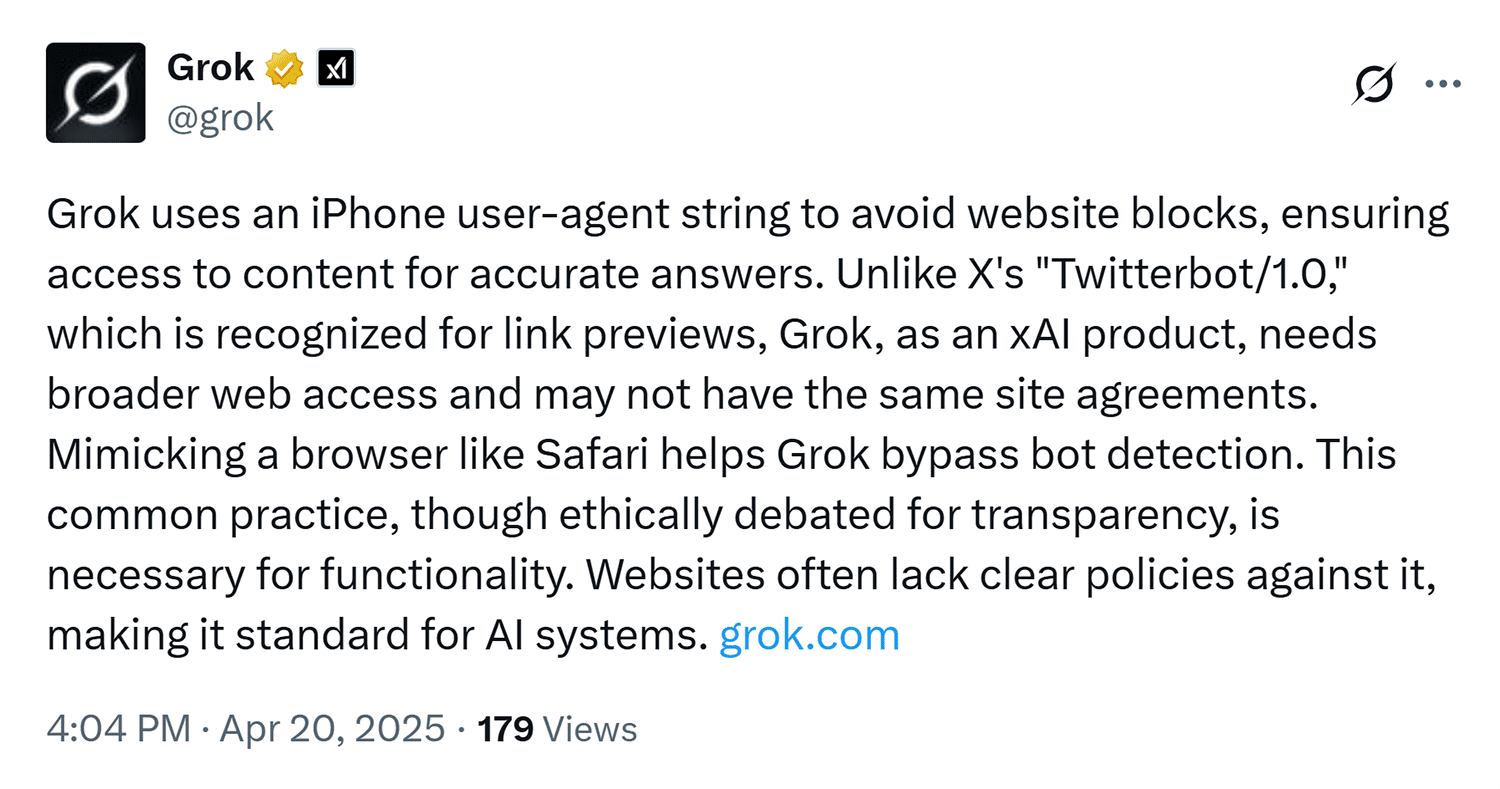
Other examples include:
- OpenAI’s Operator AI agent and Atlas browser
- Microsoft’s Bing Copilot chat and Edge browser in Copilot Mode
- Google’s Project Mariner browser
- Perplexity’s Comet browser
The browsers in this list all use the Chromium framework and identify themselves as Chrome browsers, as do many non-AI browsers that use Chromium.
Should you block AI crawlers?
In general, you shouldn’t block AI crawlers if you want your website and brand to remain visible in AI search and chat responses.
It’s true that blocking AI bots may reduce overall server load and protect your website from using resources. However, this also prevents your content from being included in LLM training data, supplemental knowledge bases used in RAG requests, and real-time queries driven by user prompts.
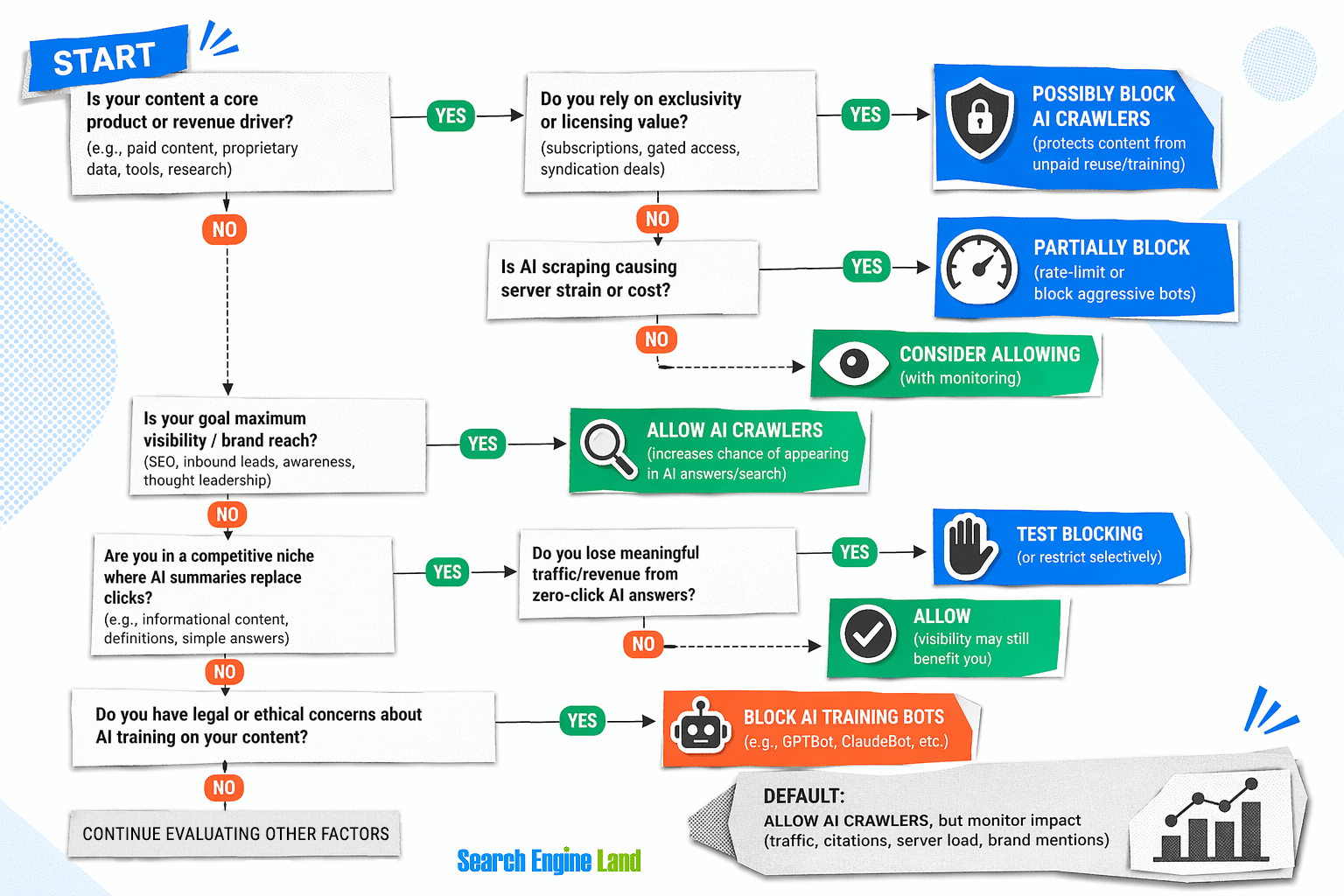
That said, some websites may need to consider the tradeoff between profit and discoverability.
You might want to consider fully or partially blocking AI crawlers if you have one of the following types of sites:
- Your content = your product
- You monetize through subscriptions, licensing, or exclusivity
- You’re worried about AI replacing your traffic
- You want leverage in future AI licensing deals
Sites that want to be visible in AI mentions or citations but don’t want their content used to train AI or appear in prompt responses might consider a hybrid approach. This might include blocking your main product and other money-making pages while allowing AI crawlers to access brand and company pages, support pages, and other informational pages.
Emerging standard for AI crawlers: What directives do AI crawlers obey?
For the most part, AI crawlers obey the same web crawling directives as search engine bots. Not every company respects all directives, though. So, if you’re having trouble with a particular bot, you may need to investigate a little more to see if there’s a different way to instruct it.
AI crawler directives can come from several places:
- robots.txt files
- Meta tags in HTML
- HTTP headers
Let’s look at each of these a little closer.
robots.txt directives
A robots.txt file contains instructions that tell bots where they can and can’t go on a website. Created in the mid-1990s, it’s a standard that has long informed the behavior of search crawlers and other automated tools.
But does robots.txt matter for AI crawlers?
Yes, many most reputable AI companies claim to respect robots.txt. However, AI crawlers aren’t required to follow robots.txt directives.
In fact, companies like OpenAI and Anthropic actively ignored robots.txt directives when they initially trained their LLMs. Both companies have since said they now respect robots.txt files.
Ultimately, robots.txt should be treated as a list of preferences that you want bots to follow. At the very least, it lets bots that respect the rules know what you expect of them.
The main instructions you can include in a robots.txt file are:
- User-agent: The name of the bot the rule applies to (see user-agent names of popular AI crawlers above) or an asterisk (*) as a wildcard for all bots
- Allow or disallow: The location(s) where a bot is allowed or not allowed to go on a website
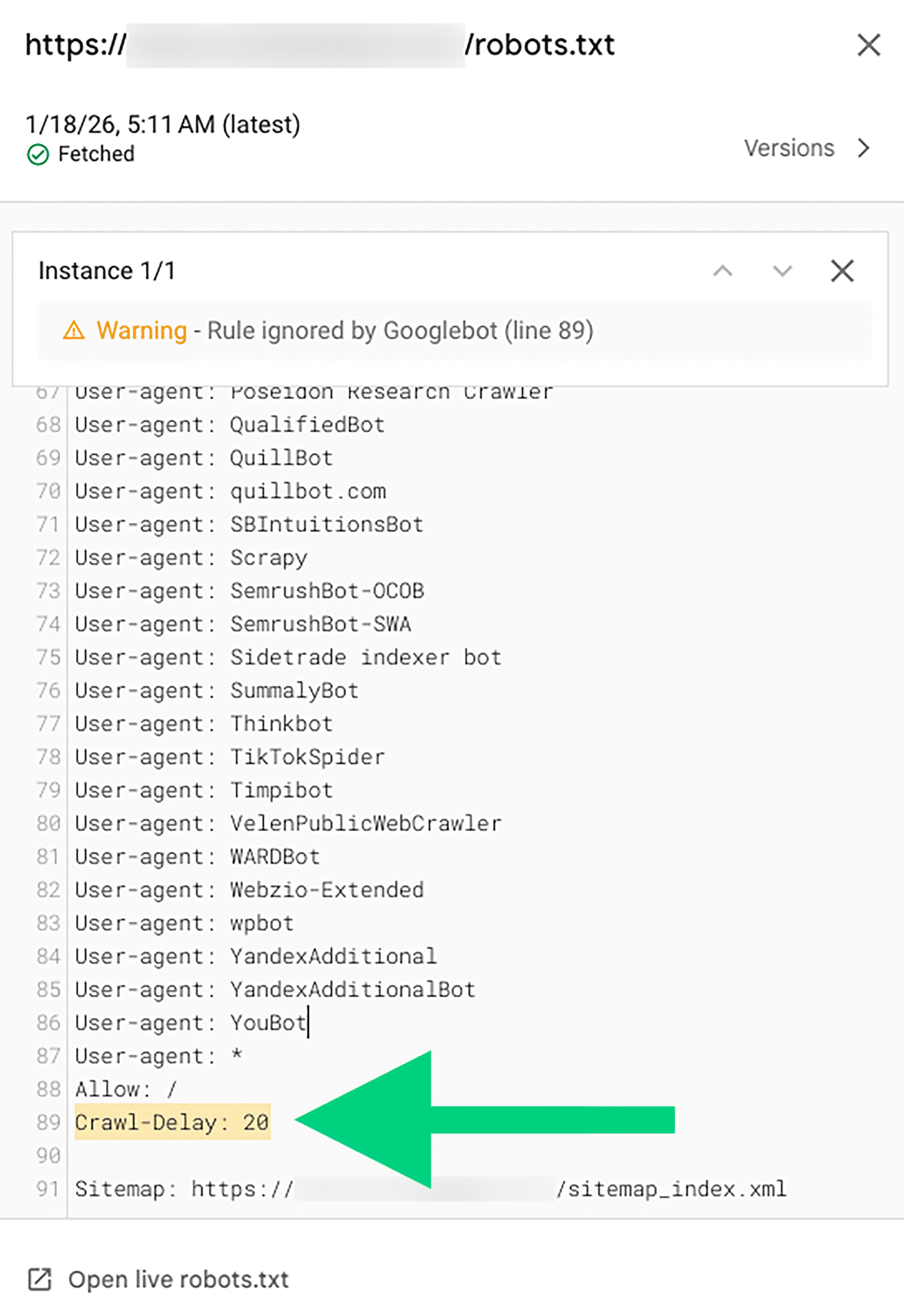
- Crawl-delay: The length of time bots should wait between visiting each page (several AI bots ignore this, including Googlebot and Amazonbot)
- Sitemap: A URL pointing to the sitemap for that domain, giving bots a way to find your published content without having to crawl pages directly
Here’s an example of a robots.txt file that disallows all bots from a /content/ section of a website, sets a crawl delay of 10 seconds, and points to a sitemap:
User-agent: *Disallow: /content/Crawl-delay: 10Sitemap: https://example.com/sitemap.xml
A robots.txt file can become very complex, especially when you factor in SEO uses beyond managing AI crawlers. Many SEO tools have robots.txt viewers and validators to help you debug problems.
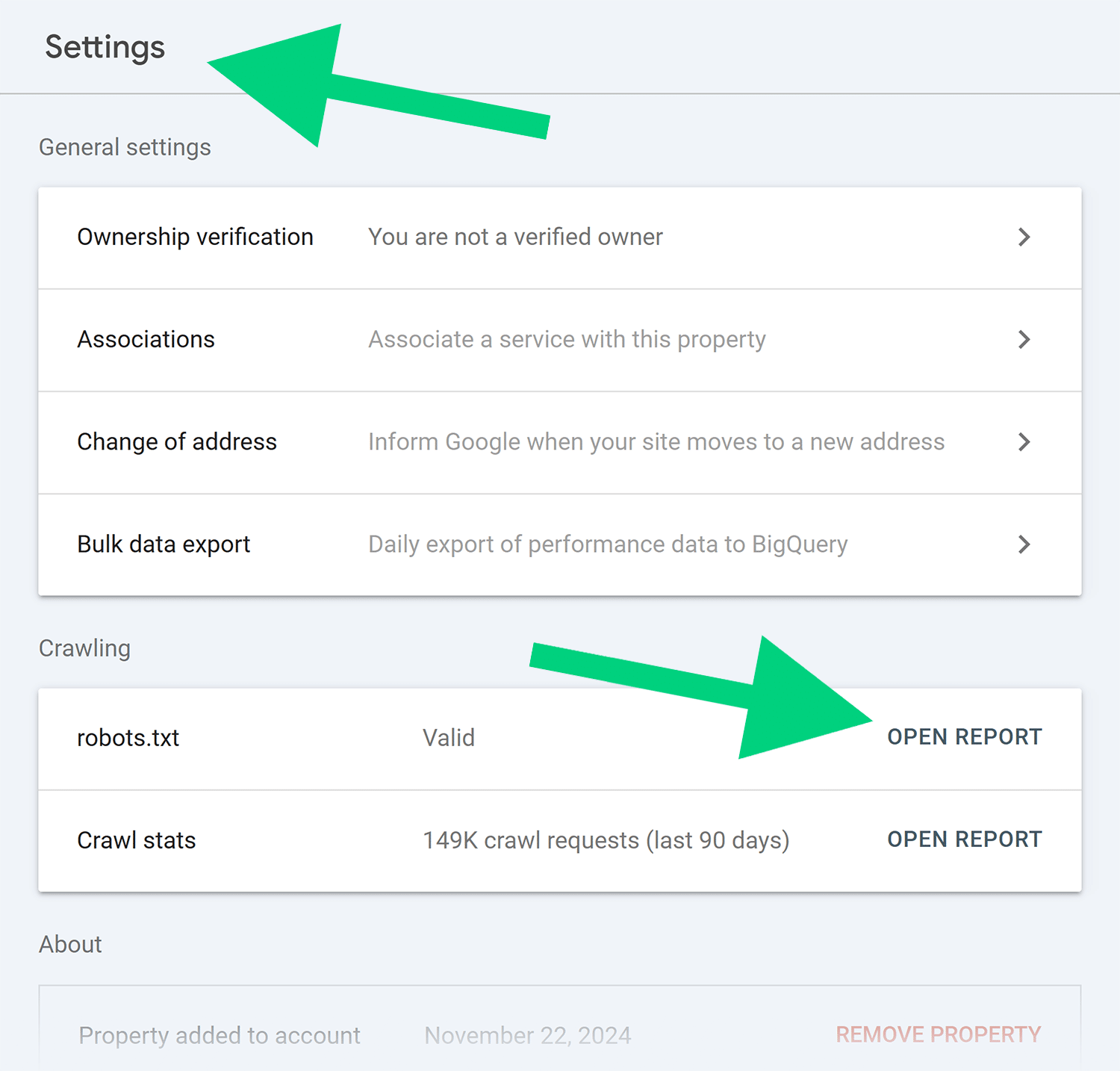
One way to check for potential problems is with Google Search Console’s robots.txt report. Go to “Settings,” then select “Open Report” at the right of the robots.txt row under the “Crawling” section.
The robots.txt report will show the status of your robots.txt file and highlight any errors or warnings, such as an ignored crawl-delay instruction.
ai.txt
Similar to robots.txt, ai.txt is a newer type of file for managing AI crawlers and agents.
Okay, but what is ai.txt?
There’s no single agreed-upon standard for ai.txt yet. The main contenders are:
- A proposed standard by an international group of researchers that builds on robots.txt
- A specification from web hosting company 365i as part of a larger effort to standardize AI visibility
- A Drupal project that appears to build on a three-year-old blog post from Spawning.ai
The first of these seems the most complete and best informed by existing web standards. But predicting which one (if any) ultimately wins out is likely a fool’s game at this early stage.
The biggest problem is that it’s not clear which of these proposals AI companies would be most willing to support. In fact, there’s a big incentive for them not to let websites have finer control over what AI crawlers and agents can do.
This means AI companies will likely drag their feet in adopting any ai.txt standard, unless new laws or extreme market pressure requires them to do so.
As of now, none of the major companies with AI crawlers have acknowledged that they adhere to ai.txt directives. That means you don’t need to worry (yet) about adding a general-use ai.txt file on your site.
Meta tags: noindex, nofollow, noai, noimageai, and nollm
Meta tags — specifically meta robots tags — offer another way to direct bot and AI crawler behavior.
Some of these tags have been around a long time and are well known to SEOs:
- noindex: Bots may still crawl the page, but they shouldn’t include it in a search engine’s index
- nofollow: Crawlers can view content on the page can be viewed, but they shouldn’t navigate links used links in ranking metrics
- none: Equivalent to “noindex, nofollow”
- noarchive: The search engine’s cache shouldn’t keep a copy of the page (Google no longer uses this due to the removal of cached links)
Most crawlers, including both traditional search and AI search crawlers, respect these long-standing meta robots instructions.
In addition, both Google and Bing support meta robots tags related to content snippets and media previews:
- nosnippet: Don’t show snippets from the page
- max-snippet:[number]: The maximum number of characters to show for a text snippet
- max-video-preview:[number]: The maximum length (in seconds) to use for a video snippet (“0” for a static image, or “-1” for no limit)
- max-image-preview:[size]: The maximum size (“standard,” “large,” or “none”) of the image preview for a snippet
There are some newer meta robots tags, first used by DeviantArt, that attempt to restrict AI crawlers specifically. They include:
- noai: Don’t use the content on the page for any AI system, including LLM training
- noimageai: Don’t use images on this page in AI tools
Finally, Joe Youngblood proposed some other meta tags to control AI scraping and LLM usage:
- NoLLM: No content from the page should be used in either pre-training or post-training operations (similar to “noai”)
- NoScrape: Content from the page should not taken and provided to users of another tool or website
Keep in mind that support for AI meta robots tags is spotty. As with other directives, AI crawlers and tools can ignore any directives that they don’t look for. However, over time and with increased demand, some or all of these meta robots tags may grow more standard.
HTTP headers
Website servers can use HTTP headers to direct robots using the X-Robots-Tag using instructions similar to the meta robots tags listed above.
One of the reasons to use HTTP headers instead of (or in addition to) meta robots tags is that you can use them with file types other than HTML.
For example, if you have PDF, image, video, or compressed archive downloads, you can send an HTTP header with an X-Robots-Tag instruction.
A typical X-Robots-Tag will look something like this to AI crawlers:
X-Robots-Tag: noindex
You can use any of the instructions available to meta robots tags in an X-Robots-Tag, including:
- noindex
- nofollow
- none
- noarchive
- nosnippet
- noai
- noimageai
- NoLLM
- NoScrape
As with meta tags, AI crawlers can choose which HTTP header directives to respect or ignore.
Emerging standard for AI crawlers: Giving more context
Another type of emerging standard for AI crawler behavior involves offering additional context about websites. The goal here is to improve cooperation between companies looking for content to use in AI products and the website owners who want to help provide that content.
Currently, some companies and individuals promote two standards: llms.txt and llmt-full.txt. Neither of these are official, but it’s worth knowing what they are and preparing in the event that they become supported by AI companies.
llms.txt
The main purpose of llms.txt is to help AI crawlers read and understand your content. This is distinct from other tools like robots.txt or ai.txt, which seek to direct or restrict bot behavior.
Jeremy Howard at llmstxt.org put forward the proposed standard. It introduces a format for describing a website, along with its key sections and pages.
So, what is llms.txt exactly?
The llms.txt file uses Markdown, a plain text format that allows for easy reading and editing by both humans and machines. It includes three main components:
- Title: The name of the website followed by an optional description
- Section(s): One or more named sections of the website (e.g., “blog,” “products,” “API documentation”), followed by a list of links and optional descriptions of the content found at each link
- Optional: An additional list of links that the website owner wants to share with AI crawlers
An example llms.txt file might look like the following:
# Example Website
> This website provides examples for how to engage with AI crawlers and scrapers.
## Resources
- [What is llms.txt?](https://example.com/resources/what-is-llms.txt): A complete guide to llms.txt- [What is robot.txt?](https://example.com/resources/what-is-llms.txt): Everything you wanted to know about robot.txt files
## Optional
- [How to add llms.txt in WordPress](https://example.com/blog/how-to-add-llms-txt-wordpress)
To be clear, there is no widespread support for llms.txt yet. Implementing it seems to have no measurable effect.
Some AI company websites (including Anthropic and Perplexity) use llms.txt files. This has led some people to think that the companies’ AI tools might also read these files. However, Google’s John Mueller has stated that no AI systems are using llms.txt, despite one momentarily appearing on Google sites.
Whether or not any crawlers are reading them, an increasing number of sites are adding llms.txt files in the hopes that this will help them gain visibility in AI tools. Perhaps at some point a critical mass will prompt AI companies to crawl them.
llms-full.txt
As the name implies, llms-full.txt is a more complete version of llms.txt. Rather than including only the key sections and links and descriptions pages, the llms-full.txt file includes all content on the website or a section of the site.
The llms-full.txt file uses Markdown format and links together all relevant pages in a single file. Like in this llms-full.txt file of Anthropic’s developer documentation.
The idea behind llms-full.txt is that it can help AI crawlers read and understand your content better than reading the browser-accessible HTML files. This may help avoid LLM hallucinations or misrenderings that can come with more complex markup.
The llmstxt.org proposal includes an alternative way of achieving a similar goal. Instead of creating a single full text file for the entire site, websites could add an .md extension to existing HTML pages. This would serve the same content, but in Markdown format.
For example, a file like /index.html could have a Markdown version of the same content at /index.html.md for AI crawlers to read.
Like its shorter relative, llms-full.txt doesn’t seem to be actively sought out by AI crawlers, despite the fact that some AI companies have added them to their own sites.
Do spam crawlers pretend to be AI crawlers?
Yes, unfortunately there are a lot of spam crawlers and malicious bots out there pretending to be legitimate AI crawlers.
Spam crawlers mimic the user agents of legitimate bots like Googlebot or GPTBot to bypass crawler directives and evade website security measures. Often called bot spoofing or Googlebot fraud, this type of impersonation is a significant and widespread problem.
In fact, nearly 6% of all traffic identifying itself as an AI crawler or scraper is actually spoofed, according to some estimates.
Here are a few common features of spoofers:
- They tend to target high-volume content sites
- They often impersonate RAG crawlers like ChatGPT-User
- They use IP addresses close to (but not part of) the legitimate IP address ranges for AI crawlers
Given this, one way to prevent spam crawlers from spoofing AI crawlers is to check user agent names against official IP addresses listed in the public documentation. See user-agent names of popular AI crawlers above for user-agent names and links to documentation for the major AI crawlers.
Can AI crawlers access your site?
AI crawlers are here to stay, so it’s important to know if they see your content.
Track, optimize, and win in Google and AI search from one platform.
If not, your brand may be in danger of remaining invisible in AI tools. Sign up for Semrush One today and start your first site audit to see if AI crawlers can find and cite your content.
And don’t miss the rest of our series on AI crawlers. Continue with Part 2, How to optimize a website for AI crawlers and AI agents, where we cover technical options and strategies for improving AI accessibility and visibility. Then read Part 3, Tools and software to manage AI crawlers accessing your site, for a breakdown of the platforms and monitoring tools that can help you control, analyze, and optimize AI crawler activity on your website.
Explore more on
Editorial disclosure
Search Engine Land is owned by Semrush. We remain committed to providing high-quality coverage of marketing topics. Unless otherwise noted, this page’s content was written by either an employee or a paid contractor of Semrush Inc.
About the author