How canonical URLs work and why they matter for SEO


Canonical URLs are HTML elements that tell search engines which version of a page is the primary or “master” version when duplicate or similar content exists across multiple URLs.
In the past, canonical URLs were just another technical SEO checkbox—something nice to have if you got around to it. Those days? They’re long gone.
Canonical tags have evolved into a mission-critical element of technical SEO. In fact, canonical tag implementation errors affect a significant portion of websites. This can create potentially serious indexing issues and compromise search visibility.
But here’s the thing: Canonical URLs aren’t complicated once you understand the logic behind them.
This guide will take you from canonical confusion to complete clarity. You’ll learn what canonical tags are, when to use them, how to implement them correctly, and how to avoid common implementation mistakes.
The technical foundation every SEO professional needs to understand
Think of canonical URLs as the central nervous system of modern web architecture. They tell search engines which version of a page represents the definitive source of truth.
Without proper canonical link implementation, you essentially force Google to guess which duplicate or similar pages should rank. Spoiler alert: A wrong guess might tank your search visibility and organic traffic.
Canonicals still help consolidate ranking signals when multiple URLs show similar content. But they’ve evolved way beyond their original purpose of addressing duplicate content to show the right version of your page.
Now, canonicals are fundamental to how search engines understand your entire site architecture. This is especially true when your site includes filtered product pages, parameter-heavy URLs, or syndicated content across different platforms.
What canonical URLs actually do in modern web architecture
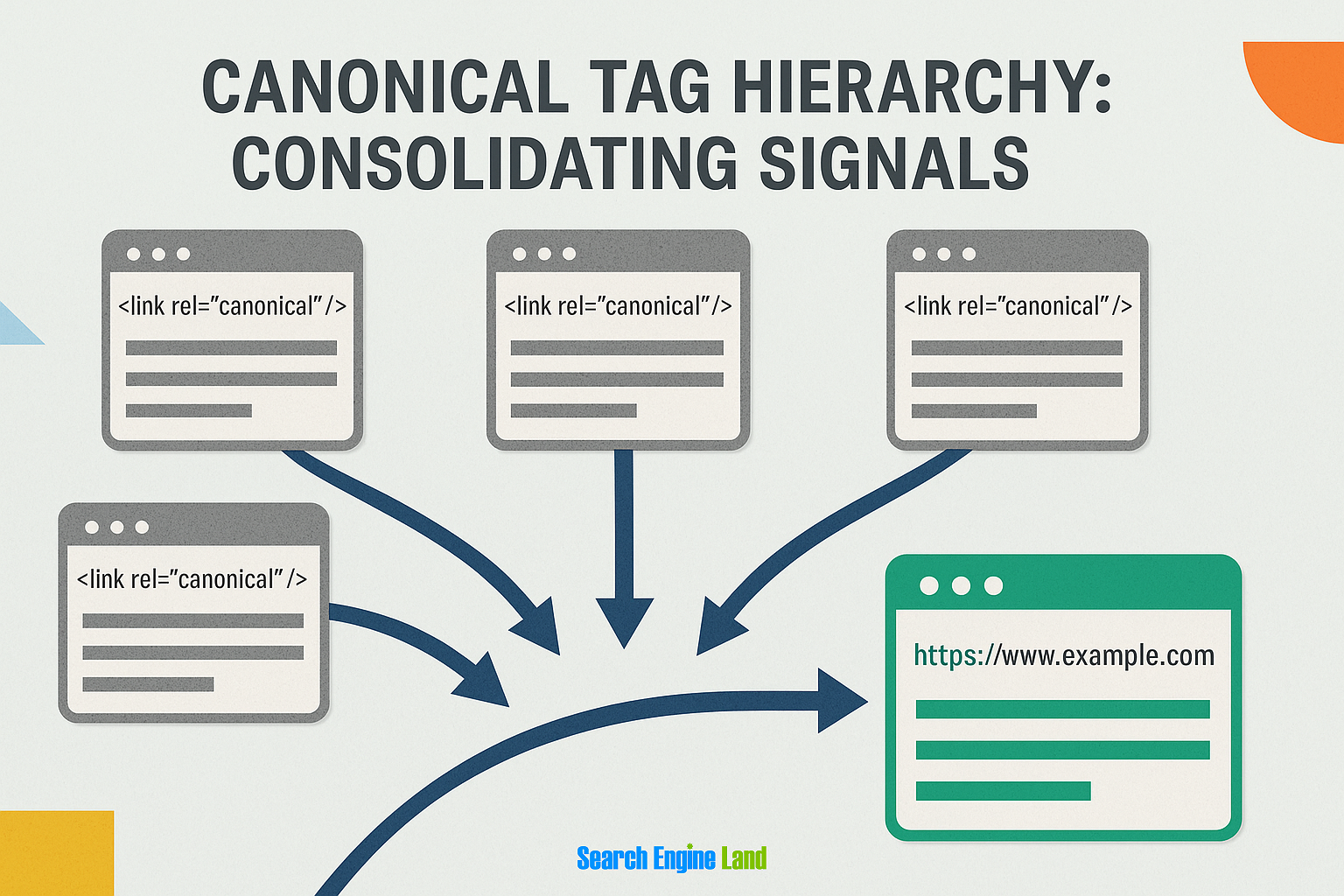
Canonical URLs funnel ranking signals to your preferred version of a web page. They essentially serve as traffic directors. When implemented correctly in your HTML head section using absolute URLs, they point search engines to the authoritative page.
In theory, the technical implementation is straightforward. You add this tag in your page’s head section:
<link rel="canonical" href="https://example.com/preferred-url">
But the reality is a little more complex. You need absolute URLs (not relative), consistent implementation across all duplicate versions, and alignment with the site’s other technical signals. Miss any of these details, and you’ve just created a canonical conflict that’ll haunt your crawl budget for months.
However, it’s important to note that canonical tags operate as signals not commands, according to Martin Splitt, Google Developer Advocate.
This means canonical URLs suggest to Google which version you prefer. But the algorithm might override your choice based on other factors like internal linking patterns, user behavior data, or which version gets more external links.
This technical foundation can create both massive opportunities and equally massive complications. Master it, and you control how search engines understand your content hierarchy. Mess it up, and you’re fighting an uphill battle against your own site architecture.
How search engines interpret canonical signals versus other SEO elements
Search engines don’t evaluate canonical tags in isolation. Instead, they’re part of an interconnected web of technical signals that either reinforce or contradict each other.
Canonical tags have ongoing conversations with redirects, internal links, sitemap entries, and hreflang tags. When these elements align, Google trusts your canonical preferences.
But when they conflict? That’s when you see those frustrating “Google selected different canonical than user” messages in Google Search Console.
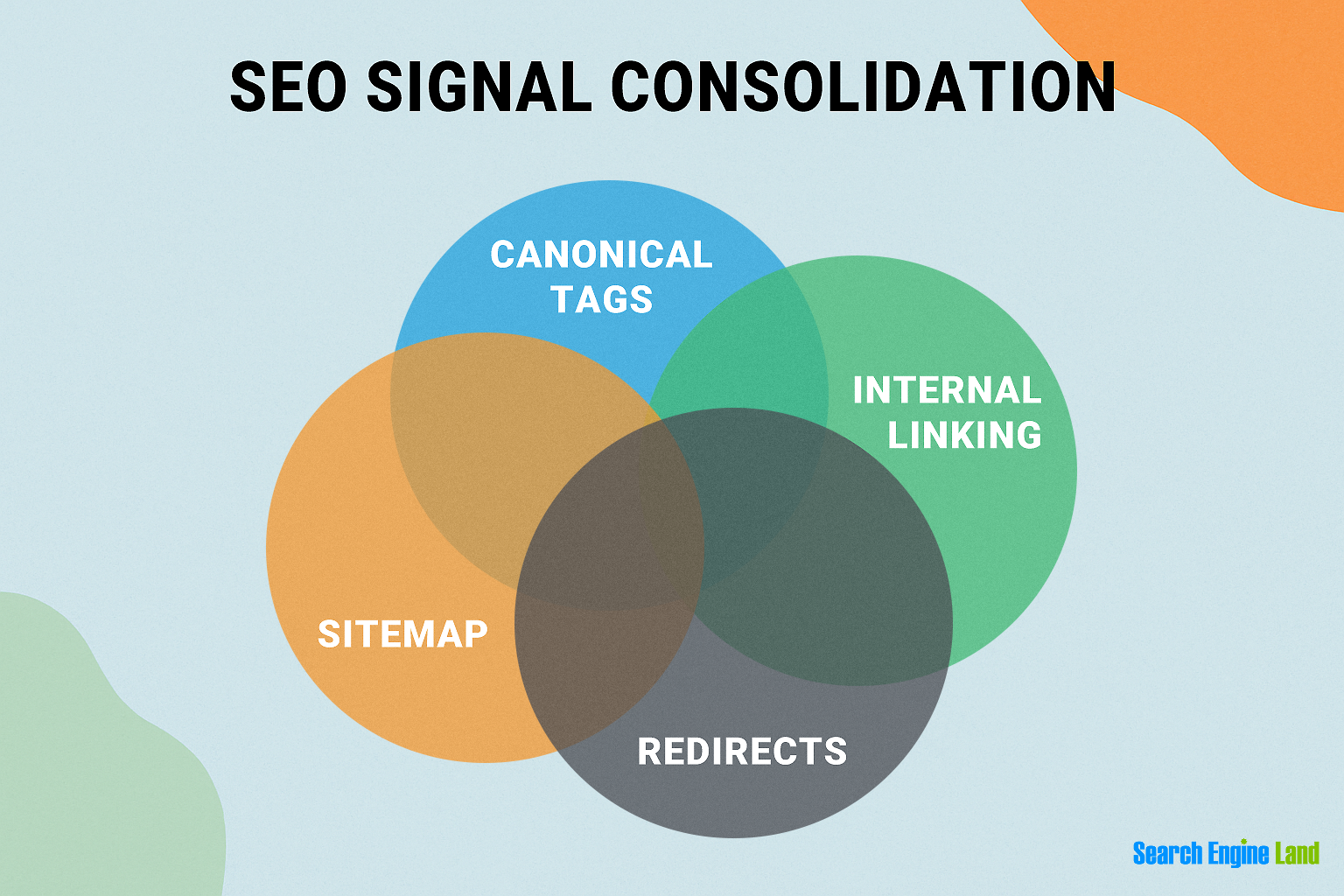
The interconnected nature of technical SEO elements means a misaligned canonical can cascade into multiple issues:
- Internal links pointing to non-canonical versions? That sends mixed signals.
- XML sitemap including both canonical and non-canonical URLs? You’ve just told Google you can’t make up your mind.
- Redirects contradicting your canonicals? You’re essentially telling search engines two different stories about which page matters most.
Understanding these relationships helps you prevent the implementation mistakes that plague even experienced SEOs.
For instance, if you have strong internal linking to a non-canonical URL, Google might decide that page deserves to be the canonical despite your tag saying otherwise. Or if your canonical page loads significantly slower than alternate versions, user experience signals might override your canonical preference.
This interconnected reality means you can’t just slap canonical tags on pages and call it a day. You need a holistic approach that considers how every technical element supports or undermines your canonicalization strategy.
Why the signal versus directive distinction changes everything
Google documentation confirms that canonical tags are signals rather than directives. Which changes both how you implement your strategy and how you address issues that come up.
You stop expecting canonical tags to work like redirects (which are directives) and start treating them as one voice in a larger conversation with search engines. When Google ignores your canonical preference, it’s not a bug—it’s the algorithm making a different assessment based on the totality of signals.

This signal-based approach impacts troubleshooting in profound ways. Instead of asking why Google isn’t respecting your canonical tag, you start looking for signals that tell the search engine a different story.
For example, maybe that non-canonical version has significantly more backlinks. Perhaps user engagement metrics show people prefer that URL structure. Or your internal linking strategy consistently points to the “wrong” version.
Knowing exactly how canonical URLs function as signals within your broader technical architecture sets you up to make better strategic decisions about when to use canonicals versus other solutions.
The SEO toolkit you know, plus the AI visibility data you need.

The strategic decision that determines your SEO success or failure
The choice between canonical tags and redirects is one of the more frequently misunderstood strategic SEO decisions. Choosing wrong can mean the difference between ranking and remaining invisible.
Canonical tags versus redirects: The framework for making the right choice
Think of redirects as closing one door to open another and canonicals as opening two doors to the same room.
This distinction matters more than you might think:
- Redirects fundamentally change the user experience, so that someone typing in URL A gets taken to URL B
- Canonicals keep both pages accessible to users while consolidating their SEO value behind the scenes
Here’s where it gets interesting: Performance implications play a huge role in this decision.
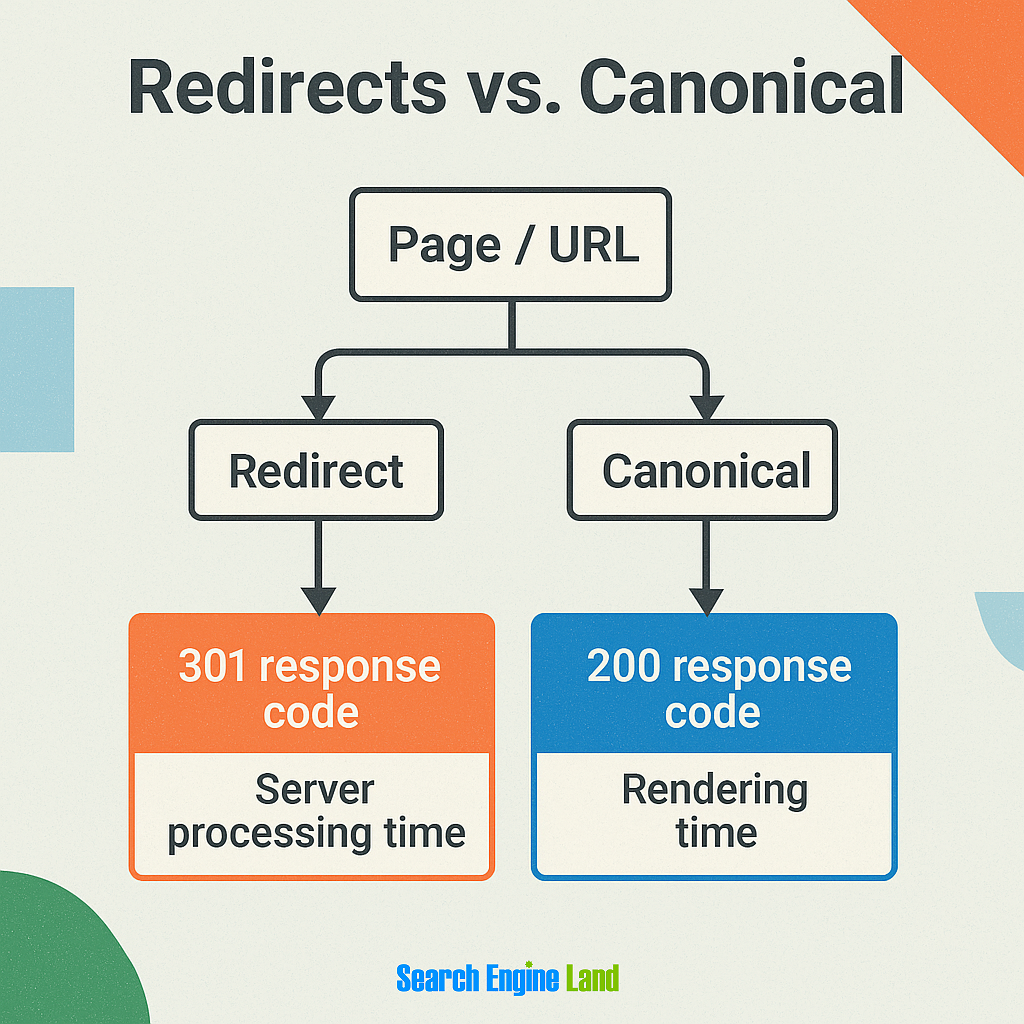
Redirects create an extra server hop, typically adding 100-300ms to load time. In contrast, canonical tags process entirely within the page’s HTML head. For sites dealing with thousands of product variations or regional pages, those milliseconds add up fast.
The implementation complexity often differs dramatically, too:
- Redirects require server-level access, .htaccess modifications, or CDN configuration changes—which typically require a developer
- Canonical tags need a simple HTML modification that most CMS platforms handle natively
However, canonicals are suggestions, not commands.
If your internal linking strategy contradicts your canonical tags or if the content differs significantly between pages, Google might ignore your preference entirely. In contrast, redirects leave no room for interpretation. Instead, they’re definitive commands that search engines must follow.
Here’s a simple framework to decide between canonical tags and URLs:
- First, do users need access to both URLs? If yes, lean toward canonicals.
- Second, is the content substantially different (more than 30% unique)? Different enough means separate pages, not canonicalization.
- Third, are you dealing with permanent changes versus temporary variations? Permanent changes scream for redirects, while seasonal or testing variations work better with canonicals.
- Fourth, are you managing mobile or desktop URLs? Google recommends using canonical tags (not redirects) to indicate that the desktop URL is the canonical URL.
Real-world scenarios where the wrong choice costs rankings
Say you run a Shopify store. If you misunderstand when to use canonicals versus redirects, it could lose a substantial percentage of its category page rankings.
Here’s how this might happen:
Suppose the store has products appearing in multiple categories. Shopify automatically canonicalizes products to their primary URL regardless of the category path used to reach them.
If you also implement 301 redirects from category paths to the canonical product URL, you’d create a nightmare where users clicking from category pages get bounced to a contextless product page.
The user experience would tank. Bounce rates would shoot up 60%. Google would notice.

Here’s another scenario:
Say you run a B2B site that redirects all filtered URLs (like /products?color=blue) to the main category page, thinking you’re consolidating duplicate content. Except those filtered pages rank for specific long-tail keywords. So when they vanish, so does 30% of their organic traffic from users searching for “blue industrial widgets” and similar specific queries.
The correct move? Canonical tags pointing filtered variations to the main category while keeping those pages accessible for users who land directly from search.
The clearest case for redirects over canonicals is when content genuinely moves or gets consolidated.
So if you’re merging two similar blog posts into one comprehensive guide, that’s a 301 redirect situation, not a canonical. The same goes for product discontinuations, URL structure changes, or website migrations. When the content at the old URL no longer exists in its original form, redirects ensure both users and search engines find the new home.
The bottom line:
If users need both versions, use canonicals. If one version replaces another permanently, use redirects. And if you’re not sure, test with a small subset of pages first. Because fixing canonical confusion at scale becomes exponentially harder than getting it right from the start.
The 5 pain points that derail canonical implementation
Even experienced SEO professionals run into common issues that can undermine their entire canonicalization strategy. Let’s walk through the five most frequent pain points that can derail your implementation—and how to avoid them.

1. Verifying Google actually follows your canonical preferences
There’s no guarantee that Google will respect all of your canonical tag preferences. While it’s technically possible, you’d better verify.
The URL Inspection Tool in Google Search Console is your reality check. When you inspect a URL, scroll down to the “Page indexing” section and compare “User-declared canonical” versus “Google-selected canonical.” If these don’t match, you have a problem.

If these URLs don’t match, use this diagnostic workflow:
First, check if your canonical tag is actually in the HTML head (not the body). Then verify you’re using absolute URLs, not relative ones: https://example.com/page not /page.
Next, audit your internal linking patterns. If 90% of your internal links point to /product?category=shoes but your canonical says /product, you’re sending mixed signals.
Common culprits include:
- Content delivery network (CDN) URLs accidentally set as canonicals
- HTTP versions instead of HTTPS
- Trailing slash inconsistencies
The fix usually involves aligning all your signals.
Point canonicals, internal links, XML sitemaps, and structured data to the same preferred version. Think of it as giving Google overwhelming evidence about which URL version you prefer.
But here’s where things get weird. Sometimes Google choosing a different canonical isn’t actually wrong.
2. Decoding the “alternate page with proper canonical tag” mystery
“Alternate page with proper canonical tag” might be the most misunderstood status in Google Search Console.
This status often means everything is working correctly. It’s Google’s way of saying “We found this duplicate page, we see it has a canonical tag pointing elsewhere, and we’re respecting that.”
Think about it. If you have /product?color=red canonicalized to /product, that parameter page should show as “Alternate page with proper canonical tag.” That’s the system working as designed.
The confusion kicks in when you see hundreds or thousands of these. Suddenly, it looks like an error that needs fixing. Usually, it doesn’t.

Here’s when this status is actually fine:
- Parameter variations pointing to clean URLs
- Print versions canonicalizing to main articles
- Mobile URLs (m.site.com) pointing to desktop versions
- Language or regional variants with proper canonicalization
But sometimes it signals real issues.
If your main pages show this status, you have a problem on your hands. For example, a homepage might be marked as “alternate” because of trailing slash issues or WWW versus non-WWW confusion.
Working through this issue is straightforward. Export the Google Search Console report and filter it to show only important pages: money pages, category pages, and main products.
If any of these pages show as alternates, investigate immediately. For everything else, sample check 10 to 20 URLs to verify the canonicals make sense.
The real headache happens when you’re dealing with complex product relationships. Which brings us to a canonical issue unique to ecommerce sites.
3. Solving ecommerce canonical complexity without hurting performance
Ecommerce sites have particularly complicated canonical setups that can compromise site performance and SEO success if you don’t handle them properly.
Picture this: one product, five categories, and infinite parameter combinations. Your red widget appears at /widgets/red-widget, /sale-items/red-widget, /new-arrivals/red-widget, and /customer-favorites/red-widget. Now multiply that by thousands of products.
Shopify takes a hardline approach: products automatically canonicalize to their base /products/ URL regardless of collection paths. This is great for simplicity but terrible for category-specific optimization. It loses the ability to rank /sale-items/red-widget for “widgets on sale” searches.

However, the performance aspect can make this tricky for ecommerce sites. Every canonical check adds processing time. Which means large catalogs with complex variant logic can slow page load if canonicalization requires database lookups for every request.
Here’s how to approach ecommerce canonicalization:
Product pages get self-referencing canonicals unless they’re true duplicates (like /product/?ref=email//product/
For product variants (size, color), check search behavior. If people search “red nike shoes size 10,” that variant might deserve its own canonical URL. If they just search “red nike shoes,” canonicalize sizes to the color parent.
When you balance user experience with SEO, you may have to accept some duplication. Canonicalizing everything to base products creates a jarring experience where URLs don’t match user expectations. Users expect /sale-widget/ to exist and show sale prices.
The compromise? Use canonical tags for true duplicates but keep user-friendly URLs for legitimate alternative paths. Set up your internal linking to consistently point to preferred versions, and let Google figure out the context from user signals.
Make sure to pay special attention to parameter handling. Aggressively canonicalize:
- Session IDs
- Tracking codes
- Sort orders
But if search volume justifies it, consider canonical URLs for faceted navigation that creates findable content (like brand+category combinations).
Performance optimization comes down to caching canonical decisions. Instead of recalculating canonicals on every page load, cache them at the product level and invalidate when products change categories. Pre-generate canonical URLs during product imports rather than calculating them dynamically.
4. Identifying and fixing canonical chains before they damage your rankings
Canonical chains occur when Page A canonicalizes to Page B, which then canonicalizes to Page C. This creates an unnecessary relay race that confuses search engines and wastes crawl budget.
Plus, these chains don’t just complicate Google’s understanding of your website architecture. They multiply the risk of implementation errors at every step.
Think about it. Each link in your canonical chain is another chance for something to break. Maybe someone updates Page B’s canonical URL during a site migration. Suddenly, your entire chain points nowhere, and Google starts ignoring your canonical preferences entirely.
Detection starts with the right tools. Screaming Frog’s canonical chain report catches most issues, but for enterprise sites, you’ll want something beefier. Tools like Sitebulb visualize chains across your entire domain, showing exactly where signals break down.

The real game-changer? Setting up automated monitoring that alerts you when new chains form—because they probably will.
Fixing chains sounds simple: point everything directly to the final destination. But on a massive site, you can’t just update all canonical URLs at once. Instead, you need a staged approach:
- Start by mapping all chains in a spreadsheet
- Identify the final canonical target for each chain
- Work backwards, updating canonicals from the end of the chain first
Why backwards? Because if you update from the beginning, you risk creating temporary loops while the fixes propagate.
For large-scale fixes, regex replacements in your content management system (CMS) or CDN rules can update thousands of canonicals simultaneously. Just make sure you test on a staging site first. Canonical chains are problematic, but canonical loops can cause your rankings to plummet.
The bridge to self-referencing canonicals becomes obvious once you’ve cleaned up any chains. If every page points to itself by default, you eliminate the risk of accidental chains forming in the first place.
5. The self-referencing canonical debate: When they help and when they hurt
Self-referencing canonicals—where a page’s canonical tag points to its own URL—spark endless debate in SEO forums. Should every page have one? Are they just noise?
John Mueller, Google Senior Webmaster Trends Analyst and Search Relations Team Lead, settled this debate pretty definitively. During a Google Webmaster Central office hours hangout, he stated that self-referencing canonicals are a good practice—but not critical.
Self-referencing canonicals tend to be helpful on sites with a variety of URL parameters. Think ecommerce sites with sorting options, session IDs, or tracking parameters. Without that self-referencing tag, Google might pick the parameter-laden version as canonical.
They also protect against scraper sites. When someone copies your content wholesale (including your self-referencing canonical), they’re literally telling Google that your page is the original.
But they create bigger problems in dynamic content scenarios where the canonical shouldn’t point to itself. Paginated content, for instance. Page 2 of your category shouldn’t canonicalize to itself—it should either point to page 1 or use rel="next/prev" without canonicals.
The implementation sweet spot?
Make self-referencing canonicals your default. Then, create specific rules for exceptions. Most CMSs handle this automatically, but double-check your technical SEO setup to ensure it’s working correctly.
Monitoring and optimizing canonical performance
Canonical performance monitoring has evolved from simple error checking into a sophisticated discipline.
The days of setting canonical tags and forgetting about them are long gone. Today, SEO demands active canonical management, especially as sites grow more complex and search engines become pickier about which signals they follow.
Platform-specific implementation strategies that actually work
Every platform thinks it knows canonicals better than you do. Spoiler: they don’t.
WordPress canonicalization tips
WordPress loves to “help” with canonical tags through various SEO plugins. But this creates chaos when multiple plugins conflict. Or when your staging URLs leak into production canonicals—causing your live site to tell Google the staging version is canonical.
The fix? Use a single source of truth. Pick one SEO plugin (for example Yoast or RankMath, not both), disable canonical handling in your theme, and add this to your functions.php:
remove_action('wp_head', 'rel_canonical');
Then let the plugin handle everything.
Shopify canonicalization tips
Shopify takes the opposite approach—it’s opinionated about canonicals. Products automatically canonicalize to their base URL, regardless of collection paths. This seems clean until you realize it negatively affects your ability to optimize for category-specific long-tail keywords through unique URLs.
The workaround involves Shopify’s alternate template system. Create collection-specific product templates that adjust meta tags while respecting Shopify’s canonical structure. You can’t override the canonical, but you can optimize around it.
Headless canonicalization tips
Headless CMS implementations present their own challenge. Since your content lives separately from your presentation layer, canonical tags often get lost in translation.
The solution? Implement canonicals at the edge using CDN rules or middleware. This ensures consistency regardless of how your front-end renders.
For enterprise multi-location SEO, you’ll need location-specific canonical logic that adapts based on user geography while maintaining a clear canonical hierarchy. CloudFlare Workers or Lambda@Edge can inject the right canonicals based on request origin without touching your core application.
The key across all platforms? Monitor constantly.
Modern auditing tools and techniques for large-scale canonical management
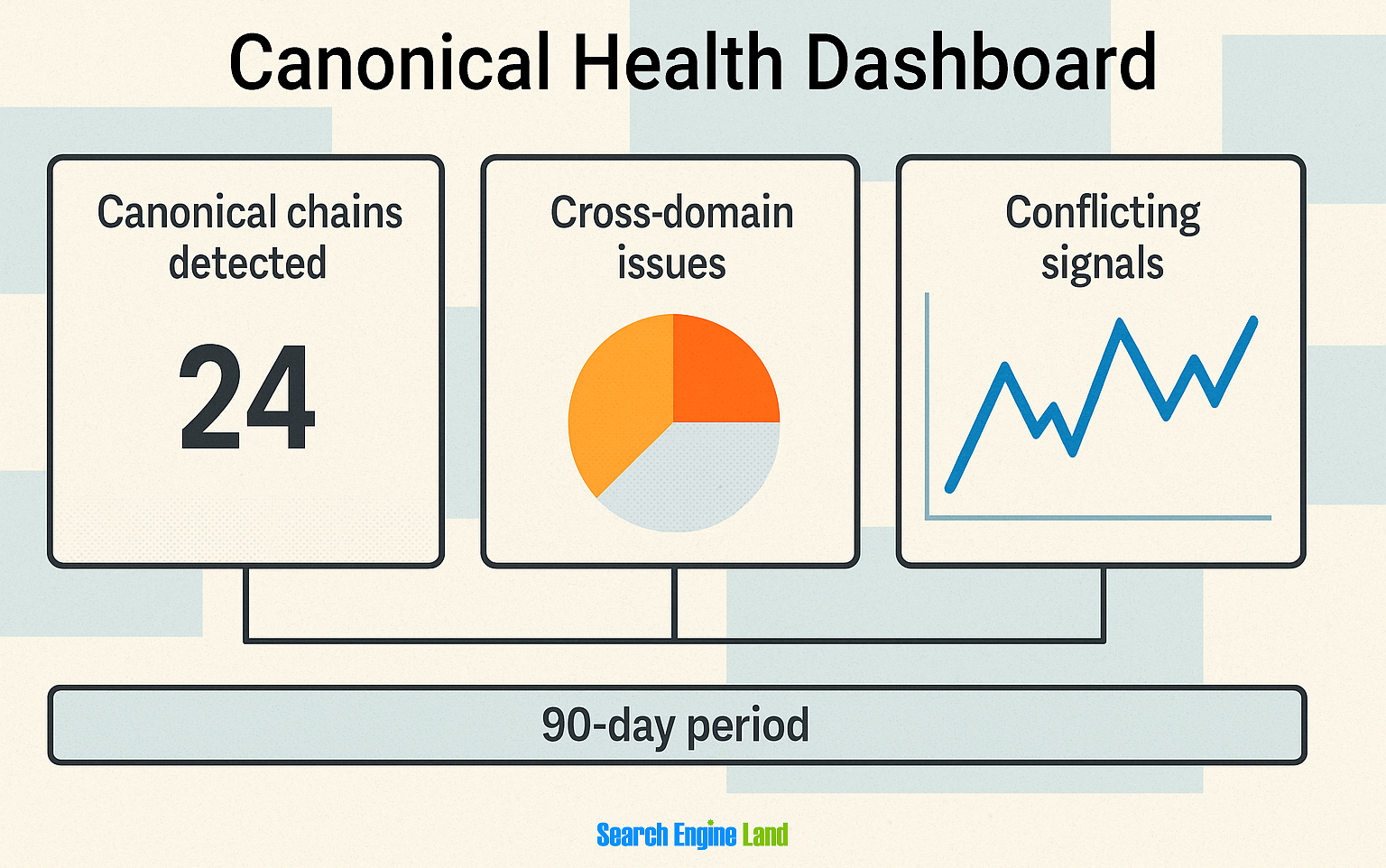
Managing canonical tags at scale requires sophisticated tooling that goes beyond basic crawling. Instead, you need platforms that can detect subtle issues like canonical chains, cross-domain conflicts, and misaligned signals—across thousands of pages.
For example, you can set up Semrush’s Site Audit to audit canonical chains where Page A points to Page B, which then points to Page C. These chains create unnecessary complexity that can confuse search engines and dilute ranking signals.

You also need automated monitoring that tracks when Google ignores your canonical preferences. Tools like Sitebulb compare your declared canonicals against Google’s chosen URLs, identifying patterns in why certain canonicals get overridden.

For example, say you’re running an ecommerce site with product pages that have multiple URL variations—one for the main product page (yoursite.com/red-sneakers) and another for filtered views (yoursite.com/red-sneakers?size=10).
You set canonical tags pointing to the main product page, but Google keeps choosing the filtered URL as canonical. An automated monitoring tool would catch this pattern and alert you that Google might be seeing more valuable content or stronger user engagement signals on those filtered pages.
The result? You could either consolidate the content or reconsider your canonical strategy.
But the best auditing approaches now combine multiple detection methods to go beyond basic issues like looking for broken canonicals. They can also detect when your canonical preferences conflict with other signals like internal linking patterns or XML sitemaps.
Say your canonical points to one URL but 90% of your internal links point to a different version. That’s a red flag that advanced auditing platforms will catch.
Enterprise teams often build custom auditing solutions that integrate with their continuous integration and continuous delivery (CI/CD) pipelines, catching canonical issues before they hit production. These systems use APIs from tools like Screaming Frog or Sitebulb to run automated checks whenever code gets deployed. Which prevents canonical conflicts from ever reaching the live site.
Measuring canonical success beyond just avoiding errors
Canonical optimization success isn’t just about eliminating “Duplicate without user-selected canonical” errors in Google Search Console. Instead, it’s about making measurable improvements in organic visibility and crawl efficiency—ultimately maximizing business impact.
Smart SEO teams now track canonical metrics that connect directly to Core Web Vitals and user experience. When canonicalization consolidates ranking signals properly, you’ll typically see both fewer errors and improvements in average position for your target pages.
Think about it this way. Proper canonicalization reduces the number of URLs Google needs to crawl and evaluate.
This improved crawl budget efficiency means Googlebot discovers your important content updates faster. You can measure this by tracking the time between publishing and indexing for your canonical URLs versus non-canonical variations.
The business metrics tell an equally compelling story.
Track, optimize, and win in Google and AI search from one platform.
Teams tracking organic search visibility before and after canonical optimization often see marked improvements in visibility for consolidated page clusters. This happens because your site no longer splits authority across multiple similar pages.
User experience metrics provide another lens for measuring success. Pages with proper self-referencing canonicals and clean canonical chains typically show better engagement metrics:
- Lower bounce rates
- Longer session durations
- Higher conversion rates
Why? Because users land on the most authoritative version of your content—which tends to be the most complete and well-maintained.
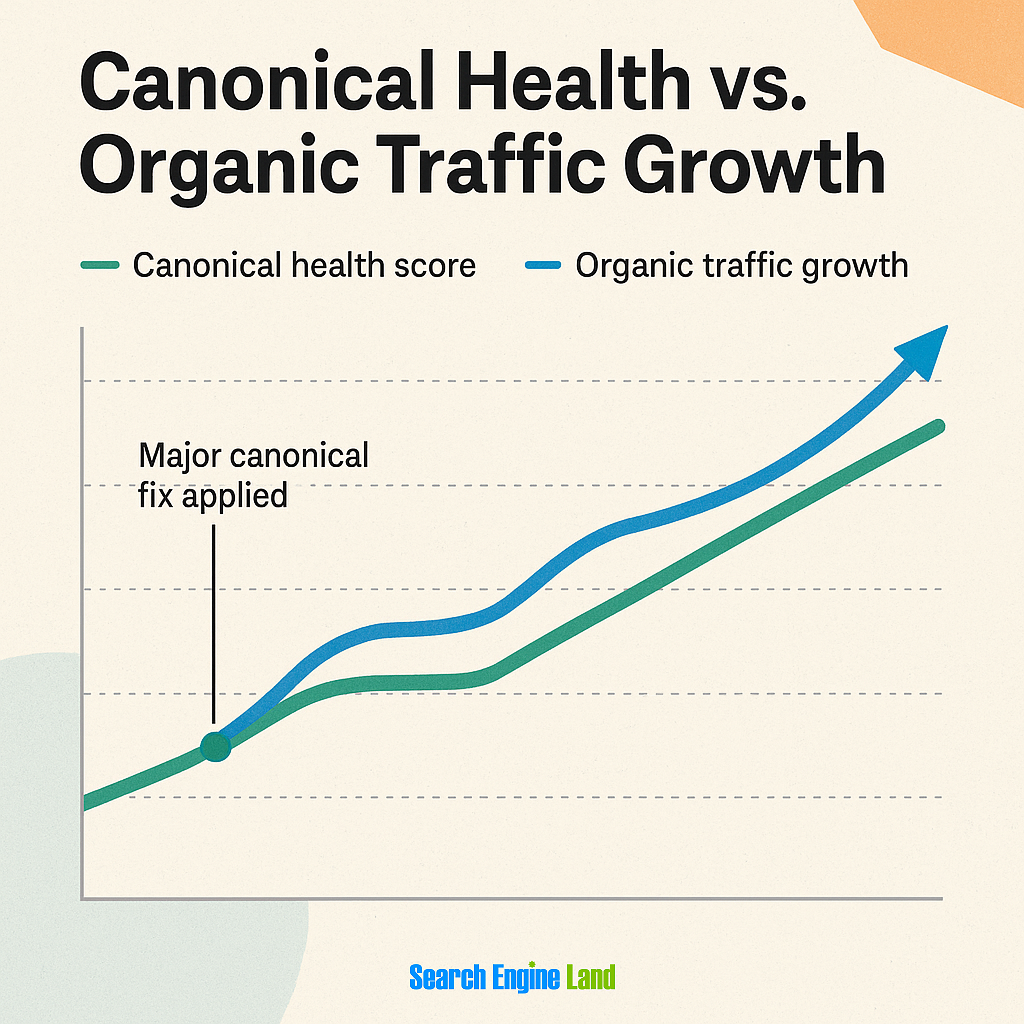
Plus, advanced teams often connect canonical performance to revenue metrics. By tracking conversions from organic traffic to pages with canonical issues versus those without, you can quantify the actual business impact of canonical optimization.
Tip: The key is building a measurement framework. Go beyond technical compliance to show how canonical strategy supports your broader enterprise SEO objectives.
Your roadmap from canonical confusion to strategic mastery
A smart canonical strategy isn’t just about fixing errors. It’s about leveraging canonical URLs as a competitive advantage. Which means using them to consolidate ranking signals, manage crawl budget efficiently, and maintain clean site architecture at scale.
Your next move? Get familiar with other technical SEO topics like duplicate content and redirects to continue improving your site’s search visibility.
Explore more on
Editorial disclosure
Search Engine Land is owned by Semrush. We remain committed to providing high-quality coverage of marketing topics. Unless otherwise noted, this page’s content was written by either an employee or a paid contractor of Semrush Inc.
About the author


