Schema markup: What it is, how to use it, & real-life examples


Schema markup is a structured language used by search engines. Learn to use it, and you can support Google in classifying and interpreting indexed pages more accurately and possibly improve your content’s visibility within the search results.
In short, schema markup provides crucial context for search engines, which in turn can enable rich snippets for your pages and help your website work smoothly with voice search, artificial intelligence (AI), and other search modes. Whether it also provides a significant increase in website traffic is still up for debate, but the fact remains: schema markup can play an essential role in attracting your target audience.
Schema can be an intimidating topic for many marketers, but it’s pretty straightforward once you wrap your brain around the basics. This guide provides an introduction to schema markup, explains which types are the most important, and teaches you how to use structured data without breaking your site.
What is schema markup?
Schema markup is a type of structured data that informs search engines about your webpages. It helps them “connect the dots” between content and context, kind of like an interpreter translating a foreign language. By implementing schema on your pages, you’re presenting your written and visual content in a structured way that search engine crawlers can understand.

Why is this necessary?
Because search engines aren’t humans. They can’t think, conceptualize, or connect ideas like people can. But they do understand structured data like schema markup.
You can create schema markup for virtually any entity (i.e., person, place, object, or idea) on your website. This includes everything from the web page as a whole to individual elements like customer ratings and product pricing. If it’s on your site, chances are there’s a schema you can use to describe it.
And you should use schema to describe it. When search engines can confidently interpret your content, they’re more likely to display your pages on relevant searches and include them alongside rich results.

Rich results, not to be confused with featured snippets, are visual enhancements within the search engine results pages (SERPs). These range from small “extras,” like star ratings next to your review pages, to large content modules that showcase information from various sites. (See “Which schema types matter most for SEO” for a more in-depth list.)

Organic results that include rich results can help build trust and improve search visibility — which attracts more relevant clicks. For competitive queries, schema may be the edge that gets your content noticed by the right searchers.
Beyond rich results, schema markup also makes it easier for Google to add information about your site, business, and related entities to its Knowledge Graph. This enormous database of facts and data is used as one of many sources to populate SERP features like AI Overviews, knowledge panels, local packs, and People Also Ask (PAA), among others.
Finally, schema can help you prepare for emerging technologies like generative AI results, voice search, and smart devices. By using standard schema markup to structure your data today, you’re making your content easier for these systems to interpret now and into the future.
If you’re worried about the extra effort required to implement schema markup — don’t be. It’s not as complicated as you may think.
Schema markup is a type of code, but it doesn’t require a computer science degree to read or write. On the contrary, it was created by Google, Bing, and Yahoo to be easy for website owners and content creators to understand, read, and implement.
One last note before diving into the nitty gritty: Schema.org is the internet’s central hub for details on schema markup. You’ll find references to that site throughout this guide.
With that in mind, it’s time to dig into the details.
The SEO toolkit you know, plus the AI visibility data you need.

Schema markup vs. structured data vs. JSON-LD
The terms schema markup, structured data, and JSON-LD are often used interchangeably in the SEO world. In most cases, the difference is not critical — but since these are all technically different things, it’s important to understand exactly how they differ.
| Term | Description |
| Schema markup | This is a general term for using a specific syntax and format (i.e., “markup”) to implement the Schema.org taxonomy in an organized way. There are multiple ways to format schema markup, including JSON-LD, Microdata, and RDFa. |
| Structured data | Structured data refers to any set of information provided in a machine-readable format. In SEO, it’s used to describe entities, their attributes, and semantic relationships in a way search engines can read and understand. Structured data can describe single entities (like a product, event, or organization) as well as semantic relationships between entities. |
| JSON-LD | JSON-LD, or JavaScript Object Notation for Linked Data, is an open web standard for encoding paired data (a type of structured data). In addition to being used as a way to mark up schema on websites, it’s used in a wide variety of other applications, such as web-based APIs and storing software configuration settings. |
Schema markup and AI search
According to our limited, preliminary testing, high-quality schema markup appeared to perform better than basic or no structured data for helping a website appear in Google AI Overviews. These results are not definitive, and larger-scale testing is needed to confirm any effect but they suggest potential benefits.
This isn’t terribly surprising, considering that AI search builds on Google’s work to expand its Knowledge Graph and create highly targeted SERP features — both of which rely on structured data from crawled websites (along with other sources). Heck, Google even recommends using structured data in an AI search world.
Because schema markup is machine-readable by design, LLMs like ChatGPT and Claude are certainly more than capable of reading it. In fact, most AI-enabled platforms can easily parse, analyze, and generate structured data, as well as derive insights from it. They can also read unstructured data and convert it into structured data in a variety of formats.
That said, LLMs aren’t actively crawling websites the same way that Google is. Over decades, Google has developed an ongoing process of crawling websites, reading content, and updating its index and Knowledge Graph. LLMs, on the other hand, rely on curating their training data and releasing periodic updates over longer periods.
ChatGPT even says so when asked:
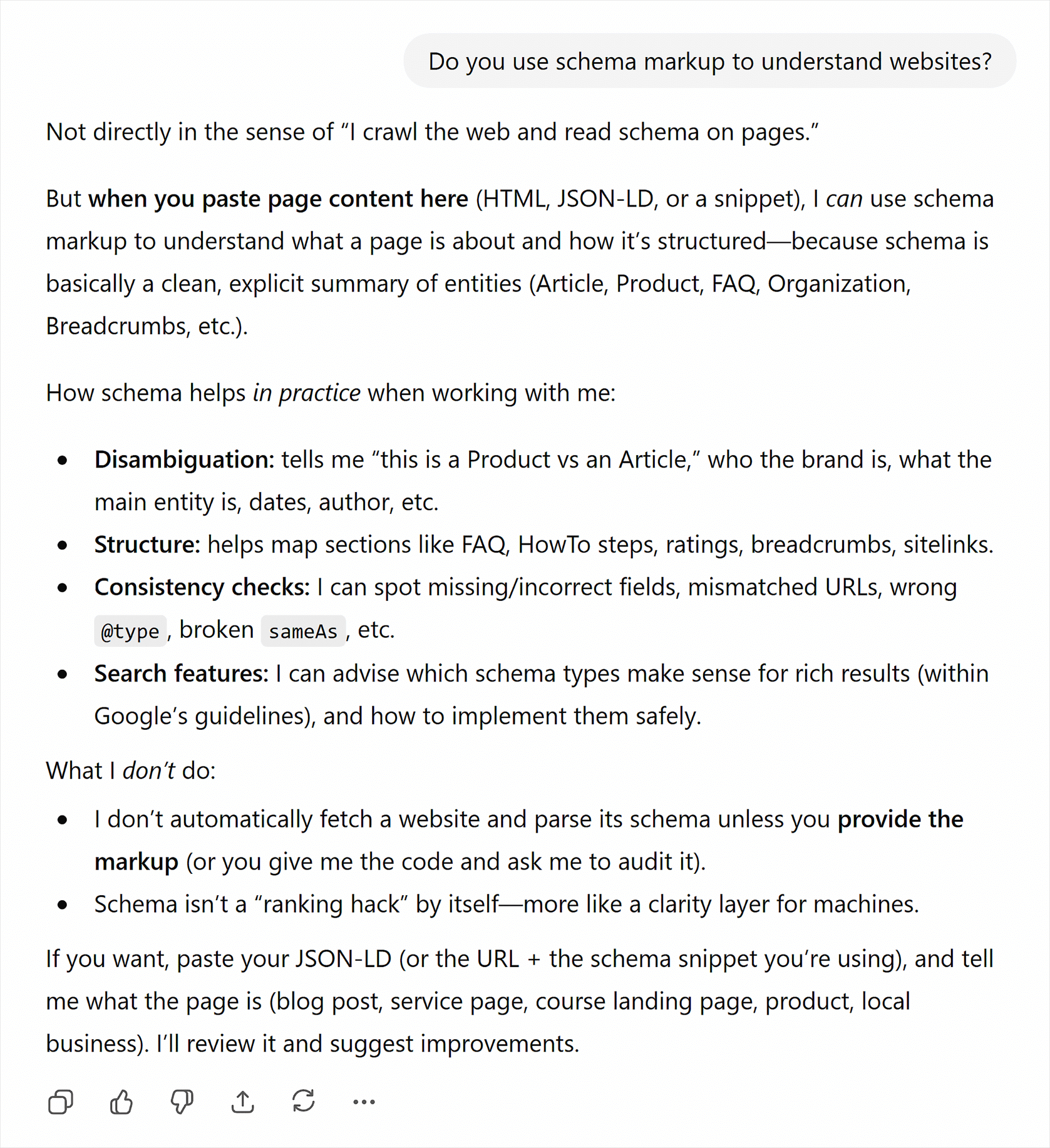
It’s worth remembering that ChatGPT (and other LLMs) can make mistakes. And over time, things can change — after all, ChatGPT is getting smarter all the time.
At the end of the day, the practical approach with regard to generative engine optimization (GEO) is the one that follows best practices:
- Google may use use structured data in AI-enabled SERP features, and it’s still the biggest player in search discovery by far.
- ChatGPT and other AI platforms can understand structured data, and even if they don’t use it right now, they may do so in the not-so-distant future.
- Therefore, it’s best to implement well-considered, complete, and correct schema markup to ensure maximum visibility on AI platforms.
And of course, keep your eyes on SEO news to make sure you don’t miss any guidance or discoveries as they arise.
How does schema markup work?
Schema markup is a way of representing Schema.org taxonomy (i.e., the vocabulary used to describe entities) in your website code. It can be added as a snippet of JavaScript (JSON-LD) or as an extension to standard HTML elements (Microdata or RDFa).
In particular, there are three ways to implement schema markup:
- JSON-LD: An easy-to-read format for defining paired relationships using JavaScript
- Microdata: An HTML extension that allows the addition of machine-readable data using item-value pairs
- RDFa: A structured-data extension for markup languages, including HTML, SVG, and XML
Each of these are independent structured data formats that can be used for things other than schema markup. For this guide, however, references to JSON-LD, Microdata, or RDFa assume a schema application.
RDFa and Microdata are older standards, created around 2004 and 2009 respectively. Using either one requires editing individual elements within your HTML, as in the following Microdata example.

This approach can be complicated to read. It’s also difficult to implement and time-consuming to maintain. It often requires hand-editing of HTML templates or elements, which can introduce display errors or rendering issues, and many marketers are uncomfortable with that level of direct editing.
Furthermore, modern content management systems (CMSs) like WordPress don’t natively support this approach. Since WordPress powers more than 40% of all websites on the internet, that leaves many website owners needing plugins or custom themes to incorporate Microdata and RDFa.
In contrast, JSON-LD is the format recommended by Google (with some exceptions, noted below), largely because it’s the easiest to implement and read. JSON-LD can be slotted neatly into the head or body of your website using <script>…</script> tags. This bypasses any need to edit individual elements while also making your markup easier to locate and change.
Because Google recommends JSON-LD, examples and instructions in this guide will use JSON-LD.
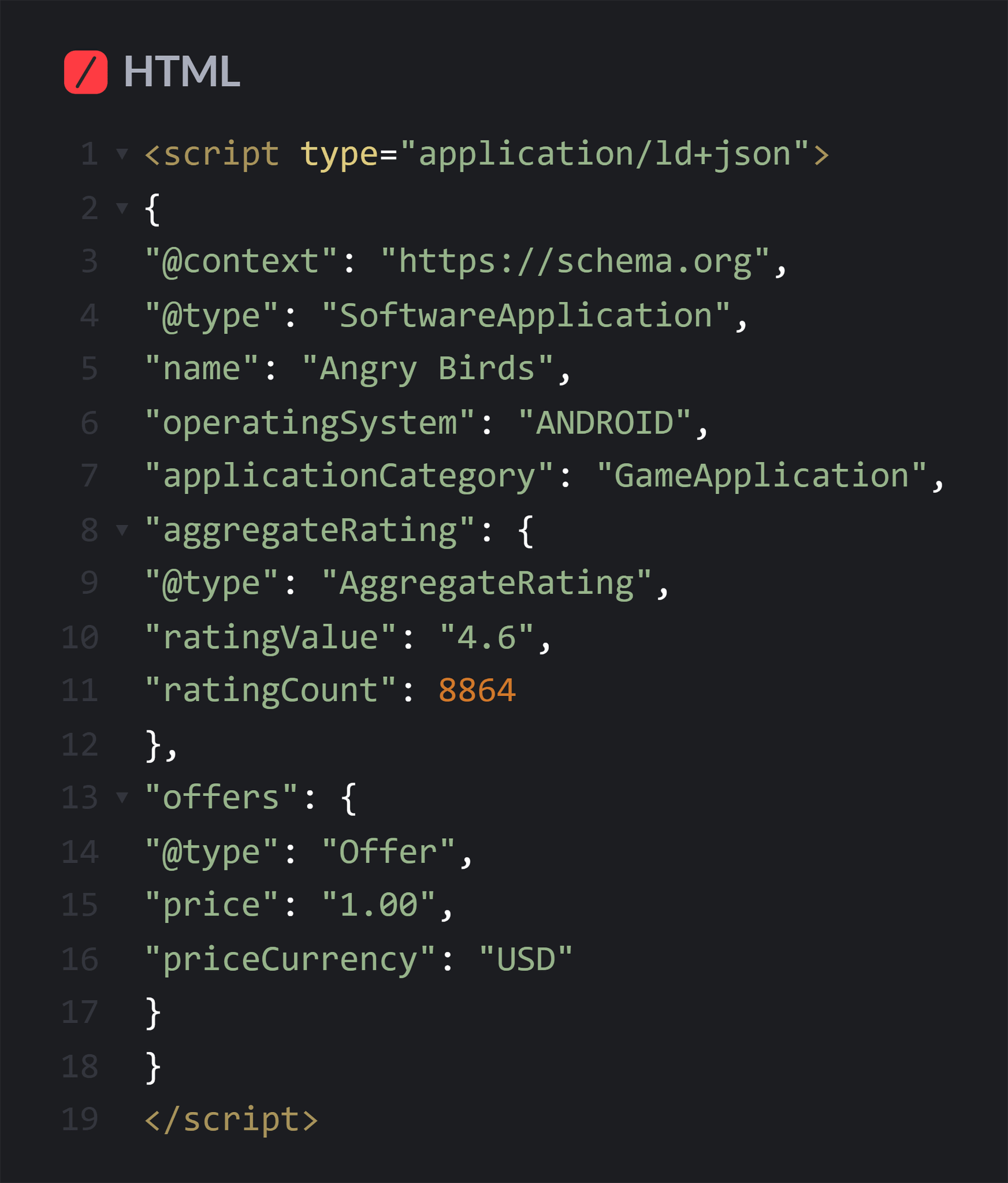
WordPress and other CMSs have plugins that allow users to more easily insert JSON-LD schema like the following:
The schema hierarchy

Schema follows a hierarchical format with “Thing” at the root. From this root, many primary schema types emerge:
| Schema type | What it describes |
| Action | An activity performed by a person or organization |
| BioChemEntity | A biological or chemical thing |
| CreativeWork | Creative content like books, movies, articles |
| Event | A scheduled occurrence at a specific time and place |
| Intangible | Non-physical things |
| MedicalEntity | Something related to health and the practice of medicine |
| Organization | A group with a specific purpose |
| Person | An individual that’s alive, dead, or fictional |
| Place | A physical location or geographic area |
| Product | A physical or digital item offered for sale |
| Taxon | A classification unit in biology |
These primary schema types branch into hundreds of specific subtypes. Currently, there are over 800 distinct schema types to identify specific entities on your website.
Note: You can use schema markup to describe visible content on your page, such as images and videos. You can also use it to describe abstract entities associated with your website, such as a location, organization, industry, or area of expertise.
To use schema effectively, you must first identify the schema type that best matches the entity or “thing” you wish to describe.
For example, if you’re publishing a page with details about an upcoming show you’re hosting — e.g., a standup comedy show — you might consider adding a “ComedyEvent” schema to this page to help search engines recognize it as a listing for this type of event. Then, if a searcher types a relevant query into Google, it may display corresponding rich results in the SERPs, such as time, date, place, and ticket prices.
As another example, say you recently launched a new website for your side hustle. You could add organization schema to the homepage. This schema identifies your business as an organization and creates a clear connection between your brand and its web presence.
Here’s what the markup for organization schema looks like before adding any details:

Once you’ve selected a schema type, you can add details in the form of properties — specific attributes that describe your schema and give it meaning. Schema.org offers over 1,500 properties to help you define your data.
Here’s completed schema for your new organization, outlining its type and the relevant properties you wish to highlight for search engines:
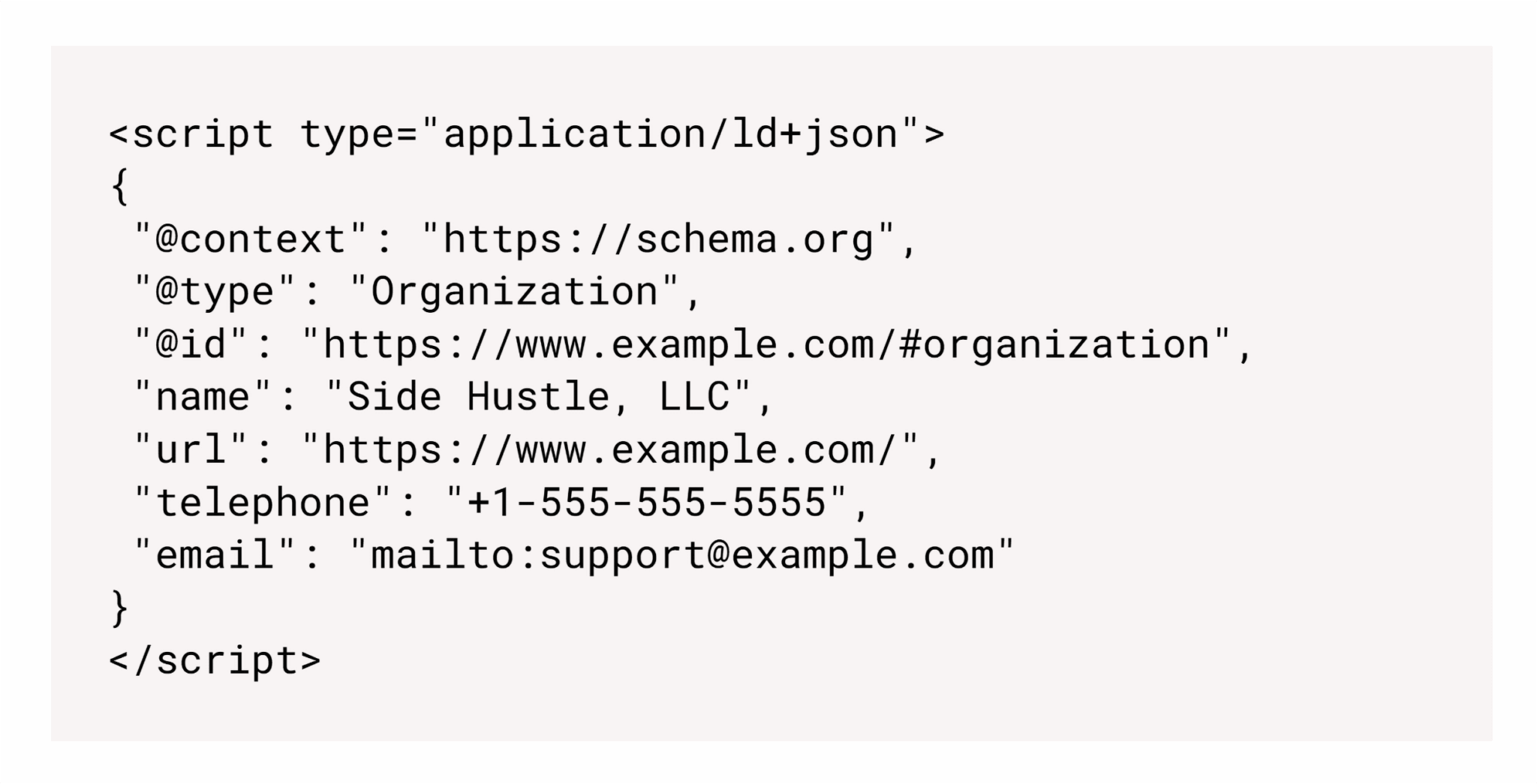
Why is this helpful? Because according to Google, “Adding organization structured data to your home page can help Google better understand your organization’s administrative details and disambiguate your organization in search results.”
For example, adding a sameAs property under your Organization schema can help Google verify your official social media profiles, websites, and other references on the web, which can influence what appears in your knowledge panel (including local knowledge panels).
And using the logo property with Organization schema can make your logo eligible to appear in your knowledge panel.
With these basics down, it’s time to take a closer look at what specific schema types are most impactful for SEO purposes.
Which schema types matter most for SEO?
The most beneficial schema types for SEO are those that Google supports. This includes visible features in search listings, such as rich results, as well as features that might only appear in special contexts.
This table provides a list of the most useful schema types that are commonly used by SEO professionals. Details about each type are provided in the sections below.
| Schema type(s) | Notes |
|---|---|
| Article | Indicates that the content is an informational article — “NewsArticle” and “BlogPosting” can be used instead as more specific types |
| BreadcrumbList | Defines the breadcrumbs for a page, which can appear in a search listing |
| DiscussionForumPosting, SocialMediaPosting | Supplies threaded posts and comments for a forum or social media setting site (not intended for blog or article comments) |
| Event | Details event specifics, including location, date, time, performer(s), organizer(s), pricing, and status (e.g., if the event is canceled) |
| ImageObject | Includes additional information about images on the page, such as copyright, licensing, and attribution |
| JobPosting | Conveys the details of a job listing |
| Movie | Provides information about movie-related pages |
| Organization, LocalBusiness | Recommended for use on an organization’s homepage, usually with a more specific subtype (Store, Restaurant, MedicalBusiness, etc.) |
| Product, ProductGroup | Designates in-depth data about products, including descriptions, variants, pricing, special offers, shipping and return policies, and more |
| ProfilePage | Used on a page with information about an individual person |
| Recipe | Indicates that there will be instructions on how to make a dish |
| Review, AggregateRating | Provides a way to share reviews of other schema types, such as a Movie, Event, Organization, or Recipe |
| SoftwareApplication | Describes software for desktop, mobile, or web-based platforms |
| VideoObject, Clip, BroadcastEvent | Used to highlight videos, clips, and live broadcasts in video-based SERP features |
You’re not limited to one schema type per page. You can mix and match schema to reflect everything within your content, creating interwoven relationships between elements across your page and across your website.
Here’s an example of what a combined schema might look like for a news article (NewsArticle) about a local science fair that includes an image (ImageObject) and a video (VideoObject). It also includes a list of breadcrumbs (BreadcrumbList).

Note: Google maintains a complete list of structured data features that it supports at Search Central. Google may add, limit, or discontinue support for features over time.
More information about these SEO-focused schema types is provided in each of the sections below. For code examples, see “Examples of schema markup.”
Article schema
Article schema is used to define a page whose main purpose is informational. The more specific schema subtypes NewsArticle and BlogPosting can be used to describe specific types of articles, as well. All three types inherit properties from the generic CreativeWork type.
Properties to include:
- author: This should be an Organization or Person with name and URL properties.
- datePublished: The date the article was originally posted
- dateModified: The last date that substantive changes were made (i.e., not just template updates or minor edits to fix spelling or grammar)
- headline: The title of the article — generally the same as the title tag
- image: The URLs to any images included in the content of the article
- Any additional relevant properties from Article, NewsArticle, or BlogPosting
Additional notes:
- Multiple authors should be defined as individual entities (Person or Organization types).
- Subscription-based content should use special schema for paywalled content.
SERP example:
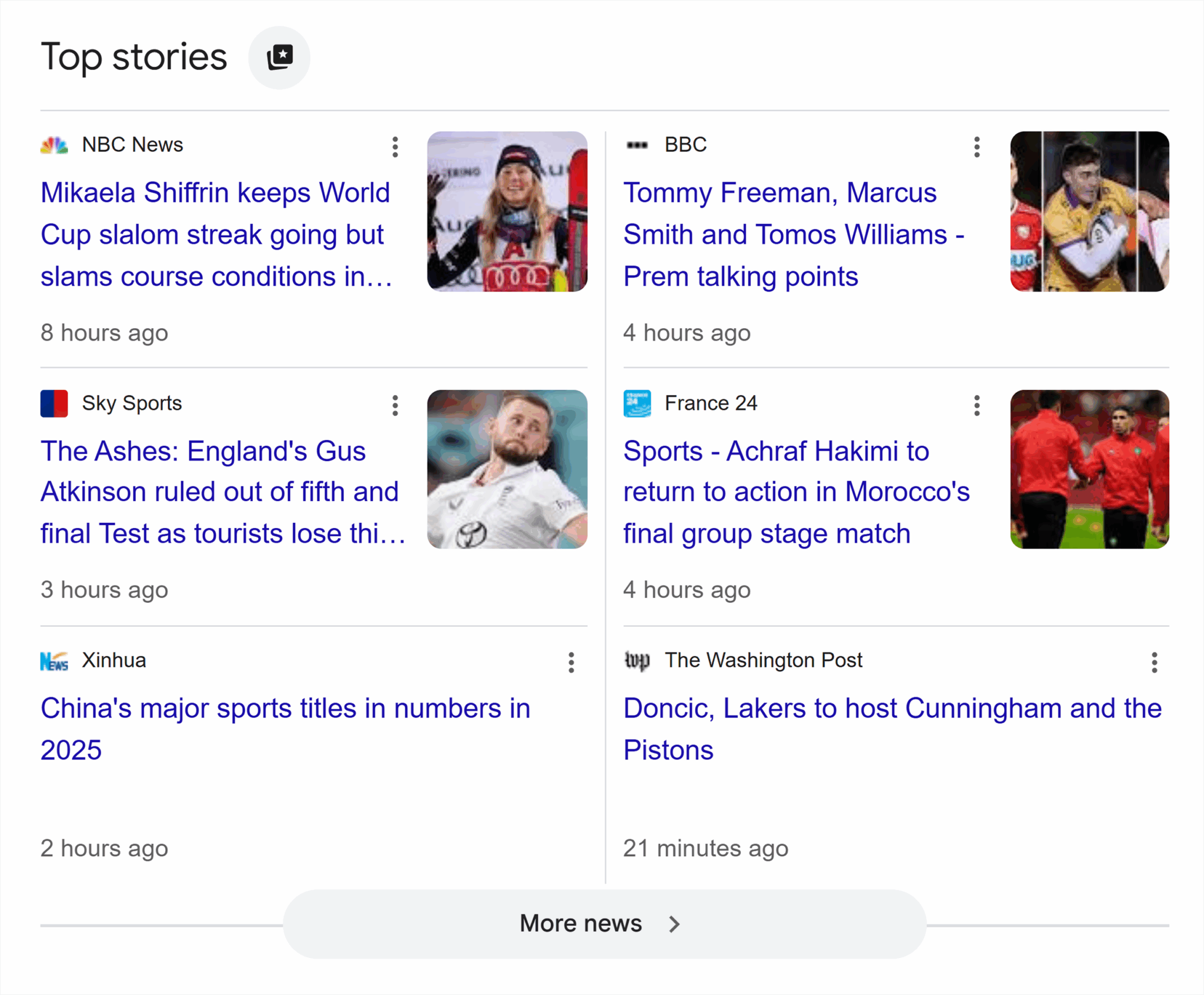
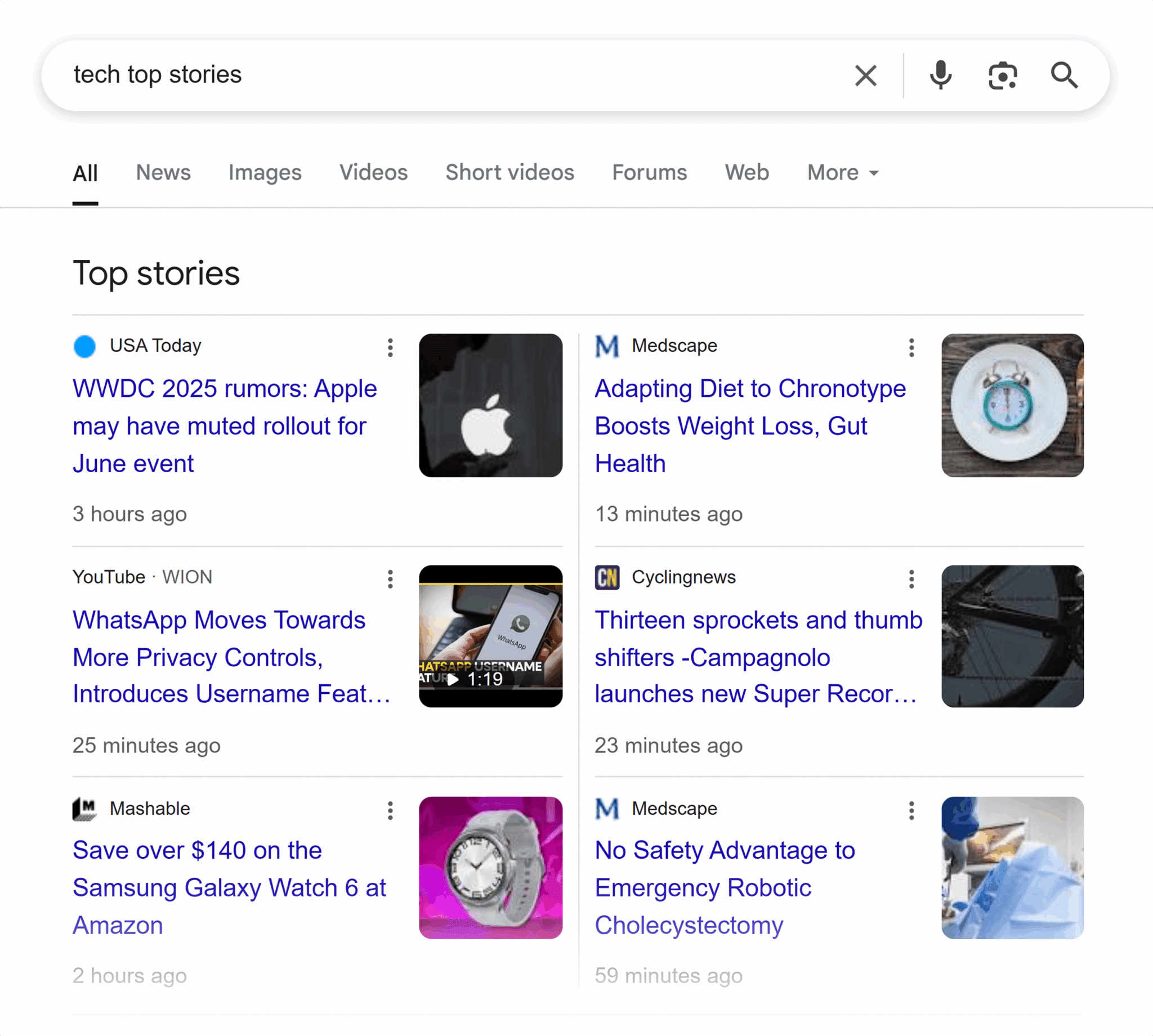
Articles that appear in “Top stories” and similar features can use Article, NewsArticle, and BlogPosting schema. Take, for example, the results when we Google “sports news”:
BreadcrumbList schema
BreadcrumbList is a type of schema that defines the breadcrumb trail for the current page it’s implemented on. A breadcrumb indicates a logical navigation path to get to the current page, and BreadcrumbList is a way for Google and other search engines to see the hierarchy of that path.
The BreadcrumbList schema supports multiple breadcrumb paths for sites with complex information hierarchy or navigation paths. For example, if you’re selling cunning hats from the sci-fi show Firefly on a fandom apparel site, your merchandise could be reached through multiple navigation paths according to the type of clothing it is and the fandom it supports:
- Accessories > Hats > Crochet
- Science Fiction > Television > Firefly
Google could then display the path that’s most appropriate based on the search query.
Properties to include:
- itemListElement: This property allows multiple ListItem entities to be added with their own properties, each representing a link in the breadcrumb path
- item: The URL for the breadcrumb link (all but the last item)
- name: The title of the breadcrumb, often appearing as anchor text if the breadcrumb is linked in the HTML
- position: Where the current breadcrumb item falls within the path
Additional notes:
- It’s more important for breadcrumbs to represent the most natural way(s) a user would navigate to the page rather than mirroring the URL structure of the website.
SERP example:
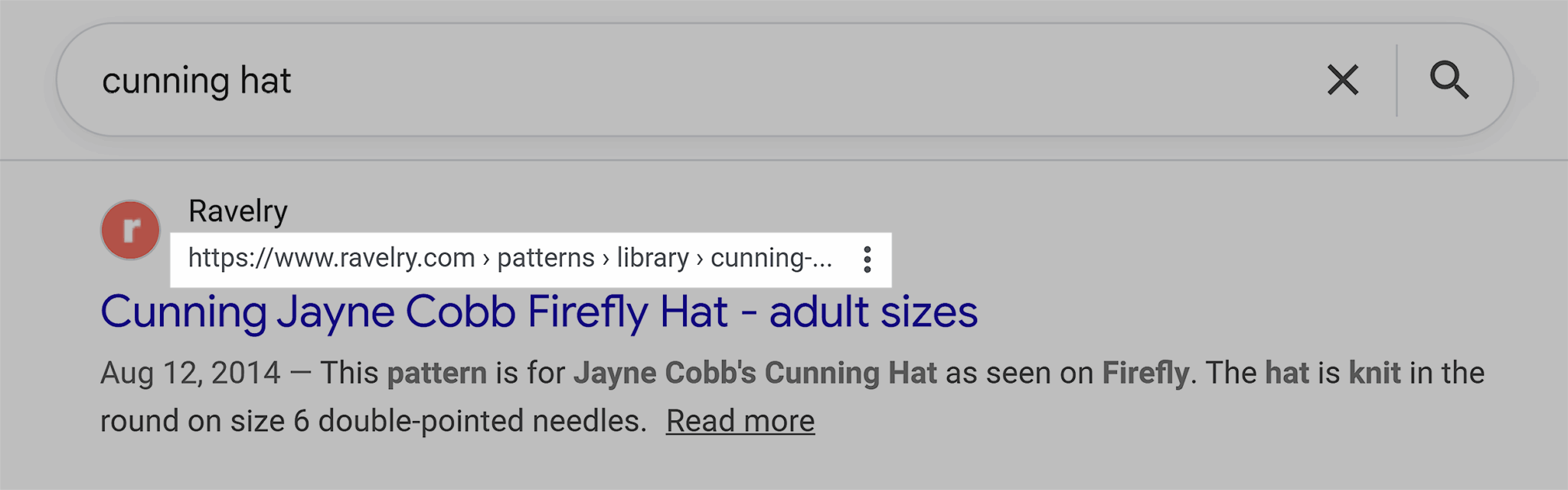
Here’s how breadcrumbs show up in the search results for a “cunning” Jayne Cobb hat design from Firefly on the knitting and crocheting site Ravelry.
DiscussionForumPosting and SocialMediaPosting schema
User-generated content (UGC) from social media posts, forums like Reddit, or other user discussion groups should use DiscussionForumPosting or SocialMediaPosting schema. (As defined by Schema.org, a DiscussionForumPosting is actually a type of SocialMediaPosting.)
Pro tip: Google recommends: “Unlike our general structured data preference, we recommend providing the DiscussionForumPosting markup in Microdata (or RDFa) if possible. This prevents you from needing to duplicate large text blocks inside markup. However, this is just a recommendation, and JSON-LD is still fully supported.”
Properties to include:
- url: The URL of the post
- headline: Post title
- text: The text of the
- author: Person or Organization who made the post
- datePublished: Date the original post was made
- image or video: Use as appropriate when media is included in the post
- interactionStatistic: Includes counters for likes, dislikes, views, comments, replies, and shares (as applicable)
- comment: A nested set of Comment entities that include text (or image or video), author, and datePublished, plus any other applicable properties (e.g., interactionStatistic)
Additional notes:
- These schema types are intended for pages where the entire page consists of a single forum discussion, or a page from such a discussion. They are not intended for user comments where the main content is created by the website owner, such as an article, blog post, or product page.
- Forums that use a question and answer format should use the QAPage schema (see below).
SERP example:
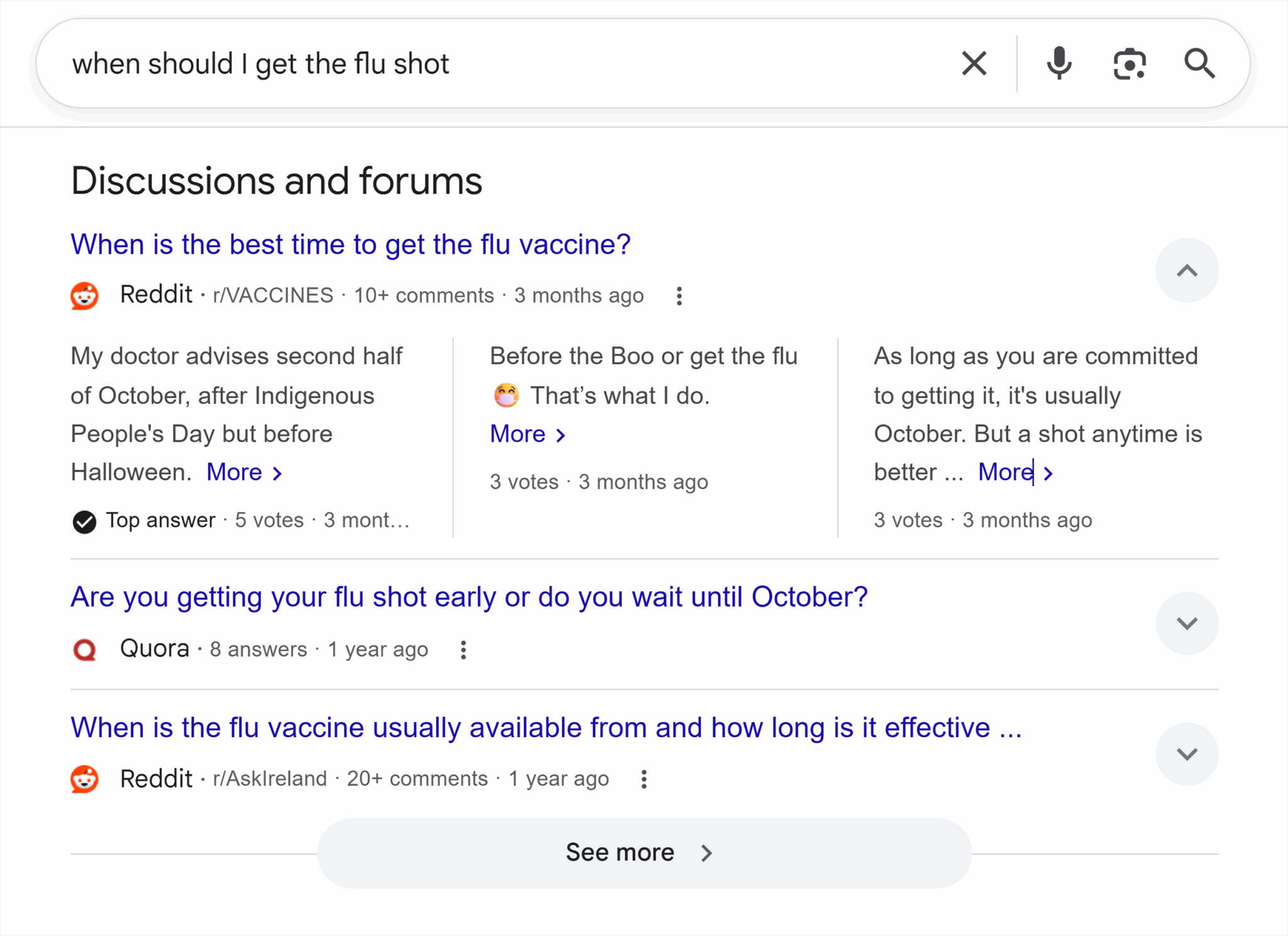
Using DiscussionForumPosting or SocialMediaPosting schema can help get conversations into the “Discussion and forums” or “What people are saying” SERP features, like these discussions about the question “when should I get the flu shot.”
Event schema
Individual events can be marked up with the Event schema. This includes multiday events, though each event should have a distinct start and end date if occurring across multiple days.
Note: Unlike some of the other schema types listed throughout this guide, Google supports alternative ways to populate event-based SERP features. Those alternative methods include using Google’s data highlighting tool (although at this point it’s a legacy tool) on your existing web pages or listing events on third-party event management sites Eventbrite or TicketMaster.
Properties to include:
- location: The venue where the event will occur (using Place schema)
- name: The name of the event — not the venue
- startDate: The day (and, optionally, time) that the event takes place using
- endDate: Required for multiday events, and recommended for all events
- eventStatus: Used to indicate whether an event is scheduled, rescheduled, postponed (new date unknown), or canceled
- Any other relevant properties from the Event type or one of its more specific subtypes (e.g., MusicEvent, SportsEvent, etc.)
Additional notes:
- Only selected regions and languages are supported.
- When postponing or canceling an event, keep the original start date unchanged and use the appropriate eventStatus (i.e., EventPostponed or EventCancelled). If a new date is set, set the EventRescheduled status, update the startDate property, and add a previousStartDate property to indicate the original start date. This will help Google link the rescheduled event to the original event.
SERP example:
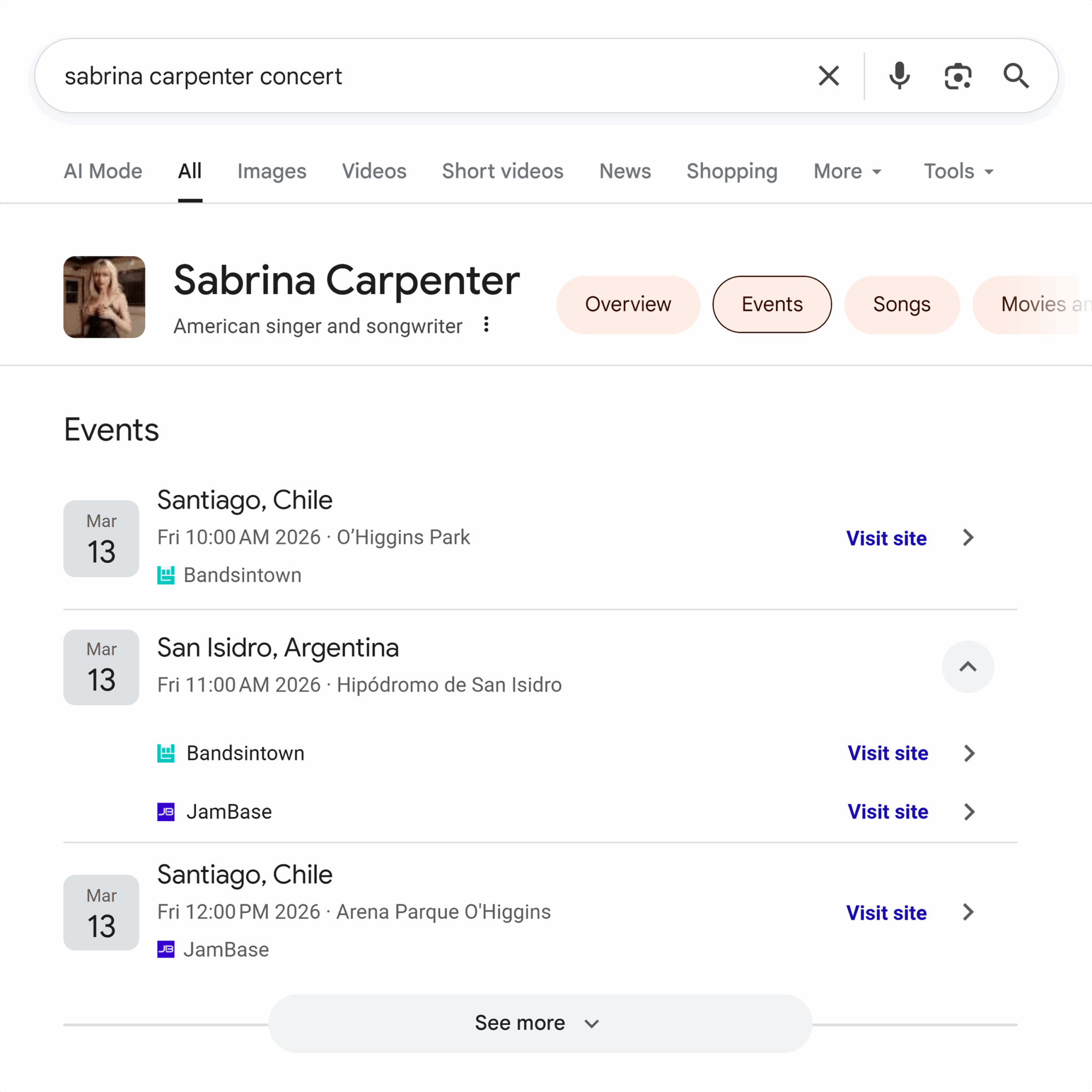
Here’s how upcoming Sabrina Carpenter concerts might appear in the SERPs, some of which may be included due to Event schema.
ImageObject schema
The ImageObject schema allows website owners to highlight metadata about an image beyond just alt text. That information is particularly useful in Google Image Search, which allows filtering by things like usage rights.
Properties to include:
- contentUrl: URL pointing to the image
- creator: The Person or Organization who produced the image
- license: URL to details about the usage license
- acquireLicensePage: Where to contact the owner for permission to use the image
- copyrightNotice: A text notice of the image copyright
- Any other applicable ImageObject properties
Additional notes:
- Google can also read International Press Telecommunications Council (IPTC) metadata and Coalition for Content Provenance and Authenticity (C2PA) metadata embedded in images themselves.
- Only images that actually appear in the main content of the page should be included in schema markup.
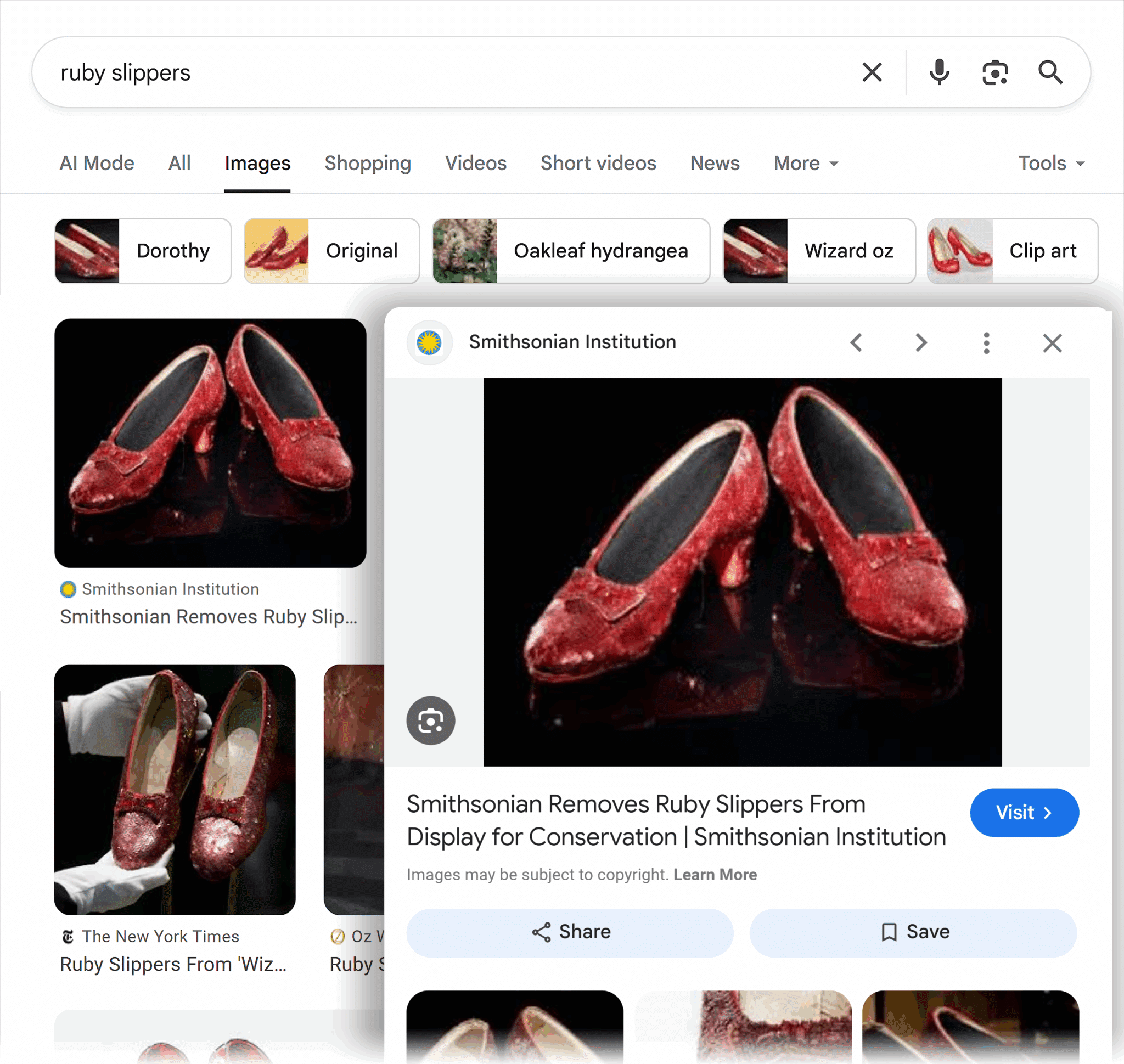
SERP example:
ImageObject schema can be seen in Google Image search preview by indication of the “Creator” and “Copyright” statements, both of which are properties of the schema. Here’s an example showing a Smithsonian Institute picture of Dorothy’s ruby slippers from the classic film The Wizard of Oz (1939).
JobPosting schema
Marking up individual job listings with JobPosting schema can improve how those jobs appear in career-related searches. Generally, only the page with the most detailed information about the role should be used.
Properties to include:
- title: The job title for the listing (not the page title)
- datePosted: The date the job posting went live
- description: A complete text description of the job (some HTML allowed, including
<p>,<br>,<ul>, and<li>) - hiringOrganization: An Organization entity indicating who is offering the position
- jobLocation: For in-office roles, the physical location(s) where the role will be performed (using a Place entity)
- jobLocationType: For remote roles, use “TELECOMMUTE” or “HYBRID” as the property value
- applicantLocationRequirements: The area where the applicant must live using the AdministrativeArea schema type or a subtype such as Country, State, or City
- baseSalary: Wage, salary, or other compensation details
- employmentType: Full-time, part-time, temporary, seasonal, etc.
- validThrough: The date and time the job listing expires
- Any other properties applicable to the JobPosting type that are relevant to the role
Additional notes:
- Job postings have the same quality requirements as other content. Spammy, incomplete, or offensive job postings could result in a manual action against a page, site, or section of a site.
- Only add JobPosting schema to pages that list individual jobs, not pages with multiple jobs on the same page.
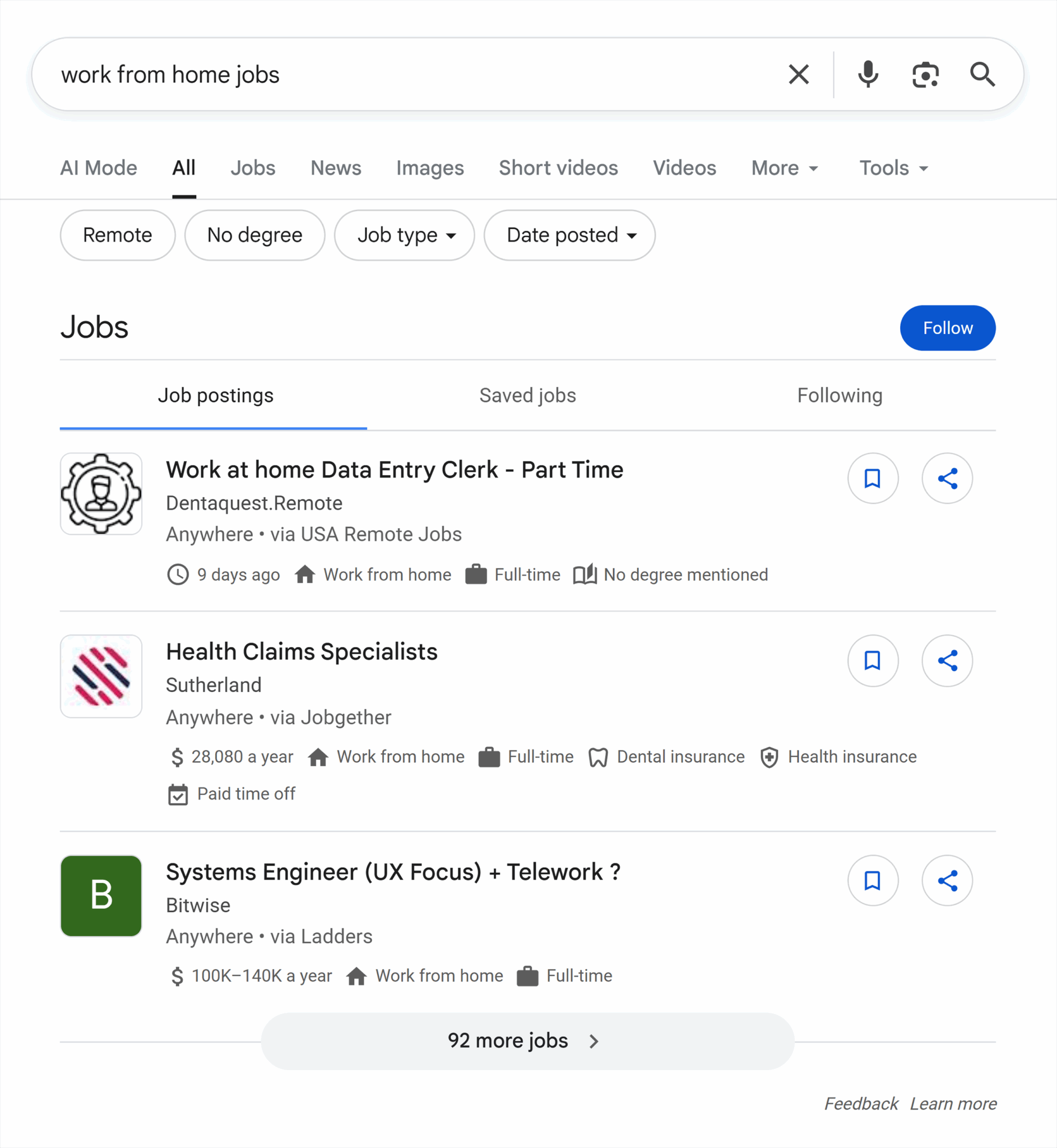
SERP example:
Here’s how job postings can show up in the SERPs for searches like “work from home jobs.”
Movie schema
Movie schema is primarily useful for pages and lists that provide information about a movie. For schema related to streaming videos, clips, and live broadcasts, see VideoObject, Clip, and BroadcastEvent below.
Properties to include:
- name: The title of the movie (not the page title)
- image: A URL or ImageObject representing the movie, such as an official poster
- dateCreated: The movie release date
- director: The movie’s director (using Person schema)
- review: A review of the film (see Review schema below)
- Any other applicable Movie or CreativeWork properties
Additional notes:
- Pages that list multiple movies can use itemListElement with individual ListItem schema to point to individual movie pages.
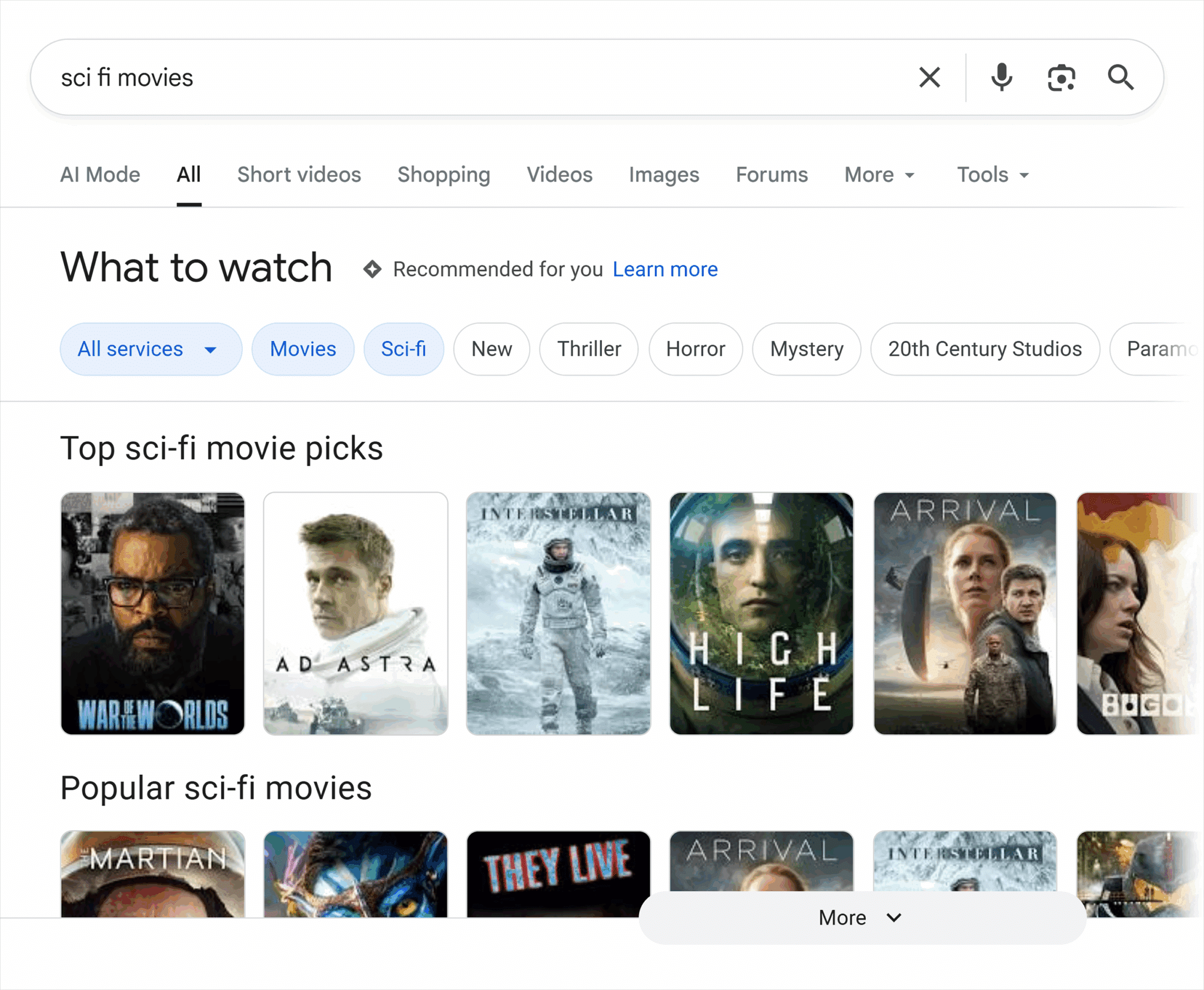
SERP example:
Here’s an example of a movie carousel for sci-fi films, which may be populated from the Movie schema.
Organization and LocalBusiness schema
Organization and LocalBusiness schema are often used with a website homepage to indicate the primary entity behind the website, or on a page that describes your business, such as an About or Contact page. Google says you don’t need to use it on every page of your site.
As a best practice, you should use the most relevant subtype of Organization for your company. Some of the most common subtypes include:
- Cooperative
- Corporation
- EducationalOrganization
- GovernmentOrganization
- MedicalOrganization
- OnlineBusiness
- ResearchOrganization
- SportsOrganization
- LocalBusiness
For a complete list, see the Organization schema page.
Properties to include:
- name: The name of your company
- legalName: The registered legal name of your company (if different than “name”)
- url: The URL of your primary website
- logo: An URL or ImageObject representing your company logo
- address: The postal address for your company (using the PostalAddress schema)
- contactPoint: Telephone number and/or email address
- description: A detailed description of your business
- sameAs: A URL pointing to another website with information about your company, such as a social media or review site
- Any other applicable properties from Organization or the subtype you chose
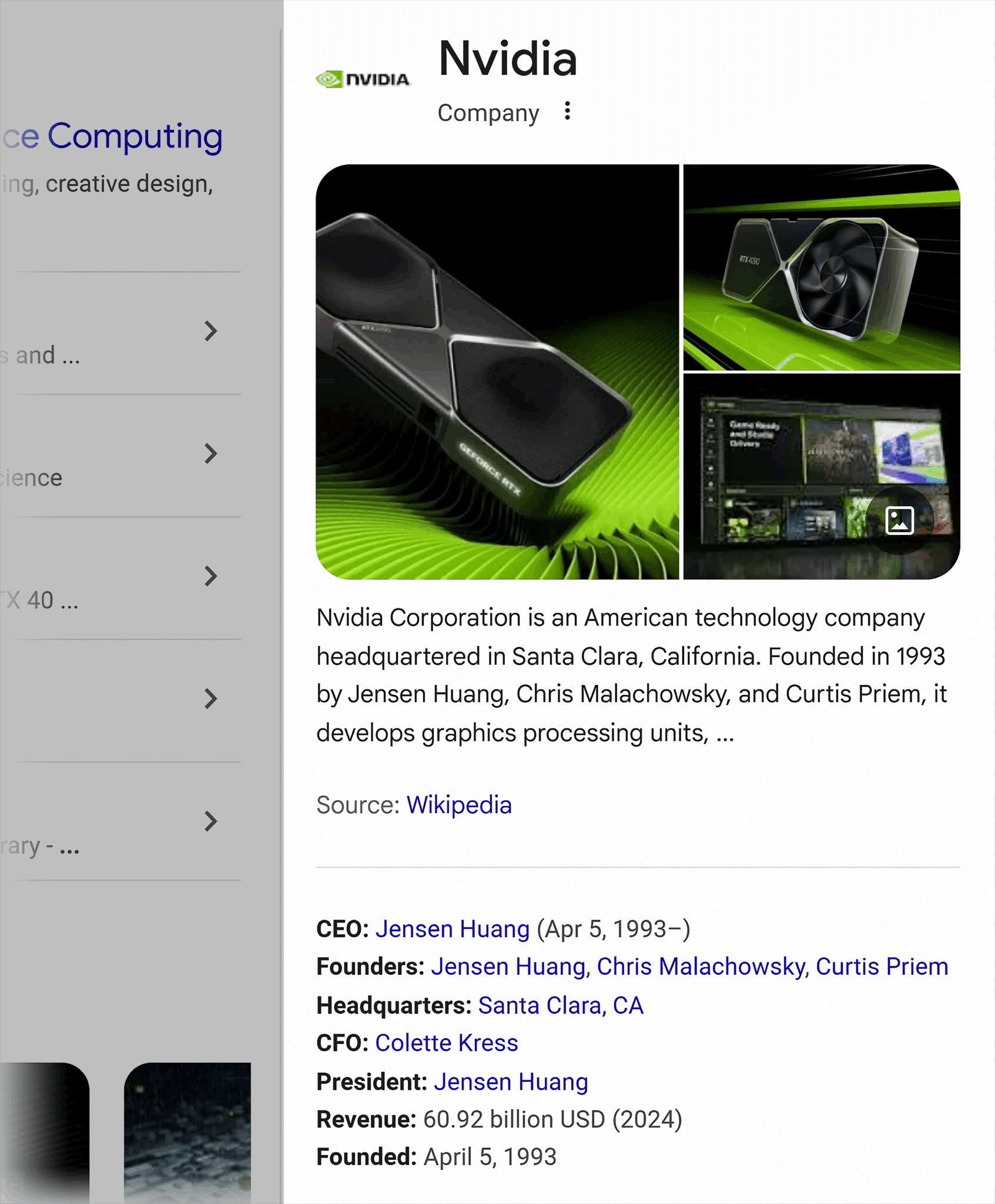
SERP example:
The following example shows organization-related data from Nvidia. This type of data can be taken from Organization schema on pages like a homepage or about page, as well as from public data sources.
Product and ProductGroup schema
Product and ProductGroup schema can enable multiple types of rich results, including both product and merchant listings. As a best practice, try to include as much valid product information as possible so the right information will appear in each place.
Properties to include:
- name: The full product name (not the page title)
- review: A review of the product using the Review type
- aggregateRating: A combined rating
- offer or aggregateOffer: One or more offers to sell the product with a price and currency type (e.g., USD or EUR)
- Any other applicable Product, Offer, or Review properties
Additional notes:
- For multiple product variants, you can use the ProductGroup schema, which requires a few properties about the group followed by a list of Product schemas for each variant.
- Information about return policies, shipping policies, and member or loyalty programs should accompany the Organization schema.
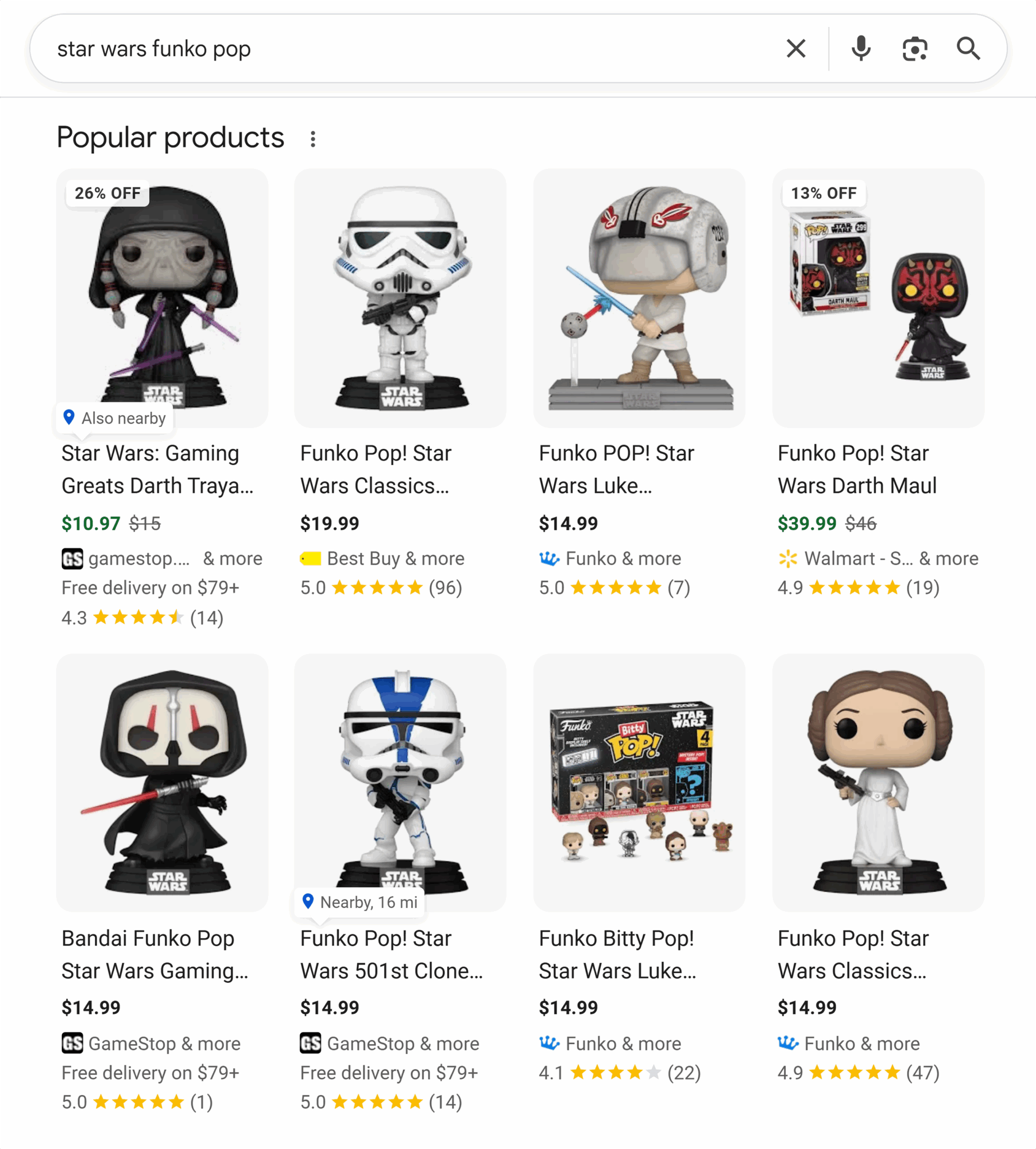
SERP example:
Here’s how products can appear in the SERPs showing specific offers for Star Wars Funko Pop figures from various merchants, including some with discounted prices.
ProfilePage schema
For pages with biographical or other information about persons or organizations, use the ProfilePage schema. Examples of individuals who might have a profile include company leaders, board members, event speakers or special guests, or website contributors like authors and editors.
Properties to include:
- mainEntity: The Person or Organization that the profile page represents
- dateCreated: The date the profile was first published
- dateModified: When the profile page received its last significant update
Additional notes:
- Profile pages are intended primarily for websites that the subject is associated with (and presumably has some control over).
- Examples include an employee page on a company website, a forum user profile, a social media profile, or a contributor page on a blog or news site.
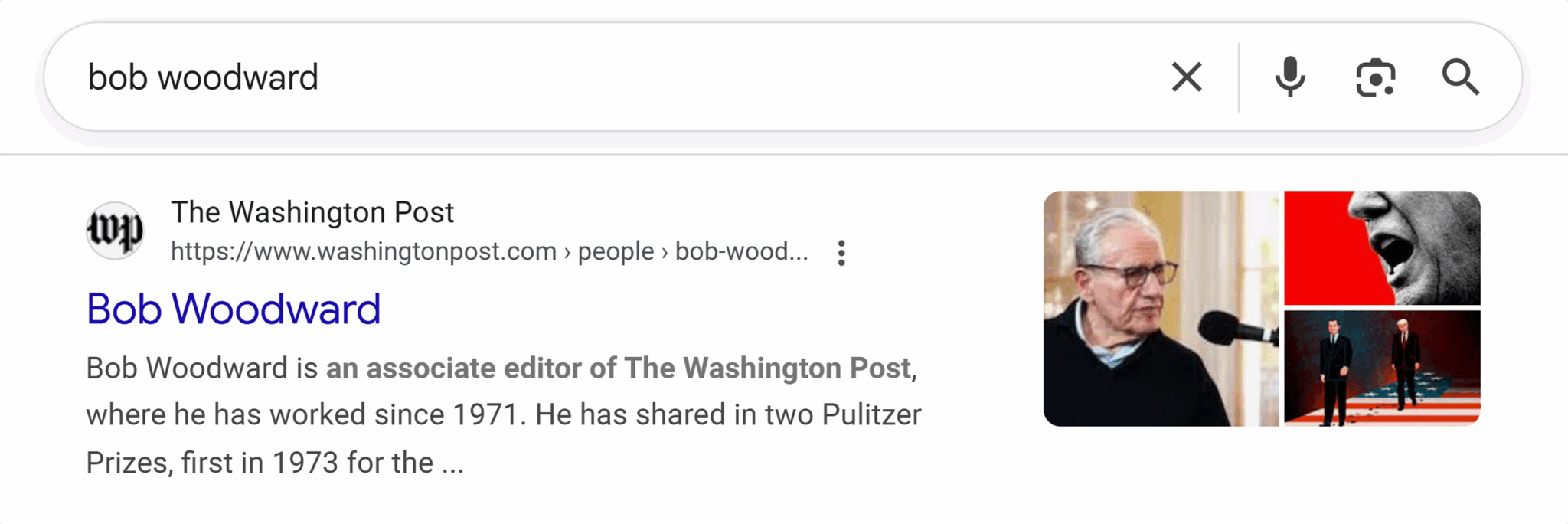
SERP example:
Journalist Bob Woodward’s profile at The Washington Post provides a good example of how ProfilePage schema can appear in the SERPs.
Recipe
Recipe schema includes some general information about the recipe, followed by a set of HowToStep schemas that explain each step of the process.
Properties to include:
- name: The recipe name (not the page title)
- image: One or more URLs or ImageObject schemas representing images of the recipe (individual steps can also have their own associated images)
- datePublished: The date the recipe was first posted
- dateModified: The date the recipe was most recently updated
- author: The Person or Organization that created the recipe
- prepTime: How long it takes to prepare the ingredients
- cookTime: How long it takes to heat the dish (if applicable)
- recipeYield: The quantity produced by the recipe as a text description (e.g., “4 servings” or “8 slices”)
- recipeInstructions: The list of HowToStep schemas providing step-by-step directions on how to make the dish. Each step must include a name property (e.g., “Add onions”) and text (e.g., “Stir in the onions, mixing well”) property, as well as an optional url (link to that specific step) and image (specific to that step) property.
- HowToSection: If there are multiple parts to the recipe, such as the main dish and a topping, the HowToSection schema provides a way to group instructions by part
- Any other applicable properties for the Recipe, HowToStep, or HowToSection schemas
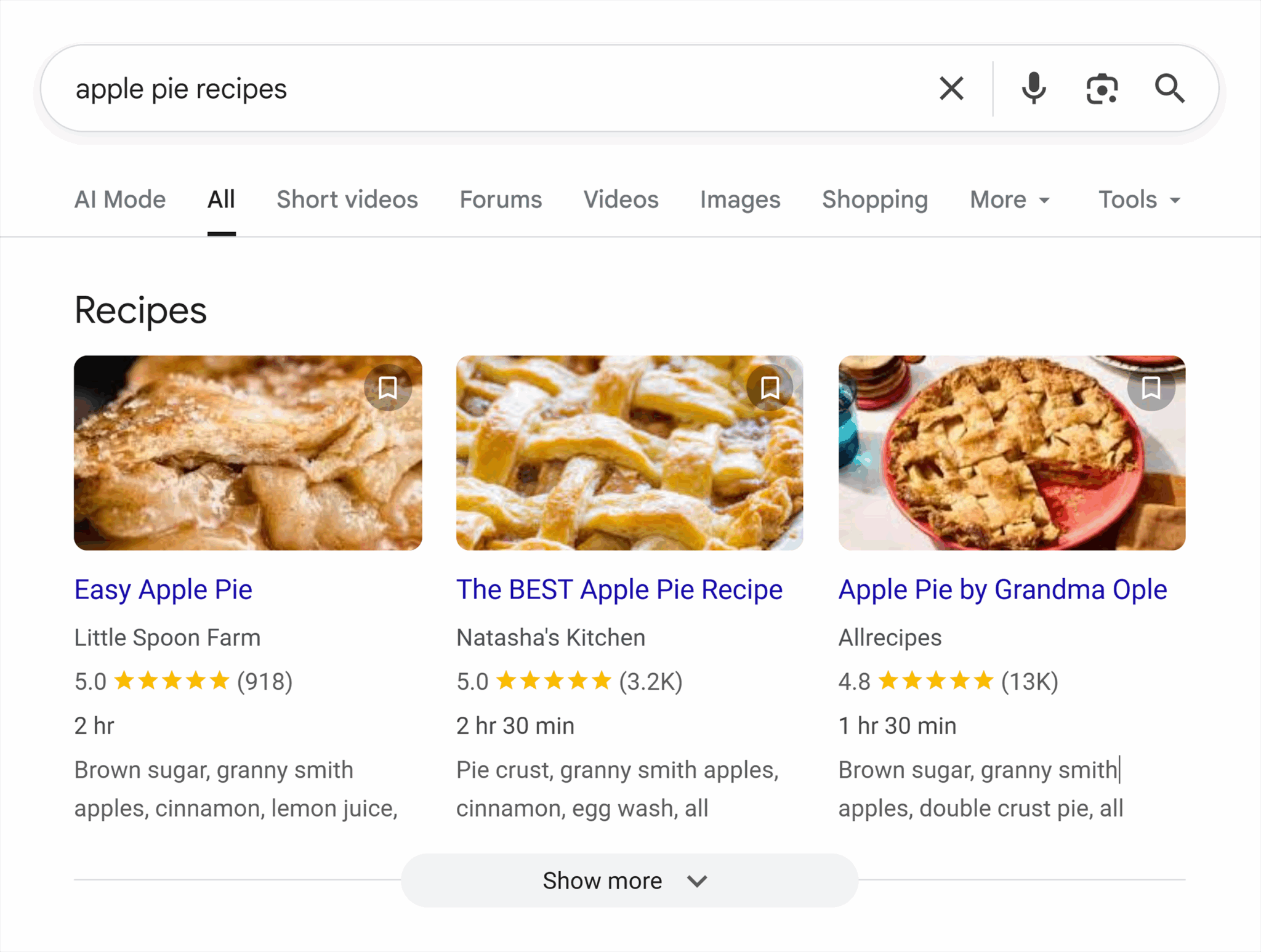
SERP example:
Here’s an example of a “Recipes” carousel based on pages that use Recipe schema with instructions on how to make an apple pie.
Review and AggregateRating schema
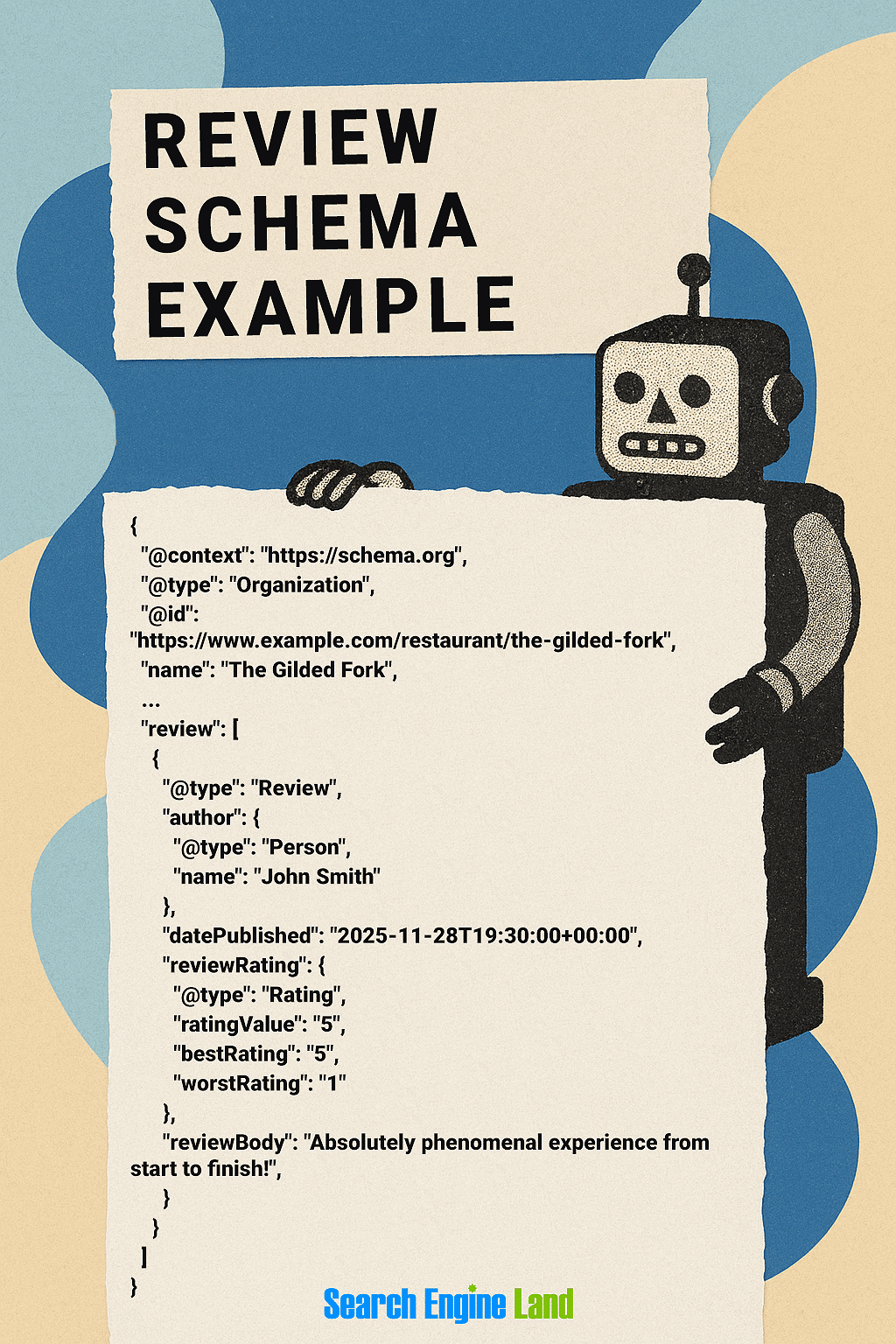
Review schema is most often nested within other schemas, such as Organization, CreativeWork, Event, and their various subtypes. For example, if you have a page that provides information and reviews about a local restaurant, you can include Review schema as a component within the Organization schema for that restaurant.
Here’s an example of how you might nest Review schema within Organization schema:
Review schema can also be used as standalone, in which case the “itemReviewed” property must be used to identify the entity (Organization, CreativeWork, etc.) being reviewed.
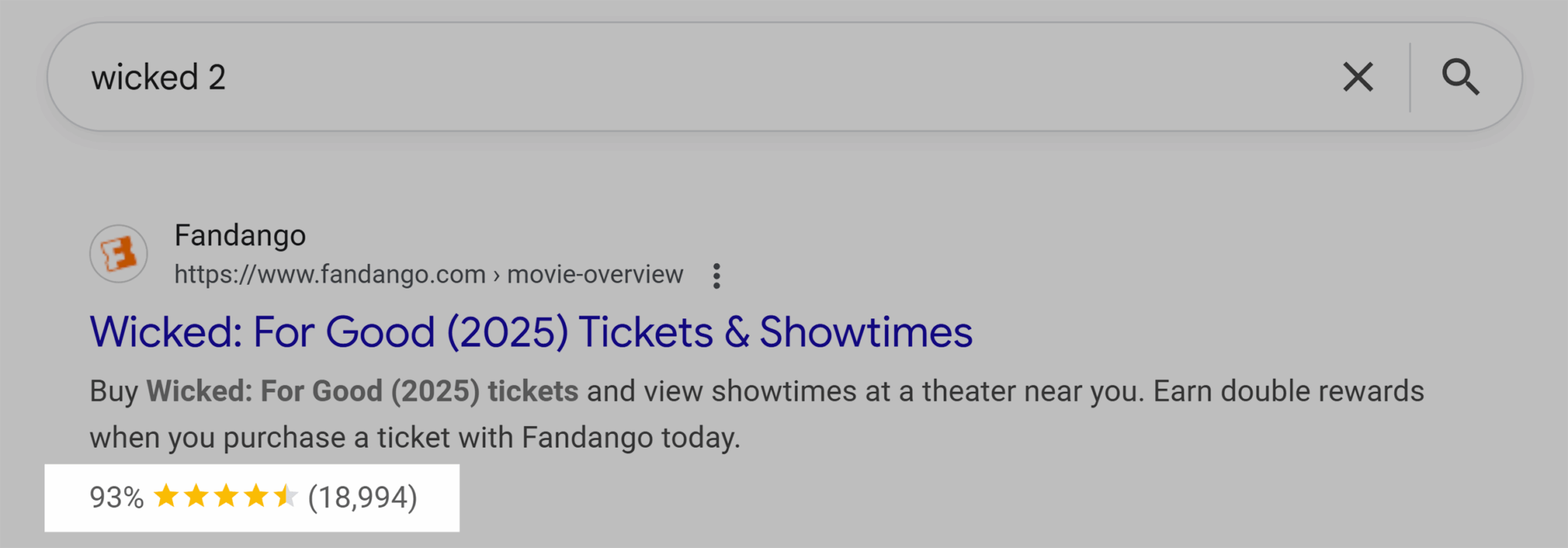
If multiple reviews include a rating feature, you can be combined using the AggregateRating schema. This allows Google to show a single aggregate rating in the SERPs based on the total number of reviews on the page (see the SERP example below).
Properties to include:
- author: The person writing the review
- itemReviewed: For use in standalone (i.e., not nested) reviews to indicate the type of entity being reviewed (e.g., Book, Course, Movie, LocalBusiness, etc.)
- reviewRating: The rating for an individual review
- ratingCount: For use with AggregateRating, the total number of ratings included in the aggregate count
- reviewCount: For use with AggregateRating, includes total number of reviews (including reviews with no rating)
- ratingValue: The average rating value of the aggregated rating
- bestRating and worstRating: The highest and lowest ratings in the AggregateRating set
- Any other applicable properties from the Review or AggregateRating schemas
Additional notes:
- Google recommends (but does not require) only accepting ratings from people who write reviews and provide a name.
- Reviews and ratings are intended only for individual items, not for categories or groups of similar things.
- Only reviews and ratings from your own website should be aggregated. Don’t aggregate reviews or ratings from other websites.
- According to Google: “If the entity that’s being reviewed controls the reviews about itself, their pages that use LocalBusiness or any other type of Organization structured data are ineligible for star review feature.”
SERP example:
This example shows how AggregateRating schema shows up in the Fandango listing for the movie Wicked: For Good (2025).
SoftwareApplication schema
The SoftwareApplication schema provides information about software programs for desktop, mobile, and online platforms, including SaaS and Web3 applications. More specific types can also be used, such as MobileApplication or WebApplication.
Properties to include:
- name: The app name, including version number (if applicable)
- offers: The price(s) at which the app or software is available
- applicationCategory: What type of app it is — see Google Software app documentation for supported types
- operatingSystem: The system required to install the app (e.g., iOS 26 or Windows 11)
- Review or AggregateRating: Review and rating information
SERP example:
When searching for types of games, apps, or other software, SoftwareApplication schema can be used to include details about the specific application, such as these listings for mobile games.

VideoObject, Clip, and BroadcastEvent schema
Google supports a variety of video features in the SERPs. The VideoObject, Clip, and BroadcastEvent offer ways of presenting different types of video content:
- VideoObject is the general video schema required for any of these types. Alone, it indicates a recorded video available for viewing (i.e., not currently livestreaming).
- BroadcastEvent is a more specific subtype of Event that can be used alongside VideoObject to provide details about a streaming video event.
- Clip can be used with VideoObject to provide short highlights from a recorded video.
Google has additional policies and technical guidelines for live videos and clipped content.
Properties to include:
- name: The video title (must be unique for each video on a website)
- thumbnailUrl: The URL to a unique thumbnail image for the video
- uploadDate: The initial date the video was published
- description: A longer, text-only description of the video
- duration: Video length
- contentUrl: A URL to the actual media file (e.g., MP4 file)
- embedUrl: The URL that can be used to embed the video on other websites
- hasPart: For use with Clip schema to indicate a clip segment
- publication: For use with BroadcastEvent schema to provide details about the broadcast
- Any other applicable VideoObject, Clip, or BroadcastEvent properties
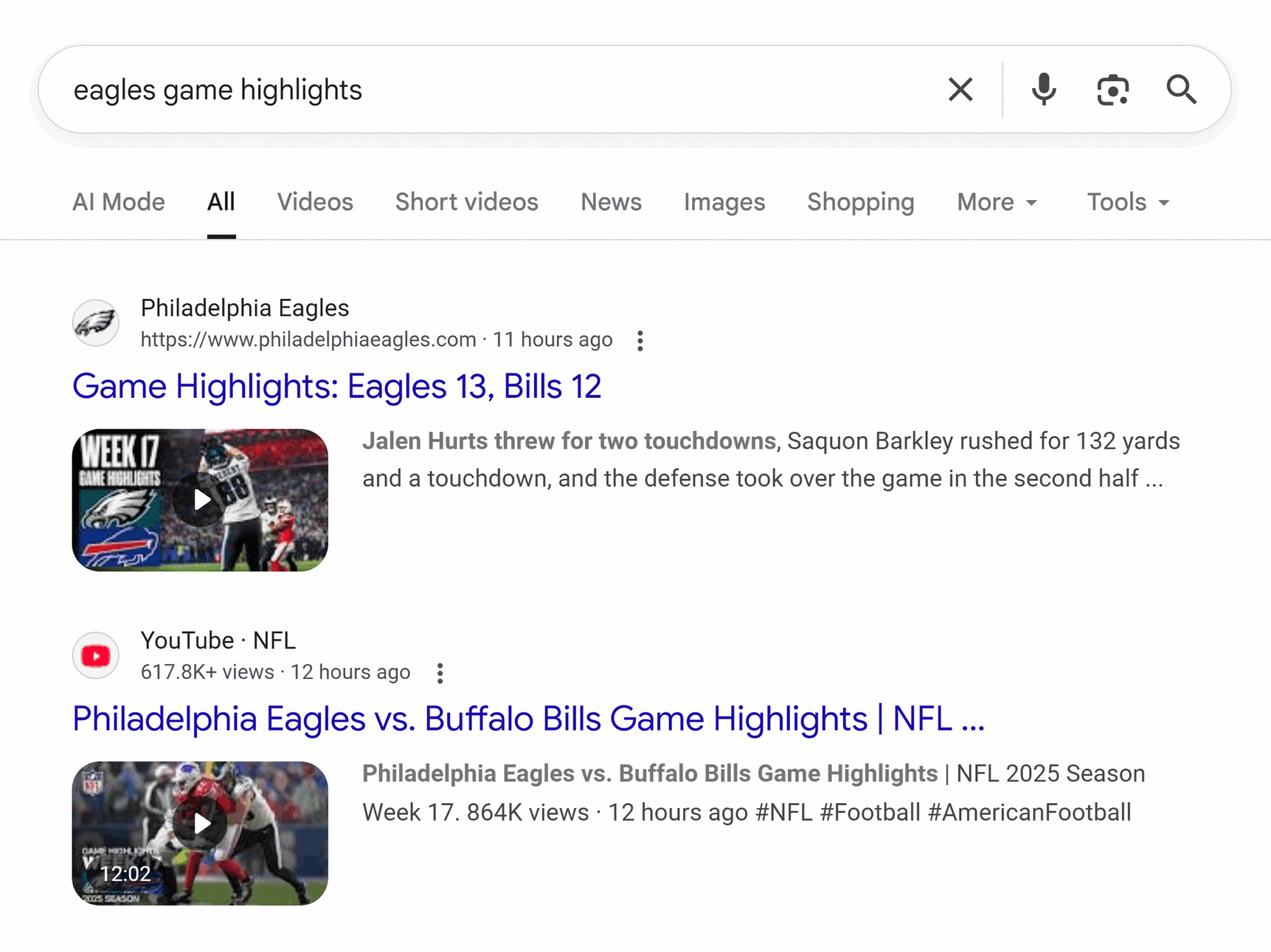
SERP example:
Video clips, full videos, and even live broadcasts can show up in the SERPs, such as these highlights from Philadelphia Eagles football games (Go Birds!).
Special-context schemas
Other types of supported schema can help information appear in specialized searches. These may appear in general search, or they may show up only in some of Google’s more narrowly focused search products.
| Schema type(s) | Search product |
| Book | Book schema is available only to organizations with a large number of books available (e.g., libraries, book stores, etc.) and requires registration before use. |
| FAQPage | This schema is only usable by eligible (well-known and authoritative) government and health websites. FAQPage can trigger rich results in search or actions on Google Assistant. |
| Quiz, Question, Answer | Educational quiz content can appear in Q&A carousels in Google Assistant, Google Lens, and even Google Search. |
| Dataset | Google’s Dataset Search uses Schema.org and other metadata to make open datasets more discoverable. |
| MathSolver | This schema provides step-by-step instructions for solving math problems. |
| ClaimReview | This is used to verify claims for Google’s Fact Checker Tool. |
| QAPage | Designed for pages with multiple user-generated answers to a single question. In practice, few sites use QAPage, opting instead for DiscussionForumPosting, which is more versatile |
| VacationRental | This schema is available only to vacation rental providers who are part of the Google Hotel Center platform. |
Examples of schema markup
This section reviews three different, common schema types: article schema, job posting schema, and event schema. Each of these examples include all of the properties recommended or required by Google to gain eligibility for rich results in the SERPs.
Article schema example
Article schema helps search engines recognize that content is a news article, blog post, or similar written work. When implemented correctly, it adds valuable context for search engines and can enhance how the content appears in search results — including a chance to get featured in the top stories.
When implementing article schema, Google recommends including the following properties:
- Headline
- Image
- Date published
- Date modified
- Author
- Author name
- Author URL
Using the properties listed on Schema.org as our guide, here’s what completed markup might look like for a web article:

Job posting schema example
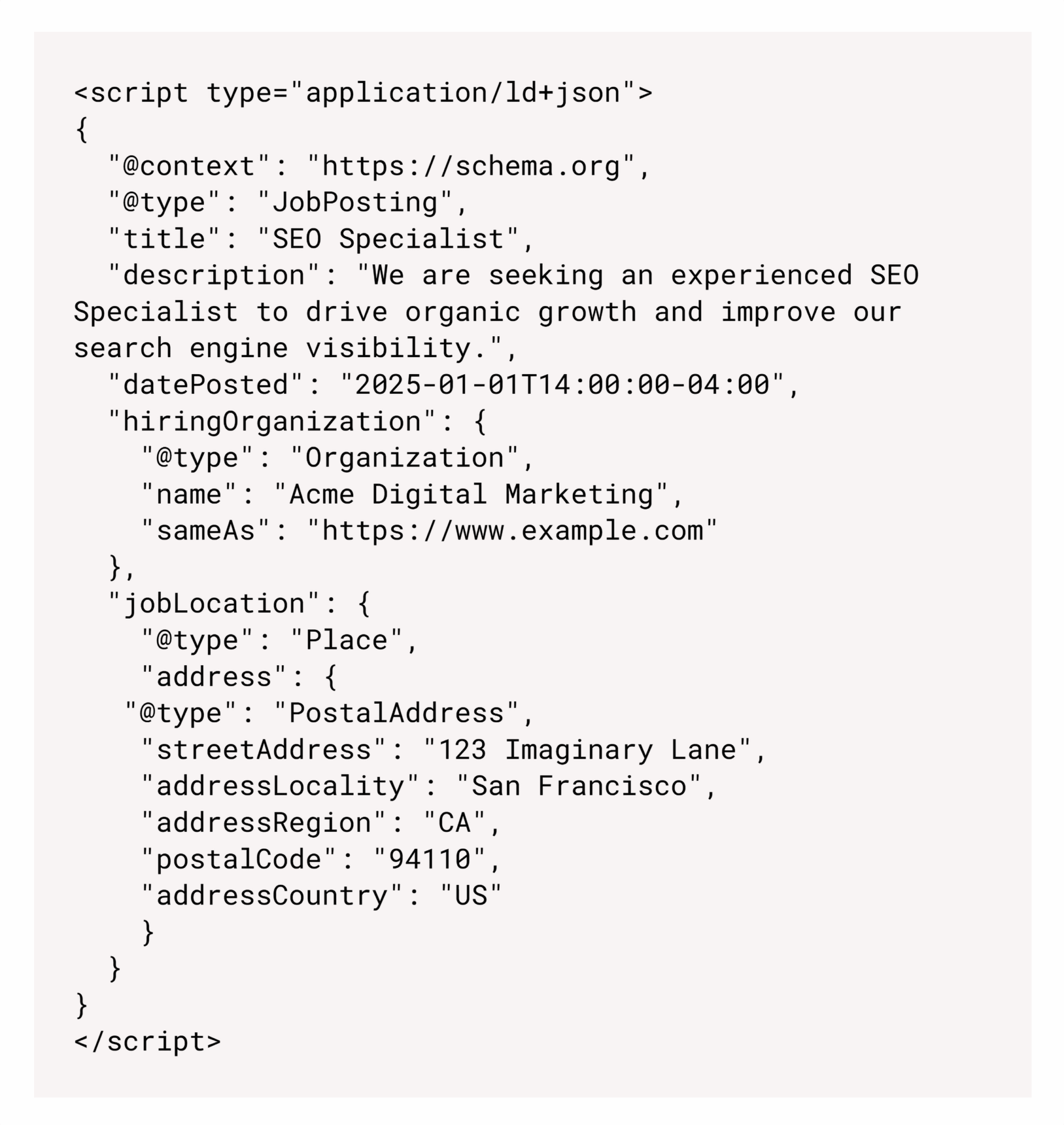
How about schema markup for a job posting? Job posting schema helps search engines understand the details of a job post and present it within the rich results content module at the top of the search results.
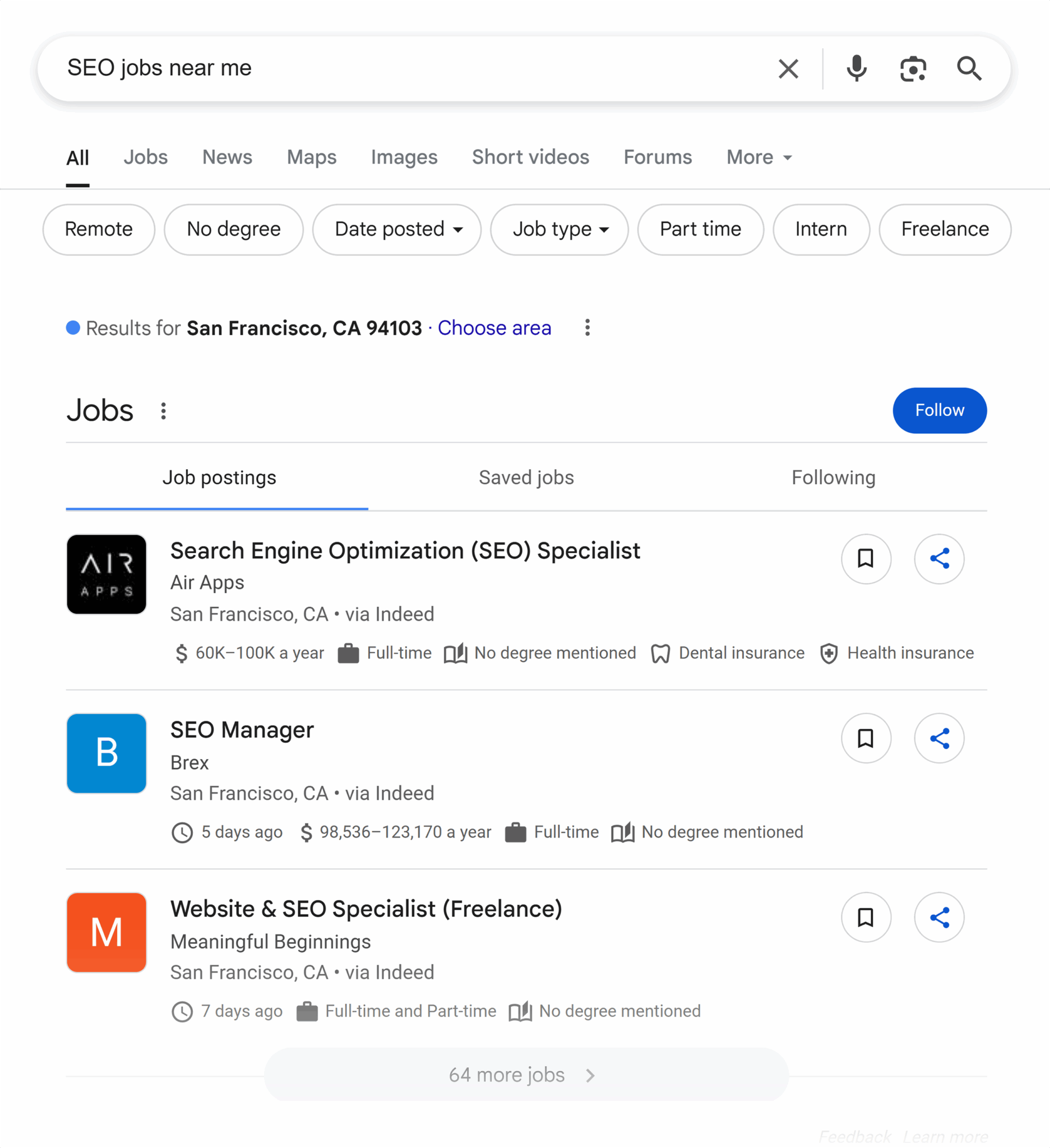
Unlike article schema, where Google merely recommends some properties, job postings require the following properties for rich results eligibility:
- Title
- Description
- Date posted
- Hiring organization
- Job location
Here’s what job posting schema looks like as code:
Event schema example
Finally, here’s an example of event schema. This type of schema lets you add details like dates and ticket pricing, which can appear in various SERP features, such as:
- Detailed information about a specific event at the top of the SERPs
- A smaller block of information next to the search listing
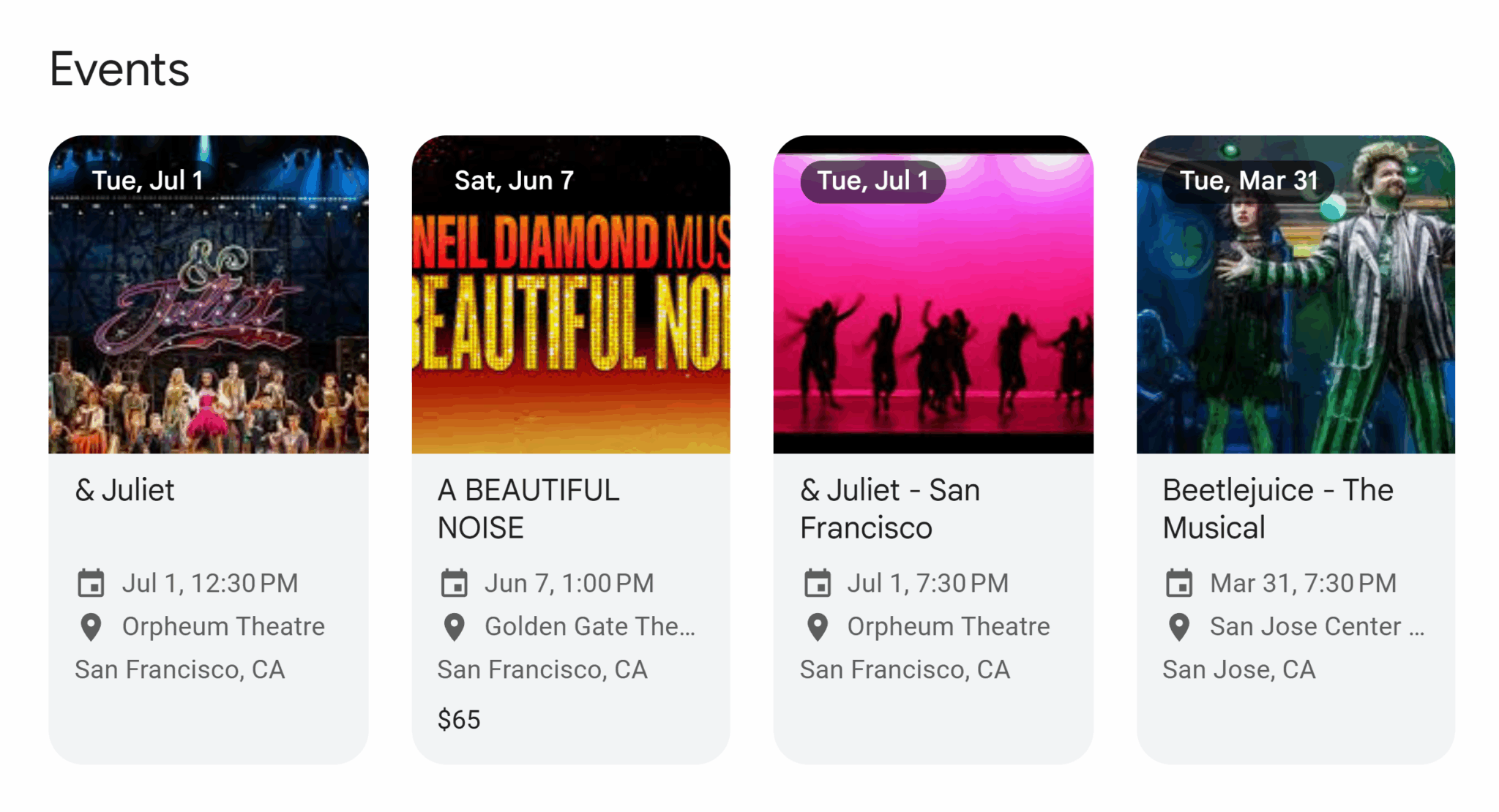
- An event carousel (like the one pictured below)
This carousel shows upcoming events across San Francisco, California, complete with date, venue, location, and price (where available).
Here’s a look at Google’s required properties:
- Location
- Location address
- Name
- Start date
And, here’s a look at what these properties look like as schema markup:

Why should I use structured data like schema markup?
Providing search engines with clear context about your content — and connecting it through structured data — offers a wide range of benefits:
More accurate indexing
Search engines rely on clear signals to understand the pages on your website. By explicitly identifying key elements — like article authors, product names, event dates, or local business details — you reduce ambiguity and improve the chances of your content being indexed in the right context. This leads to better alignment with relevant search queries and can increase your visibility in organic results over time.
Eligibility for rich results
Rich results are visual enhancements within the SERPs, providing users with at-a-glance details like customer ratings, pricing information, event details, and more. Case studies from Google show that rich results can increase click-through rates (CTRs), and even dwell time on your website.
Enhanced knowledge graphs
Search engines use knowledge graphs, essentially internal databases, to map relationships between people, places, and things.
Schema markup improves the accuracy of this mapping by providing explicit context about you and your content, improving your chances of being recognized as a reliable, connected entity within Google’s internal database. Why is this so important? Well, it helps Google display your articles on relevant searches and may provide a dedicated knowledge panel or in-SERP info box when searchers seek out your brand specifically.
Better compatibility with voice search & AI
Voice search relies on clear, structured data to deliver quick, accurate answers. By adding schema markup, you help voice assistants interpret your content, possibly making it more likely that they will reference your website when responding to user questions.
Schema markup can also help AI-powered tools — many of which can read structured data — better understand and interpret your content. This may improve the chances of your content being featured or cited in AI-generated results. As artificial intelligence continues to integrate with the core search experience, structured data may become more important than ever for ensuring content discoverability.
How do I implement schema markup on my website?
To begin using schema markup on your website, you must first create the schema.
But how do you create schema markup? You can use a schema generator, consult a chatbot, or write it out line by line.
Using a schema generator is a much simpler and easier way to go. With a generator, there’s no need to write markup yourself, saving yourself time and allowing you to focus on filling out the important details.
The two most popular options are the Structured Data Markup Helper by Google (which is somewhat outdated at the moment) and the Schema Markup Generator.
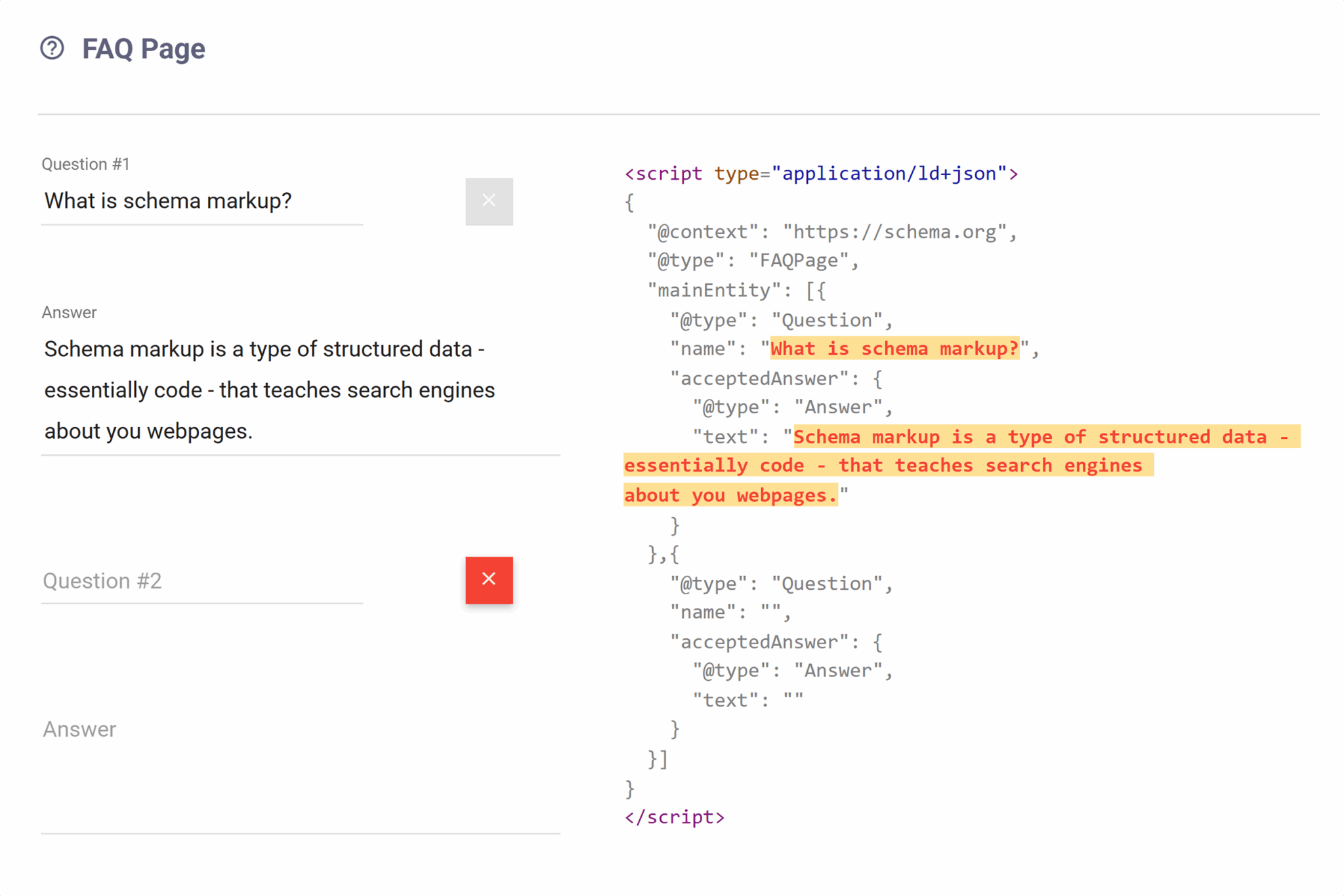
Both are intuitive and powerful, allowing you to designate various schema types and describe essential properties. You simply choose your schema type, fill in the blanks, and then copy the output for implementation on your site.
Google’s structured data documentation also contains many examples of schema that can be copied and pasted. Just click on the type of scheme you’d like to see an example for.
You can also ask for support from AI chat assistants like ChatGPT or Gemini. Here’s a simple prompt you can use to get the ball rolling:
Help me create structured data for [SCHEMA TYPE] on my website. Ask for key details, then generate JSON-LD for my page.
Lastly, you can type schema code out line by line, using the Schema.org documentation website as your guide. This is an excellent option for those comfortable with diving into the technical aspects of schema markup, and it gives you complete control over output.
However, it is more time-consuming and may be intimidating for beginner marketers. Not to mention, it’s easy to make syntax errors when writing markup by hand (trust us, our team has made its fair share of errors over the years).
Where do I add schema markup?
You add schema markup to your webpage’s <head>, <body>, or <footer> tag, located within the structural HTML file for each page.
Google can also read JSON-LD data that is dynamically added to the page’s contents using JavaScript or through a tag management system like Google Tag Manager (GTM).
JSON-LD can be read anywhere (head, body, or footer) without disrupting HTML, doesn’t require extra server calls, and is easily processed by Google’s crawlers, even if dynamically inserted by JavaScript, ensuring no rendering delay.
If you’re running a static or hand-coded website, these files are usually located within your root folder. Content management systems (CMS) like WordPress have their own file structure, as do today’s most popular website builders. You’ll need to refer to your platform’s documentation to find out the specifics.
No matter which platform your website uses, your schema markup should ultimately reside in the <head> tag, as that’s where web crawlers typically begin parsing your website. When you include it there, you provide them quick and easy access to your structured data. Adding it to your page’s <head> also keeps your structured data cleanly separated from the content, which is essential for both readability and maintainability.
Although less recommended, you can also include your schema just before the closing </body> tag. Search engines will still read and interpret it, but there might be a slight delay in how quickly it gets picked up.
How do I add schema markup?
There are various ways to add schema markup to your website. The right approach depends on several factors, including your website platform, hosting provider, and comfortability with code.
The three most common options are:
- Using a plugin
- Adding schema manually
- Relying on Google Tag Manager
Let’s take a look at each one.
Add schema using a plugin
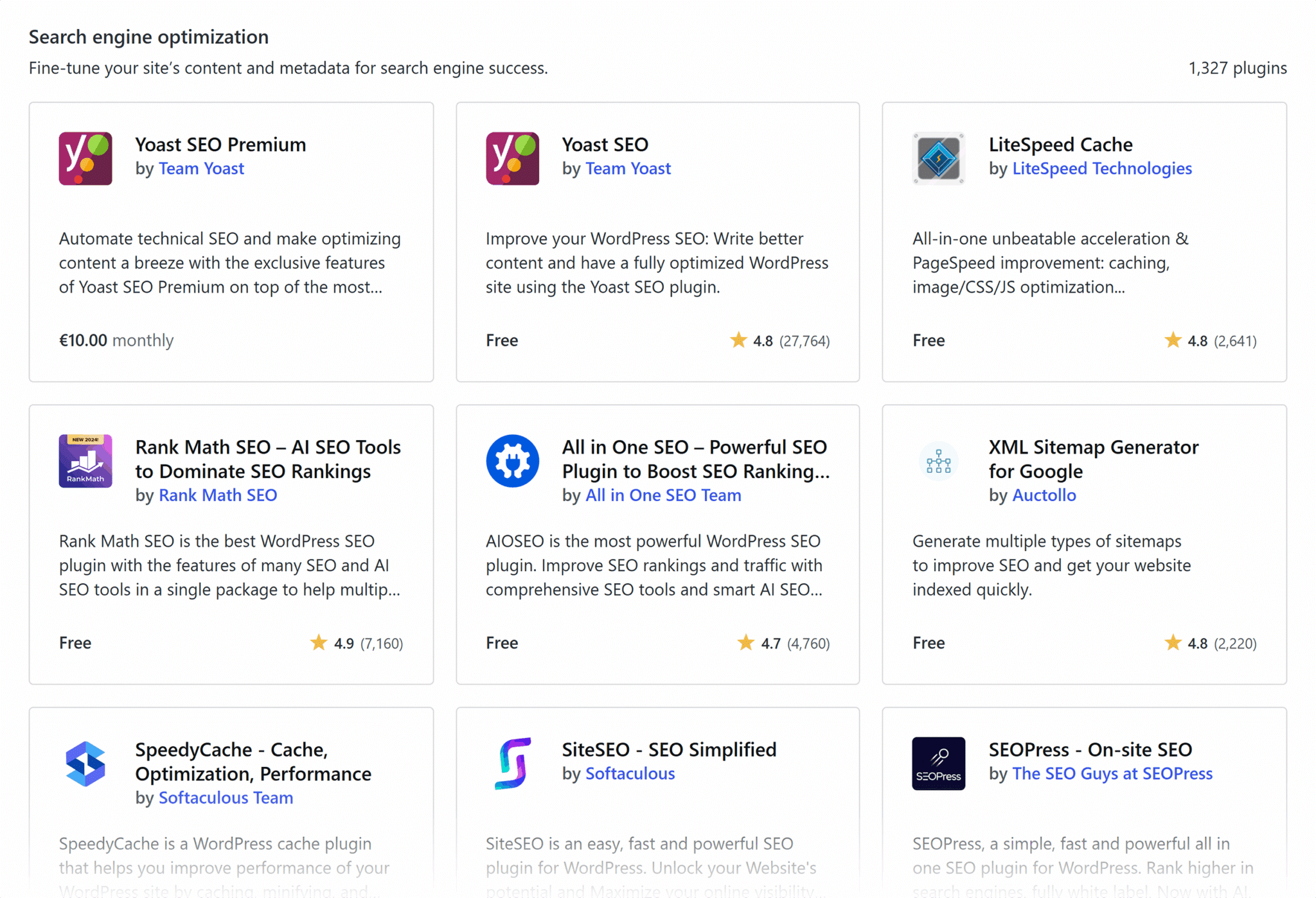
Many content management systems and website builders include tools or plugins to help you add schema markup. Some will even create the schema and insert it into your website for you!
See? Schema markup doesn’t have to be difficult.
For instance, if you’re using WordPress alongside a plugin like RankMath or Yoast SEO (with the paid add-on), you can create and insert schema from right within your CMS dashboard.
In these instances, you should refer to each plugin’s documentation for the exact instructions on how to add schema markup to your site. Both RankMath and Yoast SEO have tons of high-quality articles (with visuals!) available. To get you started, here is an in-depth schema guide from RankMath and a beginner schema walkthrough from Yoast SEO.
If you’re using a platform like WordPress but want to generate your own schema, you can also use a plugin to inject code right into the header of your pages. Here are a few of our favorite options for doing so:
Add schema manually
If you’re running a static website (i.e., one built without a content management system), you’ll need to manually add schema markup by editing your HTML files directly. This gives you complete control over how and where structured data appears on your site.
Here’s how to add schema manually:
1. Access your website’s files using your hosting provider’s file manager or a file transfer protocol (FTP) tool like FileZilla.

Note: The term “FTP” may sound scary, but it’s just a glorified folder manager.
2. Locate the file for the page where you’d like to include your schema — usually denoted by pagename.html within your root folder — and open the document.
3. Paste your schema markup, including the opening and closing <script> tags, within the <head> section.
4. Save your changes, and voila! Your schema markup should be ready to go.
Add schema using Google Tag Manager
If you prefer to manage your website’s scripts off-site, where you can make changes from a centralized platform without constantly digging into your website files, you can always add schema markup using Google Tag Manager (GTM).

This option still requires adding the GTM code to your website’s <head> via a plugin or manual insertion, but it’s a one-and-done affair. After you’ve added your GTM script, you can make all further changes from your GTM dashboard.
Google provides an excellent guide on getting started with Google Tag Manager.
How do I test and verify my schema markup?
Schema is code, and code can be finicky. An extra comma or a missing closing tag can affect your page’s layout and/or your schema’s performance. That’s why you should always test and verify your schema to ensure it’s appropriately formatted and working correctly.
Luckily, you don’t have to parse everything line by line. There are several structured data testing tools available to help with the process.
The two most popular tools are the Rich Results Test from Google and the Schema Markup Validator from schema.org.
The Rich Results Test is only for testing your page to see which rich results can be generated by the structured data it contains, while the Schema Markup Validator validates all structured data against Schema.org specifications.
Google Rich Results Test

Using the Rich Results Test couldn’t be simpler. Once you’ve pulled up the landing page, switch over to the “Code” tab, enter your markup, and click “Test Code.”
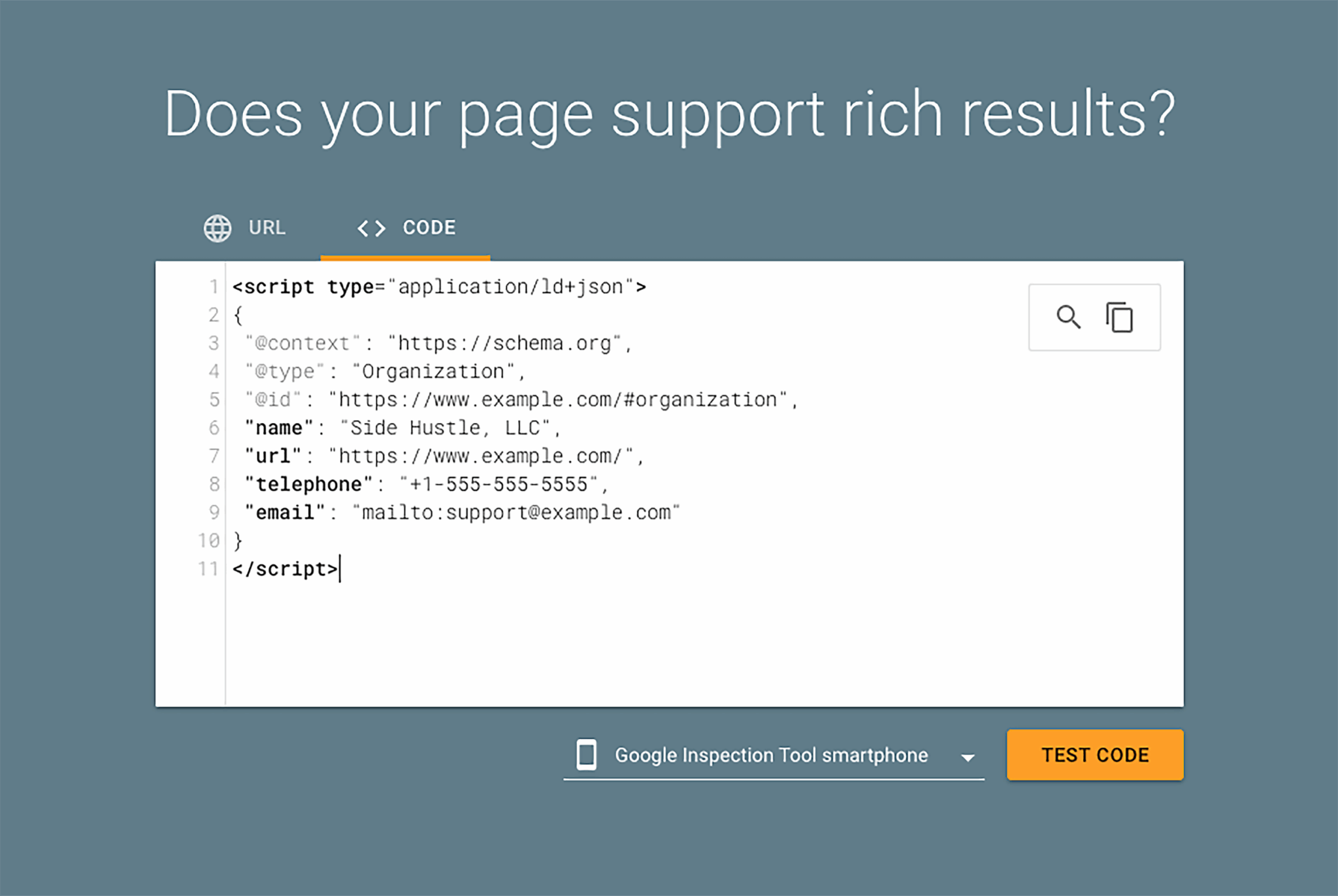
Here, you’ll see a screen with two sections. The left side of the page contains your script, and the right side contains messages about errors and warnings. If your markup has issues, the validator will point out the exact line where mistakes were found, providing an opportunity to fix the problem and run the test again before you go live.
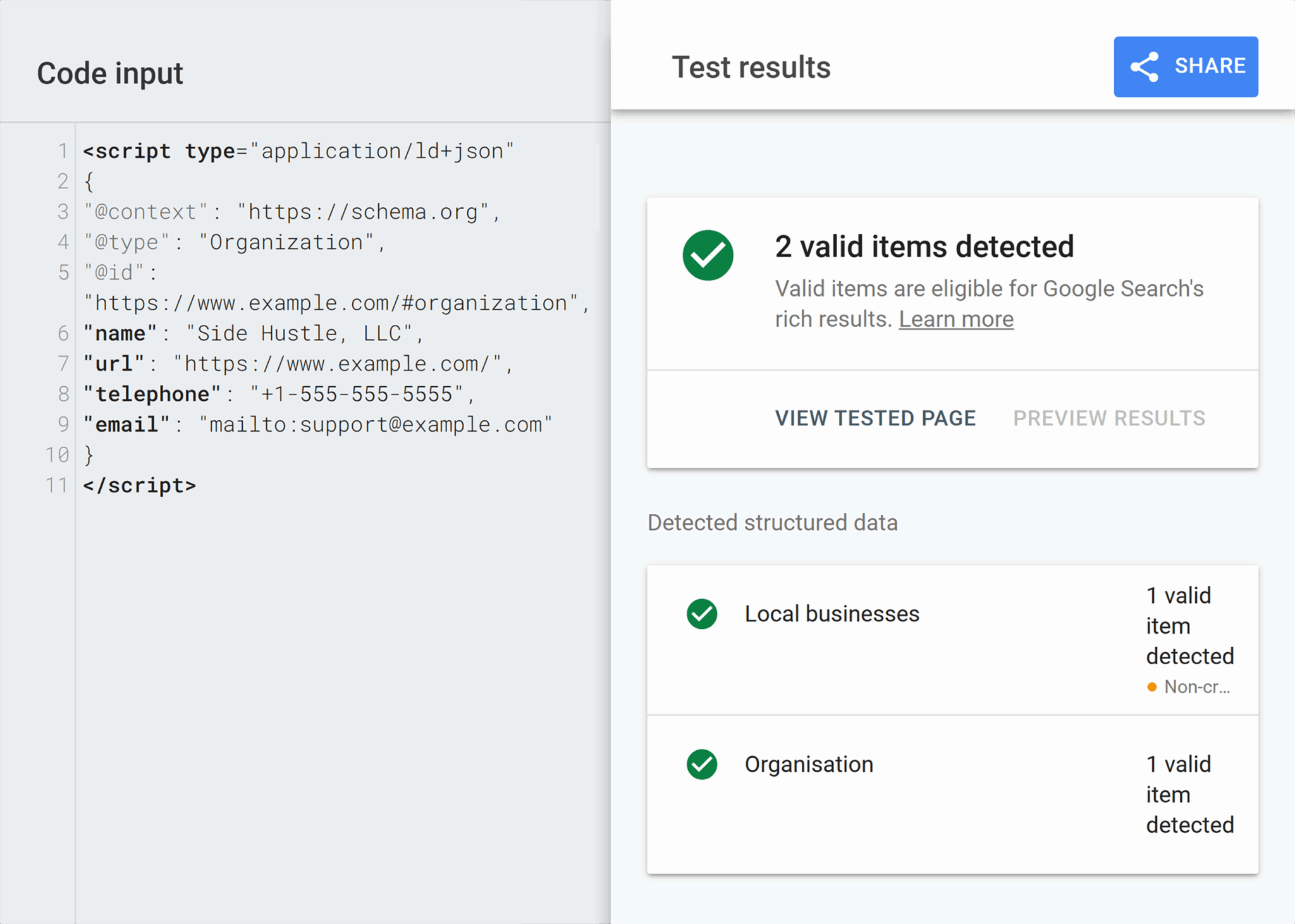
The main difference between this tool and the validator is that Google sometimes displays additional schema within the test results. That’s because Google infers connections based on its proprietary algorithms. This is indicative of how Google will read your schema markup once it’s live, but it doesn’t actually change any of the code itself.
To see how it’s interpreted by other search engines, you’ll want to use the Schema Markup Validator.
Schema Markup Validator

The Schema Markup Validator is a quick and easy way to test your schema code and its implementation on your website.

To start, navigate to the tool’s homepage. Since you always want to test your code before implementing it on your website, choose the “Code Snippet” menu item. Then, paste your structured data into your file and click “Run Test.”

Like the Rich Results Test from Google, one side of the screen shows your markup and the other displays potential errors and warnings, along with potential remedies.

If you get positive readings from this tool, you’re good to implement the schema on your site. Just remember to come back and validate the live page containing your new schema. You can do so by choosing the “Fetch URL” menu item from the initial screen and running through this same process again.
Validating your markup twice can be a hassle. But it’s always better to be safe and double-check your work, otherwise errors can go unnoticed and affect your hard-earned rankings.
How do I monitor the performance of my structured data?
There are a few ways to monitor the performance of structured data. Some of the most popular options include Semrush, Google Search Console, or Bing Webmaster Tools.
Semrush
Semrush is a powerful digital marketing tool that combines search engine data with its own proprietary algorithms to deliver data-driven reports about your website’s SEO. One of its most popular features is the Site Audit, which can help with assessing schema markup (among other things).

If you run a Site Audit on your website, this tool will scan all of your pages and display details about the structured data it encounters. These details include the different types of markup across your site, the percentage of pages that include markup, incidents of valid and invalid markup, and more.
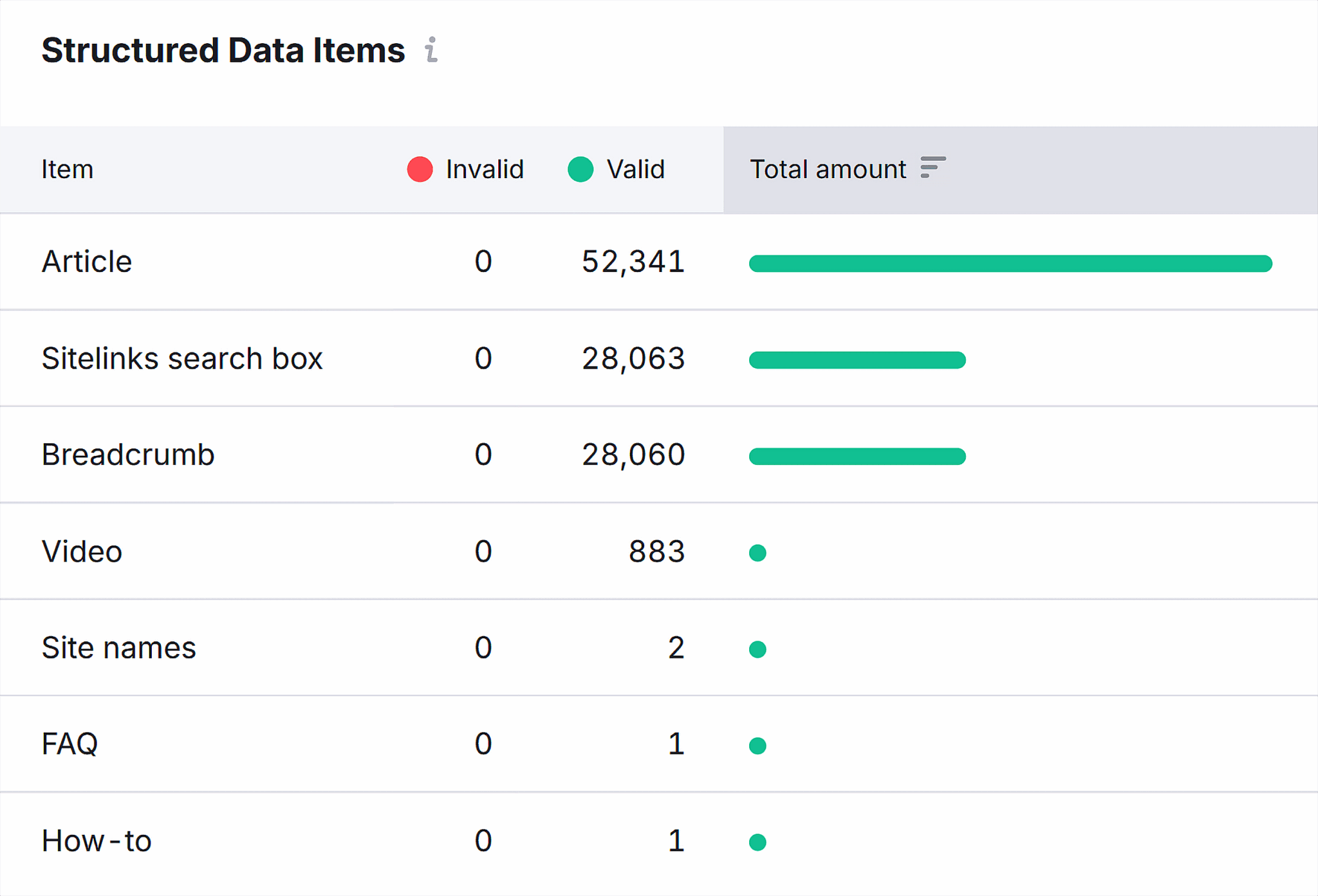
You can then combine this data with the Traffic Analytics tool to view visitor trends before and after you’ve implemented schema, which will provide insights into the effect your schema has had on each page and across your site.

The main downside to using this tool? Unlike Search Console and Webmaster Tools, it requires a paid subscription.
Fortunately, there is a free trial, allowing you to get a feel for its performance before you commit. And, it features a tool chest with over a dozen tools, including everything you need to monitor and improve performance in the SERPs.
Google Search Console
Google Search Console is the most popular way to keep tabs on your structured data. Why? Because it’s both powerful and free. Who doesn’t love free software?
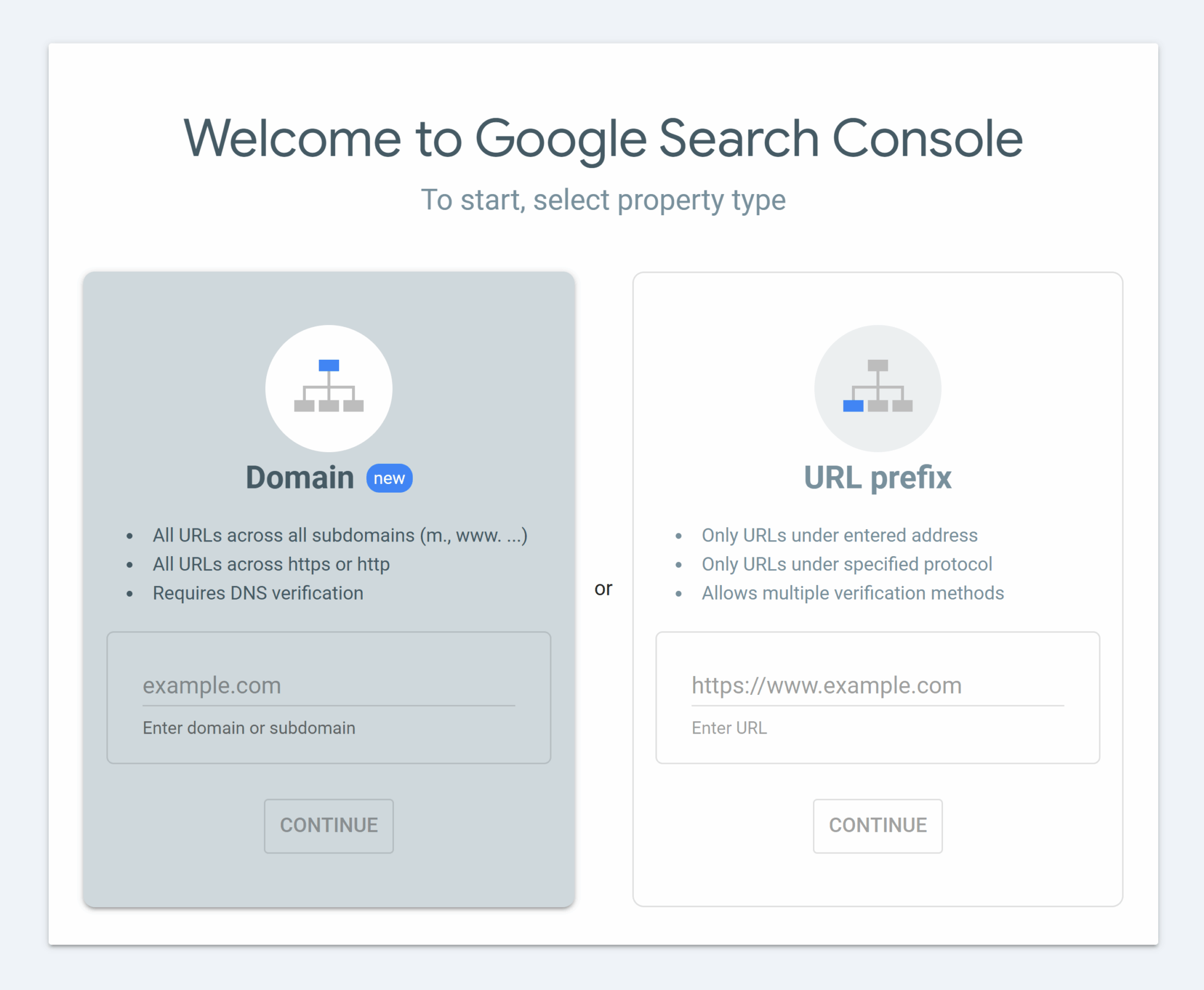
To get started with Google Search Console, head over to the software landing page to connect your website via DNS verification.

Once you’ve manually inserted the provided TXT record, click the “Verify” button and continue on to the Search Console dashboard.
Although other verification methods like Google Analytics may be quicker and easier.
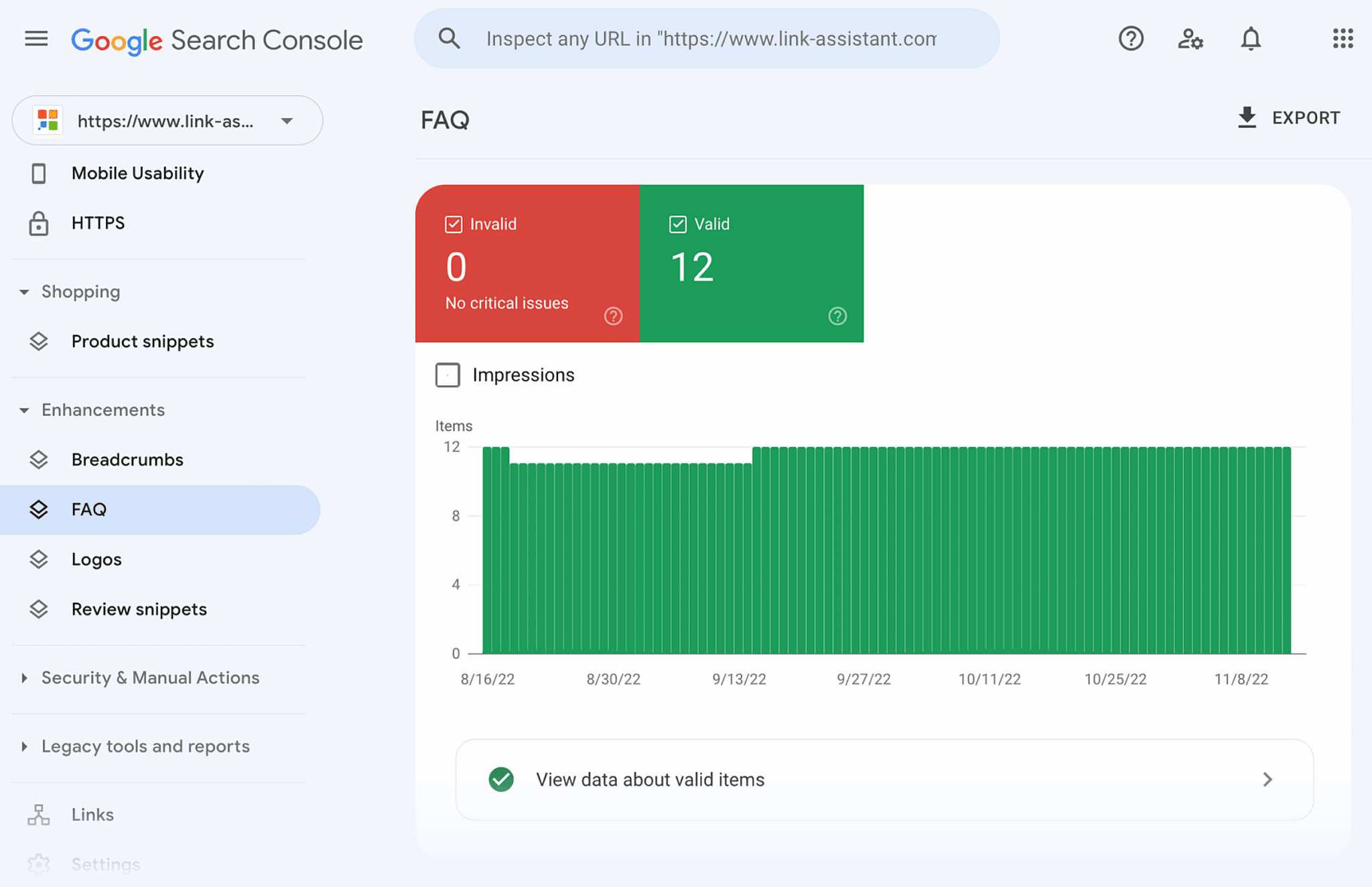
If you’ve implemented schema on your site, you should see an entire section dedicated to structured data under the “Enhancements” tab. Here, Google showcases which types of schema markup it has detected on your site and provides reports detailing valid items, warnings, and errors.
You can also use Google Search Console to:
- Track rich results: See how your structured data is contributing to rich results like breadcrumbs, FAQs, and review snippets
- View performance data: Apply filters to your search reports to see the number of rich results impressions and clicks over time
- Troubleshoot errors: If there are problems, Google Search Console will include links to documentation and suggestions on how to fix them
Bing Webmaster Tools
Of course, Google isn’t the only search engine in town. Although Bing boasts a much smaller share of the search market than Google, it’s still a good idea to monitor your website’s performance through Bing Webmaster Tools.
Bing’s tools are not as robust as Search Console, especially when it comes to structured data, but they still offer general insights about your content’s performance.
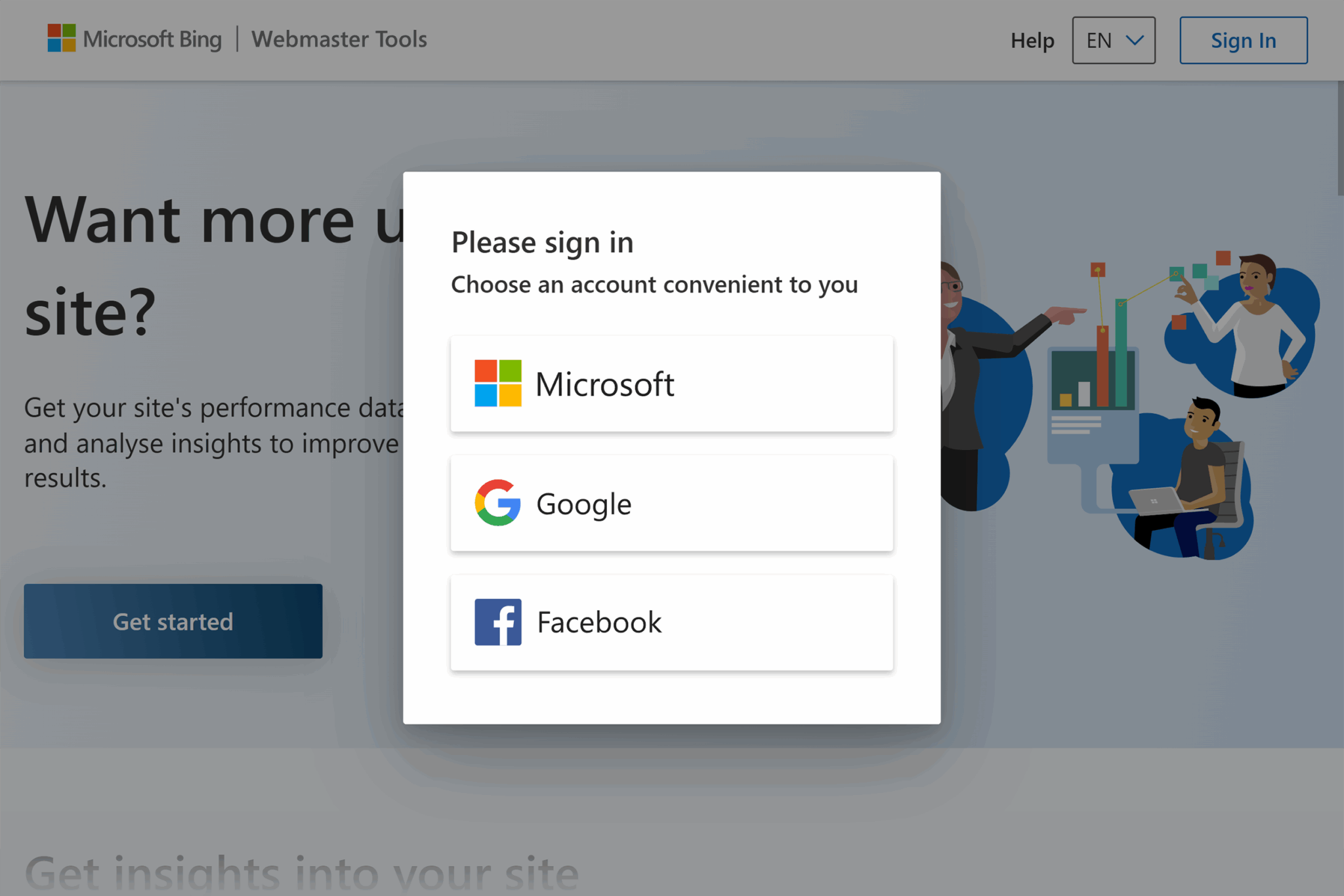
To begin monitoring your schema markup with Bing, head to the Webmaster Tools landing page to connect your website. You’ll be prompted to sign in using a Microsoft, Google, or Facebook account.
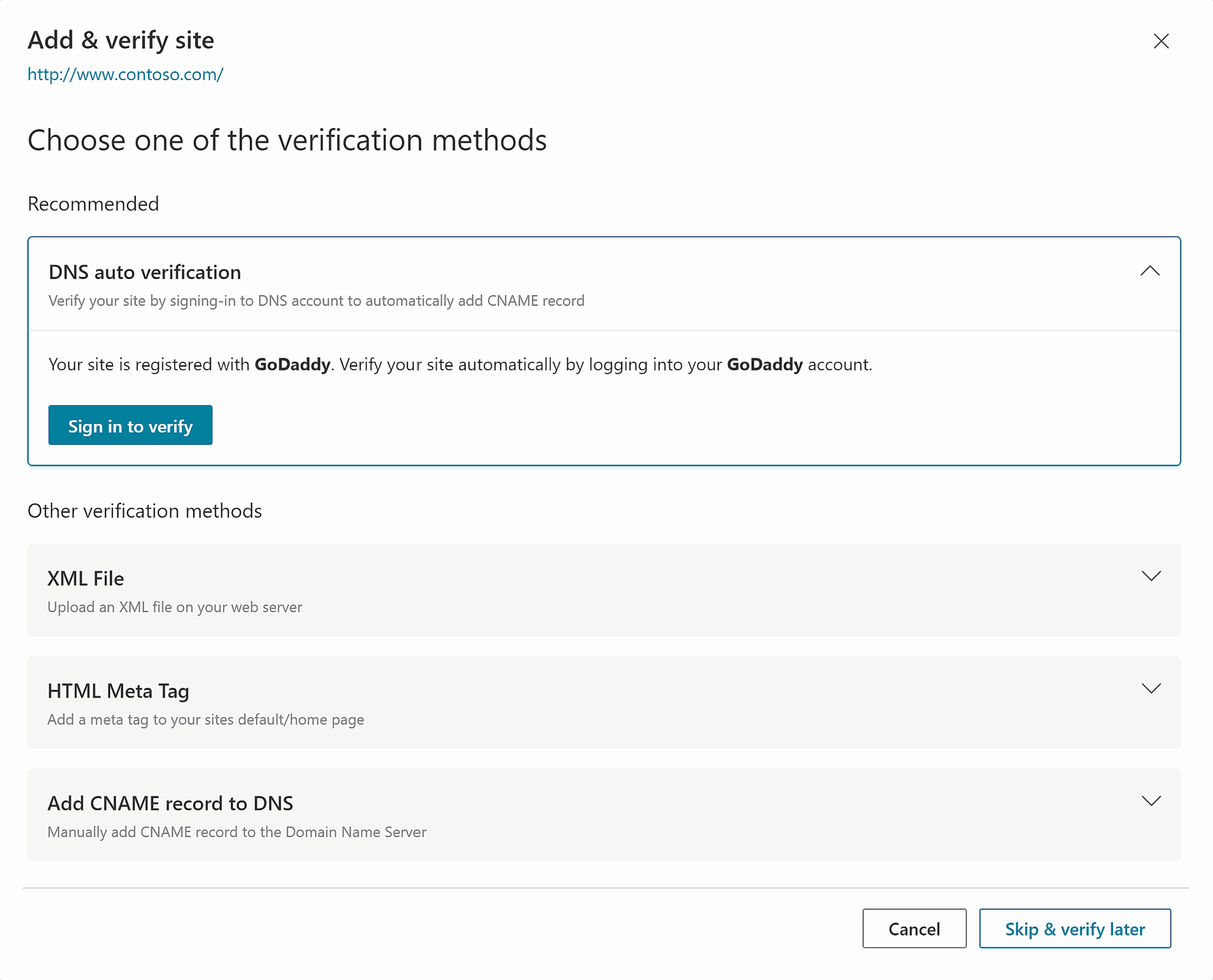
Once you’re in, you can choose between multiple verification options. DNS auto verification is the fastest and simplest method. Just link your Bing account with your domain registrar account, and you can jump straight into the Webmaster dashboard.

On the dashboard, you’ll see search performance front and center. While you can’t dive into as many structured data sources as you can with Google, Bing does provide filtered performance metrics for news, images, videos, and knowledge panels.
Bing also has a new feature providing performance metrics for AI chat references to your website! How cool is that?
Another AI-related benefit to using Bing Webmaster Tools? Many emerging search engines, like Perplexity and ChatGPT Search, use Bing as their primary data sources, so strong performance in Bing may influence visibility on these newer platforms.
How does schema markup display rich results?
Search engine algorithms contain millions of lines of code relating to thousands of different ranking factors, which makes it difficult to say exactly how they calculate when to display rich results.
However, it is possible to provide a top-level overview of the process. Here’s what Google checks before displaying rich results for your webpage:
- Structured data is present and correct
- The content is high-quality and relevant to the search query
- Showing rich results would improve the searcher’s experience
Say you’re looking for reviews of the film The Social Network (2010). If you go to Google and search for “The Social Network review,” that should trigger a Knowledge Panel filled with data from various review aggregators who’ve implemented schema markup on their websites.
As you scroll down, you’ll also notice that many of the individual search results include enhancements such as star ratings and breadcrumbs, which appear alongside the standard SEO title and meta description. These visual enhancements are also driven by structured data like schema markup.
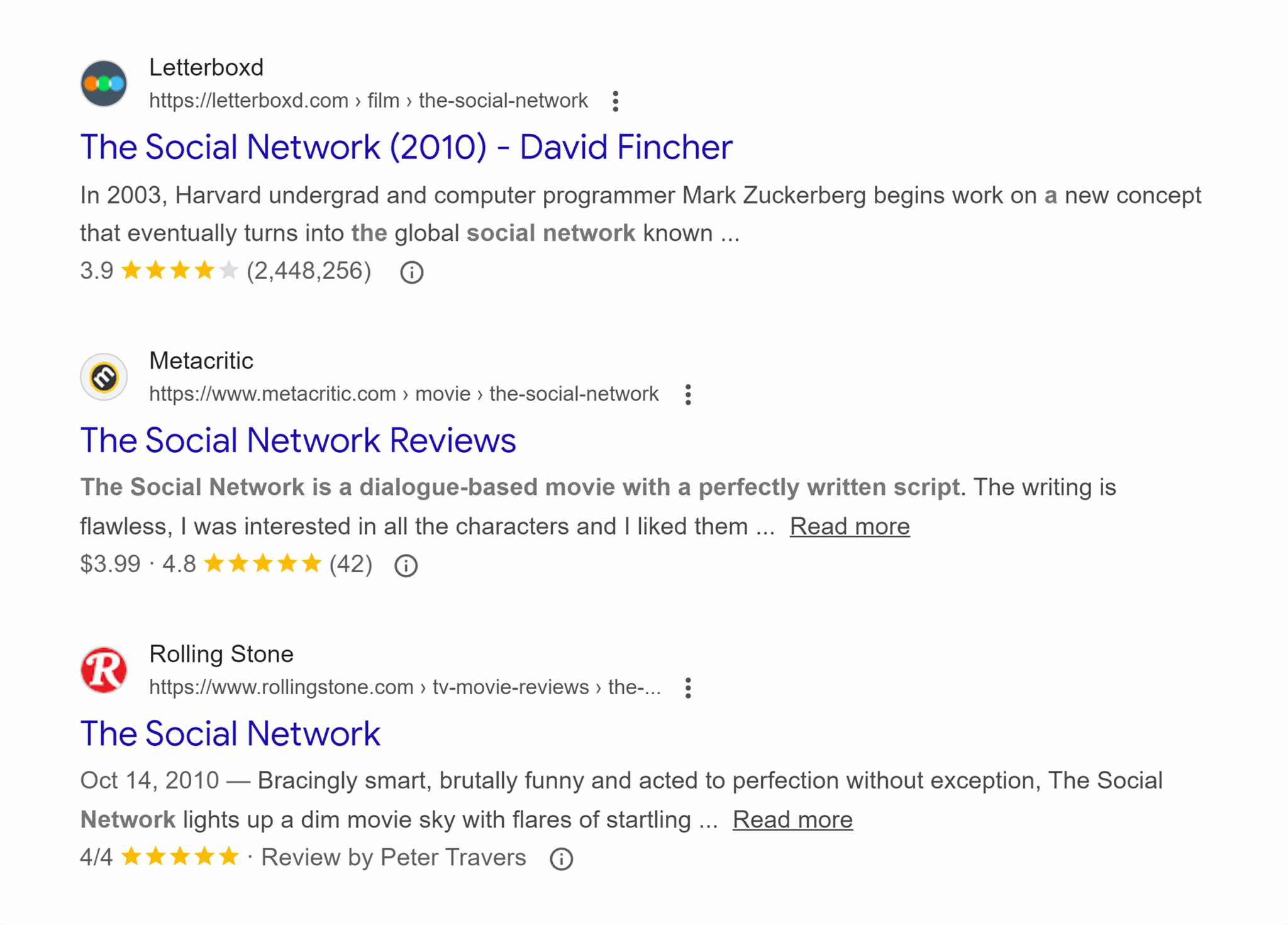
Why is Google showing these rich results to us? First, the associated websites have correctly implemented movie and/or review schema and assigned it the right properties. Second, Google has determined that the content from these websites meets quality standards and matches your search intent. Third, these rich results provide you with a better search experience. Isn’t it convenient to see the general consensus on a movie before deciding whether to look for more information?
Here are some other types of search queries, along with schema markup, that Google may choose to use for rich results:
| Types of search queries | Schema markup | Rich results |
| General questions | FAQPage | FAQ dropdown next to search listing |
| Job search | jobPosting | Inclusion in job module at top of SERPs |
| Event details | Event | Inclusion in event module, alongside date, location, and ticket info |
| Food recipes | Recipe | Image, rating, cook time, and ingredients list next to search listing |
| Nearby businesses | LocalBusiness | Enhanced business profile |
FAQs about schema markup
Does schema markup improve SEO?
Well-formatted and comprehensive structured data that follows both Schema.org taxonomy and Google’s guidelines regarding search features definitely can improve SEO. However, doing the bare minimum, such as only adding Article or BlogPosting schema to an informational page, isn’t likely to move the needle much.
That’s not to say that it’s impossible to increase organic traffic without structured data. A Backlinko study found that only about 72% of websites on the first page of Google use structured data, and using schema markup doesn’t necessarily correlate to better rankings. You still need valuable content.
But in this era of zero-click search results, SEO is no longer about simple SERP ranking numbers. Structured data is especially helpful when it enables your website to earn rich snippets, which stand out more prominently than standard search results. For that type of visibility, structured data is essential.
What are the most important schema types?
The most important schema types are the ones that make the most sense for the page where the schema resides. That’s going to change significantly depending on what type of content your website contains.
Here are a few ideas on what schema markup to consider for different types of content:
- Breadcrumbs: Implement BreadcrumbList across your entire site so that clear navigation pathways show up in rich results.
- Articles: In-depth resource center or knowledge-base content should use Article, blog content should use BlogPost, and timely posts like news or press releases should use NewsArticle.
- Products: Use the in-depth Product schema to provide details about your offering on individual product pages (not category pages). If the product has variants, use ProductGroup to capture them together.
- Media: Use ImageObject and VideoObject wherever possible to potentially include your media in search carousels. Don’t forget to apply BroadcastEvent and Clip schema to mark livestreams and highlighted video segments, respectively.
- Profiles: The ProfilePage schema is designed to highlight organizations and people associated with a website, so make sure you’re taking advantage of this opportunity to get your brand and key players into entity-based SERP features.
- Forums: If you run public-facing user forums or discussion boards, use DiscussionForumPosting to ensure those conversations can appear in discussion-based SERP features.
This isn’t a comprehensive list, so be sure to dig deeper into what’s available. Start by checking Which schema types matter most for SEO? above.
How do I know if my schema is working?
Ideally, you’ll see more data from your website standing out in the SERPs and features like the knowledge panel, rich snippets, or media carousels. You can also use tools like Semrush Position Tracking to see what SERP features your site is appearing in.
If you’ve implemented schema markup and aren’t seeing the results you expected (or hoped for), use Schema Markup Validator to make sure the search engine is seeing things the way you want it to. You can also use the URL Inspection tool in Google Search Console to see how Google views your site.
Is JSON-LD better than Microdata?
JSON-LD and Microdata have their strengths and weaknesses. Here’s a quick comparison:
| JSON-LD | Microdata |
| Can be inserted into the head or at the end of the webpage code, making it easy to find and update.JSON-LD is designed intentionally to be easily readable by both machines and humans.Works well with JavaScript for seamless programmatic updates to schema. | Requires more direct editing of HTML templates and code, which can make it easier to make mistakes that affect site usability, crawlability, and renderingSpread out across website code, making it harder to read (at least by humans)Can be useful to avoid repeating long blocks of text in code |
For these reasons, JSON-LD is Google’s recommended structured data format for most schema markup. The one big exception to this guidance is that Google recommends using Microdata for DiscussionForumPosting markup to avoid large amounts of duplicate text in the webpage code.
Does schema impact AI search?
Google hasn’t confirmed whether or not Schema has an impact on AI Overviews. However, in their documentation they state to “[Make] sure your structured data matches the visible text on the page.” This doesn’t prove that Schema affects AI Overviews but it indicates that accurate, non-spammy Schema is appreciated by Google.
Google also states: “You don’t need to create new machine readable files, AI text files, or markup to appear in these [AI] features. There’s also no special schema.org structured data that you need to add.”
Whether schema markup affects visibility in other AI platforms, such as ChatGPT or Claude, is not as clear. Those platforms can certainly read structured data, but they don’t operate on a continual crawl schedule the same way Google does, and their training data sets rely on different standards for inclusion. It’s certainly possible — perhaps even likely — that these platforms will become more adept at understanding structured data on websites and incorporating it into their answer and discovery engines.
Track, optimize, and win in Google and AI search from one platform.
All in all, it’s a best practice to continue adding schema markup to websites so Google can use it in rich results. If other platforms support schema in the future, then you’ll be in a great spot to take advantage of that additional visibility.
Getting started with schema markup
Now that you’ve learned about the language of schema markup (and hopefully set aside some of the fears you’ve internalized about the process), it’s time to put your newfound knowledge into practice.
The best way to get started adding schema markup to your website? Take an inventory of your content and identify which pages would benefit most from schema (remember to think about how different types of content relate to rich results). Then, use what you’ve learned in this guide to generate and implement schema on your website.
Are you wanting to implement schema markup across your entire website? Learn to deploy schema at scale and enrich your entire website in record time.
Explore more on
Editorial disclosure
Search Engine Land is owned by Semrush. We remain committed to providing high-quality coverage of marketing topics. Unless otherwise noted, this page’s content was written by either an employee or a paid contractor of Semrush Inc.
About the author