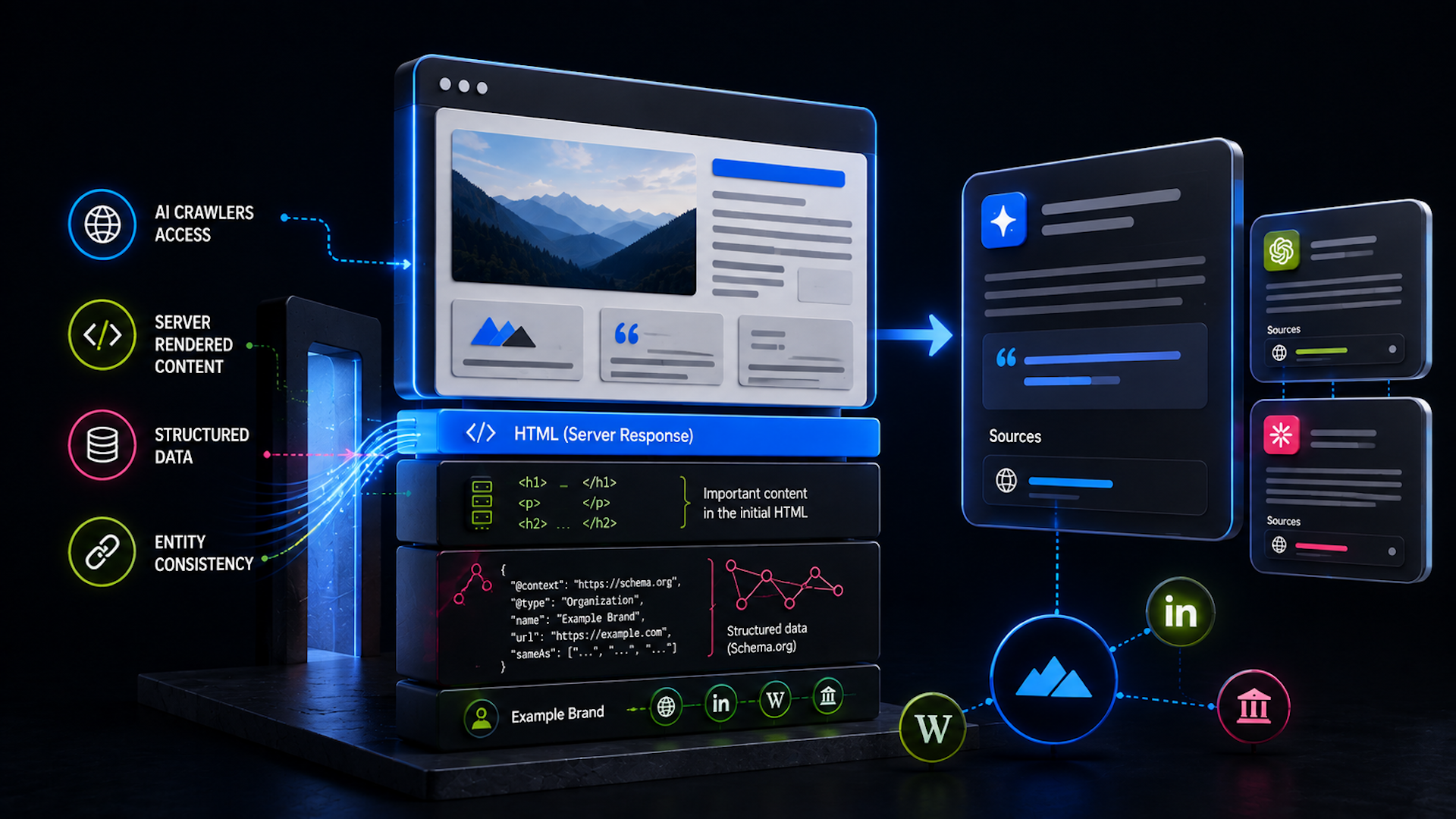
Content pruning for AI search: When to remove, redirect, or consolidate pages

Content pruning is a tried-and-true method of refreshing a website’s old content. You cut out the cruft, keep what works, and/or combine old posts into new and exciting posts — kind of like upcycling the clothes hiding in the back of your closet into outfits you actually want to wear again.
But is content pruning still worthwhile in the age of AI-driven search, given that AI is better at understanding content and generating useful summaries? Why not simply keep the old content and let AI find the gems?
Spoiler alert: Content pruning is definitely still worth doing.
In this guide, we’ll cover the basics of how to do a pruning-focused audit of your content. This includes deciding what to get rid of, what to point to another page, and what to revamp into a brand new experience.
Some of the specific topics we’ll go over:
- Inventory: Getting a list of all the pages on your site
- Finding targets: Looking at the metrics that will help you make the best decisions based on your goals
- Decisions: Using a simple pruning matrix to choose how to handle each target page
- Next steps: What to do after you prune to make sure your efforts aren’t wasted
- Monitoring: Measuring the impact of pruning — and keeping tabs on when to do it again
Before we jump into specifics, though, let’s look at how content pruning has changed with the rise of AI search.
Content pruning for traditional SEO vs. AI SEO
The biggest difference between pruning content for AI SEO over traditional SEO is that large language models (LLMs) are capable of understanding more comprehensive content.

In the past, SEO content updates centered around keyword research to find a central keyword (or “head term”) for a page, with some thoughtful sprinkling of keyword variations, synonyms, and related phrases around the text.
Over time, the focus shifted to optimizing content around topics rather than keywords. With topics, there’s less emphasis on the specific phrases or queries people use in searches and more emphasis on ensuring that the content provides comprehensive coverage of the subject at hand.
AI search has doubled down on the topic-based approach in a few ways:
- Lower keyword importance: LLMs are better at understanding the semantic relationships between various entities (i.e., people, places, things, and ideas). This understanding minimizes the need to target specific phrases and keywords, which is good considering that about 15% of searches each day have never been seen before according to Google.
- Fan-out queries: For each user query or prompt, AI often sends out multiple sub-queries known as fan-out queries. These fan-outs may pull information from deep within a page’s content, allowing the AI agent to generate a more comprehensive response. (More on fan-out queries below.)
- Multiple citations: AI-generated responses aren’t limited to a single list of sources for a given keyword. AI search agents may provide several linked citations for each fact or statement within their response, meaning that content which previously was buried deep in the search engine results pages (SERPs) can rise in prominence.
Because of these things, content pruning for AI SEO tends to focus more on combining — or expanding, in some cases — pages into more thorough coverage of a topic.
To be clear, there are still a number of similarities between pruning content for the current AI environment versus old-school search. For example, considering the age, relevance, and accuracy of content are still incredibly important.
We’ll dig into the details of what else to look at in the next few sections.
Benefits of removing and consolidating content for AI search
The biggest benefit of removing or combining content is that it sends strong authority signals to AI search agents while also providing a better user experience.
Even with the best menus and category pages, spreading keyword-targeted content across a website forces both human and automated visitors to navigate more pages than necessary. That’s a problem, because it wastes time and resources.
The answer to this problem is auditing your content to arrange it in a way that can be more easily understood by both people and bots. And then get rid of anything that doesn’t fit with your site’s topic area and business goals (see Step 3 below for more on what to get rid of).
A few additional benefits:
- Increase authority: Gathering content about the same topic into a single, comprehensive page consolidates your topical authority into one place, improving the chances that users will find the answer they’re looking for.
- Reduce cannibalization: Competing pages on your own website can lead to keyword cannibalization and duplicate content issues, which can confuse both search engines and visitors about which page they should visit. Combining pages gives clearer signals about what the page covers.
- Expand coverage: With techniques like passage indexing — the ability of Google to index sections of a page for specific keywords — AI search makes it easier to pull answers from deep within a page’s content, letting you dig deeply into a topic without having to spread the same information over many pages. It also gives users a reason to stay on a page longer, because there’s additional relevant information at hand without having to jump to another page, improving engagement metrics like dwell time.
- Improve crawl efficiency: The fewer URLs on your site, the less likely you will exhaust the crawl budget assigned by Googlebot and other AI crawlers, increasing the likelihood that AI search engines will index your entire site.
- Consolidate backlinks: A comprehensive, high-performing page on a topic will earn more natural backlinks than multiple pages focused on specific keywords. Also, you can redirect old pages into a single page to preserve the authority of those pages.
- Eliminate decay: Over time, all websites experience content decay, that is, the declining relevance and accuracy of older content. Pruning and updating content helps get rid of outdated pages, no-longer-relevant content, or low-quality content, and it offers an opportunity to freshen up the details.
With these advantages in mind, let’s jump into the content pruning process.
How to prune content for AI search
Pruning content for AI search involves looking at your existing pages, figuring out what you want to do with them, and then staying on top of things after you’ve actually made the changes.
To break it down a little more, here is a step-by-step process to follow:
- Inventory content: Find every URL that holds content on your site.
- Identify targets: Single out the pages that need something done with them (even if you’re not sure what yet).
- Make decisions: Methodically go through each target and decide what to do with it. You can use your own criteria or use our pruning decision matrix to help.
- Prune away: Do the thing you decided, whether you’re nixing the page completely, combining it with another page, or redirecting it to a new page.
- After care: Make sure your updated content is integrated into the rest of your site and is sending the right signals.
- Monitor results: Use an AI visibility tool to make sure your content pruning efforts are effective.
If you’re ready to start pruning, take out your metaphorical shears and make sure they’re sharp!
Step 1: Inventory your content
Before you can prune, you need an inventory of all the URLs for your site, including any orphaned pages — those pages that don’t have internal links pointing to them.
There’s no single correct way to get a complete list of URLs. Some common approaches include:
- SEO tools: Tools like Semrush Site Audit and Screaming Frog SEO Spider will navigate the internal links on your site to find pages based on crawl depth and other settings, which you can then export as a list.
- Google tools: Google Search Console (GSC) lets you export a list of indexed pages, while Google Analytics 4 (GA4) can provide pages that receive traffic. If you’re handy with Data Studio (formerly Looker Studio), you can create a report that combines URLs from both sources into a single list.
- Sitemap: If your website has a sitemap, it’s a great place to get a list of URLs. That’s literally what sitemaps are made to do. Keep in mind that CMS-generated sitemaps may not include static files (e.g., standalone HTML files outside the CMS).
- CMS export: Your content management system (CMS) may be able to export a list of URLs directly or with a plugin. For example, the WordPress plugin Export All URLs does exactly what the name states.
- File system list: If your site consists of static pages, you can get a list from the public web directory where they’re stored. This is not practical for websites that use dynamically created pages (i.e., most sites).
- Log files: If you have access to web server log files, you can use a log viewer or extractor to see requested URLs. This will likely be incomplete, as it will only include URLs that visitors — humans and bots — actually visit.
Generally, it’s a good idea to use more than one of these methods to get a comprehensive list of URLs. That’s because even the best of these methods may have gaps.
For example, a CMS may handle 99% of your content, but there may still be a few static pages that are served directly as static HTML.
Orphaned pages can also be difficult to find. They might be included in your sitemap or CMS export. They may also be discovered by tools that analyze links from other sites, such as Semrush Site Audit, GSC, and GA4.
The final step in gathering your list is to reduce it to a unique list of content URLs:
- Parameters: Remove parameters that don’t have a meaningful impact on the page content, such as UTM codes or session IDs
- Duplicate versions: Combine URLs that point to the same core content, such as HTTP vs. HTTPS, trailing slash or no trailing slash, and www subdomain vs. core domain
- Gated URLs: You can remove any URLs that are hidden behind logins since you’re only looking at publicly accessible content that can be used in AI search
Now that you have your list, you’re ready to move on to the next step.
Step 2: Identify pruning targets with metrics
Data-based decisions about content performance will ensure you make the most effective pruning changes.
Even if you want to tackle all of the content on your site eventually, using metrics can help you prioritize which content to discard, combine, or redirect first.
When pruning for AI SEO, it’s important to filter the metrics you employ against AI referral traffic to get the best idea of how your pages are performing in AI search. That said, metrics using traffic from all sources can still be helpful for determining a page’s overall usefulness and making pruning decisions.
Metrics useful for pruning content fall broadly into two categories: referral metrics and engagement metrics.
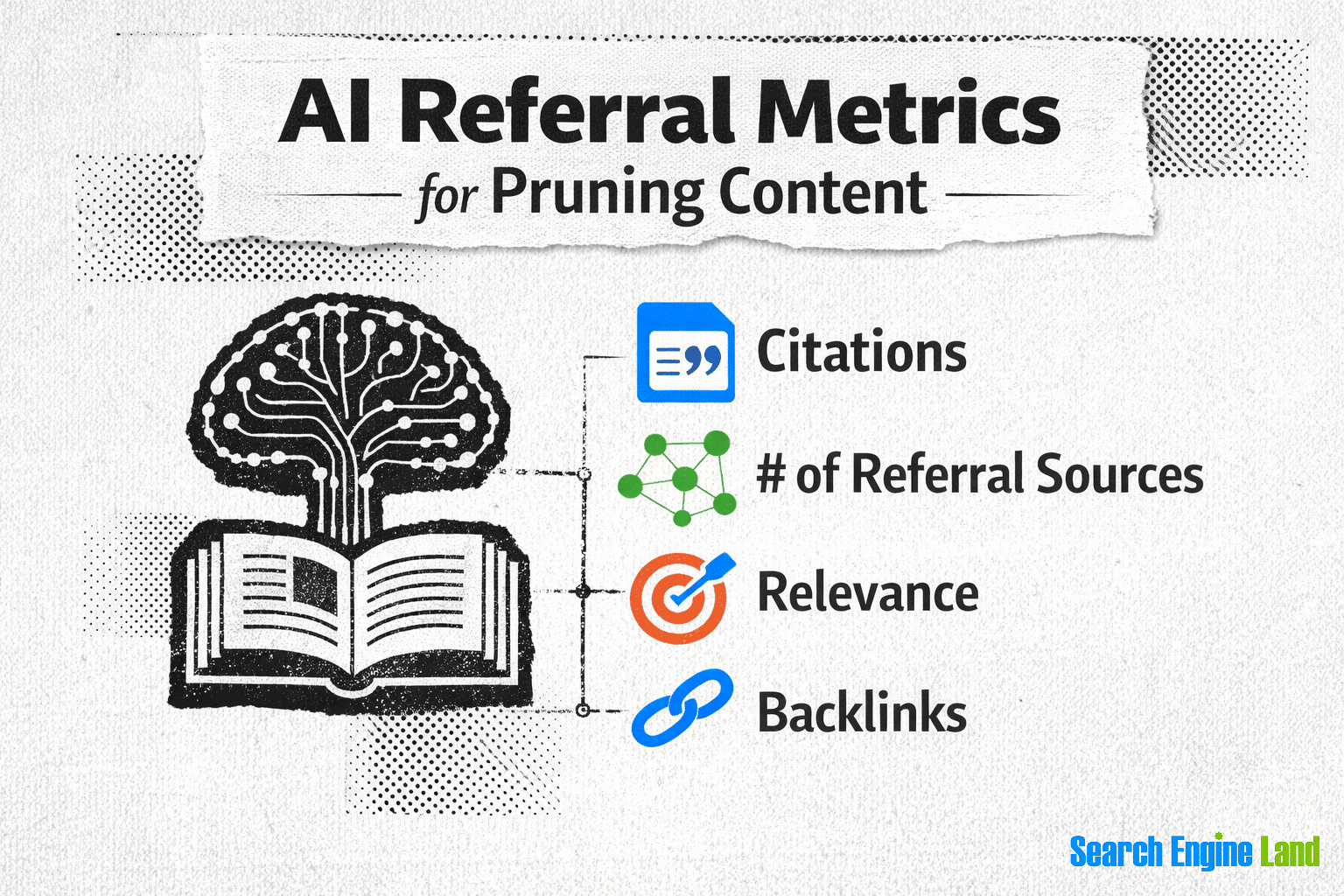
Referral metrics to look at include:
- Citations: Tracking citations helps you see what pages AI bots are actually crawling, indexing, and serving to users. Linked citations indicate that AI-generated search results are pulling information from the cited pages, while unlinked mentions may come from content on other sites, such as a comparison page. For example, if the results include a citation to the publisher’s page about a specific book, then that page is part of the AI’s search index, but a simple mention of the book title could come from a listing or review page on any website.
- Number of referral sources: Referrals from multiple AI sources may indicate that a page provides enough depth of subject to be relevant to an array of user prompts and intents related to that topic. For example, if you’re seeing traffic to product pages from Google AI Overviews, ChatGPT, Grok, Perplexity, and Claude, then that page likely has broad appeal. However, if a page gets referrals only from a single AI tool, you may want to merge it with content from other pages that receive hits from elsewhere.
- Topical relevance: Refocus topic coverage around your business goals. For example, if your site sells books, get rid of the meandering blog posts about how your summer vacation led to a leadership revelation. Make sure every page aligns with your business experience, expertise, and authority — three key components of E-E-A-T that contribute to the last component, trust — and speaks to your target audience. For non-Google AI tools, topical relevance and clarity also helps them better understand when to include your content in generated responses.
- Backlinks: Backlinks still play a role in AI SEO, albeit a less prominent one than traditional SEO focused on the SERPs. AI tools use backlinks to discover and index content across websites, such as finding author and publisher pages from book reviews or lists of top books in a genre. Either way, it’s good to maintain variety in your backlink profile, and pages that continue earning different types of backlinks are ones you should keep.

Engagement metrics to consider are:
- Click-through rate (CTR): Clicks and CTR from AI search results can indicate how well your pages match search intent or how useful your pages appear to users. Pages with citations but that still have a low CTR might be good candidates for updating.
- Conversions: Pages that succeed in improving conversion rate through goal actions, such as enrolling in a service or requesting a product demo, are extraordinarily valuable. Check especially for conversions from AI traffic, and be sure to consider both direct and assisted conversions.
- Engaged sessions: In GA4, engaged sessions are those in which a user has a visit of at least 10 seconds, completes a conversion, or visits multiple pages. Pages with low numbers of engaged sessions can often be pruned or integrated with another page.
- Average engagement time: No, this isn’t how long it takes to go from popping the question to saying, “I do.” Rather, it refers to how long visitors stick around after landing on your site (particularly after an AI search referral). When users leave a page quickly — indicated by a high bounce rate — it means that page likely can benefit from pruning or sprucing up.
- Pages per session: This indicates how many pages users visit after coming into the site from AI search results. Landing pages that encourage users to visit more pages are valuable, especially when they prompt customers to journey deeper into the marketing funnel. Subsequent pages closely related to the landing page’s topic might indicate opportunities for consolidation. Using GA4’s Path Exploration feature can help you see which pages people are going to and help you decide what to do with them.
- Active users: In GA4, active users are unique visitors with an engaged session (see previous bullet) or open your page via a browser or mobile app. Pages with a low number of active users might be prospects for pruning or combining with other pages.
This list is more comprehensive than you’ll likely need. Pick and choose which metrics most closely align with your goals and provide the clearest route to taking action.
Step 3: Decide what to prune, redirect, or combine
If you’re doing a full content audit, you may want to consider other actions for your existing content such as refreshing or deepening the content, or expanding coverage into a new sub-topic that you don’t cover.
For this pruning guide, we’re only considering what to prune or keep, what to redirect, and what to combine to keep it simple.
Just like The Clash’s famous dilemma, the real question is should the page stay, or should it go?
Once you make that decision, additional questions will help refine what needs to happen next:
- If keeping the page, will you keep it as is or merge content from other pages into it?
- If removing the page, will you delete the content altogether, or will you merge the content into an existing page?
- For the removed page, do you want to redirect to another page or delete it altogether?
Here’s a table summarizing the decisions you’ll need to make when considering how to handle each page:
| Decision | Options |
| Prune or keep |
|
| Indexing |
|
| HTTP code |
|
Use our AI SEO pruning decision tree to help
If you’re still struggling to decide how to handle content pruning options for AI SEO, here’s a simple decision tree to follow.
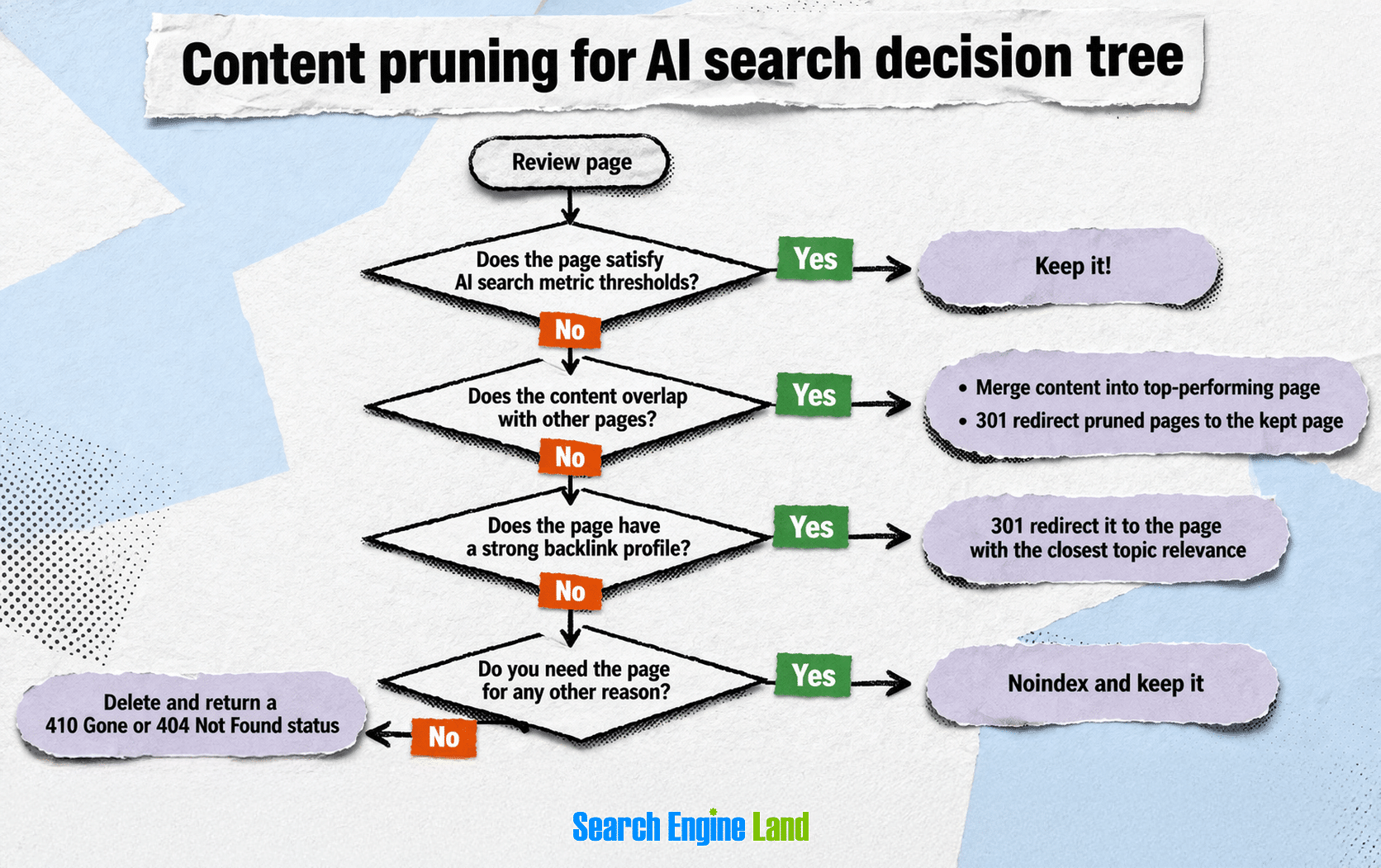
For each page, ask the following questions to decide how to handle it:
- Does the page satisfy the AI search metric thresholds you selected above? (See Step 2 above.)
- Yes: Stop! Keep the page as is.
- No: Proceed to question 2.
- Does the content overlap with or cannibalize other pages?
- Yes: Merge overlapping content into the top-performing page, and 301 redirect merged pages to the top-performing page.
- No: Proceed to question 3.
- Does the page have an authoritative backlink profile or other strong authority signals?
- Yes: Redirect it to the page with the closest topic relevance to preserve authority.
- No: Proceed to question 4.
- Do you need the page for any other reason (e.g., required disclosures or policies)?
- Yes: Noindex the page and keep it published.
- No: Remove the page and return a 410 Gone (preferred) or 404 Not Found status.
Deciding how to handle each page and following through on your decisions is the bulk of the pruning process. But it’s not over quite yet — there are a few other things to do that will make sure you get the most out of your efforts.
Step 4: Important post-pruning actions
Once you’ve completed removing, redirecting, or combining your content, double check these details to make sure your newly pruned site is optimized.
Those details include:
- Dates: For any pages that you’ve updated with merged content, update the published date or modified date. This provides a freshness signal to AI crawlers that the content has changed and it’s time to reindex those pages.
- Structured data: Similarly, make sure that your retained pages contain appropriate schema markup and other structured data for any content that has been added to the page.
- Internal links: While redirects are fine for backlinks pointing to the site, internal links to pruned pages should be updated to point directly to merged pages or removed altogether, as leaving them creates broken links.
- Canonical tags: Review or add canonical tags to the pages that you’ve kept to make sure they aren’t pointing to any pages that have been pruned.
While you can update these things as you handle each page, it’s a good idea to go over them again as a separate step. Sometimes strategies change mid-course, and a review at the end will catch mistakes and missed optimizations, improving the overall quality of your pruning effort.
For the purposes of this guide, you only need to look at these details once when you’re undergoing a content-pruning project. Beyond that, you may also want to include them in regular technical SEO audits each month or quarter.
Step 5: Monitor your AI visibility results
The final step is making sure your changes actually improve your site’s AI visibility.
The easiest way to measure visibility in AI search is to use an AI visibility tool like Semrush One.
The Visibility Overview provides an easy-to-read dashboard of how your site looks in generative AI tools.

You can drill down into each category to gain more insights and receive suggestions on how to improve AI visibility.
You can also get detailed information on:
- Brand performance: Get a view of how AI tools perceive your brand, including how it’s described in prompts.
- Share of voice: Compare how your AI presence stacks up against competitors.
- Prompt tracking: Maintain a list of prompts that you can use to measure visibility over time.
With Semrush One, you also get access to the SEO Toolkit, which will help you with everyday and project-based optimization workflows — such as pruning content.
Content pruning for AI case study
We’re still early on in the era of AI adoption, so few case studies have specifically studied content pruning for AI visibility to date, but we found one that intrigued us.
SEO consultant Jeanne Grunert shared a LinkedIn post about the impact of pruning content on AI visibility for a home and garden site.
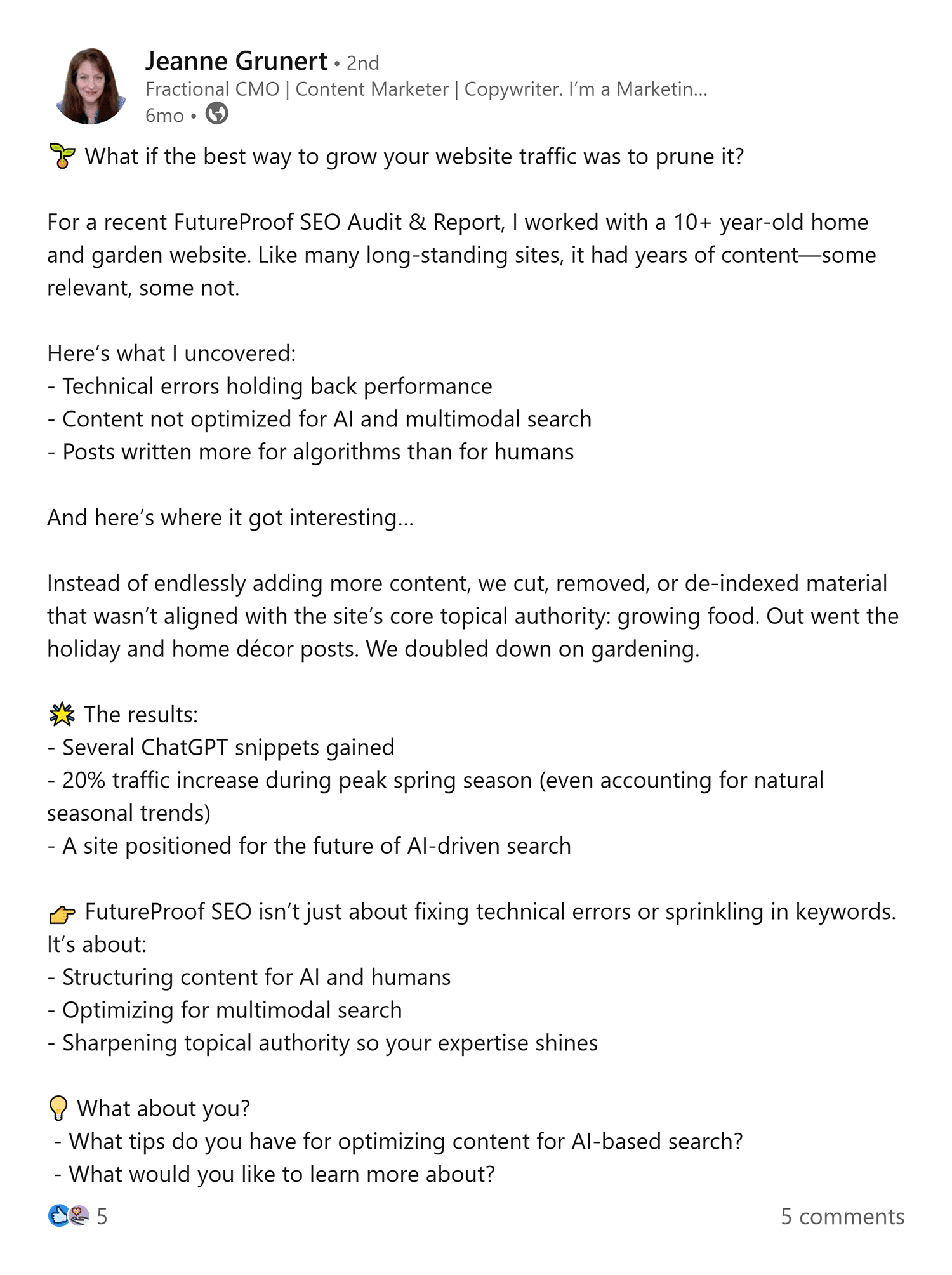
Because the site was more than a decade old, they decided to prune content rather than adding new content. They focused on their core topic area of growing food, and got rid of everything else.
As a result, the site saw:
- A rise in the number of ChatGPT snippets captured
- A 20% improvement in traffic over seasonal trends
- An easier way to maintain the site for future AI search efforts

Start pruning content today and be seen
AI search is an ever-evolving environment, and the techniques for gaining visibility are evolving with it. Content pruning is a great way to start improving your site’s mentions and citations in AI-generated results.
If you’re looking beyond content pruning, see how to measure zero-click search with our visibility-first SEO guide for AI, and learn how to build an effective content strategy in this AI era.
However you optimize for AI visibility, ensure your efforts remain effective with a tool that accurately measures results. Use Semrush One today and get actionable insights right away.
Explore more on
Editorial disclosure
Search Engine Land is owned by Semrush. We remain committed to providing high-quality coverage of marketing topics. Unless otherwise noted, this page’s content was written by either an employee or a paid contractor of Semrush Inc.
About the author