How to set up action extensions, Bing Ads’ newest ad extension


A “Browse” action extension example in a Bing desktop ad.
Bing rolled out a brand new ad extension this week called action extensions. They’re available globally in all supported languages.
Here’s a quick look at the set up process for action extensions in the web interface.
Now available. From the Ad Extensions tab in your account, the Action Extensions option will appear at the very top of the drop down list of available extensions. If you’re not seeing the option quite yet, give it a couple of more days.
 Add new. At the bottom of the Create Action Extensions window, select the “Add new” option. This will trigger the set up window.
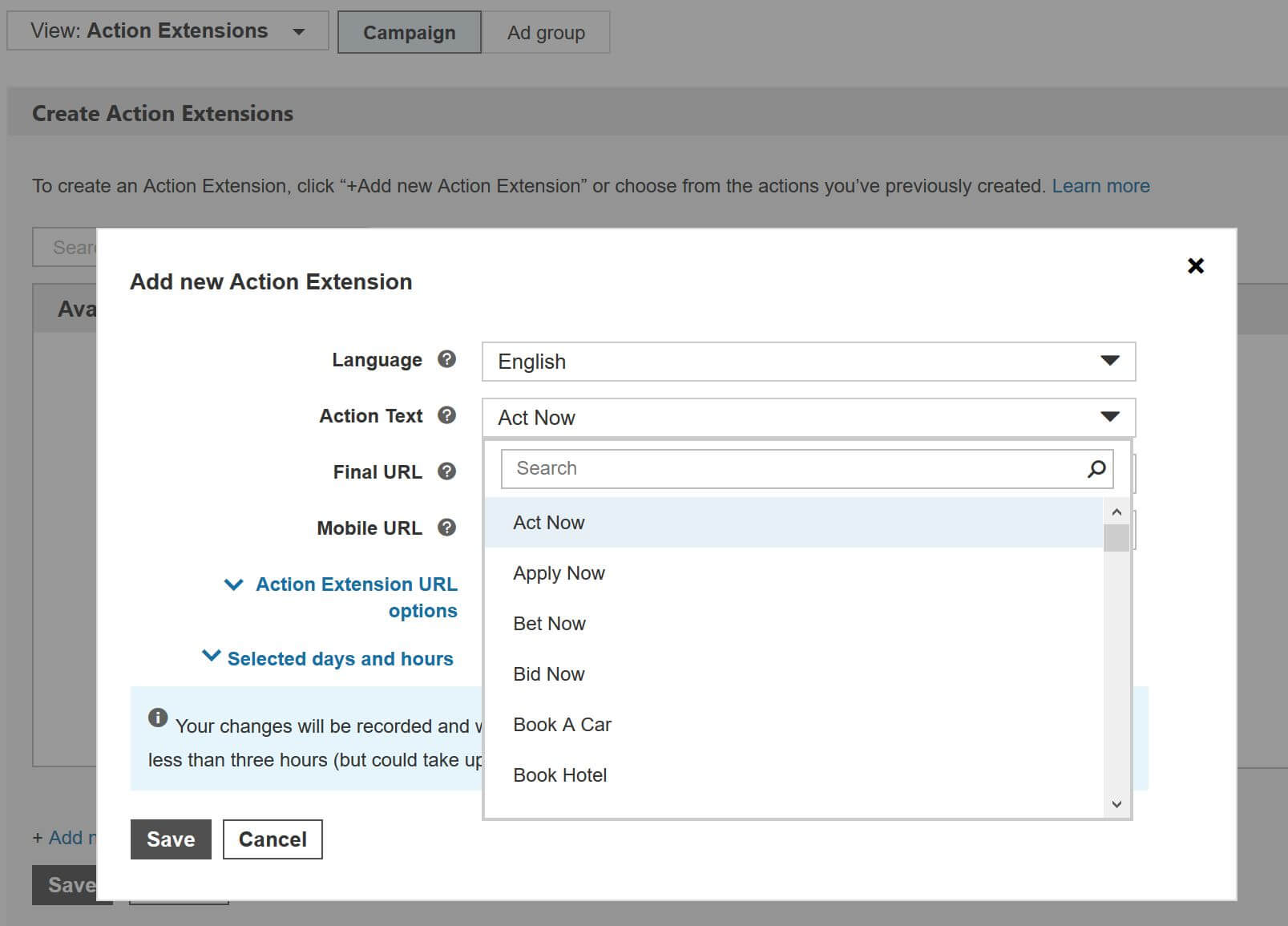
70 pre-defined calls-to-action. Here’s where you can select from one of 70 pre-defined Action Text options. There’s a helpful search box to help expedite the selection process.
URL parameters. You can opt to leave the Final URL and/or Mobile URL fields blank or set a distinct landing page just for the action extension. Note you can add tracking parameters in the URL options section to capture additional insights from clicks on the extensions.
Scheduling. You can also schedule these to show during certain days and hours. That means, you could opt to show different action extensions during hours of operation versus when your business is closed.
Account level associations. You can associate action extensions at the account, campaign or ad group level. The lowest level takes precedence, so if you have an action extension set at the campaign and ad group levels, the ad group extension will display.
Explore more on
Editorial disclosure
Contributing authors are chosen for their expertise and work under the oversight of the editorial staff. Search Engine Land is owned by Semrush. The contributor was not asked to mention Semrush; the opinions expressed are their own.
About the author