

New Google Image Search desktop design is now rolling out
In addition, Google has added Creator and Credit metadata support to image search.
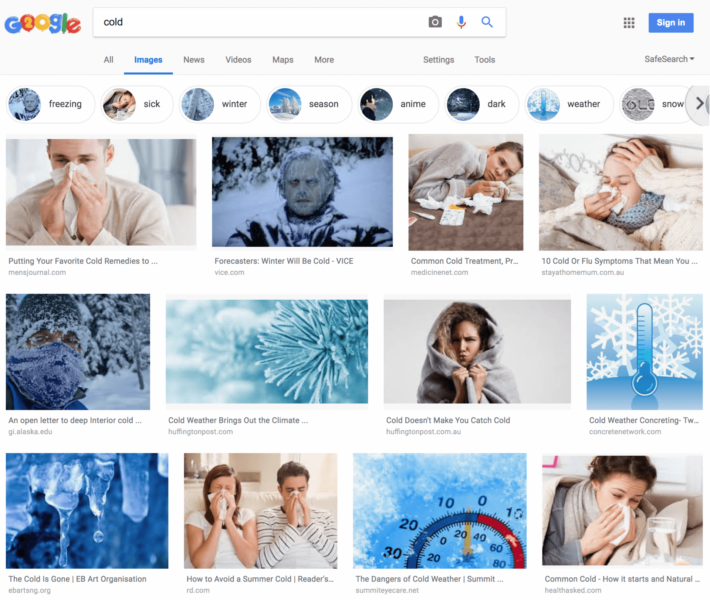
Google is now rolling out the new image search design for desktop, as announced at the company’s 20th anniversary event Monday.
Bringing desktop and mobile in line. The new desktop design features much of what Google launched back in March with the new mobile image design changes, including captions on images, the URL of the image and new filter bubbles at the top.
The screen shot above shows the new design of the image search results. Google announced Monday:
Starting this week, we’ll also show more context around images, including captions that show you the title of the webpage where each image is published. This is critical to help you understand the page behind the image. We’ll also suggest related search terms at the top of the page for more guidance. We’ve already introduced this new look on mobile, and now we’re bringing it to desktop where a larger screen is important for complex tasks.
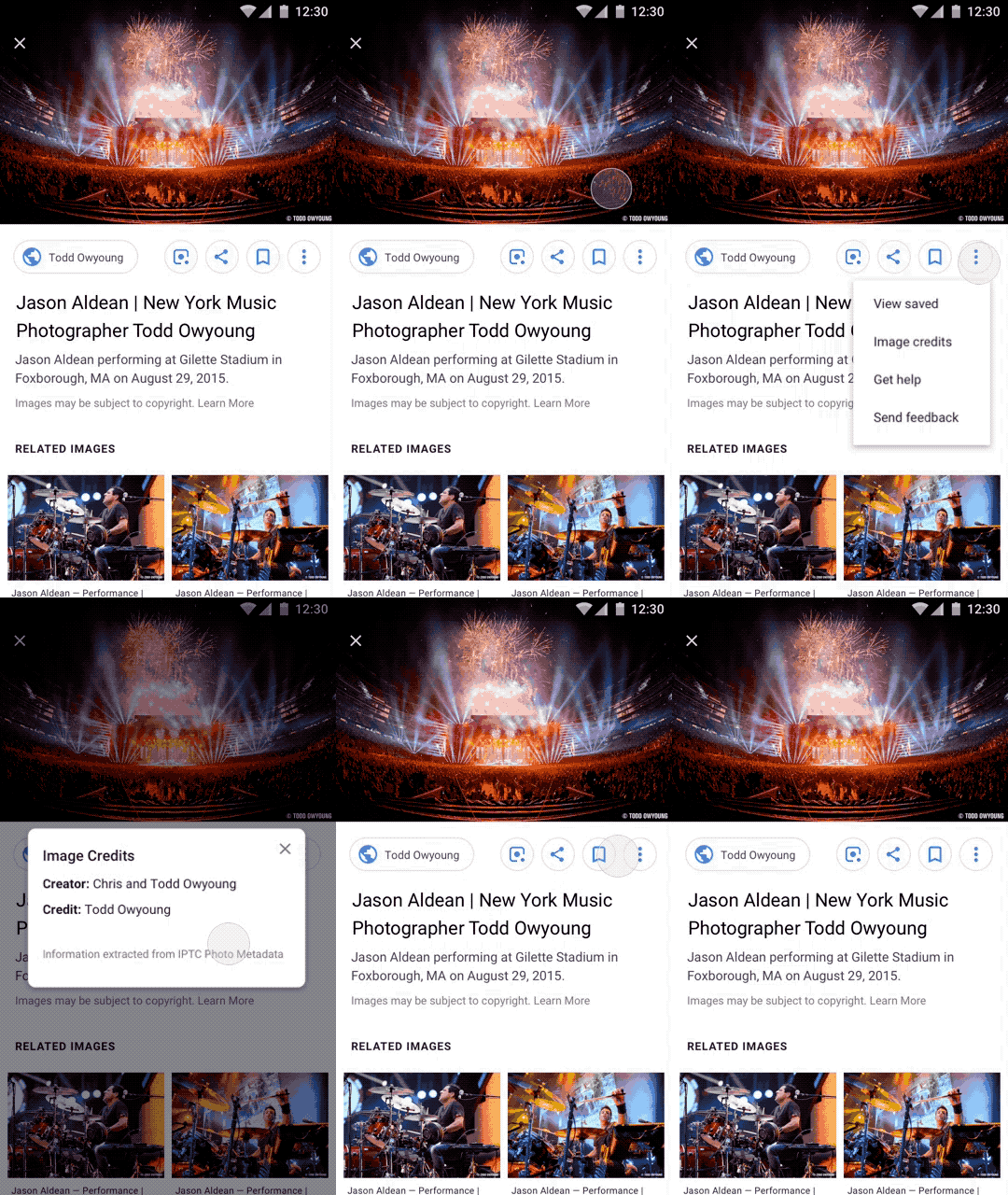
Metadata support. In addition, Google just announced it has added support for Creator and Credit metadata whenever present to images on Google Images. To see this information on Google Images, you can click on the “Image Credits” link to view the metadata fields. Google said they will also add Copyright Notice metadata.
Here is how that looks:
A summary of changes to image search:
- Image thumbnails now have captions below the images in the search results.
- The URL of the image source is now also listed below the image thumbnail.
- New image-based filters are now added to the top of the search results page.
- The mobile image search design changed the color of the green bubble filters to white bubble filters.
- New Creator and Credit metadata support has been added to image search.
Why should you care? Google typically uses the title tag from the page the image is found on as the caption used for these image search results. So you will want to make sure the title tag on the page is relevant and descriptive of the image. In addition, SEOs should look into the new Creator and Credit metadata to see how that can be used in the case specified above.
Search Engine Land is owned by Semrush. We remain committed to providing high-quality coverage of marketing topics. Unless otherwise noted, this page’s content was written by either an employee or a paid contractor of Semrush Inc.
About the Author


