New Widget In AdWords Makes Countdown Copy Easy

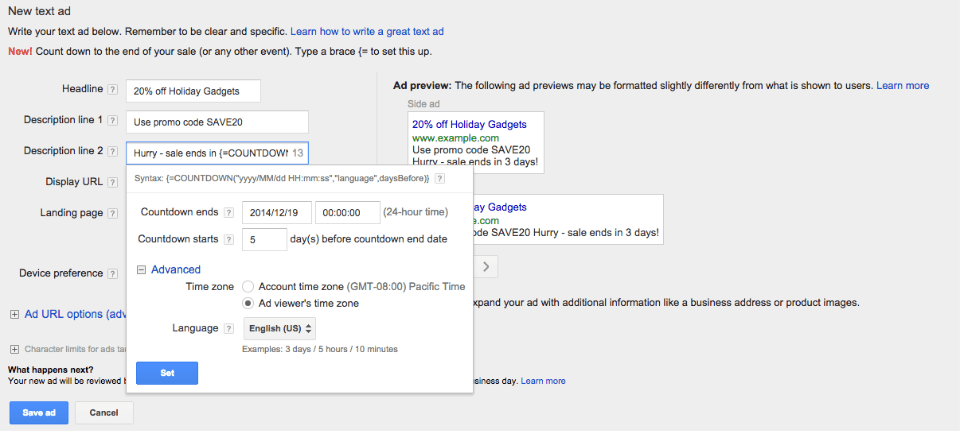
Adding a dynamic countdown — to show the days until a deadline like a sale starting or registration period ending, for example — has gone through several iterations. There’s the countdown script, then Google debuted ad customizers with a countdown variable. Now Google is building on the ad customizer functionality with a new widget.
As soon as you type “{=” into a line of ad copy in the AdWords web interface, the widget will appear. Now just plug in the date and time the countdown ends and the days ahead of the countdown end date that you want your ads to start running.
The time zone defaults to the “Ad viewer’s time zone”, or you can change that to the time zone that the account is located in.
I happily stumbled on this update while setting up countdown ads, and it’s a big improvement over having to type the entire sequence in manually.
Explore more on
Add Search Engine Land as a preferred source on GoogleEditorial disclosure
Contributing authors are chosen for their expertise and work under the oversight of the editorial staff. Search Engine Land is owned by Semrush. The contributor was not asked to mention Semrush; the opinions expressed are their own.
About the author