SEO accessibility: Make your site searchable for all
Great SEO starts with access for everyone. Learn how to optimize your site for users with disabilities while boosting rankings, UX, and compliance.
Want better rankings and higher conversions? Start with accessibility.
Most websites unintentionally block millions of users and search engines alike because they forget about accessibility. But here’s the upside: When your site is built to be usable for people with disabilities, it becomes easier for Google to crawl, index, and rank the site.
Why? Because accessibility and SEO both rely on semantic HTML, clear structure, and logical hierarchy. Fixing accessibility issues often improves UX metrics like bounce rate, time on page, and engagement: core signals in Google’s ranking systems.
And the opportunity is huge. According to the 2025 WebAIM Million study, users with disabilities encounter issues in one out of every 24 elements on a typical webpage. That’s not just a poor experience—it’s lost audience, revenue, and visibility.
In this guide, you’ll learn:
- Why accessibility is essential to SEO performance
- How search engines and assistive technologies “see” your site
- Which on-page elements matter most for both access and rankings
- Technical fixes and real-world benefits that make a measurable difference
Let’s start from the basics.
What is SEO accessibility and why does it matter?
SEO accessibility is where search engine visibility meets inclusive user experience, and it’s going to be more and more important going into the future. It’s the practice of building websites that both search engines can understand and all users can access. Especially people with disabilities.
That includes:
- People who are blind or have low vision and rely on screen readers
- People with motor disabilities who use keyboards instead of mice
- People who are deaf or hard of hearing and require captions or transcripts
- People with cognitive differences who benefit from clear, simple design and navigation
In short: Website accessibility ensures your content is usable for everyone. And that inclusivity pays off in more ways than one.
Better UX = better rankings
Search engines increasingly reward websites that deliver smooth, satisfying user experiences (UX). And accessibility upgrades—like faster load times, clear headings, and semantic HTML—directly support the kind of technical foundation Google favors.
For example:
- Improved accessibility often reduces bounce rates and increases dwell time
- Logical content structure helps search engines understand your pages and accurately rank them
- Clean, semantic code (including alt text, ARIA labels, and heading tags) improves crawlability
Note: Google’s Page Experience updates factor in many of these usability signals as ranking inputs. Making your site more accessible may mean climbing the SERPs without needing more backlinks or content volume.
Accessibility boosts conversions and revenue
Optimizing for accessibility doesn’t just improve search visibility. It also makes it easier for people to complete tasks on your site. Whether that’s finding information, filling out a form, or making a purchase, accessible experiences remove friction for all users.
The same improvements that help users with disabilities, like clear labels, intuitive layouts, and keyboard-friendly navigation, benefit everyone. And when people can navigate your site more easily, they’re more likely to stick around, take action, and convert.
In fact:
- A 2024 accessibility study of over 63,000 websites found that those with accessibility scores above 75/100 consistently outperformed their peers in revenue.
- Research from Acquia shows that 51% of users with disabilities actively seek alternatives when faced with inaccessible websites, while 42% stop using the brand entirely.
- Level Access’s 2023–2024 Digital Accessibility Report found that 85% of organizations now treat accessibility as a business driver, not just a legal risk.
- A combined study by Semrush, AccessibilityChecker.org, and BuiltWith.com discovered that sites implementing accessibility solutions see a 12% bump in overall traffic about three months later.
Accessible design means fewer drop-offs, better engagement, and higher return on investment (ROI) across the board.
Compliance is a ranking opportunity
Accessibility isn’t just nice to have anymore. It’s increasingly required by law.
In 2024, over 4,000 digital accessibility lawsuits were filed under the Americans with Disabilities Act (ADA)—most referencing WCAG 2.1 Level AA as the expected compliance benchmark.
That expectation became official in April 2024, when the Department of Justice adopted WCAG 2.1 Level AA as the legal standard for government websites and mobile apps. And with WCAG 2.2 now live, new criteria address mobile UX and cognitive accessibility—two areas that overlap directly with Google’s mobile-first indexing priorities.
In other words: Accessibility and SEO are quickly converging.
Ecommerce sites are the most frequent targets of lawsuits—accounting for 77% of accessibility claims in 2024. But these same sites stand to gain the most from improved SEO and conversions when they fix accessibility issues.
Accessibility drives measurable business outcomes
Accessibility isn’t just about checking boxes. It’s a sign of quality, attention to detail, and user respect: all traits search engines reward.
The SEO toolkit you know, plus the AI visibility data you need.

Still not convinced? Consider this:
- Approximately 56% of images on enterprise sites lack alt text, according to AudioEye—an easy fix that helps both SEO and screen-reader users.
- About 96% of websites fail to meet basic accessibility standards—meaning even small improvements can give you a competitive edge.
- Businesses that prioritize accessibility often reduce support costs, increase user satisfaction, and reach broader audiences (including aging users, mobile-only users, and voice-assistant users).
Bottom line: Accessible websites work better for everyone. And that translates into higher rankings, better UX, and stronger business performance.
How search engines and screen readers “see” your site
Here’s what many marketers don’t realize: Googlebot and screen readers experience your site in strikingly similar ways. Both rely on clean HTML structure, proper heading hierarchy, and semantic tags to understand your content.
That overlap means accessibility improvements often translate into stronger SEO foundations—and vice versa.
Structure and semantics guide both bots and users
Googlebot crawls your site’s document object model (DOM) in a linear, top-down fashion, just like a screen reader. If your HTML is messy or inconsistent, both will struggle to understand what content is most important.
The good news is that a solid structure serves both:
- Headings (H1, H2, H3) define your content hierarchy
- Semantic HTML tags like <section>, <article>, <nav>, and <header> communicate purpose (read more about semantic HTML)
- Screen readers use these elements as landmarks; search engines use them to assess topical relevance and snippet potential
Tip: A properly marked <nav> section helps screen-reader users jump to key links—and gives Google better signals for crawling and generating sitelinks.
ARIA attributes add meaning to interactive elements
While semantic HTML does most of the heavy lifting, accessible rich internet applications (ARIA) attributes fill in the gaps—especially for dynamic content.
Some commonly used ARIA attributes include:
- aria-label: Adds descriptive labels to buttons, icons, or inputs
- aria-describedby: Links form fields with additional instructions or error messages
- aria-expanded: Signals the open/closed state of collapsible menus or accordions
These markers make your site more navigable for users with assistive technology, and they help search engines better understand interactive elements that otherwise lack context.
Accessibility issues often mirror SEO issues
When accessibility breaks down, crawlability usually suffers, too. Some common examples:
- JavaScript-only content often can’t be parsed by screen readers or by Google without pre-rendering
- Hover-only navigation fails for keyboard users and search bots alike
- Missing semantic structure makes it harder for both technologies to understand your content
A practical example: Missing alt text creates dual problems
Images without alt attributes are invisible to screen readers, creating silence where users expect meaningful descriptions. At the same time, those images can’t be properly indexed—costing you visibility in image search.
Well-written alt text solves both problems:
- It describes the image’s content or function for assistive technology
- It gives search engines valuable context about the page and the visual content
This kind of technical overlap is what makes SEO accessibility so powerful: The same practices support both discoverability and usability.
If your site is hard for people with disabilities to navigate, it’s probably hard for search engines, too. Structured, semantic, accessible code doesn’t just help users. It also helps your content get discovered and ranked.
Key accessibility principles every SEO should know
The Web Content Accessibility Guidelines (WCAG) are built around four core principles that make up the acronym POUR. These principles define what makes content accessible:
- Perceivable
- Operable
- Understandable
- Robust
For SEOs, understanding these principles is essential.
Why? Because each one reinforces technical clarity, crawlability, and user engagement—all things Google loves.
POUR isn’t just for compliance: It’s your blueprint for stronger UX and better organic visibility.
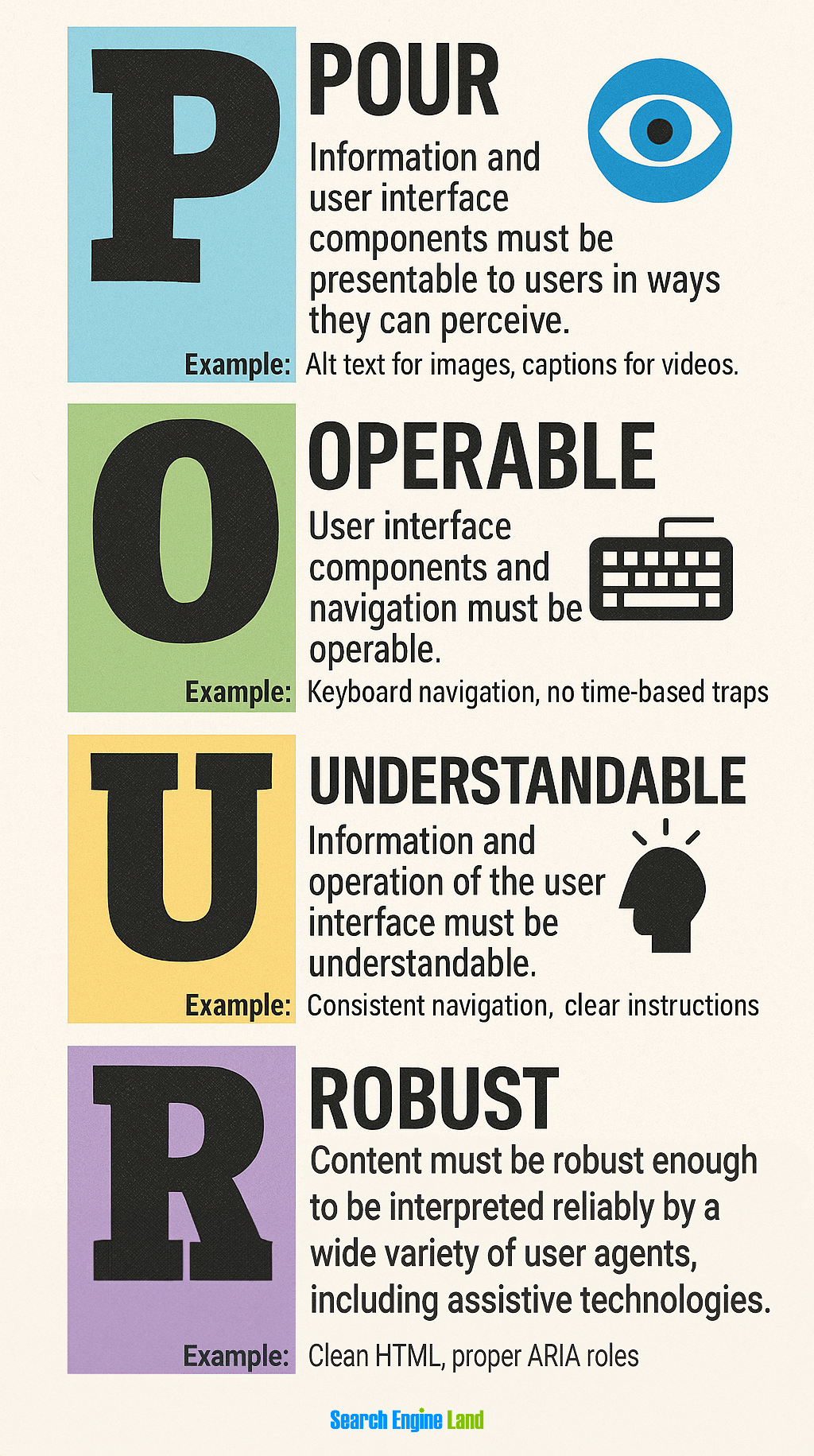
Perceivable: Make content available to all senses
Content must be presentable in ways that users can perceive, regardless of their sensory abilities.
For SEO benefits, perceivable design includes:
- Alt text for images that serves both screen readers and image search optimization
- Video transcripts that provide searchable text content while supporting users who are deaf or hard of hearing
- Sufficient color contrast that improves readability for everyone while potentially increasing dwell time
Color contrast ratios following WCAG guidelines (4.5:1 for normal text, 3:1 for large text) make content easier to read for users with visual impairments while creating better user experiences that can positively influence engagement metrics.
Tip: Better perception = better engagement = stronger UX signals for search engines.
Operable: Make navigation work for everyone
All interactive elements must be operable through various input methods, not just mouse clicks.
SEO benefits include:
- Keyboard accessibility that often correlates with cleaner, more crawlable site architecture
- Focus management that creates logical navigation paths for both users and search bots
- Consistent interaction patterns that improve user experience signals
Sites that work well with keyboard navigation typically have more logical URL structures and clearer content hierarchies—factors that search engines value when determining site quality.
Understandable: Be predictable and clear
Content and interface operation must be understandable to users with diverse cognitive abilities.
For search optimization, this means:
- Clear heading hierarchies that help both users and search engines understand content organization
- Consistent navigation that creates predictable user journeys
- Plain language that improves readability scores and user comprehension
Example: Google’s Helpful Content system prioritizes pages that are easy to follow, well-structured, and satisfying for users.
Robust: Build for now and the future
Content must be robust enough to work reliably across different assistive technologies, browsers, and devices.
SEO advantages include:
- Valid HTML that search engines can consistently process
- Progressive enhancement that ensures core functionality works without JavaScript
- Mobile responsiveness that supports Google’s mobile-first indexing
By building robust websites, you are creating stable, indexable experiences that search engines can trust and users of all abilities can rely on.
On-page elements that impact both SEO and accessibility
The intersection of SEO and accessibility often comes down to specific on-page elements. These are the areas where a single optimization improves both how users experience your site and how search engines crawl, index, and rank it.
Here’s what to focus on:
Page titles and meta descriptions
Your <title> tag provides the primary heading that screen readers announce when users land on your page. This same title becomes your clickable headline in search results.
Best practices:
- Write descriptive, keyword-rich titles that clearly communicate page purpose
- Keep titles under 60 characters (including spaces) to prevent truncation in search results
- Ensure titles make sense when read aloud by screen readers

Meta descriptions don’t impact rankings directly, but they:
- Influence click-through rates
- Help screen-reader users understand what a page offers
Best practices:
- Write concise, benefit-driven descriptions in plain language
- Include one to two relevant keywords, as they’re often bolded in search results to improve visibility and highlight relevance

Dig deeper: The most important HTML tags to use for SEO success
Header tag hierarchy (H1, H2, etc.)
Screen-reader users frequently navigate pages by jumping between headings (H-tags) using keyboard shortcuts. Search engines use this same heading structure to understand content organization and topical relevance.
To optimize your header tags:
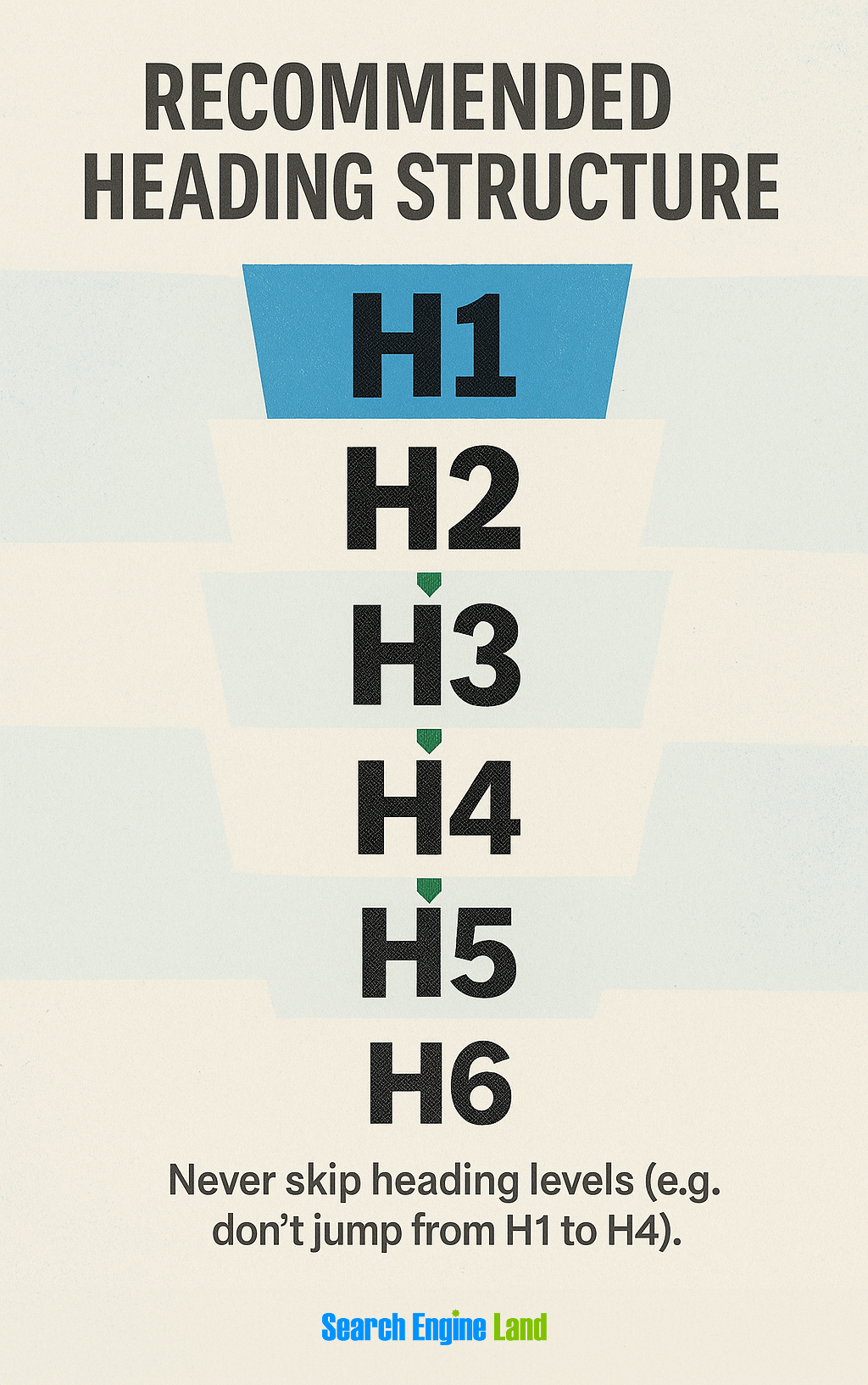
- Use exactly one H1 per page that clearly states the main topic
- Follow logical heading sequences: H1 → H2 → H3, never skipping levels
- Make headings descriptive enough to understand content when read out of context
- Include relevant keywords naturally within heading text
- Use headings only for content structure, not for styling (screen readers use headings to navigate, and misused tags [like H3s on CTAs or in the footer] can disrupt that experience and also dilute SEO relevance)
Proper heading hierarchy helps:
- Users can quickly scan content
- Google understand topical relevance and section relationships
Descriptive anchor text (no “click here” or “read more”)
Link anchor text like “click here” or “read more” provides no value to screen-reader users who navigate by reviewing all links on a page. These generic phrases also offer no topical signals to search engines.
Use anchor text that:
- Clearly indicates link destinations: “download the accessibility audit checklist”
- Includes relevant keywords naturally: “learn advanced keyword research techniques”
- Works well when read out of context
- Avoids overuse of exact-match keywords that might appear manipulative

Image alt text
Alt text serves dual purposes: Screen readers announce image content to visually impaired users, while search engines use this text to understand and index images.
Tips for effective alt text:
- Describe functional or informative images (“Search button,” “Team brainstorming at whiteboard”)
- Keep it concise and relevant, while incorporating a keyword that makes sense for the image
- Use empty alt text (alt=””) for purely decorative images and graphics
- Add longer descriptions in captions or nearby text for complex visuals
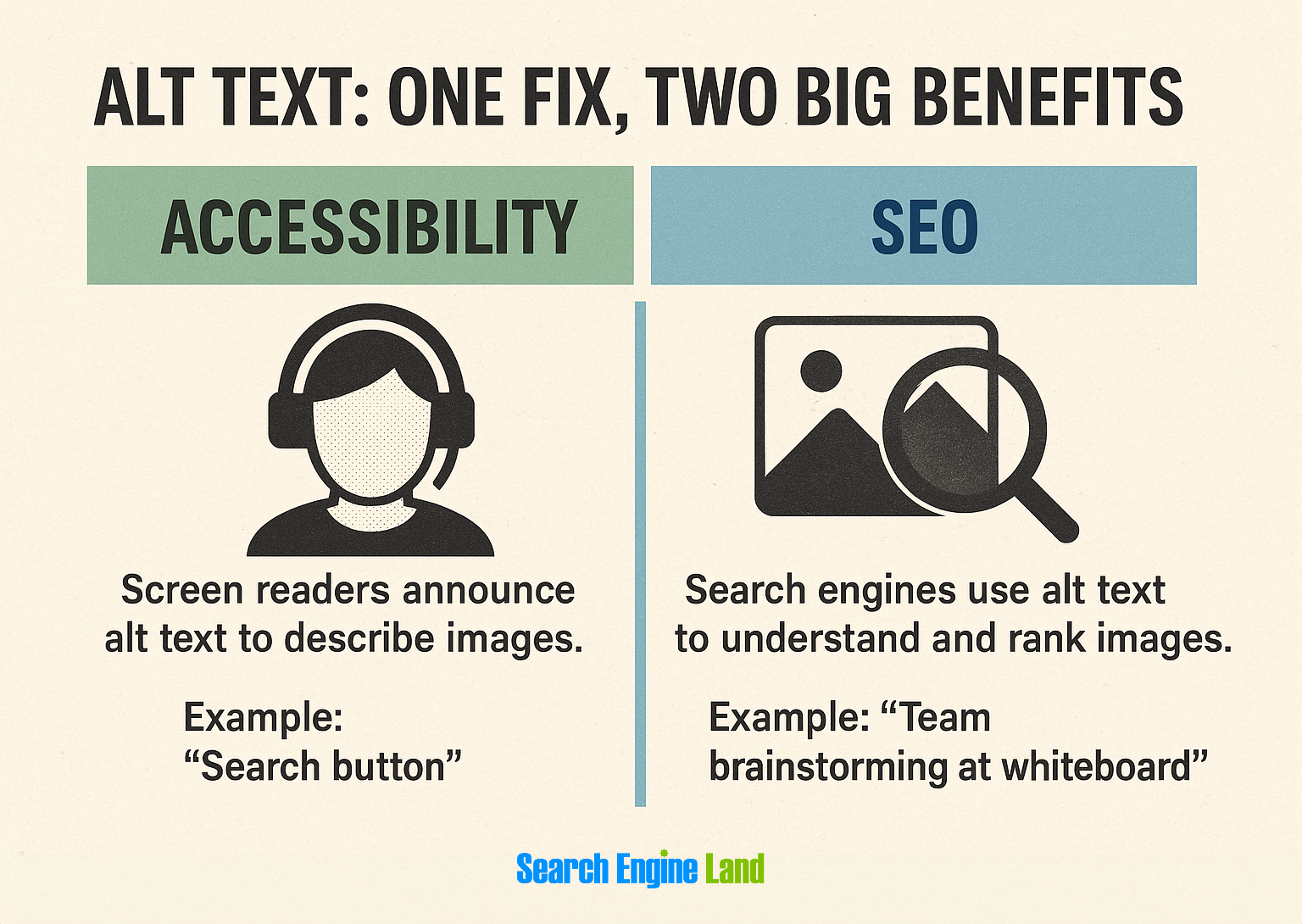
This one fix helps two different audiences and can drive surprising traffic from image results.
Table structure and list formatting
Poorly structured data tables confuse screen readers and search engines.
Fix it by:
- Use <ul> for unordered lists (bulleted lists) and <ol> for ordered lists (numbered or lettered lists)
- Avoid “fake” lists created with line breaks and dashes
- Structure enhances both assistive technology navigation and search engine content parsing
Here’s a clean, accessible example of a food table that follows accessibility best practices:
<caption>: Describes the purpose of the table for screen readers<th scope="col"> / <th scope="row">: Adds semantic meaning to headers and helps assistive tech interpret the table structure<ul><li>: Proper semantic list markup inside cells (instead of dashes or line breaks), making items readable by screen readers and parsable by search engines- No role or ARIA needed for basic tables when using proper semantic HTML
<table>
  <caption>Weekly Lunch Menu</caption>
  <thead>
    <tr>
      <th scope="col">Day</th>
      <th scope="col">Main Course</th>
      <th scope="col">Sides</th>
      <th scope="col">Dessert</th>
    </tr>
  </thead>
  <tbody>
    <tr>
      <th scope="row">Monday</th>
      <td>Grilled Chicken</td>
      <td>
        <ul>
          <li>Steamed Broccoli</li>
          <li>Brown Rice</li>
        </ul>
      </td>
      <td>Fruit Salad</td>
    </tr>
    <tr>
      <th scope="row">Tuesday</th>
      <td>Spaghetti Bolognese</td>
      <td>
        <ul>
          <li>Garlic Bread</li>
          <li>Mixed Greens</li>
        </ul>
      </td>
      <td>Chocolate Pudding</td>
    </tr>
    <!-- More rows as needed -->
  </tbody>
</table>
This structure helps screen readers navigate content and helps Google understand relationships between data points, which may surface in rich snippets.
Breadcrumbs and skip-to-content links
Breadcrumb navigation helps users understand their location within site hierarchy while providing valuable internal linking structure for SEO. Implement breadcrumbs using structured data markup to enhance search engine understanding.
Skip-to-content links allow keyboard and screen-reader users to bypass repetitive navigation, improving user experience without affecting search performance. These links should be the first focusable element on each page.

Tip: These elements won’t hurt SEO, and they’ll often significantly improve UX and accessibility.
Use of semantic HTML5 elements for clarity
Semantic elements like <article>, <section>, <nav>, and <aside> clearly define content areas for both assistive technologies and search engines.
Why it matters:
- Search engines use them to parse content types and relationships
- Screen readers use them to guide navigation and comprehension
- Clean, semantic code often loads faster and can help pages rank better
Site architecture and navigation best practices
A well-structured site makes it easier for everyone—users, search engines, and assistive technology—to find, understand, and navigate your content.
Here’s how to design your site architecture for both accessibility and SEO:
Use a logical heading and menu structure
Design navigation systems that follow clear, predictable patterns. Main navigation should remain consistent across pages, using identical terminology and organization.
Best practices:
- Design headings that make sense when read top-down or out of context
- Use descriptive menu labels that work well without visual context—avoid vague terms like “Solutions” unless context is provided
- Use predictable navigation across all pages (same order, same terms)
Why it matters: Screen readers rely on this structure to guide users. Google uses it to understand your site hierarchy and topic clusters.
Avoid JavaScript-only navigation or hover-only menus
Dropdown menus that only appear on hover create barriers for keyboard users and can be problematic for search engine discovery.
Best practices:
- Ensure all menu items are keyboard accessible
- Use visible focus indicators for tab navigation
- Test with JavaScript disabled to confirm core functionality remains intact
SEO payoff: Accessible menus ensure key pages aren’t hidden from crawlers.
Create consistent and accessible sitemaps (HTML and XML)
Maintain both XML sitemaps for search engines and HTML sitemaps for users. HTML sitemaps serve as crucial accessibility features, providing complete site overviews that benefit users with cognitive disabilities while offering search engines additional crawling pathways.
Best practices:
- Organize sitemaps with clear headings and logical groupings
- Include descriptive link text for all major site sections
- Update sitemaps regularly to reflect current site structure
- Make sitemaps easily discoverable through main navigation or footer links
Bonus: A well-structured HTML sitemap can serve as a secondary navigation layer and even rank in search.
Prioritize a mobile-first, inclusive layout design
Design for diverse input methods from the beginning: touch, keyboard, voice, and assistive technologies. Most traffic today comes from mobile, and many assistive tech users also browse on mobile devices.
Best practices:
- Make tap targets large enough (minimum 44×44 pixels)
- Avoid dense layouts that make screen magnification harder
- Support touch, voice, and keyboard navigation
- Test with mobile screen readers (e.g., VoiceOver, TalkBack)
Why it matters: Mobile-first design supports Google’s mobile-first indexing and improves usability for a wide range of users.
Avoid infinite scroll without accessible pagination
Infinite scroll creates significant challenges for keyboard navigation and screen-reader usage. Users can become trapped in continuously loading content without clear waypoints or escape routes.
Best practices:
- Use pagination with labeled “Next” and “Previous” links
- Offer jump-to-page functionality for large result sets
- Make sure all controls are keyboard-accessible and screen-reader friendly
SEO tip: Pagination gives each section a unique URL, making your content easier to index and link to.
Technical fixes that improve both SEO visibility and accessibility
Several technical implementations can create measurable improvements in both search performance and accessibility, often providing quick wins with significant long-term benefits.
Use ARIA attributes to improve—not override—HTML
ARIA (accessible rich internet applications) helps screen readers interpret your site. But misuse can break accessibility and confuse search engines.
Best practices:
aria-label: Add labels to icon-only buttons or hidden textaria-describedby: Link input fields to instructions or error statesaria-expanded: Show whether dropdowns or accordions are openaria-live: Announce dynamic updates without page reloads
Tip: Always start with semantic HTML—use ARIA only when native elements fall short.
Build accessible, conversion-friendly forms
Properly structured forms benefit both conversion rates and search engine understanding of page purpose.
Form accessibility essentials:
- Use
<label>with attributes to connect labels to inputs - Group related fields with
<fieldset>and<legend> - Use aria-describedby to link error messages and tips
- Show visible focus states for every interactive element
- Provide clear, actionable instructions (not just vague red highlights)
Bonus: Clean forms reduce abandonment and boost conversions across all audiences.
Use sufficient contrast and mobile-friendly typography
Good color contrast improves readability for users with visual impairments while potentially increasing engagement metrics that influence search rankings.
WCAG contrast requirements:
- Normal text: minimum 4.5:1 contrast ratio
- Large text (18pt+ or 14pt+ bold): minimum 3:1 contrast ratio
- Interactive elements: ensure focus indicators meet contrast requirements
- Use scalable font sizes (e.g., rem, not fixed px)
- Ensure legibility on mobile, especially for users with low vision
Tools to test: WebAIM Contrast Checker, axe DevTools
Make error handling screen-reader friendly
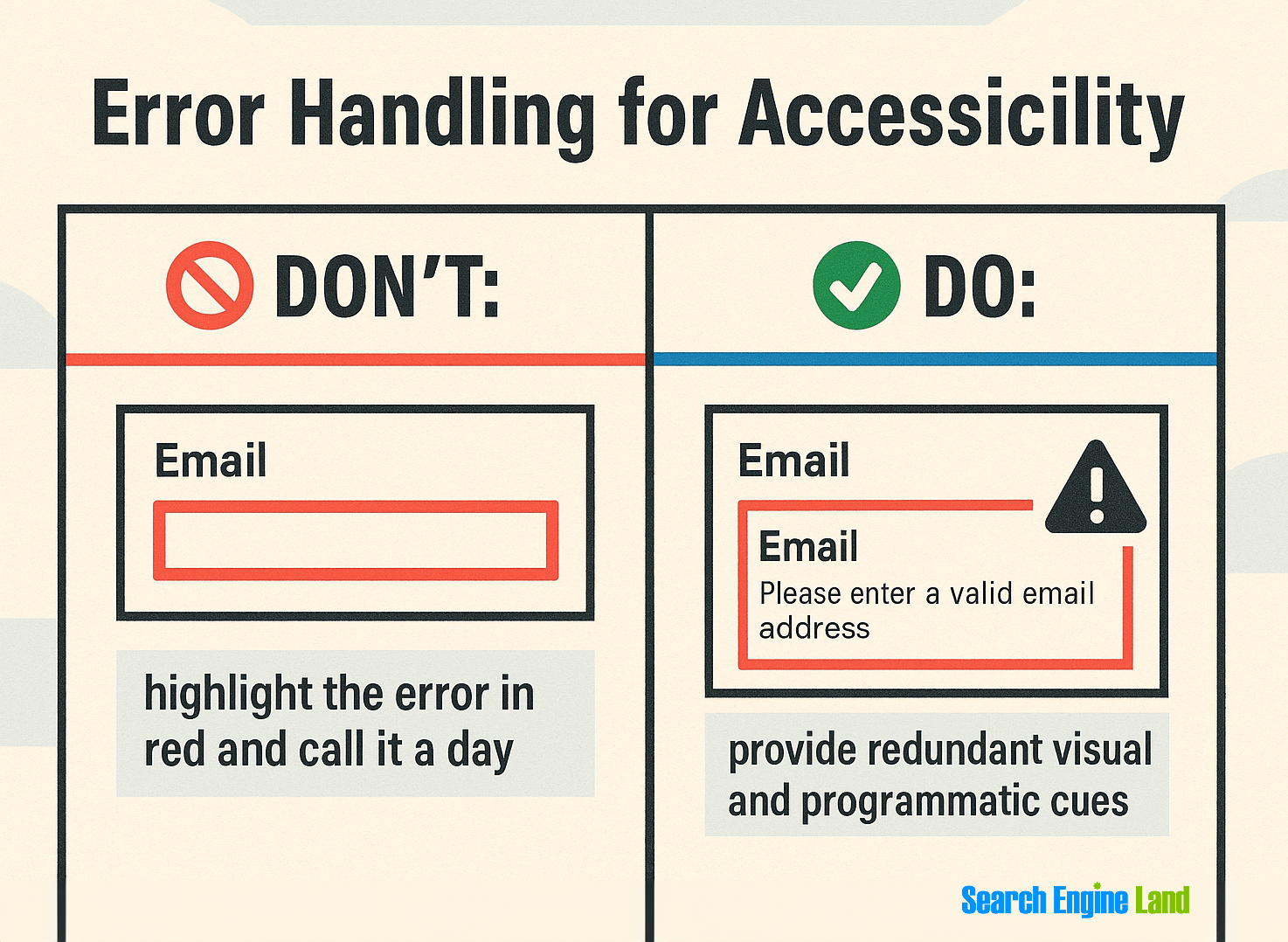
Implement error handling that communicates clearly with both visual and non-visual users.
Make errors accessible by:
- Announcing them via
aria-liveregions - Using
aria-describedbyto link errors to fields - Offering specific guidance (“Enter a valid email”)
- Never relying on color alone to show problems
Design modals that support both SEO and usability
Properly implemented modals enhance user experience while supporting engagement metrics that can positively influence search performance.
Modal accessibility requirements:
- Trap keyboard focus within modal content
- Provide clear escape methods (“Escape” key, close button)
- Return focus to triggering element when modal closes
- Use appropriate ARIA attributes (
role="dialog", aria-modal="true") - Ensure modal content is announced properly to screen readers
Good modal behavior improves user retention and reduces friction for all users, while giving bots fewer crawl and index issues.
Note: Modals are UI elements, like pop-ups or dialog boxes, that appear on top of the main page content to capture the user’s attention and require interaction before returning to the main page. They’re often used for login forms, alerts, cookie notices, or subscription prompts.
How accessibility lifts performance
Accessibility isn’t just ethical. It’s effective. Here’s how it directly impacts measurable SEO and UX performance:
Accessibility improves Core Web Vitals parameters
Google’s Core Web Vitals (CWV) prioritize speed, stability, and responsiveness—metrics that accessible design improves by default. Accessible design patterns naturally align with performance optimization because both prioritize clean, efficient code and logical content organization.
Accessibility overlaps include:
- Largest contentful paint (LCP): Semantic HTML loads faster than div-heavy JS
- First input delay (FID): Keyboard-friendly elements require simpler event handling
- Cumulative layout shift (CLS): Structured content prevents jarring visual shifts
Sites designed with accessibility in mind can outperform in CWV benchmarks, which Google now uses as part of its Page Experience ranking signals.
Dig deeper: Your guide to technical SEO
Accessible UX drives higher conversion rates
Accessible design isn’t just about accommodating edge cases. It removes friction for everyone. From form clarity to navigation logic, accessibility upgrades often align with classic conversion rate optimization.
Why this matters:
- Clear navigation reduces task completion time and user frustration
- Descriptive links improve decision-making and reduce drop-off on CTAs
- Error-resistant form design leads to more successful submissions
- Logical content structures reduce pogo-sticking and improve goal completion
A Nielsen Norman Group study found that websites meeting core accessibility standards saw conversion improvements of 8-12%, even for users without disabilities.
Accessibility expands your total addressable audience
Inclusive design supports a growing ecosystem of devices and access needs, from voice interfaces to high-contrast mobile browsing.
Specifically:
- Screen-reader friendly markup also benefits voice search and AI assistants, which rely on structured, semantic content.
- Keyboard-only navigation translates well to remote-control interfaces on TVs and assistive hardware.
- High-contrast UIs improve visibility in bright environments, from sunlight to showroom floors.
- Consistent headings and content order supports users with cognitive disabilities who rely on predictability and structure.
According to ClickAway Pound, 71% of people with access needs leave a site they find hard to use. These behaviors influence dwell time, repeat visits, and brand trust signals—metrics that increasingly affect organic performance.
When accessibility updates increased engagement or reduced bounce rates
Accessibility is a scalable optimization strategy that improves usability, reduces friction, and drives measurable results. The following case studies highlight how inclusive design directly improves performance metrics across traffic, engagement, and conversions.
Track, optimize, and win in Google and AI search from one platform.
Legal & General
Legal & General rebuilt their website with accessibility at its core, adding semantic HTML, alt text, and accessible forms.

The impact was dramatic:
- Increase of +25% organic traffic within 24 hours, growing to +50%
- Quote requests (a proxy for conversions) doubled in three months
- ROI of 100% achieved within one year
Lesson: A well-executed accessibility overhaul not only served more users but also reduced long-term tech debt and drove business performance.
Sainsbury’s (UK supermarket chain)
Sainsbury’s conducted a full accessibility audit and overhauled its online grocery platform according to WCAG guidelines.

The overhaul resulted in:
- More than £100,000 per week in additional revenue
- Significantly improved customer retention and satisfaction among users with disabilities
Lesson: Fixing accessibility issues directly improved the bottom line by enabling a broader customer base to complete purchases.
CIBC (Canadian Imperial Bank of Commerce)
CIBC redesigned its digital banking platform to improve accessibility across devices and user needs.
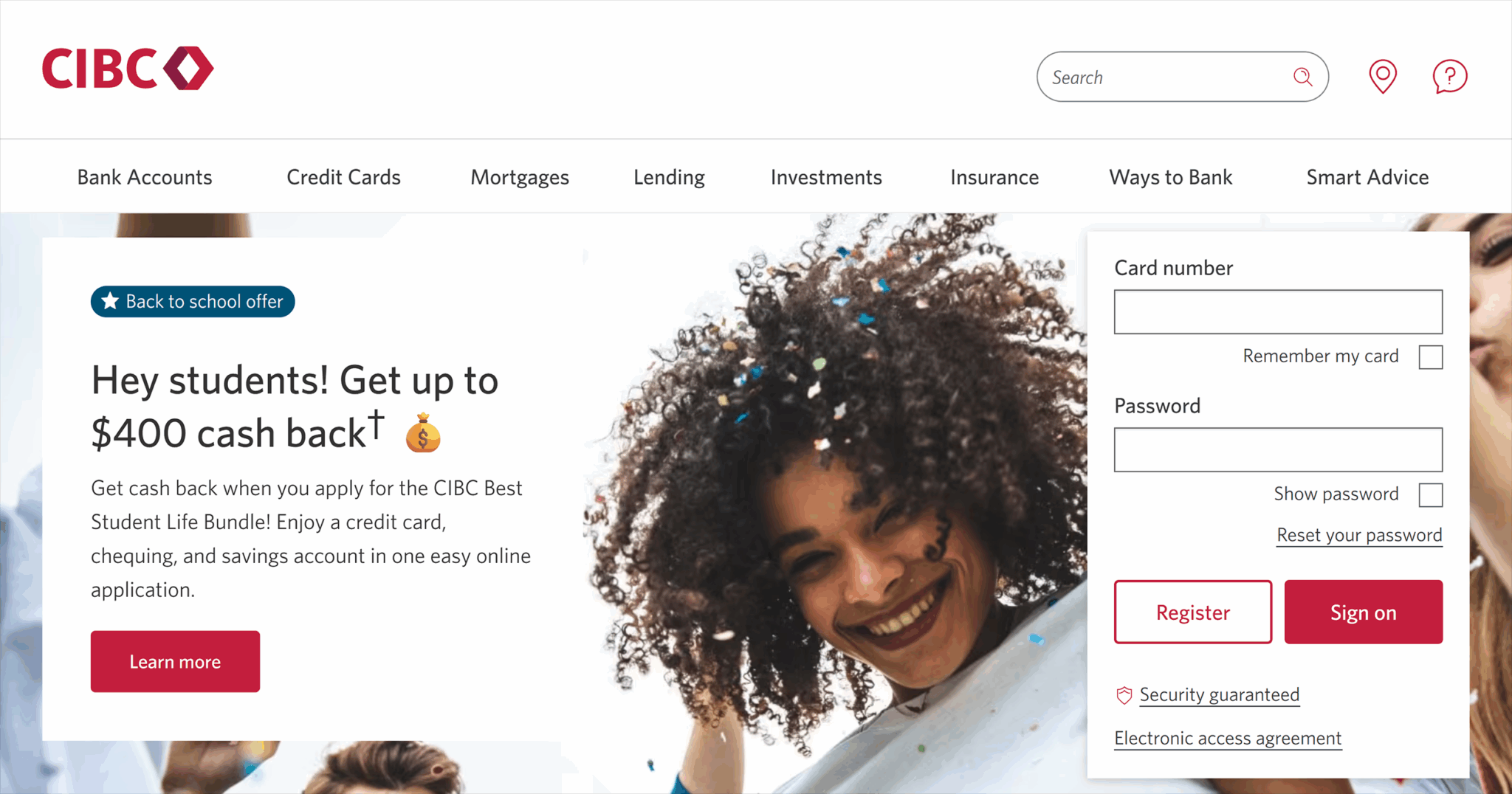
This accessibility-focused redesign led to:
- Higher user satisfaction
- Increased mobile engagement
- Greater brand trust and loyalty, particularly among aging customers and those with temporary impairments
Lesson: Prioritizing accessibility aligned with both brand values and strategic growth among underserved audiences.
These gains reflect a broader pattern. When websites adopt accessibility best practices, they typically improve semantic clarity, streamline navigation, and reduce friction across key user journeys. Each of those improvements supports the UX signals that Google uses in its ranking systems: dwell time, bounce rate, repeat visits, and user satisfaction.
The takeaway?
Accessibility isn’t just about reaching more users. It’s about retaining them. And in doing so, it helps your content rank higher, convert better, and more reliably perform across every channel.
Where to go next: Turn accessibility into an SEO advantage
Ready to make your website more accessible and discoverable? Start with a focused audit of your accessibility baseline. From there, prioritize changes that benefit both SEO and usability:
- Fix heading structure and semantic HTML
- Improve keyboard navigation and form labeling
- Add descriptive anchor text and alt attributes
- Ensure strong color contrast and responsive design
Then build a plan for long-term integration.
Inclusive SEO is strategic SEO. And the gains, visibility, conversions, and brand trust compound over time.
Want to go deeper?
Explore our guide to on-page SEO to reinforce your accessibility improvements with broader content and UX best practices.
About the Author