The most important HTML tags to use for SEO success


HTML tags are the backbone of SEO that’s overlooked by many digital marketing professionals. These simple code elements tell search engines exactly what your webpage is about and how to interpret it. Mastering HTML tags can significantly boost your rankings and traffic.
What are HTML tags and why do they matter for SEO?
HTML tags are simple instructions that tell web browsers how to display content on a page. They transform plain text into structured elements such as headings, paragraphs, hyperlinks, and images.
Every webpage you visit is built using HTML (or Hypertext Markup Language), the fundamental coding language of the internet. Tags form the building blocks of this language, working behind the scenes in your html document to organize everything you see online.
<!-- Basic HTML tag structure -->
<tagname>Your content appears here</tagname>
These tags serve dual purposes: they not only format content for visitors, but also provide crucial information to search engines. When properly implemented, HTML tags help search algorithms understand your content’s organization, identify important information, and determine if your page satisfies what people are searching for.
Almost all HTML tags contain two parts: an opening tag and a closing tag. In the example above, <tagname> is the opening tag and </tagname> is the closing tag. The closing tag contains the same text as the opening tag, but with an additional forward-slash (/) character before the name.
The content you want to format or structure goes between these opening and closing tags. When a browser reads this code, it knows that everything between these tags should be treated according to the rules of that specific tag type.
Some common examples include:
- <p>This is a paragraph tag.</p> – Creates a paragraph
- <strong>This is bold text.</strong> – Makes text bold
- <a href=”https://example.com”>This is a link.</a> – Creates a clickable link
There are also a few self-closing tags that don’t require a separate closing tag, such as <img src=”image.jpg” alt=”description”> to insert an image, <embed> when you embed media or a plug-in, or <br> for line breaks.
The SEO toolkit you know, plus the AI visibility data you need.

Google’s crawlers extract specific signals from your HTML tags to determine what your content deserves to rank for:
- Title tags influence what queries you’ll rank for
- Header tags (H1-H6) help Google understand your content’s topical structure
- Alt text helps crawlers “see” your images and rank them in image search
- Schema markup can earn you enhanced listings with higher click-through rates
Using semantic HTML (elements that clearly describe their meaning in both a human and machine-readable way) further enhances your content’s clarity and accessibility and can help your SEO strategy. This aligns with the principles of the semantic web, where information is structured to be better understood and connected by machines, making your content more discoverable and relevant in search.
There are countless HTML tags you can use on your website, but we’ll focus on the most important and unavoidable ones that can significantly impact SEO.
Title tags: creating the perfect title for SEO
The title tag (<title>) serves as both one of your strongest ranking signals and your first impression in search results. It serves as both one of your strongest ranking signals and your first impression in search results.
This tag is visible to searchers in three key places:
- As the clickable headline in search engine results pages (SERPs)
- In browser tabs when visitors are on your page
- When someone bookmarks your page, as it becomes the default bookmark name
The title tag can directly influence what queries you’ll rank for and whether users will click through to your site.
<title>Primary Keyword | Secondary Keyword | Brand Name</title> Best practices for creating effective title tags
When crafting a successful title tag, you’ll want to speak directly to what the searcher wants. Are they looking to learn something (informational)? Find a brand/page (navigational)? Make a purchase or decision (transactional)? Identify search intent so you can target the corresponding keywords in the title tag.
Identify the best keywords for your business
Speaking of keywords, try to use the exact words your audience types into Google. This means doing real keyword research, but also listening to how people actually talk about your topic or product.
To discover these keywords:
- Use dedicated keyword research tools like Semrush’s Keyword Magic Tool to find search volumes and related terms
- Analyze Google’s “People also ask” and “Related searches” sections for natural language queries
- Review your competitors’ meta titles to identify industry-standard terminology
- Check social media conversations and forums where your target audience discusses the topic you want to target
These approaches will help you identify the precise language your potential visitors use when searching,
Use power words strategically in your title tag
Words like “essential,” “proven,” “ultimate,” “guide,” “checklist,” or “fast” can boost click-through rates by sparking curiosity or urgency.
Good example: “5 Proven Strategies to Improve Your Website’s Loading Speed”
This title incorporates the power word “proven” naturally while clearly communicating value to the reader.
Poor example: “AMAZING Ultimate FAST Guide: 27 SHOCKING SEO Secrets That Will INSTANTLY Transform Your Website Traffic TODAY!!!”
This title overuses power words, excessive capitalization, and exclamation points, making it appear unprofessional and misleading.
Avoid sounding clickbaity: you don’t want to compromise brand trust by overusing buzzy words that make your page seem spammy or low quality.
Keep titles under 60 characters
When optimizing a page about winter hiking boots, you want your title to be concise and fully visible in search results.
Good example: “10 Best Winter Hiking Boots for Extreme Cold | OutdoorGear”
This 59-character title appears completely in search results and includes key information about the resource.
Poor example: “The Complete Guide to Finding the Perfect Winter Hiking Boots for Extreme Cold Weather Conditions – OutdoorGear’s Expert Recommendations”
At 126 characters, Google will truncate this title, cutting off important information and diminishing click-through rates.
Place primary keywords near the beginning
Your primary keywords should appear early in the title to maximize SEO impact and user relevance.
Good example: “Winter Hiking Boots: Top Picks for Different Terrain | OutdoorGear”
This title tag places the primary keyword phrase “Winter Hiking Boots” at the beginning.
Poor example: “Our Complete Selection of Premium Footwear Options for Winter Hiking Boots”
This example buries the main keyword phrase deep in the title, reducing both SEO effectiveness and scannability.
Create unique titles for every page
Each page on your site needs its own distinctive title to avoid duplicate content issues.
Good examples:
- Category page: “Winter Hiking Boots for All Terrain | OutdoorGear”
- Product page: “Summit Pro Insulated Hiking Boots – Waterproof | OutdoorGear”
- Guide page: “How to Choose Winter Hiking Boots: Beginner’s Guide | OutdoorGear”
The above examples are three separate pages that each have their own unique title tag, increasing opportunities to rank for various keywords and search phrases.
Poor example: Using “Winter Hiking Boots | OutdoorGear” for multiple pages across your site
Using the same title tag in this manner creates confusion for search engines and users alike, potentially causing ranking issues.
Include your brand when appropriate
Your brand name adds credibility but should be included thoughtfully.
Good example: “10 Best Budget Winter Hiking Boots | OutdoorGear”
For a well-known outdoor retailer, including the brand reinforces expertise without overwhelming the title.
Poor example: “OutdoorGear’s Winter Hiking Boots – OutdoorGear’s Top Selections from OutdoorGear’s Premium Collection”
Excessive brand mentions appear unnatural and detract from the actual value of the content.
Remember that while optimizing for search engines is important, titles should primarily speak to users in a natural, compelling way.
Common title tag mistakes to avoid
Keyword stuffing
Repeating variations of the same keyword creates a spam signal that can trigger search engine penalties and reduce user trust.
Poor example: “Best SEO Tips: SEO Strategies, SEO Techniques, SEO Tools, SEO Methods for SEO Success”
This title unnaturally mentions “SEO” multiple times, making it read poorly while potentially triggering search engine spam filters.
Under-optimized titles
Generic headings like “Homepage” or “Product Page” waste valuable SEO potential. These vague titles:
- Don’t target any meaningful keywords that users actually search for
- Fail to communicate what makes your page unique
- Miss opportunities to improve click-through rates
No one searches for “Homepage” when looking for your products or services, making these titles virtually invisible in search results.
Missing search intent signals
Vague titles lack specific value propositions that match what users are actually searching for.
- Vague title: “Smart Home Guide”
- Improved title: “Beginner’s Guide to Budget-Friendly Smart Home Automation (2025)”
In the above example, the improved version addresses specific user intent (beginners seeking affordable solutions) and includes freshness signals, dramatically increasing relevance.
Inconsistent brand positioning
Switching formats across your site creates a disjointed user experience that confuses both visitors and search engines.
Inconsistent examples:
- “Company Name: Red Running Shoes | Men’s Athletic Wear”
- “Blue walking shoes – Comfortable & Durable”
- “WOMEN’S GREEN HIKING SHOES”
This inconsistency in brand placement, formatting, capitalization, and tone makes your site appear less professional and cohesive.
Duplicating title tags across multiple pages
Using identical or extremely similar title tags on multiple pages creates keyword cannibalization, where your own pages compete against each other in search results.
When you target “Best Wireless Headphones” on both category and product pages, you fragment ranking signals between them. Instead of having one strong-ranking page, you end up with multiple weaker pages, reducing your overall visibility for that keyword.
How to optimize title tags by page type
Homepage
Focus on your brand name, but also clarify what you actually do. Think clarity over cleverness. You’ve got limited space to make it count
Good example: “Riverdale Plumbing | 24/7 Emergency Plumbing Services in Chicago”
This title clearly identifies the brand, its primary service, its location, and a key differentiator (24/7 availability).
Poor example: “Welcome to Riverdale | Home”
This title wastes valuable SEO opportunities by failing to communicate what the business actually does or why someone should visit.
Category pages
Keep it clear and focused. Include the category name and a unique value proposition but avoid keyword stuffing. Create titles that primarily serve human readers with clear, compelling information while strategically incorporating relevant keywords for search visibility.
Good example: “Women’s Running Shoes | Free Shipping & 60-Day Returns | AthleteGear”
This title clearly identifies the category (Women’s Running Shoes), includes value propositions important to customers (Free Shipping & 60-Day Returns), and incorporates the brand name—all while maintaining readability.
Poor example: “Women’s Running Shoes Running Sneakers Jogging Footwear Athletic Running Gear for Women Runners Buy Women’s Running Shoes”
This title prioritizes keyword variations over readability, creating an unnatural, spammy impression that turns away both users and search engines.
Product pages
Prioritize the product name, model, and a standout feature or benefit. If you’re in ecommerce, clarity drives clicks and conversions
Good example: “Sony WH-1000XM5 Wireless Headphones | Industry-Leading Noise Cancellation | TechShop”
This title clearly identifies the specific product (Sony WH-1000XM5), its category (Wireless Headphones), a primary selling point (Industry-Leading Noise Cancellation), and the retailer—all in a readable format.
Poor example: “WH-1000XM5 | Buy Now | Amazing Sound Quality | Best Price | Wireless | Headphones | Noise Cancelling | Premium | Sony | TechShop Products”
This title haphazardly combines keywords and features without logical structure, making it difficult for potential customers to quickly understand what’s being offered.
Blog posts
Forget the old “always use questions or how-tos” rule that dominated SEO forums and was prevalent across optimized websites 10-15 years ago. Instead, nowadays you want to closely match search intent.
Outdated approach: “How to Make a Sourdough Starter? Easy Step-by-Step Guide for Beginners”
This title automatically defaults to a question/how-to format regardless of how people actually search for this information.
Search intent-focused approach: “Sourdough Starter Recipe: 5-Day Method with Troubleshooting Tips”
This title directly matches what most bakers search for: a specific recipe with a timeframe and help for common problems, based on actual search behavior rather than following a rigid formula.
The outdated approach assumes all blog content should follow the same title structure. The improved approach analyzes what users actually type into search engines and formats titles to match those specific patterns. Sometimes questions work best, but often direct, solution-oriented titles perform better because they align with how people naturally search.
Service pages
Location still matters for local SEO, but it’s not just about adding city names anymore. Make it conversational, meaning create title tags that sound like how real people talk about services they need, rather than robotic keyword placements.
Traditional approach: “Roof Repair Services | Denver, CO | Johnson Roofing”
This format works but feels formulaic and lacks personality.
Conversational approach: “Denver Roof Repair When You Need It Most | 24/7 Emergency Service”
This title speaks directly to the customer’s situation and urgency while still incorporating location.
Making title tags conversational means thinking about the emotional context of the service (urgency, relief, quality), using natural language patterns, and addressing the specific scenarios when customers need your service. This approach still includes necessary keywords and location information, but presents them in a more engaging, human way that resonates with how people actually think and search.
Meta descriptions: optimizing for click-through rates
A meta description is the brief summary that appears under your page title in search results. While meta descriptions don’t directly impact rankings (Google has stated they aren’t used in their ranking algorithm), they can influence click-through rates by serving as “organic ad copy” in search results.
<meta name="description" content="Learn how to optimize HTML tags for better SEO performance. This guide covers best practices, implementation tips, and common mistakes to avoid.">When someone searches on Google, they’ll see your meta description as the 1-3 line preview text below your clickable title and URL. This text is your opportunity to convince users that your page offers exactly what they’re looking for.
Since click-through rate can indirectly affect rankings, a compelling meta description that drives more clicks can ultimately improve your search visibility. Think of it as your free advertisement on the search results page.
Google doesn’t always display your provided meta description. The search engine may generate its own snippet if it believes another portion of your content better matches the search query, or if your description appears too promotional, generic, or spammy.
Despite this, you should still optimize your meta descriptions wherever possible, as Google uses your provided text in many cases, especially when it clearly matches user intent.
How to write effective meta descriptions
Keep it between 120–155 characters
This range ensures your description is less likely to get truncated in search results while still offering enough space to communicate value. When your meta description is too long (typically over 160 characters for desktop or 120 for mobile), search engines will cut it off mid-sentence with an ellipsis (…). This truncation can leave out critical information or calls-to-action, potentially reducing click-through rates.
Conversely, overly short meta descriptions (under 70 characters) waste valuable real estate in search results. While they’ll display in full, they miss opportunities to include compelling details or keywords that could attract clicks.
Include your target keyword naturally
When your description matches the search query, Google often bolds those terms, increasing visibility and click-through rates.
Add a clear value proposition or call-to-action
Let users know why they should click on your search result. Whether it’s “free shipping,” a “step-by-step tutorial,” or “see real results in 7 days,” give them a reason.
Make every description unique and compelling
Avoid boilerplate copy. Tailor each meta description to the specific content of the page to maximize relevance and engagement.
Examples of boilerplate copy to avoid:
- “Welcome to our website. We offer quality products at competitive prices.”
- “Check out our selection of items in this category. Free shipping on all orders.”
- “Read our latest article about industry topics and trends in the market.”
These generic descriptions could apply to virtually any page and fail to communicate specific value.
Managing meta descriptions for large sites
For websites with thousands of pages (like extensive product catalogs or large content libraries), creating individual meta descriptions manually becomes impractical.
In these cases:
- Prioritize your most important pages first (homepage, category pages, top-selling products, high-traffic blog posts)
- Use templates for similar page types, but include dynamic elements that pull unique product attributes or content specifics
- Implement programmatic solutions that automatically generate descriptions based on product specifications, pricing, or availability
- Consider using AI-assisted tools to create initial drafts of descriptions that can then be reviewed and refined
- Regularly audit and update descriptions for your highest-traffic pages based on performance data
Even with automation, make sure your templates avoid generic language and incorporate page-specific details that help users understand exactly what they’ll find if they click through.
Header tags: structuring your content for readability and SEO
Header tags (<h1> through <h6>) create a hierarchical structure that makes content easier to scan and helps search engines understand organization.
The <h1> tag carries the most SEO weight and should contain your primary keyword. Search engines use this tag to understand the main topic of your page, making it one of your most important on-page ranking factors after the title tag. Each page should have exactly one <h1> that clearly communicates the page’s primary focus.
Subheadings (<h2> through <h6>) carry progressively less individual SEO weight but remain valuable for three key reasons:
- They create topical clusters that help search engines understand content relationships and depth
- They provide opportunities to naturally incorporate secondary and long-tail keywords
- They improve user experience through better content organization, which indirectly benefits rankings through engagement metrics
While Google has stated that using an <h2> versus an <h3> for a particular section won’t improve or adversely affect your rankings, the overall header structure signals content quality and topical authority. Well-structured content with logical header progression tends to perform better in search results because it demonstrates expertise and thoroughness on a subject.
Header tags should never be used purely for stylistic purposes. A common mistake is using multiple <h1> tags on a single page simply because they make text larger or stand out. This misuse confuses search engines about your page’s primary topic.
Instead, use header tags for their intended purpose: organizing content hierarchically. Modify your CSS stylesheet if you need specific text sizes or styles like italics. This separation between structure (HTML) and presentation (CSS) is a fundamental web development best practice that supports both SEO and accessibility.
Most importantly, header tags create a content experience that both users and search engines can easily navigate and understand, a fundamental principle of modern SEO.
<h1>Main page title (use once per page)</h1>
<h2>Major section heading</h2>
<h3>Subsection heading</h3>
The hierarchical structure of header tags
Header tags usually go in descending order of importance:
- H1: This is your primary content identifier, so limit its use to one per page (and make sure it contains your primary keyword)
- H2: Use h2s to organize major content sections related to your h1. H2s are also ideal for targeting secondary keywords and related terms.
- H3-H4: Include supporting points and subsections in h3 and h4 tags. These are also perfect for long-tail variations.
- H5-H6: These tags are rarely needed, so reserve the use of h5 and h6 tags for specialized subsections of highly technical or dense content
How to construct effective header structures
The most effective header structures reflect how users naturally search for information. Pages with a clear, keyword-rich hierarchy tend to perform better in featured snippets, keep users engaged longer (increased time on page), and enhance the overall user experience. They also give your content a potential edge in AI-powered search results, where structured, scannable content is prioritized.
Here’s an example of how this might look for a page about organic gardening:
<h1>Organic Vegetable Gardening: A Complete Guide for Beginners</h1>
This main heading clearly states the primary topic and targets the main keyword phrase.
<h2>Getting Started with Organic Gardening</h2>
This subheading introduces the first major section of content.
<h3>Choosing the Right Location for Your Garden</h3>
This third-level heading breaks down a specific aspect of getting started.
<h3>Essential Tools for Organic Gardening</h3>
This is an example of another third-level heading under the same parent section.
<h2>Understanding Organic Soil Management</h2>
This second major section is marked with another h2 tag.
<h3>Composting Basics</h3>
This is a subsection of the soil management section.
<h4> Hot vs. Cold Composting Methods</h4>
This is a deeper dive into a specific composting topic.
<h2> Organic Pest Control Strategies</h2>
This is a third major section at the h2 level.
Header structures create a clear content roadmap that helps both users and search engines understand the organization and relative importance of each section. In the above examples, the primary topic (organic gardening) is established in the h1, with major subject areas as h2s, and increasingly specific subtopics in h3s and h4s.
This structure also naturally incorporates related keywords (composting, pest control, soil management) in a way that feels organic rather than forced, creating multiple opportunities for ranking while maintaining readability.
Alt tags for images: enhancing accessibility and search visibility
Alt tags (more precisely, the alt attribute) provide text descriptions of the images on your website. They serve two critical purposes:
Alt tags make your content accessible to visually impaired users
Alt tags (the alt attribute in image tags) provide text descriptions that screen readers and other assistive technologies read aloud to visually impaired users. When someone using a screen reader encounters an image on your page, the technology announces the alt text, allowing the user to understand what visual content appears on the page.
For example, instead of hearing “image” for a product photo, a visually impaired user would hear “Red leather crossbody handbag with gold hardware and adjustable strap,” giving them the same understanding of the product that sighted users gain visually.
Without proper alt tags, visually impaired users miss crucial information, creating an unequal and potentially frustrating user experience. This accessibility factor is not only important for inclusivity, but is also required for compliance with web accessibility guidelines (WCAG) and various disability laws in many countries.
Alt tags help search engines understand and index your visual content
Search engine crawlers cannot “see” images the way humans do. When a crawler encounters an image on your page, it cannot visually process the content, meaning all visual information would be lost without alt text.
Alt tags provide the textual context that allows search engines to:
- Understand what appears in the image
- Index the image appropriately for image search results
- Connect the image content with the surrounding page content
- Determine relevance to specific search queries
For example, an e-commerce product image with the alt text “Women’s navy blue waterproof hiking boots with ankle support” gives search engines specific, indexable information about what the image shows, potentially helping your page rank for related searches.
Alt tags serve as the translator between visual content and both assistive technologies and search algorithms, making your images “readable” to all visitors and systems.
<img src="smart-home-hub-comparison.jpg" alt="Comparison of top smart home hubs including Amazon Echo, Google Nest, and Samsung SmartThings">How alt text can impact multiple search factors
Optimizing your images’ alt tags is beneficial to your overall web and search strategy. Many search factors can be positively impacted by a thoughtfully written alt text.
Image search visibility
Google Images can be a significant source of traffic for many websites. As mentioned earlier, alt text helps search engines understand what your images contain.
For product and visual-heavy sites, well-optimized image alt text can improve image search rankings. When crafting your product image alt text, include specific attributes that searchers might look for (color, size, material, model).
Accessibility and user metrics
Remember, screen readers announce alt text verbatim to visually impaired users. Better accessibility correlates with improved engagement metrics.
Say you’re a visually impaired person who’s looking to buy an office chair. Which image description would compel you to want to purchase this chair?
- Weak: alt=”chair”
- Better: alt=”Ergonomic mesh office chair with adjustable lumbar support and headrest”
The more descriptive and accurate your alt text is in describing an image, the more likely a user is to engage with your site and convert down-funnel.
Content contextual reinforcement
Alt text provides additional supporting context about your page’s topic. It helps reinforce topical relevance without keyword stuffing visible content. Using alt text creates additional opportunities to incorporate semantic variations naturally.
Imagine you have a blog post about “winter hiking essentials” with several images throughout the content. Each image provides an opportunity to reinforce your topic through descriptive alt text:
- Product image: alt=”Insulated waterproof hiking boots ideal for winter mountain trails”
- Landscape photo: alt=”Snow-covered hiking trail in Rocky Mountain National Park during winter”
- Gear layout: alt=”Essential winter hiking gear including thermal layers, navigation tools, and emergency supplies”
These descriptive alt texts not only make your content accessible, but also provide search engines with additional contextual signals about your page’s focus on winter hiking. The alt text naturally incorporates semantic variations (winter mountain trails, snow-covered hiking trail, winter hiking gear) that might not appear in your main content, but help search engines better understand your page’s topical depth.
This approach is far more effective and user-friendly than trying to unnaturally insert keywords into your visible text, creating a win-win for both accessibility and SEO.
Long-tail search visibility
Descriptive alt text can help pages appear in highly specific searches. Alt tags create additional entry points for users with very specific needs, and they’re particularly valuable for product variations or technical specifications
Consider an online store selling camera equipment with a product page for a specific DSLR camera model. The page includes multiple product images showing different angles and features of the camera.
Instead of generic alt text like alt=”camera” or alt=”DSLR camera”, the site uses detailed, feature-specific descriptions:
- Main product image: alt=”Canon EOS 90D DSLR camera with 32.5MP APS-C CMOS sensor“
- Side view image: alt=”Canon EOS 90D showing dual SD card slots and articulating touchscreen”
- Top view image: alt=”Canon EOS 90D top panel with custom shooting mode dial and LCD display”
- Ports image: alt=”Canon EOS 90D connectivity ports including microphone input, HDMI, and USB-C”
When a photographer searches for highly specific queries like “canon camera with dual sd card slots” or “dslr with articulating touchscreen and microphone input,” these detailed alt tags increase the page’s chances of appearing in search results for these long-tail searches.
This specificity helps attract highly qualified traffic (users who know exactly what they want and are often closer to making a purchase decision), creating valuable additional pathways for users to discover your content.
Don’t forget: when creating alt text, focus on being descriptive and accurate rather than keyword-focused. The primary purpose of alt text should be accessibility, with SEO benefits following naturally from well-crafted descriptions.
Poor, keyword-stuffed approach: alt=”best running shoes running sneakers buy running shoes discount running shoes top rated running shoes for men and women running footwear athletic shoes”
This alt text prioritizes cramming in keywords over actually describing the image. It creates a poor experience for screen reader users and may trigger spam signals with search engines.
Effective, descriptive approach: alt=”Nike Air Zoom Pegasus 39 running shoes in blue/white colorway with responsive foam midsole and breathable mesh upper”
This version accurately describes what appears in the image, with specific details that help visually impaired users understand the content while naturally incorporating relevant terms that might match search queries.
Alt text optimization strategies by image type
Here are some recommendations for how to optimize your alt text based on the type of image you have on your page.
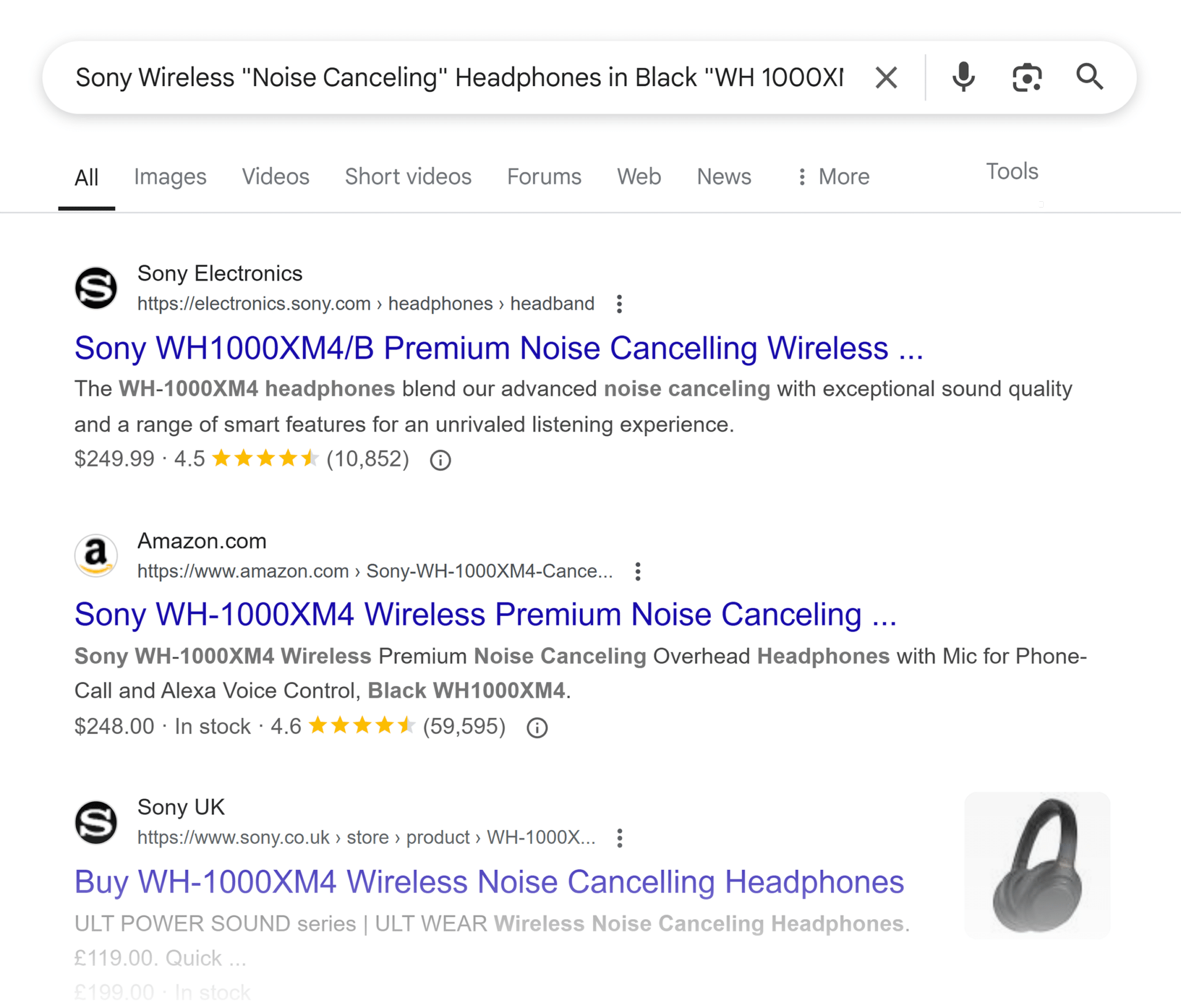
Product images
For product images, include the product name, model number, key features, and color/material.
Example: alt=”Sony WH-1000XM4 Wireless Noise-Canceling Headphones in Black”
Informational graphics/charts
When featuring informational graphics and charts, make sure to summarize the data insight, not just identify the chart type.
Example: alt=”Graph showing smart speaker adoption increasing 45% from 2020-2024″
How-to/tutorial images
For how-to or tutorial imagery, describe the specific step(s) being illustrated.
Example: alt=”Connecting Philips Hue Bridge to router with ethernet cable”
Decorative images
If the image is purely decorative and serves no other functional purpose, use empty alt text (alt=””).
Additional HTML tags you shouldn’t ignore
Canonical tags: your defense against duplicate content penalties
Canonical tags (<link rel=”canonical”>) are critical technical SEO elements that tell search engines which version of a page should be considered the authoritative source when similar content exists across multiple URLs. Without proper canonicalization, your site can suffer from significant ranking dilution.
<link rel="canonical" href="https://www.yoursite.com/preferred-page-url">Why canonical tags are essential
Search engines aim to serve users diverse and relevant results. When Google encounters multiple pages with substantially similar content, it can lead to several issues:
Ranking signal dilution
SEO value (links, engagement, etc.) gets split across duplicates instead of being consolidated on one preferred URL.
Crawl budget waste
Google may waste resources crawling redundant pages, potentially missing more valuable or updated content on your site.
Unpredictable SERP representation
If you don’t specify a canonical URL, Google may pick its own—and it might not be the one you want appearing in search results.
Perceived duplicate content issues
While Google doesn’t penalize for duplicate content in most cases, the impact on rankings can feel like a penalty when the wrong version ranks (or no version at all).
Critical canonical implementation scenarios
The following instances are when you should implement canonical tags:
E-commerce URL parameters
Variations caused by filtering, sorting, or selecting product attributes (e.g., /shoes?color=red&size=10) should canonicalize to the main product page to consolidate ranking signals.
Session IDs and tracking codes
URLs with dynamic parameters (e.g., ?sid=abc123&utm_source=email) should point to the clean, canonical version to avoid duplicate content issues.
Printer-friendly versions
Pages like /print/ or ?print=true are functionally identical to their originals and should canonicalize to the standard version.
Mobile or alternative versions
If separate URLs exist (e.g., m.example.com or AMP pages), implement cross-canonicalization to signal the relationship and avoid duplication.
Let’s say you have both a desktop and mobile version of your product page:
- Desktop URL: https://example.com/products/wireless-headphones
- Mobile URL: https://m.example.com/products/wireless-headphones
To properly implement cross-canonicalization:
On the desktop version, add this tag in the <head> section:
<!-- Points to itself as the canonical version -->
<link rel="canonical" href="https://example.com/products/wireless-headphones">
<!-- Indicates the mobile alternative exists -->
<link rel="alternate" media="only screen and (max-width: 640px)" href="https://m.example.com/products/wireless-headphones">
On the mobile version, add this tag in the <head> section:
<!-- Points to the desktop version as the canonical version -->
<link rel="canonical" href="https://example.com/products/wireless-headphones">
<!-- Identifies itself as the mobile alternative -->
<link rel="alternate" media="only screen and (max-width: 640px)" href="https://m.example.com/products/wireless-headphones">
This bidirectional linking tells search engines that these URLs contain essentially the same content optimized for different devices, preventing them from being treated as duplicate content while preserving the SEO value of both versions.
Paginated content with repeated elements
Product listing or article series pages that reuse content from page 1 should implement canonical tags carefully. Usually, each paginated URL should self-canonicalize unless you’re using a view-all version strategy.
Canonical tag implementation mistakes that can damage rankings
Avoid making these mistakes when setting canonical tags, as they can adversely impact your search rankings:
Self-referential canonicals on paginated series
When pagination contains unique content, each page should canonicalize to itself, not page 1.
Canonical chains
When page A canonicalizes to B, and B canonicalizes to C, it creates a chain that confuses crawlers.
Canonical loops
When page A points to B, which points back to A, it creates a circular reference.
Contradictory signals
Canonical tags conflict with other directives like hreflang, indexation controls, or redirects.
HTTP/HTTPS inconsistency
Mixing protocols in canonical references splits your ranking signals.
Relative vs. absolute URLs
Using relative paths can resolve incorrectly when moved across directories.
Advanced canonical implementation strategy
Rather than adding canonicals as an afterthought, incorporate them into your site architecture planning.
During development, create a canonical mapping document that outlines:
- Parent/child content relationships (e.g., blog series, product variations)
- Rules for handling URL parameters (filtering, sorting, tracking, etc.)
- Cross-domain content sharing policies (for syndicated or shared content)
- Mobile/alternative version relationships (AMP, m-dot, or regional variants)
This proactive approach minimizes duplicate content issues before they impact rankings and prevents the common scramble to fix canonicalization problems after traffic drops occur.
Schema markup: the direct line to search engine understanding
Schema markup functions as a translator between your content and search engines. While standard HTML tags indicate how to display content, schema explicitly defines what each element represents, giving search algorithms a clearer understanding of your page’s purpose and components.
{
  "@context": "https://schema.org",
  "@type": "Product",
  "name": "Smart Thermostat Pro",
  "image": "https://example.com/images/thermostat.jpg",
  "description": "An energy-efficient smart thermostat with Wi-Fi control.",
  "sku": "THERMO-2025",
  "brand": {
         "@type": "Brand",
         "name": "EcoTech"
  },
  "offers": {
        "@type": "Offer",
        "price": "199.99",
        "priceCurrency": "USD",
        "availability": "https://schema.org/InStock"
  },
  "aggregateRating": {
        "@type": "AggregateRating",
        "ratingValue": "4.7",
        "reviewCount": "203"
  }
}
Schema implementation methods compared
There are a few different schema implementation methods available to website owners and developers. Each method has its own advantages and use cases, allowing you to choose the approach that best fits your technical resources and website structure. Schema methods can achieve similar results, but they differ in implementation complexity, maintenance requirements, and how they interact with your existing code.
The most common schema implementation methods are microdata, JSON-LD, and RDFa.
Microdata
Microdata was once the most widely used schema implementation method and remains relatively common, especially on older websites and content management systems. While its popularity has declined as JSON-LD has become the preferred method for new implementations, Microdata still powers a significant portion of structured data on the web.
Microdata features:
- Integrates directly into your HTML code
- Easier to maintain alongside content updates
- Can become complex with deeply nested entities
- Slightly higher maintenance when updating
Many CMS platforms and plugins (particularly older versions) continue to use Microdata as their default schema implementation method. Some developers still prefer it for simple schema needs or when they want to ensure the structured data remains directly tied to the visible content elements.
However, as website complexity increases, more developers are migrating from Microdata to JSON-LD for its flexibility and ease of implementation.
JSON-LD
Google has been explicit about preferring JSON-LD in their official documentation for several practical reasons:
- Easier processing: JSON-LD provides a clean, structured format that’s more efficient for Google’s crawlers to parse and extract data from, compared to having to interpret schema mixed throughout HTML elements
- Reduced errors: By keeping structured data separate from content markup, there’s less chance of implementation errors that could prevent Google from correctly interpreting your schema.
- Support for asynchronous loading: JSON-LD can be injected dynamically after page load, making it compatible with Google Tag Manager and other tag management systems without affecting page load times
- Better handling of complex data relationships: Google’s rich results often require interconnected data points (like recipe ingredients, steps, nutrition information, ratings, etc.), and JSON-LD’s format makes these relationships much clearer
- Scalability: Google can more easily adapt their systems to process JSON-LD as schema standards evolve, since the format is consistent and predictable compared to the variable ways Microdata can be implemented
JSON-LD’s features:
- Separates schema from content HTML
- Easier to implement complex nested relationships
- Simpler to update and maintain
- Can be added via Google Tag Manager
RDFa
While RDFa offers advanced capabilities (outlined below), its relative complexity and the widespread adoption of JSON-LD for commercial websites have limited its popularity in mainstream SEO applications.
RDFa features:
- Less common implementation used primarily with XHTML
- Offers the most extensive vocabulary options among schema methods
- Provides superior flexibility for linking to external data sources
- Maintains compatibility with international metadata standards
- Supports more complex data relationships than Microdata
- Often preferred in academic, government, and specialized technical contexts where precise data interconnections are crucial
- Allows for more precise namespace control when dealing with multiple vocabularies simultaneously
- Generally requires deeper technical knowledge to implement correctly
Strategic schema selection by page type
The table below highlights commonly used schema types based on page type. These are just some of the most relevant schema types for each page. Depending on your site’s structure and content, there are many other schema options that may be appropriate.
| Page type | Primary schema | Secondary schema |
| Homepage | Organization, WebSite | LocalBusiness (if applicable) |
| Product Pages | Product | Offer, AggregateRating, Review |
| Category Pages | ItemList, CollectionPage | BreadcrumbList |
| Articles/Blog Posts | Article, BlogPosting | Author, Publisher |
| Local businesses | LocalBusiness | GeoCoordinates, OpeningHours |
| Events | Event | Location, Performer, Offer |
Schema implementation issues that prevent rich results
Be aware of these common issues that arise when implementing schema markup:
- Hidden content markup: Schema must represent visible page content, not hidden elements
- Incomplete property implementation: Missing required properties will invalidate your entire schema
- Schema-content mismatch: The schema data must precisely match what users see on the page
- Contradictory schema types: Using logically incompatible schemas on the same content
- Improper nesting: Failing to properly structure parent-child relationships between entities
Schema markup fundamentally changes how search engines interpret your content. Even without visible SERP enhancements, proper schema provides crucial context that can influence how search engines evaluate your page’s relevance to specific queries.
Common HTML tag mistakes to avoid
Remember, HTML tags are important and can positively impact your search rankings and user experience, but poorly implemented tags can also negatively impact your website. As touched on throughout this resource, here are a few HTML tag mistakes to be aware of and avoid.
Overstuffing title tags with keywords
Keyword stuffing is a relic of outdated SEO tactics from the early 2000s. Modern search engines use sophisticated algorithms that can recognize natural language patterns and semantic relationships. Stuffing keywords into title tags not only creates a poor user experience, it can actually trigger search engine penalties.
A naturally written, informative title that accurately describes your page’s content will perform significantly better than one artificially crammed with repetitive keywords. Remember, you’re writing for humans first, with search engines as the secondary audience.
Example of keyword stuffing:
<title>Smart Home Devices Smart Home Technology Smart Home Systems Smart Home Automation Best Smart Home</title>Better approach:
<title>Top 10 Smart Home Devices for Home Automation in 2025 | Your Site</title>Misusing header tags
Common header tag mistakes include using multiple H1 tags on a single page, choosing headers based on appearance rather than hierarchy, skipping header levels (for example, randomly jumping from H2 to H4), and using headers without descriptive text.
Incorrect usage:
<h1>Smart Home Guide</h1>
<h1>Best Smart Home Devices</h1>
<h4>Security Cameras</h4>
The above example includes using multiple H1 tags, as well as skipping from H1 directly to an H4.
Correct usage:
<h1>Ultimate Smart Home Guide: Best Devices for 2025</h1>
<h2>Best Smart Home Security Devices</h2>
<h3>Security Cameras</h3>
Duplicate title tags across multiple pages
Using identical title tags on different pages creates confusion for search engines about which page to rank for specific queries.
Example: an e-commerce site using “Premium Hiking Gear | Outdoor Adventures” as the title tag for multiple product pages, category pages, and blog posts
Search engines can’t determine which of these pages should rank for “hiking gear” searches, potentially resulting in the wrong page ranking or reduced visibility for all pages.
Improper canonical tag implementation
Setting incorrect canonical URLs or implementing contradictory canonicals can lead to the wrong pages being indexed or content being excluded entirely.
Example: a product that’s available in both red and blue, with two separate URLs
<!-- On red product page -->
<link rel="canonical" href="https://example.com/product/blue-widget" />
<!-- On blue product page -->
<link rel="canonical" href="https://example.com/product/blue-widget" />
The red version incorrectly points to the blue version as canonical, while the blue version also points to itself as canonical. Search engines will only index the blue version, making the red version completely invisible in search results, even though it should be independently discoverable.
Empty or misleading meta descriptions
Missing meta descriptions or those that don’t accurately reflect page content lead to lower click-through rates from search results.
Example: a detailed article about tax deduction strategies with this meta description: “Learn more about our services. Click here to find out what we offer. Best options available.”
This generic description doesn’t tell users what information they’ll actually find on the page, resulting in lower click-through rates and potentially higher bounce rates when expectations aren’t met.
Neglecting mobile-specific tags
Failing to implement proper viewport tags and mobile-specific metadata can hurt mobile rankings and user experience.
Example: a responsive website missing the viewport meta tag:
<!-- Missing this crucial tag -->
<meta name="viewport" content="width=device-width, initial-scale=1.0">
Without this tag, mobile devices will display the desktop version of the site scaled down, creating tiny text that requires zooming, leading to poor user experience and lower mobile search rankings.
Overuse of structured data markup
Marking up content that doesn’t match the schema type (like adding review markup to non-review content) can result in penalties or lost rich results.
Example: a regular product page with no customer reviews implementing review schema with fabricated 5-star ratings:
<script type="application/ld+json">
{
  "@context": "https://schema.org/",
  "@type": "Product",
  "name": "Premium Hiking Boots",
  "review": {
    "@type": "Review",
    "reviewRating": {
      "@type": "Rating",
      "ratingValue": "5",
      "bestRating": "5"
    },
    "author": {
      "@type": "Person",
      "name": "John Smith"
    }
  }
}

</script>
This misrepresentation violates Google’s structured data guidelines, potentially resulting in a manual action (penalty) against the site and removal of all rich results.
Ignoring language tags
Missing or incorrect language tags (html lang attribute) can affect international SEO and accessibility for screen readers.
Example: a multi-language site with German content but missing or incorrect language specification:
<!-- Missing or incorrect language attribute -->
<html>
<!-- Should be -->
<html lang="de">
Search engines may mistakenly index German content for English searches, screen readers will attempt to read German text with English pronunciation, and browser translation tools may not automatically offer translation options to users.
How to audit and optimize your HTML tags
Semrush provides several specialized tools for HTML tag analysis. Below are a few suggestions on which tools you can use when identifying tag issues and optimizing your HTML tags.
Site Audit for technical tag issues

- Navigate to Site Audit in the main menu
- Filter for HTML-specific issues in these categories:
- Title Tags: Look for duplicate, missing, or oversized titles
- Meta Descriptions: Check for missing or duplicate descriptions
- H1 Tags: Review multiple, missing, or duplicate H1s
On-Page SEO Checker for tag optimization ideas

Review these specific sections:
- On-page SEO Ideas for title, meta, and H1 suggestions
- Content Ideas for header usage recommendations
- Semantic Ideas for terms to incorporate into headers
- SERP Features for schema markup opportunities
Content Analyzer for header structure evaluation

- Examine patterns where high-performing content has better header structures
- Identify missing hierarchies in underperforming content
Position Tracking for tag performance monitoring

- Document which HTML tag changes correspond with ranking improvements
Topic Research for semantic header enhancement

- Use the “Questions” section for potential H2 and H3 header ideas
- Compare your header structure against frequently appearing topics
Key takeaways for mastering HTML tags in SEO
HTML tags represent the critical intersection between SEO technical implementation and content strategy. While many SEO professionals chase algorithm updates and trending tactics, mastering these fundamental building blocks often delivers more consistent, long-term ranking improvements.
What separates high-ranking sites from their competitors isn’t just better content, it’s the precision with which that content is structured, labeled, and contextualized through strategic HTML implementation.
Track, optimize, and win in Google and AI search from one platform.
Consider these points:
- The most technically perfect website will underperform with poor HTML tagging
- The most expertly written content can go undiscovered without proper tag signals
- The most beautiful design remains invisible to search algorithms without explicit HTML guidance
Your HTML tag strategy creates a multiplier effect for every other SEO effort you undertake.
This multiplier effect becomes particularly powerful when applied systematically across your site:
| HTML tag type | Primary SEO impact | Secondary benefits |
| Title tags | Direct ranking influence | CTR improvements |
| Meta descriptions | Click-through rates | Reduced bounce rates |
| Header tags | Content understanding | Featured snippet opportunities |
| Ordered list tags | Content understanding | Usability & scroll depth |
| Alt text | Image search visibility | Accessibility compliance |
| Canonical tags | Consolidation of ranking signals | Crawl efficiency |
| Schema markup | Rich result eligibility | Content disambiguation |
The paradox of HTML tags is that while they’re among the oldest elements of web technology, they remain perpetually relevant as search algorithms evolve. From the introduction of rich snippets to the rise of AI search, proper HTML implementation has only become more critical with each technological advancement.
Your next steps for HTML tag mastery
- Conduct a comprehensive audit of your current implementation, focusing first on title tags and headers
- Develop page-type specific templates for consistent tag implementation
- Prioritize fixes based on traffic potential and competitive gaps
- Document your HTML tag strategy to ensure consistent implementation across teams
- Schedule regular tag audits to catch issues before they impact rankings
- Learn about the newest HTML5 tags including <embed>, <audio> and <video> for media, <header> and <hgroup>, and other more sophisticated tags
The investment you make in these foundational elements of SEO will continue paying dividends long after trendier optimization tactics have come and gone. While competitors chase algorithms, you’ll be building a robust technical foundation on your html pages that withstands updates and captures increasingly valuable search traffic.
Explore more on
Editorial disclosure
Search Engine Land is owned by Semrush. We remain committed to providing high-quality coverage of marketing topics. Unless otherwise noted, this page’s content was written by either an employee or a paid contractor of Semrush Inc.
About the author


