YouTube Channel Keywords

YouTube Channel Keywords are terms that give YouTube information and context about your channel. Specifically, they help YouTube understand the type of content you produce and who your target audience is. Optimized Channel Keywords can also increase the visibility of your channel on YouTube.
Why are Channel Keywords important?
YouTube uses Channel Keywords, your channel description and the types of videos you produce to figure out your channel’s overall topic and category.
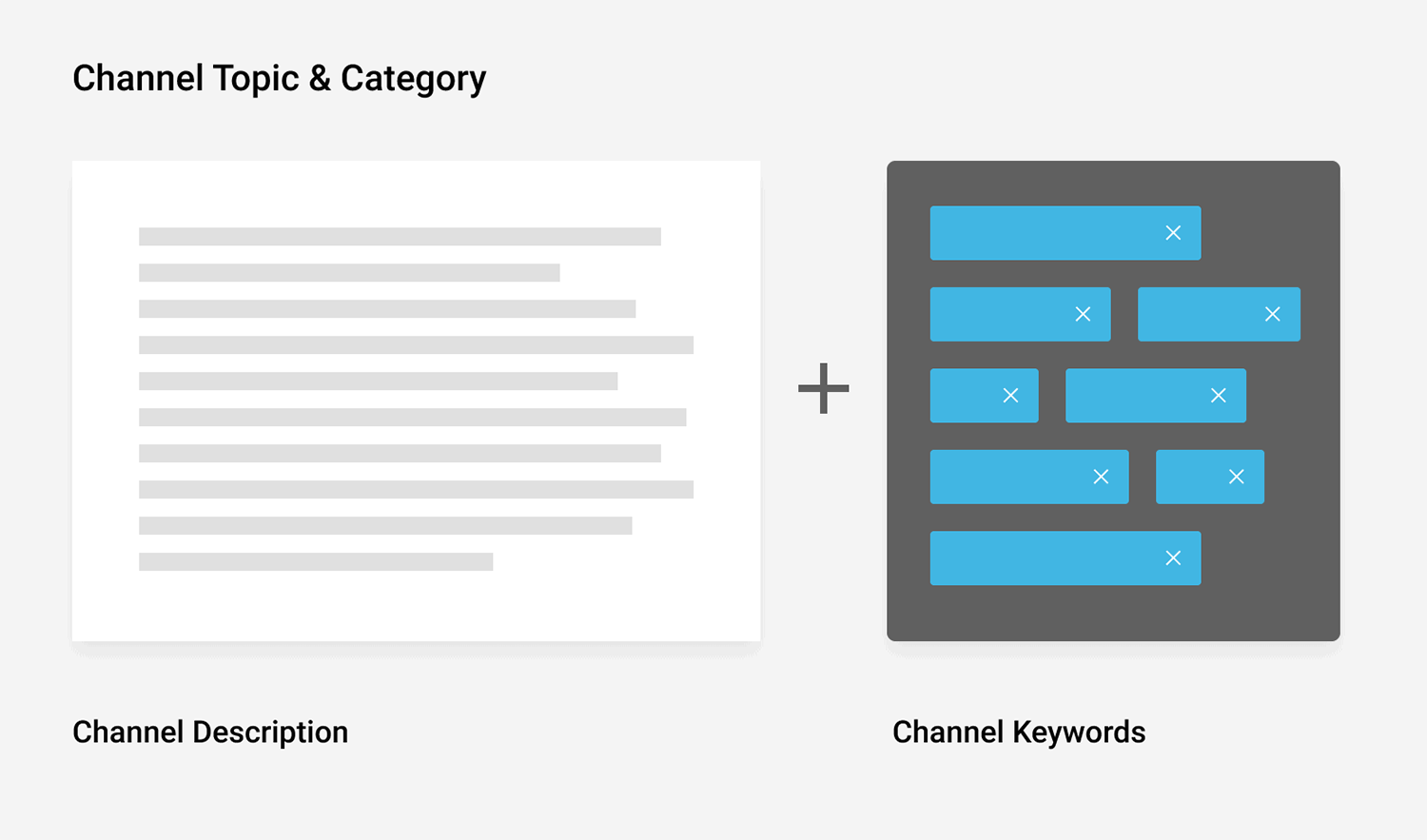
When you optimize your Channel Keywords the right way, you can boost the rankings of all the individual rankings on your channel.
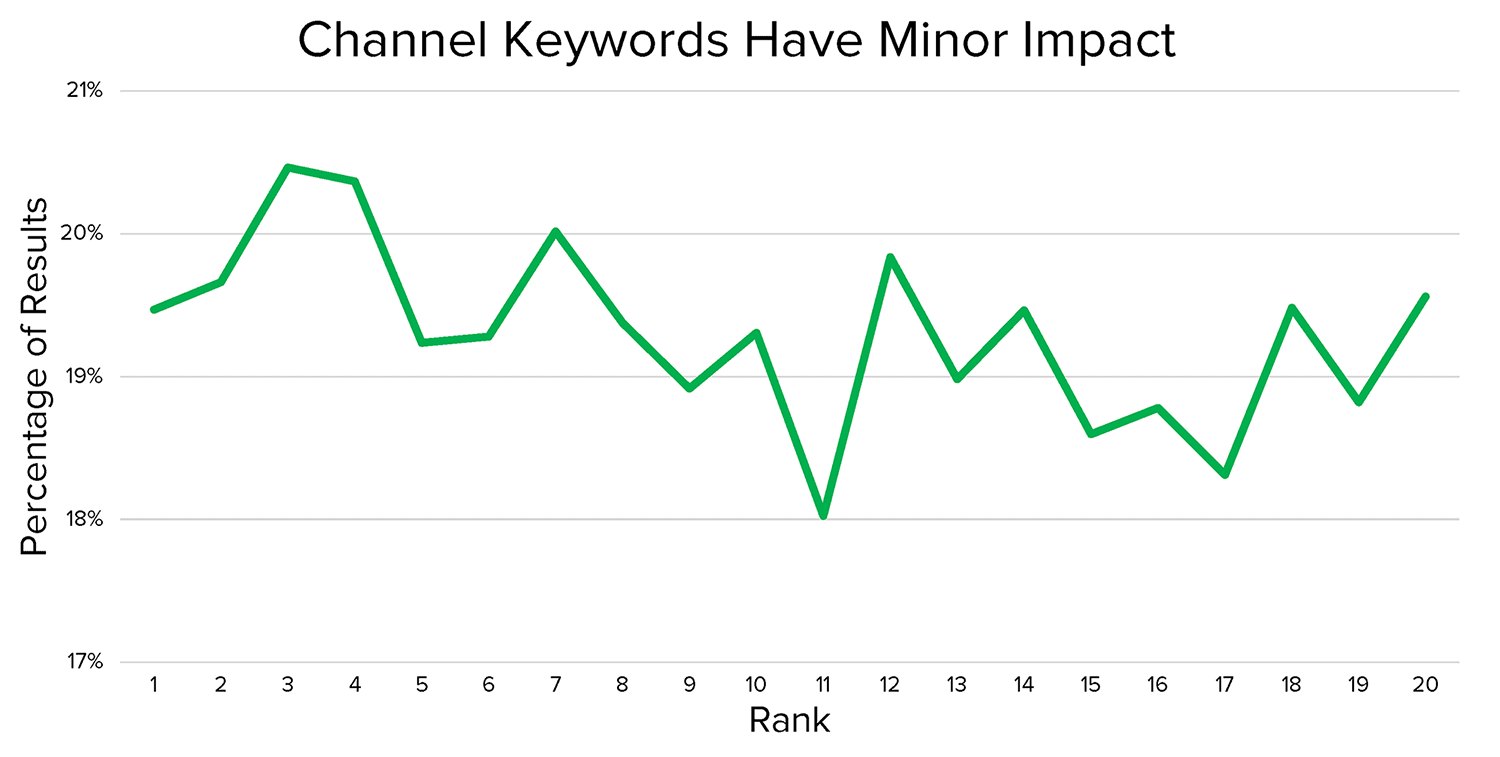
In fact, a YouTube SEO ranking factors study discovered that Channel Keywords had a small-yet-significant correlation with higher YouTube search rankings:
Also, because Channel Keywords help YouTube understand what your channel is all about, they can help your channel rank for keywords that your audience searches for on YouTube:

Last but not least, YouTube uses Channel Keywords to decide which videos they should promote in the Suggested Video column. You may have noticed that YouTube tends to recommend videos from related channels in this column:

This is no coincidence.
In addition to promoting related content to the video you’re watching, YouTube also suggests content from similar channels here.
That’s why you’ll sometimes notice YouTube suggesting a video from a related channel… even though that video isn’t that closely related to the one you’re watching:

Best practices for YouTube Channel Keywords
List out potential Channel Keywords
You first step is to identify words and phrases that describe your channel. These should be a mix of terms that you’re confident that describe your channel. And also a few popular keywords that you found from your video keyword research.
For example, let’s say you have a new channel about Italian cooking:
Off the top of your head you’d likely come up with Channel Keywords like:

Then, you’d want to add a few popular keywords that people use to find the type of content you create, like:

Unfortunately, YouTube’s channel keyword field isn’t easy to use:
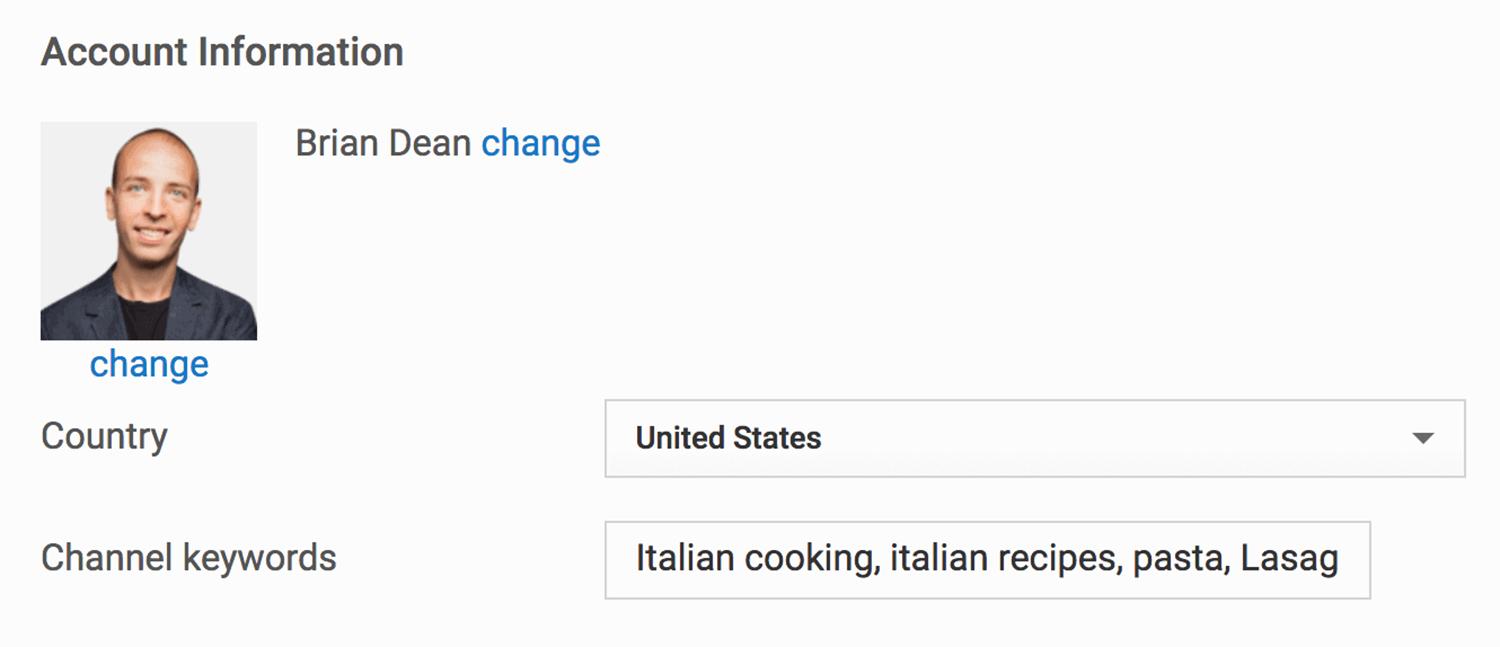
For easy editing, it’s best to list out your potential keywords in a Google Doc:

Use approximately seven to 10 keywords
You want to cover the breadth of the topics you cover without going overboard.
If you use too many keywords, you dilute the importance of each one (just like with video tags).
Here’s an example:

You’d be hard pressed to understand that channel’s overall topic and category using those tags alone. They’re not very descriptive to begin with. And there are simple too many of them.
That’s why you want to stick to around five to seven keywords (which in most cases is approximately 50-75 characters).
The study I mentioned earlier discovered that 50 characters is the “sweet spot” for Channel Keywords.
Once you go above 50 characters, you start to have diminishing returns:

Copy competitor Channel Keywords
If you’re stuck or just want a few keyword ideas, check out the Channel Keywords that your competitors use.
To find these, just head over to a channel’s “About” tab.

Right click and “View Page Source”:
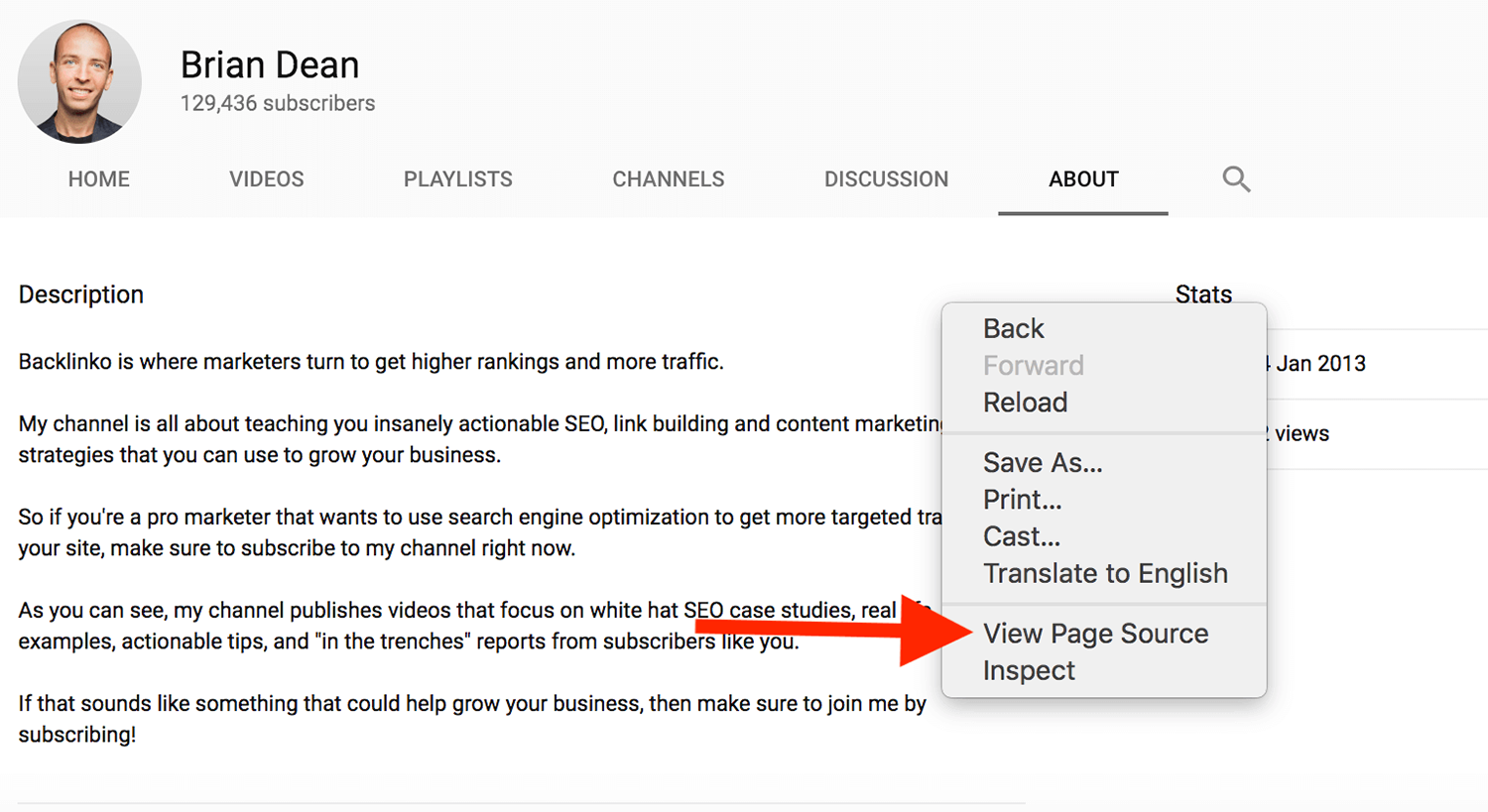
Finally, search the page for “keywords”. This list of keywords are their Channel Keywords:

You can also use the TubeBuddy or VidIQ Chrome extensions. These extensions are helpful because you can see Channel Keywords without having to dig through a bunch of code:

Add your Channel Keywords
Finally, add your Channel Keywords.
To do this, hit the “Advanced” button in the Channel section of your YouTube Studio:

Then, copy and paste the keywords from your Google Doc into the field:

One thing to point out is that, unlike tags, you can’t separate Channel Keywords with commas. So if you have keywords with multiple words in them, make sure to put those keywords in quotes:

If you don’t, YouTube will see a tag like lasagna recipes as two tags: “lasagna” and “recipes”.
A few focused keywords beat a long list every time
Channel Keywords are one of those YouTube settings that most creators either skip entirely or stuff with everything they can think of. Both approaches miss the point.
Pick five to seven terms that accurately describe the topics your channel covers. Keep them around 50 characters total. And if you’re stuck, check what your competitors are using as a starting point.
That’s really all there is to it. Channel Keywords won’t single handedly transform your rankings. But when you get them right, you give YouTube a clearer picture of what your channel is about. And that helps every video you publish get in front of the right audience.
Go deeper:
- How to get more views on YouTube: A tactical playbook covering suggested video optimization, standout thumbnails, publishing timing, and how to rank your videos on Google.
- Audience retention: How to keep viewers watching: What audience retention is, why YouTube rewards it, and practical techniques like pattern interrupts and open loops to keep people from clicking away.
- YouTube stats: How many people use YouTube?: The latest data on YouTube’s audience size, demographics, device usage, and creator earnings to help you understand the scale of the platform.
Explore more on
Editorial disclosure
Search Engine Land is owned by Semrush. We remain committed to providing high-quality coverage of marketing topics. Unless otherwise noted, this page’s content was written by either an employee or a paid contractor of Semrush Inc.
About the author