YouTube tags: What they are and why they’re important for SEO
YouTube tags (also known as “video tags”) are descriptive words and phrases you can add to your video to help viewers find it. Tags are considered an important ranking factor in YouTube’s search algorithm.
Why are YouTube tags important?
Like any piece of metadata, your tags are an opportunity to give YouTube, Google, and other search engines information about your video… including your video’s topic, category, and more.
And our industry study found a small but significant relationship between YouTube tags and ranking in YouTube:
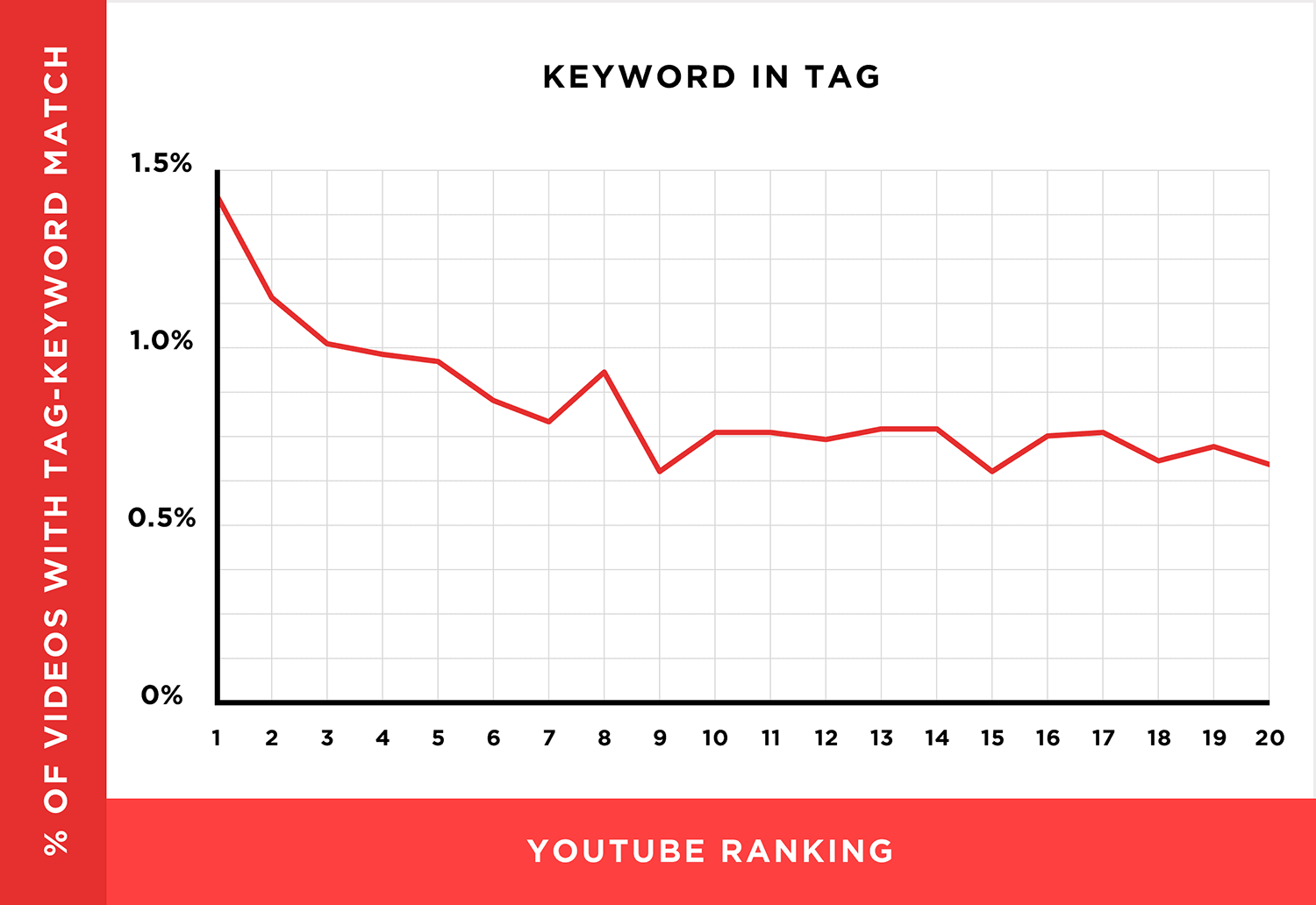
With that, here’s how to optimize your video tags.
Best practices for YouTube tags
First tag = target keyword
When it comes to video SEO, YouTube pays special close attention to your first few tags.
(Especially your very first tag.)
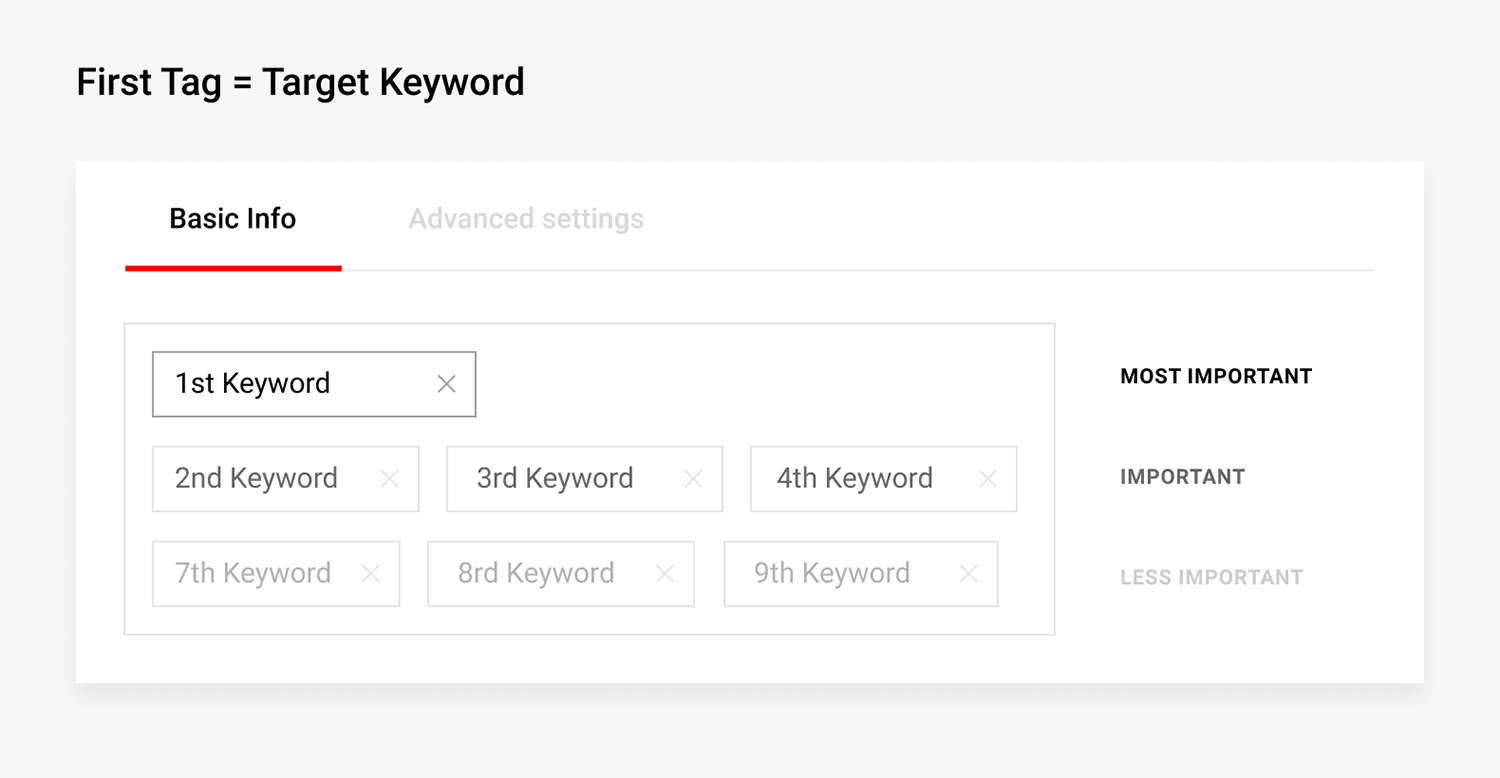
So make sure that your first tag is the exact, word-for-word keyword that you want to rank for.
For example, let’s say you want to rank your video for the search term “how to build confidence”.
You’d want to make one of your first YouTube tags that exact term:

Use a mix of broad and focused tags
Focused tags (like “get bigger biceps” or “how to start a blog”), help YouTube figure out your video topic.
But it’s important to use broad tags too. Broad tags help give YouTube important context about your video.
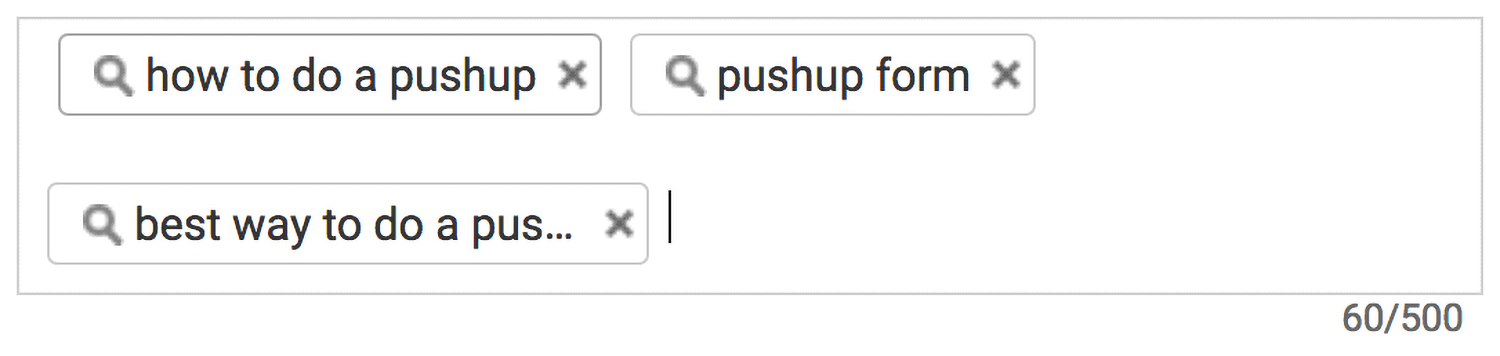
For example, let’s say the primary keyword for your video is: “how to do a pushup”.
You’d want to use that and other relevant keywords in your tags:
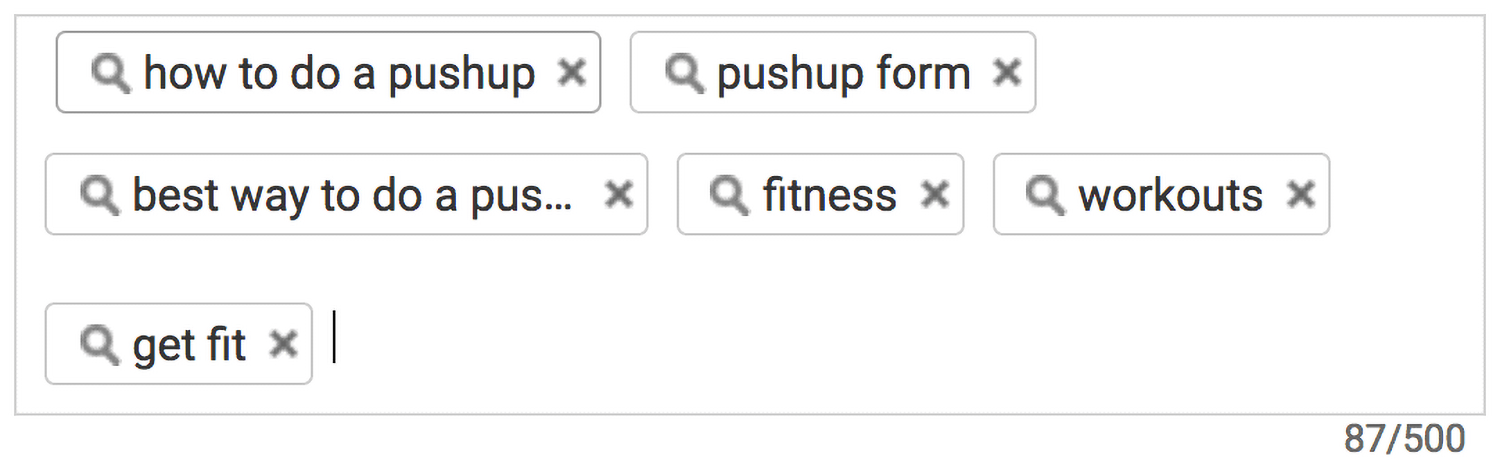
You’d also want to throw in a couple of broad tags that describe your video’s broad category or high-level topic. In this case, broad tags would be terms like “fitness” and “workouts”:
Don’t go overboard with tags
Stuffing videos with dozens of tags is a mistake that lots of new YouTubers make.
As it turns out, this can do more harm than good.
Remember: tags are designed to help YouTube understand your video content. And if you hand them 20+ tags they (and your target audience) will have a hard time knowing what your video is actually about.
For example, check out the YouTube tags on this video:
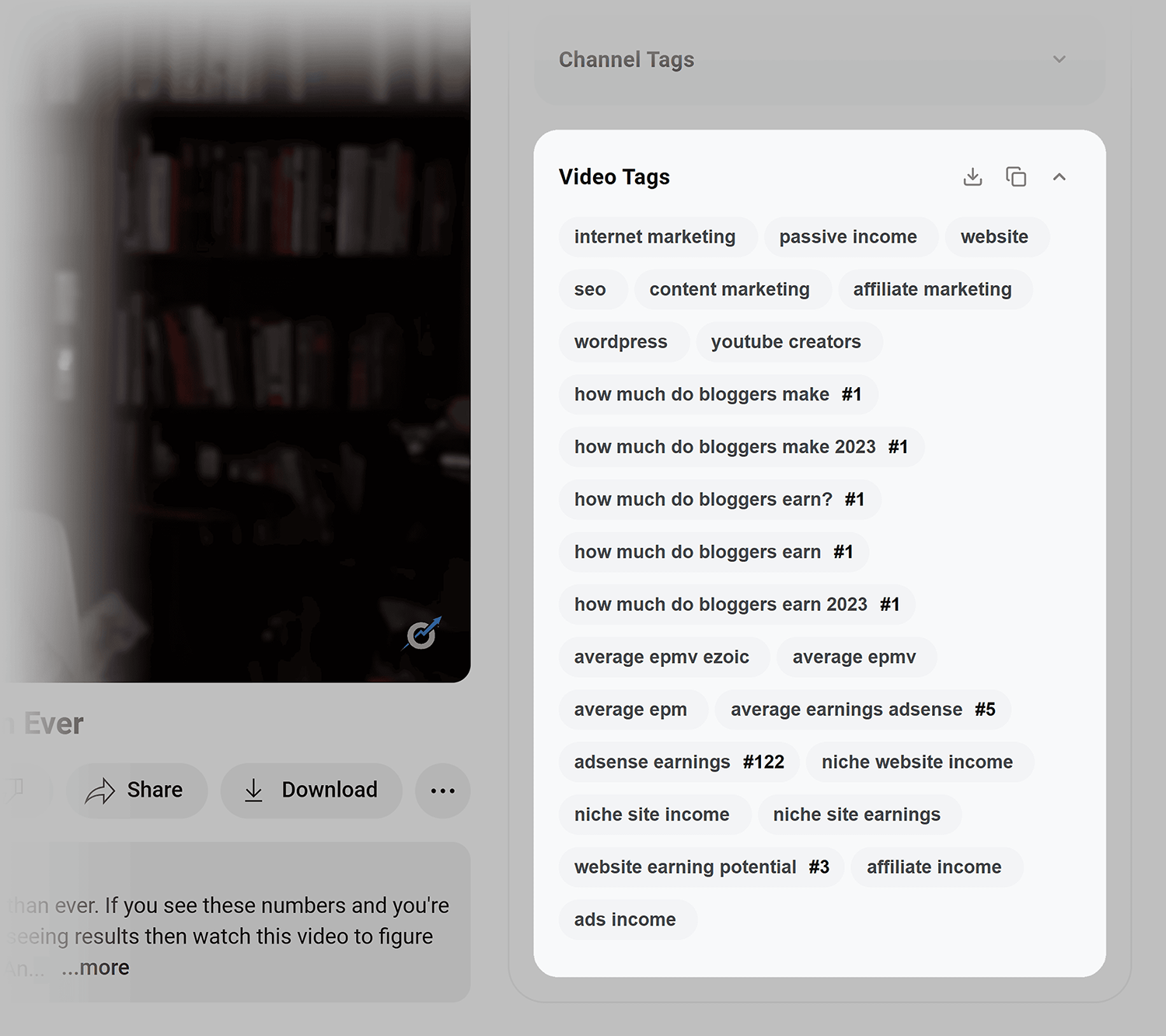
Imagine that you’re YouTube. Based on these tags, what would you say this video is about? One tag says that the video is about WordPress. But it’s also about content marketing and income?
If you’re confused, YouTube is confused. So if you overload your video with tags, you’re only going to hurt your rankings.
Instead, stick to 5-8 tags that accurately describe your video’s topic. These should be a mix of focused and broad keywords that you found from video keyword research.
For example, check out this top 10 result for “passive income”:
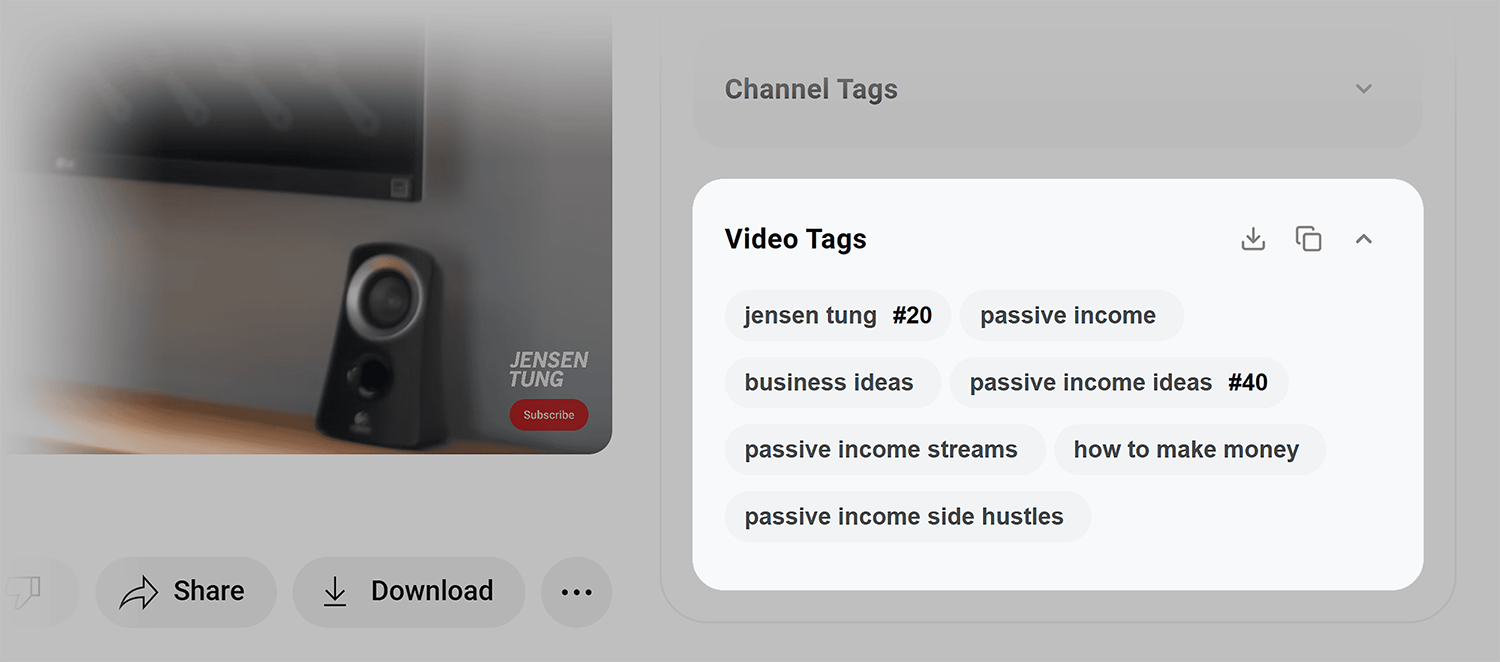
This video uses 7 total tags that describe the video content. Simply, yet effective.
Use YouTube tags that are two to three words in length
How long should each of your tags be?
According to data from Briggsby, the best tag length for SEO is 2-3 words.
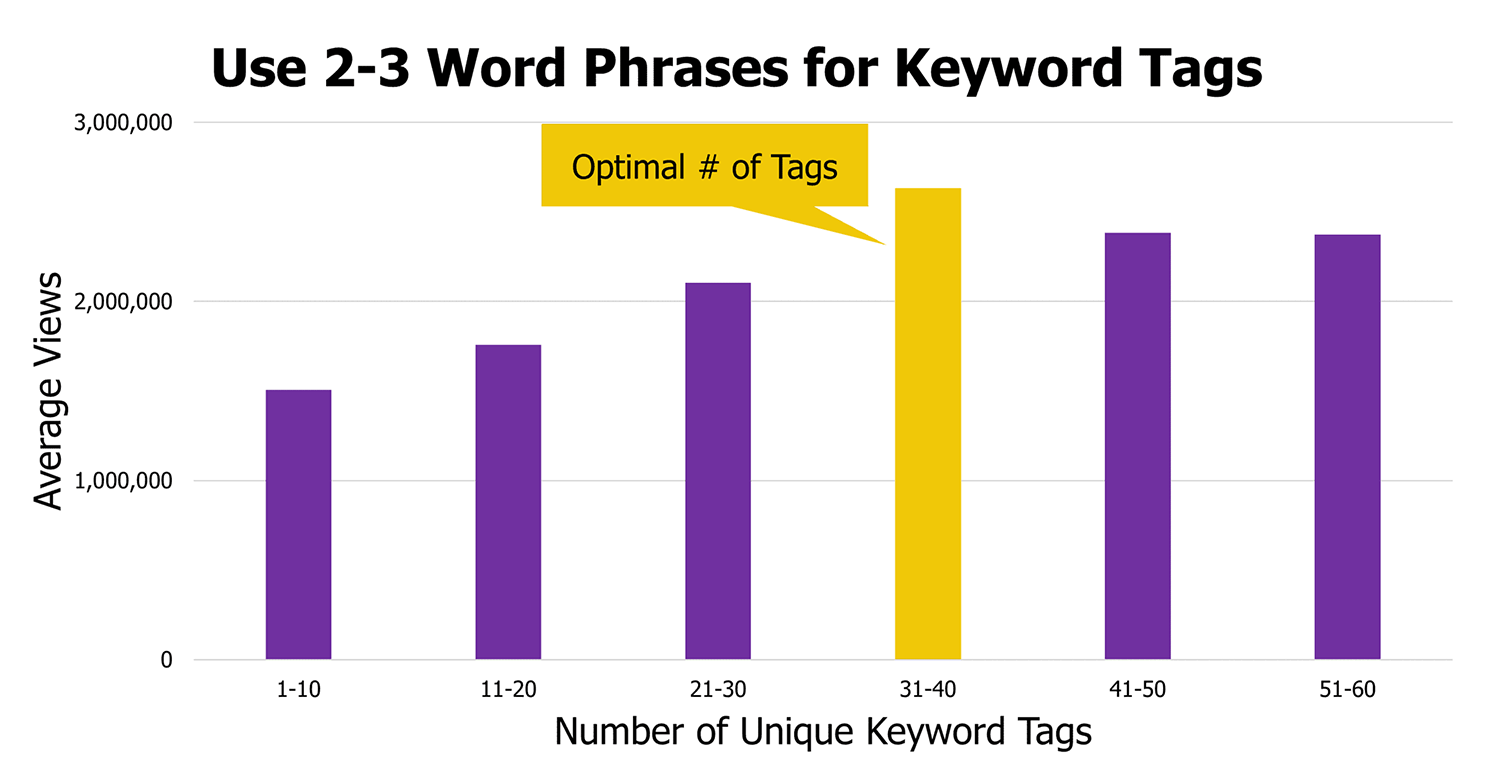
Does this mean you should make sure every single tag is in this exact range?
Of course not.
In fact, in some cases (like with broad tags), it makes sense to use really short, 1-2 word tags.
That said, this data does give you a rough idea of how long tags should be in general.
Are your tags too short? That may not be enough information for YouTube.
Are your tags too long? That might give YouTube information overload.
For example, let’s say you just made a video about: “the health benefits of coffee”.
Instead of a group of single-word tags like “coffee” and “health”, use descriptive tags like: “coffee health benefits” and “is coffee healthy”.
Generate tags with tools
Nothing’s worse than staring at your screen trying to come up with tags to use on your latest video.
That’s not only annoying, but bad for SEO too.
Fortunately, you don’t need to pull tags out of thin air. There are two nifty YouTube keyword research tools that generate related tags on-demand.
TubeRanker
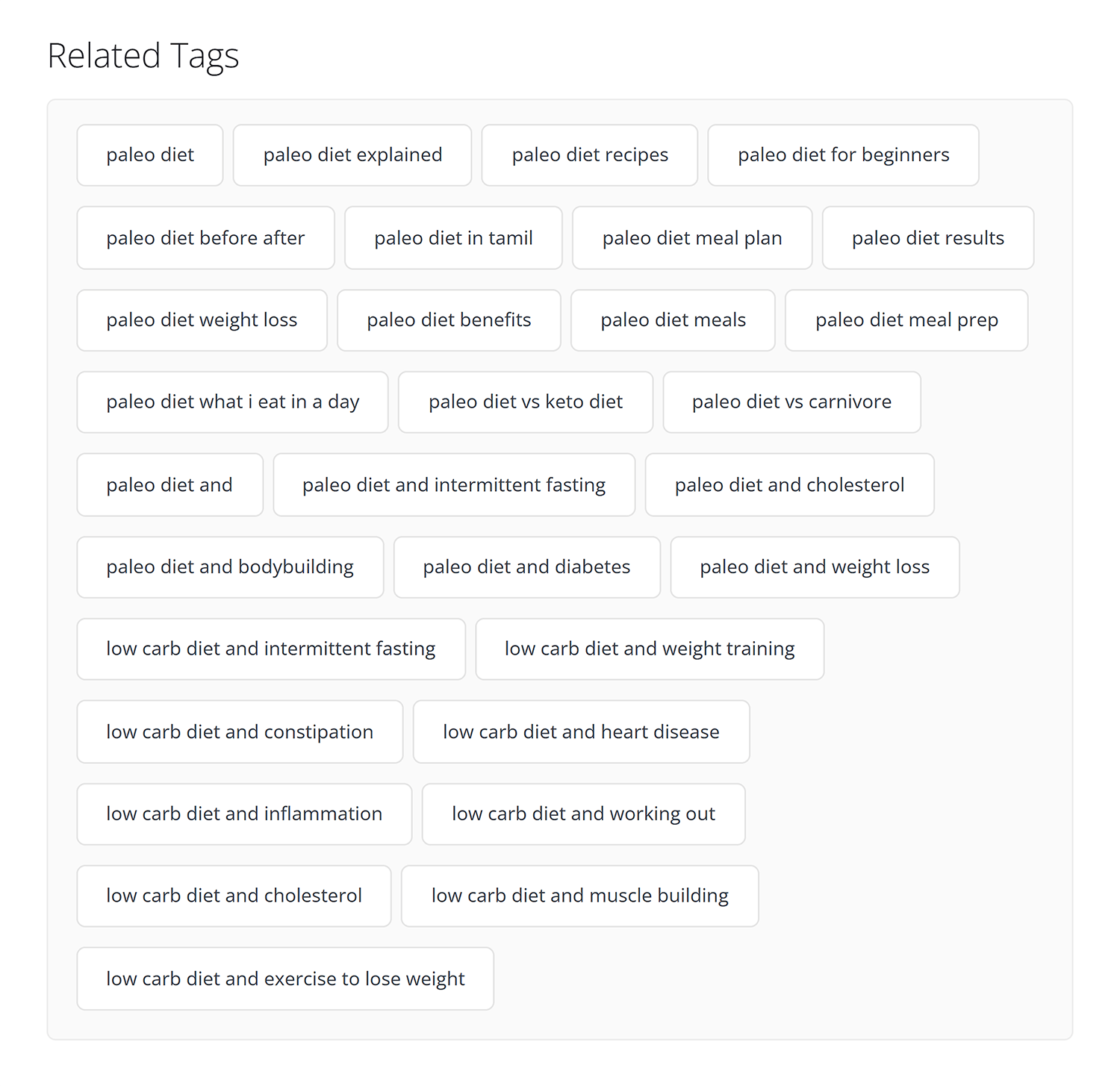
TubeRanker is a free YouTube tag generation tool that can provide a list of related tags for you to use on your YouTube videos.
Just enter your video’s primary keyword into the tool…
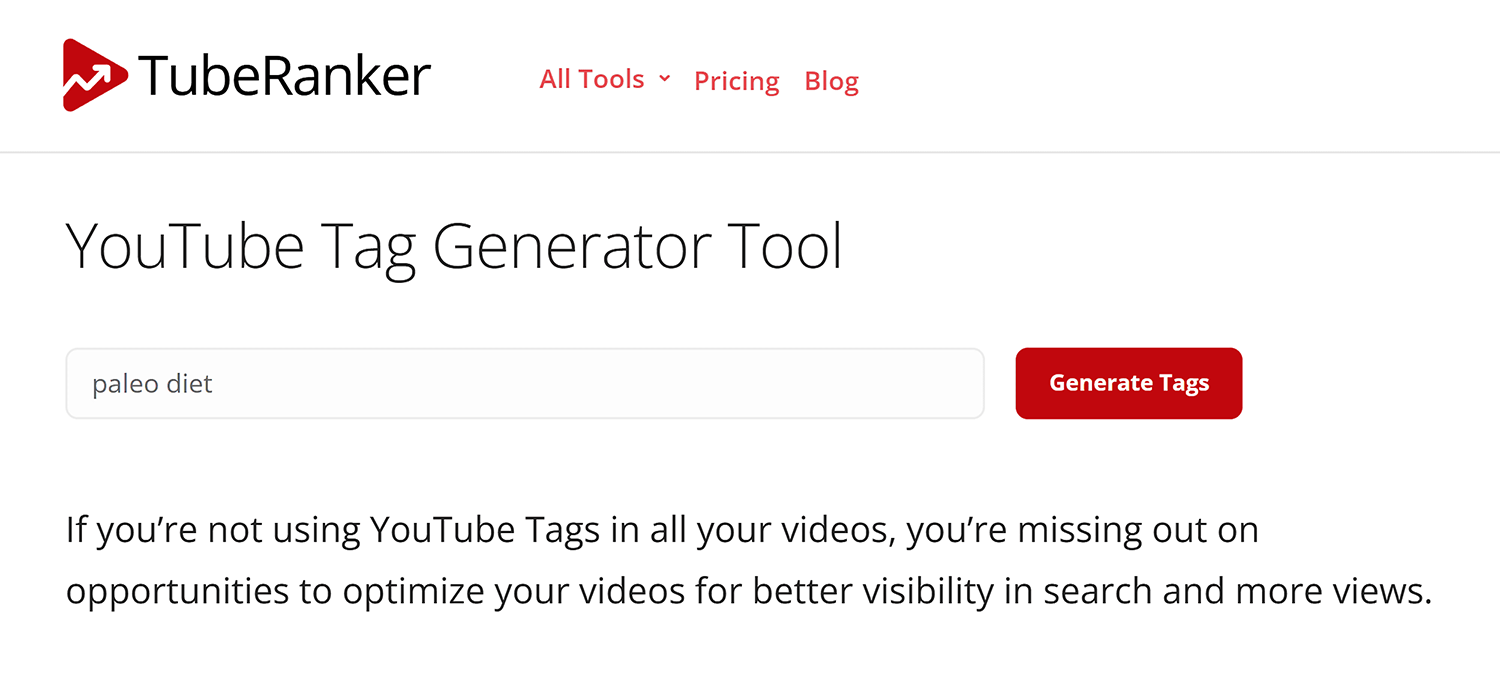
…and get a list of best tags for YouTube, based on your topic:
VidIQ Boost
VidIQ Boost is a super helpful feature of the paid version of VidIQ.
What makes VidIQ Boost unique is that it suggests tags for you within the YouTube video editor.
In other words, you get a list of keyword suggestions inside of your browser:
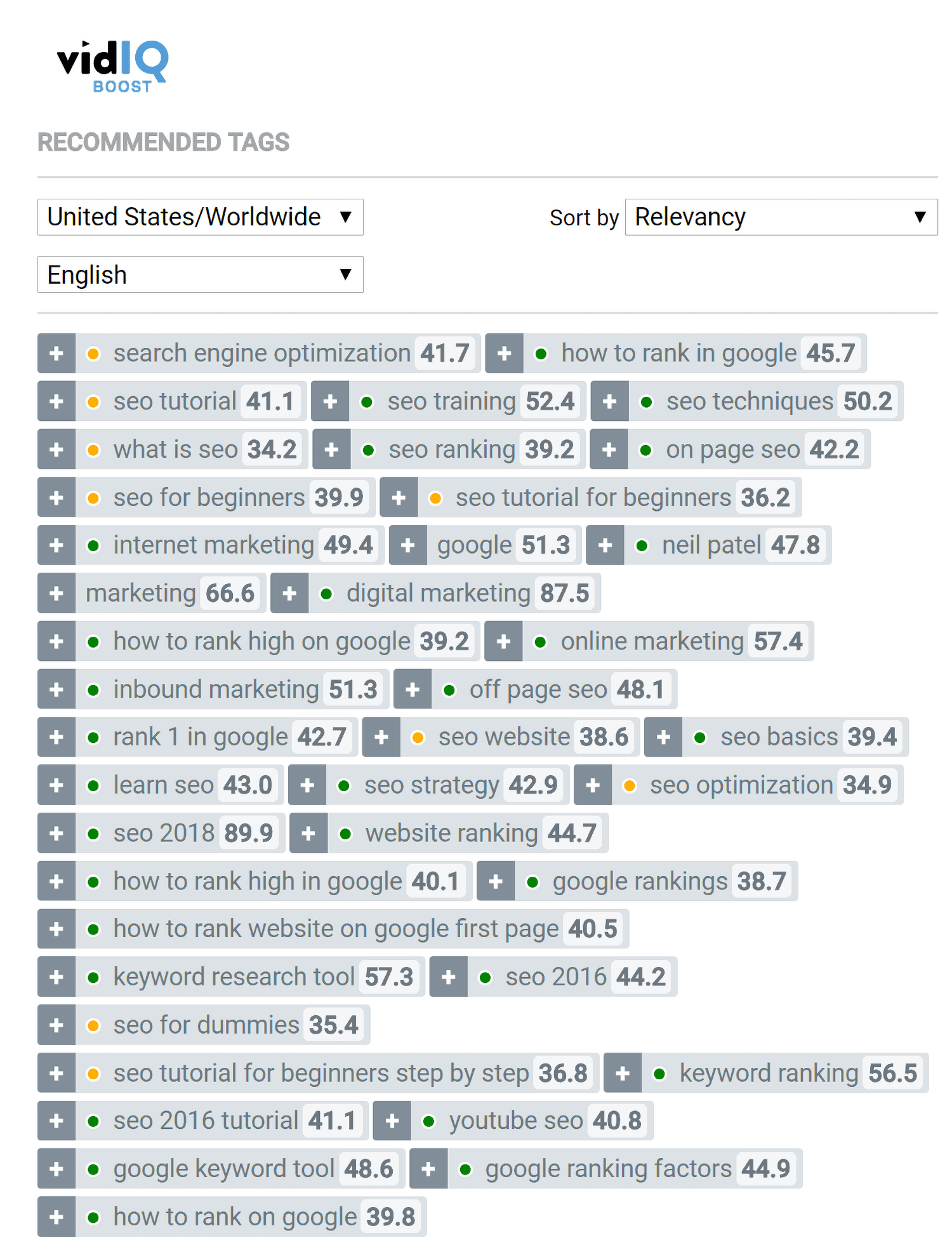
(In fact, you can click on any of the suggested tags and they’ll automatically get added.)
Helpful.
Tips and Advanced Strategies
Read your tags: Try reading your tags without looking at your video title or description. Would you be able to understand your video based on tags alone? If so, you probably have an awesome set of tags on your hands. That’s one of the easiest ways to tell whether you’re using good tags on YouTube.
Add long tail keywords: If you have room, add one to two long tail variations of your target keywords as tags.
For example, you’re about to upload a video optimized for: “chili recipe”.
Type that keyword into YouTube and see what they suggest:
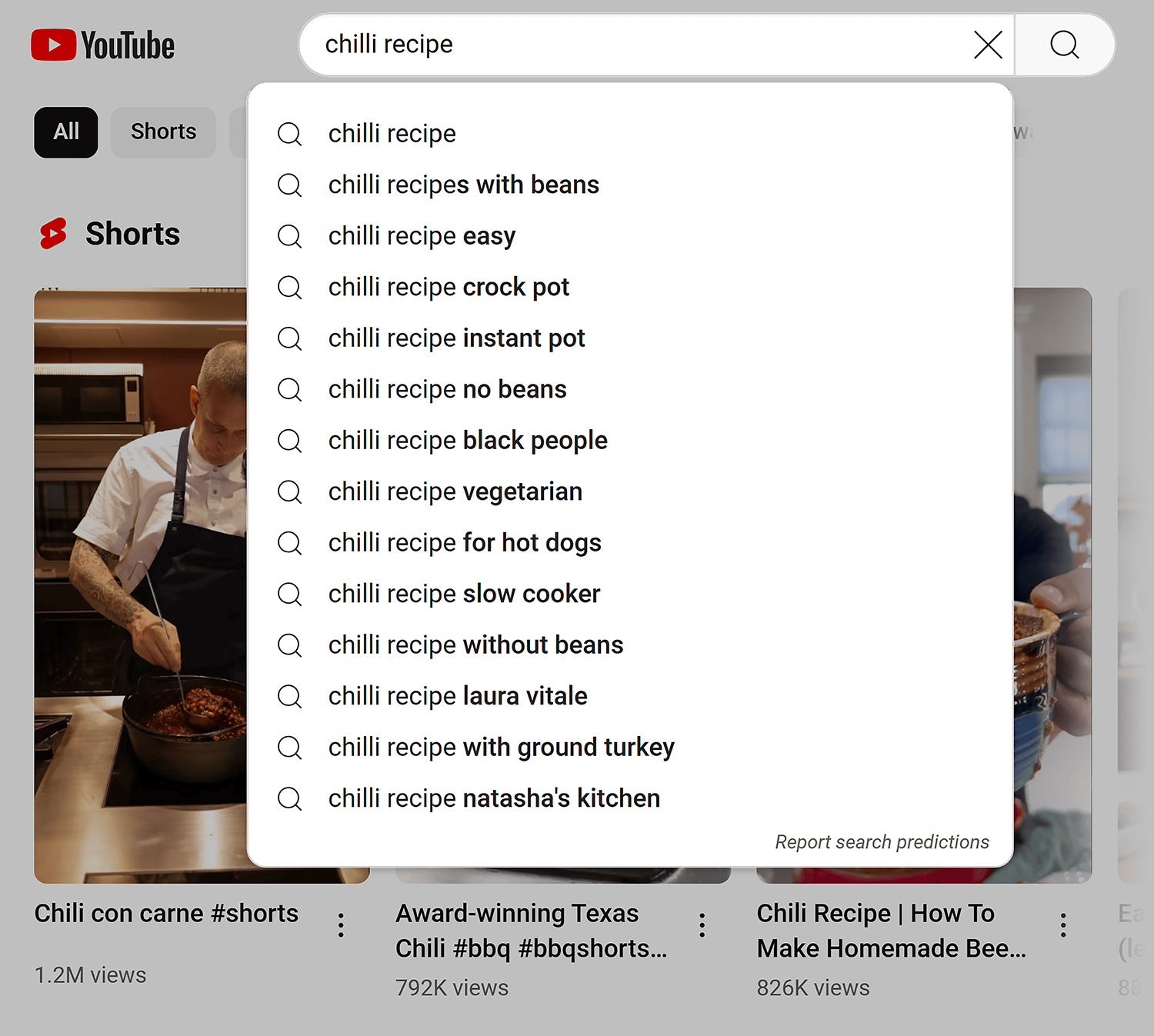
These suggestions are perfect long tail variations of your keyword to use as tags. They often align with common YouTube tags that appear across top-performing videos.
Use accurate tags: Some people add their competitors’ YouTube channel names as tags (the idea is that this can help you show up next to videos from that channel as a Suggested Video). Some people also use the name of a celebrity as a tag for the same reason. While this might work, it’s risky. According to YouTube, misleading tags can get your video taken down.
Track your performance: You’re using tags in order to improve how your videos’ rank, so tracking the rank and then acting on it will help you grow faster.
Copy tags from popular videos: Tags aren’t only important for YouTube Search. They also help you rank as a Suggested Video. Specifically, if your tags match the tags of a popular video, you can show up next to it.
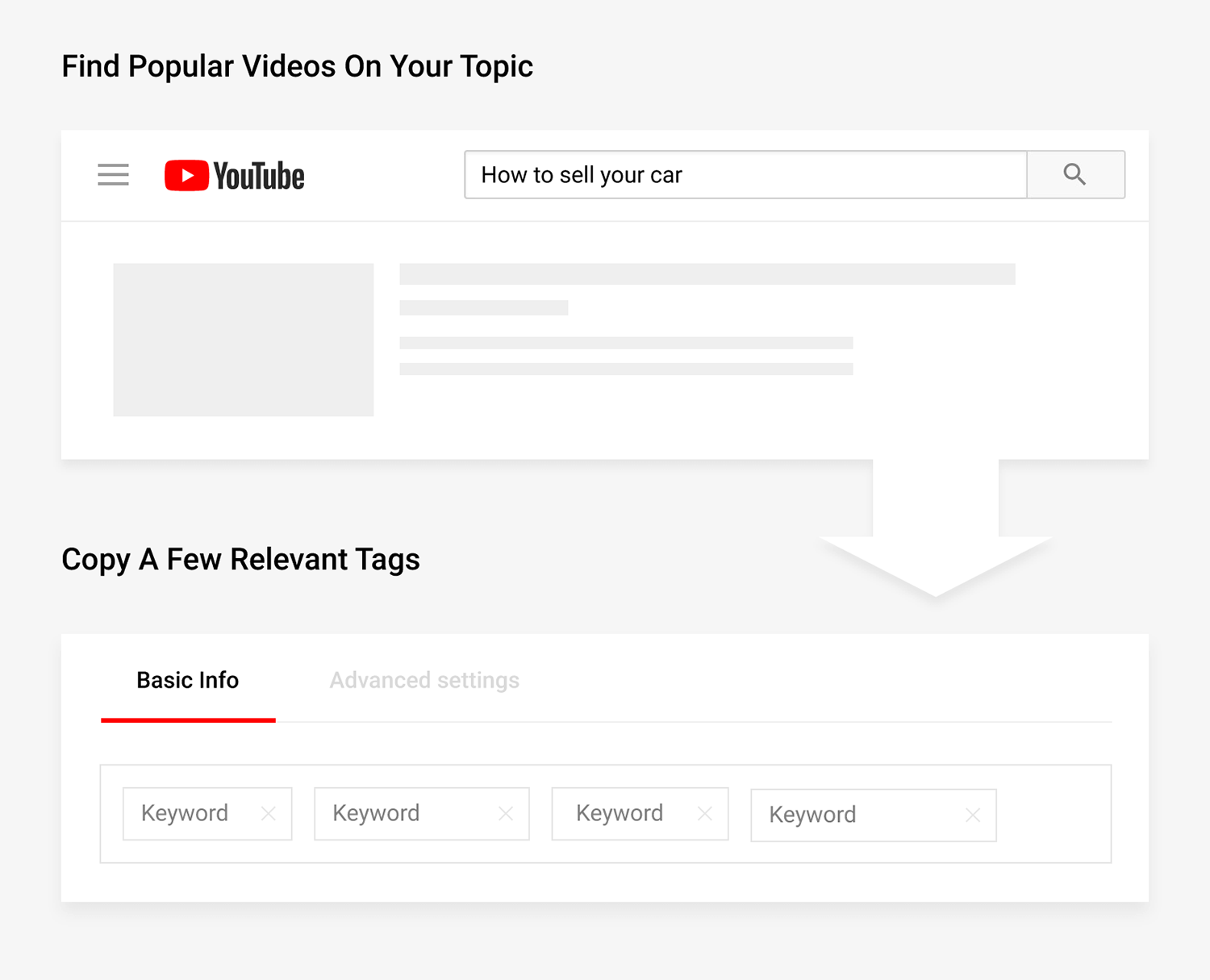
So feel free to use a few relevant tags from a popular video as your tags.
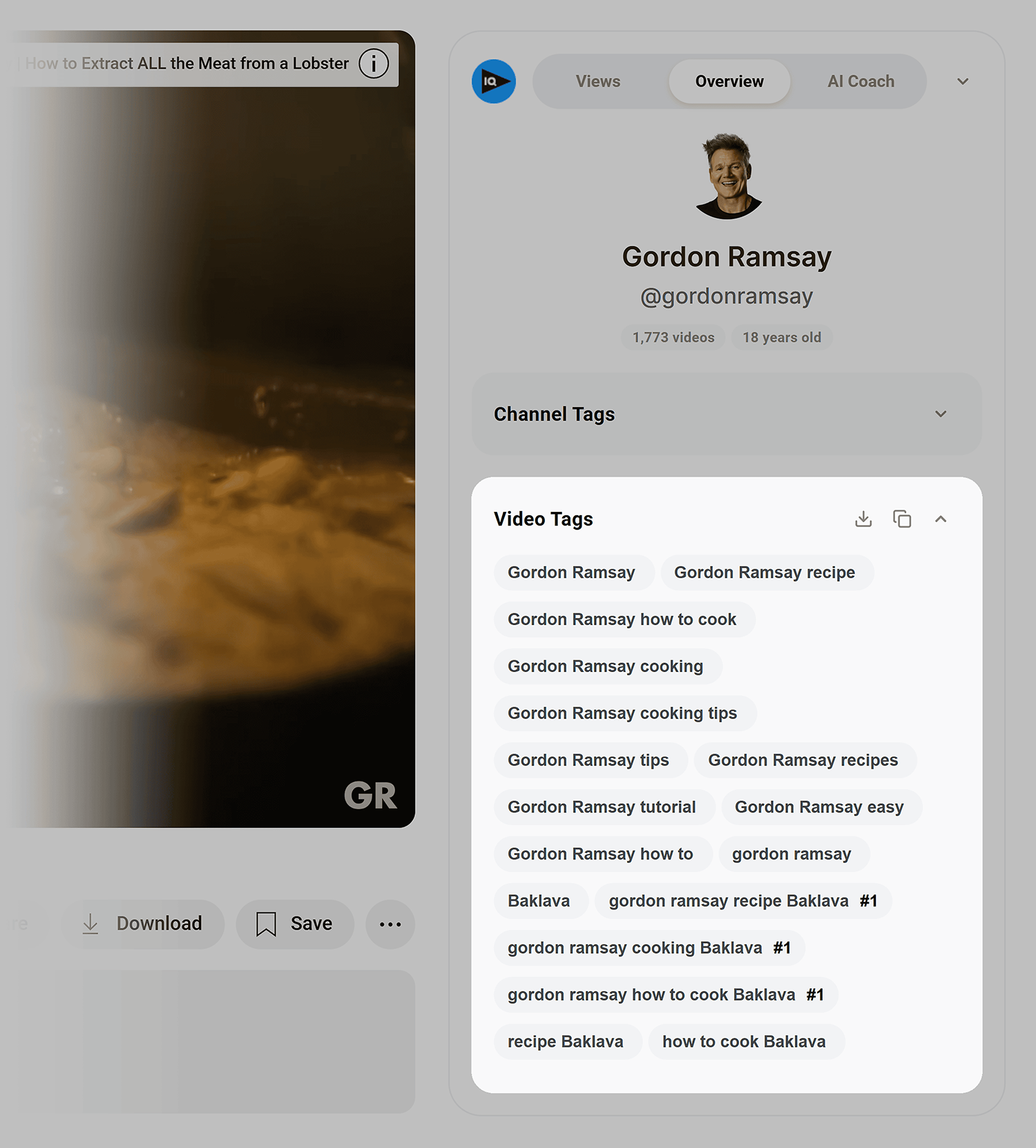
You can easily see a video’s tags using the YouTube Tags or VidIQ Chrome extension:
Small metadata, big impact on rankings
ouTube tags are one of the simplest things you can optimize on your videos. And yet, most creators either skip them entirely or stuff in 30 random words and hope for the best.
Neither approach works.
The sweet spot is 5 to 8 descriptive tags that tell YouTube exactly what your video is about. Lead with your target keyword. Mix in a couple of broad category terms. And if you have room, add a long tail variation or two from YouTube’s own autocomplete suggestions.
That’s it. No overthinking required.
The real power of tags comes when you combine them with the rest of your video’s metadata. Tags alone won’t carry a video to page one. But paired with a strong title, a solid description, and a click worthy thumbnail, they give YouTube the clarity it needs to surface your content to the right audience.
Worth reading next:
- YouTube video descriptions: 9 essential tips for better descriptions: How to write SEO friendly descriptions that boost your rankings in YouTube search and Suggested Video.
- YouTube video views: How to get more of them: Seven tested strategies for increasing views, from optimizing for Suggested Video to publishing at the right time.
- YouTube watermark: An essential guide: How to set up a branding watermark that turns viewers into subscribers, with real examples and performance data.
Explore more on
Editorial disclosure
Search Engine Land is owned by Semrush. We remain committed to providing high-quality coverage of marketing topics. Unless otherwise noted, this page’s content was written by either an employee or a paid contractor of Semrush Inc.
About the author