Yoast SEO plugin

Yoast SEO is a popular WordPress plugin designed to help webmasters optimize their WordPress websites for search engines.
Key features of the Yoast SEO plugin
Post and page optimization
This is the bread and butter of the Yoast plugin.
Yoast makes it easy to write title and description tags inside of WordPress pages and posts:
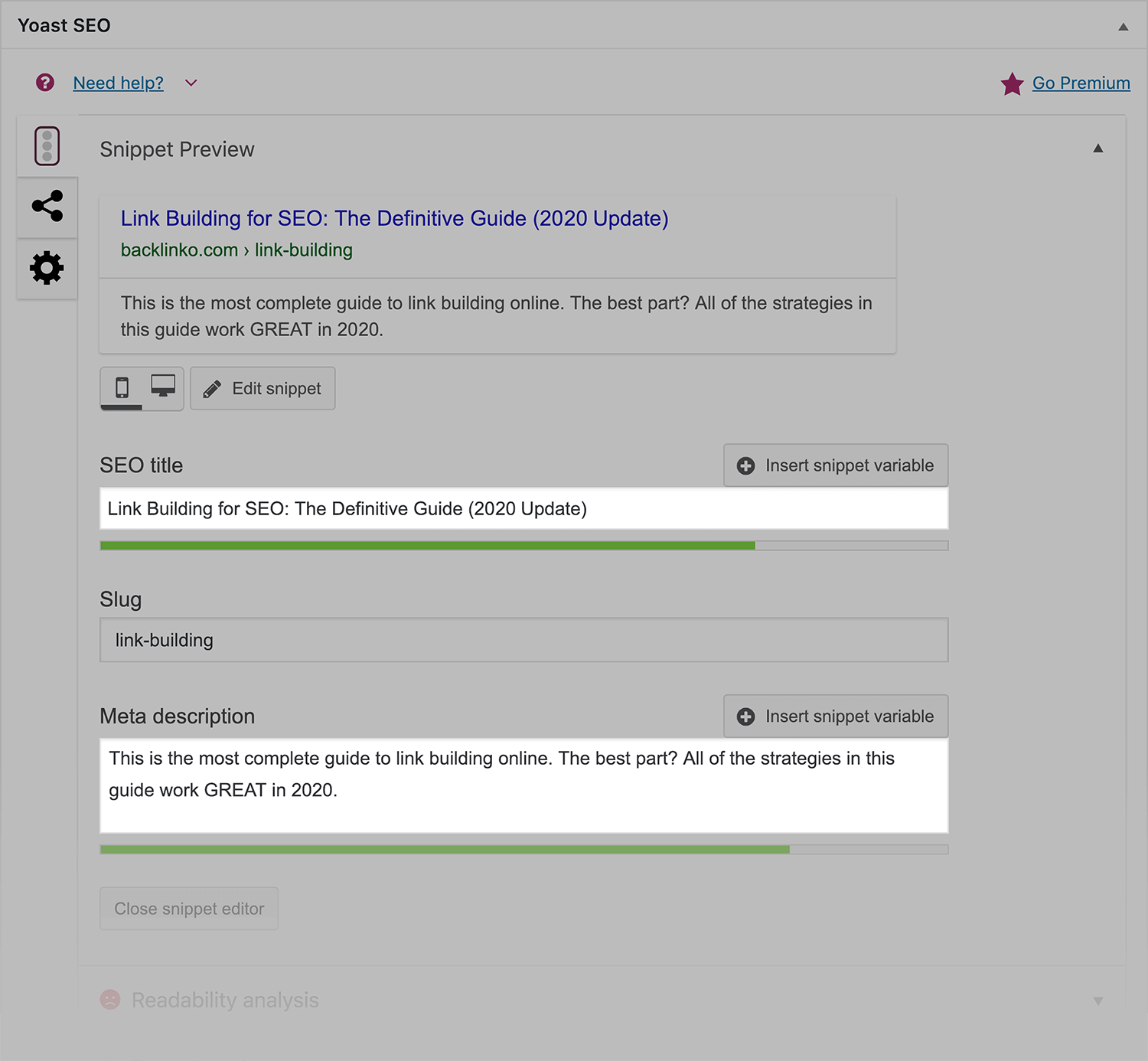
You can also see a “Snippet Preview” of how your page will look in Google’s search results:
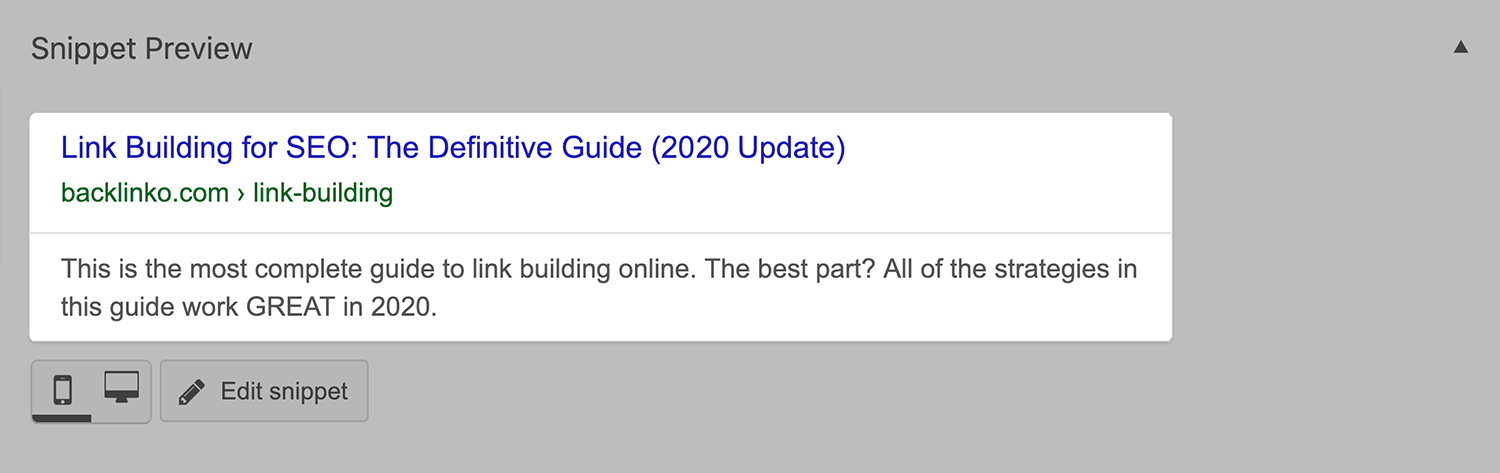
To be fair: more and more WordPress themes let you write titles and meta descriptions in your post and page editor.
But the nice thing about Yoast is that you can keep all of your page’s meta info intact… even if you decide to change themes.
Problems
Yoast shows you SEO problems that it finds… inside of your WordPress dashboard:
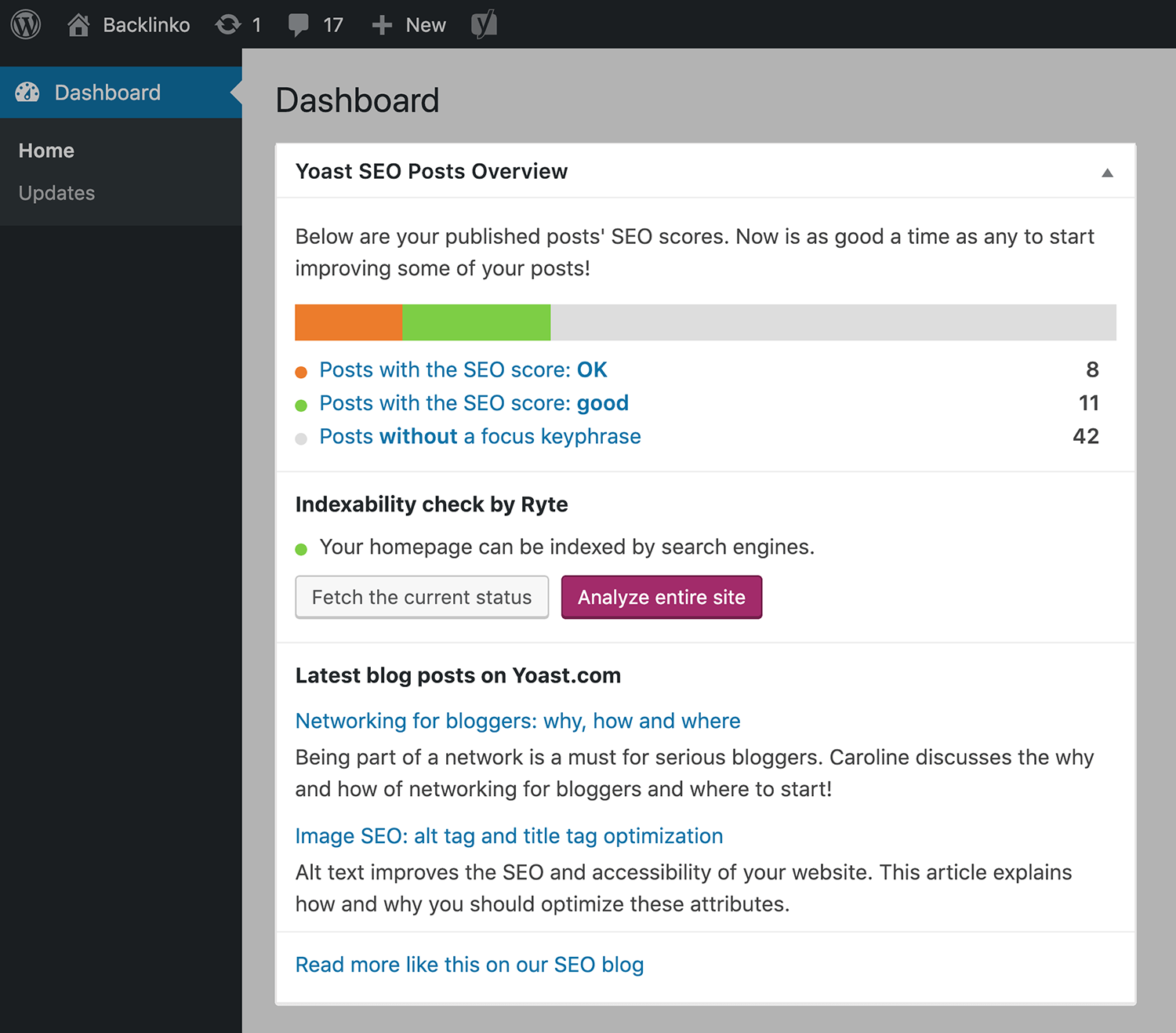
As you can see, Yoast didn’t find any SEO issues on Backlinko.
But if Yoast does run into any issues, you’ll get a report.
Social cards
Setting up cards for social media can be a HUGE pain.
After all, every social network (like Twitter and Facebook) has their own rules and requirements when it comes to character limits and image size.
Enter: The Yoast social feature.
It lets you easily create social cards inside of your WordPress editor.

In fact, this is what we use to create social cards at Backlinko. I’m biased, but I think our content looks GREAT when people share our stuff:

And if you upgrade to Yoast Premium, you can even see a preview of how your content will look when people share it on social media… before it goes live.

Content optimization
This feature is broken down into a few different sections:
Readability: This lets you your content’s reading level (and provides some tips on how to improve your writing).
Focus keyphrase: Here’s where you give Yoast a “Focus Keyword”… and it helps you optimize your post around that term.
This is one of the few features in Yoast that I’m not a huge fan of.
Why?
Because it looks at super old school SEO factors that aren’t important anymore (like keyword density)

And I’ve talked to lots of WordPress SEO noobs that work hard to get “all green lights”… even though keyword stuffing can do more harm than good.
That said:
This feature also has some really helpful advice. For example, Yoast lets you know if your page or post has an SEO-friendly URL.

So if they eliminated the stuff about keyword density and keyphrase length, I’d say this feature is insanely helpful.
Cornerstone Content: This is a new Yoast feature that lets you tell Yoast: “This is some of the best content we’ve ever published”. Then, when you publish new posts, Yoast will make sure those new posts link back to your Cornerstone content.
Webmaster tools
You can use this feature to confirm your Google Search Console account.
Advanced
Here’s where you can add the “noindex” tag to pages and posts, create canonical tags, and even tweak your robots.txt settings.
Internal linking
This is a Yoast premium feature that’s designed to make internal linking a little bit easier.
Here’s how it works:
First, you write a blog post just like you normally would.
Then, Yoast will scan your page for words and phrases that you could use to internal link to other content on your site.
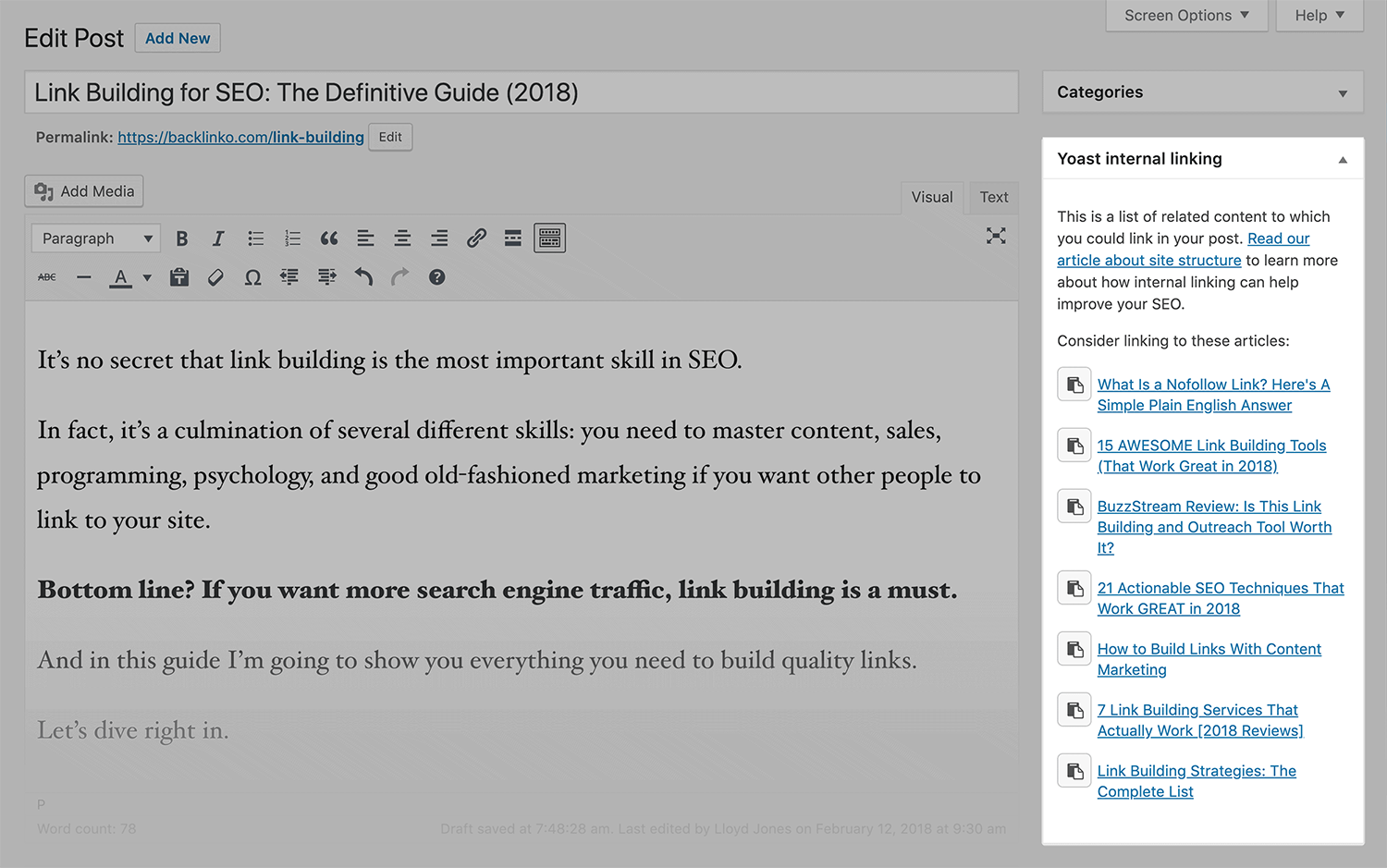
Helpful.
Sitemaps
Yoast is my go-to source for creating XML sitemaps.
Yes, there are plenty of stand-alone plugins on the market that can generate an XML sitemap for you.
But why install yet another plugin when Yoast does the job just as well (if not better)?
Search appearance
Here’s where you can tweak a lot of your WordPress site’s sitewide settings.
General: Let’s you choose how you want to separate the title of you page and your site’s name.

You can also edit your homepage’s SEO settings from this page.
Content types: Let’s you choose default settings for all of your WordPress pages and posts. For example, you can noindex all of your posts.
Taxonomies: Create rules for WordPress category pages, tags and more.
Archive: Setup rules for your author pages (including my preference: not having them).
Breadcrumbs: Helps you create breadcrumbs navigation for your site.
RSS feed: Settings for your blog’s RSS feed.
Tools
Here’s where you can bulk import or export your SEO info and make bulk edits to your site’s pages in one go.

Yoast keeps your SEO settings under one roof
There are a LOT of SEO plugins out there. But Yoast has stuck around for good reason: it handles the core on page SEO stuff (title tags, meta descriptions, sitemaps, social cards, internal linking suggestions) inside a single plugin.
Could certain features be better? For sure. The focus keyphrase tool still leans on outdated signals like keyword density. But the rest of the plugin is genuinely useful, especially if you want to keep your on page SEO organized without juggling five different tools.
If you want to sharpen your on page optimization skills beyond what any plugin can do for you, these are worth a look.
Explore further:
- Free on page SEO template: A downloadable checklist in Word, Google Docs, and PDF that shows you exactly where and how to place keywords on your page.
- What is on page SEO? Key elements and best practices: A comprehensive walkthrough of every on page SEO element, from title tags and meta descriptions to internal linking, content quality, and Core Web Vitals.
Explore more on
Editorial disclosure
Search Engine Land is owned by Semrush. We remain committed to providing high-quality coverage of marketing topics. Unless otherwise noted, this page’s content was written by either an employee or a paid contractor of Semrush Inc.
About the author