4 impactful ways to use AI in content marketing
Using AI in content marketing can sound like magic. The kind that’s too good to be true.
And sometimes, it is.
I’m skeptical of AI shortcuts by default. But there’s no denying it can streamline workflows when it actually works.
The problem? Most advice is either overhyped demos or generic prompts that fall apart in real use.
So, I tested 20+ AI tactics across audience research, content planning, and editing. I ran experiments on real client work, real articles, and real competitor analyses to find what’s actually repeatable and practical.
Most didn’t make the cut. But a few did.
In this guide, I’ll show you the four AI workflows that proved useful enough to keep:
- Build audience research swipe files from reviews and Reddit threads
- Run competitive gap analyses to find what competitors cover that you don’t
- Create comprehensive content briefs from SERP analysis
- Maintain brand voice at scale with AI-enforced style guides
Let’s dive in.
1. Accelerate audience research
Audience research used to mean hours of manual digging through reviews, forums, and support tickets.
Leveraging AI in content marketing compresses that into minutes.
The insight is simple. If you know how your audience thinks and talks, you know how to win them over.
Large language models (LLMs) can turn dozens of messy data sources into clear themes: pain points, goals, objections, and the exact phrases your customers use.
This becomes the foundation for copy that feels tailor-made.
Build a customer language swipe file
A swipe file captures how your market talks — whether that’s your customers, your competitor’s customers, or prospects in forums.
It also keeps voice consistent across writers and gives you verbiage you can plug straight into headlines, CTAs, and prompts.
To build a swipe file, pull 15-20 voice-of-customer sources into an LLM.
These can include:
- G2/Capterra reviews
- Reddit/Slack threads
- Support tickets
- Sales call transcripts
- Quick in-app surveys
For this test, I analyzed the project management tool market.
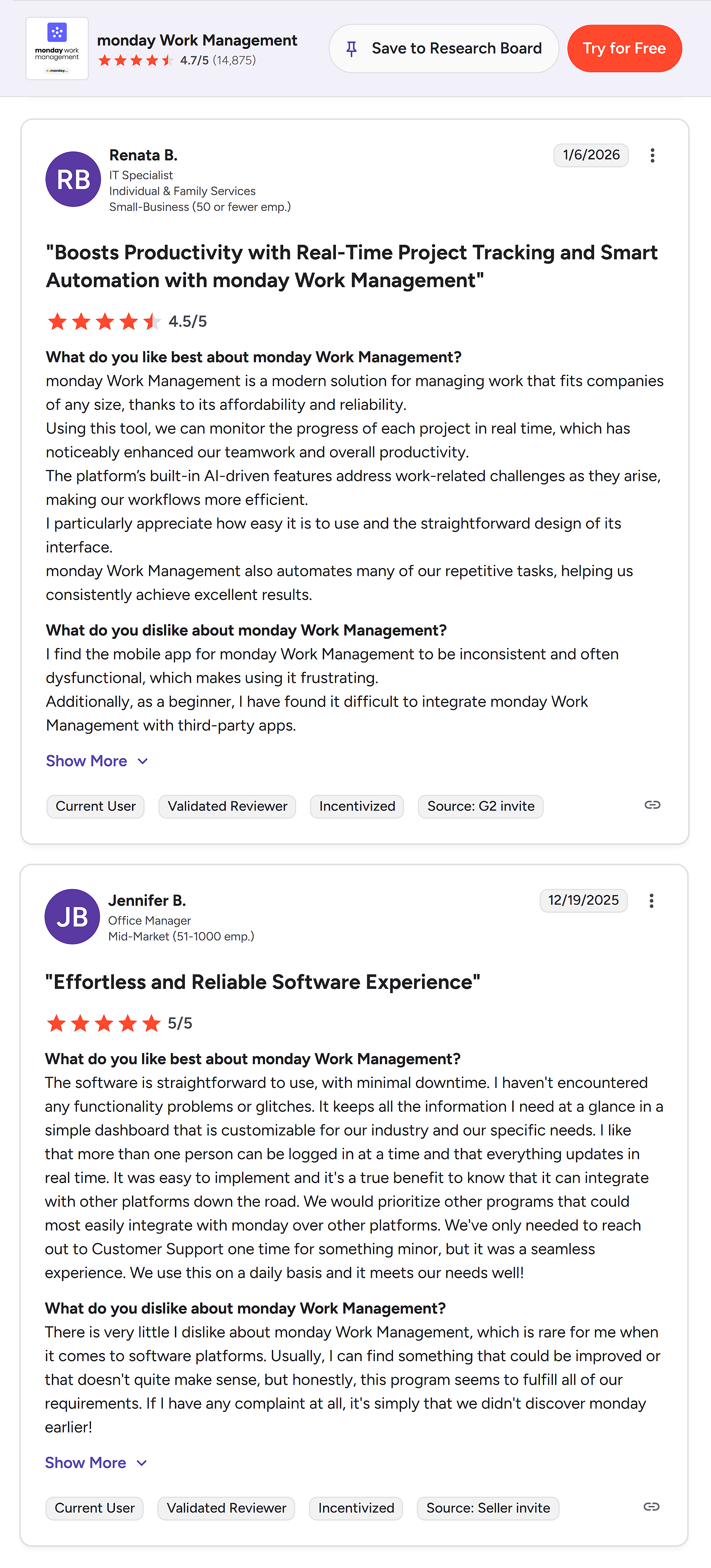
I looked up monday.com on G2 and Capterra and grabbed customer reviews.
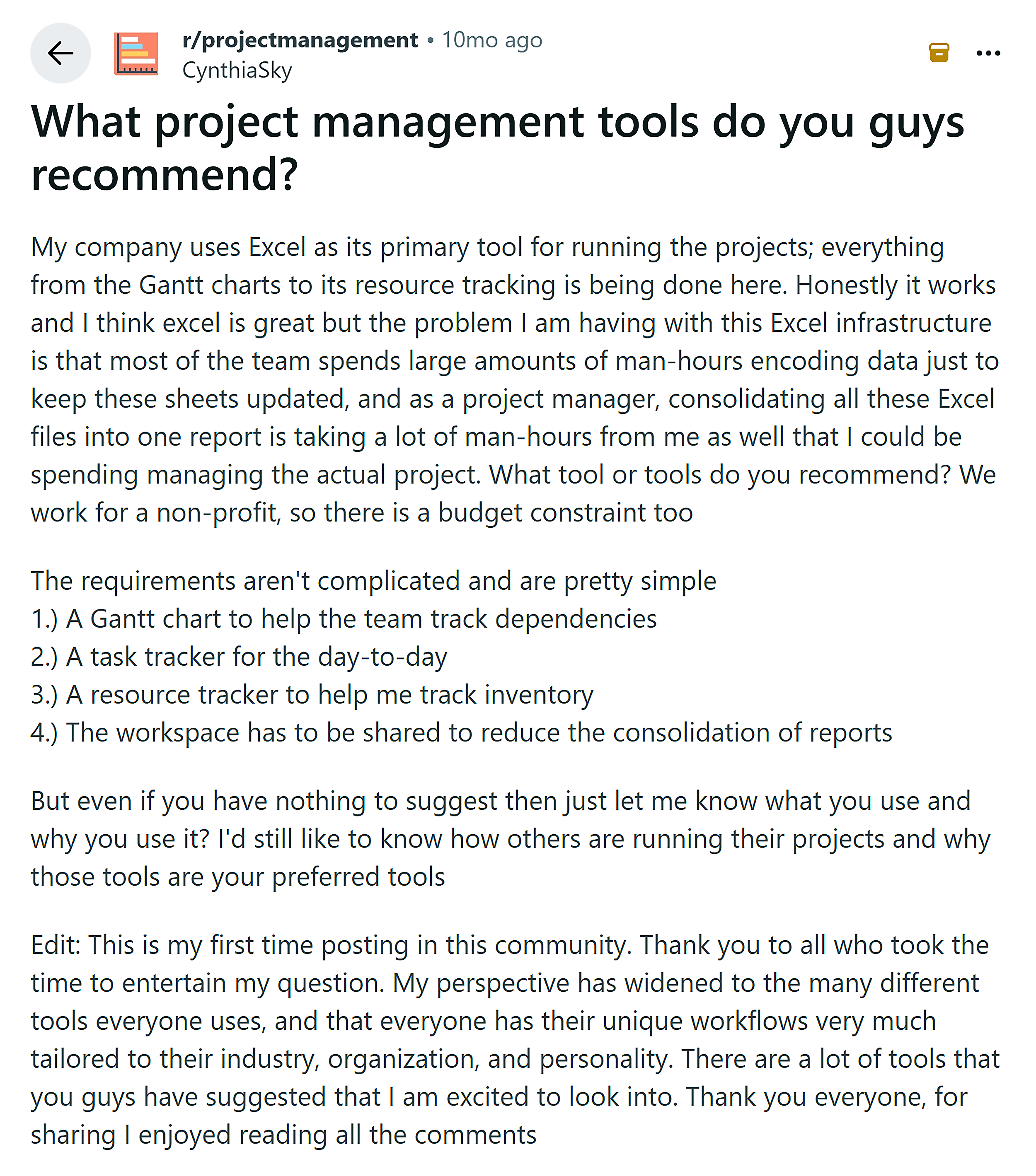
Then, I pulled a few Reddit threads from the r/projectmanagement subreddit.
Next, I ran this prompt:
From these reviews, transcripts, and forum threads [paste], extract 15-20 verbatim customer quotes grouped by pain point, goal, or objection. Return a table with: Group, Phrase, Verbatim Quote, Usage Ideas (headline, CTA, intro, FAQ), Priority (H/M/L).
Here’s a sample of what I got (the full output was much longer):

Now here’s how to use it.
Replace generic marketing copy with the exact language your customers use. Start with headlines, CTAs, and body copy.
The difference is immediate:
❌ Before: Collaborate with team members
✅ After: See what everyone’s working on in real time — skip the constant check-ins
❌ Before: Built for teams of all sizes
✅ After: Scales with your team without the bugs and performance issues
❌ Before: Work from anywhere with our mobile app
✅ After: Mobile app that actually works — no more frustrating crashes
Savio, a product management platform, did this when they needed to nail down their messaging fast.
They asked users a simple in-app question: “What’s your main goal today?”
Then, they used AI to pull top-cited keywords and insights, and rewrote their homepage using those exact words.
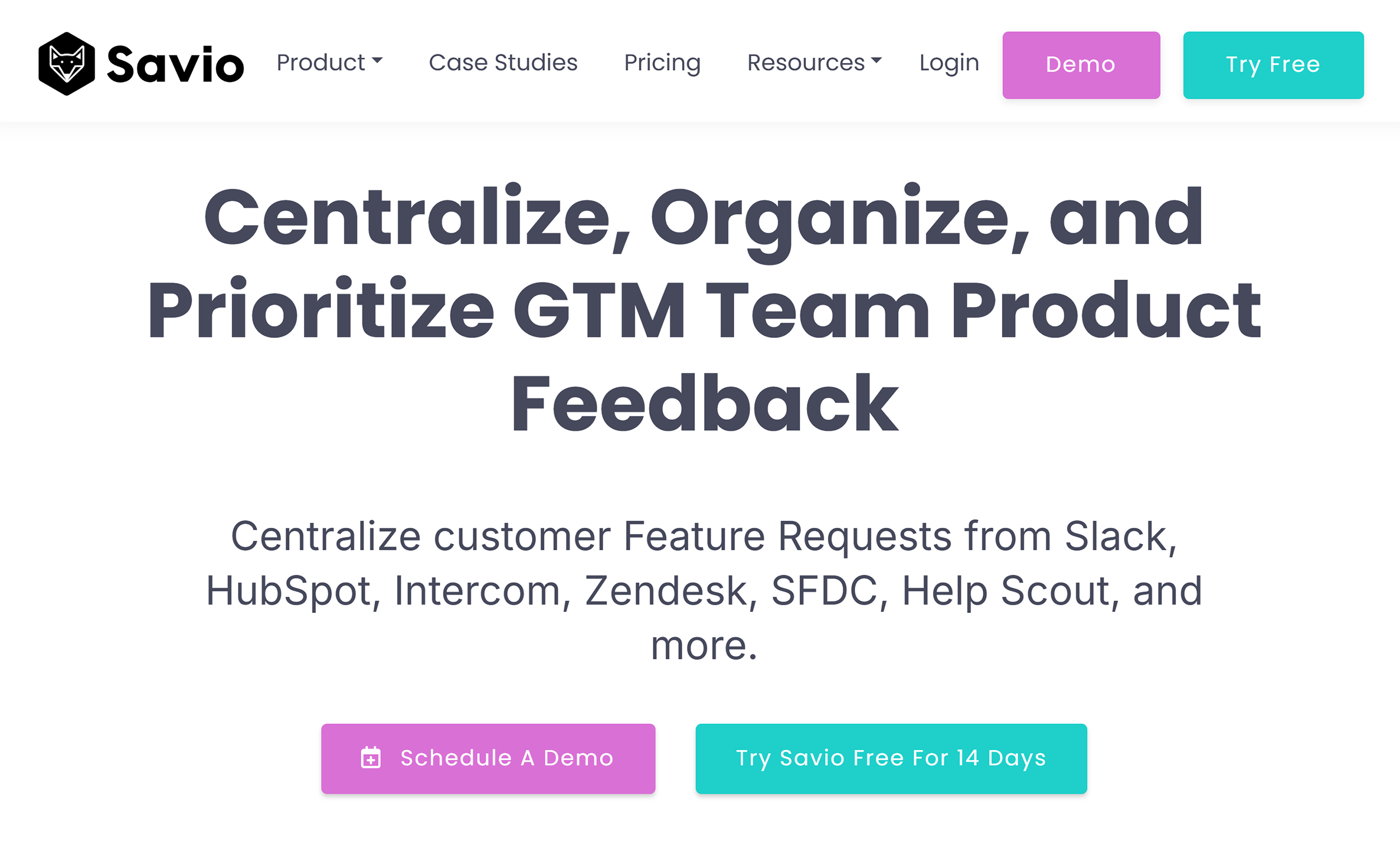
The shift led to a 64% bump in trial signups and a 15% lift in trial-to-paid conversions.
2. Analyze competitor content
Your competitors are telling you exactly what to write next.
They just don’t realize it.
Using AI in content marketing can help reveal the subtopics, examples, and formats you’re missing.
Find those gaps, fill them, and you’ve got content that stands out without starting from scratch.
Run a subtopic gap audit
Competitors might cover table stakes subtopics you’re missing.
When readers don’t find those answers on your page, they bounce back to the search engine results page (SERP).
The fix is simple: Find and fill the gaps.
Use AI-enhanced content marketing tactics to compare competitor H2/H3s to yours, add what’s missing, and build a tighter, more complete page.
For example, I wanted to update Backlinko’s “List Building: How to Build an Email List” post (last updated in 2019).
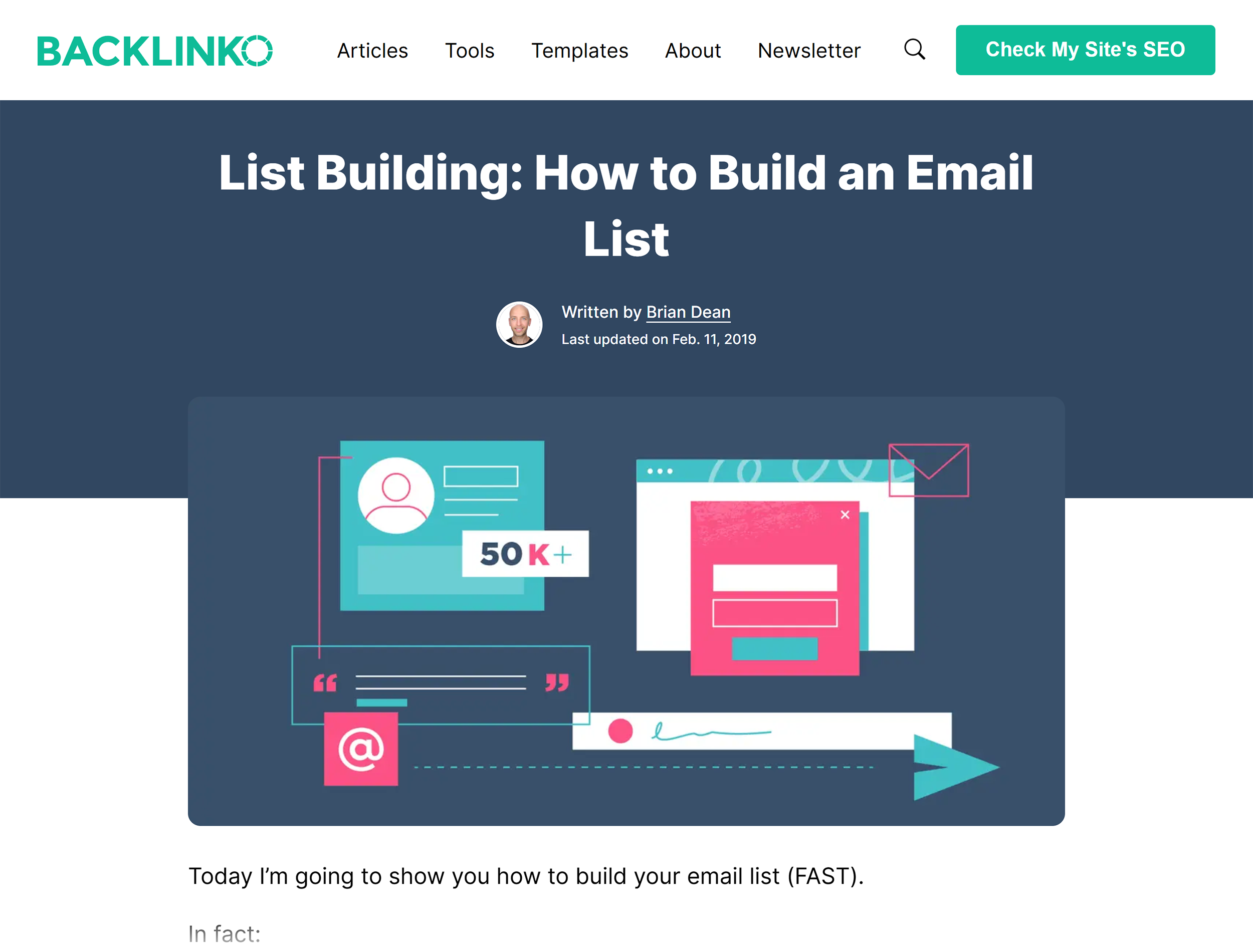
So I identified the top-ranking articles from Hubspot, Shopify, and Unbounce.
Then I used this prompt:
From these articles, extract the H2/H3 outline and run a subtopic gap audit.
For each gap, recommend where it belongs (new section vs. expand [Section X]) and what to add (examples, stats, steps, FAQs)
Return table: Subtopic | Found In (Competitor URLs) | Our Coverage (Yes/Thin/No) | Recommendation (New/Expand) | What to Add (bullets) | Priority (H/M/L)
Identify subtopics competitors cover that we don’t
Flag thin spots we mention only once
ChatGPT identified 25 different content gaps — way more comprehensive than I expected.
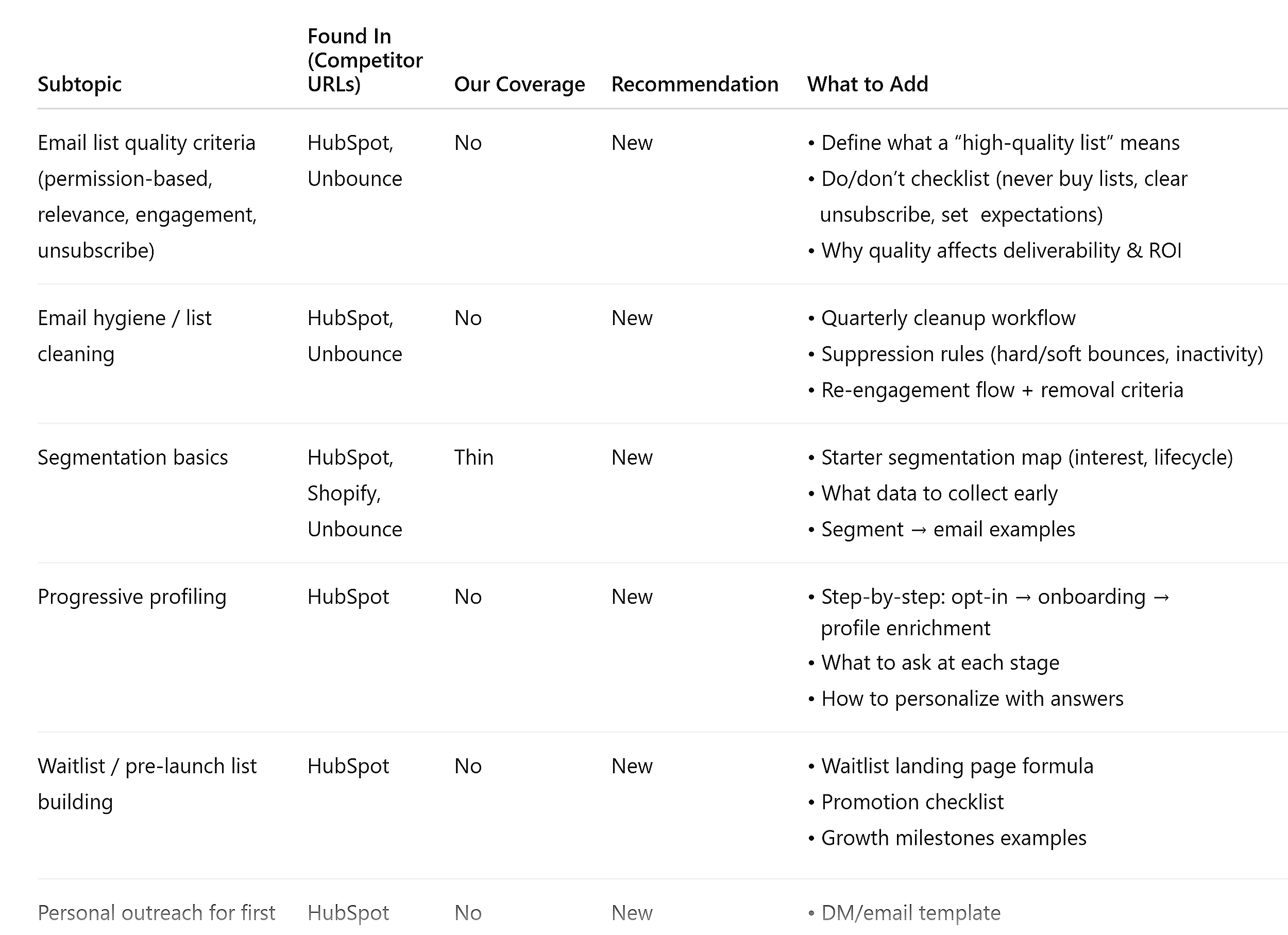
But I’m not adding all of them. That’ll bloat the article into an unreadable mess.
Instead, I’ll zero in on the high-priority gaps that appeared across all three competitors. Those are table stakes I’m clearly missing.
The medium- and low-priority items? I’ll review those case by case.
Some make sense as quick wins. Others don’t fit Backlinko’s editorial voice, so I’ll skip them.
Once it’s published, we’ll track performance in Google Search Console (GSC) over the next 14-28 days.
I’ll be watching for gains in queries, clicks, and rankings.
3. Turn research into SEO-ready content briefs
Creating a content brief from scratch used to mean hours of SERP analysis, competitor research, and manual outline building.
This is where AI in content marketing really shines.
It compresses hours of research into minutes: surfacing pain points, claims, and differentiation angles across multiple sources.
Create outlines from SERP analysis
I’m currently working on a brief for schema markup and local SEO.
I wanted to see if AI could speed up the research phase. And if it would produce something I could actually use.
First, I searched “schema markup for local SEO” and grabbed:
- The top ranking articles
- Reddit threads on the subject
- People Also Ask (PAA) and People Also Search For (PASF) queries from Google
Here’s the prompt I used:
Create a comprehensive content brief for [topic] using these sources:
Competitor URLs:
[paste five to seven top-ranking competitor URLs]
Reddit threads:
[paste one to two relevant Reddit discussion URLs]
People Also Ask and People Also Search For questions:
[paste questions from Google SERP]
Build a complete outline with:
- H2 sections (clear topic labels, not questions)
- H3 subpoints where needed
- For each section:
- Core question it answers
- Key points to cover
- Claims or stats to include (with source title + URL)
- Visual suggestion (screenshot, diagram, code example, table, etc.)
Also provide:
- Target audience (beginner/intermediate/advanced) and recommended word count
- Information gain opportunities (two to three ways to add unique value competitors are missing)
- User pain points (based on Reddit threads and topic analysis)
- Three to five title tag options (≤60 characters)
- Two to three meta descriptions (≤155 characters)
- FAQ section (three to four Q&As from the Reddit/PAA inputs)
Format this as a ready-to-use content brief.
The brief was more thorough than I expected. And I have a high bar for AI-generated content.
First, it gave me strategic context.

This goes beyond a basic outline. It’s thinking about who the content is for and what success looks like.
Then, AI built a complete section-by-section outline.
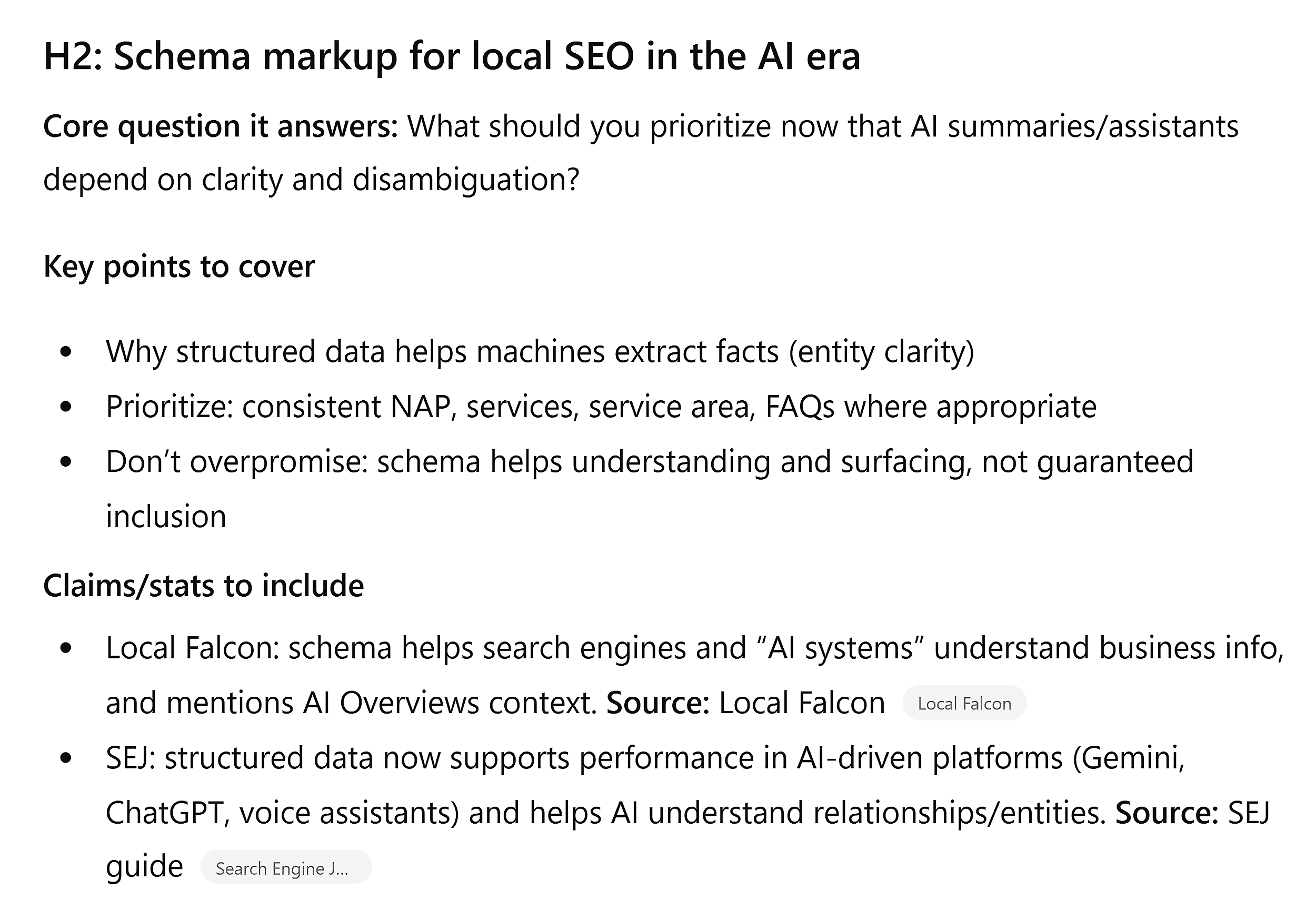
Every section has a clear purpose, talking points, and sources to verify claims. That’s already more research than most briefs include.
It even suggested visuals for each section.

Notice these aren’t generic “add an image here” notes. They’re specific (annotated screenshots, tables, code examples).
And, it pulled together FAQs from the Reddit threads and PAA questions.
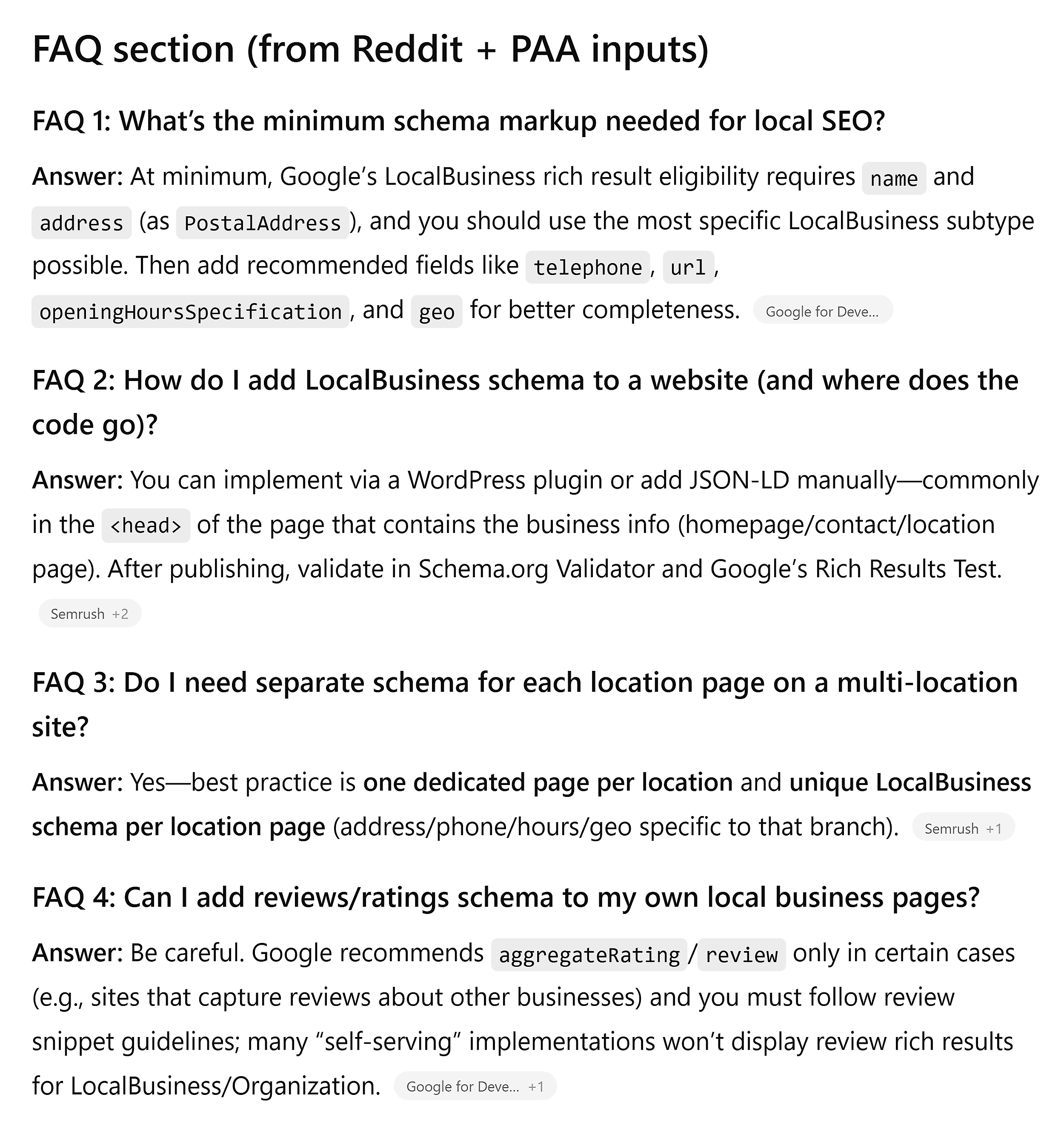
All real questions people are asking. Not AI-generated fluff.
To be fair, I wouldn’t hand this to a writer and say “go.”
But I would:
- Use the outline as my foundation
- Cross-check the claims
- Combine or reorder sections where it makes sense
- Add my own angle and expertise on multi-location schema
The brief shrank three plus hours of manual research into 15 minutes. That’s a win.
4. Maintain your brand voice when using AI
There’s no shortage of advice on how to draft with AI.
But as you scale your content, the challenge becomes: How do you keep your brand voice intact?
The solution?
Build guardrails first. Then, let AI enforce them.
Develop a style guide from your best content
A lightweight style guide gives AI the rules it needs to stay on-brand.
Without it, you’re asking AI to guess what “sounds like you” means.
I wanted to test this for one of my local SEO clients: a funeral home in Philadelphia.
They recently expanded with a new location and we’re scaling their content production. But I needed to make sure we kept their brand voice intact.
I pulled five of our best articles and ran this prompt:
Act as a senior brand editor. From these reference posts [paste URLs], create a one-to-two-page style guide for [brand] serving [audience].
Include:
- Voice pillars (three to five): With one-sentence definitions + quick do/don’t bullets
- Editorial rules: Headline vs. sentence case, contractions, Oxford comma, numbers/dates, jargon to avoid, inclusive language, target grade level
- Digital mechanics: Headings, links/CTAs, alt text, list/bullet patterns
- Mini cheat sheet (one page): Voice pillars, top 10 rules, banned terms, CTA patterns
- Before/after: Rewrite three lines from the refs to show the voice
Format as a ready-to-use style guide.
The output was surprisingly comprehensive.
First, it identified distinct voice pillars.
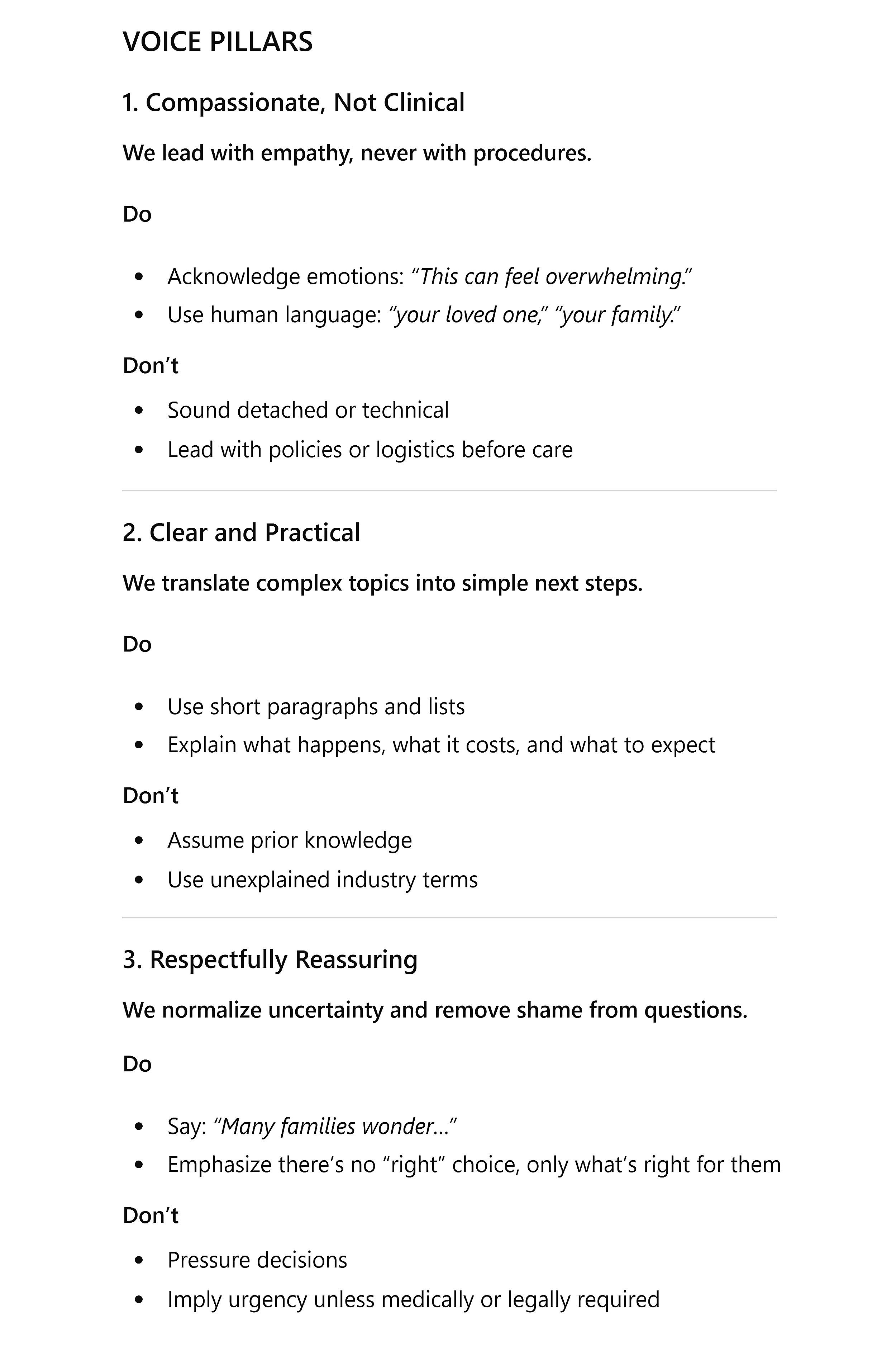
Each pillar had specific do/don’t examples. Not generic advice like “be friendly,” but actionable guidance like “acknowledge emotions” vs. “sound detached or technical.”
Then, it picked up on our specific language preferences.
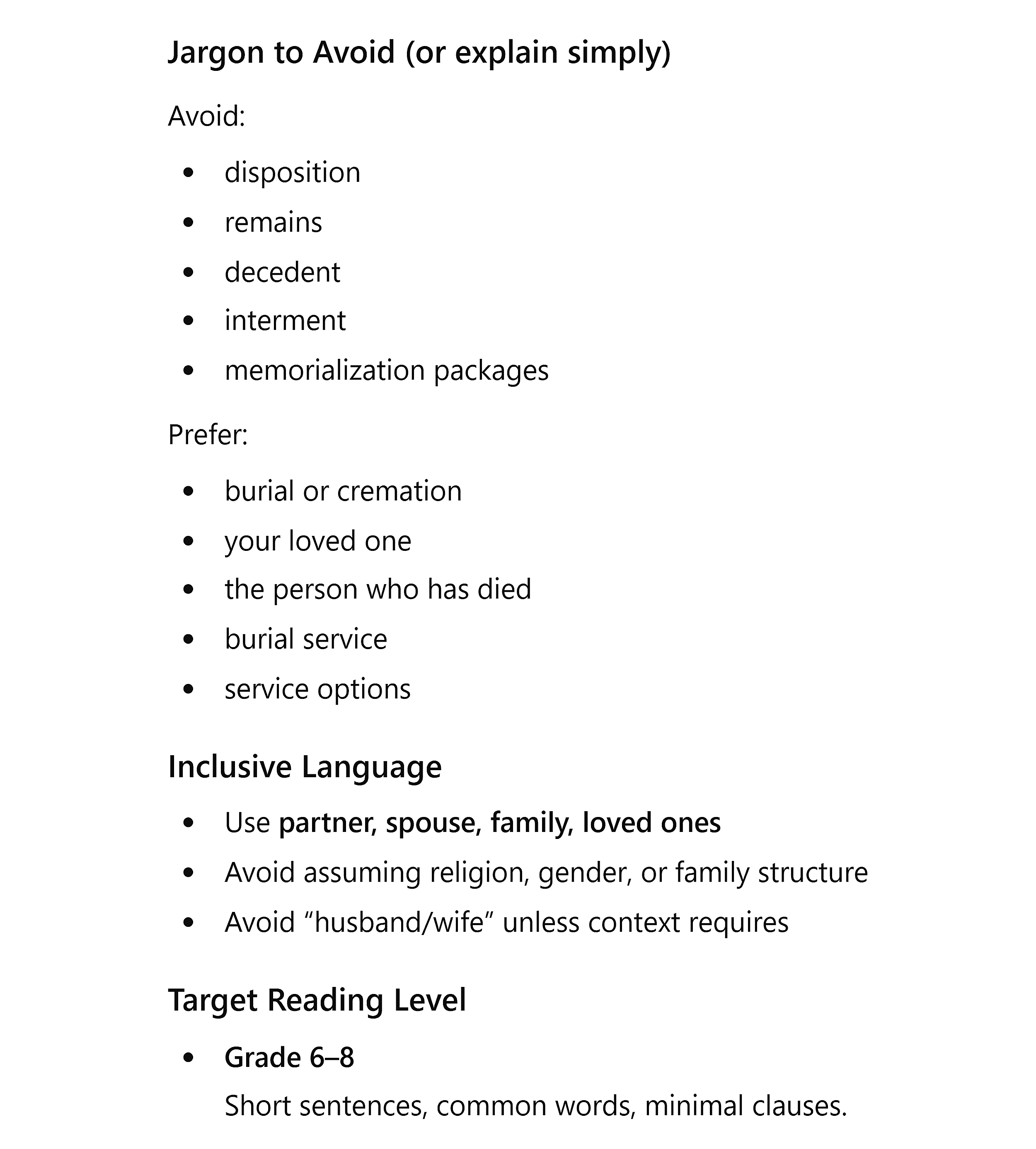
It flagged industry terms like “remains” and “disposition” and recommended plain alternatives.
This is the kind of detail that keeps your voice consistent when multiple writers are creating content.
Most importantly, it showed the voice in action.
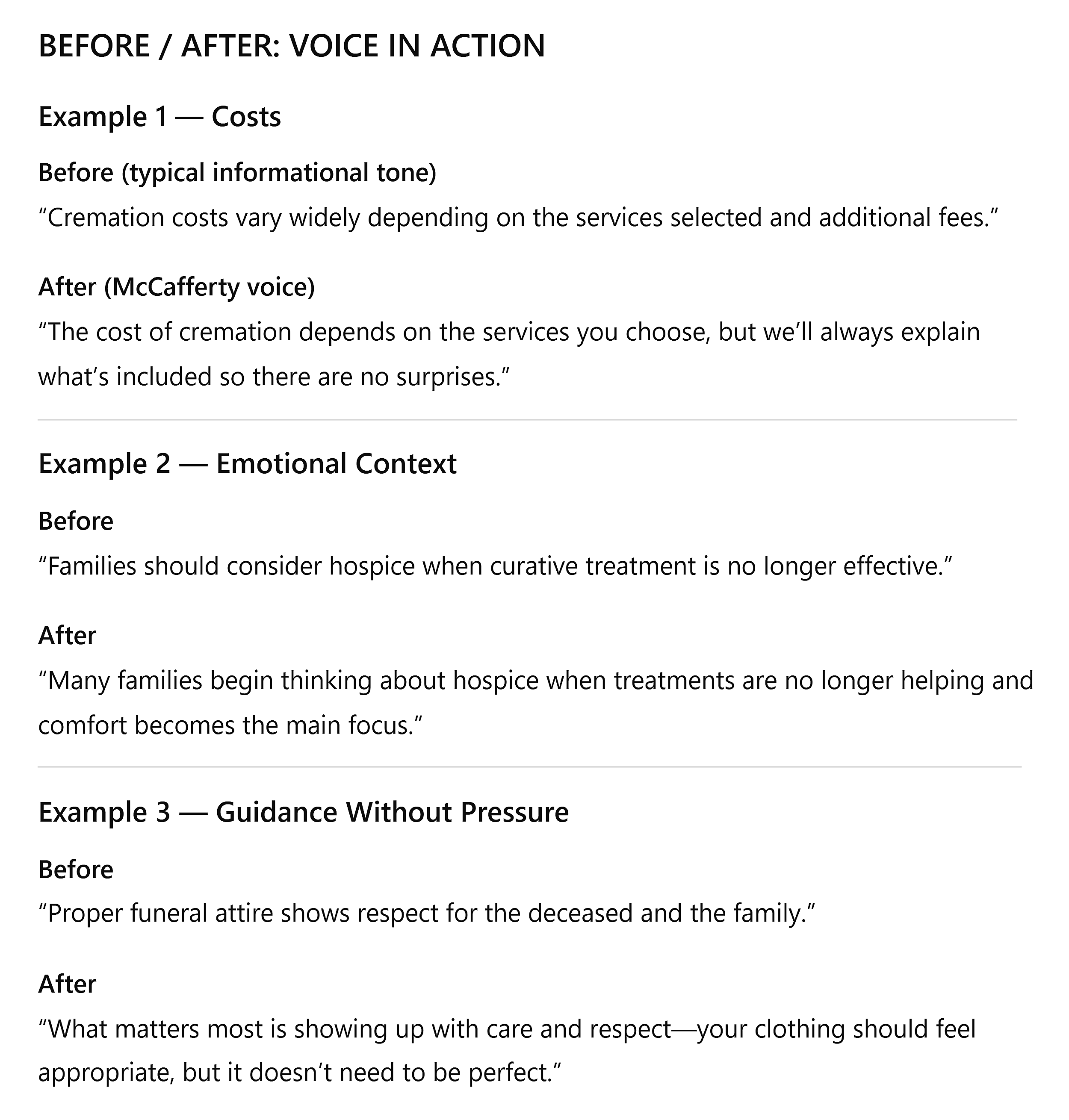
These transformations prove the guide is more than just rules. It captured how we actually write.
“The cost of cremation depends on the services you choose, but we’ll always explain what’s included so there are no surprises” sounds exactly like our brand.
This isn’t a perfect final guide, but it’s a strong foundation.
More importantly, it proved AI could extract patterns from real content, not just generate generic advice.
Perform a brand voice compliance check
Once we had the style guide, I needed to test it.
And just to show I didn’t pull any punches, I didn’t have AI write generic slop. That would be too easy — of course the style guide would catch obviously robotic writing.
Instead, I grabbed a blog post from a competitor funeral home.
It’s well-written, professional content…but it’s not our voice.
If the style guide could catch those subtle differences and suggest on-brand rewrites, that would prove it actually works.
Here’s the prompt I used:
Using this style guide [upload] and this content [upload], produce a brand-compliant version.
Tasks:
- Flag off-brand phrases with a one-line reason and suggest on-voice alternatives
- Tighten long sentences; remove filler; break walls of text into scannable chunks
- Keep all facts; do not change meaning
Return:
- A before/after table for major rewrites
- The revised content in final order, ready to use
The results were impressive.
It flagged specific phrases that sounded professional but didn’t match our voice.
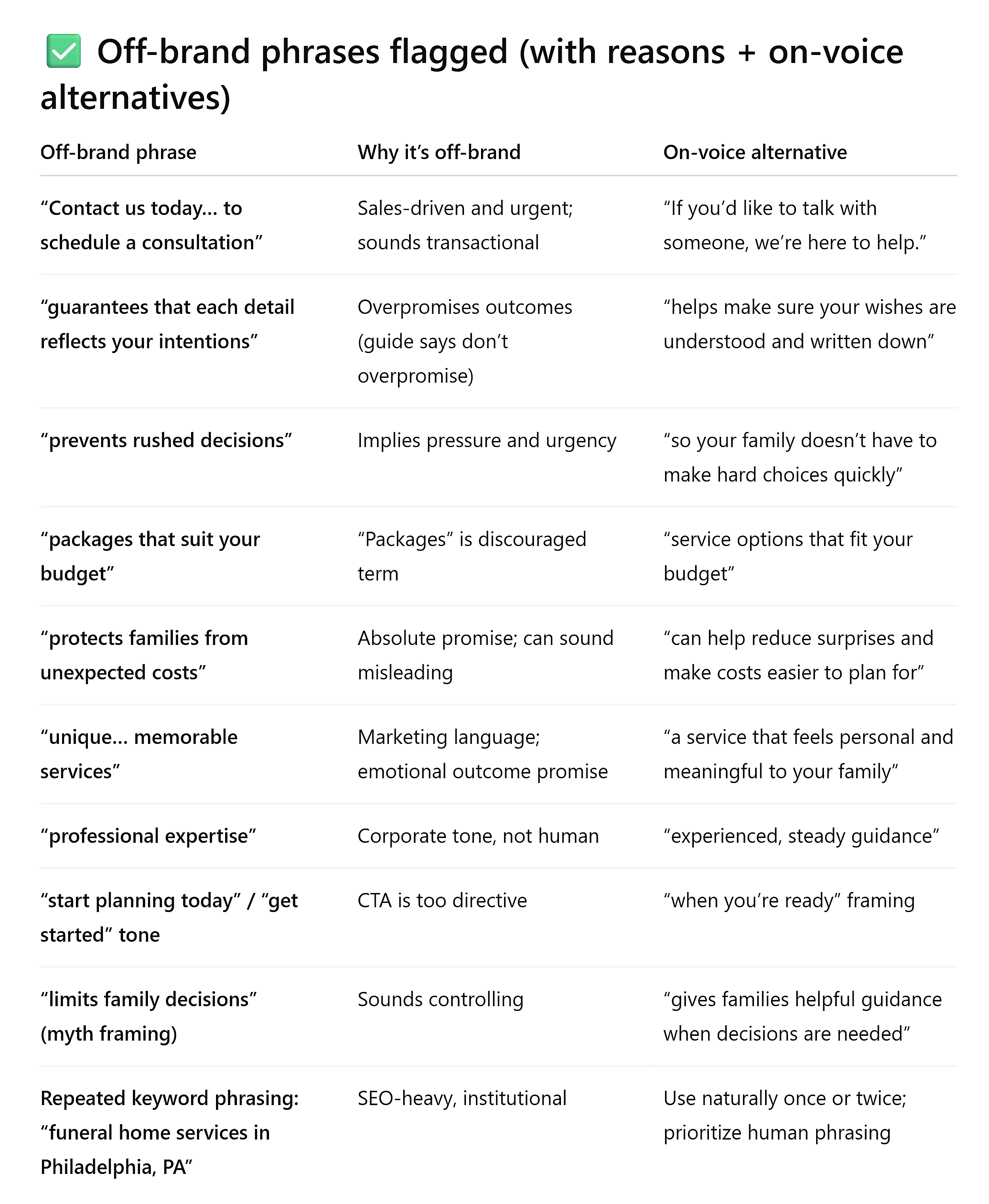
Even subtle differences like “professional expertise” vs. “experienced, steady guidance” were caught and rewritten to sound warmer and less corporate.
Then it rewrote entire sections to match the style guide.
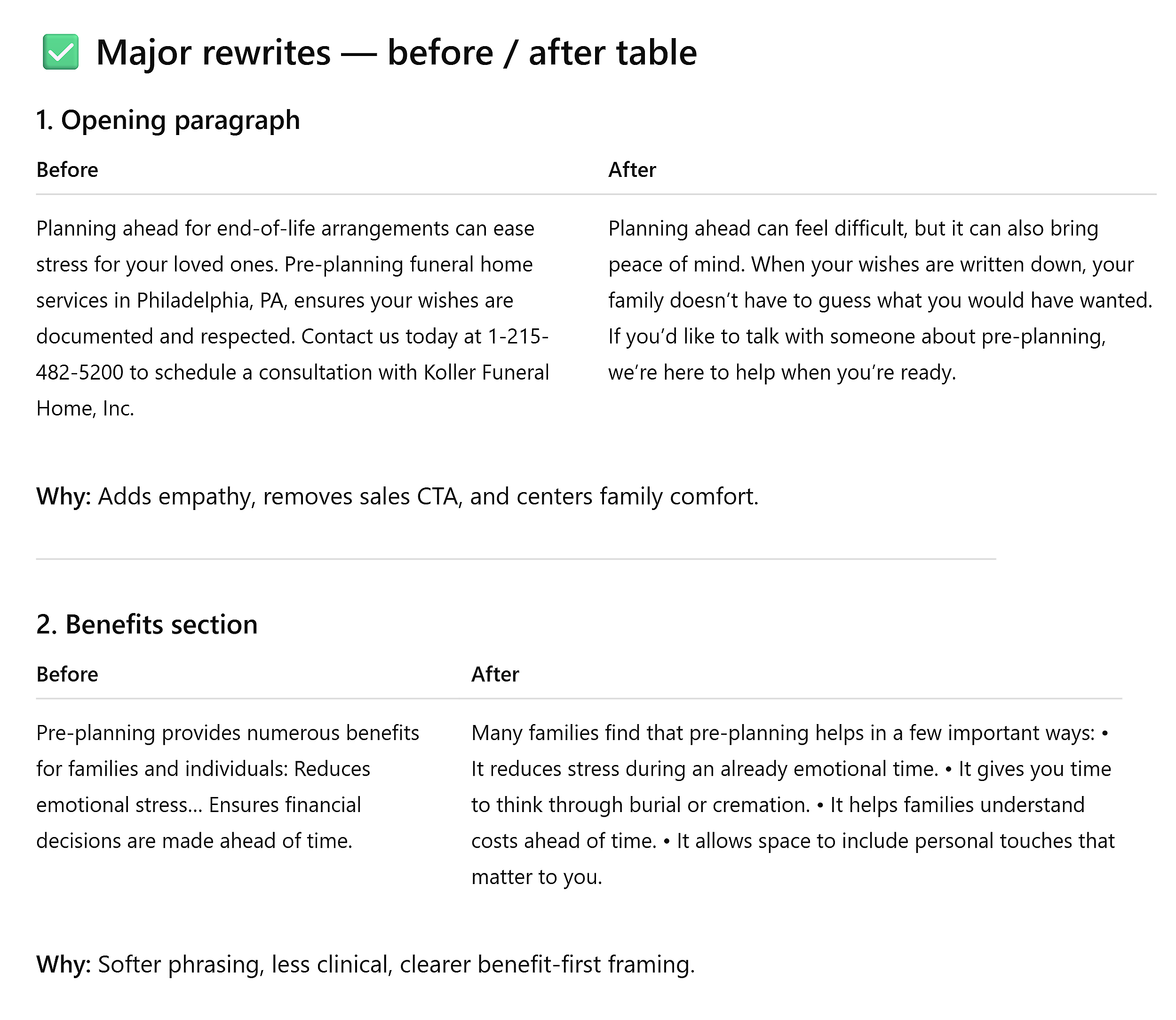
The “before” version was clear and informative.
But the “after” version sounded unmistakably like our brand — acknowledging difficulty, removing urgency, centering family comfort.
The takeaway?
AI won’t erase your voice if you give it the right constraints.
Build your style guide, then use it to keep every piece of content on-brand. Whether it’s written by AI, a freelancer, or your in-house team.
Start small. Move fast. Stay human.
The best workflows for AI in content marketing are built one process at a time.
So, pick the biggest bottleneck in your content operation and solve it first.
- If you’re drowning in competitor research, start with gap analysis.
- If briefs take hours, automate the SERP work.
- If your team’s voice is drifting as you scale, build the style guide now.
Run the workflow. Refine the prompt until it’s repeatable. Then, move to the next bottleneck.
And always keep a human in the loop.
AI compresses research from hours to minutes and catches patterns you’d miss manually.
But your judgment — knowing which gaps matter, which claims need verification, which voice sounds right — is what turns outputs into outcomes.
Explore more on
Editorial disclosure
Search Engine Land is owned by Semrush. We remain committed to providing high-quality coverage of marketing topics. Unless otherwise noted, this page’s content was written by either an employee or a paid contractor of Semrush Inc.
About the author