Spam traffic in GA4: How to detect, filter & prevent it

Spam traffic distorts your analytics data, which can lead to poor marketing decisions based on false performance signals.
It’s become more visible in Google Analytics 4. Compared to Universal Analytics, spam is harder to filter out due to the loss of several view-level controls, making it more apparent in GA4 reports.
As real organic traffic becomes scarcer due to zero-click searches and AI overviews, spam can make up a larger percentage of what you’re measuring — even when overall spam volume hasn’t increased. This often includes bots hitting pages, Measurement Protocol abuse, or other sources generating non-human events.
The consequences are serious: broken A/B tests, inflated traffic metrics that mask declining performance, and engagement data that doesn’t reflect real user behavior. When your team celebrates growth or adjusts strategy based on bot-driven sessions, you end up optimizing for the wrong signals.
This guide shows you how to identify spam traffic in your GA4 property, understand where it comes from, and implement both quick fixes and long-term defenses to protect your data quality.
What spam traffic actually is
Spam traffic refers to non-human or illegitimate sessions that get recorded as real visits in your analytics.

It’s any website traffic that doesn’t represent a genuine visitor. Common types of spam traffic include:
- Bot traffic: Automated scripts that crawl your site — often for competitive intelligence, content scraping, or malicious scanning. Some bots identify themselves and can be filtered. Others masquerade as legitimate visitors.
- Referral spam: Fake visits that appear to come from suspicious domains. In some cases, these bots never actually visit your site and instead send hits directly to your GA4 property to prompt you to click through to their domain when you see them in your reports.
- Fake organic sessions: Traffic that appears to come from search engines but is actually generated by bots spoofing user agents and referral sources.
- Ghost traffic: Server-side spoofing that sends Measurement Protocol hits directly to GA4 without any actual page load or browser interaction. These sessions can include completely fabricated engagement data.
- Misconfigured measurement protocol hits: Traffic from other websites or apps that accidentally or intentionally send data to your measurement ID.
Note: Not all bot traffic is spam. Known bots and search engine crawlers like Googlebot are typically filtered out automatically. The spam you need to worry about consists of bots that deliberately try to alter your analytics.
Why spam traffic matters more in the GA4 and AI era
Hardly a new problem, spam traffic has become more visible since GA4 rolled out and more problematic as real user signals become scarcer.
Zero-click searches and AI overviews also mean fewer organic visits for most websites. When overall traffic shrinks, spam naturally makes up a larger share of what you’re seeing in your analytics.
The SEO toolkit you know, plus the AI visibility data you need.

For example, 100 spam sessions might have been noise when you had 10,000 real visitors. At 2,000 visitors, that same spam volume represents 5% of your data.
As zero-click search contributes to declining organic traffic, many brands have increasingly focused on engagement-based metrics like engagement rate, engaged sessions, and average engagement time.
But this shift can further amplify spam’s impact.
Spam sessions with zero engagement can dramatically skew these numbers downward, making successful content appear to underperform.
How to identify spam traffic in GA4
Spotting spam requires looking at both behavioral patterns and source-level details.

Check for behavioral red flags
Start by examining user activity:
- Zero-second engagement with page views: Real users spend at least some time on your site. Sessions that record page views with zero engagement time are often spam. You can find these by creating a GA4 exploration report filtered for engagement time equals zero.
- One-page sessions at scale: A handful of single-page visits is normal. Hundreds of sessions that all land on one page, take identical actions, and leave immediately suggests bot behavior.
- Unnatural traffic spikes: Sudden increases in traffic from a single source, especially during off hours for your target audience. Check the time distribution in your reports. If you normally get minimal traffic at 3 a.m. but you suddenly see a spike, investigate the source.
- Identical session counts across days: Real traffic volume fluctuates naturally. Bot campaigns often run on fixed schedules, producing suspiciously consistent session counts. For example, exactly 247 sessions per day for a week straight.
Look for source-level warning signs
Dig into where your traffic claims to come from. These are the source-level warning signs that can help you flag spam traffic:
- Suspicious referral domains: Unknown websites with random strings, adult content domains, gambling sites, or domains clearly designed to attract clicks (like “free-traffic-analyzer.xyz”)
- Fake or random-looking UTM parameters: Campaign parameters with gibberish values or UTMs that don’t match any campaigns you’re running
- Impossible device and browser combinations: Sessions claiming to use browser versions that don’t exist or operating systems that can’t run those browsers
- Unusual language codes: Traffic reporting language settings that are malformed or don’t correspond to any real language
- Geographic anomalies: High traffic volumes from countries you don’t serve, don’t advertise in, and have no legitimate reason to attract visitors from
Use GA4 explorations to confirm anomalies
When you spot something suspicious, use GA4 to create a custom exploration and investigate deeper.
Step 1: Navigate to GA4’s Explorations
Find the “Explorations” panel on the left navigation bar.

Step 2: Build a free-form exploration
Click on the “Free form exploration” template.
Step 3: Choose your dimensions
Under the “Variables” tab, find “Dimensions” and click the “+” to view more options.

Select the following dimensions:
- Session source/medium (found under “Traffic source” or “Attribution”)
- Landing page (found under “Page / screen”)
- Device category (found under “Platform / device”)
- Country (found under “Geography”)
Step 4: Add metrics
Underneath the dimensions, you’ll find “Metrics.” Click the “+” to add the following metrics to your report:
- Engaged sessions (found under “Session”)
- Engagement rate (found under “Session”)
- Conversion-centered metrics, such as “Transactions” (found under “Ecommerce”) or a custom event you’ve set up to track sign-ups, purchases, or other goals

Step 5: Add filters
Apply filters to help isolate suspicious traffic. For example, you can filter out a specific referral source that you think looks questionable.
Underneath the “Settings” column, you’ll find “Filters” all the way at the bottom. Click on the “+” to add filters.

If you’re filtering out a certain source, select “Source / medium.” Choose “does not contain” and then enter the source you want to exclude.

Step 6: Compare the data
Compare the engagement rate of the suspicious segment against your site average. Spam traffic typically shows engagement rates near zero while legitimate traffic usually engages at much higher rates.
Where spam traffic comes from
Spam comes from sources with specific motivations — such as driving clicks to scam websites, stealing content, or scanning for vulnerabilities. Knowing what’s behind the fake sessions helps you block them more effectively and prevent future attacks.
Referral spam networks
Some organized and opportunistic bot networks target GA4 properties. These operations send Measurement Protocol hits to many websites simultaneously, sometimes hoping that site owners click through to their domains from referral reports.
The motivation is simple: generating referral traffic, testing spam techniques, or promoting low-value content.
When site owners see an unfamiliar referrer driving hundreds of sessions, curiosity may lead them to click through and investigate. Some referral spammers run advertising-heavy sites and profit from those curiosity clicks.
Others use this technique to gain visibility or draw attention to low-value content. Even though the links aren’t traditional hyperlinks, appearing in a site’s analytics and potentially in public reports can increase awareness.
In rarer cases, these domains host malware or phishing schemes designed to compromise anyone who visits.
Content scrapers mimicking browsers
Scraping bots are designed to copy your content while attempting to look like legitimate traffic. They use real browser user agents and sometimes even execute JavaScript to avoid detection.
These scrapers have several goals:
- Stealing your content to republish on competitor or spam sites
- Harvesting data to train AI models, monitoring your content strategy
- Extracting contact information and proprietary data
They attempt to appear as real visitors in your analytics so you won’t block their IP addresses or implement anti-scraping measures.
Exposed measurement IDs
Your GA4 measurement ID might be visible in your website’s source code, shared documentation, or third-party tools. Anyone with access to it can potentially send fake hits to your property.
There may be several reasons for this:
- Some attackers use this technique to hide their actual malicious activity — real reconnaissance or content scraping within a flood of fake sessions
- Others send fabricated conversion events to waste your sales team’s time following up on nonexistent leads
- In some cases, it’s simply vandalism or testing grounds for spammers refining their techniques before targeting other sites
Malicious scanning activity
Security scanners, vulnerability testing tools, and attack bots may hit your site looking for weaknesses.
These bots are probing for outdated software versions, known vulnerabilities, exposed admin panels, or weak authentication systems. Some are run by security researchers conducting legitimate assessments. But many are operated by attackers looking for easy targets to compromise, install malware, or use in larger attack campaigns.
Your GA4 property records these reconnaissance attempts as normal sessions. This happens even though no human is involved and the bot has no interest in your content — it’s just testing whether your site is vulnerable. These bots aren’t trying to modify your analytics, but they get recorded anyway.
Misconfigured implementations
Sometimes the problem is accidental. A developer might copy a tracking code from your site to another project and forget to change the measurement ID, causing that site’s traffic to appear in your reports.
This typically happens when:
- Agencies reuse code templates across client projects
- Developers clone repositories for testing environments
- Contractors reference your implementation as an example
Unlike intentional spam, misconfigured tracking usually sends legitimate user behavior data — just from the wrong website. This can be particularly confusing because the sessions look real but the landing pages, user flows, and conversion patterns don’t match anything on your actual site.
Even though the outcome isn’t intentional, the result is still contaminated data.
Why spam traffic is dangerous for SEO
Spam doesn’t just inflate vanity metrics. It actively damages decision-making.
The real danger isn’t seeing inflated numbers in your dashboard. It’s making strategic choices based on data that doesn’t reflect reality. When spam artificially inflates your analytics, every decision becomes suspect: which content to prioritize, where to invest resources, and what tactics are actually working.
Here’s why spam traffic can quickly derail your SEO campaigns.

False growth signals mask real performance
When spam artificially inflates your traffic numbers, you can’t accurately measure the impact of SEO initiatives.
That new content strategy might be working brilliantly or failing completely — but spam traffic makes it impossible to tell. Any optimization decisions you make based off of faulty performance data could set up your team for failure.
Engagement metrics become meaningless
If spam is dragging down your average engagement time and bounce rate equivalents, you’re using the wrong baseline for optimization.
When this happens, you could easily waste substantial resources trying to fix engagement problems that don’t really exist. Meanwhile, you could be missing real user experience issues that need attention.
For example, your analytics might show an average engagement time of 45 seconds when real users are actually spending three minutes on your site.
You might spend weeks redesigning your content layout, rewriting introductions, and testing different formats to boost engagement — all based on metrics artificially lowered by bot traffic.
Meanwhile, your checkout flow might have a genuine usability issue causing real customers to abandon their carts. But you might never investigate it because the distorted data suggests your content is the problem.
A/B testing produces invalid results
Experiments require clean data to produce statistically significant results. Spam traffic in A/B test variants invalidates your conclusions. It can also cause you to implement changes that hurt performance.
You might roll out a “winning” variation that tested well only because bots interacted with it differently than real users did. That variant might ultimately damage conversion rates site-wide. And, if you base future decisions off of that initial result, you could compromise future campaigns, too.
Content prioritization breaks down
You might decide to create more content like your “top-performing” pages, only to discover later that most of those sessions were bots. Meanwhile, you’d deprioritize genuinely valuable content with lower traffic numbers.
Misallocating content resources means you double down on the wrong topics while neglecting content that drives business results.
Forecasting models fail
If historical data includes spam, any projections or predictions built on that data will be inaccurate. Budget planning, resource allocation, and goal setting all depend on trustworthy baseline metrics.
When your Q4 projections are built on Q3 data contaminated by spam, you risk over-hiring, overspending on tools, or setting unrealistic targets that demoralize your team.
Reporting credibility suffers
If you present a quarterly report showing 50% traffic growth and then explain later that half of it was spam, stakeholders may question the metrics you share going forward.
Once leadership loses trust in your analytics, securing budget for SEO initiatives becomes significantly harder, regardless of how solid your future data might be.
How to block and filter spam traffic
Blocking spam requires a layered approach. You should prioritize quick wins that you can implement quickly and balance them with sustainable long-term efforts.
You need immediate solutions to clean up your current data. These quick fixes provide instant relief but require ongoing maintenance as new spam sources emerge.
For sustainable protection, you’ll also need technical defenses that work at the infrastructure level. These solutions take more effort to implement but scale automatically and catch spam before it reaches your analytics.
Quick fixes you can implement today
These solutions work within GA4 and require minimal technical expertise.
Block known referral spam domains
GA4 allows you to create exclusion lists for suspicious domains, preventing their hits from being processed at all.
This is effective for known spam sources but requires ongoing maintenance. New spam domains appear constantly, so you’ll need to monitor your referral traffic regularly and add new offenders to your exclusion list as they emerge.
But there’s one catch: This method won’t exclude these users from GA4’s returning users reports.
To block referral spam domains in GA4, navigate to the “Admin” section and find “Data Streams.” Choose the web stream. Navigate to “Configure tag settings” and select “List unwanted referrals.”
Add the spam domains you want to block, choosing “Referral domain contains” as the match type for each domain.

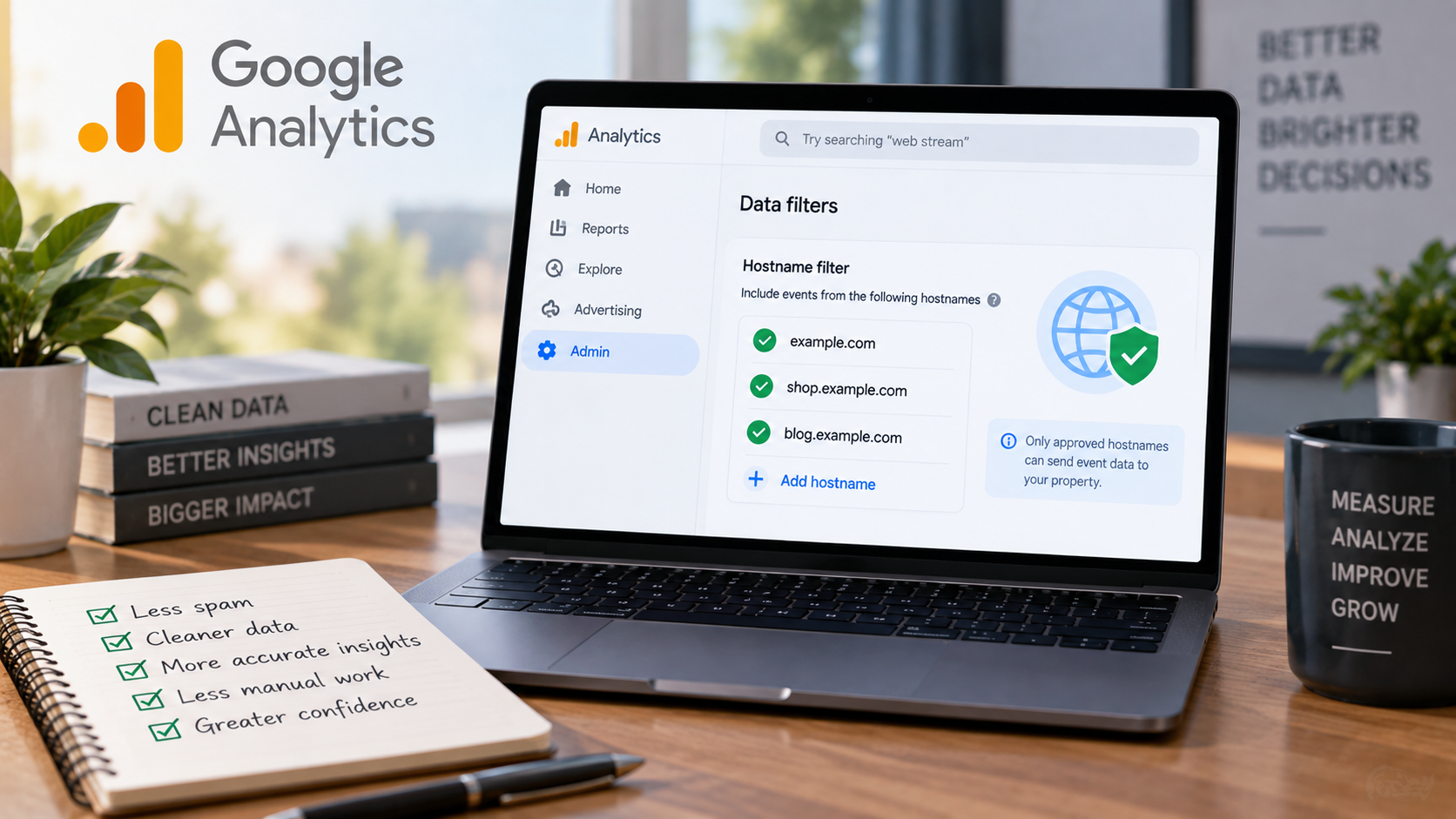
Create a data filter for invalid traffic
GA4 allows you to create data filters that exclude invalid traffic from reports. This catches a significant portion of low-effort spam that doesn’t attempt to mimic real user behavior.
Creating a data filter is a multi-step process:
- Identify events or parameters associated with unwanted traffic to flag it
- Create a data filter that classifies invalid traffic as “Internal traffic” to exclude it from tracking
- Validate your traffic filter in the “Explore” tab to make sure it’s flagged for exclusion
- Activate the filter
Technical defenses for comprehensive protection
These solutions require more technical implementation but provide stronger, more scalable protection.

Secure your Measurement Protocol endpoints
The Measurement Protocol lets you send tracking data to GA4 from your server instead of from users’ browsers. This is useful for tracking server-side events like payment processing, API usage, or backend conversions.
If you’re using the Measurement Protocol for server-side tracking, add authentication to prevent unauthorized hits. Implement an API key system or validation layer that rejects hits without proper credentials.
Here’s how to add authentication:
- Create a validation endpoint: Route tracking requests through your own server endpoint (like yoursite.com/api/track) instead of sending directly to GA4
- Require API keys: Generate unique API keys for legitimate sources and require them in request headers. Reject requests without valid keys
- Validate the data: Check that event names, parameter values, and timestamps match expected patterns before forwarding to GA4
- Forward valid hits only: Send authenticated, validated requests to GA4’s Measurement Protocol. Log and block everything else
Deploy bot-blocking rules
Use Cloudflare, your web application firewall, or server-level configurations to block suspicious traffic before it reaches your site.
This approach works best when you’ve identified persistent spam patterns through your GA4 analysis — such as the same user agents, IP ranges, or request behaviors appearing repeatedly.
By creating rules that match these patterns, you prevent spam from ever reaching your website. It won’t appear in GA4, consume server resources, or slow down your site.
Configure rules based on:
- Request rates that exceed human browsing speeds: Flag IP addresses making 50+ page requests per minute. A human clicking through pages rapidly might hit 10–15 per minute, while bots often exceed 100.
- Missing or malformed request headers: Legitimate browsers send standard headers like “Accept-Language” and “Accept-Encoding.” Block requests missing these entirely or sending headers with nonsensical values like “Accept-Language: zzz.”
- Access patterns that don’t match legitimate user behavior: Block traffic that goes directly to /wp-admin, /admin, or other backend URLs without first visiting your homepage, or requests that hit hundreds of random URLs in alphabetical order.
Implement rate limiting
Prevent spam at scale by limiting how many requests a single IP address can make in a given time period. Legitimate users rarely need to load dozens of pages per second, after all.
To implement rate limiting, set a maximum number of requests (such as page loads, API calls, or tracking hits) that a single IP address can make within a specific timeframe. Once that threshold is exceeded, additional requests from that IP are temporarily blocked or delayed.
Consider potential thresholds like these:
- Conservative: 100 requests per minute per IP address, which blocks aggressive bots while rarely affecting real users
- Moderate: 30 requests per minute per IP address, which offers tighter protection with minimal false positives
- Strict: 10 requests per 10 seconds per IP address, which can catch rapid-fire bot activity
Add JavaScript challenges
Require browsers to execute JavaScript before tracking hits are sent to GA4. Many simple spam bots can’t handle JavaScript execution. You can implement this through your tag management system.
Instead of firing your GA4 tracking tag immediately when a page loads, you make it conditional on completing a JavaScript task first. Simple bots that send hits directly to GA4 or can’t execute JavaScript will fail this test.
For example, you could create a custom JavaScript variable that performs a simple calculation or check — like generating a random number, checking if certain page elements exist, or validating that the browser can access localStorage.
Set your GA4 tag to only fire when this JavaScript variable returns a valid result. For example, create a trigger that checks if your custom variable equals “true” before sending any tracking data.
Validate hits before sending to GA4
Build a server-side validation layer that checks incoming Measurement Protocol hits against expected patterns before forwarding them to GA4. This adds complexity but provides the strongest protection.
Instead of sending tracking data directly from your website to GA4, you route it through your own server first. Your server checks each hit against validation rules before deciding whether to forward it to GA4 or reject it as spam.
Here’s what to validate:
- Expected page paths: Reject hits claiming to come from URLs that don’t exist on your site
- Realistic session patterns: Flag hits that show impossible browsing sequences (like visiting checkout before viewing any products)
- Known spam signatures: Block hits from IP addresses or user agents you’ve identified as spam sources
- Rate limits: Reject multiple hits from the same source within seconds
Pro tip: Use Semrush’s Site Audit tool to identify technical vulnerabilities that could make your site more attractive to bots. Exposed admin panels or unsecured endpoints can invite spam or malicious traffic, so fixing these issues helps reduce unwanted hits.
How to fix historical spam data
GA4 doesn’t allow you to delete historical data. But you can still work around spam traffic issues.
Why you can’t remove spam from GA4
Unlike Universal Analytics, GA4 doesn’t provide a way to retroactively delete bad data. Once spam hits are recorded, they’re permanent in your raw data.
This is frustrating but manageable with the following methods.
Isolate spam with segments
Create a segment that excludes obvious spam patterns GA4 on your preferred GA4 reporting dashboard. Build a segment that filters out:
- Sessions with zero engagement time
- Traffic from known spam referral sources
- Sessions from countries you don’t serve
- Sessions with impossible browser and device combinations
Apply this segment to your reports and explorations when analyzing historical performance.
Build clean trendlines for reporting
When you present performance data that includes affected periods, use comparison segments to show metrics with and without suspected spam. This demonstrates the impact and provides a clearer picture of actual performance.
For forecasting and goal-setting, use data from after your anti-spam measures were implemented rather than trying to extrapolate from contaminated historical data.
Adjust dashboards for accurate KPIs
Modify your Looker Studio dashboards or custom reports to automatically apply spam-filtering segments. This ensures everyone viewing the data sees clean data by default.
The exact process depends on the reporting platform you’re using, but you may be able to filter out spam with tactics like:
- Creating filters based on spam patterns: Exclude sessions with zero engagement time, traffic from known spam referral domains, or visitors from countries you don’t serve
- Using GA4 audiences: Build an audience in GA4 that defines legitimate traffic, then reference that audience in your dashboard filters. Note that GA4 audiences only capture users from the moment you create them and don’t apply retroactively.
- Applying report-level filters: Set default filters that automatically apply to all charts and visualizations, rather than requiring team members to remember to filter each report manually
Preventing spam traffic long-term
Reactive fixes are a good start. But they aren’t enough to get ahead of spam traffic. Instead, build prevention into your analytics setup with proactive efforts.

Secure your tracking implementation
Protect your GA4 implementation from unauthorized access by securing how tracking data reaches your property.
Store measurement IDs securely
Your GA4 measurement ID is visible in client-side code, so it needs to be treated as an identifier. To keep your setup maintainable and avoid accidental reuse, proper storage is essential.
Store your measurement ID in environment variables or server-side configuration files rather than hardcoding it in publicly accessible code repositories. Use environment-specific IDs for development, staging, and production so test traffic doesn’t pollute your production analytics.
Rotate measurement IDs when necessary
If a particular GA4 data stream suffers from persistent spam that you can’t control with GA4’s built-in tools (like hostname filters, traffic exclusions, and tag rules), you can create a new data stream with a fresh measurement ID and update your tracking implementation to use it.
This effectively cuts off events targeting the old stream. But it also splits your reporting across multiple streams, so it should only be used after exhausting other mitigations.
Secure Measurement Protocol endpoints
When using the Measurement Protocol for server-side tracking, treat the implementation as an authenticated ingestion pipeline. Use GA4’s built-in API key plus additional controls:
- Route tracking requests through your own validation endpoint instead of sending directly to GA4
- Enforce your own API keys for legitimate sources and reject requests without valid authentication
- Validate that data meets expected patterns (like correct event names and realistic timestamps) before forwarding to GA4
- Log and block everything that fails authentication or validation
This layered approach keeps your GA4 API key server-side, preventing direct spammer access to GA4 endpoints.
Monitor for anomalies
Set up GA4 alerts for unusual traffic patterns. Create custom alerts that notify you when:
- Traffic from a single source increases by more than a certain percentage day over day
- Engagement rate drops below a threshold that indicates spam
- A high volume of traffic from a new country suddenly appears
In some cases, there may be legitimate explanations. For example, maybe you had a campaign on LinkedIn go viral that’s sending an abundance of traffic to a landing page.
Either way, having these alerts in place can ensure you’re able to assess the change quickly to determine if they were legitimate or spam.
Track, optimize, and win in Google and AI search from one platform.
Document your data quality standards
Create an internal playbook that defines what clean traffic looks like for your site, how to spot spam, and the process for investigating and blocking new spam sources. This ensures consistency as team members change.
Document normal traffic patterns for your site, such as typical engagement rates, average session duration, top geographic sources, and expected traffic volume by hour and day. This gives your team a reference point for spotting anomalies.
Maintain a running list of blocked referral domains, suspicious IP ranges, and spam patterns you’ve identified. Include dates when you blocked them and what made them suspicious.
Create a simple checklist team members can reference. Include zero engagement time, impossible device combinations, traffic from unexpected countries, referrals from random-string domains, identical session counts across days.
Define step-by-step instructions for what to do when someone spots suspicious traffic. State which GA4 reports to check, how to confirm it’s spam vs. legitimate traffic, who to notify, and how to implement blocks.
Clarify who monitors traffic quality, who has permission to add domains to block lists, and who stakeholders should contact with questions about data anomalies.
Train your team
Make sure everyone who accesses analytics understands how to spot spam indicators. When marketers, content creators, and executives can identify suspicious data, they’re less likely to make decisions based on bad metrics.
Here are a few warning signs they should watch for:
- Sudden unexplained traffic spikes: Your team should check traffic sources in GA4 and add suspicious referrers to your exclusion list
- Perfect round numbers: Flag unusually consistent traffic in your weekly team meeting and investigate the source before making budget decisions based on performance
- Geographic mismatches: Apply geographic filters to your reports to focus only on the areas your business serves.
- Zero engagement with high traffic: Exclude this traffic when evaluating content performance and don’t allocate resources to “fix” these pages
- Referral sources you don’t recognize: Document these sources in your spam tracking spreadsheet and coordinate with your analytics team to block them
Audit data quality
Schedule quarterly reviews of your top traffic sources, engagement patterns, and conversion paths. Look for new spam sources that might have slipped through your defenses.
Add newly discovered spam domains to your exclusion lists, update your bot-blocking rules to catch new attack patterns, and refine your data filters based on the latest spam behaviors you’ve observed.
Document what you find in your data quality playbook so your team knows which sources to watch. If you discover that spam contaminated data used in recent strategic decisions, alert stakeholders and provide corrected metrics.
Use clean data periods to establish new performance baselines. Say Q3 data was compromised but you’ve since implemented better filters. Use Q4 data as your new benchmark for future comparisons.
Pro tip: Spam traffic isn’t just affecting organic traffic right now. It’s also impacting AI overviews, with hallucinations, spammy listicles, and low-quality content being featured. This is something to watch as Google works to address it.
Protect your data before it undermines your strategy
Spam traffic will continue to evolve. Bots get more sophisticated, new attack vectors emerge, and legitimate-looking fake traffic becomes harder to distinguish from real visitors.
Your defenses need to evolve too.
Make data quality a priority in your organization. The best spam filter in the world won’t help if your team doesn’t know how to interpret the data or spot new threats.
Want to learn more about getting the most out of GA4? Learn how to Master Google Analytics 4 with these tips and tutorials and check out our guide on SEO reporting.
Explore more on
Editorial disclosure
Search Engine Land is owned by Semrush. We remain committed to providing high-quality coverage of marketing topics. Unless otherwise noted, this page’s content was written by either an employee or a paid contractor of Semrush Inc.
About the author