How to do a website audit in five steps (+ Checklist)

A website audit helps you find what’s holding your site back. It highlights technical issues that affect your rankings and UX problems that hurt conversions.
In this guide, I’ll walk you through five essential steps to maximize your site’s performance.
And to make it easier, I’ve created a free website audit checklist that you can refer to as you follow along.
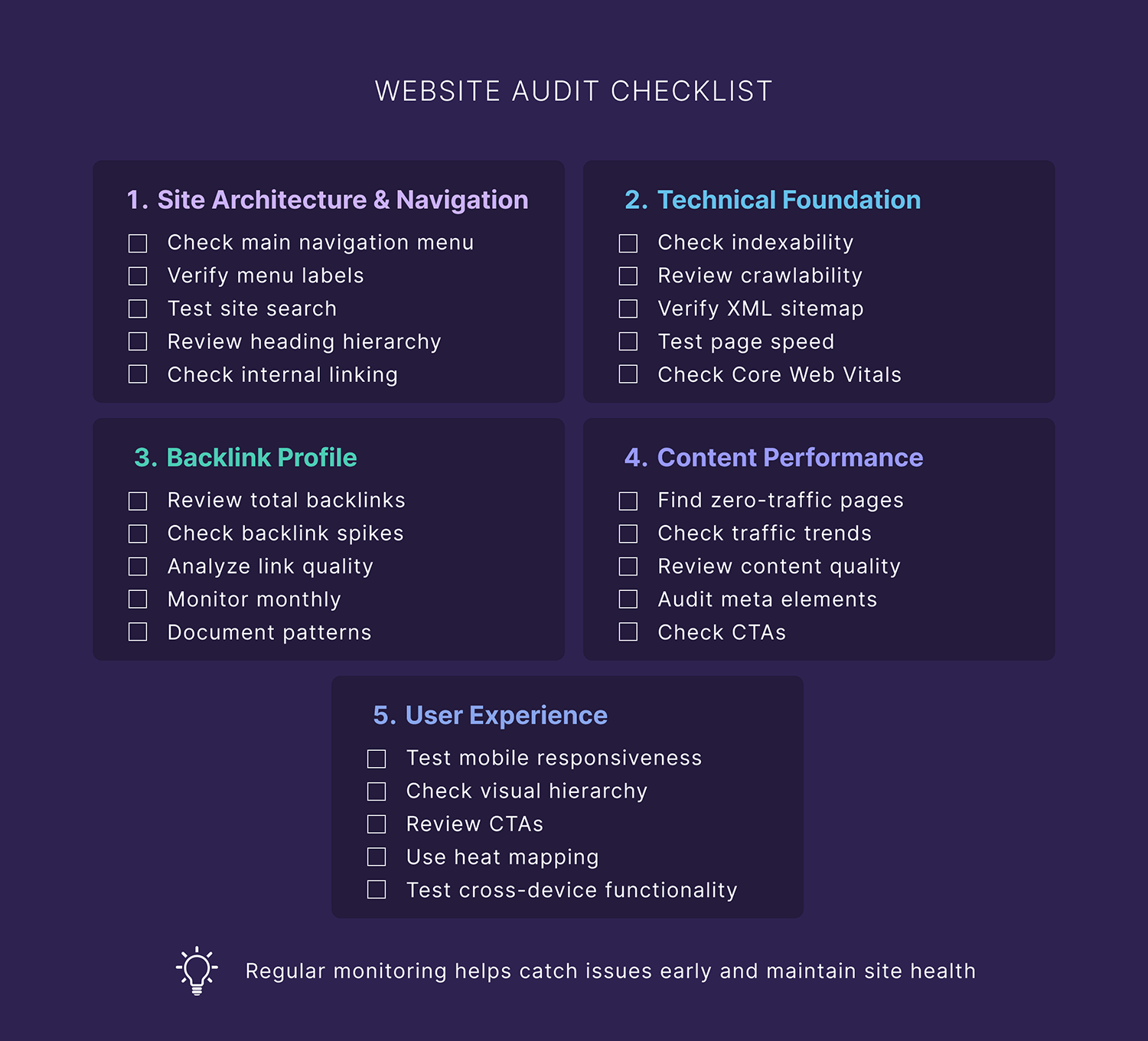
Note: This post covers the fundamentals of website audits for small to medium sites. Enterprise sites have extra considerations and may need specialized tools and processes.
Step #1: Review your site architecture and navigation
A clear site structure and intuitive navigation help both users and search engines find what they’re looking for. This means it can affect your rankings AND your bottom line.
After all, if your visitors can’t find your products or services, how will they buy them?
Here’s how to audit your site’s architecture:
Analyze your site’s navigation
Check how easily users can move through your site. Your navigation menu structure should be intuitive, and your site architecture should be logical.
Here are some questions to ask about key areas of your navigation:
- Is your main navigation easy to find, and do the labels clearly describe where they lead?
- Does your site search function return accurate, relevant results?
- Do you use internal linking for related content to help users naturally explore your site?
For example, this furniture store, Terra Outdoor, ticks all the boxes:

What do they do right?
The site has a clean drop-down design that organizes items by product groups, materials, and collections.
This kind of organization lets shoppers easily browse the products they’re looking for.
Useful resource: Use this menu design checklist to make your site’s navigation more user-friendly.
Map your site structure
Your content needs proper organization on each page so readers AND search engines can understand it easily.
Start with your heading hierarchy:
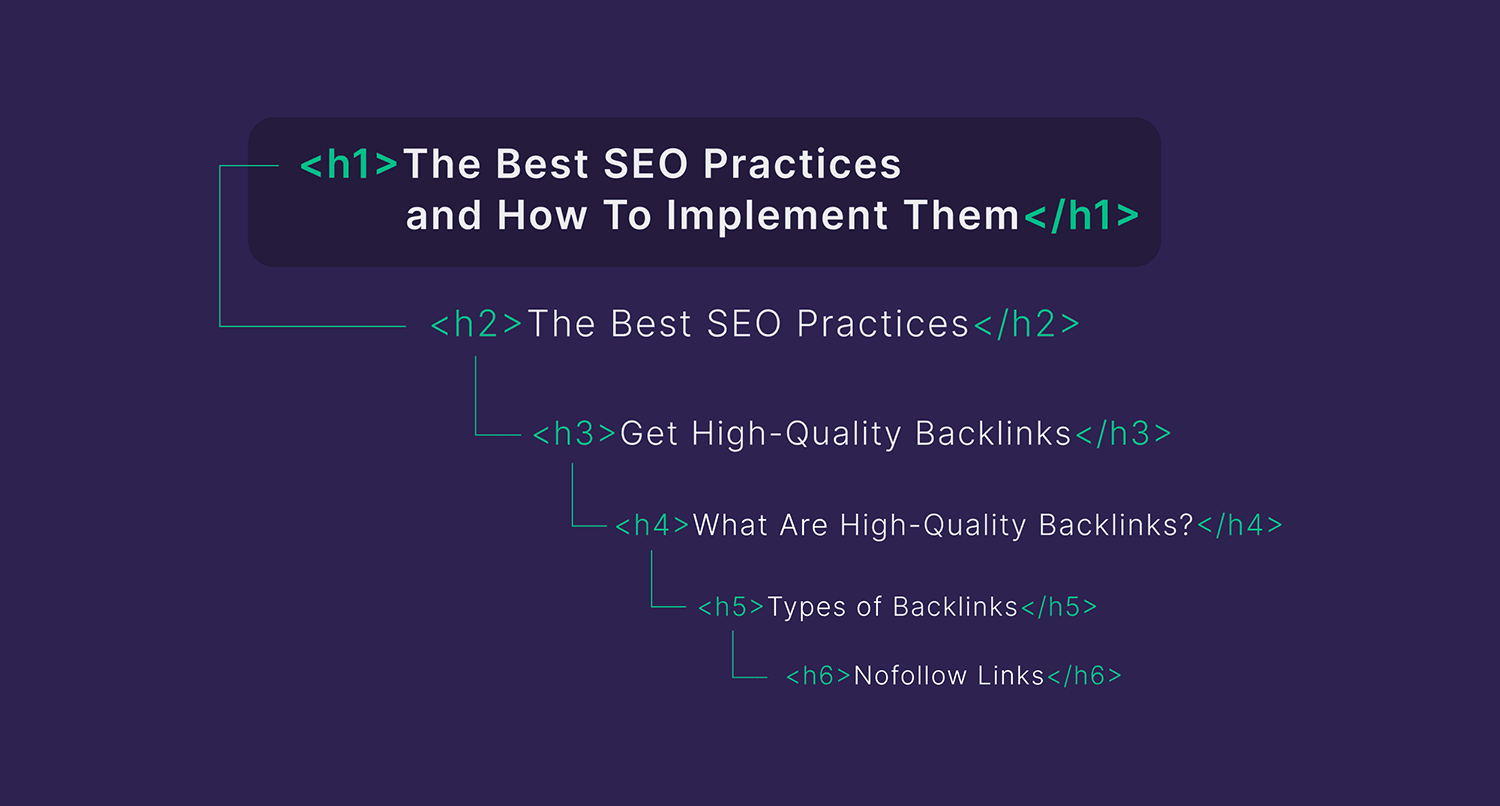
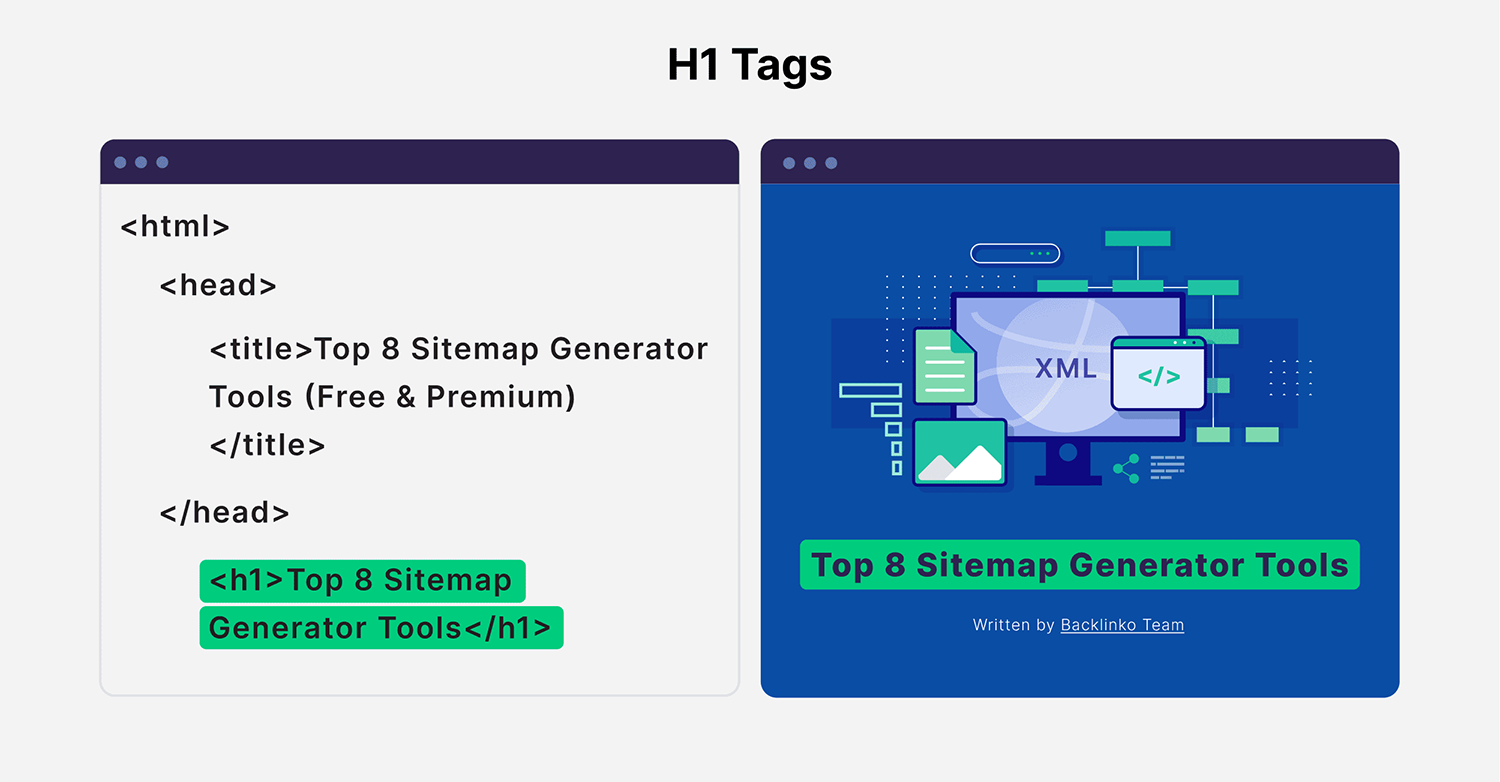
Your H1 tag is the main title of your page. So it should be unique and properly describe the content of each specific page.
Here’s how an H1 tag appears on your page:
Meanwhile, H2s and H3s should logically break down your topic.
Further reading: Site architecture: Creating a website structure that ranks
Check your internal links
Internal links help readers navigate your site. They also signal to search engines that your content is all connected.
That’s why proper internal linking can help boost your topical authority.
So, check if you link to:
- Important product/service pages
- Related blog posts
- High-converting pages
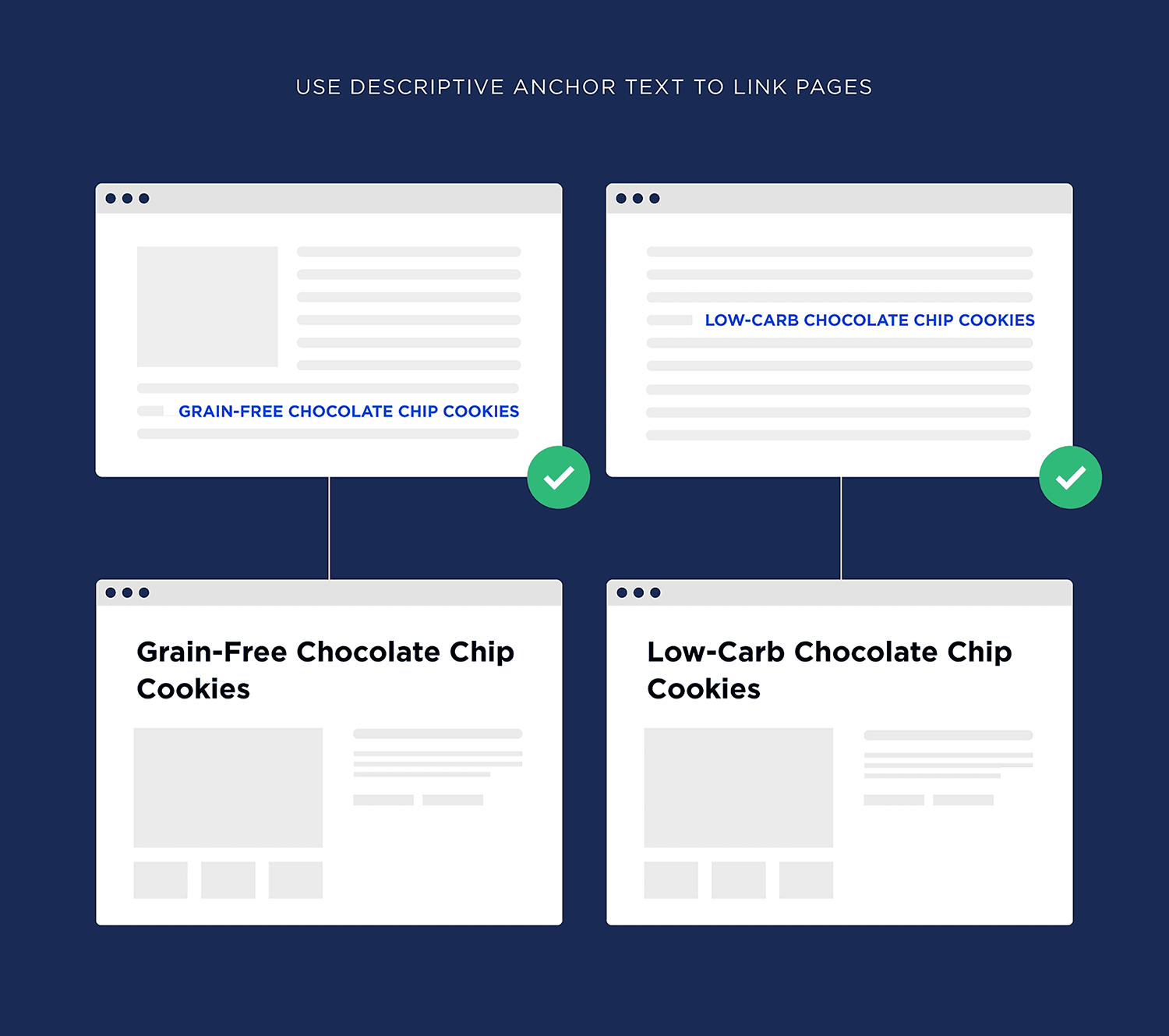
One thing to consider: do you use descriptive anchor text that includes relevant keywords naturally?
This tells readers where your link will take them. Plus, it gives Google helpful context about that page.
Here’s what useful internal linking looks like:
Next steps: Internal linking for SEO: Types, strategies, and tools
Step #2: Check technical foundation
With a technical site audit, you can check how easily search engines can access, crawl, and index your pages.
You could have the best content in the industry, but technical issues could still hold your rankings back.
For example, a technical SEO audit helped BetterVet, a mobile veterinary service, fix critical site errors affecting the crawling and indexing of their content. Which resulted in a 2,002% boost in organic traffic.
So this kind of audit can get REAL results for your business.
Here’s how to do it:
Check your site’s indexability
First, you need to know if search engines can actually find and understand your pages.
To check this, head over to Google Search Console and check if Google is indexing your important pages. You’ll see this under “Indexing” > “Pages.”
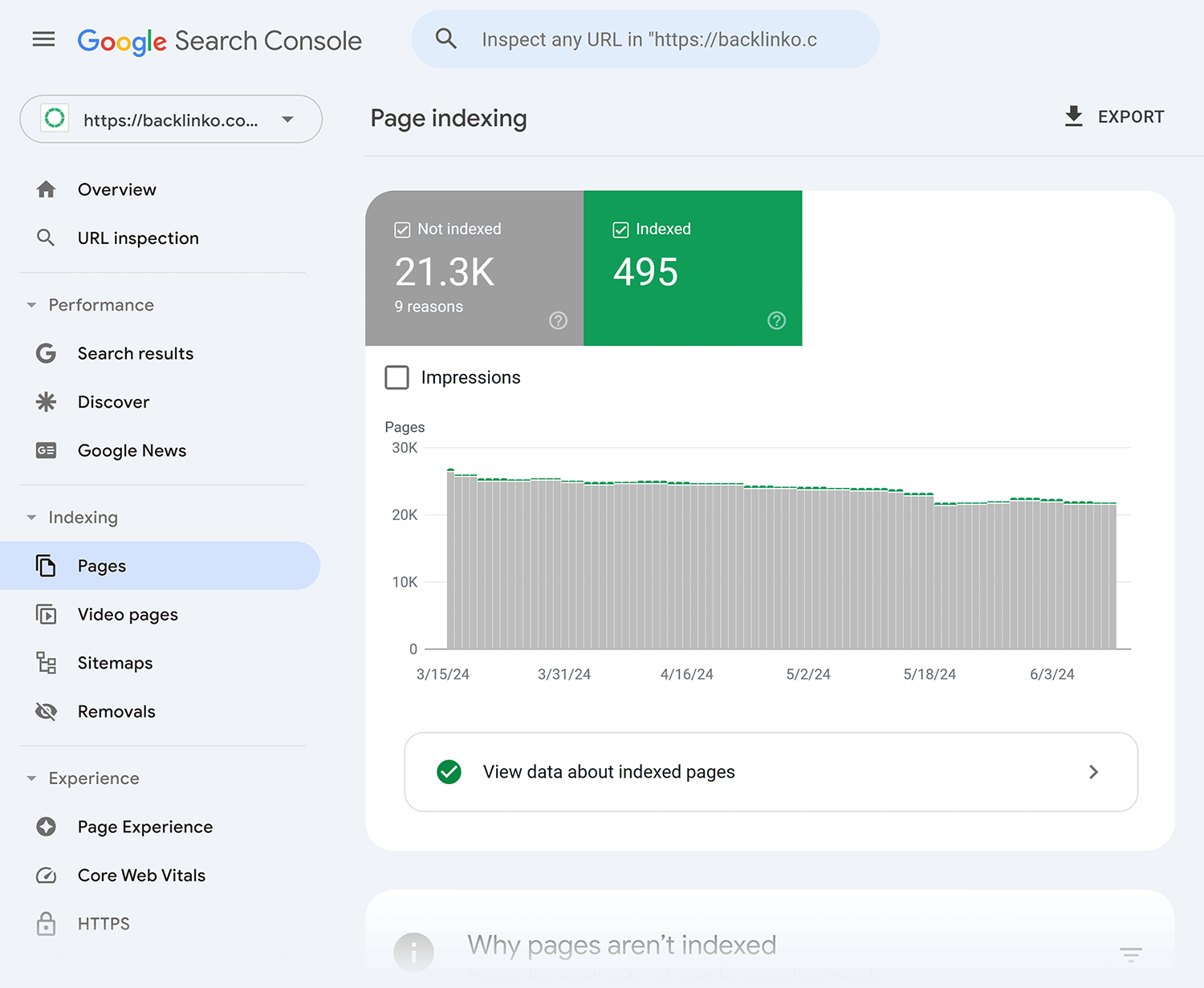
How to fix: If your website audit highlights indexing issues, check out this guide to getting your site indexed by Google.
Look for crawlability issues
Next, make sure search engines can easily move through your site and find your content.
Look for broken links, missing pages, and complex site structures.
Use Semrush’s Site Audit tool to identify crawled pages and the issues that might be blocking search engines from accessing them effectively.
Here’s how:
Head over to Site Audit and select your project to get an overview of your site’s health.

Take a look at the “Crawled Pages” section. There, you’ll see your pages broken down into the following categories:
- Healthy pages: Pages that are working correctly
- Broken pages: Pages returning errors
- Have issues: Pages that need attention, but still working
- Redirects: Pages sending users to another page
- Blocked pages: Pages that can’t be crawled
Next, click the “Crawled Pages” tab:
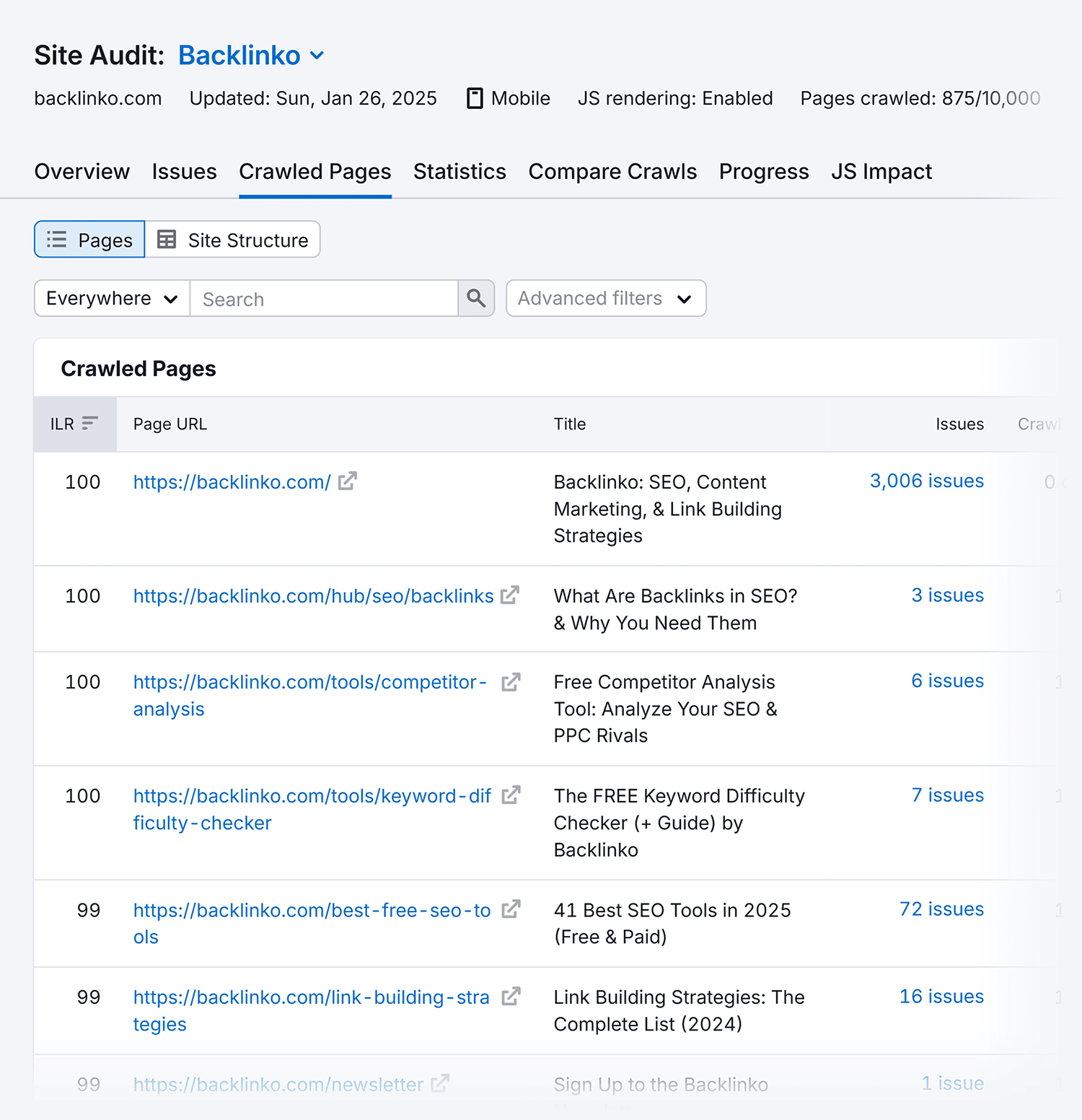
This will show you a list of crawled pages on your website.
Click the number in the “Issues” column for any page’s URL to see what you need to fix.
If you’re unsure what one of the errors, warnings, or notices means, click “Why and how to fix it” for more info.
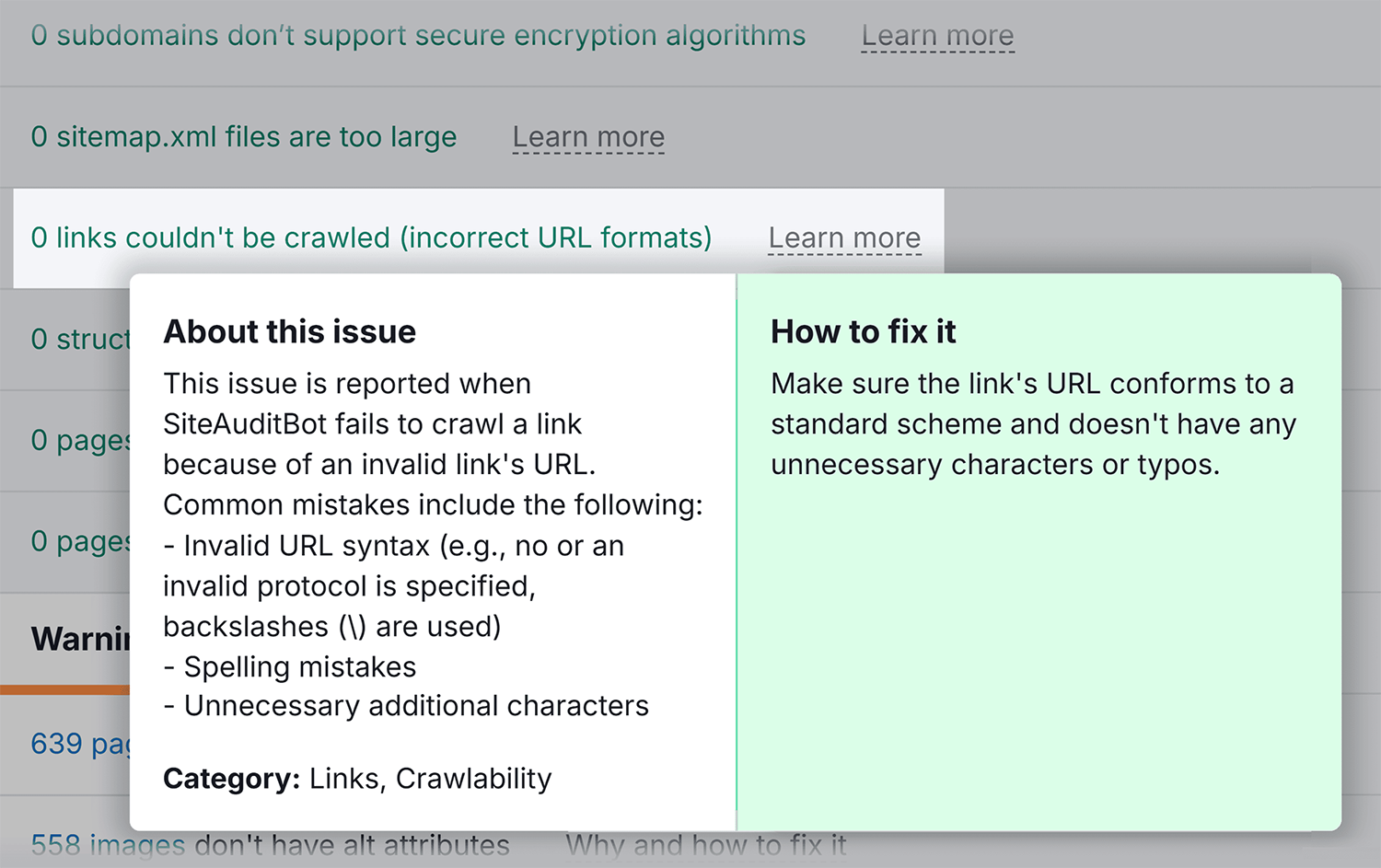
Further reading: Learn about the most common crawlability problems (and find out how to fix them.)
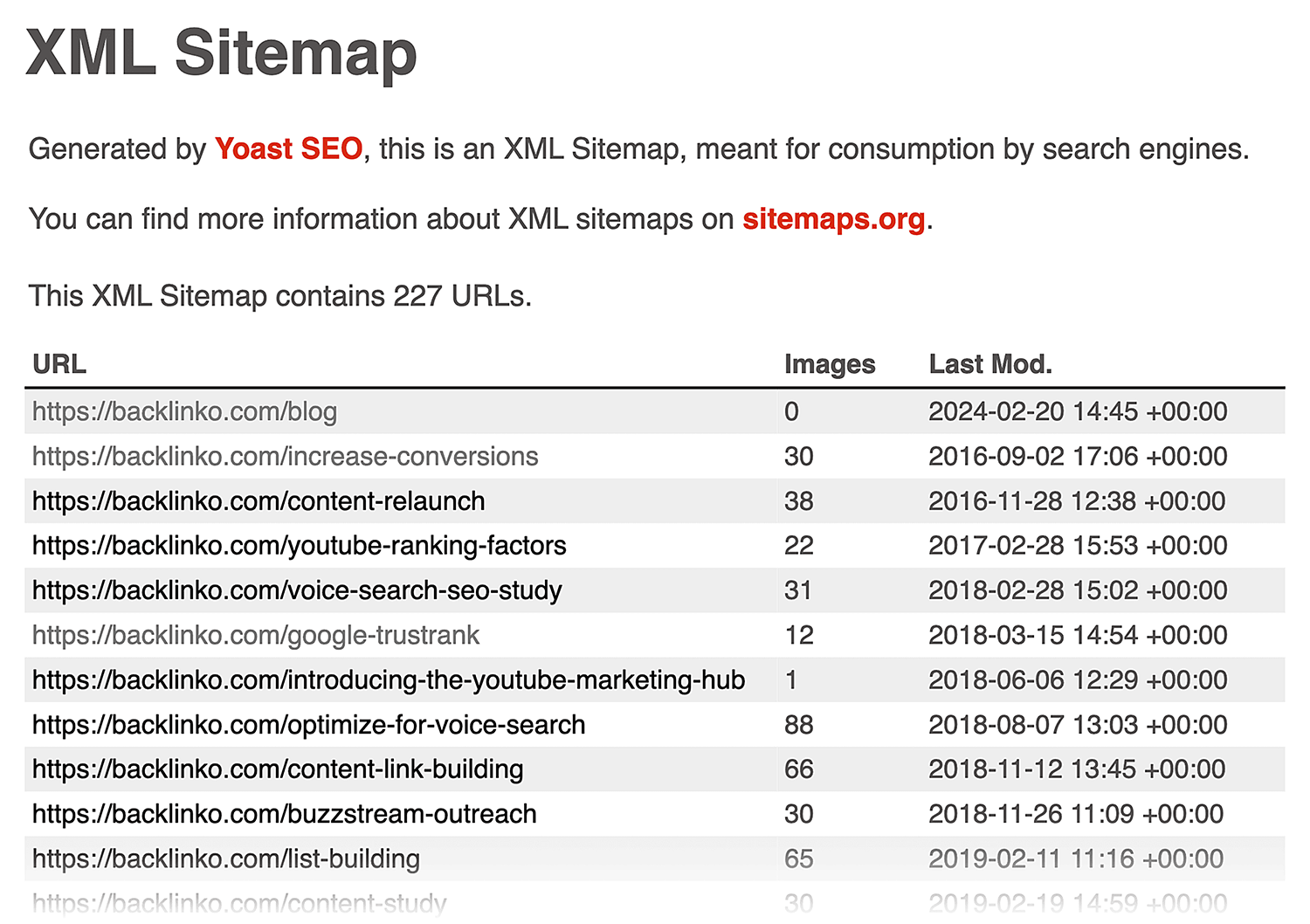
Check your XML sitemap
Next, make sure it’s easy for search engines to effectively navigate your site structure.
Start by checking your XML sitemap in Google Search Console to confirm you’ve submitted it correctly.
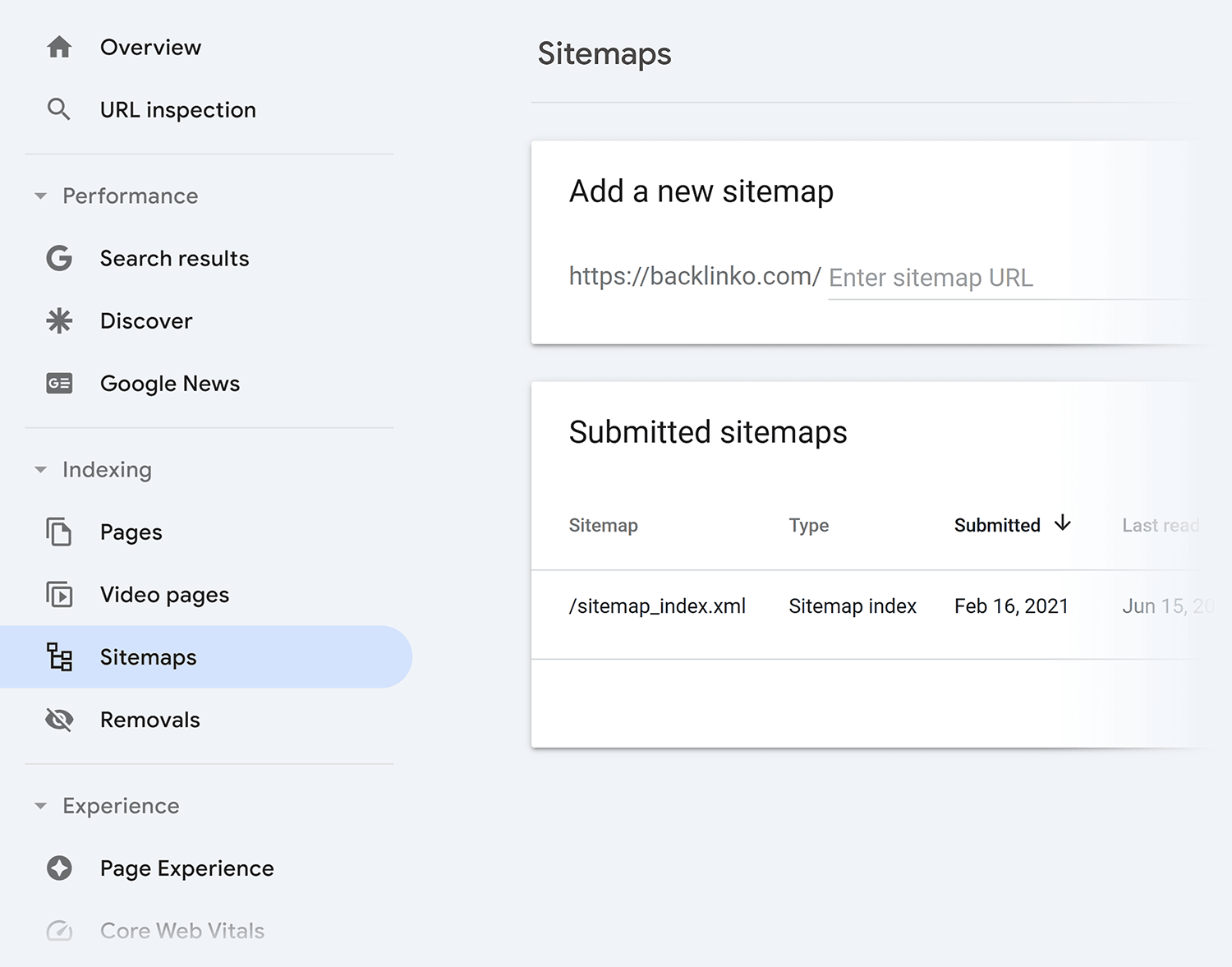
Then review it manually to check for issues like missing or duplicate URLs.
Further reading: XML sitemaps: What they are and why they matter for SEO
Analyze your page speed
A page speed audit helps you identify exactly what’s slowing down your site and how to fix it.
Improving your site speed can potentially help you convert more customers.
How?
It’s simple: a fast-loading website creates a smooth user experience.
When your site loads quickly, visitors can easily explore your content, interact with your site, and complete actions—like clicking the buy button.
Want to see the real impact?
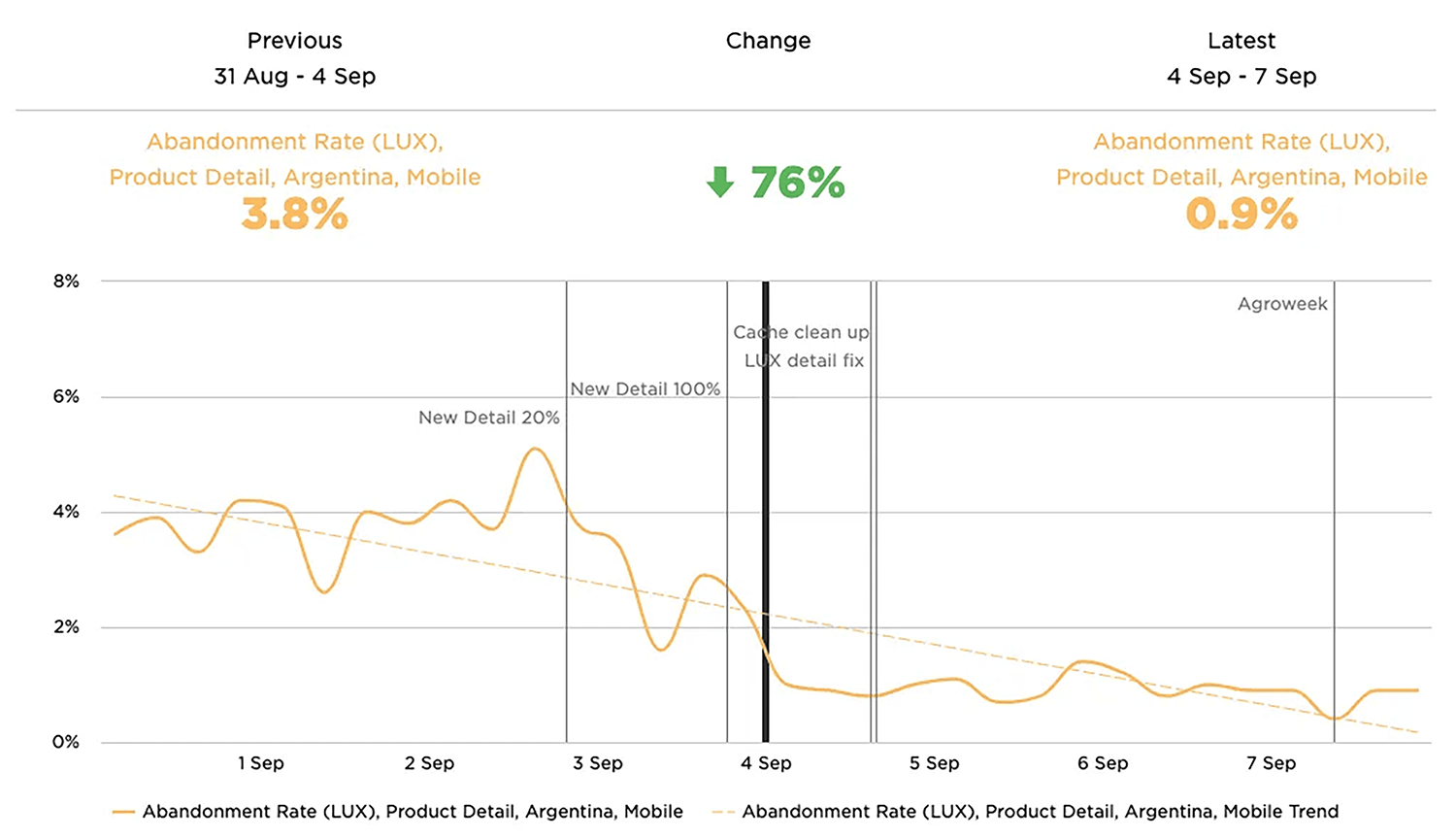
Take Agrofy, an agricultural marketplace. After identifying and fixing their performance issues through a page speed audit, their cart abandonment rate dropped by 76%:
Here’s how to check if your site is as fast as it could be:
Measure your page performance
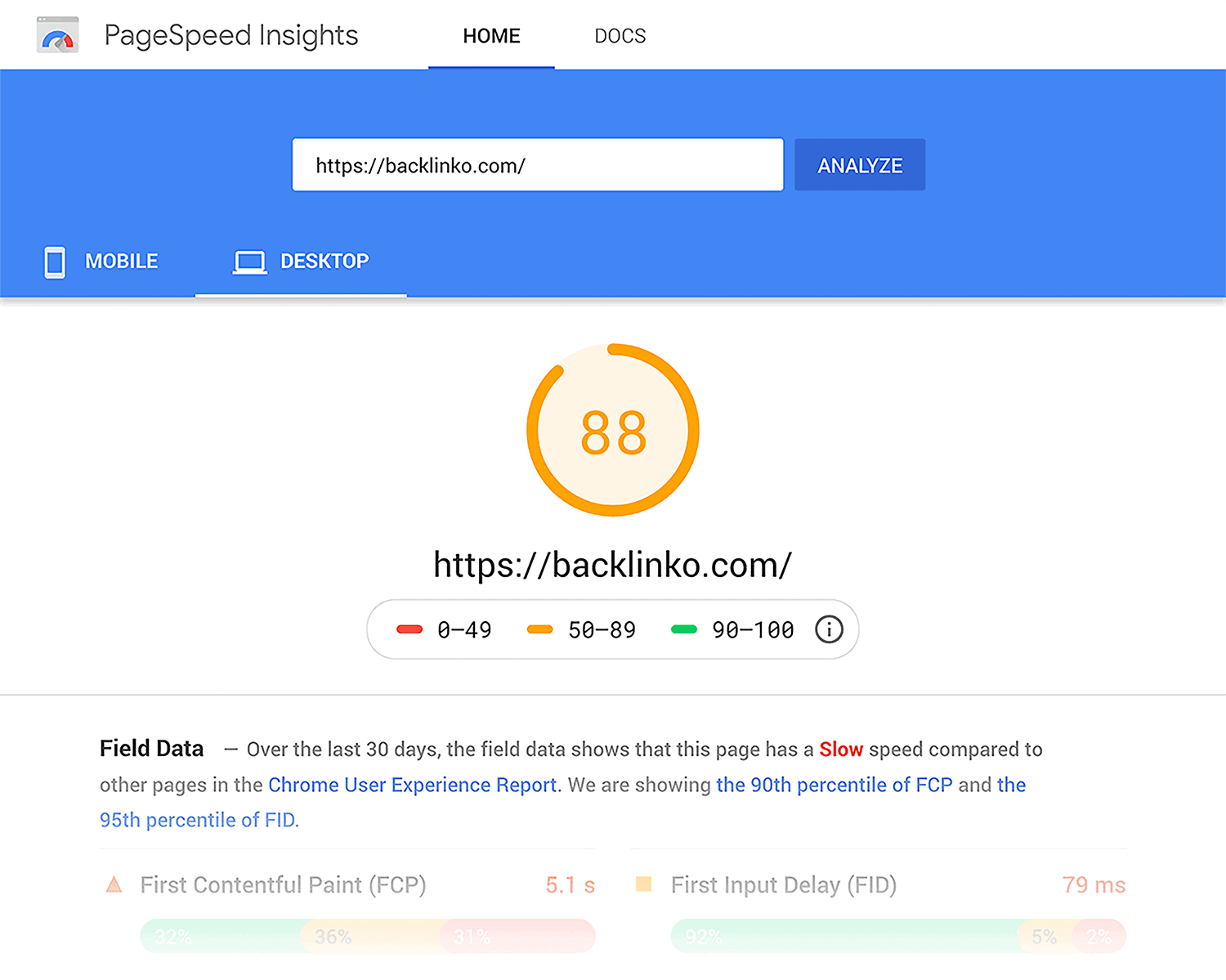
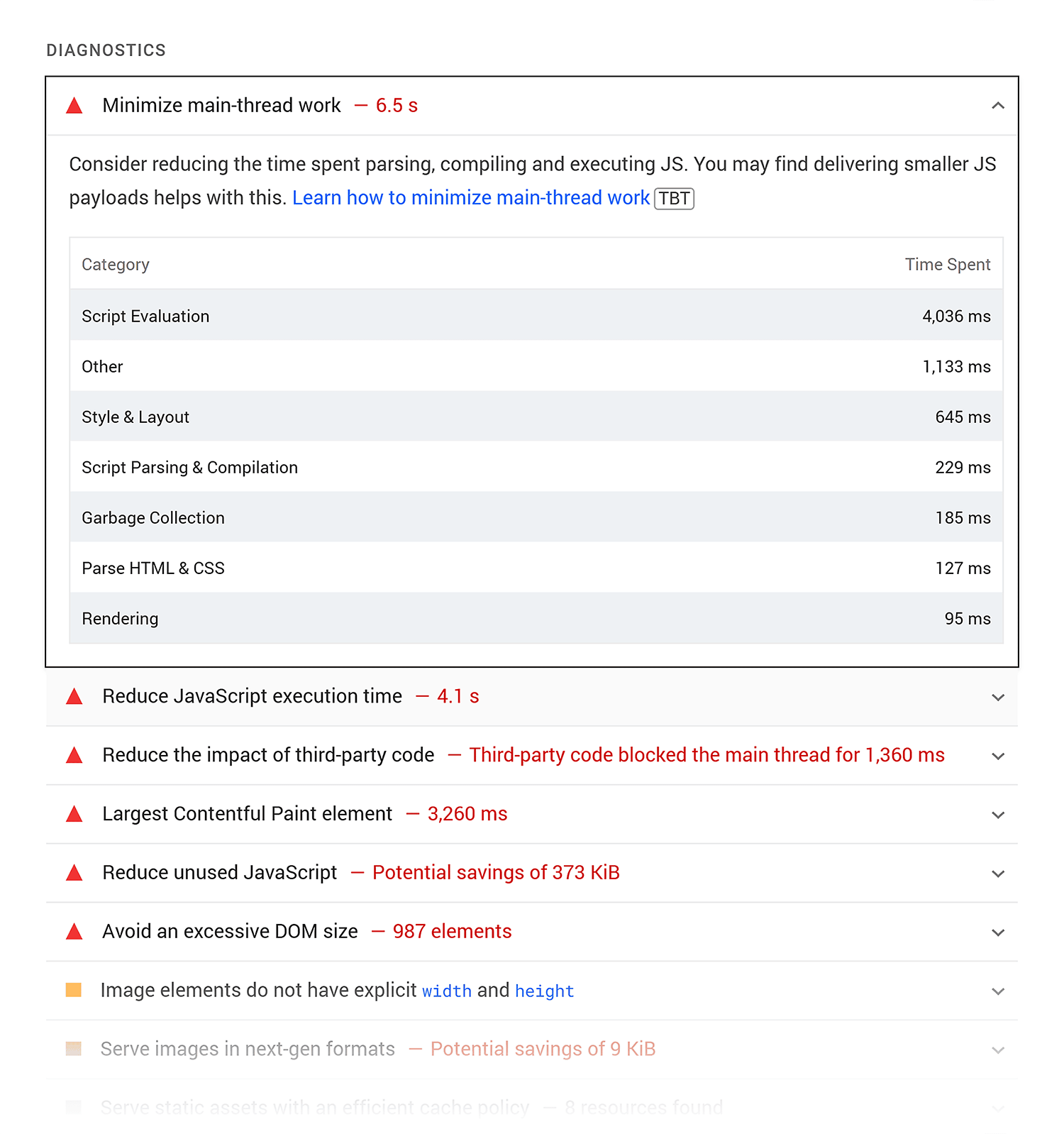
Start by checking your page speed using Google’s free PageSpeed Insights tool.
This tool shows you detailed performance data and actionable insights, which can help you identify areas that you need to improve.
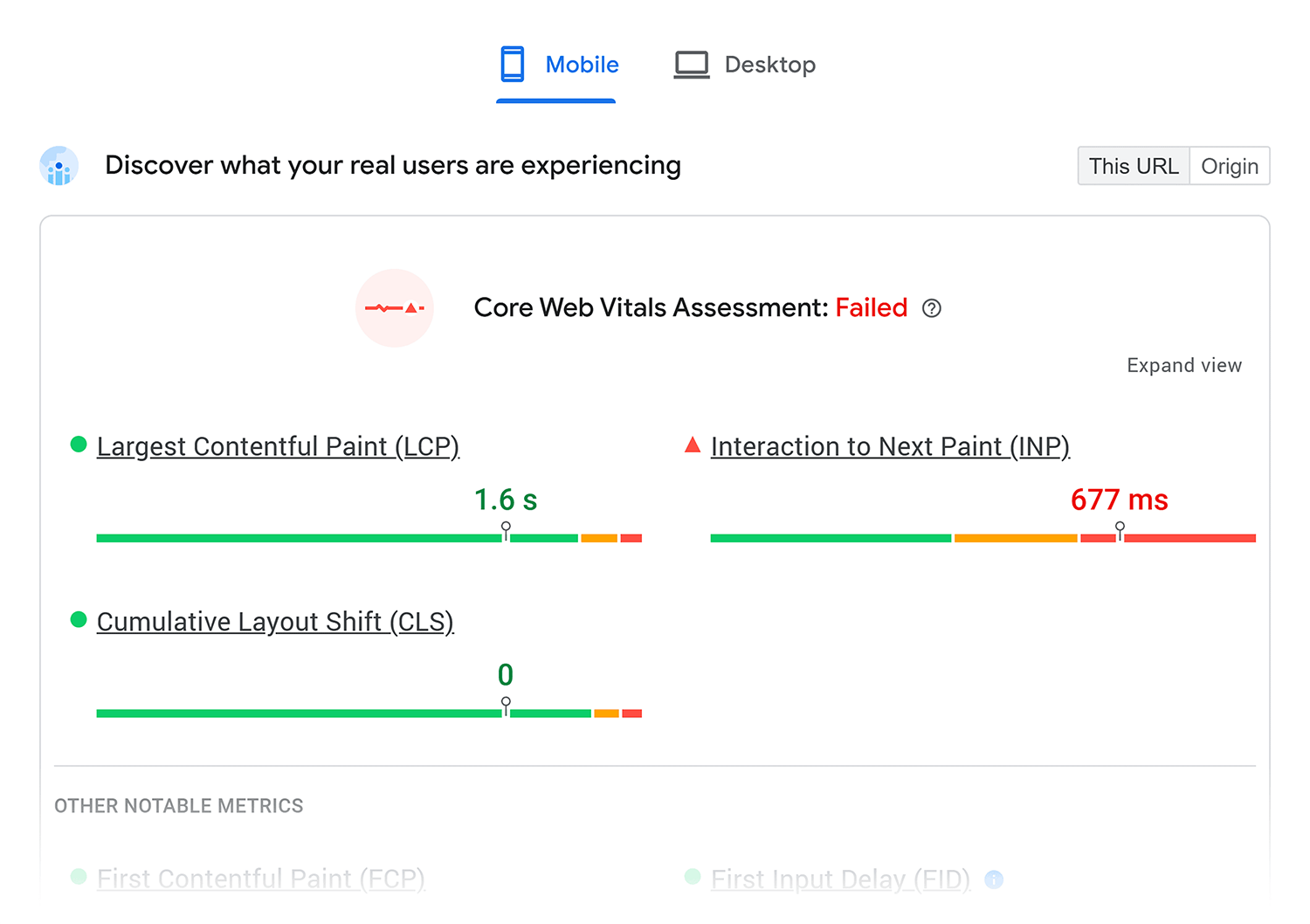
Pay special attention to the Core Web Vitals.
These are part of Google’s page experience ranking factors.
Here’s why they matter and how to improve them:
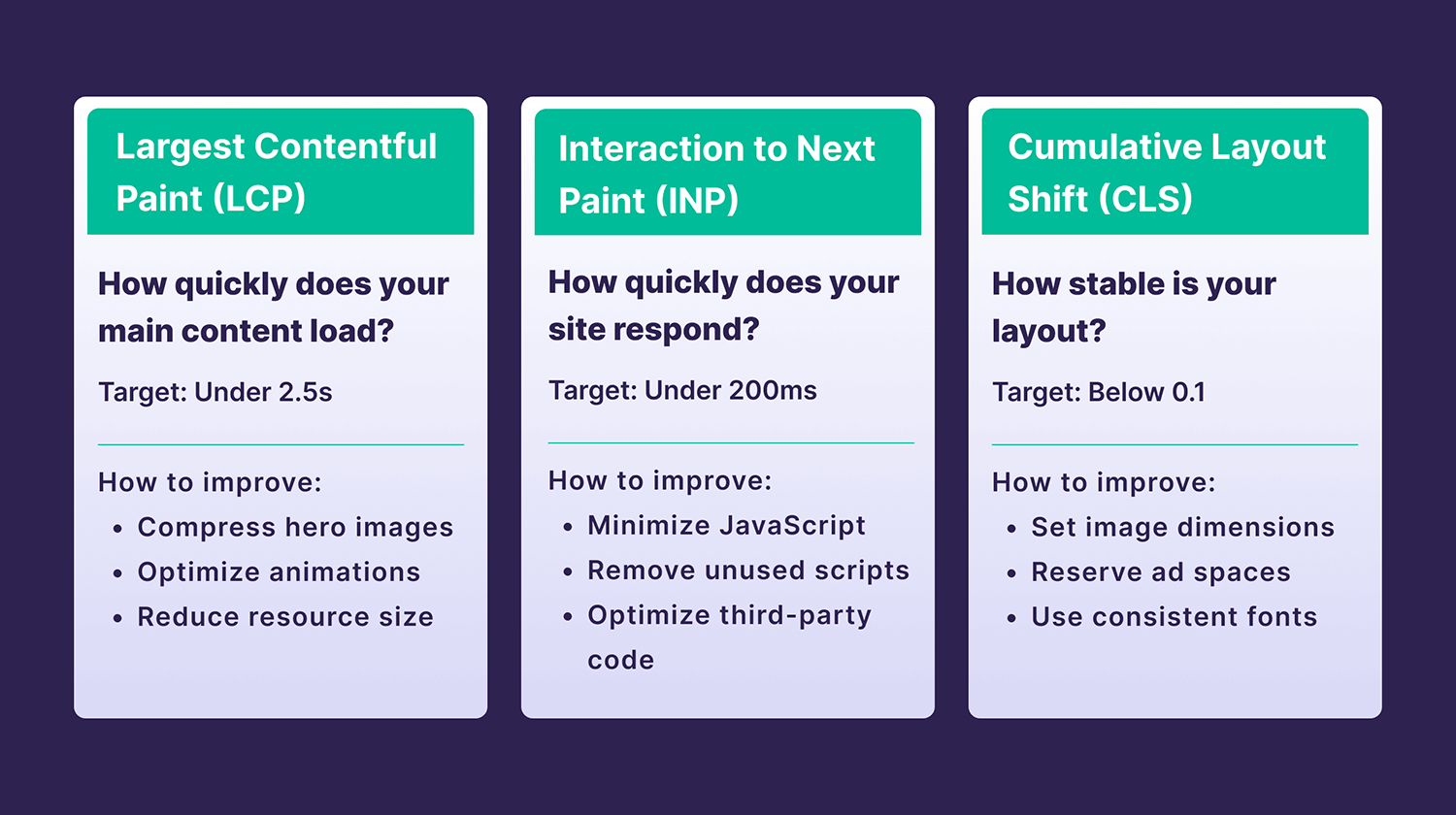
Largest Contentful Paint (LCP) reflects how quickly your main content loads for users. A good LCP score (under 2.5 seconds) means your visitors are less likely to abandon your page before it loads.
To improve your LCP, compress bulky resources like hero images or animations.
Interaction to Next Paint (INP) measures how quickly your site responds when users interact with it.
Keep INP under 200 milliseconds by minimizing JavaScript execution time. Also remove unnecessary third-party scripts that could slow down interactions.
Cumulative layout shift (CLS) tracks the visual stability of your page as it loads. For example, if ads load in and push content down the page as they do so, that will affect your CLS score.
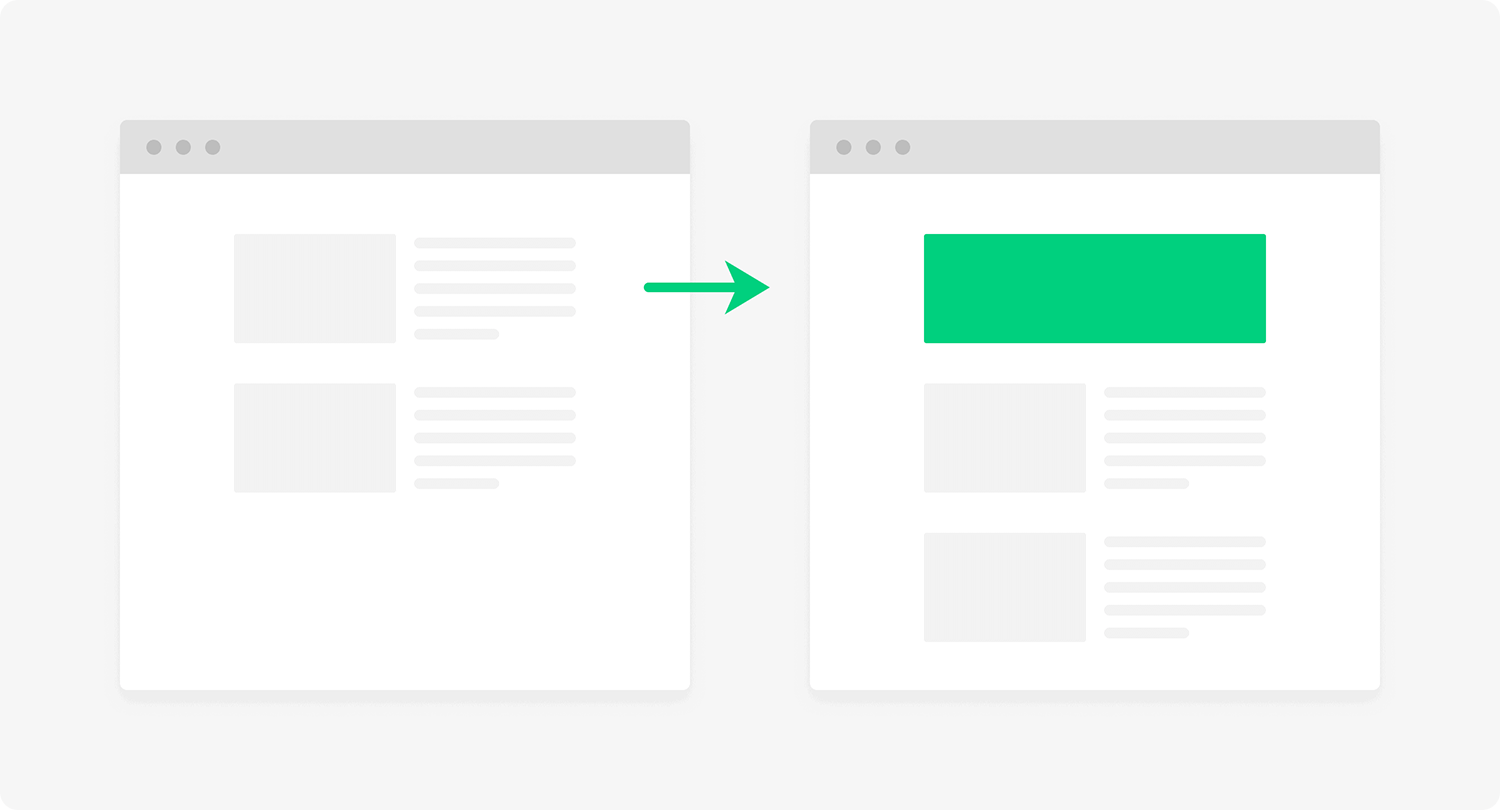
Aim for a CLS score below 0.1 by setting proper image dimensions, reserving space for ads, and using consistent fonts.
Prioritize high-impact fixes
When auditing your site’s page speed, focus on changes that can bring the biggest improvements, like:
- Compressing and properly sizing all images
- Minifying and combining CSS and JavaScript files
- Removing unnecessary code and plugins
If you’re not sure where to start, follow the list of issues and fixes PageSpeed Insights suggests.
Next steps: Lazy loading explained: Speed up your site and UX fast
Step #3: Analyze your backlink profile
A backlink audit helps you understand your site’s backlink profile and identify opportunities for improvement.
Strong backlinks from reputable sites can boost your rankings, while poor quality links (or a lack of links) might hold you back.
Let me show you how to evaluate your link profile:
Check Your Backlink Profile
First, get an overview of your backlink profile with a tool like Semrush’s Backlink Analytics.
Take a look at the total number of backlinks, referring domains, and overall toxicity score:
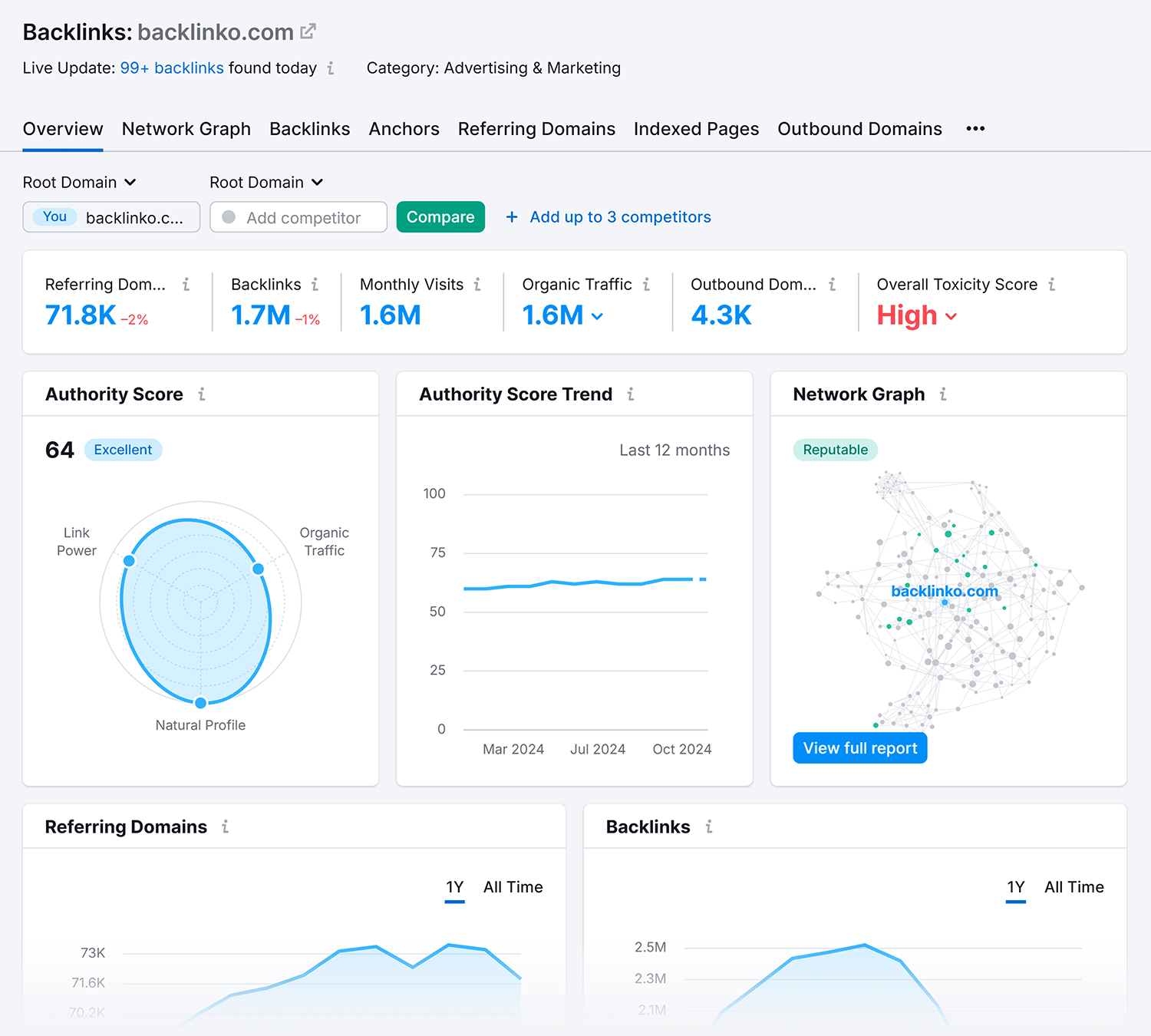
Watch out for any sudden spikes in new, low-quality backlinks. This could signal that you’ve been attacked by spam, which could harm your SEO.
Free tool: Use our free backlink checker to quickly analyze your site’s links (or your competitor’s).
Analyze link quality
Next, use the Backlink Audit tool to get a clear picture of your link profile’s health.
Click through the numbers shown in red (toxic), orange (potentially toxic), and green (non-toxic) to review each category of backlinks:

This breakdown helps you spot opportunities in two ways:
- You can analyze your healthy backlinks and find similar link building opportunities
- You can identify toxic links and send removal requests
Having a few toxic backlinks isn’t necessarily alarming, and it’s almost inevitable as your site grows. What does matter is the ratio between good and toxic links in your profile—you want the vast majority to be high-quality links.
Further reading: Modern link building is about relationships, not transactions
Monitor your link profile
Regularly monitor your backlink profile to maintain it in a healthy state.
Schedule monthly checks to catch harmful links before they tank your rankings.
Tool recommendation: Use Semrush’s Link Building Tool to monitor your link building efforts. You can manage your outreach and monitor your results in one place:

Step #4: Evaluate your content
A content audit will uncover pages you need to update if you want to boost their traffic.
It reveals three key things:
- Which pages drive the most value
- Which pages you need to improve
- Which pages you should remove or consolidate
Here’s how to audit your content:
Evaluate the quality of your content
High-quality content keeps readers engaged and signals to search engines that your page is valuable and deserving of higher rankings.
But how do you evaluate content quality?

High-quality content is generally well-researched, up to date, and provides unique insights.
Other elements of high-quality content include:
- Clear language
- Easy-to-follow format
- Short paragraphs
- Relevant images, charts, and videos
Read more: Content pruning: Boost SEO by removing underperformers
Review your meta elements
Your title tags and meta descriptions are your first chance to impress people in search results.
These elements can determine whether someone clicks through to your content—or scrolls past it.
Here’s what they look like in search results:
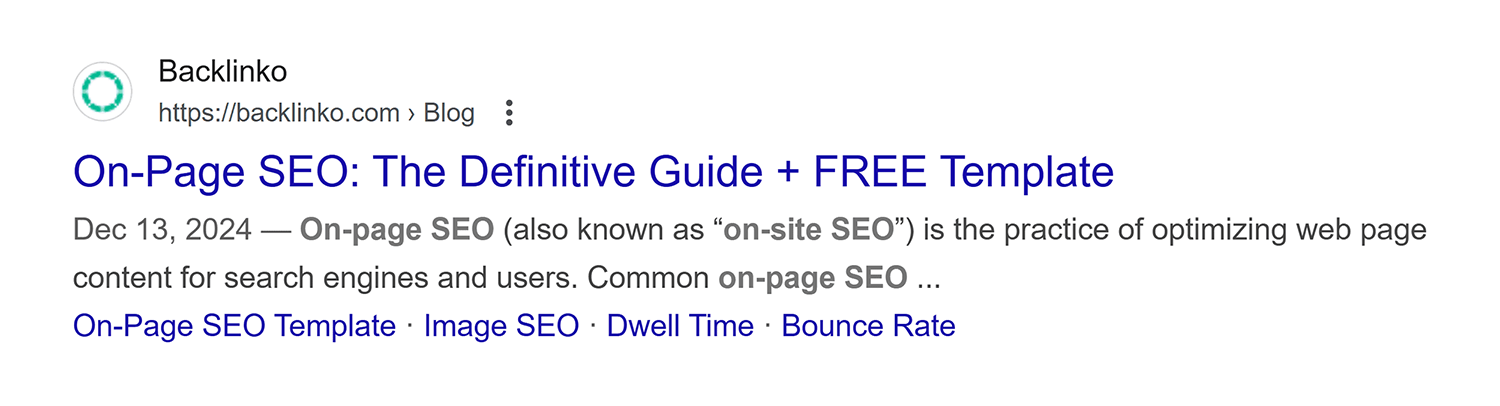
But what should you look out for when auditing your titles and descriptions?
Great titles should:
- Include target keywords near the start
- Stay under ~60 characters (or 600 pixels—use a tool like Mangools to check)
- Use compelling language that makes people want to click
- Follow a consistent format across your pages
And your meta descriptions should:
- Include relevant keywords naturally
- Accurately describe the page content
- Stay under 155 characters/960 pixels (or ~120 characters/680 pixels on mobile)
- Have a clear call to action (CTA)
Use Google Search Console to see which pages get the most clicks from search. Then, analyze their meta elements to understand what’s working well.
Look for pages with lots of impressions but not many clicks. These are pages with low click-through rates (CTRs), and likely ones you could optimize for better performance.
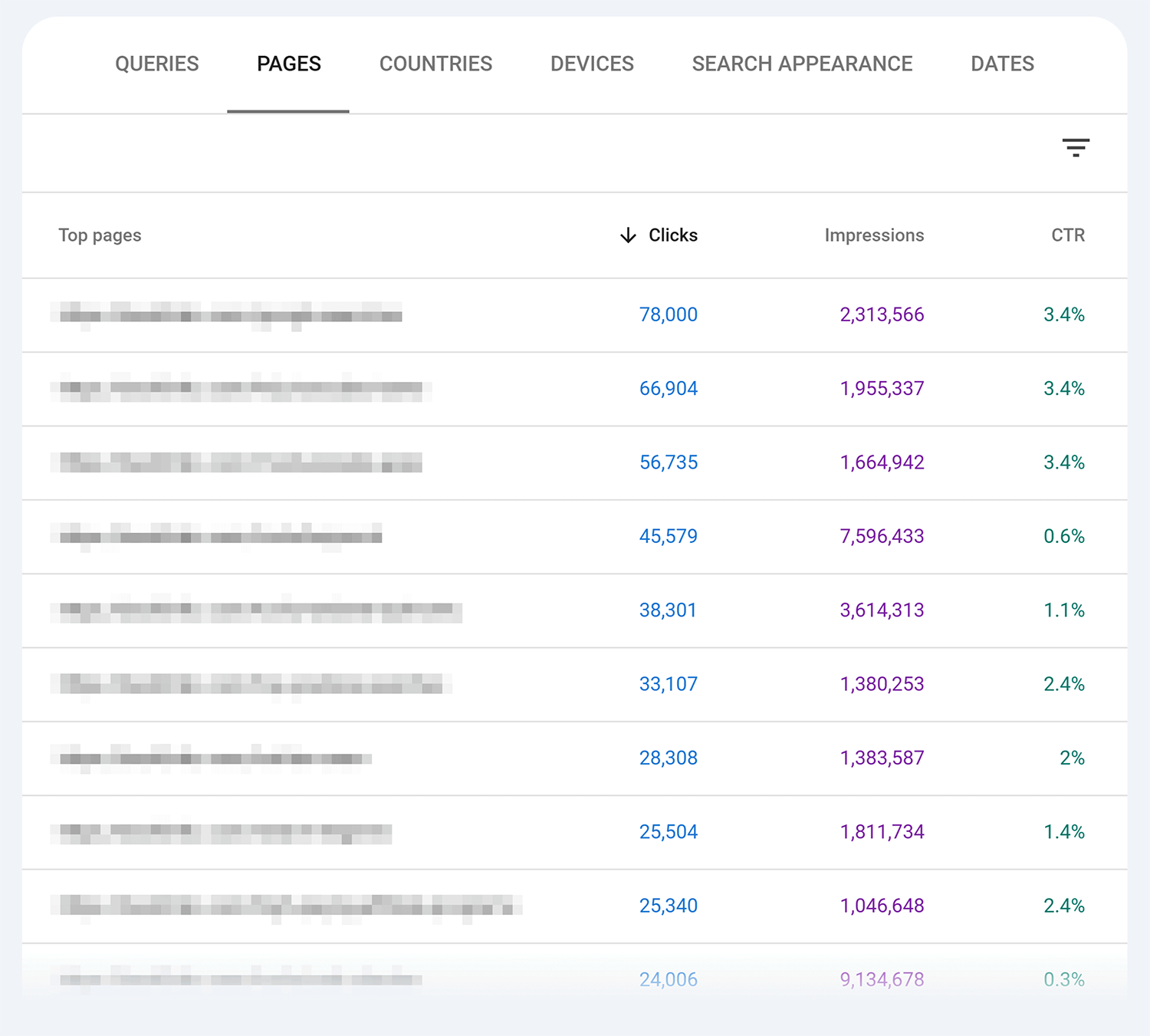
Next steps: You need people to click on your site if you want them to turn into customers. Check out our guide to click-through rate to find out how to further optimize your website content to get more clicks.
Step #5: Assess the user experience
The goal of auditing your site’s user experience (UX) is to identify friction points and optimize them so users can effortlessly find what they’re looking for.
A great UX keeps visitors engaged with your content and encourages them to take action (like making a purchase).
Plus:
Intuitive experiences also signal to search engines that your site is valuable to users. In fact, page experience is a key ranking factor.
Here’s how to audit your site’s UX:
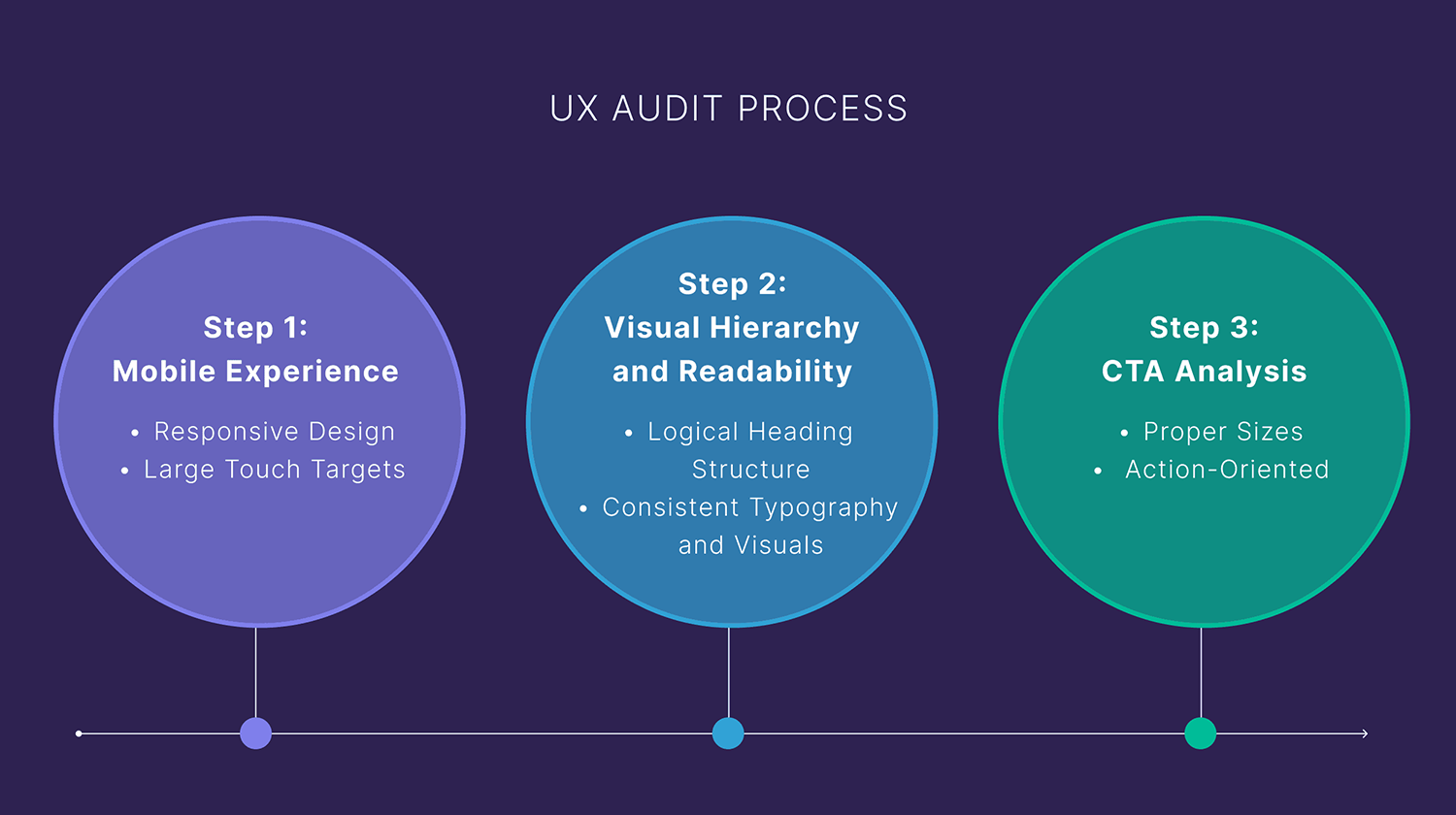
Check the mobile experience
More than 60% of website traffic comes from mobile devices.
So, test your site on different screen sizes to ensure you provide a consistent experience.
Focus on the following:
- Are your buttons and links large enough to tap without zooming?
- Do your images scale properly on smaller or larger screens?
- Is your text readable without pinching to zoom?
- Does your navigation menu work smoothly on mobile?
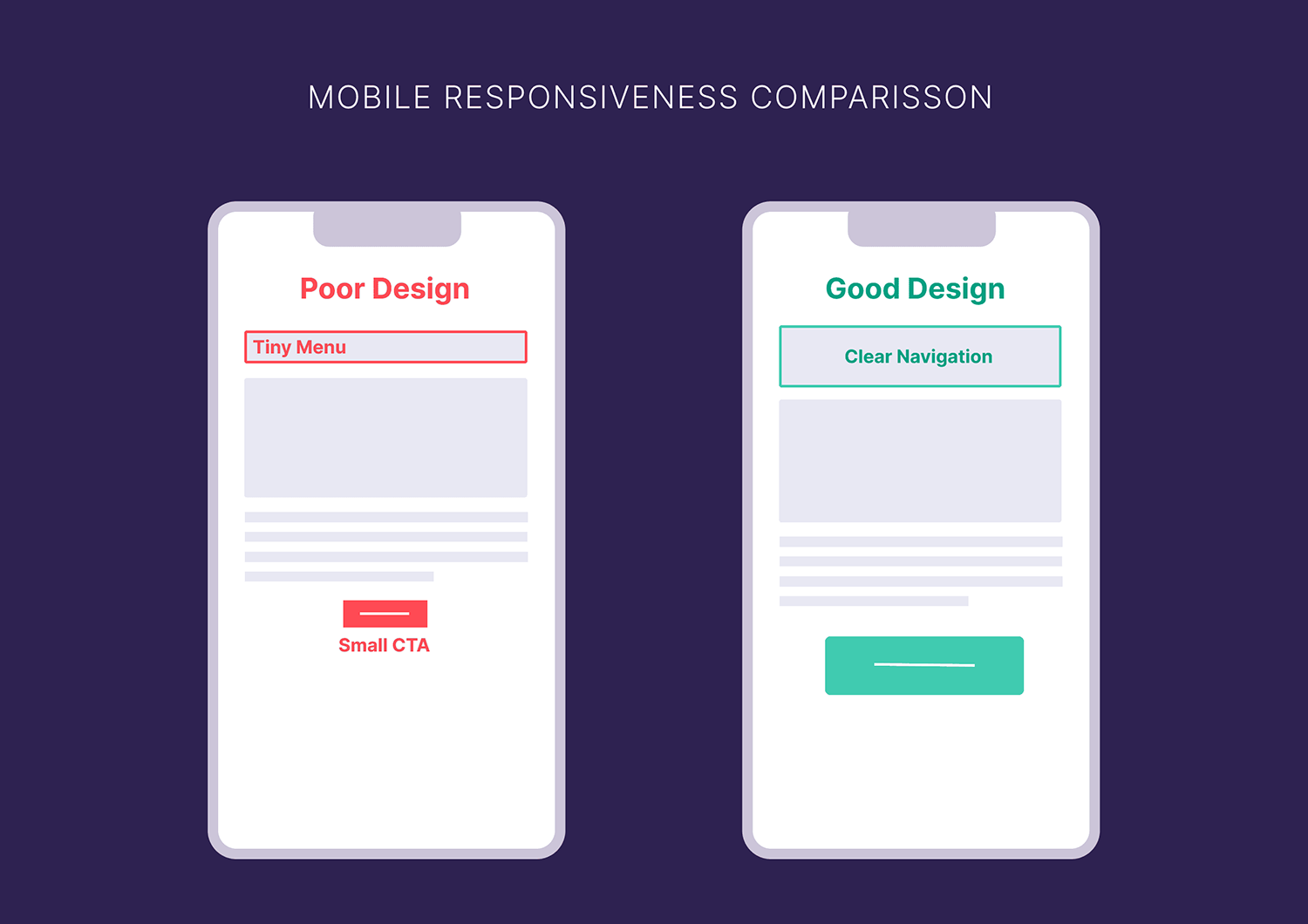
Further reading: Mobile SEO: What it is and how to win with mobile optimization
Take a look at your visual hierarchy and readability
Your design should guide users’ attention to important elements and make your content easy to consume.
Key considerations:
- Have you nested your headers properly (H1 > H2 > H3) with clear visual distinctions for skimmers?
- Is your text easy to read against the background?
- Do you use enough white space to help break up different sections?
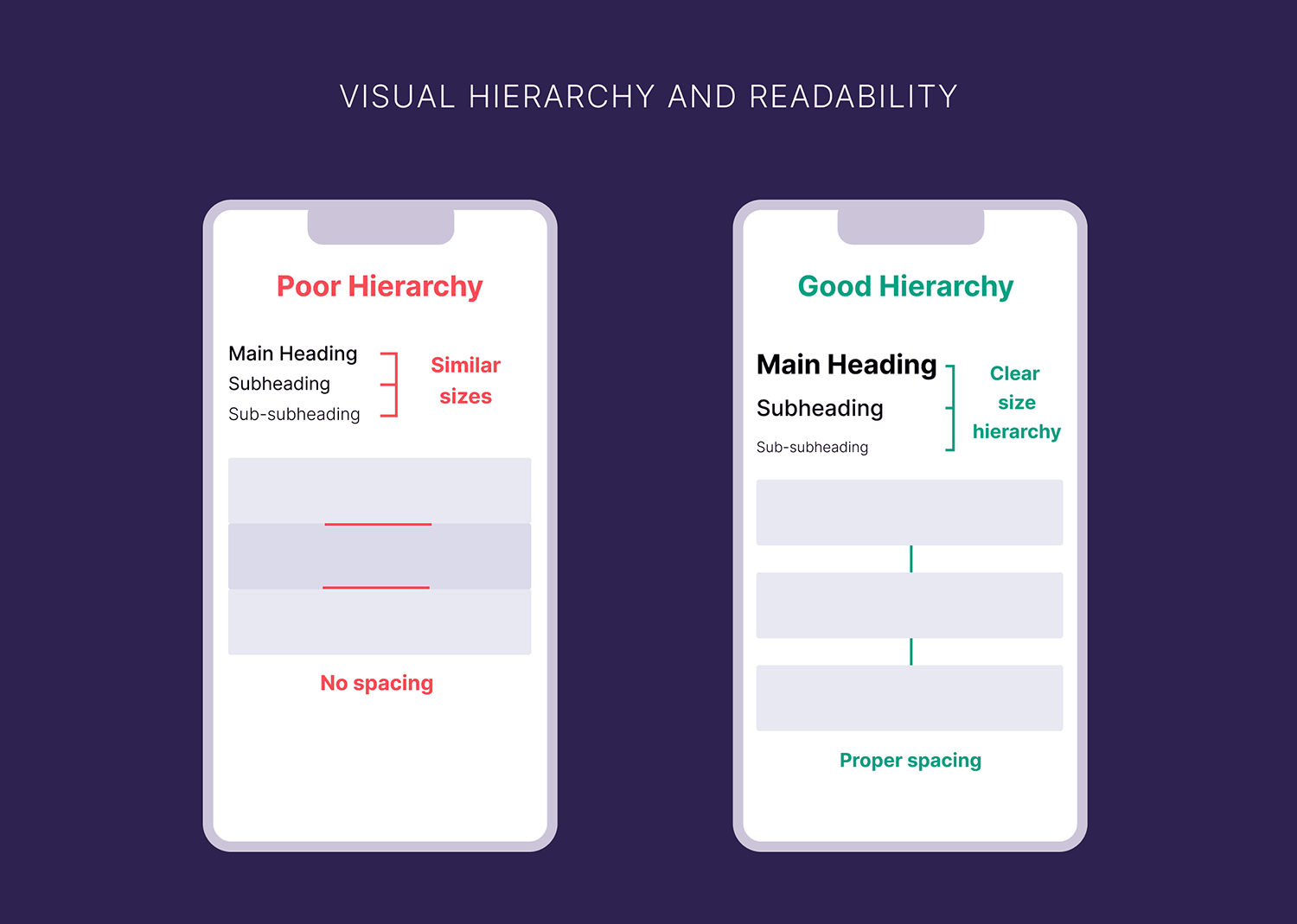
Useful resource: Use this guide from the Nielsen Norman Group to boost your content’s readability.
Test calls-to-action (CTAs)
Since your CTAs are crucial conversion points, they should be visible, compelling, and easy to click.
Test them to make sure they:
- Stand out visually on the page
- Use clear, action-oriented text
- Appear at logical points in the user journey
- Work properly across all devices (desktop and mobile)
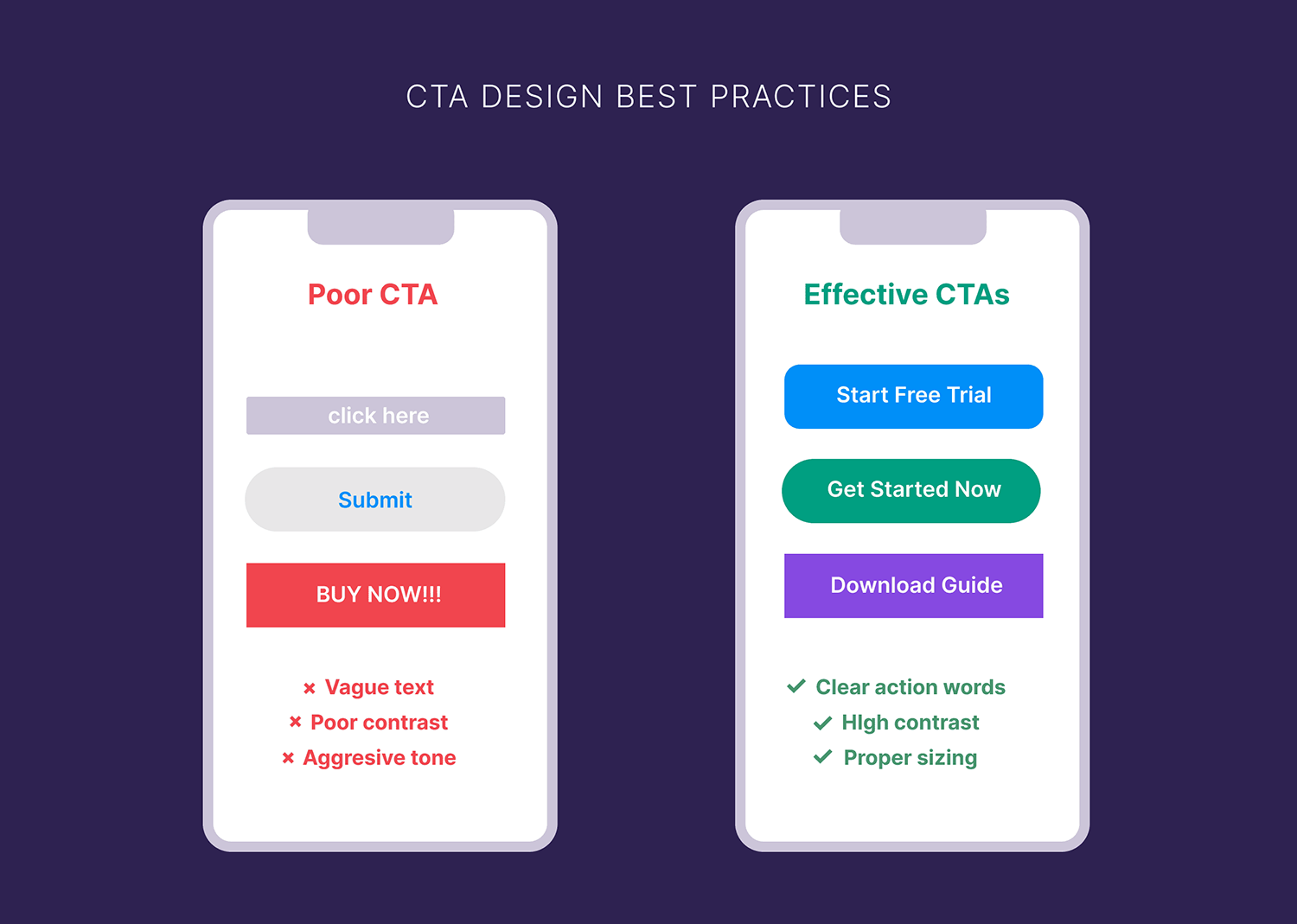
Pro tip: Use heat mapping tools like Hotjar to see if users actually notice and interact with your CTAs.
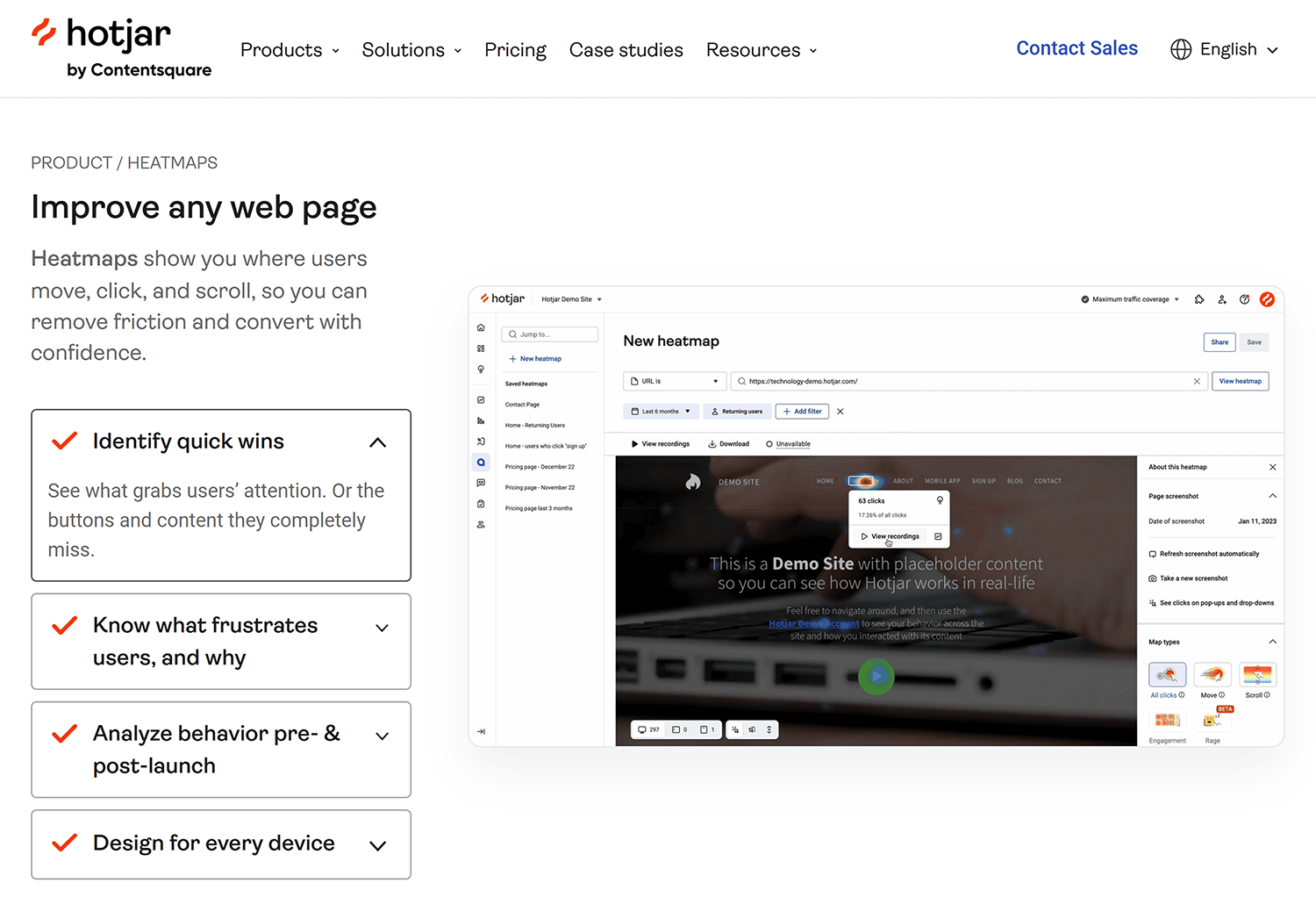
These tools show you:
- Where users click most frequently (shown in red “hot” spots)
- How far they scroll down your pages
- If they see your CTAs or scroll past them
- Whether CTAs in different positions work better
Read more: Conversion rate: how to calculate, optimize, and avoid common mistakes
Step #6: Review your analytics and conversion data
Auditing what’s on your website is just part of the overall process.
To find out what the best next steps are, you need to look at the data.
Analyze search performance
Open Google Search Console to check your content’s performance metrics.
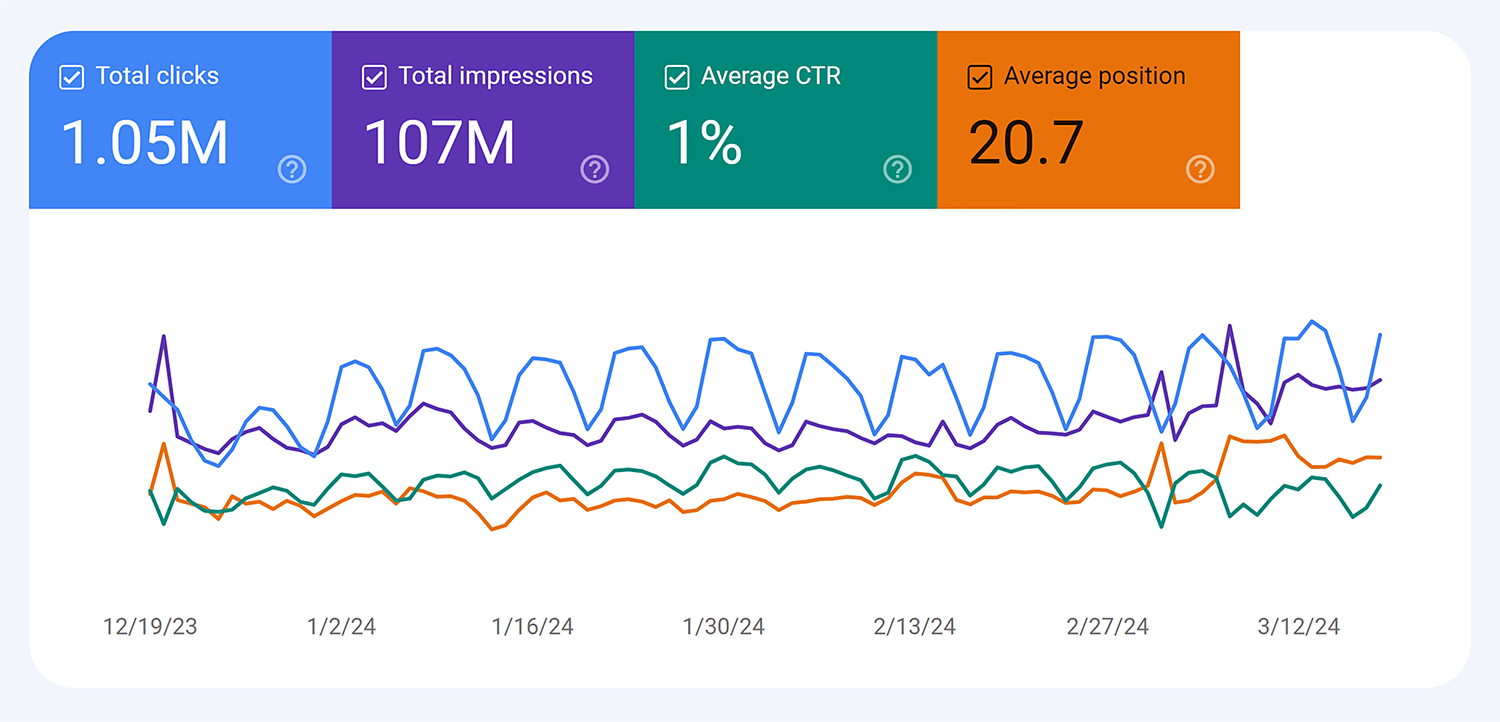
Identify the following:
- Pages with zero traffic
- Content with low click-through rates
- Pages ranking on page 2-3
Like Brian Dean suggests:
“Start by identifying content that gets zero traffic and zero sales. With lots of published content, there’s just too much to analyze at once. When you clear out the junk first, you can focus your energy on content worth improving.”
Further reading: Use our guide to Google Search Console to learn how to monitor and analyze your organic traffic data.
Check your traffic
Once you get rid of the junk content, check how other pieces are performing.
Brian Dean suggests focusing on one key metric: traffic. It reflects whether or not a piece of content is attracting an audience.
Look for content with declining traffic trends.
Here’s how:
- Open the “Performance” tab from the left side menu
- Scroll past the main performance chart and open the “Pages” tab
- Select 12-month period (or longer) to clearly show traffic patterns
- Select one page to see its individual performance graph
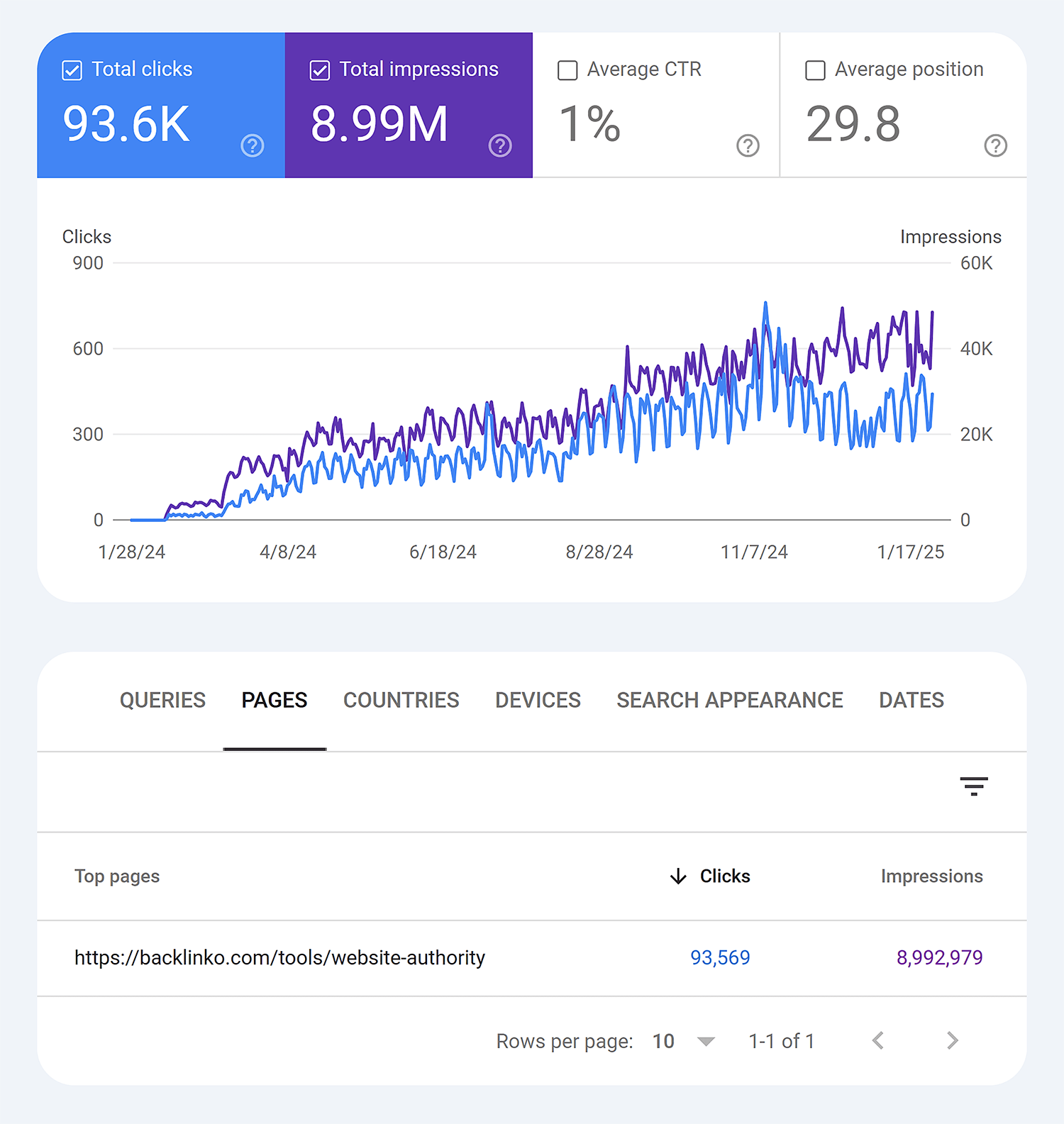
When looking at the traffic graph for each individual page, watch for these patterns:
- Consistent downward trend over several months
- Sudden drops that haven’t recovered
- Previously high-performing content that’s lost momentum
That means there’s an opportunity to update it and regain the traffic.
Next steps: Boost your numbers with our guide on seven proven blog post templates that work like a charm
Take action on your website audit findings
After completing your website audit, you’ll likely have a long list of potential fixes.
But how do you take action on these? And how can you best prioritize your resources so you make the highest impact fixes first?
Here’s how you turn these findings into actual improvements:
Prioritize your fixes
Start with issues that have the biggest impact on your SEO and user experience.
Such as:
- Critical technical issues like crawlability and indexing problems
- Missing meta information on key pages
- Slow loading pagesNon-intuitive navigation
- Poor mobile experience
- High number of toxic backlinks
Create an action plan
Looking at a long list of issues can feel overwhelming. To make things easier, break them down into manageable chunks based on how quickly you can implement them.
For example, your breakdown might look like this:
| Timeline | Action Items |
|---|---|
| Quick wins (tasks requiring little effort and less than an hour) | Add missing meta descriptionsFix broken internal linksCompress large images |
| Medium-term (tasks that need more planning and resources) | Improve site structureRewrite underperforming contentFix Core Web Vitals issues |
| Long-term (major changes requiring significant time and effort) | Site redesign for better UXMigration to faster hosting |
This helps you tackle high-impact quick wins immediately, while planning for bigger projects.
Plus, you won’t feel paralyzed by a massive to-do list.
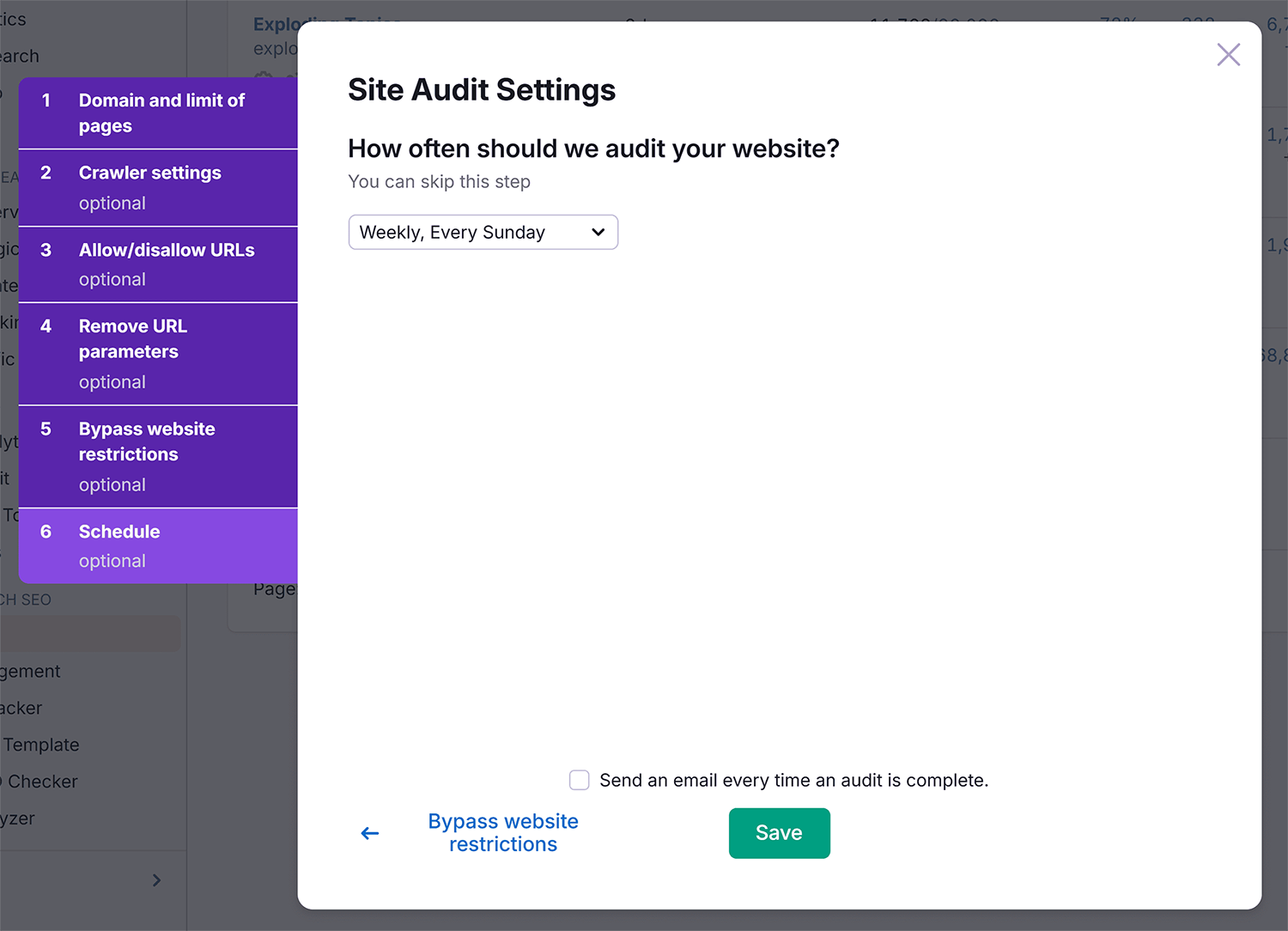
Pro tip: Set up regular monitoring in tools like Semrush’s Site Audit to catch new issues early and make timely improvements.
Turn your audit into a habit
A website audit only pays off when you act on what it finds.
So don’t try to fix everything at once. Start with the problem hurting you most right now. Rankings slipping? Begin with your technical and on-page checks. Visitors bouncing? Start with UX.
Then repeat the process. Sites change constantly, and new issues creep in between audits. Regular checks catch them before they cost you traffic AND conversions.
Go deeper:
- 14 advanced technical SEO issues you’re probably missing: Move past the basics with fixes for AI crawlability, schema drift, infinite URL spaces, and indexed staging sites.
- 10 advanced ecommerce SEO tips: Strengthen product and category pages by mining reviews and internal search data, indexing filters selectively, and handling out of stock products the right way.
Explore more on
Editorial disclosure
Search Engine Land is owned by Semrush. We remain committed to providing high-quality coverage of marketing topics. Unless otherwise noted, this page’s content was written by either an employee or a paid contractor of Semrush Inc.
About the author