SEOquake: How to use the free Chrome extension for fast on-page SEO audits


Some SEO questions don’t deserve a full audit platform. You’re browsing a client’s blog, or a competitor’s landing page, or that article outranking you for no obvious reason, and all you really want to know is: What’s going on with this page?
That’s the job SEOquake has quietly done for years, and it’s the reason we’ve kept it pinned to our toolbars through more redesigns of Google’s SERP than we care to count.
And, just in time for Google’s latest iterations of AI-powered search, it just got rebuilt from the ground up. The new SEOquake keeps the core idea — fast page-level SEO checks from the toolbar — but reorganizes everything into a cleaner Quick View popup for triage and the more detailed Full Report for when something looks off.
We’ve been putting it through its paces. This guide covers what it is, what it checks, how we actually use it, what changed in the rebuild, and, just as important, when it’s the wrong tool for the job.
What is SEOquake?
SEOquake is Semrush’s free Chrome extension for checking a page’s SEO without leaving the browser. One click on the toolbar icon gives you the Quick View, which is enough to tell whether something’s off. When it is, the Full Report opens up six panels of detail: page structure, links, keyword usage, schema, and more.
A few things worth knowing up front:
- It’s free with no daily cap on core on-page analysis.
- It’s built and maintained by Semrush, and it’s one of the most-installed SEO tools anywhere. Roughly 1.16 million users use it in Chrome every week.
- It analyzes the page you’re currently on. It is not a site crawler, and it doesn’t pretend to be.
- Core page analysis works without a Semrush account. If you do connect one, you can unlock deeper backlink reporting and Traffic Analytics when available for your account, on top of the public metrics everyone sees.
We know that “free SEO extension” usually means one of two things: free but shallow, or free until you hit the paywall for anything quantitative. SEOquake’s pitch is different. You get real analysis and real public Semrush metrics without paying, and connecting an account extends the workflow rather than unlocking it.
What can you check with SEOquake?
Let’s break down what the extension actually shows you, section by section.
Quick View
Let’s start with the Quick View option, where you get a fast, page-level SEO snapshot straight from your browser. You’ll see five focused tabs, all designed to quickly answer “Is anything obviously wrong with this page?”
Page Info
This is the first tab we open, every time. It’s the fundamentals of on-page SEO in one view.
On the Page Info view you’ll see:
- Title and meta description (with character-count checks, so you can see at a glance if a title may be too long or short)
- Heading, image, and link counts
- The URL and declared canonical URL
- Detected schema types and robots.txt status
- Public Semrush overview metrics for the domain’s traffic and backlinks
Something like ninety percent of the “Why isn’t this page ranking?” mysteries we’ve debugged over the years have started with something visible right on this page: a rogue noindex, a canonical pointing somewhere unexpected, a meta description that was never written.
Quick View surfaces all of that in a few clicks.
Content
The Content tab shows the H1–H6 structure, word count, an image summary, and a keyword density preview. It’s the fastest way we know to answer, “How is this page actually structured?” without opening dev tools and playing archaeologist in the markup.
That becomes particularly useful during competitor research.
Say we’re analyzing pages ranking for “best CRM software.” At first glance, a competing page might look like a standard list of products. Pull it up in the Content tab, though, and its heading structure reveals that the publisher isn’t just listing CRM platforms, it’s organized the page around sections such as the best CRM for small businesses, the best free CRM, the best CRM for sales teams, and how to choose a CRM. Suddenly, we can see the search intents the competitor is trying to satisfy and how it’s using the page structure to address them.
Compare that with our own page and we might discover that we’ve written detailed reviews of 15 CRM platforms but haven’t helped readers distinguish which tool is best for which use case. That’s a much more actionable competitive insight than simply noticing that their article is longer than ours. It gives us a hypothesis to investigate: Does the SERP suggest that people searching for “best CRM software” want recommendations segmented by business type, budget, or use case?
Word count and image data add another layer of context. If the competing page is 5,000 words with 25 images while ours is 2,000 words with five, that doesn’t mean we should automatically add 3,000 words and 20 images. Instead, we’d investigate what those resources are doing. If most of the images are product screenshots showing dashboards, pipelines, and reporting features, they may be helping readers compare products in a way our text-only reviews don’t. If they’re mostly decorative, the difference matters much less.
We’ve also found the Content tab surprisingly useful on poorly designed sites. If you’re faced with a 6,000-word article with weak visual hierarchy, inconsistent typography, or headings that are difficult to distinguish from body copy, pulling up its H1–H3 structure effectively gives you an instant table of contents. You can identify the section you actually need without manually scanning thousands of words.
Audit
The rebuilt SEOquake runs 28 page-level checks covering page, mobile, technical, and social signals, with results flagged as Passed, Warning, Failed, or Informational. Everything from title and description length to canonical setup, mobile-friendliness signals, text-to-HTML ratio, and social metadata gets a verdict.
You can also export the audit as a PDF, which has already saved us from having to utilize the clunky “screenshot 14 things and paste them into an email” workflow when flagging issues for a client.
For SEOs, this can also be a useful first-pass prospecting and competitive research tool. Run the audit across a prospective client’s key pages and you can quickly get a rough sense of how much foundational work may be waiting for you, whether you’re looking at a relatively healthy site that needs optimization or one with enough recurring technical and on-page issues to suggest a much larger engagement.
Run the same checks across a few competing sites, and you have a quick benchmark for the client’s starting point: Are competitors technically cleaner? Are the same problems common across the entire SERP? Are there obvious areas where the prospect is falling behind or where competitors are leaving an opening? It’s not enough to scope or price an engagement on its own, but it’s a fast way to understand the terrain before investing in a full audit.
On that note, one thing we’d caution: You should treat the audit as a triage list, not a to-do list. A warning is a prompt to look closer, not an automatic instruction to change something. Context still matters, and that’s where human SEOs earn their keep alongside full SEO platforms.
Schema and social metadata
The extension detects schema markup on the page — JSON-LD, Microdata, and RDFa — and lists the schema types it finds. It also reviews Open Graph and Twitter Card tags and renders a social share preview so that you can see how the page will look when someone shares it.
To be fair to the tool and to you, you should know that it detects and reports the structured data it finds. It’s not a full validator for every schema implementation, so for anything mission-critical, verify in Google’s own testing tools, too.
So if you’re worried that your page’s schema isn’t implemented, use SEOquake for a rapid check.
Semrush metrics
Throughout the extension, you’ll see built-in Semrush overview metrics: Semrush Rank, SE Traffic, Traffic Cost, URL Backlinks, Subdomain Backlinks, and Root Domain Backlinks. Everyone gets these, free, no account required.
At a glance, you can size up a domain’s organic search visibility, estimated US organic traffic, authority, and backlink strength without leaving the page you’re analyzing. That makes it useful for quickly evaluating competitors, identifying sites worth investigating for link opportunities, and spotting domains or pages that deserve a deeper SEO analysis.
Connect a Semrush account and the extension goes deeper: backlink overviews, referring domains and IPs, plus Traffic Analytics for accounts with access, including estimated monthly visits. This additional data gives you more context to understand where a site’s visibility and authority are coming from and where there may be opportunities to outperform it.
Full Report
Ready to dive deeper? The SEOquake Full Report goes into more depth for Page Info, Audit, and Semrush metrics, while also adding three new ones. This is where you can go to see expanded tables, exports, image details, schema and social metadata, as well as comparisons.
We’ve always found it to be the natural next step after Quick View flags something that you decide needs more looking into.
Keyword Density
The Full Report includes the classic SEOquake keyword density tables: 1-word through 4-word phrases, with repeats, density, prominence, and markers showing whether each phrase appears in the title, meta description, or H1. You can configure stop words and export everything to CSV.

Let’s be clear how to use keyword density. Nobody should be chasing a magic percentage; that’s not how ranking works, and it hasn’t been for a long time. What density tables are genuinely good for is quickly surfacing the dominant terms and repeated phrases on a page, and giving you clues about how that page approaches a topic.
Say we’re tearing down a competitor page ranking for “enterprise SEO software.” The density report shows that, beyond the obvious terms like “SEO” and “enterprise,” the competitor repeatedly uses phrases such as “site auditing,” “rank tracking,” and “competitive analysis.” That tells us something useful: The page isn’t positioning enterprise SEO software as a single-purpose tool. It’s framing the product around several specific jobs an enterprise SEO team needs to accomplish. If our own page barely addresses competitive analysis, for example, that’s a prompt to investigate whether we’re under-serving an important part of the search intent, but not an instruction to sprinkle “competitive analysis” into the copy five more times.
(Hello, entity SEO.)
The same analysis can expose differences in positioning. Imagine another ranking competitor repeatedly mentions “multi-location,” “permissions,” and “reporting,” while our page focuses heavily on keywords and backlinks. That could suggest they’re speaking more directly to the operational realities of enterprise teams. We’d then look at the SERP, related queries, traffic potential, and other ranking pages to determine whether those concepts represent meaningful search demand or simply that competitor’s messaging choices.
Remember, keywords only matter when they help align your brand and content with what the right audience is actually looking for.
Links
The Links panel lists every internal and external link on the current page, with anchor text, follow status, HTTP status, and optional Semrush metrics, which are all exportable to CSV.

We want to be precise here: This is a report on the links on the page, not a backlink audit of links pointing to it. It’s brilliant for reviewing internal linking on a page, catching links to dead URLs, and seeing how a competitor distributes anchor text.
For example, say we’re reviewing that same competitor’s guide ranking for “enterprise SEO.” The Links panel shows that the page links internally to dedicated resources on technical SEO audits, international SEO, keyword research, and SEO reporting, using descriptive anchors such as “enterprise technical SEO audit” rather than generic copy like “learn more.” That immediately gives us a map of how the competitor connects this high-level topic to supporting content and may reveal clusters we’re not linking to, or haven’t created, on our own site.
We can use the same report for QA. Suppose we run it on our own enterprise SEO guide and discover that an internal link labeled “technical SEO checklist” returns a 404, while another important link is accidentally marked nofollow. Instead of manually clicking dozens of links, e can spot both issues in the report, fix the broken destination and remove the unintended nofollow value, then export the CSV to document the changes.
That’s the practical value of the Links panel: It turns the link structure of an individual page into something you can inspect and compare. For your own pages, that means finding broken links and internal-linking mistakes; for competitor pages, it means seeing which supporting resources they prioritize and the language they use to connect them.
For actual backlink analysis, you need a dedicated backlink tool like Backlink Analytics.
Compare
The Compare panel lets you line up two or more URLs or domains side by side, pick which Semrush parameters to show, and export the results.
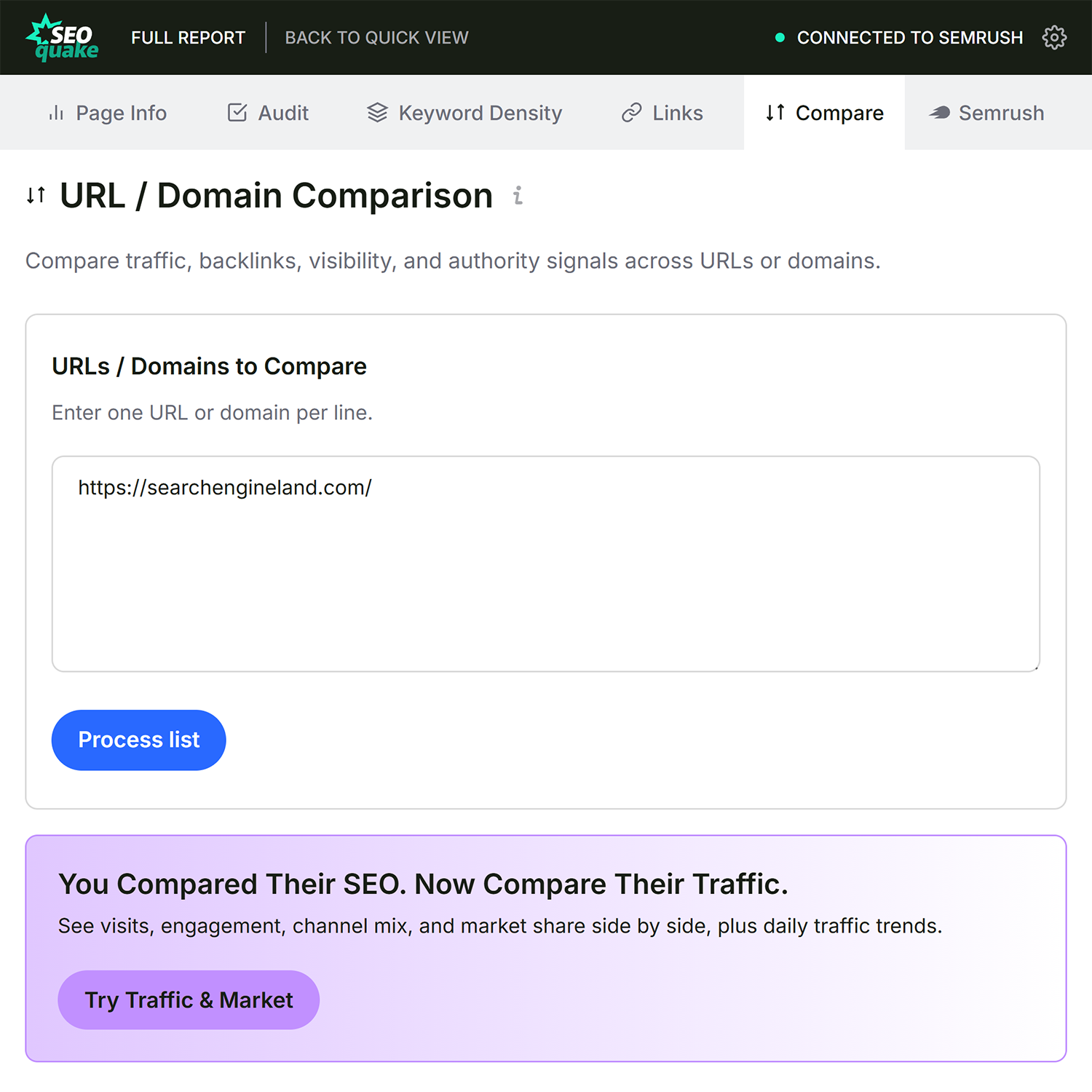
It’s a fast benchmarking view that’s great for a quick “How do these three competitors stack up?” gut check. It’s not a comprehensive competitive intelligence suite that nails down every potential action item, and it doesn’t try to be; think of it as the sketch before the painting, giving you a high-level overview of the landscape.
How to use SEOquake
This is genuinely a five-step tool, which is most of its charm:
- Install SEOquake from the Chrome Web Store
- Open a webpage you want to inspect: yours, a client’s, a competitor’s
- Click the SEOquake icon to open the Quick View popup
- Scan the tabs — Page Info, Content, Audit, Schema, and Semrush — for anything that looks wrong
- Open the Full Report when something deserves a closer look: keyword density, the full links table, URL comparisons, CSV and PDF exports, or the deeper Semrush metrics
That’s the whole workflow. The Quick View popup answers “Is anything obviously wrong with this page?” and the Full Report answers “Okay, how wrong, exactly?”
What’s new in the rebuilt SEOquake?
If you used the old SEOquake — that is, the olive-green one that looked like it time-traveled from 2015, because it basically did — the rebuild is a substantial change. Here’s what’s different:
- A cleaner Quick View popup: Five focused tabs replace the old cramped menu. It’s faster to read and faster to act on.
- An expanded Full Report: Six panels — Page Info, Audit, Keyword Density, Links, Compare, and Semrush — replace the scattered module pages of the legacy version.
- 28 page-level checks: This is up from the 21 active checks in legacy SEOquake. The audit now covers page, mobile, technical, and social signals, with additions like HTTP status, HSTS, mixed content, and X-Robots-Tag checks.
- A proper content workflow: Keyword density is still here — 1- to 4-word phrases, using the same calculation longtime users will recognize — but now it’s been integrated with the content and heading analysis.
- A richer links report: The links report keeps anchor text, follow status, and CSV export, and adds automatic HTTP status checks.
- URL/domain Compare: The existing comparison tool now appears in Full Report with selectable parameters and CSV export.
- Schema and social previews: Schema type detection now gets its own tab, and you can preview how a page renders as a social share.
- Semrush metrics and connected workflows: Connected accounts will find there are deeper backlink and traffic views, depending on access.
- Exports everywhere: With CSV still available for keyword density, links, and compare, plus the new PDF audit report, it’s easier to share the insights you find.
Equally important is what’s not in this launch, so nobody goes hunting for it:
- No SERP overlay: The injected results-page metrics from the legacy version aren’t in this release. SEObar returned in SEOquake 4.1.
- No Firefox or Opera release in this launch: The rebuilt version launched in the Chrome Web Store.
- No full site crawling: This was never the point, but it’s worth restating.
Also gone, and honestly not mourned: the legacy parameters built on dead tech, like Alexa Rank, Google cache dates, and assorted search-engine index counts that stopped meaning anything years ago. Clearing those out was well overdue.
When should you use SEOquake?
Where the extension earns its toolbar spot, in our experience:
- Quick page checks while browsing: You can get that “something feels off about this page” instinct, confirmed or dismissed in seconds.
- Reviewing titles, meta tags, headings, links, and schema: You can do this all without opening the source.
- Spotting obvious page-level issues: It’s easy to find missing descriptions, broken links, stray robots directives.
- Comparing a handful of URLs or domains: This allows for a quick benchmark.
- Tearing down competitor or reference pages: This lets you see how they’re built for quick comparisons.
- Deciding whether a deeper audit is worth doing: This might be the most underrated use case. SEOquake is a cheap, fast first pass that tells you whether to fire up the heavy machinery.
When do you need a full SEO platform instead?
We’d be doing you a disservice if we pretended a browser extension covers everything. SEOquake checks one page at a time, and some jobs need a wider lens. Reach for a full SEO platform when you need:
- A full site crawl: Finding every broken link, orphan page, and technical SEO issue across thousands of URLs is a crawler’s job which SEOquake is not. Instead something like Semrush’s Site Audit would be the right tool.
- Ongoing technical monitoring: For any ongoing monitoring and project-level audit data over time you’ll need to utilize a full SEO platform.
- Deep backlink analysis: When you need the full link graph pointing at a site, not just the links on one page.
- When you are monitoring many domains: If you are doing traffic and market research, keyword tracking, or competitive intelligence across many domains, you’ll need a full SEO platform.
The way we think about it: SEOquake is the stethoscope, while a platform like Semrush’s Site Audit is the MRI machine. SEOquake tells you quickly whether something’s wrong and roughly where. The full workup happens after that using more exact machinery, i.e. a full SEO platform. When used together, they’re a genuinely efficient pair — the extension for triage, the platform for treatment.
Ready to try it? Install SEOquake from the Chrome Web Store and run it on the last page you published. We’ll bet it finds at least one thing worth fixing.
FAQ
Is SEOquake free?
Yes. SEOquake is a free Chrome extension for page-level SEO checks with no daily cap on core analysis. Deeper Semrush backlink reporting and Traffic Analytics availability depends on the connected account.
Is SEOquake a Chrome extension?
Yes, the rebuilt SEOquake is a Chrome extension, available from the Chrome Web Store.
What does SEOquake check?
Page info (title, meta description, canonical, robots signals), content structure, a 28-check page audit, keyword density, internal and external links, schema and social metadata, and Semrush metrics.
Does SEOquake crawl a whole website?
No. SEOquake analyzes the page you’re currently viewing. For sitewide crawling and monitoring, use a full SEO audit platform.
Do I need a Semrush account to use SEOquake?
No. Core page analysis and public Semrush overview metrics work without an account. Connecting Semrush unlocks deeper backlink reporting and Traffic Analytics if your account includes it.
What changed in the rebuilt SEOquake?
A cleaner Quick View popup, an expanded six-panel Full Report, 28 page-level checks (up from 21 active checks in legacy SEOquake), updated keyword density and content workflows, a richer links report, URL/domain Compare, schema and social previews, CSV and PDF exports, and connected Semrush workflows.
Is SEOquake available for Firefox or Opera?
Not in this launch. The rebuilt version is Chrome-first.
How is SEOquake different from a full SEO audit tool?
SEOquake is built for fast page-level checks in the browser: one page, right now, in seconds. Full SEO audit tools crawl and monitor entire sites over time. They’re complements, not competitors.
Explore more on
Editorial disclosure
Search Engine Land is owned by Semrush. We remain committed to providing high-quality coverage of marketing topics. Unless otherwise noted, this page’s content was written by either an employee or a paid contractor of Semrush Inc.
About the author